> ## Documentation Index
> Fetch the complete documentation index at: https://docs.kinetica.com/llms.txt
> Use this file to discover all available pages before exploring further.
# Alerts
The **Alerts** page in *KAgent* hosts alert configuration and management
as well as alert history. Visit [Monitoring and Alerting](/content/admin/monitoring_alerting) for an
overview of *KAgent's* monitoring and alerting capabilities, including
configuring alerts and recipients. The **Alerts** page is divided into
five tabs:
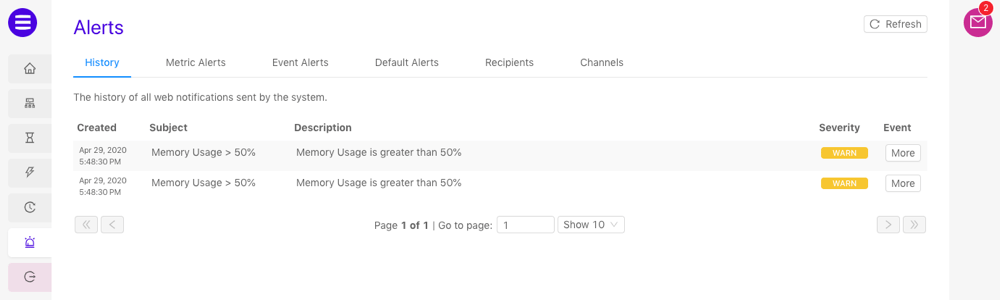
## History
The **History** tab displays a detailed alert history. Use the paging
controls below the list of alerts to navigate through the history.
 ## Metric Alerts
The **Metric Alerts** tab displays the currently configured metric
alerts. Metric alerts can be used to track the value of a metric and send a
notification via email or in *KAgent* when the value crosses a given threshold.
Visit [Monitoring and Alerting](/content/admin/monitoring_alerting#metric-alerts-concept) for more
information on configuration and usage.
* Click **+ Add Metric Alert** to start
[creating an alert](/content/admin/monitoring_alerting#create-metric-alert)
* For existing metric alerts:
* Click **Recipients** to adjust the recipients of the alert
* Click **Edit** to adjust the metric alert configuration
* Click **Delete** to delete the metric alert
## Metric Alerts
The **Metric Alerts** tab displays the currently configured metric
alerts. Metric alerts can be used to track the value of a metric and send a
notification via email or in *KAgent* when the value crosses a given threshold.
Visit [Monitoring and Alerting](/content/admin/monitoring_alerting#metric-alerts-concept) for more
information on configuration and usage.
* Click **+ Add Metric Alert** to start
[creating an alert](/content/admin/monitoring_alerting#create-metric-alert)
* For existing metric alerts:
* Click **Recipients** to adjust the recipients of the alert
* Click **Edit** to adjust the metric alert configuration
* Click **Delete** to delete the metric alert
 ## Event Alerts
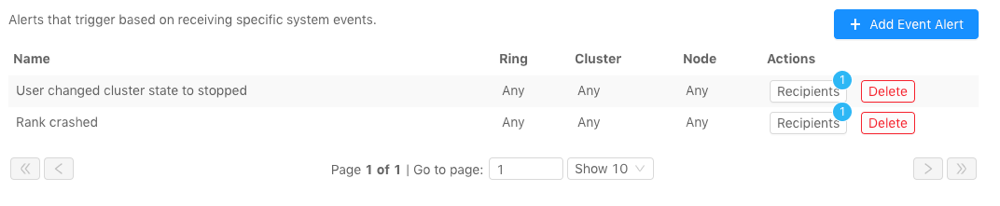
The **Event Alerts** tab displays the currently configured event
alerts. Event alerts can be used to track specific system events and send a
notification via email or in *KAgent* when the event occurs. Visit
[Monitoring and Alerting](/content/admin/monitoring_alerting#event-alerts-concept) for more information on
configuration and usage.
* Click **+ Add Event Alert** to start
[creating an alert](/content/admin/monitoring_alerting#create-event-alert)
* For existing event alerts:
* Click **Recipients** to adjust the recipients of the alert
* Click **Delete** to delete the alert
## Event Alerts
The **Event Alerts** tab displays the currently configured event
alerts. Event alerts can be used to track specific system events and send a
notification via email or in *KAgent* when the event occurs. Visit
[Monitoring and Alerting](/content/admin/monitoring_alerting#event-alerts-concept) for more information on
configuration and usage.
* Click **+ Add Event Alert** to start
[creating an alert](/content/admin/monitoring_alerting#create-event-alert)
* For existing event alerts:
* Click **Recipients** to adjust the recipients of the alert
* Click **Delete** to delete the alert
 ## Default Alerts
Default alerts are preconfigured by *Kinetica* and will be broadcast to all
web users as a notification. Click **Disable** to disable the default
alert.
## Default Alerts
Default alerts are preconfigured by *Kinetica* and will be broadcast to all
web users as a notification. Click **Disable** to disable the default
alert.
 ## Recipients
The **Recipients** tab displays the available recipients for alerts.
Visit [Monitoring and Alerting](/content/admin/monitoring_alerting#recipients-concept) for more information
on configuration and usage.
* Click **+ Add Recipient** to start
[creating a recipient](/content/admin/monitoring_alerting#create-recipient)
* For existing recipients:
* Click **Test** to send a test alert to the recipient.
* Click **Delete** to delete the recipient
## Recipients
The **Recipients** tab displays the available recipients for alerts.
Visit [Monitoring and Alerting](/content/admin/monitoring_alerting#recipients-concept) for more information
on configuration and usage.
* Click **+ Add Recipient** to start
[creating a recipient](/content/admin/monitoring_alerting#create-recipient)
* For existing recipients:
* Click **Test** to send a test alert to the recipient.
* Click **Delete** to delete the recipient
 ## Channels
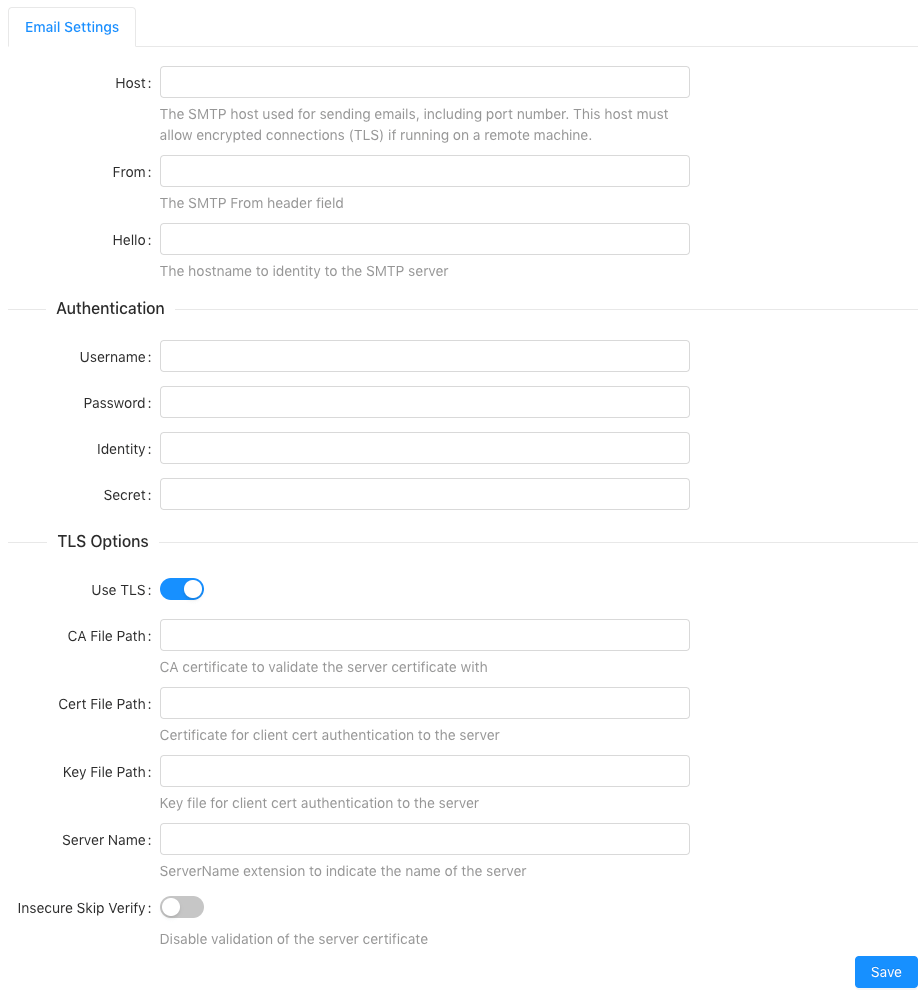
The **Channels** tab hosts configuration for delivery channels
currently supported by [KAgent](/content/admin/kagent/kagent). Visit
[Monitoring and Alerting](/content/admin/monitoring_alerting#delivery-channels-concept) for more information
on configuration and usage.
## Channels
The **Channels** tab hosts configuration for delivery channels
currently supported by [KAgent](/content/admin/kagent/kagent). Visit
[Monitoring and Alerting](/content/admin/monitoring_alerting#delivery-channels-concept) for more information
on configuration and usage.