> ## Documentation Index
> Fetch the complete documentation index at: https://docs.kinetica.com/llms.txt
> Use this file to discover all available pages before exploring further.
# Quick Start Guide
> Get started with Kinetica Workbench
## Install Kinetica
There are several different options for installing
[Kinetica Enterprise](/content/install/kagent_install) or
[Kinetica in AWS](/7.2/aws/provision/installation/).
However, to get started within minutes (and for free) we recommend either of the
following two routes:
* **Kinetica Cloud Free**: This is a free managed version with 10 GB of storage,
which is hosted in the cloud. Follow the instructions for
[Kinetica Cloud Free](https://cloud.kinetica.com/trynow/) to create an
account and launch Kinetica.
Kinetica Cloud takes only a couple of minutes to set up and is an
excellent choice to get started. However it is a shared multi-tenant
instance. While your data is private, the compute resources are
shared between all users of the cluster.
* **Kinetica Developer Edition**: The Developer Edition is a free personal copy
of Kinetica that can be installed on your computer. It requires
[Docker](https://docs.docker.com/get-docker/) and 8 GB of RAM. Follow the
instructions for
[Kinetica Developer Edition](https://www.kinetica.com/kinetica-developer-edition/) to
install Developer Edition.
The Developer Edition must be installed locally and requires Docker,
but it gives you full administrative access to Kinetica. Also, your
computational resources are constrained solely by the resources
available on your personal computer.
## Workbench with Integrated SQL GPT
[Workbench](/content/admin/workbench) is the primary interface for querying
and managing Kinetica.
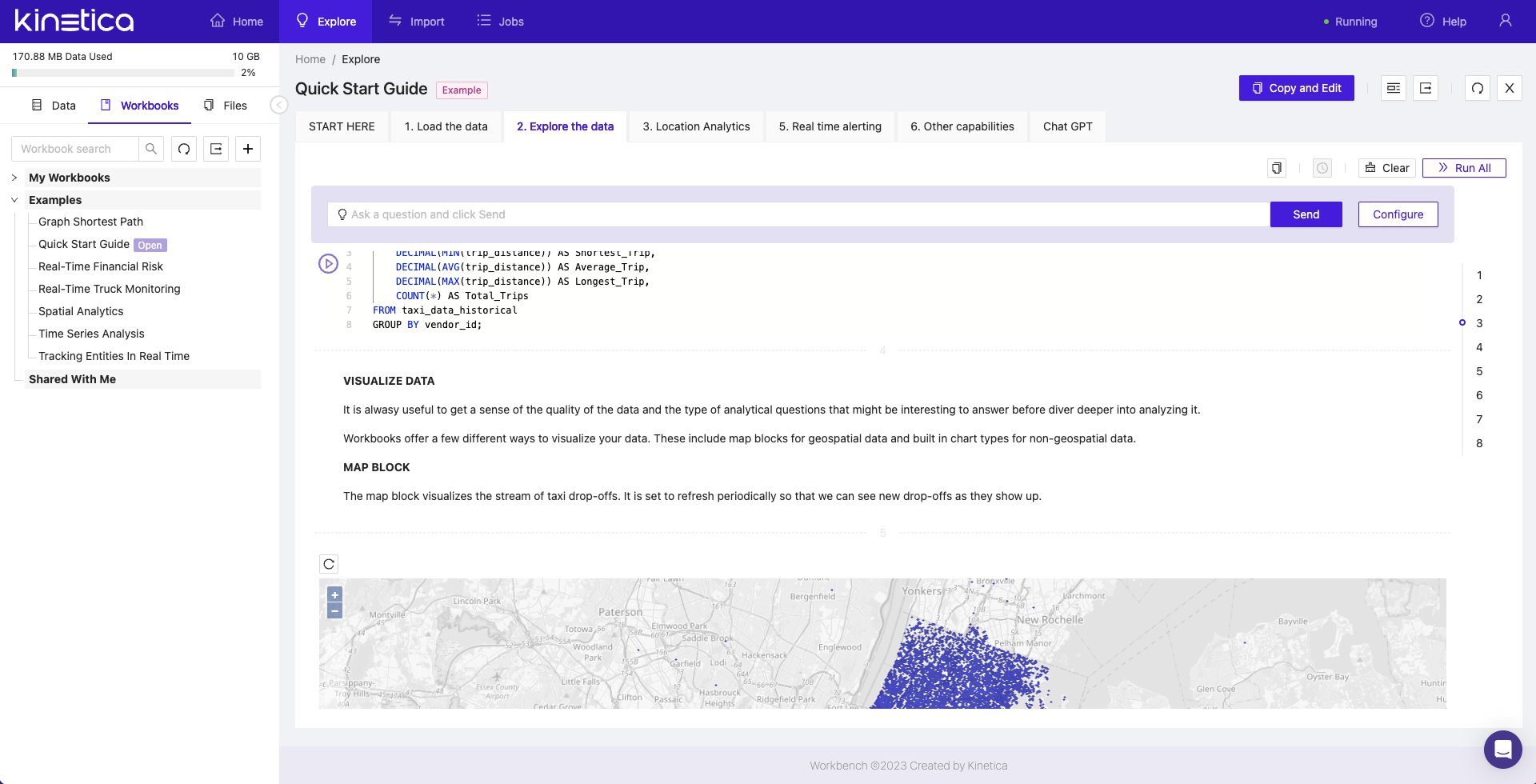 SQL GPT, an integration with ChatGPT for writing queries using natural language,
is built into each Workbook within Workbench. For details, see
[SQL-GPT](/content/sql-gpt).
Workbench is available based on which option you selected:
* **Kinetica Cloud Free**: Workbench will be the interface presented when
logging in.
* **Kinetica Developer Edition**: Log into Workbench once you have installed
Kinetica at:
```
http://localhost:8000
```
Once there, the Quick Start Guide can be reached in either of two ways:
* Clicking on the *Quick Start Guide* card under *Getting Started*
* Clicking on the *Workbooks* tab in the left navigation pane, and then on
*Quick Start Guide* in the list of *Examples*
SQL GPT, an integration with ChatGPT for writing queries using natural language,
is built into each Workbook within Workbench. For details, see
[SQL-GPT](/content/sql-gpt).
Workbench is available based on which option you selected:
* **Kinetica Cloud Free**: Workbench will be the interface presented when
logging in.
* **Kinetica Developer Edition**: Log into Workbench once you have installed
Kinetica at:
```
http://localhost:8000
```
Once there, the Quick Start Guide can be reached in either of two ways:
* Clicking on the *Quick Start Guide* card under *Getting Started*
* Clicking on the *Workbooks* tab in the left navigation pane, and then on
*Quick Start Guide* in the list of *Examples*