

Prerequisites
- D.C. Shape data file
- Access to GAdmin
- Access to a REST client or a terminal
Data File
The tutorial makes use of thedc_shape dataset, which can be ingested from
the data file mentioned above.
To ingest the file using GAdmin:
- Navigate to GAdmin and log in (
http://localhost:8080/) - In the top menu, click Data —> Import
- In the top right corner, click Advanced CSV Import
- Click Select File and select the data file from your local directory
- Leave the default options and values for the rest of Step 1
- Under Step 2, change Schema to
graph - Under Step 3: Confirm, click Import CSV
Using the REST API
As mentioned above, running the following examples requires access to a REST client or a terminal. If opting to run the tutorial via a terminal, the tutorial script and cURL package are required. See Download & Run for more information.Key Information and Concepts
After the data file has been ingested into Kinetica, you should learn about the dataset and how it relates to the Graph Solvers.Data
Thedc_shape dataset is a HERE dataset and is analogous to most road network
datasets you could find in that it includes columns for the type of road, the
average speed, the direction of the road, a WKT linestring for its geographic
location, a unique ID integer for the road, and more. The graph used in the
example is created with two columns from the dc_shape dataset:
-
shape— a WKT linestring composed of points that make up various streets, roads, highways, alleyways, and footpaths throughout Washington, D.C. -
direction— an integer column that conveys information about the directionality of the road, with forward meaning the direction in which the way is drawn in OSM and backward being the opposite direction:0— a forward one-way road1— a two-way road2— a backward one-way road
shape column is also part of an inline
calculation for distance as weight during graph creation using
the ST_LENGTH and ST_NPOINTS
geospatial functions.
Graph Concepts
A graph typically comprises nodes,
edges, weights, and
restrictions, but only requires edges and
weights. The graph created in this tutorial only uses edges and weights.
In this particular example, edges are logically mapped to sections of roadways
and footpaths throughout the Washington, D.C., area. Each edge corresponds to
a consecutive pair of points from each of the source LINESTRINGs, so a
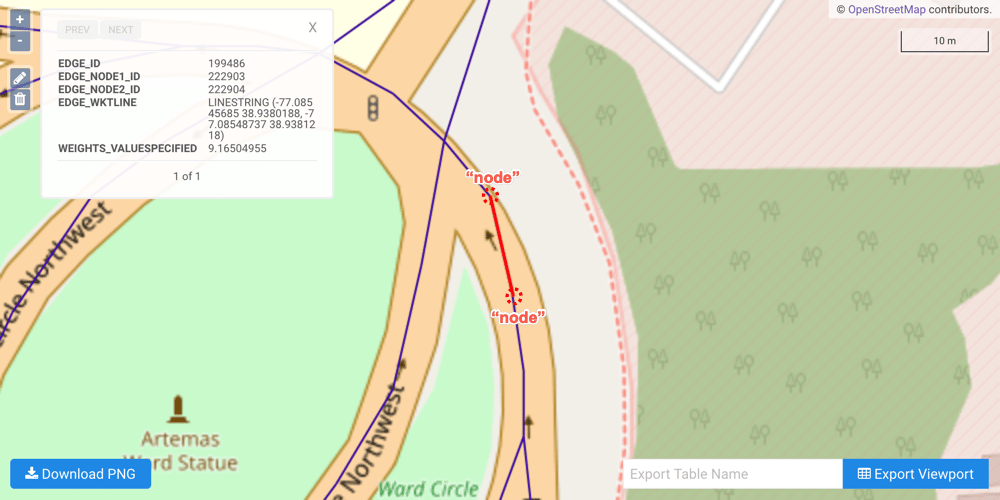
LINESTRING containing n points will have n-1 edges. Because
the source graph is not created with nodes, implicit nodes are assigned
at either end of each edge after graph creation.
For example, link ID
18350083 is a part of the Ward Circle roundabout, which
itself is part of Massachusetts Avenue Northwest near American University.
Selecting link ID 18350083 from the dc_shape table reveals the following WKT
linestring (the end of the linestring was removed for clarity):
- Edge A -
LINESTRING(-77.08544159 38.93787003, -77.08544159 38.93793869) - Edge B -
LINESTRING(-77.08544159 38.93793869, -77.08545685 38.9380188) - Edge C -
LINESTRING(-77.08545685 38.9380188, -77.08548737 38.9381218)
After graph creation (and assuming the graph table was created), you
can view each edge’s details, including its respective WKT
linestring, using WMS and clicking an edge: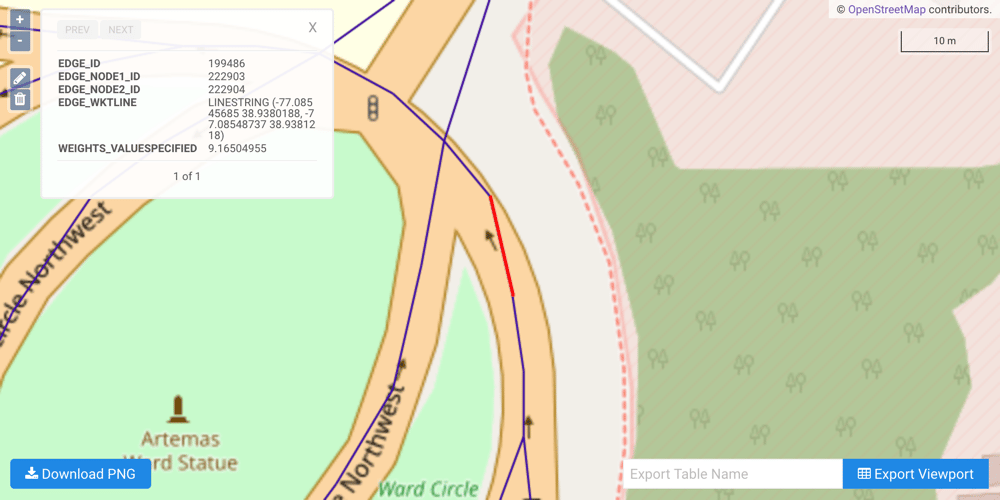
shortest_path— Find the shortest path between two points on a graphmultiple_routing— Find the quickest route between a source point and many destination points; also known as traveling salesman
Tutorial via REST Client
This tutorial can be run via cURL to create and solve the graph, but any REST client will work. In the following examples, the JSON block presented is passed as a text file to cURL’s--data parameter, and the name of the endpoint is
appended to the database connection URL.
A call to the /create/graph endpoint looks like:
REST Create Graph Call
HOST_URL parameter above.
The response will be a JSON block containing three primary fields:
status-OKorERROR, depending on the success of the callmessage- error message, if anydata_str- an escaped-quotes JSON block containing the response data for the request
Create Graph
One graph is used for both solve graph examples later in the tutorial:
dc_shape_graph, a graph based on the aforementioned dc_shape dataset.
The dc_shape_graph graph is created with the following characteristics:
- It is directed because the roads in the graph have directionality (one-way and two-way roads)
-
It has no explicitly defined
nodesbecause the example relies on implicit nodes attached to the defined edges -
The
edgesare derived from WKT LINESTRINGs in theshapecolumn of thedc_shapetable (WKTLINE). Each road segment’s directionality is derived from thedirectioncolumn of thedc_shapetable (DIRECTION). Each road segment’s weight is represented as its distance, which is calculated as the length of the entireshapecolumn’s LINESTRING (in meters) divided by the number of points in the LINESTRING minus 1 (WEIGHT_VALUESPECIFIED). - It has no explicitly defined weights, as those were defined as part of the edge configuration above
-
It has no inherent
restrictionsfor any of the nodes or edges in the graph -
It utilizes the following options:
- It will be replaced with this instance of the graph if a graph of the same
name exists (
recreate) - If nodes are within 0.00001 degrees (1 meter) of each other, they will be
merged together (
merge_tolerance) - The resulting graph’s information will be placed into a table
(
graph_table) and anEDGE_WKTLINEcolumn will be included so the graph can be visualized
- It will be replaced with this instance of the graph if a graph of the same
name exists (
-
Call the /create/graph endpoint with the following JSON
parameter block:
Create Graph Endpoint Call JSON Payload
-
The response should contain the following JSON
block:
Create Graph Endpoint Response
Solve the Graph (Shortest Path)
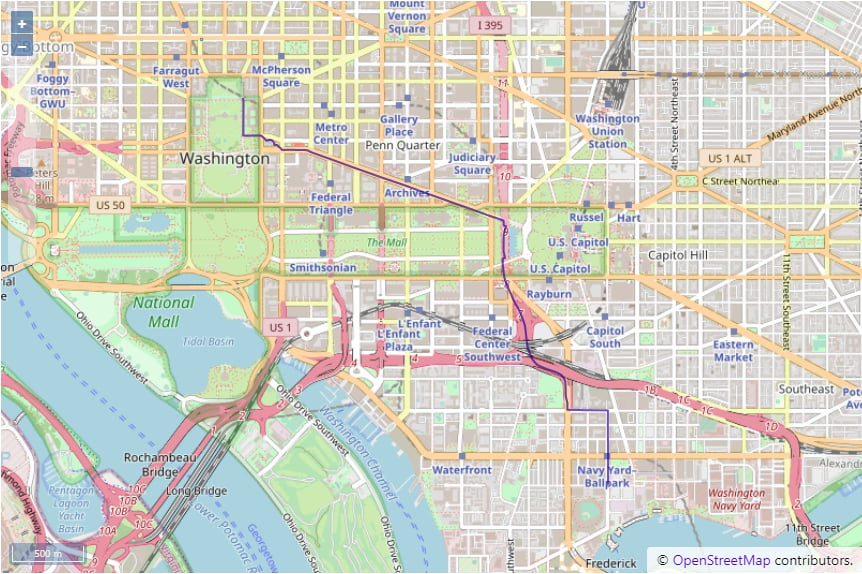
The following scenario has been designed to illustrate a shortest path
solution:
You work near the White House, and after you get off work, you’d like to
attend a baseball game at the nearby ballpark. What’s the shortest path
you could take to get to the ballpark?
The source and destination points were selected from endpoints of
edges within the graph. The easiest way to review
the points that make up an edge is using the
WMS tool on the graph table
(
dc_shape_graph_table).| Source | Destination | |
|---|---|---|
| WKT | POINT(-77.03511810000001 38.89876175) | POINT(-77.00585175000001 38.87462997) |
| Location Description | The corner of Madison Place Northwest and Pennsylvania Avenue Northwest | The corner of N Street Southeast and Southeast 1st street |
| WMS Location | 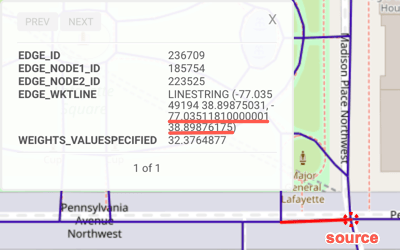 | 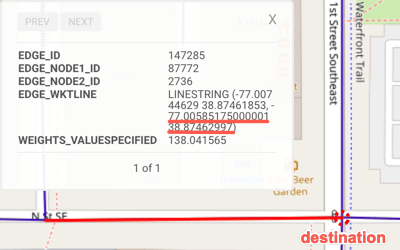 |
-
Call the /solve/graph endpoint with the following JSON
parameter block:
Solve Graph Endpoint Call (Shortest Path) JSON PayloadBecause the tutorial graph was created using WKT linestrings, the
/solve/graphcall provides the source and destination points as WKT points. -
The response should contain the following JSON
block:
Solve Graph Endpoint Response (Shortest Path)
-
The solution can be viewed in GAdmin by:
- Click Data —> Table
- Click on the
graph_restschema - Click on Map in the
dc_shape_graph_solved_shortest_pathtable’s row - Click Feature at the bottom left of the image
Solve the Graph (Multiple Routing)
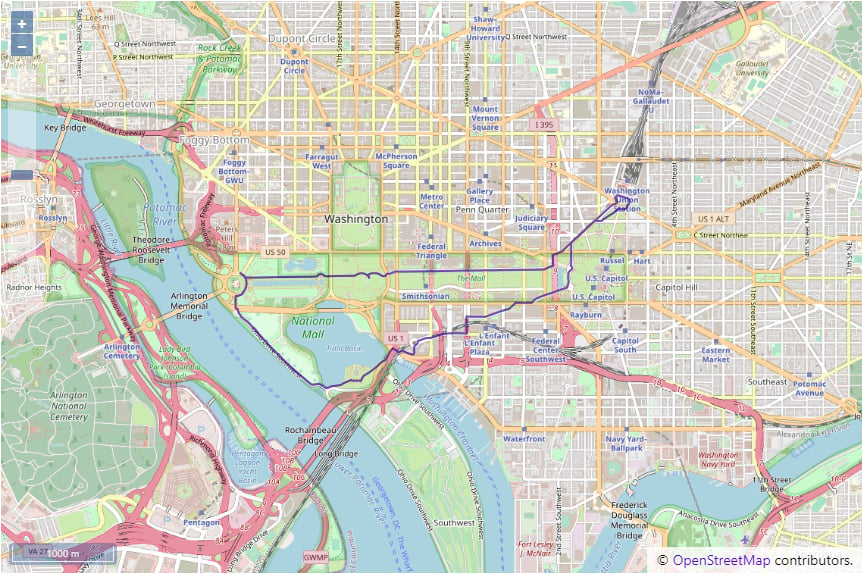
The following scenario has been designed to illustrate a multiple routing solution: You’re currently taking the subway to Union Station to visit Washington D.C. for the day. You would like to see some of the most iconic monuments and buildings in Washington, D.C. before returning back to Union Station. Starting from Union Station, what’s the quickest route between each stop before returning back to Union Station?The source and destination points were selected from endpoints of
edges within the graph. The easiest way to review
the points that make up an edge is using the
WMS tool on the graph table
(
dc_shape_graph_table).| Source | Destination | Destination | Destination | Destination | |
|---|---|---|---|---|---|
| WKT | POINT(-77.00576019 38.89677811) | POINT(-77.03517151 38.8898201) | POINT(-77.03626251 38.88068008) | POINT(-77.04974365 38.89020157) | POINT(-77.01207733 38.89072037) |
| Location Description | Union Station | Near the Washington Monument | Near the Jefferson Memorial | Near the Lincoln Memorial | Near Capitol Hill |
| WMS Location | 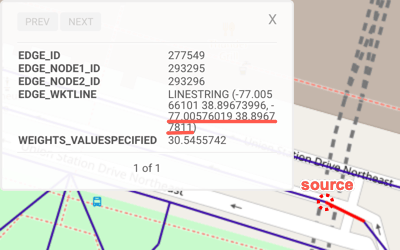 | 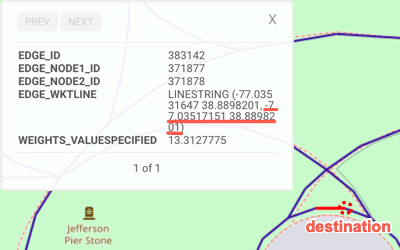 | 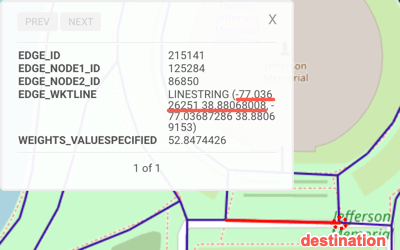 | 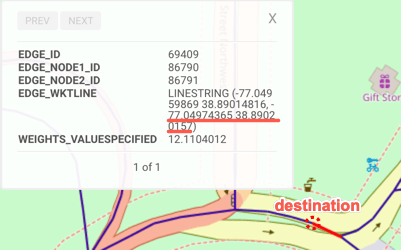 | 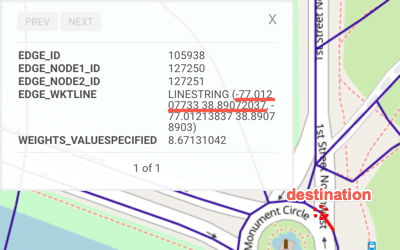 |
-
Call the /solve/graph endpoint with the following JSON
parameter block:
Solve Graph Endpoint Call (Multiple Routing) JSON PayloadBecause the tutorial graph was created using WKT linestrings, the
/solve/graphcall provides the source and destination points as WKT points. -
The response should contain the following JSON
block:
Solve Graph Endpoint Response (Multiple Routing)
-
The solution can be viewed in GAdmin by:
- Click Data —> Table
- Click on the
graph_restschema - Click on Map in the
dc_shape_graph_solved_multiple_routingtable’s row - Click Feature at the bottom left of the image
Download & Run
Included below is the complete tutorial containing all the above requests and the necessary JSON files:- Graph tutorial script
- /create/graph JSON
- /solve/graph JSON (shortest path)
- /solve/graph JSON (multiple routing)
Run Example