

Prerequisites
The prerequisites for running the isochrones example are listed below:- Graph server enabled
- Python API
- Isochrones example script
- DC Shape data CSV file
Python API Installation
Depending on the target operating system, a Python virtual environment may need to be installed first: The native Kinetica Python API is accessible through the following means:Python Virtual Environment
A Python virtual environment is necessary to install in an operating environment where Python is externally managed.-
Install a Python virtual environment:
-
Activate the Python virtual environment:
PyPI
-
Install the API:
-
Test the installation:
If Import Successful is displayed, the API has been installed as is ready for use.
Git
-
In the desired directory, run the following, but be sure to replace
<kinetica-version>with the name of the installed Kinetica version, e.g.,v7.2: -
Change directory into the newly downloaded repository:
-
In the root directory of the unzipped repository, install the Kinetica API:
-
Test the installation (Python3 is necessary for running the API example):
Data File
The example script references the dc_shape.csv data file, mentioned in the Prerequisites, in the current local directory, by default. This directory can specified as a parameter when running the script.Script Detail
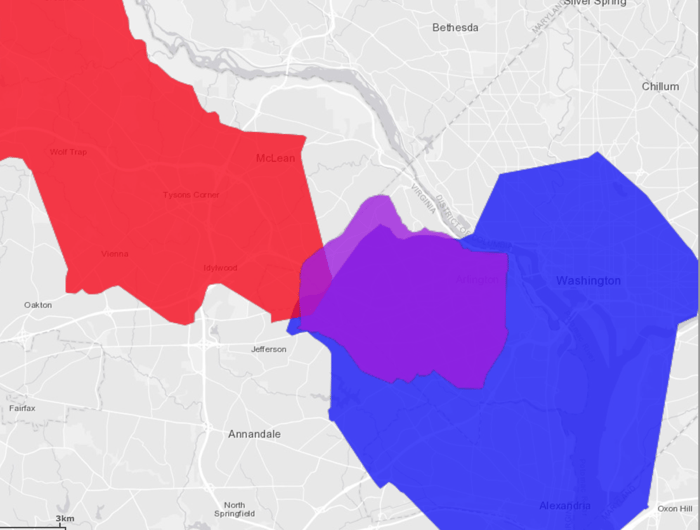
This example is going to demonstrate the following scenarios using isochrones either via the /visualize/isochrone endpoint or the /wms endpoint:- Find the shared area between Dulles International Airport (IAD), Ronald Reagan Washington National Airport (DCA),and Kinetica HQ by calculating the isochrones for traveling to IAD within 40 minutes, traveling to DCA within 25 minutes, and traveling from Kinetica HQ within 10 minutes and joining the results on the intersection of the isochrones using /visualize/isochrone
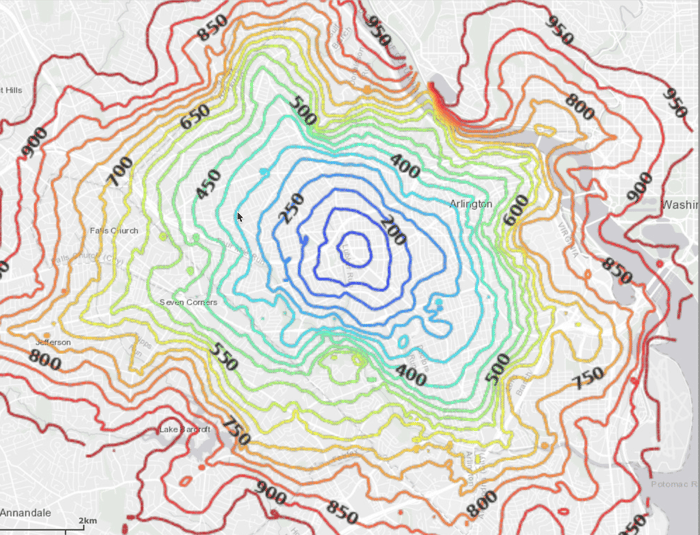
- Calculating the isochrones for traveling to Kinetica HQ within 15 minutes using /wms
Connections
This example will use two connections, one to the database and one to the WMS endpoint, configured as follows:Database Connection
WMS Endpoint URL
Constants
Many constants are defined at the beginning of the script:-
CSV_ROW_SIZE— the expected row number for the CSV file -
OPTION_NO_ERROR— reference to a /clear/table option for ease of use and repeatability -
OPTION_ISO— a Python dictionary containing /visualize/isochroneoptionskey-value pairs -
OPTION_ISO_CONTOUR— a Python dictionary containing /visualize/isochronecontour_optionskey-value pairs -
OPTIONS_ISO_STYLE— a Python dictionary containing /visualize/isochronestyle_optionskey-value pairs -
SCHEMA— the name of the schema in which the tables will be created -
TABLE_DC— the name of the table into which the DC Shape dataset is loaded -
TABLE_D_LVL— the name of the table into which the IAD isochrone contour levels are output -
TABLE_JOIN— the name of the join view hosting the shared area between the three isochrone contour level output tables -
TABLE_K_ISO_SOLVE— the name of the table into which the WMS examples’ isochrones solution (the position and cost for each vertex in the underlying graph) is output -
TABLE_K_LVL1— the name of the table into which the Kinetica isochrone (leading from) contour levels are output -
TABLE_K_LVL2— the name of the table into which the Kinetica isochrone (leading to) contour levels are output -
TABLE_R_LVL— the name of the table into which the DCA isochrone contour levels are output -
GRAPH_DC— the underlying DC shape graph that powers the isochrone calculation -
D_AIR,K_HQ,R_AIR— the source nodes for the IAD, Kinetica HQ, & DCA isochrone requests, respectively -
D_AIR_IMG,K_HQ_IMG1,K_HQ_IMG2,R_AIR_IMG— the resulting generated isochrone image from the IAD, Kinetica HQ (leading from), Kinetica HQ (leading to), & DCA isochrone requests, respectively
Graph Creation
One graph is used for the isochrones examples utilized in the script:dc_shape_graph, a graph based on the dc_shape dataset (the CSV file
mentioned in Prerequisites).
The example script will first check to see if the
dc_shape table
and dc_shape_graph exist; if either does not, they will be
created.dc_shape_graph is created with the following characteristics:
- It is directed because the roads in the graph have directionality (one-way and two-way roads)
- It has no explicitly defined
nodesbecause the nodes are not used in these examples - The
edgesare represented using WKT LINESTRINGs in theshapecolumn of thedc_shapetable (WKTLINE). Each edge’s directionality is derived from thedirectioncolumn of thedc_shapetable (DIRECTION). - The
weightsrepresent the time taken to travel the edge, which is derived from the length of the edge divided by thespeedcolumn values also found in thedc_shapetable. This derived time value is mapped to theVALUESPECIFIEDidentifier. - It has no inherent
restrictionsfor any of the nodes or edges in the graph - It will be replaced with this instance of the graph if a graph of the same
name exists (
recreate)Create Graph
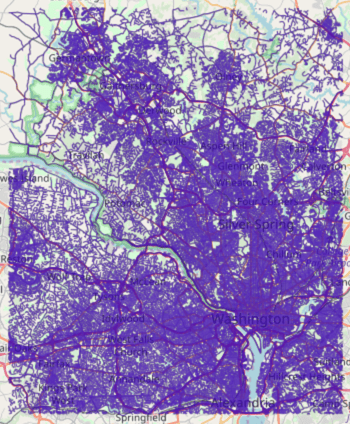
Visualizing Isochrones
First, additional contour and isochrones options are provided:add_labelsis set totrueto display labels on the isochrones imageprojectionis set toweb_mercatorto change the spatial reference systemsolve_directionis set toto_sourceto calculate isochrones leading to IAD
source_nodeis provided as a WKT point (D_AIR) paired with aNODE_WKTPOINTidentifiermax_solution_radiusis set for 2400 seconds’ (or 40 minutes’) worth of travel surrounding the source nodenum_levelsis set to1to only display one isochrone contour around the source nodegenerate_imageis set toTrueto generate an image and output it to the response
Request IAD Isochrone Image
Write IAD Isochrone Image to Disk
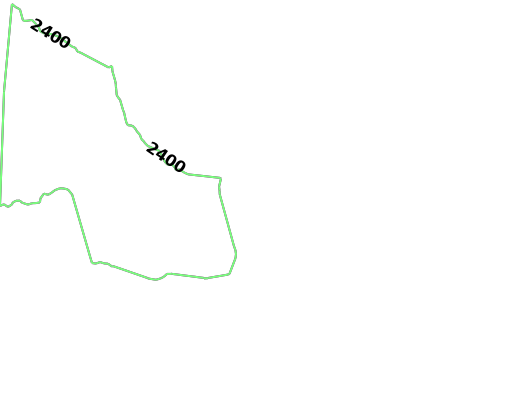
The
solve_direction is still to_source at this point, so
the second group of isochrones is calculated for leading to
DCAsource_nodeis provided as a WKT point (R_AIR) paired with aNODE_WKTPOINTidentifiermax_solution_radiusis set for 1500 seconds’ (or 25 minutes’) worth of travel surrounding the source nodenum_levelsis set to1to only display one isochrone contour around the source nodegenerate_imageis set toTrueto generate an image and output it to the response
Request DCA Isochrone Image
Write DCA Isochrone Image to Disk
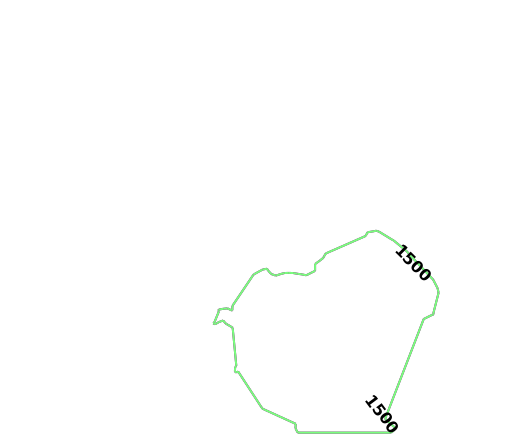
Update Solve Orientation
source_nodeis provided as a WKT point (K_HQ) paired with aNODE_WKTPOINTidentifiermax_solution_radiusis set for 600 seconds’ (or 10 minutes’) worth of travel surrounding the source nodenum_levelsis set to1to only display one isochrone contour around the source nodegenerate_imageis set toTrueto generate an image and output it to the response
Request Kinetica HQ Isochrone Image
Write Kinetica HQ Isochrone Image to Disk
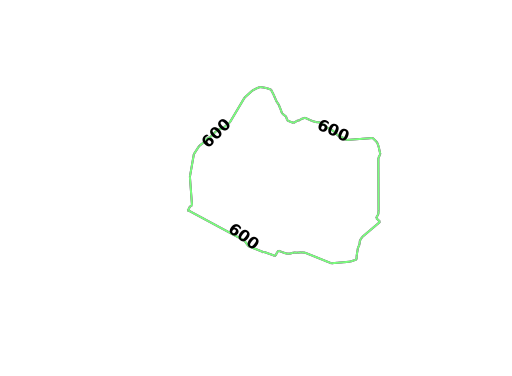
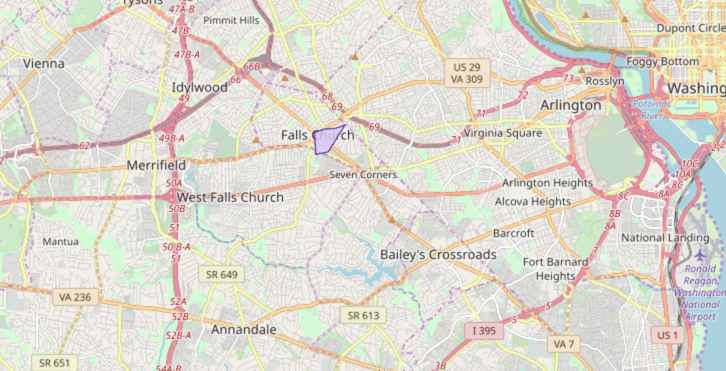
ST_INTERSECTION() geospatial function is used to join the three tables
together:
Geospatial Intersection via Join
- Red signifies being within 40 minutes of IAD
- Blue signifies being within 25 minutes of DCA
- Purple signifies being within 10 minutes of Kinetica HQ
Visualizing Isochrones Using WMS
To visualize isochrones via the/wms endpoint, the WMS
payload must be constructed. Consult /wms for more
information on WMS parameters, styles, and style options.
WMS payloads require a small set of standard parameters that will generally be
the same across all WMS requests:
Standard WMS Parameters
512 pixels. The
image height is set to -1, which the database will replace with the value
resulting from multiplying the aspect ratio by the image width.
Standard Isochrone Parameters
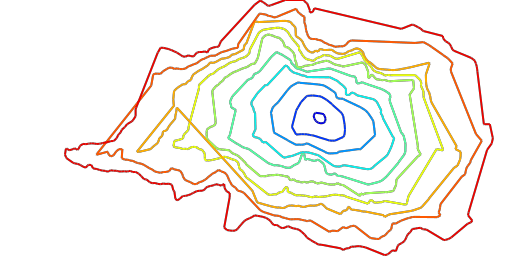
source_nodeis provided as a WKT point (K_HQ) paired with aNODE_WKTPOINTidentifiermax_solution_radiusis set for 900 seconds’ (or 15 minutes’) worth of travel surrounding the source nodenum_levelsis set to10to 10 isochrone contours around the source nodegenerate_imageis set toTrueto generate an image and output it to the response
Kinetica HQ Isochrone Parameters
Isochrone Style Parameters
Isochrone Contour Parameters
solve_direction as we want isochrones leading to Kinetica HQ in this
instance.
Isochrone Solve & Output Parameters
Request Isochrone Image
Write Isochrone Image to Disk
Using the 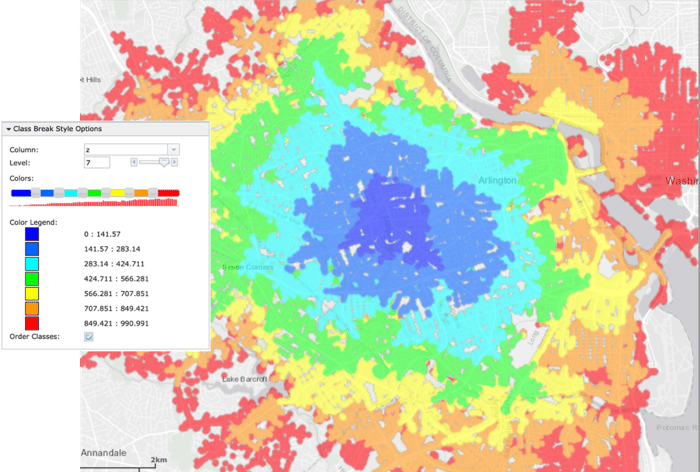
solve_table (TABLE_K_ISO_SOLVE), you can class break
on the z (cost) column in WMS to see individual points and their
relative cost:Download & Run
Included below is a complete example containing all the above requests, the data files, and output. To run the complete sample, ensure that:- the isochrones.py script is in the current directory
- the dc_shape.csv file is in the current directory or use the
data_dirparameter to specify the local directory containing it
Run Example