API to talk to Kinetica Database More...
Inherits IDisposable.
 Collaboration diagram for Kinetica: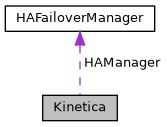
Classes | |
| class | Options |
| Connection Options More... | |
Public Member Functions | |
| IList< ClusterAddressInfo > | GetHARingInfo () |
| Gets the list of all cluster addresses in the HA ring. More... | |
| ClusterAddressInfo? | GetCurrentClusterInfo () |
| Gets the current active cluster information. More... | |
| Kinetica (string url_str, Options? options=null) | |
| API Constructor More... | |
| Kinetica (IList< string > urls, Options? options=null) | |
| API Constructor with multiple URLs for HA failover support. More... | |
| IList< Uri >? | GetCurrentWorkerUrls () |
| Gets the current worker URLs for multi-head operations. More... | |
| IList< int >? | GetCurrentRoutingTable () |
| Gets the current routing table for multi-head operations. More... | |
| bool | RefreshClusterInfo () |
| Refreshes cluster information after a failover. More... | |
| void | Dispose () |
| Disposes the Kinetica client and releases HTTP resources. More... | |
| void | AddTableType (string table_name, Type obj_type) |
| Given a table name, add its record type to enable proper encoding of records for insertion or updates. More... | |
| void | SetKineticaSourceClassToTypeMapping (Type? objectType, KineticaType kineticaType) |
| Saves an object class type to a KineticaType association. More... | |
| void | DecodeRawBinaryDataUsingRecordType< T > (KineticaType record_type, IList< byte[]> records_binary, IList< T > records) |
| Given a KineticaType object for a certain record type, decode binary data into distinct records (objects). More... | |
| void | DecodeRawBinaryDataUsingSchemaString< T > (string schema_string, IList< byte[]> records_binary, IList< T > records) |
| Given a schema string for a certain record type, decode binary data into distinct records (objects). More... | |
| void | DecodeRawBinaryDataUsingSchemaString< T > (IList< string > schema_strings, IList< IList< byte[]>> lists_records_binary, IList< IList< T >> record_lists) |
| Given a list of schema strings, decode binary data into distinct records (objects). More... | |
| void | DecodeRawBinaryDataUsingTypeIDs< T > (IList< string > type_ids, IList< byte[]> records_binary, IList< T > records) |
| Given IDs of records types registered with Kinetica, decode binary data into distinct records (objects). More... | |
| void | DecodeRawBinaryDataUsingTypeIDs< T > (IList< string > type_ids, IList< IList< byte[]>> lists_records_binary, IList< IList< T >> record_lists) |
| Given IDs of records types registered with Kinetica, decode binary data into distinct records (objects). More... | |
| TResponse | SubmitRequestRaw< TResponse > (Uri url, object request, bool enableCompression=false, bool avroEncoding=true) |
| Submit a request directly to a specific URL without HA failover. More... | |
| RawKineticaResponse | SubmitRequestRawBytes (Uri url, byte[] requestBytes) |
| Submit pre-encoded request bytes directly to a specific URL without HA failover. More... | |
| bool | IsKineticaRunning (Uri url) |
| Checks if Kinetica is running at the given URL. More... | |
| AdminAddHostResponse | adminAddHost (AdminAddHostRequest request_) |
| Adds a host to an existing cluster. More... | |
| async System.Threading.Tasks.Task< AdminAddHostResponse > | AdminAddHostAsync (AdminAddHostRequest request_, System.Threading.CancellationToken cancellationToken=default) |
| Adds a host to an existing cluster. More... | |
| AdminAddHostResponse | adminAddHost (string host_address, IDictionary< string, string > options=null) |
| Adds a host to an existing cluster. More... | |
| async System.Threading.Tasks.Task< AdminAddHostResponse > | AdminAddHostAsync (string host_address, IDictionary< string, string > options=null, System.Threading.CancellationToken cancellationToken=default) |
| Adds a host to an existing cluster. More... | |
| AdminAddRanksResponse | adminAddRanks (AdminAddRanksRequest request_) |
| Add one or more ranks to an existing Kinetica cluster. More... | |
| async System.Threading.Tasks.Task< AdminAddRanksResponse > | AdminAddRanksAsync (AdminAddRanksRequest request_, System.Threading.CancellationToken cancellationToken=default) |
| Add one or more ranks to an existing Kinetica cluster. More... | |
| AdminAddRanksResponse | adminAddRanks (IList< string > hosts, IList< IDictionary< string, string >> config_params, IDictionary< string, string > options=null) |
| Add one or more ranks to an existing Kinetica cluster. More... | |
| async System.Threading.Tasks.Task< AdminAddRanksResponse > | AdminAddRanksAsync (IList< string > hosts, IList< IDictionary< string, string >> config_params, IDictionary< string, string > options=null, System.Threading.CancellationToken cancellationToken=default) |
| Add one or more ranks to an existing Kinetica cluster. More... | |
| AdminAlterHostResponse | adminAlterHost (AdminAlterHostRequest request_) |
| Alter properties on an existing host in the cluster. More... | |
| async System.Threading.Tasks.Task< AdminAlterHostResponse > | AdminAlterHostAsync (AdminAlterHostRequest request_, System.Threading.CancellationToken cancellationToken=default) |
| Alter properties on an existing host in the cluster. More... | |
| AdminAlterHostResponse | adminAlterHost (string host, IDictionary< string, string > options=null) |
| Alter properties on an existing host in the cluster. More... | |
| async System.Threading.Tasks.Task< AdminAlterHostResponse > | AdminAlterHostAsync (string host, IDictionary< string, string > options=null, System.Threading.CancellationToken cancellationToken=default) |
| Alter properties on an existing host in the cluster. More... | |
| AdminAlterJobsResponse | adminAlterJobs (AdminAlterJobsRequest request_) |
| Perform the requested action on a list of one or more job(s). More... | |
| async System.Threading.Tasks.Task< AdminAlterJobsResponse > | AdminAlterJobsAsync (AdminAlterJobsRequest request_, System.Threading.CancellationToken cancellationToken=default) |
| Perform the requested action on a list of one or more job(s). More... | |
| AdminAlterJobsResponse | adminAlterJobs (IList< long > job_ids, string action, IDictionary< string, string > options=null) |
| Perform the requested action on a list of one or more job(s). More... | |
| async System.Threading.Tasks.Task< AdminAlterJobsResponse > | AdminAlterJobsAsync (IList< long > job_ids, string action, IDictionary< string, string > options=null, System.Threading.CancellationToken cancellationToken=default) |
| Perform the requested action on a list of one or more job(s). More... | |
| AdminBackupBeginResponse | adminBackupBegin (AdminBackupBeginRequest request_) |
| Prepares the system for a backup by closing all open file handles after allowing current active jobs to complete. More... | |
| async System.Threading.Tasks.Task< AdminBackupBeginResponse > | AdminBackupBeginAsync (AdminBackupBeginRequest request_, System.Threading.CancellationToken cancellationToken=default) |
| Prepares the system for a backup by closing all open file handles after allowing current active jobs to complete. More... | |
| AdminBackupBeginResponse | adminBackupBegin (IDictionary< string, string > options=null) |
| Prepares the system for a backup by closing all open file handles after allowing current active jobs to complete. More... | |
| async System.Threading.Tasks.Task< AdminBackupBeginResponse > | AdminBackupBeginAsync (IDictionary< string, string > options=null, System.Threading.CancellationToken cancellationToken=default) |
| Prepares the system for a backup by closing all open file handles after allowing current active jobs to complete. More... | |
| AdminBackupEndResponse | adminBackupEnd (AdminBackupEndRequest request_) |
| Restores the system to normal operating mode after a backup has completed, allowing any queries that were blocked to complete. More... | |
| async System.Threading.Tasks.Task< AdminBackupEndResponse > | AdminBackupEndAsync (AdminBackupEndRequest request_, System.Threading.CancellationToken cancellationToken=default) |
| Restores the system to normal operating mode after a backup has completed, allowing any queries that were blocked to complete. More... | |
| AdminBackupEndResponse | adminBackupEnd (IDictionary< string, string > options=null) |
| Restores the system to normal operating mode after a backup has completed, allowing any queries that were blocked to complete. More... | |
| async System.Threading.Tasks.Task< AdminBackupEndResponse > | AdminBackupEndAsync (IDictionary< string, string > options=null, System.Threading.CancellationToken cancellationToken=default) |
| Restores the system to normal operating mode after a backup has completed, allowing any queries that were blocked to complete. More... | |
| AdminHaOfflineResponse | adminHaOffline (AdminHaOfflineRequest request_) |
| Pauses consumption of messages from other HA clusters to support data repair/recovery scenarios. More... | |
| async System.Threading.Tasks.Task< AdminHaOfflineResponse > | AdminHaOfflineAsync (AdminHaOfflineRequest request_, System.Threading.CancellationToken cancellationToken=default) |
| Pauses consumption of messages from other HA clusters to support data repair/recovery scenarios. More... | |
| AdminHaOfflineResponse | adminHaOffline (bool offline, IDictionary< string, string > options=null) |
| Pauses consumption of messages from other HA clusters to support data repair/recovery scenarios. More... | |
| async System.Threading.Tasks.Task< AdminHaOfflineResponse > | AdminHaOfflineAsync (bool offline, IDictionary< string, string > options=null, System.Threading.CancellationToken cancellationToken=default) |
| Pauses consumption of messages from other HA clusters to support data repair/recovery scenarios. More... | |
| AdminHaRefreshResponse | adminHaRefresh (AdminHaRefreshRequest request_) |
| Restarts the HA processing on the given cluster as a mechanism of accepting breaking HA conf changes. More... | |
| async System.Threading.Tasks.Task< AdminHaRefreshResponse > | AdminHaRefreshAsync (AdminHaRefreshRequest request_, System.Threading.CancellationToken cancellationToken=default) |
| Restarts the HA processing on the given cluster as a mechanism of accepting breaking HA conf changes. More... | |
| AdminHaRefreshResponse | adminHaRefresh (IDictionary< string, string > options=null) |
| Restarts the HA processing on the given cluster as a mechanism of accepting breaking HA conf changes. More... | |
| async System.Threading.Tasks.Task< AdminHaRefreshResponse > | AdminHaRefreshAsync (IDictionary< string, string > options=null, System.Threading.CancellationToken cancellationToken=default) |
| Restarts the HA processing on the given cluster as a mechanism of accepting breaking HA conf changes. More... | |
| AdminOfflineResponse | adminOffline (AdminOfflineRequest request_) |
| Take the system offline. More... | |
| async System.Threading.Tasks.Task< AdminOfflineResponse > | AdminOfflineAsync (AdminOfflineRequest request_, System.Threading.CancellationToken cancellationToken=default) |
| Take the system offline. More... | |
| AdminOfflineResponse | adminOffline (bool offline, IDictionary< string, string > options=null) |
| Take the system offline. More... | |
| async System.Threading.Tasks.Task< AdminOfflineResponse > | AdminOfflineAsync (bool offline, IDictionary< string, string > options=null, System.Threading.CancellationToken cancellationToken=default) |
| Take the system offline. More... | |
| AdminRebalanceResponse | adminRebalance (AdminRebalanceRequest request_) |
| Rebalance the data in the cluster so that all nodes contain an equal number of records approximately and/or rebalance the shards to be equally distributed (as much as possible) across all the ranks. More... | |
| async System.Threading.Tasks.Task< AdminRebalanceResponse > | AdminRebalanceAsync (AdminRebalanceRequest request_, System.Threading.CancellationToken cancellationToken=default) |
| Rebalance the data in the cluster so that all nodes contain an equal number of records approximately and/or rebalance the shards to be equally distributed (as much as possible) across all the ranks. More... | |
| AdminRebalanceResponse | adminRebalance (IDictionary< string, string > options=null) |
| Rebalance the data in the cluster so that all nodes contain an equal number of records approximately and/or rebalance the shards to be equally distributed (as much as possible) across all the ranks. More... | |
| async System.Threading.Tasks.Task< AdminRebalanceResponse > | AdminRebalanceAsync (IDictionary< string, string > options=null, System.Threading.CancellationToken cancellationToken=default) |
| Rebalance the data in the cluster so that all nodes contain an equal number of records approximately and/or rebalance the shards to be equally distributed (as much as possible) across all the ranks. More... | |
| AdminRemoveHostResponse | adminRemoveHost (AdminRemoveHostRequest request_) |
| Removes a host from an existing cluster. More... | |
| async System.Threading.Tasks.Task< AdminRemoveHostResponse > | AdminRemoveHostAsync (AdminRemoveHostRequest request_, System.Threading.CancellationToken cancellationToken=default) |
| Removes a host from an existing cluster. More... | |
| AdminRemoveHostResponse | adminRemoveHost (string host, IDictionary< string, string > options=null) |
| Removes a host from an existing cluster. More... | |
| async System.Threading.Tasks.Task< AdminRemoveHostResponse > | AdminRemoveHostAsync (string host, IDictionary< string, string > options=null, System.Threading.CancellationToken cancellationToken=default) |
| Removes a host from an existing cluster. More... | |
| AdminRemoveRanksResponse | adminRemoveRanks (AdminRemoveRanksRequest request_) |
| Remove one or more ranks from an existing Kinetica cluster. More... | |
| async System.Threading.Tasks.Task< AdminRemoveRanksResponse > | AdminRemoveRanksAsync (AdminRemoveRanksRequest request_, System.Threading.CancellationToken cancellationToken=default) |
| Remove one or more ranks from an existing Kinetica cluster. More... | |
| AdminRemoveRanksResponse | adminRemoveRanks (IList< string > ranks, IDictionary< string, string > options=null) |
| Remove one or more ranks from an existing Kinetica cluster. More... | |
| async System.Threading.Tasks.Task< AdminRemoveRanksResponse > | AdminRemoveRanksAsync (IList< string > ranks, IDictionary< string, string > options=null, System.Threading.CancellationToken cancellationToken=default) |
| Remove one or more ranks from an existing Kinetica cluster. More... | |
| AdminRepairTableResponse | adminRepairTable (AdminRepairTableRequest request_) |
| Manually repair a corrupted table.Returns information about affected tables. More... | |
| async System.Threading.Tasks.Task< AdminRepairTableResponse > | AdminRepairTableAsync (AdminRepairTableRequest request_, System.Threading.CancellationToken cancellationToken=default) |
| Manually repair a corrupted table.Returns information about affected tables. More... | |
| AdminRepairTableResponse | adminRepairTable (IList< string > table_names, IDictionary< string, string > table_types, IDictionary< string, string > options=null) |
| Manually repair a corrupted table.Returns information about affected tables. More... | |
| async System.Threading.Tasks.Task< AdminRepairTableResponse > | AdminRepairTableAsync (IList< string > table_names, IDictionary< string, string > table_types, IDictionary< string, string > options=null, System.Threading.CancellationToken cancellationToken=default) |
| Manually repair a corrupted table.Returns information about affected tables. More... | |
| AdminSendAlertResponse | adminSendAlert (AdminSendAlertRequest request_) |
| Sends a user generated alert to the monitoring system. More... | |
| async System.Threading.Tasks.Task< AdminSendAlertResponse > | AdminSendAlertAsync (AdminSendAlertRequest request_, System.Threading.CancellationToken cancellationToken=default) |
| Sends a user generated alert to the monitoring system. More... | |
| AdminSendAlertResponse | adminSendAlert (string message, string label, string log_level, IDictionary< string, string > options=null) |
| Sends a user generated alert to the monitoring system. More... | |
| async System.Threading.Tasks.Task< AdminSendAlertResponse > | AdminSendAlertAsync (string message, string label, string log_level, IDictionary< string, string > options=null, System.Threading.CancellationToken cancellationToken=default) |
| Sends a user generated alert to the monitoring system. More... | |
| AdminShowAlertsResponse | adminShowAlerts (AdminShowAlertsRequest request_) |
| Requests a list of the most recent alerts.Returns lists of alert data, including timestamp and type. More... | |
| async System.Threading.Tasks.Task< AdminShowAlertsResponse > | AdminShowAlertsAsync (AdminShowAlertsRequest request_, System.Threading.CancellationToken cancellationToken=default) |
| Requests a list of the most recent alerts.Returns lists of alert data, including timestamp and type. More... | |
| AdminShowAlertsResponse | adminShowAlerts (int num_alerts, IDictionary< string, string > options=null) |
| Requests a list of the most recent alerts.Returns lists of alert data, including timestamp and type. More... | |
| async System.Threading.Tasks.Task< AdminShowAlertsResponse > | AdminShowAlertsAsync (int num_alerts, IDictionary< string, string > options=null, System.Threading.CancellationToken cancellationToken=default) |
| Requests a list of the most recent alerts.Returns lists of alert data, including timestamp and type. More... | |
| AdminShowClusterOperationsResponse | adminShowClusterOperations (AdminShowClusterOperationsRequest request_) |
| Requests the detailed status of the current operation (by default) or a prior cluster operation specified by history_index.Returns details on the requested cluster operation. More... | |
| async System.Threading.Tasks.Task< AdminShowClusterOperationsResponse > | AdminShowClusterOperationsAsync (AdminShowClusterOperationsRequest request_, System.Threading.CancellationToken cancellationToken=default) |
| Requests the detailed status of the current operation (by default) or a prior cluster operation specified by history_index.Returns details on the requested cluster operation. More... | |
| AdminShowClusterOperationsResponse | adminShowClusterOperations (int history_index=0, IDictionary< string, string > options=null) |
| Requests the detailed status of the current operation (by default) or a prior cluster operation specified by history_index .Returns details on the requested cluster operation. More... | |
| async System.Threading.Tasks.Task< AdminShowClusterOperationsResponse > | AdminShowClusterOperationsAsync (int history_index=0, IDictionary< string, string > options=null, System.Threading.CancellationToken cancellationToken=default) |
| Requests the detailed status of the current operation (by default) or a prior cluster operation specified by history_index .Returns details on the requested cluster operation. More... | |
| AdminShowJobsResponse | adminShowJobs (AdminShowJobsRequest request_) |
| Get a list of the current jobs in GPUdb. More... | |
| async System.Threading.Tasks.Task< AdminShowJobsResponse > | AdminShowJobsAsync (AdminShowJobsRequest request_, System.Threading.CancellationToken cancellationToken=default) |
| Get a list of the current jobs in GPUdb. More... | |
| AdminShowJobsResponse | adminShowJobs (IDictionary< string, string > options=null) |
| Get a list of the current jobs in GPUdb. More... | |
| async System.Threading.Tasks.Task< AdminShowJobsResponse > | AdminShowJobsAsync (IDictionary< string, string > options=null, System.Threading.CancellationToken cancellationToken=default) |
| Get a list of the current jobs in GPUdb. More... | |
| AdminShowShardsResponse | adminShowShards (AdminShowShardsRequest request_) |
| Show the mapping of shards to the corresponding rank and tom. More... | |
| async System.Threading.Tasks.Task< AdminShowShardsResponse > | AdminShowShardsAsync (AdminShowShardsRequest request_, System.Threading.CancellationToken cancellationToken=default) |
| Show the mapping of shards to the corresponding rank and tom. More... | |
| AdminShowShardsResponse | adminShowShards (IDictionary< string, string > options=null) |
| Show the mapping of shards to the corresponding rank and tom. More... | |
| async System.Threading.Tasks.Task< AdminShowShardsResponse > | AdminShowShardsAsync (IDictionary< string, string > options=null, System.Threading.CancellationToken cancellationToken=default) |
| Show the mapping of shards to the corresponding rank and tom. More... | |
| AdminShutdownResponse | adminShutdown (AdminShutdownRequest request_) |
| Exits the database server application. More... | |
| async System.Threading.Tasks.Task< AdminShutdownResponse > | AdminShutdownAsync (AdminShutdownRequest request_, System.Threading.CancellationToken cancellationToken=default) |
| Exits the database server application. More... | |
| AdminShutdownResponse | adminShutdown (string exit_type, string authorization, IDictionary< string, string > options=null) |
| Exits the database server application. More... | |
| async System.Threading.Tasks.Task< AdminShutdownResponse > | AdminShutdownAsync (string exit_type, string authorization, IDictionary< string, string > options=null, System.Threading.CancellationToken cancellationToken=default) |
| Exits the database server application. More... | |
| AdminSwitchoverResponse | adminSwitchover (AdminSwitchoverRequest request_) |
| Manually switch over one or more processes to another host. More... | |
| async System.Threading.Tasks.Task< AdminSwitchoverResponse > | AdminSwitchoverAsync (AdminSwitchoverRequest request_, System.Threading.CancellationToken cancellationToken=default) |
| Manually switch over one or more processes to another host. More... | |
| AdminSwitchoverResponse | adminSwitchover (IList< string > processes, IList< string > destinations, IDictionary< string, string > options=null) |
| Manually switch over one or more processes to another host. More... | |
| async System.Threading.Tasks.Task< AdminSwitchoverResponse > | AdminSwitchoverAsync (IList< string > processes, IList< string > destinations, IDictionary< string, string > options=null, System.Threading.CancellationToken cancellationToken=default) |
| Manually switch over one or more processes to another host. More... | |
| AdminVerifyDbResponse | adminVerifyDb (AdminVerifyDbRequest request_) |
| Verify database is in a consistent state. More... | |
| async System.Threading.Tasks.Task< AdminVerifyDbResponse > | AdminVerifyDbAsync (AdminVerifyDbRequest request_, System.Threading.CancellationToken cancellationToken=default) |
| Verify database is in a consistent state. More... | |
| AdminVerifyDbResponse | adminVerifyDb (IDictionary< string, string > options=null) |
| Verify database is in a consistent state. More... | |
| async System.Threading.Tasks.Task< AdminVerifyDbResponse > | AdminVerifyDbAsync (IDictionary< string, string > options=null, System.Threading.CancellationToken cancellationToken=default) |
| Verify database is in a consistent state. More... | |
| AggregateConvexHullResponse | aggregateConvexHull (AggregateConvexHullRequest request_) |
| Calculates and returns the convex hull for the values in a table specified by table_name. More... | |
| async System.Threading.Tasks.Task< AggregateConvexHullResponse > | AggregateConvexHullAsync (AggregateConvexHullRequest request_, System.Threading.CancellationToken cancellationToken=default) |
| Calculates and returns the convex hull for the values in a table specified by table_name. More... | |
| AggregateConvexHullResponse | aggregateConvexHull (string table_name, string x_column_name, string y_column_name, IDictionary< string, string > options=null) |
| Calculates and returns the convex hull for the values in a table specified by table_name . More... | |
| async System.Threading.Tasks.Task< AggregateConvexHullResponse > | AggregateConvexHullAsync (string table_name, string x_column_name, string y_column_name, IDictionary< string, string > options=null, System.Threading.CancellationToken cancellationToken=default) |
| Calculates and returns the convex hull for the values in a table specified by table_name . More... | |
| AggregateGroupByResponse | aggregateGroupBy (AggregateGroupByRequest request_) |
| Calculates unique combinations (groups) of values for the given columns in a given table or view and computes aggregates on each unique combination. More... | |
| async System.Threading.Tasks.Task< AggregateGroupByResponse > | AggregateGroupByAsync (AggregateGroupByRequest request_, System.Threading.CancellationToken cancellationToken=default) |
| Calculates unique combinations (groups) of values for the given columns in a given table or view and computes aggregates on each unique combination. More... | |
| AggregateGroupByResponse | aggregateGroupBy (string table_name, IList< string > column_names, long offset=0, long limit=-9999, IDictionary< string, string > options=null) |
| Calculates unique combinations (groups) of values for the given columns in a given table or view and computes aggregates on each unique combination. More... | |
| async System.Threading.Tasks.Task< AggregateGroupByResponse > | AggregateGroupByAsync (string table_name, IList< string > column_names, long offset=0, long limit=-9999, IDictionary< string, string > options=null, System.Threading.CancellationToken cancellationToken=default) |
| Calculates unique combinations (groups) of values for the given columns in a given table or view and computes aggregates on each unique combination. More... | |
| AggregateHistogramResponse | aggregateHistogram (AggregateHistogramRequest request_) |
| Performs a histogram calculation given a table, a column, and an interval function. More... | |
| async System.Threading.Tasks.Task< AggregateHistogramResponse > | AggregateHistogramAsync (AggregateHistogramRequest request_, System.Threading.CancellationToken cancellationToken=default) |
| Performs a histogram calculation given a table, a column, and an interval function. More... | |
| AggregateHistogramResponse | aggregateHistogram (string table_name, string column_name, double start, double end, double interval, IDictionary< string, string > options=null) |
| Performs a histogram calculation given a table, a column, and an interval function. More... | |
| async System.Threading.Tasks.Task< AggregateHistogramResponse > | AggregateHistogramAsync (string table_name, string column_name, double start, double end, double interval, IDictionary< string, string > options=null, System.Threading.CancellationToken cancellationToken=default) |
| Performs a histogram calculation given a table, a column, and an interval function. More... | |
| AggregateKMeansResponse | aggregateKMeans (AggregateKMeansRequest request_) |
| This endpoint runs the k-means algorithm - a heuristic algorithm that attempts to do k-means clustering. More... | |
| async System.Threading.Tasks.Task< AggregateKMeansResponse > | AggregateKMeansAsync (AggregateKMeansRequest request_, System.Threading.CancellationToken cancellationToken=default) |
| This endpoint runs the k-means algorithm - a heuristic algorithm that attempts to do k-means clustering. More... | |
| AggregateKMeansResponse | aggregateKMeans (string table_name, IList< string > column_names, int k, double tolerance, IDictionary< string, string > options=null) |
| This endpoint runs the k-means algorithm - a heuristic algorithm that attempts to do k-means clustering. More... | |
| async System.Threading.Tasks.Task< AggregateKMeansResponse > | AggregateKMeansAsync (string table_name, IList< string > column_names, int k, double tolerance, IDictionary< string, string > options=null, System.Threading.CancellationToken cancellationToken=default) |
| This endpoint runs the k-means algorithm - a heuristic algorithm that attempts to do k-means clustering. More... | |
| AggregateMinMaxResponse | aggregateMinMax (AggregateMinMaxRequest request_) |
| Calculates and returns the minimum and maximum values of a particular column in a table. More... | |
| async System.Threading.Tasks.Task< AggregateMinMaxResponse > | AggregateMinMaxAsync (AggregateMinMaxRequest request_, System.Threading.CancellationToken cancellationToken=default) |
| Calculates and returns the minimum and maximum values of a particular column in a table. More... | |
| AggregateMinMaxResponse | aggregateMinMax (string table_name, string column_name, IDictionary< string, string > options=null) |
| Calculates and returns the minimum and maximum values of a particular column in a table. More... | |
| async System.Threading.Tasks.Task< AggregateMinMaxResponse > | AggregateMinMaxAsync (string table_name, string column_name, IDictionary< string, string > options=null, System.Threading.CancellationToken cancellationToken=default) |
| Calculates and returns the minimum and maximum values of a particular column in a table. More... | |
| AggregateMinMaxGeometryResponse | aggregateMinMaxGeometry (AggregateMinMaxGeometryRequest request_) |
| Calculates and returns the minimum and maximum x- and y-coordinates of a particular geospatial geometry column in a table. More... | |
| async System.Threading.Tasks.Task< AggregateMinMaxGeometryResponse > | AggregateMinMaxGeometryAsync (AggregateMinMaxGeometryRequest request_, System.Threading.CancellationToken cancellationToken=default) |
| Calculates and returns the minimum and maximum x- and y-coordinates of a particular geospatial geometry column in a table. More... | |
| AggregateMinMaxGeometryResponse | aggregateMinMaxGeometry (string table_name, string column_name, IDictionary< string, string > options=null) |
| Calculates and returns the minimum and maximum x- and y-coordinates of a particular geospatial geometry column in a table. More... | |
| async System.Threading.Tasks.Task< AggregateMinMaxGeometryResponse > | AggregateMinMaxGeometryAsync (string table_name, string column_name, IDictionary< string, string > options=null, System.Threading.CancellationToken cancellationToken=default) |
| Calculates and returns the minimum and maximum x- and y-coordinates of a particular geospatial geometry column in a table. More... | |
| AggregateStatisticsResponse | aggregateStatistics (AggregateStatisticsRequest request_) |
| Calculates the requested statistics of the given column(s) in a given table. More... | |
| async System.Threading.Tasks.Task< AggregateStatisticsResponse > | AggregateStatisticsAsync (AggregateStatisticsRequest request_, System.Threading.CancellationToken cancellationToken=default) |
| Calculates the requested statistics of the given column(s) in a given table. More... | |
| AggregateStatisticsResponse | aggregateStatistics (string table_name, string column_name, string stats, IDictionary< string, string > options=null) |
| Calculates the requested statistics of the given column(s) in a given table. More... | |
| async System.Threading.Tasks.Task< AggregateStatisticsResponse > | AggregateStatisticsAsync (string table_name, string column_name, string stats, IDictionary< string, string > options=null, System.Threading.CancellationToken cancellationToken=default) |
| Calculates the requested statistics of the given column(s) in a given table. More... | |
| AggregateStatisticsByRangeResponse | aggregateStatisticsByRange (AggregateStatisticsByRangeRequest request_) |
| Divides the given set into bins and calculates statistics of the values of a value-column in each bin. More... | |
| async System.Threading.Tasks.Task< AggregateStatisticsByRangeResponse > | AggregateStatisticsByRangeAsync (AggregateStatisticsByRangeRequest request_, System.Threading.CancellationToken cancellationToken=default) |
| Divides the given set into bins and calculates statistics of the values of a value-column in each bin. More... | |
| AggregateStatisticsByRangeResponse | aggregateStatisticsByRange (string table_name, string select_expression, string column_name, string value_column_name, string stats, double start, double end, double interval, IDictionary< string, string > options=null) |
| Divides the given set into bins and calculates statistics of the values of a value-column in each bin. More... | |
| async System.Threading.Tasks.Task< AggregateStatisticsByRangeResponse > | AggregateStatisticsByRangeAsync (string table_name, string select_expression, string column_name, string value_column_name, string stats, double start, double end, double interval, IDictionary< string, string > options=null, System.Threading.CancellationToken cancellationToken=default) |
| Divides the given set into bins and calculates statistics of the values of a value-column in each bin. More... | |
| AggregateUniqueResponse | aggregateUnique (AggregateUniqueRequest request_) |
| Returns all the unique values from a particular column (specified by column_name) of a particular table or view (specified by table_name). More... | |
| async System.Threading.Tasks.Task< AggregateUniqueResponse > | AggregateUniqueAsync (AggregateUniqueRequest request_, System.Threading.CancellationToken cancellationToken=default) |
| Returns all the unique values from a particular column (specified by column_name) of a particular table or view (specified by table_name). More... | |
| AggregateUniqueResponse | aggregateUnique (string table_name, string column_name, long offset=0, long limit=-9999, IDictionary< string, string > options=null) |
| Returns all the unique values from a particular column (specified by column_name ) of a particular table or view (specified by table_name ). More... | |
| async System.Threading.Tasks.Task< AggregateUniqueResponse > | AggregateUniqueAsync (string table_name, string column_name, long offset=0, long limit=-9999, IDictionary< string, string > options=null, System.Threading.CancellationToken cancellationToken=default) |
| Returns all the unique values from a particular column (specified by column_name ) of a particular table or view (specified by table_name ). More... | |
| AggregateUnpivotResponse | aggregateUnpivot (AggregateUnpivotRequest request_) |
| Rotate the column values into rows values. More... | |
| async System.Threading.Tasks.Task< AggregateUnpivotResponse > | AggregateUnpivotAsync (AggregateUnpivotRequest request_, System.Threading.CancellationToken cancellationToken=default) |
| Rotate the column values into rows values. More... | |
| AggregateUnpivotResponse | aggregateUnpivot (string table_name, IList< string > column_names, string variable_column_name, string value_column_name, IList< string > pivoted_columns, IDictionary< string, string > options=null) |
| Rotate the column values into rows values. More... | |
| async System.Threading.Tasks.Task< AggregateUnpivotResponse > | AggregateUnpivotAsync (string table_name, IList< string > column_names, string variable_column_name, string value_column_name, IList< string > pivoted_columns, IDictionary< string, string > options=null, System.Threading.CancellationToken cancellationToken=default) |
| Rotate the column values into rows values. More... | |
| AlterBackupResponse | alterBackup (AlterBackupRequest request_) |
| Alters an existing database backup, accessible via the data sink specified by datasink_name. More... | |
| async System.Threading.Tasks.Task< AlterBackupResponse > | AlterBackupAsync (AlterBackupRequest request_, System.Threading.CancellationToken cancellationToken=default) |
| Alters an existing database backup, accessible via the data sink specified by datasink_name. More... | |
| AlterBackupResponse | alterBackup (string backup_name, string action, string _value, string datasink_name, IDictionary< string, string > options=null) |
| Alters an existing database backup, accessible via the data sink specified by datasink_name . More... | |
| async System.Threading.Tasks.Task< AlterBackupResponse > | AlterBackupAsync (string backup_name, string action, string _value, string datasink_name, IDictionary< string, string > options=null, System.Threading.CancellationToken cancellationToken=default) |
| Alters an existing database backup, accessible via the data sink specified by datasink_name . More... | |
| AlterCredentialResponse | alterCredential (AlterCredentialRequest request_) |
| Alter the properties of an existing credential. More... | |
| async System.Threading.Tasks.Task< AlterCredentialResponse > | AlterCredentialAsync (AlterCredentialRequest request_, System.Threading.CancellationToken cancellationToken=default) |
| Alter the properties of an existing credential. More... | |
| AlterCredentialResponse | alterCredential (string credential_name, IDictionary< string, string > credential_updates_map, IDictionary< string, string > options) |
| Alter the properties of an existing credential. More... | |
| async System.Threading.Tasks.Task< AlterCredentialResponse > | AlterCredentialAsync (string credential_name, IDictionary< string, string > credential_updates_map, IDictionary< string, string > options, System.Threading.CancellationToken cancellationToken=default) |
| Alter the properties of an existing credential. More... | |
| AlterDatasinkResponse | alterDatasink (AlterDatasinkRequest request_) |
| Alters the properties of an existing data sink. More... | |
| async System.Threading.Tasks.Task< AlterDatasinkResponse > | AlterDatasinkAsync (AlterDatasinkRequest request_, System.Threading.CancellationToken cancellationToken=default) |
| Alters the properties of an existing data sink. More... | |
| AlterDatasinkResponse | alterDatasink (string name, IDictionary< string, string > datasink_updates_map, IDictionary< string, string > options) |
| Alters the properties of an existing data sink. More... | |
| async System.Threading.Tasks.Task< AlterDatasinkResponse > | AlterDatasinkAsync (string name, IDictionary< string, string > datasink_updates_map, IDictionary< string, string > options, System.Threading.CancellationToken cancellationToken=default) |
| Alters the properties of an existing data sink. More... | |
| AlterDatasourceResponse | alterDatasource (AlterDatasourceRequest request_) |
| Alters the properties of an existing data source. More... | |
| async System.Threading.Tasks.Task< AlterDatasourceResponse > | AlterDatasourceAsync (AlterDatasourceRequest request_, System.Threading.CancellationToken cancellationToken=default) |
| Alters the properties of an existing data source. More... | |
| AlterDatasourceResponse | alterDatasource (string name, IDictionary< string, string > datasource_updates_map, IDictionary< string, string > options) |
| Alters the properties of an existing data source. More... | |
| async System.Threading.Tasks.Task< AlterDatasourceResponse > | AlterDatasourceAsync (string name, IDictionary< string, string > datasource_updates_map, IDictionary< string, string > options, System.Threading.CancellationToken cancellationToken=default) |
| Alters the properties of an existing data source. More... | |
| AlterDirectoryResponse | alterDirectory (AlterDirectoryRequest request_) |
| Alters an existing directory in KiFS. More... | |
| async System.Threading.Tasks.Task< AlterDirectoryResponse > | AlterDirectoryAsync (AlterDirectoryRequest request_, System.Threading.CancellationToken cancellationToken=default) |
| Alters an existing directory in KiFS. More... | |
| AlterDirectoryResponse | alterDirectory (string directory_name, IDictionary< string, string > directory_updates_map, IDictionary< string, string > options=null) |
| Alters an existing directory in KiFS. More... | |
| async System.Threading.Tasks.Task< AlterDirectoryResponse > | AlterDirectoryAsync (string directory_name, IDictionary< string, string > directory_updates_map, IDictionary< string, string > options=null, System.Threading.CancellationToken cancellationToken=default) |
| Alters an existing directory in KiFS. More... | |
| AlterEnvironmentResponse | alterEnvironment (AlterEnvironmentRequest request_) |
| Alters an existing environment which can be referenced by a user-defined function (UDF). More... | |
| async System.Threading.Tasks.Task< AlterEnvironmentResponse > | AlterEnvironmentAsync (AlterEnvironmentRequest request_, System.Threading.CancellationToken cancellationToken=default) |
| Alters an existing environment which can be referenced by a user-defined function (UDF). More... | |
| AlterEnvironmentResponse | alterEnvironment (string environment_name, string action, string _value, IDictionary< string, string > options=null) |
| Alters an existing environment which can be referenced by a user-defined function (UDF). More... | |
| async System.Threading.Tasks.Task< AlterEnvironmentResponse > | AlterEnvironmentAsync (string environment_name, string action, string _value, IDictionary< string, string > options=null, System.Threading.CancellationToken cancellationToken=default) |
| Alters an existing environment which can be referenced by a user-defined function (UDF). More... | |
| AlterResourceGroupResponse | alterResourceGroup (AlterResourceGroupRequest request_) |
| Alters the properties of an existing resource group to facilitate resource management. More... | |
| async System.Threading.Tasks.Task< AlterResourceGroupResponse > | AlterResourceGroupAsync (AlterResourceGroupRequest request_, System.Threading.CancellationToken cancellationToken=default) |
| Alters the properties of an existing resource group to facilitate resource management. More... | |
| AlterResourceGroupResponse | alterResourceGroup (string name, IDictionary< string, IDictionary< string, string >> tier_attributes=null, string ranking=AlterResourceGroupRequest.Ranking.EMPTY_STRING, string adjoining_resource_group="", IDictionary< string, string > options=null) |
| Alters the properties of an existing resource group to facilitate resource management. More... | |
| async System.Threading.Tasks.Task< AlterResourceGroupResponse > | AlterResourceGroupAsync (string name, IDictionary< string, IDictionary< string, string >> tier_attributes=null, string ranking=AlterResourceGroupRequest.Ranking.EMPTY_STRING, string adjoining_resource_group="", IDictionary< string, string > options=null, System.Threading.CancellationToken cancellationToken=default) |
| Alters the properties of an existing resource group to facilitate resource management. More... | |
| AlterRoleResponse | alterRole (AlterRoleRequest request_) |
| Alters a Role. More... | |
| async System.Threading.Tasks.Task< AlterRoleResponse > | AlterRoleAsync (AlterRoleRequest request_, System.Threading.CancellationToken cancellationToken=default) |
| Alters a Role. More... | |
| AlterRoleResponse | alterRole (string name, string action, string _value, IDictionary< string, string > options=null) |
| Alters a Role. More... | |
| async System.Threading.Tasks.Task< AlterRoleResponse > | AlterRoleAsync (string name, string action, string _value, IDictionary< string, string > options=null, System.Threading.CancellationToken cancellationToken=default) |
| Alters a Role. More... | |
| AlterSchemaResponse | alterSchema (AlterSchemaRequest request_) |
| Used to change the name of a SQL-style schema, specified in schema_name. More... | |
| async System.Threading.Tasks.Task< AlterSchemaResponse > | AlterSchemaAsync (AlterSchemaRequest request_, System.Threading.CancellationToken cancellationToken=default) |
| Used to change the name of a SQL-style schema, specified in schema_name. More... | |
| AlterSchemaResponse | alterSchema (string schema_name, string action, string _value, IDictionary< string, string > options=null) |
| Used to change the name of a SQL-style schema, specified in schema_name . More... | |
| async System.Threading.Tasks.Task< AlterSchemaResponse > | AlterSchemaAsync (string schema_name, string action, string _value, IDictionary< string, string > options=null, System.Threading.CancellationToken cancellationToken=default) |
| Used to change the name of a SQL-style schema, specified in schema_name . More... | |
| AlterSystemPropertiesResponse | alterSystemProperties (AlterSystemPropertiesRequest request_) |
| The alterSystemProperties endpoint is primarily used to simplify the testing of the system and is not expected to be used during normal execution. More... | |
| async System.Threading.Tasks.Task< AlterSystemPropertiesResponse > | AlterSystemPropertiesAsync (AlterSystemPropertiesRequest request_, System.Threading.CancellationToken cancellationToken=default) |
| The alterSystemProperties endpoint is primarily used to simplify the testing of the system and is not expected to be used during normal execution. More... | |
| AlterSystemPropertiesResponse | alterSystemProperties (IDictionary< string, string > property_updates_map, IDictionary< string, string > options=null) |
| The alterSystemProperties endpoint is primarily used to simplify the testing of the system and is not expected to be used during normal execution. More... | |
| async System.Threading.Tasks.Task< AlterSystemPropertiesResponse > | AlterSystemPropertiesAsync (IDictionary< string, string > property_updates_map, IDictionary< string, string > options=null, System.Threading.CancellationToken cancellationToken=default) |
| The alterSystemProperties endpoint is primarily used to simplify the testing of the system and is not expected to be used during normal execution. More... | |
| AlterTableResponse | alterTable (AlterTableRequest request_) |
| Apply various modifications to a table or view. More... | |
| async System.Threading.Tasks.Task< AlterTableResponse > | AlterTableAsync (AlterTableRequest request_, System.Threading.CancellationToken cancellationToken=default) |
| Apply various modifications to a table or view. More... | |
| AlterTableResponse | alterTable (string table_name, string action, string _value, IDictionary< string, string > options=null) |
| Apply various modifications to a table or view. More... | |
| async System.Threading.Tasks.Task< AlterTableResponse > | AlterTableAsync (string table_name, string action, string _value, IDictionary< string, string > options=null, System.Threading.CancellationToken cancellationToken=default) |
| Apply various modifications to a table or view. More... | |
| AlterTableColumnsResponse | alterTableColumns (AlterTableColumnsRequest request_) |
| Apply various modifications to columns in a table, view. More... | |
| async System.Threading.Tasks.Task< AlterTableColumnsResponse > | AlterTableColumnsAsync (AlterTableColumnsRequest request_, System.Threading.CancellationToken cancellationToken=default) |
| Apply various modifications to columns in a table, view. More... | |
| AlterTableColumnsResponse | alterTableColumns (string table_name, IList< IDictionary< string, string >> column_alterations, IDictionary< string, string > options) |
| Apply various modifications to columns in a table, view. More... | |
| async System.Threading.Tasks.Task< AlterTableColumnsResponse > | AlterTableColumnsAsync (string table_name, IList< IDictionary< string, string >> column_alterations, IDictionary< string, string > options, System.Threading.CancellationToken cancellationToken=default) |
| Apply various modifications to columns in a table, view. More... | |
| AlterTableMetadataResponse | alterTableMetadata (AlterTableMetadataRequest request_) |
| Updates (adds or changes) metadata for tables. More... | |
| async System.Threading.Tasks.Task< AlterTableMetadataResponse > | AlterTableMetadataAsync (AlterTableMetadataRequest request_, System.Threading.CancellationToken cancellationToken=default) |
| Updates (adds or changes) metadata for tables. More... | |
| AlterTableMetadataResponse | alterTableMetadata (IList< string > table_names, IDictionary< string, string > metadata_map, IDictionary< string, string > options=null) |
| Updates (adds or changes) metadata for tables. More... | |
| async System.Threading.Tasks.Task< AlterTableMetadataResponse > | AlterTableMetadataAsync (IList< string > table_names, IDictionary< string, string > metadata_map, IDictionary< string, string > options=null, System.Threading.CancellationToken cancellationToken=default) |
| Updates (adds or changes) metadata for tables. More... | |
| AlterTableMonitorResponse | alterTableMonitor (AlterTableMonitorRequest request_) |
| Alters a table monitor previously created with createTableMonitor. More... | |
| async System.Threading.Tasks.Task< AlterTableMonitorResponse > | AlterTableMonitorAsync (AlterTableMonitorRequest request_, System.Threading.CancellationToken cancellationToken=default) |
| Alters a table monitor previously created with createTableMonitor. More... | |
| AlterTableMonitorResponse | alterTableMonitor (string topic_id, IDictionary< string, string > monitor_updates_map, IDictionary< string, string > options=null) |
| Alters a table monitor previously created with createTableMonitor. More... | |
| async System.Threading.Tasks.Task< AlterTableMonitorResponse > | AlterTableMonitorAsync (string topic_id, IDictionary< string, string > monitor_updates_map, IDictionary< string, string > options=null, System.Threading.CancellationToken cancellationToken=default) |
| Alters a table monitor previously created with createTableMonitor. More... | |
| AlterTierResponse | alterTier (AlterTierRequest request_) |
| Alters properties of an existing tier to facilitate resource management. More... | |
| async System.Threading.Tasks.Task< AlterTierResponse > | AlterTierAsync (AlterTierRequest request_, System.Threading.CancellationToken cancellationToken=default) |
| Alters properties of an existing tier to facilitate resource management. More... | |
| AlterTierResponse | alterTier (string name, IDictionary< string, string > options=null) |
| Alters properties of an existing tier to facilitate resource management. More... | |
| async System.Threading.Tasks.Task< AlterTierResponse > | AlterTierAsync (string name, IDictionary< string, string > options=null, System.Threading.CancellationToken cancellationToken=default) |
| Alters properties of an existing tier to facilitate resource management. More... | |
| AlterUserResponse | alterUser (AlterUserRequest request_) |
| Alters a user. More... | |
| async System.Threading.Tasks.Task< AlterUserResponse > | AlterUserAsync (AlterUserRequest request_, System.Threading.CancellationToken cancellationToken=default) |
| Alters a user. More... | |
| AlterUserResponse | alterUser (string name, string action, string _value, IDictionary< string, string > options=null) |
| Alters a user. More... | |
| async System.Threading.Tasks.Task< AlterUserResponse > | AlterUserAsync (string name, string action, string _value, IDictionary< string, string > options=null, System.Threading.CancellationToken cancellationToken=default) |
| Alters a user. More... | |
| AlterVideoResponse | alterVideo (AlterVideoRequest request_) |
| Alters a video. More... | |
| async System.Threading.Tasks.Task< AlterVideoResponse > | AlterVideoAsync (AlterVideoRequest request_, System.Threading.CancellationToken cancellationToken=default) |
| Alters a video. More... | |
| AlterVideoResponse | alterVideo (string path, IDictionary< string, string > options=null) |
| Alters a video. More... | |
| async System.Threading.Tasks.Task< AlterVideoResponse > | AlterVideoAsync (string path, IDictionary< string, string > options=null, System.Threading.CancellationToken cancellationToken=default) |
| Alters a video. More... | |
| AlterWalResponse | alterWal (AlterWalRequest request_) |
| Alters table write-ahead log (WAL) settings.Returns information about the requested table WAL modifications. More... | |
| async System.Threading.Tasks.Task< AlterWalResponse > | AlterWalAsync (AlterWalRequest request_, System.Threading.CancellationToken cancellationToken=default) |
| Alters table write-ahead log (WAL) settings.Returns information about the requested table WAL modifications. More... | |
| AlterWalResponse | alterWal (IList< string > table_names, IDictionary< string, string > options=null) |
| Alters table write-ahead log (WAL) settings.Returns information about the requested table WAL modifications. More... | |
| async System.Threading.Tasks.Task< AlterWalResponse > | AlterWalAsync (IList< string > table_names, IDictionary< string, string > options=null, System.Threading.CancellationToken cancellationToken=default) |
| Alters table write-ahead log (WAL) settings.Returns information about the requested table WAL modifications. More... | |
| AppendRecordsResponse | appendRecords (AppendRecordsRequest request_) |
| Append (or insert) all records from a source table (specified by source_table_name) to a particular target table (specified by table_name). More... | |
| async System.Threading.Tasks.Task< AppendRecordsResponse > | AppendRecordsAsync (AppendRecordsRequest request_, System.Threading.CancellationToken cancellationToken=default) |
| Append (or insert) all records from a source table (specified by source_table_name) to a particular target table (specified by table_name). More... | |
| AppendRecordsResponse | appendRecords (string table_name, string source_table_name, IDictionary< string, string > field_map, IDictionary< string, string > options=null) |
| Append (or insert) all records from a source table (specified by source_table_name ) to a particular target table (specified by table_name ). More... | |
| async System.Threading.Tasks.Task< AppendRecordsResponse > | AppendRecordsAsync (string table_name, string source_table_name, IDictionary< string, string > field_map, IDictionary< string, string > options=null, System.Threading.CancellationToken cancellationToken=default) |
| Append (or insert) all records from a source table (specified by source_table_name ) to a particular target table (specified by table_name ). More... | |
| CheckTableResponse | checkTable (CheckTableRequest request_) |
| Scans the requested tables as specified in table_names for integrity. More... | |
| async System.Threading.Tasks.Task< CheckTableResponse > | CheckTableAsync (CheckTableRequest request_, System.Threading.CancellationToken cancellationToken=default) |
| Scans the requested tables as specified in table_names for integrity. More... | |
| CheckTableResponse | checkTable (IList< string > table_names, IDictionary< string, string > options=null) |
| Scans the requested tables as specified in table_names for integrity. More... | |
| async System.Threading.Tasks.Task< CheckTableResponse > | CheckTableAsync (IList< string > table_names, IDictionary< string, string > options=null, System.Threading.CancellationToken cancellationToken=default) |
| Scans the requested tables as specified in table_names for integrity. More... | |
| ClearStatisticsResponse | clearStatistics (ClearStatisticsRequest request_) |
| Clears statistics (cardinality, mean value, etc.) for a column in a specified table. More... | |
| async System.Threading.Tasks.Task< ClearStatisticsResponse > | ClearStatisticsAsync (ClearStatisticsRequest request_, System.Threading.CancellationToken cancellationToken=default) |
| Clears statistics (cardinality, mean value, etc.) for a column in a specified table. More... | |
| ClearStatisticsResponse | clearStatistics (string table_name="", string column_name="", IDictionary< string, string > options=null) |
| Clears statistics (cardinality, mean value, etc.) for a column in a specified table. More... | |
| async System.Threading.Tasks.Task< ClearStatisticsResponse > | ClearStatisticsAsync (string table_name="", string column_name="", IDictionary< string, string > options=null, System.Threading.CancellationToken cancellationToken=default) |
| Clears statistics (cardinality, mean value, etc.) for a column in a specified table. More... | |
| ClearTableResponse | clearTable (ClearTableRequest request_) |
| Clears (drops) one or all tables in the database cluster. More... | |
| async System.Threading.Tasks.Task< ClearTableResponse > | ClearTableAsync (ClearTableRequest request_, System.Threading.CancellationToken cancellationToken=default) |
| Clears (drops) one or all tables in the database cluster. More... | |
| ClearTableResponse | clearTable (string table_name="", string authorization="", IDictionary< string, string > options=null) |
| Clears (drops) one or all tables in the database cluster. More... | |
| async System.Threading.Tasks.Task< ClearTableResponse > | ClearTableAsync (string table_name="", string authorization="", IDictionary< string, string > options=null, System.Threading.CancellationToken cancellationToken=default) |
| Clears (drops) one or all tables in the database cluster. More... | |
| ClearTableMonitorResponse | clearTableMonitor (ClearTableMonitorRequest request_) |
| Deactivates a table monitor previously created with createTableMonitor. More... | |
| async System.Threading.Tasks.Task< ClearTableMonitorResponse > | ClearTableMonitorAsync (ClearTableMonitorRequest request_, System.Threading.CancellationToken cancellationToken=default) |
| Deactivates a table monitor previously created with createTableMonitor. More... | |
| ClearTableMonitorResponse | clearTableMonitor (string topic_id, IDictionary< string, string > options=null) |
| Deactivates a table monitor previously created with createTableMonitor. More... | |
| async System.Threading.Tasks.Task< ClearTableMonitorResponse > | ClearTableMonitorAsync (string topic_id, IDictionary< string, string > options=null, System.Threading.CancellationToken cancellationToken=default) |
| Deactivates a table monitor previously created with createTableMonitor. More... | |
| ClearTablesResponse | clearTables (ClearTablesRequest request_) |
| Clears (drops) tables in the database cluster. More... | |
| async System.Threading.Tasks.Task< ClearTablesResponse > | ClearTablesAsync (ClearTablesRequest request_, System.Threading.CancellationToken cancellationToken=default) |
| Clears (drops) tables in the database cluster. More... | |
| ClearTablesResponse | clearTables (IList< string > table_names=null, IDictionary< string, string > options=null) |
| Clears (drops) tables in the database cluster. More... | |
| async System.Threading.Tasks.Task< ClearTablesResponse > | ClearTablesAsync (IList< string > table_names=null, IDictionary< string, string > options=null, System.Threading.CancellationToken cancellationToken=default) |
| Clears (drops) tables in the database cluster. More... | |
| ClearTriggerResponse | clearTrigger (ClearTriggerRequest request_) |
| Clears or cancels the trigger identified by the specified handle. More... | |
| async System.Threading.Tasks.Task< ClearTriggerResponse > | ClearTriggerAsync (ClearTriggerRequest request_, System.Threading.CancellationToken cancellationToken=default) |
| Clears or cancels the trigger identified by the specified handle. More... | |
| ClearTriggerResponse | clearTrigger (string trigger_id, IDictionary< string, string > options=null) |
| Clears or cancels the trigger identified by the specified handle. More... | |
| async System.Threading.Tasks.Task< ClearTriggerResponse > | ClearTriggerAsync (string trigger_id, IDictionary< string, string > options=null, System.Threading.CancellationToken cancellationToken=default) |
| Clears or cancels the trigger identified by the specified handle. More... | |
| CollectStatisticsResponse | collectStatistics (CollectStatisticsRequest request_) |
| Collect statistics for a column(s) in a specified table. More... | |
| async System.Threading.Tasks.Task< CollectStatisticsResponse > | CollectStatisticsAsync (CollectStatisticsRequest request_, System.Threading.CancellationToken cancellationToken=default) |
| Collect statistics for a column(s) in a specified table. More... | |
| CollectStatisticsResponse | collectStatistics (string table_name, IList< string > column_names, IDictionary< string, string > options=null) |
| Collect statistics for a column(s) in a specified table. More... | |
| async System.Threading.Tasks.Task< CollectStatisticsResponse > | CollectStatisticsAsync (string table_name, IList< string > column_names, IDictionary< string, string > options=null, System.Threading.CancellationToken cancellationToken=default) |
| Collect statistics for a column(s) in a specified table. More... | |
| CreateBackupResponse | createBackup (CreateBackupRequest request_) |
| Creates a database backup, containing a snapshot of existing objects, at the remote file store accessible via the data sink specified by datasink_name. More... | |
| async System.Threading.Tasks.Task< CreateBackupResponse > | CreateBackupAsync (CreateBackupRequest request_, System.Threading.CancellationToken cancellationToken=default) |
| Creates a database backup, containing a snapshot of existing objects, at the remote file store accessible via the data sink specified by datasink_name. More... | |
| CreateBackupResponse | createBackup (string backup_name, string backup_type, IDictionary< string, string > backup_objects_map, string datasink_name, IDictionary< string, string > options=null) |
| Creates a database backup, containing a snapshot of existing objects, at the remote file store accessible via the data sink specified by datasink_name . More... | |
| async System.Threading.Tasks.Task< CreateBackupResponse > | CreateBackupAsync (string backup_name, string backup_type, IDictionary< string, string > backup_objects_map, string datasink_name, IDictionary< string, string > options=null, System.Threading.CancellationToken cancellationToken=default) |
| Creates a database backup, containing a snapshot of existing objects, at the remote file store accessible via the data sink specified by datasink_name . More... | |
| CreateCatalogResponse | createCatalog (CreateCatalogRequest request_) |
| Creates a catalog, which contains the location and connection information for a deltalake catalog that is external to the database. More... | |
| async System.Threading.Tasks.Task< CreateCatalogResponse > | CreateCatalogAsync (CreateCatalogRequest request_, System.Threading.CancellationToken cancellationToken=default) |
| Creates a catalog, which contains the location and connection information for a deltalake catalog that is external to the database. More... | |
| CreateCatalogResponse | createCatalog (string name, string table_format, string location, string type, string credential, string datasource, IDictionary< string, string > options=null) |
| Creates a catalog, which contains the location and connection information for a deltalake catalog that is external to the database. More... | |
| async System.Threading.Tasks.Task< CreateCatalogResponse > | CreateCatalogAsync (string name, string table_format, string location, string type, string credential, string datasource, IDictionary< string, string > options=null, System.Threading.CancellationToken cancellationToken=default) |
| Creates a catalog, which contains the location and connection information for a deltalake catalog that is external to the database. More... | |
| CreateCredentialResponse | createCredential (CreateCredentialRequest request_) |
| Create a new credential. More... | |
| async System.Threading.Tasks.Task< CreateCredentialResponse > | CreateCredentialAsync (CreateCredentialRequest request_, System.Threading.CancellationToken cancellationToken=default) |
| Create a new credential. More... | |
| CreateCredentialResponse | createCredential (string credential_name, string type, string identity, string secret, IDictionary< string, string > options=null) |
| Create a new credential. More... | |
| async System.Threading.Tasks.Task< CreateCredentialResponse > | CreateCredentialAsync (string credential_name, string type, string identity, string secret, IDictionary< string, string > options=null, System.Threading.CancellationToken cancellationToken=default) |
| Create a new credential. More... | |
| CreateDatasinkResponse | createDatasink (CreateDatasinkRequest request_) |
| Creates a data sink, which contains the destination information for a data sink that is external to the database. More... | |
| async System.Threading.Tasks.Task< CreateDatasinkResponse > | CreateDatasinkAsync (CreateDatasinkRequest request_, System.Threading.CancellationToken cancellationToken=default) |
| Creates a data sink, which contains the destination information for a data sink that is external to the database. More... | |
| CreateDatasinkResponse | createDatasink (string name, string destination, IDictionary< string, string > options=null) |
| Creates a data sink, which contains the destination information for a data sink that is external to the database. More... | |
| async System.Threading.Tasks.Task< CreateDatasinkResponse > | CreateDatasinkAsync (string name, string destination, IDictionary< string, string > options=null, System.Threading.CancellationToken cancellationToken=default) |
| Creates a data sink, which contains the destination information for a data sink that is external to the database. More... | |
| CreateDatasourceResponse | createDatasource (CreateDatasourceRequest request_) |
| Creates a data source, which contains the location and connection information for a data store that is external to the database. More... | |
| async System.Threading.Tasks.Task< CreateDatasourceResponse > | CreateDatasourceAsync (CreateDatasourceRequest request_, System.Threading.CancellationToken cancellationToken=default) |
| Creates a data source, which contains the location and connection information for a data store that is external to the database. More... | |
| CreateDatasourceResponse | createDatasource (string name, string location, string user_name, string password, IDictionary< string, string > options=null) |
| Creates a data source, which contains the location and connection information for a data store that is external to the database. More... | |
| async System.Threading.Tasks.Task< CreateDatasourceResponse > | CreateDatasourceAsync (string name, string location, string user_name, string password, IDictionary< string, string > options=null, System.Threading.CancellationToken cancellationToken=default) |
| Creates a data source, which contains the location and connection information for a data store that is external to the database. More... | |
| CreateDirectoryResponse | createDirectory (CreateDirectoryRequest request_) |
| Creates a new directory in KiFS. More... | |
| async System.Threading.Tasks.Task< CreateDirectoryResponse > | CreateDirectoryAsync (CreateDirectoryRequest request_, System.Threading.CancellationToken cancellationToken=default) |
| Creates a new directory in KiFS. More... | |
| CreateDirectoryResponse | createDirectory (string directory_name, IDictionary< string, string > options=null) |
| Creates a new directory in KiFS. More... | |
| async System.Threading.Tasks.Task< CreateDirectoryResponse > | CreateDirectoryAsync (string directory_name, IDictionary< string, string > options=null, System.Threading.CancellationToken cancellationToken=default) |
| Creates a new directory in KiFS. More... | |
| CreateEnvironmentResponse | createEnvironment (CreateEnvironmentRequest request_) |
| Creates a new environment which can be used by user-defined functions (UDF). More... | |
| async System.Threading.Tasks.Task< CreateEnvironmentResponse > | CreateEnvironmentAsync (CreateEnvironmentRequest request_, System.Threading.CancellationToken cancellationToken=default) |
| Creates a new environment which can be used by user-defined functions (UDF). More... | |
| CreateEnvironmentResponse | createEnvironment (string environment_name, IDictionary< string, string > options=null) |
| Creates a new environment which can be used by user-defined functions (UDF). More... | |
| async System.Threading.Tasks.Task< CreateEnvironmentResponse > | CreateEnvironmentAsync (string environment_name, IDictionary< string, string > options=null, System.Threading.CancellationToken cancellationToken=default) |
| Creates a new environment which can be used by user-defined functions (UDF). More... | |
| CreateGraphResponse | createGraph (CreateGraphRequest request_) |
| Creates a new graph network using given nodes, edges, weights, and restrictions. More... | |
| async System.Threading.Tasks.Task< CreateGraphResponse > | CreateGraphAsync (CreateGraphRequest request_, System.Threading.CancellationToken cancellationToken=default) |
| Creates a new graph network using given nodes, edges, weights, and restrictions. More... | |
| CreateGraphResponse | createGraph (string graph_name, bool directed_graph, IList< string > nodes, IList< string > edges, IList< string > weights, IList< string > restrictions, IDictionary< string, string > options=null) |
| Creates a new graph network using given nodes, edges, weights, and restrictions. More... | |
| async System.Threading.Tasks.Task< CreateGraphResponse > | CreateGraphAsync (string graph_name, bool directed_graph, IList< string > nodes, IList< string > edges, IList< string > weights, IList< string > restrictions, IDictionary< string, string > options=null, System.Threading.CancellationToken cancellationToken=default) |
| Creates a new graph network using given nodes, edges, weights, and restrictions. More... | |
| CreateJobResponse | createJob (CreateJobRequest request_) |
| Create a job which will run asynchronously. More... | |
| async System.Threading.Tasks.Task< CreateJobResponse > | CreateJobAsync (CreateJobRequest request_, System.Threading.CancellationToken cancellationToken=default) |
| Create a job which will run asynchronously. More... | |
| CreateJobResponse | createJob (string endpoint, string request_encoding, byte[] data, string data_str, IDictionary< string, string > options=null) |
| Create a job which will run asynchronously. More... | |
| async System.Threading.Tasks.Task< CreateJobResponse > | CreateJobAsync (string endpoint, string request_encoding, byte[] data, string data_str, IDictionary< string, string > options=null, System.Threading.CancellationToken cancellationToken=default) |
| Create a job which will run asynchronously. More... | |
| CreateJoinTableResponse | createJoinTable (CreateJoinTableRequest request_) |
| Creates a table that is the result of a SQL JOIN. More... | |
| async System.Threading.Tasks.Task< CreateJoinTableResponse > | CreateJoinTableAsync (CreateJoinTableRequest request_, System.Threading.CancellationToken cancellationToken=default) |
| Creates a table that is the result of a SQL JOIN. More... | |
| CreateJoinTableResponse | createJoinTable (string join_table_name, IList< string > table_names, IList< string > column_names, IList< string > expressions=null, IDictionary< string, string > options=null) |
| Creates a table that is the result of a SQL JOIN. More... | |
| async System.Threading.Tasks.Task< CreateJoinTableResponse > | CreateJoinTableAsync (string join_table_name, IList< string > table_names, IList< string > column_names, IList< string > expressions=null, IDictionary< string, string > options=null, System.Threading.CancellationToken cancellationToken=default) |
| Creates a table that is the result of a SQL JOIN. More... | |
| CreateMaterializedViewResponse | createMaterializedView (CreateMaterializedViewRequest request_) |
| Initiates the process of creating a materialized view, reserving the view's name to prevent other views or tables from being created with that name. More... | |
| async System.Threading.Tasks.Task< CreateMaterializedViewResponse > | CreateMaterializedViewAsync (CreateMaterializedViewRequest request_, System.Threading.CancellationToken cancellationToken=default) |
| Initiates the process of creating a materialized view, reserving the view's name to prevent other views or tables from being created with that name. More... | |
| CreateMaterializedViewResponse | createMaterializedView (string table_name, IDictionary< string, string > options=null) |
| Initiates the process of creating a materialized view, reserving the view's name to prevent other views or tables from being created with that name. More... | |
| async System.Threading.Tasks.Task< CreateMaterializedViewResponse > | CreateMaterializedViewAsync (string table_name, IDictionary< string, string > options=null, System.Threading.CancellationToken cancellationToken=default) |
| Initiates the process of creating a materialized view, reserving the view's name to prevent other views or tables from being created with that name. More... | |
| CreateProcResponse | createProc (CreateProcRequest request_) |
| Creates an instance (proc) of the user-defined functions (UDF) specified by the given command, options, and files, and makes it available for execution. More... | |
| async System.Threading.Tasks.Task< CreateProcResponse > | CreateProcAsync (CreateProcRequest request_, System.Threading.CancellationToken cancellationToken=default) |
| Creates an instance (proc) of the user-defined functions (UDF) specified by the given command, options, and files, and makes it available for execution. More... | |
| CreateProcResponse | createProc (string proc_name, string execution_mode=CreateProcRequest.ExecutionMode.DISTRIBUTED, IDictionary< string, byte[]> files=null, string command="", IList< string > args=null, IDictionary< string, string > options=null) |
| Creates an instance (proc) of the user-defined functions (UDF) specified by the given command, options, and files, and makes it available for execution. More... | |
| async System.Threading.Tasks.Task< CreateProcResponse > | CreateProcAsync (string proc_name, string execution_mode=CreateProcRequest.ExecutionMode.DISTRIBUTED, IDictionary< string, byte[]> files=null, string command="", IList< string > args=null, IDictionary< string, string > options=null, System.Threading.CancellationToken cancellationToken=default) |
| Creates an instance (proc) of the user-defined functions (UDF) specified by the given command, options, and files, and makes it available for execution. More... | |
| CreateProjectionResponse | createProjection (CreateProjectionRequest request_) |
| Creates a new projection of an existing table. More... | |
| async System.Threading.Tasks.Task< CreateProjectionResponse > | CreateProjectionAsync (CreateProjectionRequest request_, System.Threading.CancellationToken cancellationToken=default) |
| Creates a new projection of an existing table. More... | |
| CreateProjectionResponse | createProjection (string table_name, string projection_name, IList< string > column_names, IDictionary< string, string > options=null) |
| Creates a new projection of an existing table. More... | |
| async System.Threading.Tasks.Task< CreateProjectionResponse > | CreateProjectionAsync (string table_name, string projection_name, IList< string > column_names, IDictionary< string, string > options=null, System.Threading.CancellationToken cancellationToken=default) |
| Creates a new projection of an existing table. More... | |
| CreateResourceGroupResponse | createResourceGroup (CreateResourceGroupRequest request_) |
| Creates a new resource group to facilitate resource management. More... | |
| async System.Threading.Tasks.Task< CreateResourceGroupResponse > | CreateResourceGroupAsync (CreateResourceGroupRequest request_, System.Threading.CancellationToken cancellationToken=default) |
| Creates a new resource group to facilitate resource management. More... | |
| CreateResourceGroupResponse | createResourceGroup (string name, IDictionary< string, IDictionary< string, string >> tier_attributes, string ranking, string adjoining_resource_group="", IDictionary< string, string > options=null) |
| Creates a new resource group to facilitate resource management. More... | |
| async System.Threading.Tasks.Task< CreateResourceGroupResponse > | CreateResourceGroupAsync (string name, IDictionary< string, IDictionary< string, string >> tier_attributes, string ranking, string adjoining_resource_group="", IDictionary< string, string > options=null, System.Threading.CancellationToken cancellationToken=default) |
| Creates a new resource group to facilitate resource management. More... | |
| CreateRoleResponse | createRole (CreateRoleRequest request_) |
| Creates a new role. More... | |
| async System.Threading.Tasks.Task< CreateRoleResponse > | CreateRoleAsync (CreateRoleRequest request_, System.Threading.CancellationToken cancellationToken=default) |
| Creates a new role. More... | |
| CreateRoleResponse | createRole (string name, IDictionary< string, string > options=null) |
| Creates a new role. More... | |
| async System.Threading.Tasks.Task< CreateRoleResponse > | CreateRoleAsync (string name, IDictionary< string, string > options=null, System.Threading.CancellationToken cancellationToken=default) |
| Creates a new role. More... | |
| CreateSchemaResponse | createSchema (CreateSchemaRequest request_) |
| Creates a SQL-style schema. More... | |
| async System.Threading.Tasks.Task< CreateSchemaResponse > | CreateSchemaAsync (CreateSchemaRequest request_, System.Threading.CancellationToken cancellationToken=default) |
| Creates a SQL-style schema. More... | |
| CreateSchemaResponse | createSchema (string schema_name, IDictionary< string, string > options=null) |
| Creates a SQL-style schema. More... | |
| async System.Threading.Tasks.Task< CreateSchemaResponse > | CreateSchemaAsync (string schema_name, IDictionary< string, string > options=null, System.Threading.CancellationToken cancellationToken=default) |
| Creates a SQL-style schema. More... | |
| CreateTableResponse | createTable (CreateTableRequest request_) |
| Creates a new table with the given type (definition of columns). More... | |
| async System.Threading.Tasks.Task< CreateTableResponse > | CreateTableAsync (CreateTableRequest request_, System.Threading.CancellationToken cancellationToken=default) |
| Creates a new table with the given type (definition of columns). More... | |
| CreateTableResponse | createTable (string table_name, string type_id, IDictionary< string, string > options=null) |
| Creates a new table with the given type (definition of columns). More... | |
| async System.Threading.Tasks.Task< CreateTableResponse > | CreateTableAsync (string table_name, string type_id, IDictionary< string, string > options=null, System.Threading.CancellationToken cancellationToken=default) |
| Creates a new table with the given type (definition of columns). More... | |
| CreateTableExternalResponse | createTableExternal (CreateTableExternalRequest request_) |
| Creates a new external table, which is a local database object whose source data is located externally to the database. More... | |
| async System.Threading.Tasks.Task< CreateTableExternalResponse > | CreateTableExternalAsync (CreateTableExternalRequest request_, System.Threading.CancellationToken cancellationToken=default) |
| Creates a new external table, which is a local database object whose source data is located externally to the database. More... | |
| CreateTableExternalResponse | createTableExternal (string table_name, IList< string > filepaths, IDictionary< string, IDictionary< string, string >> modify_columns=null, IDictionary< string, string > create_table_options=null, IDictionary< string, string > options=null) |
| Creates a new external table, which is a local database object whose source data is located externally to the database. More... | |
| async System.Threading.Tasks.Task< CreateTableExternalResponse > | CreateTableExternalAsync (string table_name, IList< string > filepaths, IDictionary< string, IDictionary< string, string >> modify_columns=null, IDictionary< string, string > create_table_options=null, IDictionary< string, string > options=null, System.Threading.CancellationToken cancellationToken=default) |
| Creates a new external table, which is a local database object whose source data is located externally to the database. More... | |
| CreateTableMonitorResponse | createTableMonitor (CreateTableMonitorRequest request_) |
| Creates a monitor that watches for a single table modification event type (insert, update, or delete) on a particular table (identified by table_name) and forwards event notifications to subscribers via ZMQ. More... | |
| async System.Threading.Tasks.Task< CreateTableMonitorResponse > | CreateTableMonitorAsync (CreateTableMonitorRequest request_, System.Threading.CancellationToken cancellationToken=default) |
| Creates a monitor that watches for a single table modification event type (insert, update, or delete) on a particular table (identified by table_name) and forwards event notifications to subscribers via ZMQ. More... | |
| CreateTableMonitorResponse | createTableMonitor (string table_name, IDictionary< string, string > options=null) |
| Creates a monitor that watches for a single table modification event type (insert, update, or delete) on a particular table (identified by table_name ) and forwards event notifications to subscribers via ZMQ. More... | |
| async System.Threading.Tasks.Task< CreateTableMonitorResponse > | CreateTableMonitorAsync (string table_name, IDictionary< string, string > options=null, System.Threading.CancellationToken cancellationToken=default) |
| Creates a monitor that watches for a single table modification event type (insert, update, or delete) on a particular table (identified by table_name ) and forwards event notifications to subscribers via ZMQ. More... | |
| CreateTriggerByAreaResponse | createTriggerByArea (CreateTriggerByAreaRequest request_) |
| Sets up an area trigger mechanism for two column_names for one or more tables. More... | |
| async System.Threading.Tasks.Task< CreateTriggerByAreaResponse > | CreateTriggerByAreaAsync (CreateTriggerByAreaRequest request_, System.Threading.CancellationToken cancellationToken=default) |
| Sets up an area trigger mechanism for two column_names for one or more tables. More... | |
| CreateTriggerByAreaResponse | createTriggerByArea (string request_id, IList< string > table_names, string x_column_name, IList< double > x_vector, string y_column_name, IList< double > y_vector, IDictionary< string, string > options=null) |
| Sets up an area trigger mechanism for two column_names for one or more tables. More... | |
| async System.Threading.Tasks.Task< CreateTriggerByAreaResponse > | CreateTriggerByAreaAsync (string request_id, IList< string > table_names, string x_column_name, IList< double > x_vector, string y_column_name, IList< double > y_vector, IDictionary< string, string > options=null, System.Threading.CancellationToken cancellationToken=default) |
| Sets up an area trigger mechanism for two column_names for one or more tables. More... | |
| CreateTriggerByRangeResponse | createTriggerByRange (CreateTriggerByRangeRequest request_) |
| Sets up a simple range trigger for a column_name for one or more tables. More... | |
| async System.Threading.Tasks.Task< CreateTriggerByRangeResponse > | CreateTriggerByRangeAsync (CreateTriggerByRangeRequest request_, System.Threading.CancellationToken cancellationToken=default) |
| Sets up a simple range trigger for a column_name for one or more tables. More... | |
| CreateTriggerByRangeResponse | createTriggerByRange (string request_id, IList< string > table_names, string column_name, double min, double max, IDictionary< string, string > options=null) |
| Sets up a simple range trigger for a column_name for one or more tables. More... | |
| async System.Threading.Tasks.Task< CreateTriggerByRangeResponse > | CreateTriggerByRangeAsync (string request_id, IList< string > table_names, string column_name, double min, double max, IDictionary< string, string > options=null, System.Threading.CancellationToken cancellationToken=default) |
| Sets up a simple range trigger for a column_name for one or more tables. More... | |
| CreateTypeResponse | createType (CreateTypeRequest request_) |
| Creates a new type describing the columns of a table. More... | |
| async System.Threading.Tasks.Task< CreateTypeResponse > | CreateTypeAsync (CreateTypeRequest request_, System.Threading.CancellationToken cancellationToken=default) |
| Creates a new type describing the columns of a table. More... | |
| CreateTypeResponse | createType (string type_definition, string label, IDictionary< string, IList< string >> properties=null, IDictionary< string, string > options=null) |
| Creates a new type describing the columns of a table. More... | |
| async System.Threading.Tasks.Task< CreateTypeResponse > | CreateTypeAsync (string type_definition, string label, IDictionary< string, IList< string >> properties=null, IDictionary< string, string > options=null, System.Threading.CancellationToken cancellationToken=default) |
| Creates a new type describing the columns of a table. More... | |
| CreateUnionResponse | createUnion (CreateUnionRequest request_) |
| Merges data from one or more tables with comparable data types into a new table. More... | |
| async System.Threading.Tasks.Task< CreateUnionResponse > | CreateUnionAsync (CreateUnionRequest request_, System.Threading.CancellationToken cancellationToken=default) |
| Merges data from one or more tables with comparable data types into a new table. More... | |
| CreateUnionResponse | createUnion (string table_name, IList< string > table_names, IList< IList< string >> input_column_names, IList< string > output_column_names, IDictionary< string, string > options=null) |
| Merges data from one or more tables with comparable data types into a new table. More... | |
| async System.Threading.Tasks.Task< CreateUnionResponse > | CreateUnionAsync (string table_name, IList< string > table_names, IList< IList< string >> input_column_names, IList< string > output_column_names, IDictionary< string, string > options=null, System.Threading.CancellationToken cancellationToken=default) |
| Merges data from one or more tables with comparable data types into a new table. More... | |
| CreateUserExternalResponse | createUserExternal (CreateUserExternalRequest request_) |
| Creates a new external user (a user whose credentials are managed by an external LDAP). More... | |
| async System.Threading.Tasks.Task< CreateUserExternalResponse > | CreateUserExternalAsync (CreateUserExternalRequest request_, System.Threading.CancellationToken cancellationToken=default) |
| Creates a new external user (a user whose credentials are managed by an external LDAP). More... | |
| CreateUserExternalResponse | createUserExternal (string name, IDictionary< string, string > options=null) |
| Creates a new external user (a user whose credentials are managed by an external LDAP). More... | |
| async System.Threading.Tasks.Task< CreateUserExternalResponse > | CreateUserExternalAsync (string name, IDictionary< string, string > options=null, System.Threading.CancellationToken cancellationToken=default) |
| Creates a new external user (a user whose credentials are managed by an external LDAP). More... | |
| CreateUserInternalResponse | createUserInternal (CreateUserInternalRequest request_) |
| Creates a new internal user (a user whose credentials are managed by the database system). More... | |
| async System.Threading.Tasks.Task< CreateUserInternalResponse > | CreateUserInternalAsync (CreateUserInternalRequest request_, System.Threading.CancellationToken cancellationToken=default) |
| Creates a new internal user (a user whose credentials are managed by the database system). More... | |
| CreateUserInternalResponse | createUserInternal (string name, string password, IDictionary< string, string > options=null) |
| Creates a new internal user (a user whose credentials are managed by the database system). More... | |
| async System.Threading.Tasks.Task< CreateUserInternalResponse > | CreateUserInternalAsync (string name, string password, IDictionary< string, string > options=null, System.Threading.CancellationToken cancellationToken=default) |
| Creates a new internal user (a user whose credentials are managed by the database system). More... | |
| CreateVideoResponse | createVideo (CreateVideoRequest request_) |
| Creates a job to generate a sequence of raster images that visualize data over a specified time. More... | |
| async System.Threading.Tasks.Task< CreateVideoResponse > | CreateVideoAsync (CreateVideoRequest request_, System.Threading.CancellationToken cancellationToken=default) |
| Creates a job to generate a sequence of raster images that visualize data over a specified time. More... | |
| CreateVideoResponse | createVideo (string attribute, string begin, double duration_seconds, string end, double frames_per_second, string style, string path, string style_parameters, IDictionary< string, string > options=null) |
| Creates a job to generate a sequence of raster images that visualize data over a specified time. More... | |
| async System.Threading.Tasks.Task< CreateVideoResponse > | CreateVideoAsync (string attribute, string begin, double duration_seconds, string end, double frames_per_second, string style, string path, string style_parameters, IDictionary< string, string > options=null, System.Threading.CancellationToken cancellationToken=default) |
| Creates a job to generate a sequence of raster images that visualize data over a specified time. More... | |
| DeleteDirectoryResponse | deleteDirectory (DeleteDirectoryRequest request_) |
| Deletes a directory from KiFS. More... | |
| async System.Threading.Tasks.Task< DeleteDirectoryResponse > | DeleteDirectoryAsync (DeleteDirectoryRequest request_, System.Threading.CancellationToken cancellationToken=default) |
| Deletes a directory from KiFS. More... | |
| DeleteDirectoryResponse | deleteDirectory (string directory_name, IDictionary< string, string > options=null) |
| Deletes a directory from KiFS. More... | |
| async System.Threading.Tasks.Task< DeleteDirectoryResponse > | DeleteDirectoryAsync (string directory_name, IDictionary< string, string > options=null, System.Threading.CancellationToken cancellationToken=default) |
| Deletes a directory from KiFS. More... | |
| DeleteFilesResponse | deleteFiles (DeleteFilesRequest request_) |
| Deletes one or more files from KiFS. More... | |
| async System.Threading.Tasks.Task< DeleteFilesResponse > | DeleteFilesAsync (DeleteFilesRequest request_, System.Threading.CancellationToken cancellationToken=default) |
| Deletes one or more files from KiFS. More... | |
| DeleteFilesResponse | deleteFiles (IList< string > file_names, IDictionary< string, string > options=null) |
| Deletes one or more files from KiFS. More... | |
| async System.Threading.Tasks.Task< DeleteFilesResponse > | DeleteFilesAsync (IList< string > file_names, IDictionary< string, string > options=null, System.Threading.CancellationToken cancellationToken=default) |
| Deletes one or more files from KiFS. More... | |
| DeleteGraphResponse | deleteGraph (DeleteGraphRequest request_) |
| Deletes an existing graph from the graph server and/or persist. More... | |
| async System.Threading.Tasks.Task< DeleteGraphResponse > | DeleteGraphAsync (DeleteGraphRequest request_, System.Threading.CancellationToken cancellationToken=default) |
| Deletes an existing graph from the graph server and/or persist. More... | |
| DeleteGraphResponse | deleteGraph (string graph_name, IDictionary< string, string > options=null) |
| Deletes an existing graph from the graph server and/or persist. More... | |
| async System.Threading.Tasks.Task< DeleteGraphResponse > | DeleteGraphAsync (string graph_name, IDictionary< string, string > options=null, System.Threading.CancellationToken cancellationToken=default) |
| Deletes an existing graph from the graph server and/or persist. More... | |
| DeleteProcResponse | deleteProc (DeleteProcRequest request_) |
| Deletes a proc. More... | |
| async System.Threading.Tasks.Task< DeleteProcResponse > | DeleteProcAsync (DeleteProcRequest request_, System.Threading.CancellationToken cancellationToken=default) |
| Deletes a proc. More... | |
| DeleteProcResponse | deleteProc (string proc_name, IDictionary< string, string > options=null) |
| Deletes a proc. More... | |
| async System.Threading.Tasks.Task< DeleteProcResponse > | DeleteProcAsync (string proc_name, IDictionary< string, string > options=null, System.Threading.CancellationToken cancellationToken=default) |
| Deletes a proc. More... | |
| DeleteRecordsResponse | deleteRecords (DeleteRecordsRequest request_) |
| Deletes record(s) matching the provided criteria from the given table. More... | |
| async System.Threading.Tasks.Task< DeleteRecordsResponse > | DeleteRecordsAsync (DeleteRecordsRequest request_, System.Threading.CancellationToken cancellationToken=default) |
| Deletes record(s) matching the provided criteria from the given table. More... | |
| DeleteRecordsResponse | deleteRecords (string table_name, IList< string > expressions, IDictionary< string, string > options=null) |
| Deletes record(s) matching the provided criteria from the given table. More... | |
| async System.Threading.Tasks.Task< DeleteRecordsResponse > | DeleteRecordsAsync (string table_name, IList< string > expressions, IDictionary< string, string > options=null, System.Threading.CancellationToken cancellationToken=default) |
| Deletes record(s) matching the provided criteria from the given table. More... | |
| DeleteResourceGroupResponse | deleteResourceGroup (DeleteResourceGroupRequest request_) |
| Deletes a resource group. More... | |
| async System.Threading.Tasks.Task< DeleteResourceGroupResponse > | DeleteResourceGroupAsync (DeleteResourceGroupRequest request_, System.Threading.CancellationToken cancellationToken=default) |
| Deletes a resource group. More... | |
| DeleteResourceGroupResponse | deleteResourceGroup (string name, IDictionary< string, string > options=null) |
| Deletes a resource group. More... | |
| async System.Threading.Tasks.Task< DeleteResourceGroupResponse > | DeleteResourceGroupAsync (string name, IDictionary< string, string > options=null, System.Threading.CancellationToken cancellationToken=default) |
| Deletes a resource group. More... | |
| DeleteRoleResponse | deleteRole (DeleteRoleRequest request_) |
| Deletes an existing role. More... | |
| async System.Threading.Tasks.Task< DeleteRoleResponse > | DeleteRoleAsync (DeleteRoleRequest request_, System.Threading.CancellationToken cancellationToken=default) |
| Deletes an existing role. More... | |
| DeleteRoleResponse | deleteRole (string name, IDictionary< string, string > options=null) |
| Deletes an existing role. More... | |
| async System.Threading.Tasks.Task< DeleteRoleResponse > | DeleteRoleAsync (string name, IDictionary< string, string > options=null, System.Threading.CancellationToken cancellationToken=default) |
| Deletes an existing role. More... | |
| DeleteUserResponse | deleteUser (DeleteUserRequest request_) |
| Deletes an existing user. More... | |
| async System.Threading.Tasks.Task< DeleteUserResponse > | DeleteUserAsync (DeleteUserRequest request_, System.Threading.CancellationToken cancellationToken=default) |
| Deletes an existing user. More... | |
| DeleteUserResponse | deleteUser (string name, IDictionary< string, string > options=null) |
| Deletes an existing user. More... | |
| async System.Threading.Tasks.Task< DeleteUserResponse > | DeleteUserAsync (string name, IDictionary< string, string > options=null, System.Threading.CancellationToken cancellationToken=default) |
| Deletes an existing user. More... | |
| DownloadFilesResponse | downloadFiles (DownloadFilesRequest request_) |
| Downloads one or more files from KiFS. More... | |
| async System.Threading.Tasks.Task< DownloadFilesResponse > | DownloadFilesAsync (DownloadFilesRequest request_, System.Threading.CancellationToken cancellationToken=default) |
| Downloads one or more files from KiFS. More... | |
| DownloadFilesResponse | downloadFiles (IList< string > file_names, IList< long > read_offsets, IList< long > read_lengths, IDictionary< string, string > options=null) |
| Downloads one or more files from KiFS. More... | |
| async System.Threading.Tasks.Task< DownloadFilesResponse > | DownloadFilesAsync (IList< string > file_names, IList< long > read_offsets, IList< long > read_lengths, IDictionary< string, string > options=null, System.Threading.CancellationToken cancellationToken=default) |
| Downloads one or more files from KiFS. More... | |
| DropBackupResponse | dropBackup (DropBackupRequest request_) |
| Deletes one or more existing database backups and contained snapshots, accessible via the data sink specified by datasink_name. More... | |
| async System.Threading.Tasks.Task< DropBackupResponse > | DropBackupAsync (DropBackupRequest request_, System.Threading.CancellationToken cancellationToken=default) |
| Deletes one or more existing database backups and contained snapshots, accessible via the data sink specified by datasink_name. More... | |
| DropBackupResponse | dropBackup (string backup_name, string datasink_name, IDictionary< string, string > options=null) |
| Deletes one or more existing database backups and contained snapshots, accessible via the data sink specified by datasink_name . More... | |
| async System.Threading.Tasks.Task< DropBackupResponse > | DropBackupAsync (string backup_name, string datasink_name, IDictionary< string, string > options=null, System.Threading.CancellationToken cancellationToken=default) |
| Deletes one or more existing database backups and contained snapshots, accessible via the data sink specified by datasink_name . More... | |
| DropCatalogResponse | dropCatalog (DropCatalogRequest request_) |
| Drops an existing catalog. More... | |
| async System.Threading.Tasks.Task< DropCatalogResponse > | DropCatalogAsync (DropCatalogRequest request_, System.Threading.CancellationToken cancellationToken=default) |
| Drops an existing catalog. More... | |
| DropCatalogResponse | dropCatalog (string name, IDictionary< string, string > options=null) |
| Drops an existing catalog. More... | |
| async System.Threading.Tasks.Task< DropCatalogResponse > | DropCatalogAsync (string name, IDictionary< string, string > options=null, System.Threading.CancellationToken cancellationToken=default) |
| Drops an existing catalog. More... | |
| DropCredentialResponse | dropCredential (DropCredentialRequest request_) |
| Drop an existing credential. More... | |
| async System.Threading.Tasks.Task< DropCredentialResponse > | DropCredentialAsync (DropCredentialRequest request_, System.Threading.CancellationToken cancellationToken=default) |
| Drop an existing credential. More... | |
| DropCredentialResponse | dropCredential (string credential_name, IDictionary< string, string > options=null) |
| Drop an existing credential. More... | |
| async System.Threading.Tasks.Task< DropCredentialResponse > | DropCredentialAsync (string credential_name, IDictionary< string, string > options=null, System.Threading.CancellationToken cancellationToken=default) |
| Drop an existing credential. More... | |
| DropDatasinkResponse | dropDatasink (DropDatasinkRequest request_) |
| Drops an existing data sink. More... | |
| async System.Threading.Tasks.Task< DropDatasinkResponse > | DropDatasinkAsync (DropDatasinkRequest request_, System.Threading.CancellationToken cancellationToken=default) |
| Drops an existing data sink. More... | |
| DropDatasinkResponse | dropDatasink (string name, IDictionary< string, string > options=null) |
| Drops an existing data sink. More... | |
| async System.Threading.Tasks.Task< DropDatasinkResponse > | DropDatasinkAsync (string name, IDictionary< string, string > options=null, System.Threading.CancellationToken cancellationToken=default) |
| Drops an existing data sink. More... | |
| DropDatasourceResponse | dropDatasource (DropDatasourceRequest request_) |
| Drops an existing data source. More... | |
| async System.Threading.Tasks.Task< DropDatasourceResponse > | DropDatasourceAsync (DropDatasourceRequest request_, System.Threading.CancellationToken cancellationToken=default) |
| Drops an existing data source. More... | |
| DropDatasourceResponse | dropDatasource (string name, IDictionary< string, string > options=null) |
| Drops an existing data source. More... | |
| async System.Threading.Tasks.Task< DropDatasourceResponse > | DropDatasourceAsync (string name, IDictionary< string, string > options=null, System.Threading.CancellationToken cancellationToken=default) |
| Drops an existing data source. More... | |
| DropEnvironmentResponse | dropEnvironment (DropEnvironmentRequest request_) |
| Drop an existing user-defined function (UDF) environment. More... | |
| async System.Threading.Tasks.Task< DropEnvironmentResponse > | DropEnvironmentAsync (DropEnvironmentRequest request_, System.Threading.CancellationToken cancellationToken=default) |
| Drop an existing user-defined function (UDF) environment. More... | |
| DropEnvironmentResponse | dropEnvironment (string environment_name, IDictionary< string, string > options=null) |
| Drop an existing user-defined function (UDF) environment. More... | |
| async System.Threading.Tasks.Task< DropEnvironmentResponse > | DropEnvironmentAsync (string environment_name, IDictionary< string, string > options=null, System.Threading.CancellationToken cancellationToken=default) |
| Drop an existing user-defined function (UDF) environment. More... | |
| DropSchemaResponse | dropSchema (DropSchemaRequest request_) |
| Drops an existing SQL-style schema, specified in schema_name. More... | |
| async System.Threading.Tasks.Task< DropSchemaResponse > | DropSchemaAsync (DropSchemaRequest request_, System.Threading.CancellationToken cancellationToken=default) |
| Drops an existing SQL-style schema, specified in schema_name. More... | |
| DropSchemaResponse | dropSchema (string schema_name, IDictionary< string, string > options=null) |
| Drops an existing SQL-style schema, specified in schema_name . More... | |
| async System.Threading.Tasks.Task< DropSchemaResponse > | DropSchemaAsync (string schema_name, IDictionary< string, string > options=null, System.Threading.CancellationToken cancellationToken=default) |
| Drops an existing SQL-style schema, specified in schema_name . More... | |
| ExecuteProcResponse | executeProc (ExecuteProcRequest request_) |
| Executes a proc. More... | |
| async System.Threading.Tasks.Task< ExecuteProcResponse > | ExecuteProcAsync (ExecuteProcRequest request_, System.Threading.CancellationToken cancellationToken=default) |
| Executes a proc. More... | |
| ExecuteProcResponse | executeProc (string proc_name, IDictionary< string, string > _params=null, IDictionary< string, byte[]> bin_params=null, IList< string > input_table_names=null, IDictionary< string, IList< string >> input_column_names=null, IList< string > output_table_names=null, IDictionary< string, string > options=null) |
| Executes a proc. More... | |
| async System.Threading.Tasks.Task< ExecuteProcResponse > | ExecuteProcAsync (string proc_name, IDictionary< string, string > _params=null, IDictionary< string, byte[]> bin_params=null, IList< string > input_table_names=null, IDictionary< string, IList< string >> input_column_names=null, IList< string > output_table_names=null, IDictionary< string, string > options=null, System.Threading.CancellationToken cancellationToken=default) |
| Executes a proc. More... | |
| ExecuteSqlResponse | executeSql (ExecuteSqlRequest request_) |
| Execute a SQL statement (query, DML, or DDL). More... | |
| async System.Threading.Tasks.Task< ExecuteSqlResponse > | ExecuteSqlAsync (ExecuteSqlRequest request_, System.Threading.CancellationToken cancellationToken=default) |
| Execute a SQL statement (query, DML, or DDL). More... | |
| ExecuteSqlResponse | executeSql (string statement, long offset=0, long limit=-9999, string request_schema_str="", IList< byte[]> data=null, IDictionary< string, string > options=null) |
| Execute a SQL statement (query, DML, or DDL). More... | |
| async System.Threading.Tasks.Task< ExecuteSqlResponse > | ExecuteSqlAsync (string statement, long offset=0, long limit=-9999, string request_schema_str="", IList< byte[]> data=null, IDictionary< string, string > options=null, System.Threading.CancellationToken cancellationToken=default) |
| Execute a SQL statement (query, DML, or DDL). More... | |
| ExportQueryMetricsResponse | exportQueryMetrics (ExportQueryMetricsRequest request_) |
| Export query metrics to a given destination.Returns query metrics. More... | |
| async System.Threading.Tasks.Task< ExportQueryMetricsResponse > | ExportQueryMetricsAsync (ExportQueryMetricsRequest request_, System.Threading.CancellationToken cancellationToken=default) |
| Export query metrics to a given destination.Returns query metrics. More... | |
| ExportQueryMetricsResponse | exportQueryMetrics (IDictionary< string, string > options=null) |
| Export query metrics to a given destination.Returns query metrics. More... | |
| async System.Threading.Tasks.Task< ExportQueryMetricsResponse > | ExportQueryMetricsAsync (IDictionary< string, string > options=null, System.Threading.CancellationToken cancellationToken=default) |
| Export query metrics to a given destination.Returns query metrics. More... | |
| ExportRecordsToFilesResponse | exportRecordsToFiles (ExportRecordsToFilesRequest request_) |
| Export records from a table to files. More... | |
| async System.Threading.Tasks.Task< ExportRecordsToFilesResponse > | ExportRecordsToFilesAsync (ExportRecordsToFilesRequest request_, System.Threading.CancellationToken cancellationToken=default) |
| Export records from a table to files. More... | |
| ExportRecordsToFilesResponse | exportRecordsToFiles (string table_name, string filepath, IDictionary< string, string > options=null) |
| Export records from a table to files. More... | |
| async System.Threading.Tasks.Task< ExportRecordsToFilesResponse > | ExportRecordsToFilesAsync (string table_name, string filepath, IDictionary< string, string > options=null, System.Threading.CancellationToken cancellationToken=default) |
| Export records from a table to files. More... | |
| ExportRecordsToTableResponse | exportRecordsToTable (ExportRecordsToTableRequest request_) |
| Exports records from source table to the specified target table in an external database. More... | |
| async System.Threading.Tasks.Task< ExportRecordsToTableResponse > | ExportRecordsToTableAsync (ExportRecordsToTableRequest request_, System.Threading.CancellationToken cancellationToken=default) |
| Exports records from source table to the specified target table in an external database. More... | |
| ExportRecordsToTableResponse | exportRecordsToTable (string table_name, string remote_query="", IDictionary< string, string > options=null) |
| Exports records from source table to the specified target table in an external database. More... | |
| async System.Threading.Tasks.Task< ExportRecordsToTableResponse > | ExportRecordsToTableAsync (string table_name, string remote_query="", IDictionary< string, string > options=null, System.Threading.CancellationToken cancellationToken=default) |
| Exports records from source table to the specified target table in an external database. More... | |
| FilterResponse | filter (FilterRequest request_) |
| Filters data based on the specified expression. More... | |
| async System.Threading.Tasks.Task< FilterResponse > | FilterAsync (FilterRequest request_, System.Threading.CancellationToken cancellationToken=default) |
| Filters data based on the specified expression. More... | |
| FilterResponse | filter (string table_name, string view_name, string expression, IDictionary< string, string > options=null) |
| Filters data based on the specified expression. More... | |
| async System.Threading.Tasks.Task< FilterResponse > | FilterAsync (string table_name, string view_name, string expression, IDictionary< string, string > options=null, System.Threading.CancellationToken cancellationToken=default) |
| Filters data based on the specified expression. More... | |
| FilterByAreaResponse | filterByArea (FilterByAreaRequest request_) |
| Calculates which objects from a table are within a named area of interest (NAI/polygon). More... | |
| async System.Threading.Tasks.Task< FilterByAreaResponse > | FilterByAreaAsync (FilterByAreaRequest request_, System.Threading.CancellationToken cancellationToken=default) |
| Calculates which objects from a table are within a named area of interest (NAI/polygon). More... | |
| FilterByAreaResponse | filterByArea (string table_name, string view_name, string x_column_name, IList< double > x_vector, string y_column_name, IList< double > y_vector, IDictionary< string, string > options=null) |
| Calculates which objects from a table are within a named area of interest (NAI/polygon). More... | |
| async System.Threading.Tasks.Task< FilterByAreaResponse > | FilterByAreaAsync (string table_name, string view_name, string x_column_name, IList< double > x_vector, string y_column_name, IList< double > y_vector, IDictionary< string, string > options=null, System.Threading.CancellationToken cancellationToken=default) |
| Calculates which objects from a table are within a named area of interest (NAI/polygon). More... | |
| FilterByAreaGeometryResponse | filterByAreaGeometry (FilterByAreaGeometryRequest request_) |
| Calculates which geospatial geometry objects from a table intersect a named area of interest (NAI/polygon). More... | |
| async System.Threading.Tasks.Task< FilterByAreaGeometryResponse > | FilterByAreaGeometryAsync (FilterByAreaGeometryRequest request_, System.Threading.CancellationToken cancellationToken=default) |
| Calculates which geospatial geometry objects from a table intersect a named area of interest (NAI/polygon). More... | |
| FilterByAreaGeometryResponse | filterByAreaGeometry (string table_name, string view_name, string column_name, IList< double > x_vector, IList< double > y_vector, IDictionary< string, string > options=null) |
| Calculates which geospatial geometry objects from a table intersect a named area of interest (NAI/polygon). More... | |
| async System.Threading.Tasks.Task< FilterByAreaGeometryResponse > | FilterByAreaGeometryAsync (string table_name, string view_name, string column_name, IList< double > x_vector, IList< double > y_vector, IDictionary< string, string > options=null, System.Threading.CancellationToken cancellationToken=default) |
| Calculates which geospatial geometry objects from a table intersect a named area of interest (NAI/polygon). More... | |
| FilterByBoxResponse | filterByBox (FilterByBoxRequest request_) |
| Calculates how many objects within the given table lie in a rectangular box. More... | |
| async System.Threading.Tasks.Task< FilterByBoxResponse > | FilterByBoxAsync (FilterByBoxRequest request_, System.Threading.CancellationToken cancellationToken=default) |
| Calculates how many objects within the given table lie in a rectangular box. More... | |
| FilterByBoxResponse | filterByBox (string table_name, string view_name, string x_column_name, double min_x, double max_x, string y_column_name, double min_y, double max_y, IDictionary< string, string > options=null) |
| Calculates how many objects within the given table lie in a rectangular box. More... | |
| async System.Threading.Tasks.Task< FilterByBoxResponse > | FilterByBoxAsync (string table_name, string view_name, string x_column_name, double min_x, double max_x, string y_column_name, double min_y, double max_y, IDictionary< string, string > options=null, System.Threading.CancellationToken cancellationToken=default) |
| Calculates how many objects within the given table lie in a rectangular box. More... | |
| FilterByBoxGeometryResponse | filterByBoxGeometry (FilterByBoxGeometryRequest request_) |
| Calculates which geospatial geometry objects from a table intersect a rectangular box. More... | |
| async System.Threading.Tasks.Task< FilterByBoxGeometryResponse > | FilterByBoxGeometryAsync (FilterByBoxGeometryRequest request_, System.Threading.CancellationToken cancellationToken=default) |
| Calculates which geospatial geometry objects from a table intersect a rectangular box. More... | |
| FilterByBoxGeometryResponse | filterByBoxGeometry (string table_name, string view_name, string column_name, double min_x, double max_x, double min_y, double max_y, IDictionary< string, string > options=null) |
| Calculates which geospatial geometry objects from a table intersect a rectangular box. More... | |
| async System.Threading.Tasks.Task< FilterByBoxGeometryResponse > | FilterByBoxGeometryAsync (string table_name, string view_name, string column_name, double min_x, double max_x, double min_y, double max_y, IDictionary< string, string > options=null, System.Threading.CancellationToken cancellationToken=default) |
| Calculates which geospatial geometry objects from a table intersect a rectangular box. More... | |
| FilterByGeometryResponse | filterByGeometry (FilterByGeometryRequest request_) |
| Applies a geometry filter against a geospatial geometry column in a given table or view. More... | |
| async System.Threading.Tasks.Task< FilterByGeometryResponse > | FilterByGeometryAsync (FilterByGeometryRequest request_, System.Threading.CancellationToken cancellationToken=default) |
| Applies a geometry filter against a geospatial geometry column in a given table or view. More... | |
| FilterByGeometryResponse | filterByGeometry (string table_name, string view_name, string column_name, string input_wkt, string operation, IDictionary< string, string > options=null) |
| Applies a geometry filter against a geospatial geometry column in a given table or view. More... | |
| async System.Threading.Tasks.Task< FilterByGeometryResponse > | FilterByGeometryAsync (string table_name, string view_name, string column_name, string input_wkt, string operation, IDictionary< string, string > options=null, System.Threading.CancellationToken cancellationToken=default) |
| Applies a geometry filter against a geospatial geometry column in a given table or view. More... | |
| FilterByListResponse | filterByList (FilterByListRequest request_) |
| Calculates which records from a table have values in the given list for the corresponding column. More... | |
| async System.Threading.Tasks.Task< FilterByListResponse > | FilterByListAsync (FilterByListRequest request_, System.Threading.CancellationToken cancellationToken=default) |
| Calculates which records from a table have values in the given list for the corresponding column. More... | |
| FilterByListResponse | filterByList (string table_name, string view_name, IDictionary< string, IList< string >> column_values_map, IDictionary< string, string > options=null) |
| Calculates which records from a table have values in the given list for the corresponding column. More... | |
| async System.Threading.Tasks.Task< FilterByListResponse > | FilterByListAsync (string table_name, string view_name, IDictionary< string, IList< string >> column_values_map, IDictionary< string, string > options=null, System.Threading.CancellationToken cancellationToken=default) |
| Calculates which records from a table have values in the given list for the corresponding column. More... | |
| FilterByRadiusResponse | filterByRadius (FilterByRadiusRequest request_) |
| Calculates which objects from a table lie within a circle with the given radius and center point (i.e. More... | |
| async System.Threading.Tasks.Task< FilterByRadiusResponse > | FilterByRadiusAsync (FilterByRadiusRequest request_, System.Threading.CancellationToken cancellationToken=default) |
| Calculates which objects from a table lie within a circle with the given radius and center point (i.e. More... | |
| FilterByRadiusResponse | filterByRadius (string table_name, string view_name, string x_column_name, double x_center, string y_column_name, double y_center, double radius, IDictionary< string, string > options=null) |
| Calculates which objects from a table lie within a circle with the given radius and center point (i.e. More... | |
| async System.Threading.Tasks.Task< FilterByRadiusResponse > | FilterByRadiusAsync (string table_name, string view_name, string x_column_name, double x_center, string y_column_name, double y_center, double radius, IDictionary< string, string > options=null, System.Threading.CancellationToken cancellationToken=default) |
| Calculates which objects from a table lie within a circle with the given radius and center point (i.e. More... | |
| FilterByRadiusGeometryResponse | filterByRadiusGeometry (FilterByRadiusGeometryRequest request_) |
| Calculates which geospatial geometry objects from a table intersect a circle with the given radius and center point (i.e. More... | |
| async System.Threading.Tasks.Task< FilterByRadiusGeometryResponse > | FilterByRadiusGeometryAsync (FilterByRadiusGeometryRequest request_, System.Threading.CancellationToken cancellationToken=default) |
| Calculates which geospatial geometry objects from a table intersect a circle with the given radius and center point (i.e. More... | |
| FilterByRadiusGeometryResponse | filterByRadiusGeometry (string table_name, string view_name, string column_name, double x_center, double y_center, double radius, IDictionary< string, string > options=null) |
| Calculates which geospatial geometry objects from a table intersect a circle with the given radius and center point (i.e. More... | |
| async System.Threading.Tasks.Task< FilterByRadiusGeometryResponse > | FilterByRadiusGeometryAsync (string table_name, string view_name, string column_name, double x_center, double y_center, double radius, IDictionary< string, string > options=null, System.Threading.CancellationToken cancellationToken=default) |
| Calculates which geospatial geometry objects from a table intersect a circle with the given radius and center point (i.e. More... | |
| FilterByRangeResponse | filterByRange (FilterByRangeRequest request_) |
| Calculates which objects from a table have a column that is within the given bounds. More... | |
| async System.Threading.Tasks.Task< FilterByRangeResponse > | FilterByRangeAsync (FilterByRangeRequest request_, System.Threading.CancellationToken cancellationToken=default) |
| Calculates which objects from a table have a column that is within the given bounds. More... | |
| FilterByRangeResponse | filterByRange (string table_name, string view_name, string column_name, double lower_bound, double upper_bound, IDictionary< string, string > options=null) |
| Calculates which objects from a table have a column that is within the given bounds. More... | |
| async System.Threading.Tasks.Task< FilterByRangeResponse > | FilterByRangeAsync (string table_name, string view_name, string column_name, double lower_bound, double upper_bound, IDictionary< string, string > options=null, System.Threading.CancellationToken cancellationToken=default) |
| Calculates which objects from a table have a column that is within the given bounds. More... | |
| FilterBySeriesResponse | filterBySeries (FilterBySeriesRequest request_) |
| Filters objects matching all points of the given track (works only on track type data). More... | |
| async System.Threading.Tasks.Task< FilterBySeriesResponse > | FilterBySeriesAsync (FilterBySeriesRequest request_, System.Threading.CancellationToken cancellationToken=default) |
| Filters objects matching all points of the given track (works only on track type data). More... | |
| FilterBySeriesResponse | filterBySeries (string table_name, string view_name, string track_id, IList< string > target_track_ids, IDictionary< string, string > options=null) |
| Filters objects matching all points of the given track (works only on track type data). More... | |
| async System.Threading.Tasks.Task< FilterBySeriesResponse > | FilterBySeriesAsync (string table_name, string view_name, string track_id, IList< string > target_track_ids, IDictionary< string, string > options=null, System.Threading.CancellationToken cancellationToken=default) |
| Filters objects matching all points of the given track (works only on track type data). More... | |
| FilterByStringResponse | filterByString (FilterByStringRequest request_) |
| Calculates which objects from a table or view match a string expression for the given string columns. More... | |
| async System.Threading.Tasks.Task< FilterByStringResponse > | FilterByStringAsync (FilterByStringRequest request_, System.Threading.CancellationToken cancellationToken=default) |
| Calculates which objects from a table or view match a string expression for the given string columns. More... | |
| FilterByStringResponse | filterByString (string table_name, string view_name, string expression, string mode, IList< string > column_names, IDictionary< string, string > options=null) |
| Calculates which objects from a table or view match a string expression for the given string columns. More... | |
| async System.Threading.Tasks.Task< FilterByStringResponse > | FilterByStringAsync (string table_name, string view_name, string expression, string mode, IList< string > column_names, IDictionary< string, string > options=null, System.Threading.CancellationToken cancellationToken=default) |
| Calculates which objects from a table or view match a string expression for the given string columns. More... | |
| FilterByTableResponse | filterByTable (FilterByTableRequest request_) |
| Filters objects in one table based on objects in another table. More... | |
| async System.Threading.Tasks.Task< FilterByTableResponse > | FilterByTableAsync (FilterByTableRequest request_, System.Threading.CancellationToken cancellationToken=default) |
| Filters objects in one table based on objects in another table. More... | |
| FilterByTableResponse | filterByTable (string table_name, string view_name, string column_name, string source_table_name, string source_table_column_name, IDictionary< string, string > options=null) |
| Filters objects in one table based on objects in another table. More... | |
| async System.Threading.Tasks.Task< FilterByTableResponse > | FilterByTableAsync (string table_name, string view_name, string column_name, string source_table_name, string source_table_column_name, IDictionary< string, string > options=null, System.Threading.CancellationToken cancellationToken=default) |
| Filters objects in one table based on objects in another table. More... | |
| FilterByValueResponse | filterByValue (FilterByValueRequest request_) |
| Calculates which objects from a table has a particular value for a particular column. More... | |
| async System.Threading.Tasks.Task< FilterByValueResponse > | FilterByValueAsync (FilterByValueRequest request_, System.Threading.CancellationToken cancellationToken=default) |
| Calculates which objects from a table has a particular value for a particular column. More... | |
| FilterByValueResponse | filterByValue (string table_name, string view_name, bool is_string, double _value, string value_str, string column_name, IDictionary< string, string > options=null) |
| Calculates which objects from a table has a particular value for a particular column. More... | |
| async System.Threading.Tasks.Task< FilterByValueResponse > | FilterByValueAsync (string table_name, string view_name, bool is_string, double _value, string value_str, string column_name, IDictionary< string, string > options=null, System.Threading.CancellationToken cancellationToken=default) |
| Calculates which objects from a table has a particular value for a particular column. More... | |
| GetGraphEntitiesResponse | getGraphEntities (GetGraphEntitiesRequest request_) |
| Retrieves node or edge entities from an existing graph, with pagination support via offset and limit. More... | |
| async System.Threading.Tasks.Task< GetGraphEntitiesResponse > | GetGraphEntitiesAsync (GetGraphEntitiesRequest request_, System.Threading.CancellationToken cancellationToken=default) |
| Retrieves node or edge entities from an existing graph, with pagination support via offset and limit. More... | |
| GetGraphEntitiesResponse | getGraphEntities (string graph_name, long offset=0, long limit=10000, IDictionary< string, string > options=null) |
| Retrieves node or edge entities from an existing graph, with pagination support via offset and limit. More... | |
| async System.Threading.Tasks.Task< GetGraphEntitiesResponse > | GetGraphEntitiesAsync (string graph_name, long offset=0, long limit=10000, IDictionary< string, string > options=null, System.Threading.CancellationToken cancellationToken=default) |
| Retrieves node or edge entities from an existing graph, with pagination support via offset and limit. More... | |
| GetJobResponse | getJob (GetJobRequest request_) |
| Get the status and result of asynchronously running job. More... | |
| async System.Threading.Tasks.Task< GetJobResponse > | GetJobAsync (GetJobRequest request_, System.Threading.CancellationToken cancellationToken=default) |
| Get the status and result of asynchronously running job. More... | |
| GetJobResponse | getJob (long job_id, IDictionary< string, string > options=null) |
| Get the status and result of asynchronously running job. More... | |
| async System.Threading.Tasks.Task< GetJobResponse > | GetJobAsync (long job_id, IDictionary< string, string > options=null, System.Threading.CancellationToken cancellationToken=default) |
| Get the status and result of asynchronously running job. More... | |
| GetRecordsResponse< T > | getRecords< T > (GetRecordsRequest request_) |
| Retrieves records from a given table, optionally filtered by an expression and/or sorted by a column. More... | |
| async System.Threading.Tasks.Task< GetRecordsResponse< T > > | GetRecordsAsync< T > (GetRecordsRequest request_, System.Threading.CancellationToken cancellationToken=default) |
| Retrieves records from a given table, optionally filtered by an expression and/or sorted by a column. More... | |
| GetRecordsResponse< T > | getRecords< T > (string table_name, long offset=0, long limit=-9999, IDictionary< string, string > options=null) |
| Retrieves records from a given table, optionally filtered by an expression and/or sorted by a column. More... | |
| async System.Threading.Tasks.Task< GetRecordsResponse< T > > | GetRecordsAsync< T > (string table_name, long offset=0, long limit=-9999, IDictionary< string, string > options=null, System.Threading.CancellationToken cancellationToken=default) |
| Retrieves records from a given table, optionally filtered by an expression and/or sorted by a column. More... | |
| GetRecordsByColumnResponse | getRecordsByColumn (GetRecordsByColumnRequest request_) |
| For a given table, retrieves the values from the requested column(s). More... | |
| async System.Threading.Tasks.Task< GetRecordsByColumnResponse > | GetRecordsByColumnAsync (GetRecordsByColumnRequest request_, System.Threading.CancellationToken cancellationToken=default) |
| For a given table, retrieves the values from the requested column(s). More... | |
| GetRecordsByColumnResponse | getRecordsByColumn (string table_name, IList< string > column_names, long offset=0, long limit=-9999, IDictionary< string, string > options=null) |
| For a given table, retrieves the values from the requested column(s). More... | |
| async System.Threading.Tasks.Task< GetRecordsByColumnResponse > | GetRecordsByColumnAsync (string table_name, IList< string > column_names, long offset=0, long limit=-9999, IDictionary< string, string > options=null, System.Threading.CancellationToken cancellationToken=default) |
| For a given table, retrieves the values from the requested column(s). More... | |
| GetRecordsBySeriesResponse< T > | getRecordsBySeries< T > (GetRecordsBySeriesRequest request_) |
| Retrieves the complete series/track records from the given world_table_name based on the partial track information contained in the table_name. More... | |
| async System.Threading.Tasks.Task< GetRecordsBySeriesResponse< T > > | GetRecordsBySeriesAsync< T > (GetRecordsBySeriesRequest request_, System.Threading.CancellationToken cancellationToken=default) |
| Retrieves the complete series/track records from the given world_table_name based on the partial track information contained in the table_name. More... | |
| GetRecordsBySeriesResponse< T > | getRecordsBySeries< T > (string table_name, string world_table_name, int offset=0, int limit=250, IDictionary< string, string > options=null) |
| Retrieves the complete series/track records from the given world_table_name based on the partial track information contained in the table_name . More... | |
| async System.Threading.Tasks.Task< GetRecordsBySeriesResponse< T > > | GetRecordsBySeriesAsync< T > (string table_name, string world_table_name, int offset=0, int limit=250, IDictionary< string, string > options=null, System.Threading.CancellationToken cancellationToken=default) |
| Retrieves the complete series/track records from the given world_table_name based on the partial track information contained in the table_name . More... | |
| GetRecordsFromCollectionResponse< T > | getRecordsFromCollection< T > (GetRecordsFromCollectionRequest request_) |
| Retrieves records from a collection. More... | |
| async System.Threading.Tasks.Task< GetRecordsFromCollectionResponse< T > > | GetRecordsFromCollectionAsync< T > (GetRecordsFromCollectionRequest request_, System.Threading.CancellationToken cancellationToken=default) |
| Retrieves records from a collection. More... | |
| GetRecordsFromCollectionResponse< T > | getRecordsFromCollection< T > (string table_name, long offset=0, long limit=-9999, IDictionary< string, string > options=null) |
| Retrieves records from a collection. More... | |
| async System.Threading.Tasks.Task< GetRecordsFromCollectionResponse< T > > | GetRecordsFromCollectionAsync< T > (string table_name, long offset=0, long limit=-9999, IDictionary< string, string > options=null, System.Threading.CancellationToken cancellationToken=default) |
| Retrieves records from a collection. More... | |
| GrantPermissionResponse | grantPermission (GrantPermissionRequest request_) |
| Grant user or role the specified permission on the specified object. More... | |
| async System.Threading.Tasks.Task< GrantPermissionResponse > | GrantPermissionAsync (GrantPermissionRequest request_, System.Threading.CancellationToken cancellationToken=default) |
| Grant user or role the specified permission on the specified object. More... | |
| GrantPermissionResponse | grantPermission (string principal, string _object, string object_type, string permission, IDictionary< string, string > options=null) |
| Grant user or role the specified permission on the specified object. More... | |
| async System.Threading.Tasks.Task< GrantPermissionResponse > | GrantPermissionAsync (string principal, string _object, string object_type, string permission, IDictionary< string, string > options=null, System.Threading.CancellationToken cancellationToken=default) |
| Grant user or role the specified permission on the specified object. More... | |
| GrantPermissionCredentialResponse | grantPermissionCredential (GrantPermissionCredentialRequest request_) |
| Grants a credential-level permission to a user or role. More... | |
| async System.Threading.Tasks.Task< GrantPermissionCredentialResponse > | GrantPermissionCredentialAsync (GrantPermissionCredentialRequest request_, System.Threading.CancellationToken cancellationToken=default) |
| Grants a credential-level permission to a user or role. More... | |
| GrantPermissionCredentialResponse | grantPermissionCredential (string name, string permission, string credential_name, IDictionary< string, string > options=null) |
| Grants a credential-level permission to a user or role. More... | |
| async System.Threading.Tasks.Task< GrantPermissionCredentialResponse > | GrantPermissionCredentialAsync (string name, string permission, string credential_name, IDictionary< string, string > options=null, System.Threading.CancellationToken cancellationToken=default) |
| Grants a credential-level permission to a user or role. More... | |
| GrantPermissionDatasourceResponse | grantPermissionDatasource (GrantPermissionDatasourceRequest request_) |
| Grants a data source permission to a user or role. More... | |
| async System.Threading.Tasks.Task< GrantPermissionDatasourceResponse > | GrantPermissionDatasourceAsync (GrantPermissionDatasourceRequest request_, System.Threading.CancellationToken cancellationToken=default) |
| Grants a data source permission to a user or role. More... | |
| GrantPermissionDatasourceResponse | grantPermissionDatasource (string name, string permission, string datasource_name, IDictionary< string, string > options=null) |
| Grants a data source permission to a user or role. More... | |
| async System.Threading.Tasks.Task< GrantPermissionDatasourceResponse > | GrantPermissionDatasourceAsync (string name, string permission, string datasource_name, IDictionary< string, string > options=null, System.Threading.CancellationToken cancellationToken=default) |
| Grants a data source permission to a user or role. More... | |
| GrantPermissionDirectoryResponse | grantPermissionDirectory (GrantPermissionDirectoryRequest request_) |
| Grants a KiFS directory-level permission to a user or role. More... | |
| async System.Threading.Tasks.Task< GrantPermissionDirectoryResponse > | GrantPermissionDirectoryAsync (GrantPermissionDirectoryRequest request_, System.Threading.CancellationToken cancellationToken=default) |
| Grants a KiFS directory-level permission to a user or role. More... | |
| GrantPermissionDirectoryResponse | grantPermissionDirectory (string name, string permission, string directory_name, IDictionary< string, string > options=null) |
| Grants a KiFS directory-level permission to a user or role. More... | |
| async System.Threading.Tasks.Task< GrantPermissionDirectoryResponse > | GrantPermissionDirectoryAsync (string name, string permission, string directory_name, IDictionary< string, string > options=null, System.Threading.CancellationToken cancellationToken=default) |
| Grants a KiFS directory-level permission to a user or role. More... | |
| GrantPermissionProcResponse | grantPermissionProc (GrantPermissionProcRequest request_) |
| Grants a proc-level permission to a user or role. More... | |
| async System.Threading.Tasks.Task< GrantPermissionProcResponse > | GrantPermissionProcAsync (GrantPermissionProcRequest request_, System.Threading.CancellationToken cancellationToken=default) |
| Grants a proc-level permission to a user or role. More... | |
| GrantPermissionProcResponse | grantPermissionProc (string name, string permission, string proc_name, IDictionary< string, string > options=null) |
| Grants a proc-level permission to a user or role. More... | |
| async System.Threading.Tasks.Task< GrantPermissionProcResponse > | GrantPermissionProcAsync (string name, string permission, string proc_name, IDictionary< string, string > options=null, System.Threading.CancellationToken cancellationToken=default) |
| Grants a proc-level permission to a user or role. More... | |
| GrantPermissionSystemResponse | grantPermissionSystem (GrantPermissionSystemRequest request_) |
| Grants a system-level permission to a user or role. More... | |
| async System.Threading.Tasks.Task< GrantPermissionSystemResponse > | GrantPermissionSystemAsync (GrantPermissionSystemRequest request_, System.Threading.CancellationToken cancellationToken=default) |
| Grants a system-level permission to a user or role. More... | |
| GrantPermissionSystemResponse | grantPermissionSystem (string name, string permission, IDictionary< string, string > options=null) |
| Grants a system-level permission to a user or role. More... | |
| async System.Threading.Tasks.Task< GrantPermissionSystemResponse > | GrantPermissionSystemAsync (string name, string permission, IDictionary< string, string > options=null, System.Threading.CancellationToken cancellationToken=default) |
| Grants a system-level permission to a user or role. More... | |
| GrantPermissionTableResponse | grantPermissionTable (GrantPermissionTableRequest request_) |
| Grants a table-level permission to a user or role. More... | |
| async System.Threading.Tasks.Task< GrantPermissionTableResponse > | GrantPermissionTableAsync (GrantPermissionTableRequest request_, System.Threading.CancellationToken cancellationToken=default) |
| Grants a table-level permission to a user or role. More... | |
| GrantPermissionTableResponse | grantPermissionTable (string name, string permission, string table_name, string filter_expression="", IDictionary< string, string > options=null) |
| Grants a table-level permission to a user or role. More... | |
| async System.Threading.Tasks.Task< GrantPermissionTableResponse > | GrantPermissionTableAsync (string name, string permission, string table_name, string filter_expression="", IDictionary< string, string > options=null, System.Threading.CancellationToken cancellationToken=default) |
| Grants a table-level permission to a user or role. More... | |
| GrantRoleResponse | grantRole (GrantRoleRequest request_) |
| Grants membership in a role to a user or role. More... | |
| async System.Threading.Tasks.Task< GrantRoleResponse > | GrantRoleAsync (GrantRoleRequest request_, System.Threading.CancellationToken cancellationToken=default) |
| Grants membership in a role to a user or role. More... | |
| GrantRoleResponse | grantRole (string role, string member, IDictionary< string, string > options=null) |
| Grants membership in a role to a user or role. More... | |
| async System.Threading.Tasks.Task< GrantRoleResponse > | GrantRoleAsync (string role, string member, IDictionary< string, string > options=null, System.Threading.CancellationToken cancellationToken=default) |
| Grants membership in a role to a user or role. More... | |
| HasPermissionResponse | hasPermission (HasPermissionRequest request_) |
| Checks if the specified user has the specified permission on the specified object. More... | |
| async System.Threading.Tasks.Task< HasPermissionResponse > | HasPermissionAsync (HasPermissionRequest request_, System.Threading.CancellationToken cancellationToken=default) |
| Checks if the specified user has the specified permission on the specified object. More... | |
| HasPermissionResponse | hasPermission (string principal, string _object, string object_type, string permission, IDictionary< string, string > options=null) |
| Checks if the specified user has the specified permission on the specified object. More... | |
| async System.Threading.Tasks.Task< HasPermissionResponse > | HasPermissionAsync (string principal, string _object, string object_type, string permission, IDictionary< string, string > options=null, System.Threading.CancellationToken cancellationToken=default) |
| Checks if the specified user has the specified permission on the specified object. More... | |
| HasProcResponse | hasProc (HasProcRequest request_) |
| Checks the existence of a proc with the given name. More... | |
| async System.Threading.Tasks.Task< HasProcResponse > | HasProcAsync (HasProcRequest request_, System.Threading.CancellationToken cancellationToken=default) |
| Checks the existence of a proc with the given name. More... | |
| HasProcResponse | hasProc (string proc_name, IDictionary< string, string > options=null) |
| Checks the existence of a proc with the given name. More... | |
| async System.Threading.Tasks.Task< HasProcResponse > | HasProcAsync (string proc_name, IDictionary< string, string > options=null, System.Threading.CancellationToken cancellationToken=default) |
| Checks the existence of a proc with the given name. More... | |
| HasRoleResponse | hasRole (HasRoleRequest request_) |
| Checks if the specified user has the specified role. More... | |
| async System.Threading.Tasks.Task< HasRoleResponse > | HasRoleAsync (HasRoleRequest request_, System.Threading.CancellationToken cancellationToken=default) |
| Checks if the specified user has the specified role. More... | |
| HasRoleResponse | hasRole (string principal, string role, IDictionary< string, string > options=null) |
| Checks if the specified user has the specified role. More... | |
| async System.Threading.Tasks.Task< HasRoleResponse > | HasRoleAsync (string principal, string role, IDictionary< string, string > options=null, System.Threading.CancellationToken cancellationToken=default) |
| Checks if the specified user has the specified role. More... | |
| HasSchemaResponse | hasSchema (HasSchemaRequest request_) |
| Checks for the existence of a schema with the given name. More... | |
| async System.Threading.Tasks.Task< HasSchemaResponse > | HasSchemaAsync (HasSchemaRequest request_, System.Threading.CancellationToken cancellationToken=default) |
| Checks for the existence of a schema with the given name. More... | |
| HasSchemaResponse | hasSchema (string schema_name, IDictionary< string, string > options=null) |
| Checks for the existence of a schema with the given name. More... | |
| async System.Threading.Tasks.Task< HasSchemaResponse > | HasSchemaAsync (string schema_name, IDictionary< string, string > options=null, System.Threading.CancellationToken cancellationToken=default) |
| Checks for the existence of a schema with the given name. More... | |
| HasTableResponse | hasTable (HasTableRequest request_) |
| Checks for the existence of a table with the given name. More... | |
| async System.Threading.Tasks.Task< HasTableResponse > | HasTableAsync (HasTableRequest request_, System.Threading.CancellationToken cancellationToken=default) |
| Checks for the existence of a table with the given name. More... | |
| HasTableResponse | hasTable (string table_name, IDictionary< string, string > options=null) |
| Checks for the existence of a table with the given name. More... | |
| async System.Threading.Tasks.Task< HasTableResponse > | HasTableAsync (string table_name, IDictionary< string, string > options=null, System.Threading.CancellationToken cancellationToken=default) |
| Checks for the existence of a table with the given name. More... | |
| HasTypeResponse | hasType (HasTypeRequest request_) |
| Check for the existence of a type. More... | |
| async System.Threading.Tasks.Task< HasTypeResponse > | HasTypeAsync (HasTypeRequest request_, System.Threading.CancellationToken cancellationToken=default) |
| Check for the existence of a type. More... | |
| HasTypeResponse | hasType (string type_id, IDictionary< string, string > options=null) |
| Check for the existence of a type. More... | |
| async System.Threading.Tasks.Task< HasTypeResponse > | HasTypeAsync (string type_id, IDictionary< string, string > options=null, System.Threading.CancellationToken cancellationToken=default) |
| Check for the existence of a type. More... | |
| InsertRecordsResponse | insertRecordsRaw (RawInsertRecordsRequest request_) |
| Adds multiple records to the specified table. More... | |
| async System.Threading.Tasks.Task< InsertRecordsResponse > | InsertRecordsRawAsync (RawInsertRecordsRequest request_, System.Threading.CancellationToken cancellationToken=default) |
| Adds multiple records to the specified table. More... | |
| InsertRecordsResponse | insertRecords< T > (InsertRecordsRequest< T > request_) |
| Adds multiple records to the specified table. More... | |
| async System.Threading.Tasks.Task< InsertRecordsResponse > | InsertRecordsAsync< T > (InsertRecordsRequest< T > request_, System.Threading.CancellationToken cancellationToken=default) |
| Adds multiple records to the specified table. More... | |
| InsertRecordsResponse | insertRecords< T > (string table_name, IList< T > data, IDictionary< string, string > options=null) |
| Adds multiple records to the specified table. More... | |
| async System.Threading.Tasks.Task< InsertRecordsResponse > | InsertRecordsAsync< T > (string table_name, IList< T > data, IDictionary< string, string > options=null, System.Threading.CancellationToken cancellationToken=default) |
| Adds multiple records to the specified table. More... | |
| InsertRecordsFromFilesResponse | insertRecordsFromFiles (InsertRecordsFromFilesRequest request_) |
| Reads from one or more files and inserts the data into a new or existing table. More... | |
| async System.Threading.Tasks.Task< InsertRecordsFromFilesResponse > | InsertRecordsFromFilesAsync (InsertRecordsFromFilesRequest request_, System.Threading.CancellationToken cancellationToken=default) |
| Reads from one or more files and inserts the data into a new or existing table. More... | |
| InsertRecordsFromFilesResponse | insertRecordsFromFiles (string table_name, IList< string > filepaths, IDictionary< string, IDictionary< string, string >> modify_columns=null, IDictionary< string, string > create_table_options=null, IDictionary< string, string > options=null) |
| Reads from one or more files and inserts the data into a new or existing table. More... | |
| async System.Threading.Tasks.Task< InsertRecordsFromFilesResponse > | InsertRecordsFromFilesAsync (string table_name, IList< string > filepaths, IDictionary< string, IDictionary< string, string >> modify_columns=null, IDictionary< string, string > create_table_options=null, IDictionary< string, string > options=null, System.Threading.CancellationToken cancellationToken=default) |
| Reads from one or more files and inserts the data into a new or existing table. More... | |
| InsertRecordsFromPayloadResponse | insertRecordsFromPayload (InsertRecordsFromPayloadRequest request_) |
| Reads from the given text-based or binary payload and inserts the data into a new or existing table. More... | |
| async System.Threading.Tasks.Task< InsertRecordsFromPayloadResponse > | InsertRecordsFromPayloadAsync (InsertRecordsFromPayloadRequest request_, System.Threading.CancellationToken cancellationToken=default) |
| Reads from the given text-based or binary payload and inserts the data into a new or existing table. More... | |
| InsertRecordsFromPayloadResponse | insertRecordsFromPayload (string table_name, string data_text, byte[] data_bytes, IDictionary< string, IDictionary< string, string >> modify_columns=null, IDictionary< string, string > create_table_options=null, IDictionary< string, string > options=null) |
| Reads from the given text-based or binary payload and inserts the data into a new or existing table. More... | |
| async System.Threading.Tasks.Task< InsertRecordsFromPayloadResponse > | InsertRecordsFromPayloadAsync (string table_name, string data_text, byte[] data_bytes, IDictionary< string, IDictionary< string, string >> modify_columns=null, IDictionary< string, string > create_table_options=null, IDictionary< string, string > options=null, System.Threading.CancellationToken cancellationToken=default) |
| Reads from the given text-based or binary payload and inserts the data into a new or existing table. More... | |
| InsertRecordsFromQueryResponse | insertRecordsFromQuery (InsertRecordsFromQueryRequest request_) |
| Computes remote query result and inserts the result data into a new or existing table. More... | |
| async System.Threading.Tasks.Task< InsertRecordsFromQueryResponse > | InsertRecordsFromQueryAsync (InsertRecordsFromQueryRequest request_, System.Threading.CancellationToken cancellationToken=default) |
| Computes remote query result and inserts the result data into a new or existing table. More... | |
| InsertRecordsFromQueryResponse | insertRecordsFromQuery (string table_name, string remote_query, IDictionary< string, IDictionary< string, string >> modify_columns=null, IDictionary< string, string > create_table_options=null, IDictionary< string, string > options=null) |
| Computes remote query result and inserts the result data into a new or existing table. More... | |
| async System.Threading.Tasks.Task< InsertRecordsFromQueryResponse > | InsertRecordsFromQueryAsync (string table_name, string remote_query, IDictionary< string, IDictionary< string, string >> modify_columns=null, IDictionary< string, string > create_table_options=null, IDictionary< string, string > options=null, System.Threading.CancellationToken cancellationToken=default) |
| Computes remote query result and inserts the result data into a new or existing table. More... | |
| InsertRecordsRandomResponse | insertRecordsRandom (InsertRecordsRandomRequest request_) |
| Generates a specified number of random records and adds them to the given table. More... | |
| async System.Threading.Tasks.Task< InsertRecordsRandomResponse > | InsertRecordsRandomAsync (InsertRecordsRandomRequest request_, System.Threading.CancellationToken cancellationToken=default) |
| Generates a specified number of random records and adds them to the given table. More... | |
| InsertRecordsRandomResponse | insertRecordsRandom (string table_name, long count, IDictionary< string, IDictionary< string, double >> options=null) |
| Generates a specified number of random records and adds them to the given table. More... | |
| async System.Threading.Tasks.Task< InsertRecordsRandomResponse > | InsertRecordsRandomAsync (string table_name, long count, IDictionary< string, IDictionary< string, double >> options=null, System.Threading.CancellationToken cancellationToken=default) |
| Generates a specified number of random records and adds them to the given table. More... | |
| InsertSymbolResponse | insertSymbol (InsertSymbolRequest request_) |
| Adds a symbol or icon (i.e. More... | |
| async System.Threading.Tasks.Task< InsertSymbolResponse > | InsertSymbolAsync (InsertSymbolRequest request_, System.Threading.CancellationToken cancellationToken=default) |
| Adds a symbol or icon (i.e. More... | |
| InsertSymbolResponse | insertSymbol (string symbol_id, string symbol_format, byte[] symbol_data, IDictionary< string, string > options=null) |
| Adds a symbol or icon (i.e. More... | |
| async System.Threading.Tasks.Task< InsertSymbolResponse > | InsertSymbolAsync (string symbol_id, string symbol_format, byte[] symbol_data, IDictionary< string, string > options=null, System.Threading.CancellationToken cancellationToken=default) |
| Adds a symbol or icon (i.e. More... | |
| KillProcResponse | killProc (KillProcRequest request_) |
| Kills a running proc instance. More... | |
| async System.Threading.Tasks.Task< KillProcResponse > | KillProcAsync (KillProcRequest request_, System.Threading.CancellationToken cancellationToken=default) |
| Kills a running proc instance. More... | |
| KillProcResponse | killProc (string run_id="", IDictionary< string, string > options=null) |
| Kills a running proc instance. More... | |
| async System.Threading.Tasks.Task< KillProcResponse > | KillProcAsync (string run_id="", IDictionary< string, string > options=null, System.Threading.CancellationToken cancellationToken=default) |
| Kills a running proc instance. More... | |
| LockTableResponse | lockTable (LockTableRequest request_) |
| Manages global access to a table's data. More... | |
| async System.Threading.Tasks.Task< LockTableResponse > | LockTableAsync (LockTableRequest request_, System.Threading.CancellationToken cancellationToken=default) |
| Manages global access to a table's data. More... | |
| LockTableResponse | lockTable (string table_name, string lock_type=LockTableRequest.LockType.STATUS, IDictionary< string, string > options=null) |
| Manages global access to a table's data. More... | |
| async System.Threading.Tasks.Task< LockTableResponse > | LockTableAsync (string table_name, string lock_type=LockTableRequest.LockType.STATUS, IDictionary< string, string > options=null, System.Threading.CancellationToken cancellationToken=default) |
| Manages global access to a table's data. More... | |
| MatchGraphResponse | matchGraph (MatchGraphRequest request_) |
| Matches a directed route implied by a given set of latitude/longitude points to an existing underlying road network graph using a given solution type. More... | |
| async System.Threading.Tasks.Task< MatchGraphResponse > | MatchGraphAsync (MatchGraphRequest request_, System.Threading.CancellationToken cancellationToken=default) |
| Matches a directed route implied by a given set of latitude/longitude points to an existing underlying road network graph using a given solution type. More... | |
| MatchGraphResponse | matchGraph (string graph_name, IList< string > sample_points, string solve_method=MatchGraphRequest.SolveMethod.MARKOV_CHAIN, string solution_table="", IDictionary< string, string > options=null) |
| Matches a directed route implied by a given set of latitude/longitude points to an existing underlying road network graph using a given solution type. More... | |
| async System.Threading.Tasks.Task< MatchGraphResponse > | MatchGraphAsync (string graph_name, IList< string > sample_points, string solve_method=MatchGraphRequest.SolveMethod.MARKOV_CHAIN, string solution_table="", IDictionary< string, string > options=null, System.Threading.CancellationToken cancellationToken=default) |
| Matches a directed route implied by a given set of latitude/longitude points to an existing underlying road network graph using a given solution type. More... | |
| ModifyGraphResponse | modifyGraph (ModifyGraphRequest request_) |
| Update an existing graph network using given nodes, edges, weights, restrictions, and options. More... | |
| async System.Threading.Tasks.Task< ModifyGraphResponse > | ModifyGraphAsync (ModifyGraphRequest request_, System.Threading.CancellationToken cancellationToken=default) |
| Update an existing graph network using given nodes, edges, weights, restrictions, and options. More... | |
| ModifyGraphResponse | modifyGraph (string graph_name, IList< string > nodes, IList< string > edges, IList< string > weights, IList< string > restrictions, IDictionary< string, string > options=null) |
| Update an existing graph network using given nodes, edges, weights, restrictions, and options. More... | |
| async System.Threading.Tasks.Task< ModifyGraphResponse > | ModifyGraphAsync (string graph_name, IList< string > nodes, IList< string > edges, IList< string > weights, IList< string > restrictions, IDictionary< string, string > options=null, System.Threading.CancellationToken cancellationToken=default) |
| Update an existing graph network using given nodes, edges, weights, restrictions, and options. More... | |
| QueryGraphResponse | queryGraph (QueryGraphRequest request_) |
| Employs a topological query on a graph generated a-priori by createGraph and returns a list of adjacent edge(s) or node(s), also known as an adjacency list, depending on what's been provided to the endpoint; providing edges will return nodes and providing nodes will return edges. More... | |
| async System.Threading.Tasks.Task< QueryGraphResponse > | QueryGraphAsync (QueryGraphRequest request_, System.Threading.CancellationToken cancellationToken=default) |
| Employs a topological query on a graph generated a-priori by createGraph and returns a list of adjacent edge(s) or node(s), also known as an adjacency list, depending on what's been provided to the endpoint; providing edges will return nodes and providing nodes will return edges. More... | |
| QueryGraphResponse | queryGraph (string graph_name, IList< string > queries, IList< string > restrictions=null, string adjacency_table="", int rings=1, IDictionary< string, string > options=null) |
| Employs a topological query on a graph generated a-priori by createGraph and returns a list of adjacent edge(s) or node(s), also known as an adjacency list, depending on what's been provided to the endpoint; providing edges will return nodes and providing nodes will return edges. More... | |
| async System.Threading.Tasks.Task< QueryGraphResponse > | QueryGraphAsync (string graph_name, IList< string > queries, IList< string > restrictions=null, string adjacency_table="", int rings=1, IDictionary< string, string > options=null, System.Threading.CancellationToken cancellationToken=default) |
| Employs a topological query on a graph generated a-priori by createGraph and returns a list of adjacent edge(s) or node(s), also known as an adjacency list, depending on what's been provided to the endpoint; providing edges will return nodes and providing nodes will return edges. More... | |
| RepartitionGraphResponse | repartitionGraph (RepartitionGraphRequest request_) |
| Rebalances an existing partitioned graph. More... | |
| async System.Threading.Tasks.Task< RepartitionGraphResponse > | RepartitionGraphAsync (RepartitionGraphRequest request_, System.Threading.CancellationToken cancellationToken=default) |
| Rebalances an existing partitioned graph. More... | |
| RepartitionGraphResponse | repartitionGraph (string graph_name, IDictionary< string, string > options=null) |
| Rebalances an existing partitioned graph. More... | |
| async System.Threading.Tasks.Task< RepartitionGraphResponse > | RepartitionGraphAsync (string graph_name, IDictionary< string, string > options=null, System.Threading.CancellationToken cancellationToken=default) |
| Rebalances an existing partitioned graph. More... | |
| RestoreBackupResponse | restoreBackup (RestoreBackupRequest request_) |
| Restores database objects from a backup accessible via the data source specified by datasource_name. More... | |
| async System.Threading.Tasks.Task< RestoreBackupResponse > | RestoreBackupAsync (RestoreBackupRequest request_, System.Threading.CancellationToken cancellationToken=default) |
| Restores database objects from a backup accessible via the data source specified by datasource_name. More... | |
| RestoreBackupResponse | restoreBackup (string backup_name, IDictionary< string, string > restore_objects_map, string datasource_name, IDictionary< string, string > options=null) |
| Restores database objects from a backup accessible via the data source specified by datasource_name . More... | |
| async System.Threading.Tasks.Task< RestoreBackupResponse > | RestoreBackupAsync (string backup_name, IDictionary< string, string > restore_objects_map, string datasource_name, IDictionary< string, string > options=null, System.Threading.CancellationToken cancellationToken=default) |
| Restores database objects from a backup accessible via the data source specified by datasource_name . More... | |
| RevokePermissionResponse | revokePermission (RevokePermissionRequest request_) |
| Revoke user or role the specified permission on the specified object. More... | |
| async System.Threading.Tasks.Task< RevokePermissionResponse > | RevokePermissionAsync (RevokePermissionRequest request_, System.Threading.CancellationToken cancellationToken=default) |
| Revoke user or role the specified permission on the specified object. More... | |
| RevokePermissionResponse | revokePermission (string principal, string _object, string object_type, string permission, IDictionary< string, string > options=null) |
| Revoke user or role the specified permission on the specified object. More... | |
| async System.Threading.Tasks.Task< RevokePermissionResponse > | RevokePermissionAsync (string principal, string _object, string object_type, string permission, IDictionary< string, string > options=null, System.Threading.CancellationToken cancellationToken=default) |
| Revoke user or role the specified permission on the specified object. More... | |
| RevokePermissionCredentialResponse | revokePermissionCredential (RevokePermissionCredentialRequest request_) |
| Revokes a credential-level permission from a user or role. More... | |
| async System.Threading.Tasks.Task< RevokePermissionCredentialResponse > | RevokePermissionCredentialAsync (RevokePermissionCredentialRequest request_, System.Threading.CancellationToken cancellationToken=default) |
| Revokes a credential-level permission from a user or role. More... | |
| RevokePermissionCredentialResponse | revokePermissionCredential (string name, string permission, string credential_name, IDictionary< string, string > options=null) |
| Revokes a credential-level permission from a user or role. More... | |
| async System.Threading.Tasks.Task< RevokePermissionCredentialResponse > | RevokePermissionCredentialAsync (string name, string permission, string credential_name, IDictionary< string, string > options=null, System.Threading.CancellationToken cancellationToken=default) |
| Revokes a credential-level permission from a user or role. More... | |
| RevokePermissionDatasourceResponse | revokePermissionDatasource (RevokePermissionDatasourceRequest request_) |
| Revokes a data source permission from a user or role. More... | |
| async System.Threading.Tasks.Task< RevokePermissionDatasourceResponse > | RevokePermissionDatasourceAsync (RevokePermissionDatasourceRequest request_, System.Threading.CancellationToken cancellationToken=default) |
| Revokes a data source permission from a user or role. More... | |
| RevokePermissionDatasourceResponse | revokePermissionDatasource (string name, string permission, string datasource_name, IDictionary< string, string > options=null) |
| Revokes a data source permission from a user or role. More... | |
| async System.Threading.Tasks.Task< RevokePermissionDatasourceResponse > | RevokePermissionDatasourceAsync (string name, string permission, string datasource_name, IDictionary< string, string > options=null, System.Threading.CancellationToken cancellationToken=default) |
| Revokes a data source permission from a user or role. More... | |
| RevokePermissionDirectoryResponse | revokePermissionDirectory (RevokePermissionDirectoryRequest request_) |
| Revokes a KiFS directory-level permission from a user or role. More... | |
| async System.Threading.Tasks.Task< RevokePermissionDirectoryResponse > | RevokePermissionDirectoryAsync (RevokePermissionDirectoryRequest request_, System.Threading.CancellationToken cancellationToken=default) |
| Revokes a KiFS directory-level permission from a user or role. More... | |
| RevokePermissionDirectoryResponse | revokePermissionDirectory (string name, string permission, string directory_name, IDictionary< string, string > options=null) |
| Revokes a KiFS directory-level permission from a user or role. More... | |
| async System.Threading.Tasks.Task< RevokePermissionDirectoryResponse > | RevokePermissionDirectoryAsync (string name, string permission, string directory_name, IDictionary< string, string > options=null, System.Threading.CancellationToken cancellationToken=default) |
| Revokes a KiFS directory-level permission from a user or role. More... | |
| RevokePermissionProcResponse | revokePermissionProc (RevokePermissionProcRequest request_) |
| Revokes a proc-level permission from a user or role. More... | |
| async System.Threading.Tasks.Task< RevokePermissionProcResponse > | RevokePermissionProcAsync (RevokePermissionProcRequest request_, System.Threading.CancellationToken cancellationToken=default) |
| Revokes a proc-level permission from a user or role. More... | |
| RevokePermissionProcResponse | revokePermissionProc (string name, string permission, string proc_name, IDictionary< string, string > options=null) |
| Revokes a proc-level permission from a user or role. More... | |
| async System.Threading.Tasks.Task< RevokePermissionProcResponse > | RevokePermissionProcAsync (string name, string permission, string proc_name, IDictionary< string, string > options=null, System.Threading.CancellationToken cancellationToken=default) |
| Revokes a proc-level permission from a user or role. More... | |
| RevokePermissionSystemResponse | revokePermissionSystem (RevokePermissionSystemRequest request_) |
| Revokes a system-level permission from a user or role. More... | |
| async System.Threading.Tasks.Task< RevokePermissionSystemResponse > | RevokePermissionSystemAsync (RevokePermissionSystemRequest request_, System.Threading.CancellationToken cancellationToken=default) |
| Revokes a system-level permission from a user or role. More... | |
| RevokePermissionSystemResponse | revokePermissionSystem (string name, string permission, IDictionary< string, string > options=null) |
| Revokes a system-level permission from a user or role. More... | |
| async System.Threading.Tasks.Task< RevokePermissionSystemResponse > | RevokePermissionSystemAsync (string name, string permission, IDictionary< string, string > options=null, System.Threading.CancellationToken cancellationToken=default) |
| Revokes a system-level permission from a user or role. More... | |
| RevokePermissionTableResponse | revokePermissionTable (RevokePermissionTableRequest request_) |
| Revokes a table-level permission from a user or role. More... | |
| async System.Threading.Tasks.Task< RevokePermissionTableResponse > | RevokePermissionTableAsync (RevokePermissionTableRequest request_, System.Threading.CancellationToken cancellationToken=default) |
| Revokes a table-level permission from a user or role. More... | |
| RevokePermissionTableResponse | revokePermissionTable (string name, string permission, string table_name, IDictionary< string, string > options=null) |
| Revokes a table-level permission from a user or role. More... | |
| async System.Threading.Tasks.Task< RevokePermissionTableResponse > | RevokePermissionTableAsync (string name, string permission, string table_name, IDictionary< string, string > options=null, System.Threading.CancellationToken cancellationToken=default) |
| Revokes a table-level permission from a user or role. More... | |
| RevokeRoleResponse | revokeRole (RevokeRoleRequest request_) |
| Revokes membership in a role from a user or role. More... | |
| async System.Threading.Tasks.Task< RevokeRoleResponse > | RevokeRoleAsync (RevokeRoleRequest request_, System.Threading.CancellationToken cancellationToken=default) |
| Revokes membership in a role from a user or role. More... | |
| RevokeRoleResponse | revokeRole (string role, string member, IDictionary< string, string > options=null) |
| Revokes membership in a role from a user or role. More... | |
| async System.Threading.Tasks.Task< RevokeRoleResponse > | RevokeRoleAsync (string role, string member, IDictionary< string, string > options=null, System.Threading.CancellationToken cancellationToken=default) |
| Revokes membership in a role from a user or role. More... | |
| ShowBackupResponse | showBackup (ShowBackupRequest request_) |
| Shows information about one or more backups accessible via the data source specified by datasource_name. More... | |
| async System.Threading.Tasks.Task< ShowBackupResponse > | ShowBackupAsync (ShowBackupRequest request_, System.Threading.CancellationToken cancellationToken=default) |
| Shows information about one or more backups accessible via the data source specified by datasource_name. More... | |
| ShowBackupResponse | showBackup (string backup_name, string datasource_name, IDictionary< string, string > options=null) |
| Shows information about one or more backups accessible via the data source specified by datasource_name . More... | |
| async System.Threading.Tasks.Task< ShowBackupResponse > | ShowBackupAsync (string backup_name, string datasource_name, IDictionary< string, string > options=null, System.Threading.CancellationToken cancellationToken=default) |
| Shows information about one or more backups accessible via the data source specified by datasource_name . More... | |
| ShowCredentialResponse | showCredential (ShowCredentialRequest request_) |
| Shows information about a specified credential or all credentials. More... | |
| async System.Threading.Tasks.Task< ShowCredentialResponse > | ShowCredentialAsync (ShowCredentialRequest request_, System.Threading.CancellationToken cancellationToken=default) |
| Shows information about a specified credential or all credentials. More... | |
| ShowCredentialResponse | showCredential (string credential_name, IDictionary< string, string > options=null) |
| Shows information about a specified credential or all credentials. More... | |
| async System.Threading.Tasks.Task< ShowCredentialResponse > | ShowCredentialAsync (string credential_name, IDictionary< string, string > options=null, System.Threading.CancellationToken cancellationToken=default) |
| Shows information about a specified credential or all credentials. More... | |
| ShowDatasinkResponse | showDatasink (ShowDatasinkRequest request_) |
| Shows information about a specified data sink or all data sinks. More... | |
| async System.Threading.Tasks.Task< ShowDatasinkResponse > | ShowDatasinkAsync (ShowDatasinkRequest request_, System.Threading.CancellationToken cancellationToken=default) |
| Shows information about a specified data sink or all data sinks. More... | |
| ShowDatasinkResponse | showDatasink (string name, IDictionary< string, string > options=null) |
| Shows information about a specified data sink or all data sinks. More... | |
| async System.Threading.Tasks.Task< ShowDatasinkResponse > | ShowDatasinkAsync (string name, IDictionary< string, string > options=null, System.Threading.CancellationToken cancellationToken=default) |
| Shows information about a specified data sink or all data sinks. More... | |
| ShowDatasourceResponse | showDatasource (ShowDatasourceRequest request_) |
| Shows information about a specified data source or all data sources. More... | |
| async System.Threading.Tasks.Task< ShowDatasourceResponse > | ShowDatasourceAsync (ShowDatasourceRequest request_, System.Threading.CancellationToken cancellationToken=default) |
| Shows information about a specified data source or all data sources. More... | |
| ShowDatasourceResponse | showDatasource (string name, IDictionary< string, string > options=null) |
| Shows information about a specified data source or all data sources. More... | |
| async System.Threading.Tasks.Task< ShowDatasourceResponse > | ShowDatasourceAsync (string name, IDictionary< string, string > options=null, System.Threading.CancellationToken cancellationToken=default) |
| Shows information about a specified data source or all data sources. More... | |
| ShowDirectoriesResponse | showDirectories (ShowDirectoriesRequest request_) |
| Shows information about directories in KiFS. More... | |
| async System.Threading.Tasks.Task< ShowDirectoriesResponse > | ShowDirectoriesAsync (ShowDirectoriesRequest request_, System.Threading.CancellationToken cancellationToken=default) |
| Shows information about directories in KiFS. More... | |
| ShowDirectoriesResponse | showDirectories (string directory_name="", IDictionary< string, string > options=null) |
| Shows information about directories in KiFS. More... | |
| async System.Threading.Tasks.Task< ShowDirectoriesResponse > | ShowDirectoriesAsync (string directory_name="", IDictionary< string, string > options=null, System.Threading.CancellationToken cancellationToken=default) |
| Shows information about directories in KiFS. More... | |
| ShowEnvironmentResponse | showEnvironment (ShowEnvironmentRequest request_) |
| Shows information about a specified user-defined function (UDF) environment or all environments.Returns detailed information about existing environments. More... | |
| async System.Threading.Tasks.Task< ShowEnvironmentResponse > | ShowEnvironmentAsync (ShowEnvironmentRequest request_, System.Threading.CancellationToken cancellationToken=default) |
| Shows information about a specified user-defined function (UDF) environment or all environments.Returns detailed information about existing environments. More... | |
| ShowEnvironmentResponse | showEnvironment (string environment_name="", IDictionary< string, string > options=null) |
| Shows information about a specified user-defined function (UDF) environment or all environments.Returns detailed information about existing environments. More... | |
| async System.Threading.Tasks.Task< ShowEnvironmentResponse > | ShowEnvironmentAsync (string environment_name="", IDictionary< string, string > options=null, System.Threading.CancellationToken cancellationToken=default) |
| Shows information about a specified user-defined function (UDF) environment or all environments.Returns detailed information about existing environments. More... | |
| ShowFilesResponse | showFiles (ShowFilesRequest request_) |
| Shows information about files in KiFS. More... | |
| async System.Threading.Tasks.Task< ShowFilesResponse > | ShowFilesAsync (ShowFilesRequest request_, System.Threading.CancellationToken cancellationToken=default) |
| Shows information about files in KiFS. More... | |
| ShowFilesResponse | showFiles (IList< string > paths, IDictionary< string, string > options=null) |
| Shows information about files in KiFS. More... | |
| async System.Threading.Tasks.Task< ShowFilesResponse > | ShowFilesAsync (IList< string > paths, IDictionary< string, string > options=null, System.Threading.CancellationToken cancellationToken=default) |
| Shows information about files in KiFS. More... | |
| ShowGraphResponse | showGraph (ShowGraphRequest request_) |
| Shows information and characteristics of graphs that exist on the graph server. More... | |
| async System.Threading.Tasks.Task< ShowGraphResponse > | ShowGraphAsync (ShowGraphRequest request_, System.Threading.CancellationToken cancellationToken=default) |
| Shows information and characteristics of graphs that exist on the graph server. More... | |
| ShowGraphResponse | showGraph (string graph_name="", IDictionary< string, string > options=null) |
| Shows information and characteristics of graphs that exist on the graph server. More... | |
| async System.Threading.Tasks.Task< ShowGraphResponse > | ShowGraphAsync (string graph_name="", IDictionary< string, string > options=null, System.Threading.CancellationToken cancellationToken=default) |
| Shows information and characteristics of graphs that exist on the graph server. More... | |
| ShowProcResponse | showProc (ShowProcRequest request_) |
| Shows information about a proc. More... | |
| async System.Threading.Tasks.Task< ShowProcResponse > | ShowProcAsync (ShowProcRequest request_, System.Threading.CancellationToken cancellationToken=default) |
| Shows information about a proc. More... | |
| ShowProcResponse | showProc (string proc_name="", IDictionary< string, string > options=null) |
| Shows information about a proc. More... | |
| async System.Threading.Tasks.Task< ShowProcResponse > | ShowProcAsync (string proc_name="", IDictionary< string, string > options=null, System.Threading.CancellationToken cancellationToken=default) |
| Shows information about a proc. More... | |
| ShowProcStatusResponse | showProcStatus (ShowProcStatusRequest request_) |
| Shows the statuses of running or completed proc instances. More... | |
| async System.Threading.Tasks.Task< ShowProcStatusResponse > | ShowProcStatusAsync (ShowProcStatusRequest request_, System.Threading.CancellationToken cancellationToken=default) |
| Shows the statuses of running or completed proc instances. More... | |
| ShowProcStatusResponse | showProcStatus (string run_id="", IDictionary< string, string > options=null) |
| Shows the statuses of running or completed proc instances. More... | |
| async System.Threading.Tasks.Task< ShowProcStatusResponse > | ShowProcStatusAsync (string run_id="", IDictionary< string, string > options=null, System.Threading.CancellationToken cancellationToken=default) |
| Shows the statuses of running or completed proc instances. More... | |
| ShowResourceObjectsResponse | showResourceObjects (ShowResourceObjectsRequest request_) |
| Returns information about the internal sub-components (tiered objects) which use resources of the system. More... | |
| async System.Threading.Tasks.Task< ShowResourceObjectsResponse > | ShowResourceObjectsAsync (ShowResourceObjectsRequest request_, System.Threading.CancellationToken cancellationToken=default) |
| Returns information about the internal sub-components (tiered objects) which use resources of the system. More... | |
| ShowResourceObjectsResponse | showResourceObjects (IDictionary< string, string > options=null) |
| Returns information about the internal sub-components (tiered objects) which use resources of the system. More... | |
| async System.Threading.Tasks.Task< ShowResourceObjectsResponse > | ShowResourceObjectsAsync (IDictionary< string, string > options=null, System.Threading.CancellationToken cancellationToken=default) |
| Returns information about the internal sub-components (tiered objects) which use resources of the system. More... | |
| ShowResourceStatisticsResponse | showResourceStatistics (ShowResourceStatisticsRequest request_) |
| Requests various statistics for storage/memory tiers and resource groups.Returns statistics on a per-rank basis. More... | |
| async System.Threading.Tasks.Task< ShowResourceStatisticsResponse > | ShowResourceStatisticsAsync (ShowResourceStatisticsRequest request_, System.Threading.CancellationToken cancellationToken=default) |
| Requests various statistics for storage/memory tiers and resource groups.Returns statistics on a per-rank basis. More... | |
| ShowResourceStatisticsResponse | showResourceStatistics (IDictionary< string, string > options=null) |
| Requests various statistics for storage/memory tiers and resource groups.Returns statistics on a per-rank basis. More... | |
| async System.Threading.Tasks.Task< ShowResourceStatisticsResponse > | ShowResourceStatisticsAsync (IDictionary< string, string > options=null, System.Threading.CancellationToken cancellationToken=default) |
| Requests various statistics for storage/memory tiers and resource groups.Returns statistics on a per-rank basis. More... | |
| ShowResourceGroupsResponse | showResourceGroups (ShowResourceGroupsRequest request_) |
| Requests resource group properties.Returns detailed information about the requested resource groups. More... | |
| async System.Threading.Tasks.Task< ShowResourceGroupsResponse > | ShowResourceGroupsAsync (ShowResourceGroupsRequest request_, System.Threading.CancellationToken cancellationToken=default) |
| Requests resource group properties.Returns detailed information about the requested resource groups. More... | |
| ShowResourceGroupsResponse | showResourceGroups (IList< string > names, IDictionary< string, string > options=null) |
| Requests resource group properties.Returns detailed information about the requested resource groups. More... | |
| async System.Threading.Tasks.Task< ShowResourceGroupsResponse > | ShowResourceGroupsAsync (IList< string > names, IDictionary< string, string > options=null, System.Threading.CancellationToken cancellationToken=default) |
| Requests resource group properties.Returns detailed information about the requested resource groups. More... | |
| ShowSchemaResponse | showSchema (ShowSchemaRequest request_) |
| Retrieves information about a schema (or all schemas), as specified in schema_name. More... | |
| async System.Threading.Tasks.Task< ShowSchemaResponse > | ShowSchemaAsync (ShowSchemaRequest request_, System.Threading.CancellationToken cancellationToken=default) |
| Retrieves information about a schema (or all schemas), as specified in schema_name. More... | |
| ShowSchemaResponse | showSchema (string schema_name, IDictionary< string, string > options=null) |
| Retrieves information about a schema (or all schemas), as specified in schema_name . More... | |
| async System.Threading.Tasks.Task< ShowSchemaResponse > | ShowSchemaAsync (string schema_name, IDictionary< string, string > options=null, System.Threading.CancellationToken cancellationToken=default) |
| Retrieves information about a schema (or all schemas), as specified in schema_name . More... | |
| ShowSecurityResponse | showSecurity (ShowSecurityRequest request_) |
| Shows security information relating to users and/or roles. More... | |
| async System.Threading.Tasks.Task< ShowSecurityResponse > | ShowSecurityAsync (ShowSecurityRequest request_, System.Threading.CancellationToken cancellationToken=default) |
| Shows security information relating to users and/or roles. More... | |
| ShowSecurityResponse | showSecurity (IList< string > names, IDictionary< string, string > options=null) |
| Shows security information relating to users and/or roles. More... | |
| async System.Threading.Tasks.Task< ShowSecurityResponse > | ShowSecurityAsync (IList< string > names, IDictionary< string, string > options=null, System.Threading.CancellationToken cancellationToken=default) |
| Shows security information relating to users and/or roles. More... | |
| ShowSqlProcResponse | showSqlProc (ShowSqlProcRequest request_) |
| Shows information about SQL procedures, including the full definition of each requested procedure. More... | |
| async System.Threading.Tasks.Task< ShowSqlProcResponse > | ShowSqlProcAsync (ShowSqlProcRequest request_, System.Threading.CancellationToken cancellationToken=default) |
| Shows information about SQL procedures, including the full definition of each requested procedure. More... | |
| ShowSqlProcResponse | showSqlProc (string procedure_name="", IDictionary< string, string > options=null) |
| Shows information about SQL procedures, including the full definition of each requested procedure. More... | |
| async System.Threading.Tasks.Task< ShowSqlProcResponse > | ShowSqlProcAsync (string procedure_name="", IDictionary< string, string > options=null, System.Threading.CancellationToken cancellationToken=default) |
| Shows information about SQL procedures, including the full definition of each requested procedure. More... | |
| ShowStatisticsResponse | showStatistics (ShowStatisticsRequest request_) |
| Retrieves the collected column statistics for the specified table(s). More... | |
| async System.Threading.Tasks.Task< ShowStatisticsResponse > | ShowStatisticsAsync (ShowStatisticsRequest request_, System.Threading.CancellationToken cancellationToken=default) |
| Retrieves the collected column statistics for the specified table(s). More... | |
| ShowStatisticsResponse | showStatistics (IList< string > table_names, IDictionary< string, string > options=null) |
| Retrieves the collected column statistics for the specified table(s). More... | |
| async System.Threading.Tasks.Task< ShowStatisticsResponse > | ShowStatisticsAsync (IList< string > table_names, IDictionary< string, string > options=null, System.Threading.CancellationToken cancellationToken=default) |
| Retrieves the collected column statistics for the specified table(s). More... | |
| ShowSystemPropertiesResponse | showSystemProperties (ShowSystemPropertiesRequest request_) |
| Returns server configuration and version related information to the caller. More... | |
| async System.Threading.Tasks.Task< ShowSystemPropertiesResponse > | ShowSystemPropertiesAsync (ShowSystemPropertiesRequest request_, System.Threading.CancellationToken cancellationToken=default) |
| Returns server configuration and version related information to the caller. More... | |
| ShowSystemPropertiesResponse | showSystemProperties (IDictionary< string, string > options=null) |
| Returns server configuration and version related information to the caller. More... | |
| async System.Threading.Tasks.Task< ShowSystemPropertiesResponse > | ShowSystemPropertiesAsync (IDictionary< string, string > options=null, System.Threading.CancellationToken cancellationToken=default) |
| Returns server configuration and version related information to the caller. More... | |
| ShowSystemStatusResponse | showSystemStatus (ShowSystemStatusRequest request_) |
| Provides server configuration and health related status to the caller. More... | |
| async System.Threading.Tasks.Task< ShowSystemStatusResponse > | ShowSystemStatusAsync (ShowSystemStatusRequest request_, System.Threading.CancellationToken cancellationToken=default) |
| Provides server configuration and health related status to the caller. More... | |
| ShowSystemStatusResponse | showSystemStatus (IDictionary< string, string > options=null) |
| Provides server configuration and health related status to the caller. More... | |
| async System.Threading.Tasks.Task< ShowSystemStatusResponse > | ShowSystemStatusAsync (IDictionary< string, string > options=null, System.Threading.CancellationToken cancellationToken=default) |
| Provides server configuration and health related status to the caller. More... | |
| ShowSystemTimingResponse | showSystemTiming (ShowSystemTimingRequest request_) |
| Returns the last 100 database requests along with the request timing and internal job ID. More... | |
| async System.Threading.Tasks.Task< ShowSystemTimingResponse > | ShowSystemTimingAsync (ShowSystemTimingRequest request_, System.Threading.CancellationToken cancellationToken=default) |
| Returns the last 100 database requests along with the request timing and internal job ID. More... | |
| ShowSystemTimingResponse | showSystemTiming (IDictionary< string, string > options=null) |
| Returns the last 100 database requests along with the request timing and internal job ID. More... | |
| async System.Threading.Tasks.Task< ShowSystemTimingResponse > | ShowSystemTimingAsync (IDictionary< string, string > options=null, System.Threading.CancellationToken cancellationToken=default) |
| Returns the last 100 database requests along with the request timing and internal job ID. More... | |
| ShowTableResponse | showTable (ShowTableRequest request_) |
| Retrieves detailed information about a table, view, or schema, specified in table_name. More... | |
| async System.Threading.Tasks.Task< ShowTableResponse > | ShowTableAsync (ShowTableRequest request_, System.Threading.CancellationToken cancellationToken=default) |
| Retrieves detailed information about a table, view, or schema, specified in table_name. More... | |
| ShowTableResponse | showTable (string table_name, IDictionary< string, string > options=null) |
| Retrieves detailed information about a table, view, or schema, specified in table_name . More... | |
| async System.Threading.Tasks.Task< ShowTableResponse > | ShowTableAsync (string table_name, IDictionary< string, string > options=null, System.Threading.CancellationToken cancellationToken=default) |
| Retrieves detailed information about a table, view, or schema, specified in table_name . More... | |
| ShowTableMetadataResponse | showTableMetadata (ShowTableMetadataRequest request_) |
| Retrieves the user provided metadata for the specified tables. More... | |
| async System.Threading.Tasks.Task< ShowTableMetadataResponse > | ShowTableMetadataAsync (ShowTableMetadataRequest request_, System.Threading.CancellationToken cancellationToken=default) |
| Retrieves the user provided metadata for the specified tables. More... | |
| ShowTableMetadataResponse | showTableMetadata (IList< string > table_names, IDictionary< string, string > options=null) |
| Retrieves the user provided metadata for the specified tables. More... | |
| async System.Threading.Tasks.Task< ShowTableMetadataResponse > | ShowTableMetadataAsync (IList< string > table_names, IDictionary< string, string > options=null, System.Threading.CancellationToken cancellationToken=default) |
| Retrieves the user provided metadata for the specified tables. More... | |
| ShowTableMonitorsResponse | showTableMonitors (ShowTableMonitorsRequest request_) |
| Show table monitors and their properties. More... | |
| async System.Threading.Tasks.Task< ShowTableMonitorsResponse > | ShowTableMonitorsAsync (ShowTableMonitorsRequest request_, System.Threading.CancellationToken cancellationToken=default) |
| Show table monitors and their properties. More... | |
| ShowTableMonitorsResponse | showTableMonitors (IList< string > monitor_ids, IDictionary< string, string > options=null) |
| Show table monitors and their properties. More... | |
| async System.Threading.Tasks.Task< ShowTableMonitorsResponse > | ShowTableMonitorsAsync (IList< string > monitor_ids, IDictionary< string, string > options=null, System.Threading.CancellationToken cancellationToken=default) |
| Show table monitors and their properties. More... | |
| ShowTablesByTypeResponse | showTablesByType (ShowTablesByTypeRequest request_) |
| Gets names of the tables whose type matches the given criteria. More... | |
| async System.Threading.Tasks.Task< ShowTablesByTypeResponse > | ShowTablesByTypeAsync (ShowTablesByTypeRequest request_, System.Threading.CancellationToken cancellationToken=default) |
| Gets names of the tables whose type matches the given criteria. More... | |
| ShowTablesByTypeResponse | showTablesByType (string type_id, string label, IDictionary< string, string > options=null) |
| Gets names of the tables whose type matches the given criteria. More... | |
| async System.Threading.Tasks.Task< ShowTablesByTypeResponse > | ShowTablesByTypeAsync (string type_id, string label, IDictionary< string, string > options=null, System.Threading.CancellationToken cancellationToken=default) |
| Gets names of the tables whose type matches the given criteria. More... | |
| ShowTriggersResponse | showTriggers (ShowTriggersRequest request_) |
| Retrieves information regarding the specified triggers or all existing triggers currently active. More... | |
| async System.Threading.Tasks.Task< ShowTriggersResponse > | ShowTriggersAsync (ShowTriggersRequest request_, System.Threading.CancellationToken cancellationToken=default) |
| Retrieves information regarding the specified triggers or all existing triggers currently active. More... | |
| ShowTriggersResponse | showTriggers (IList< string > trigger_ids, IDictionary< string, string > options=null) |
| Retrieves information regarding the specified triggers or all existing triggers currently active. More... | |
| async System.Threading.Tasks.Task< ShowTriggersResponse > | ShowTriggersAsync (IList< string > trigger_ids, IDictionary< string, string > options=null, System.Threading.CancellationToken cancellationToken=default) |
| Retrieves information regarding the specified triggers or all existing triggers currently active. More... | |
| ShowTypesResponse | showTypes (ShowTypesRequest request_) |
| Retrieves information for the specified data type ID or type label. More... | |
| async System.Threading.Tasks.Task< ShowTypesResponse > | ShowTypesAsync (ShowTypesRequest request_, System.Threading.CancellationToken cancellationToken=default) |
| Retrieves information for the specified data type ID or type label. More... | |
| ShowTypesResponse | showTypes (string type_id, string label, IDictionary< string, string > options=null) |
| Retrieves information for the specified data type ID or type label. More... | |
| async System.Threading.Tasks.Task< ShowTypesResponse > | ShowTypesAsync (string type_id, string label, IDictionary< string, string > options=null, System.Threading.CancellationToken cancellationToken=default) |
| Retrieves information for the specified data type ID or type label. More... | |
| ShowVideoResponse | showVideo (ShowVideoRequest request_) |
| Retrieves information about rendered videos. More... | |
| async System.Threading.Tasks.Task< ShowVideoResponse > | ShowVideoAsync (ShowVideoRequest request_, System.Threading.CancellationToken cancellationToken=default) |
| Retrieves information about rendered videos. More... | |
| ShowVideoResponse | showVideo (IList< string > paths, IDictionary< string, string > options=null) |
| Retrieves information about rendered videos. More... | |
| async System.Threading.Tasks.Task< ShowVideoResponse > | ShowVideoAsync (IList< string > paths, IDictionary< string, string > options=null, System.Threading.CancellationToken cancellationToken=default) |
| Retrieves information about rendered videos. More... | |
| ShowWalResponse | showWal (ShowWalRequest request_) |
| Requests table write-ahead log (WAL) properties.Returns information about the requested table WAL entries. More... | |
| async System.Threading.Tasks.Task< ShowWalResponse > | ShowWalAsync (ShowWalRequest request_, System.Threading.CancellationToken cancellationToken=default) |
| Requests table write-ahead log (WAL) properties.Returns information about the requested table WAL entries. More... | |
| ShowWalResponse | showWal (IList< string > table_names, IDictionary< string, string > options=null) |
| Requests table write-ahead log (WAL) properties.Returns information about the requested table WAL entries. More... | |
| async System.Threading.Tasks.Task< ShowWalResponse > | ShowWalAsync (IList< string > table_names, IDictionary< string, string > options=null, System.Threading.CancellationToken cancellationToken=default) |
| Requests table write-ahead log (WAL) properties.Returns information about the requested table WAL entries. More... | |
| SolveGraphResponse | solveGraph (SolveGraphRequest request_) |
| Solves an existing graph for a type of problem (e.g., shortest path, page rank, traveling salesman, etc.) using source nodes, destination nodes, and additional, optional weights and restrictions. More... | |
| async System.Threading.Tasks.Task< SolveGraphResponse > | SolveGraphAsync (SolveGraphRequest request_, System.Threading.CancellationToken cancellationToken=default) |
| Solves an existing graph for a type of problem (e.g., shortest path, page rank, traveling salesman, etc.) using source nodes, destination nodes, and additional, optional weights and restrictions. More... | |
| SolveGraphResponse | solveGraph (string graph_name, IList< string > weights_on_edges=null, IList< string > restrictions=null, string solver_type=SolveGraphRequest.SolverType.SHORTEST_PATH, IList< string > source_nodes=null, IList< string > destination_nodes=null, string solution_table="graph_solutions", IDictionary< string, string > options=null) |
| Solves an existing graph for a type of problem (e.g., shortest path, page rank, traveling salesman, etc.) using source nodes, destination nodes, and additional, optional weights and restrictions. More... | |
| async System.Threading.Tasks.Task< SolveGraphResponse > | SolveGraphAsync (string graph_name, IList< string > weights_on_edges=null, IList< string > restrictions=null, string solver_type=SolveGraphRequest.SolverType.SHORTEST_PATH, IList< string > source_nodes=null, IList< string > destination_nodes=null, string solution_table="graph_solutions", IDictionary< string, string > options=null, System.Threading.CancellationToken cancellationToken=default) |
| Solves an existing graph for a type of problem (e.g., shortest path, page rank, traveling salesman, etc.) using source nodes, destination nodes, and additional, optional weights and restrictions. More... | |
| UpdateRecordsResponse | updateRecordsRaw (RawUpdateRecordsRequest request_) |
| Runs multiple predicate-based updates in a single call. More... | |
| async System.Threading.Tasks.Task< UpdateRecordsResponse > | UpdateRecordsRawAsync (RawUpdateRecordsRequest request_, System.Threading.CancellationToken cancellationToken=default) |
| Runs multiple predicate-based updates in a single call. More... | |
| UpdateRecordsResponse | updateRecords< T > (UpdateRecordsRequest< T > request_) |
| Runs multiple predicate-based updates in a single call. More... | |
| async System.Threading.Tasks.Task< UpdateRecordsResponse > | UpdateRecordsAsync< T > (UpdateRecordsRequest< T > request_, System.Threading.CancellationToken cancellationToken=default) |
| Runs multiple predicate-based updates in a single call. More... | |
| UpdateRecordsResponse | updateRecords< T > (string table_name, IList< string > expressions, IList< IDictionary< string, string >> new_values_maps, IList< T > data=null, IDictionary< string, string > options=null) |
| Runs multiple predicate-based updates in a single call. More... | |
| async System.Threading.Tasks.Task< UpdateRecordsResponse > | UpdateRecordsAsync< T > (string table_name, IList< string > expressions, IList< IDictionary< string, string >> new_values_maps, IList< T > data=null, IDictionary< string, string > options=null, System.Threading.CancellationToken cancellationToken=default) |
| Runs multiple predicate-based updates in a single call. More... | |
| UploadFilesResponse | uploadFiles (UploadFilesRequest request_) |
| Uploads one or more files to KiFS. More... | |
| async System.Threading.Tasks.Task< UploadFilesResponse > | UploadFilesAsync (UploadFilesRequest request_, System.Threading.CancellationToken cancellationToken=default) |
| Uploads one or more files to KiFS. More... | |
| UploadFilesResponse | uploadFiles (IList< string > file_names, IList< byte[]> file_data, IDictionary< string, string > options=null) |
| Uploads one or more files to KiFS. More... | |
| async System.Threading.Tasks.Task< UploadFilesResponse > | UploadFilesAsync (IList< string > file_names, IList< byte[]> file_data, IDictionary< string, string > options=null, System.Threading.CancellationToken cancellationToken=default) |
| Uploads one or more files to KiFS. More... | |
| UploadFilesFromurlResponse | uploadFilesFromurl (UploadFilesFromurlRequest request_) |
| Uploads one or more files to KiFS. More... | |
| async System.Threading.Tasks.Task< UploadFilesFromurlResponse > | UploadFilesFromurlAsync (UploadFilesFromurlRequest request_, System.Threading.CancellationToken cancellationToken=default) |
| Uploads one or more files to KiFS. More... | |
| UploadFilesFromurlResponse | uploadFilesFromurl (IList< string > file_names, IList< string > urls, IDictionary< string, string > options=null) |
| Uploads one or more files to KiFS. More... | |
| async System.Threading.Tasks.Task< UploadFilesFromurlResponse > | UploadFilesFromurlAsync (IList< string > file_names, IList< string > urls, IDictionary< string, string > options=null, System.Threading.CancellationToken cancellationToken=default) |
| Uploads one or more files to KiFS. More... | |
| VerifyBackupResponse | verifyBackup (VerifyBackupRequest request_) |
| Inspects the requested database backup(s) for conformity at the remote file store accessible via the data source specified by datasource_name. More... | |
| async System.Threading.Tasks.Task< VerifyBackupResponse > | VerifyBackupAsync (VerifyBackupRequest request_, System.Threading.CancellationToken cancellationToken=default) |
| Inspects the requested database backup(s) for conformity at the remote file store accessible via the data source specified by datasource_name. More... | |
| VerifyBackupResponse | verifyBackup (string backup_name, string datasource_name, IDictionary< string, string > options=null) |
| Inspects the requested database backup(s) for conformity at the remote file store accessible via the data source specified by datasource_name . More... | |
| async System.Threading.Tasks.Task< VerifyBackupResponse > | VerifyBackupAsync (string backup_name, string datasource_name, IDictionary< string, string > options=null, System.Threading.CancellationToken cancellationToken=default) |
| Inspects the requested database backup(s) for conformity at the remote file store accessible via the data source specified by datasource_name . More... | |
| VisualizeImageChartResponse | visualizeImageChart (VisualizeImageChartRequest request_) |
| Scatter plot is the only plot type currently supported. More... | |
| async System.Threading.Tasks.Task< VisualizeImageChartResponse > | VisualizeImageChartAsync (VisualizeImageChartRequest request_, System.Threading.CancellationToken cancellationToken=default) |
| Scatter plot is the only plot type currently supported. More... | |
| VisualizeImageChartResponse | visualizeImageChart (string table_name, IList< string > x_column_names, IList< string > y_column_names, double min_x, double max_x, double min_y, double max_y, int width, int height, string bg_color, IDictionary< string, IList< string >> style_options, IDictionary< string, string > options=null) |
| Scatter plot is the only plot type currently supported. More... | |
| async System.Threading.Tasks.Task< VisualizeImageChartResponse > | VisualizeImageChartAsync (string table_name, IList< string > x_column_names, IList< string > y_column_names, double min_x, double max_x, double min_y, double max_y, int width, int height, string bg_color, IDictionary< string, IList< string >> style_options, IDictionary< string, string > options=null, System.Threading.CancellationToken cancellationToken=default) |
| Scatter plot is the only plot type currently supported. More... | |
| VisualizeIsochroneResponse | visualizeIsochrone (VisualizeIsochroneRequest request_) |
| Generate an image containing isolines for travel results using an existing graph. More... | |
| async System.Threading.Tasks.Task< VisualizeIsochroneResponse > | VisualizeIsochroneAsync (VisualizeIsochroneRequest request_, System.Threading.CancellationToken cancellationToken=default) |
| Generate an image containing isolines for travel results using an existing graph. More... | |
| VisualizeIsochroneResponse | visualizeIsochrone (string graph_name, string source_node, double max_solution_radius, IList< string > weights_on_edges, IList< string > restrictions, int num_levels, bool generate_image, string levels_table, IDictionary< string, string > style_options, IDictionary< string, string > solve_options=null, IDictionary< string, string > contour_options=null, IDictionary< string, string > options=null) |
| Generate an image containing isolines for travel results using an existing graph. More... | |
| async System.Threading.Tasks.Task< VisualizeIsochroneResponse > | VisualizeIsochroneAsync (string graph_name, string source_node, double max_solution_radius, IList< string > weights_on_edges, IList< string > restrictions, int num_levels, bool generate_image, string levels_table, IDictionary< string, string > style_options, IDictionary< string, string > solve_options=null, IDictionary< string, string > contour_options=null, IDictionary< string, string > options=null, System.Threading.CancellationToken cancellationToken=default) |
| Generate an image containing isolines for travel results using an existing graph. More... | |
Static Public Member Functions | |
| static string | GetApiVersion () |
| API Version More... | |
| static bool | IsConnectionError (Exception ex) |
| Checks if an exception is a connection error that warrants HA failover. More... | |
Public Attributes | |
| const int | END_OF_SET = -9999 |
| No Limit More... | |
| HAFailoverManager? | HAManager => _haFailoverManager |
| Gets the HA failover manager instance. More... | |
| int | NumClusterSwitches => _haFailoverManager?.NumClusterSwitches ?? 0 |
| Gets the number of times the client has switched to a different cluster. More... | |
| int | HARingSize => _haFailoverManager?.HARingSize ?? 1 |
| Gets the HA ring size. More... | |
| const string | API_VERSION = "7.2.3.1" |
Protected Member Functions | |
| virtual void | Dispose (bool disposing) |
| Disposes managed and unmanaged resources. More... | |
Properties | |
| string | Url [get] |
| URL for Kinetica Server (including "http:" and port) as a string More... | |
| Uri | URL [get] |
| URL for Kinetica Server (including "http:" and port) More... | |
| string? | Username = null [get] |
| Optional: User Name for Kinetica security More... | |
| bool | UseSnappy = false [get, set] |
| Use Snappy More... | |
| int | ThreadCount = 1 [get, set] |
| Thread Count More... | |
Detailed Description
API to talk to Kinetica Database
Definition at line 38 of file Kinetica.cs.
Constructor & Destructor Documentation
◆ Kinetica() [1/2]
|
inline |
API Constructor
- Parameters
-
url_str URL for Kinetica Server (including "http:" and port) options Optional connection options
Definition at line 303 of file Kinetica.cs.
◆ Kinetica() [2/2]
|
inline |
API Constructor with multiple URLs for HA failover support.
- Parameters
-
urls List of URLs for Kinetica Servers (including "http:" and port) options Optional connection options
Definition at line 313 of file Kinetica.cs.
Member Function Documentation
◆ AddTableType()
|
inline |
Given a table name, add its record type to enable proper encoding of records for insertion or updates.
- Parameters
-
table_name Name of the table. obj_type The type associated with the table.
Definition at line 619 of file Kinetica.cs.
◆ adminAddHost() [1/2]
|
inline |
Adds a host to an existing cluster.
This method should be used for on-premise deployments only.
- Parameters
-
request_ Request object containing the parameters for the operation.
- Returns
- Response object containing the result of the operation.
Definition at line 27 of file KineticaFunctions.cs.
◆ adminAddHost() [2/2]
|
inline |
Adds a host to an existing cluster.
This method should be used for on-premise deployments only.
- Parameters
-
host_address IP address of the host that will be added to the cluster. This host must have installed the same version of Kinetica as the cluster to which it is being added. options Optional parameters. - DRY_RUN: If set to TRUE, only validation checks will be performed. No host is added. Supported values: The default value is FALSE.
- ACCEPTS_FAILOVER: If set to TRUE, the host will accept processes (ranks, graph server, etc.) in the event of a failover on another node in the cluster. Supported values: The default value is FALSE.
- PUBLIC_ADDRESS: The publicly-accessible IP address for the host being added, typically specified for clients using multi-head operations. This setting is required if any other host(s) in the cluster specify a public address.
- HOST_MANAGER_PUBLIC_URL: The publicly-accessible full path URL to the host manager on the host being added, e.g., 'http://172.123.45.67:9300'. The default host manager port can be found in the list of ports used by Kinetica.
- RAM_LIMIT: The desired RAM limit for the host being added, i.e. the sum of RAM usage for all processes on the host will not be able to exceed this value. Supported units: K (thousand), KB (kilobytes), M (million), MB (megabytes), G (billion), GB (gigabytes); if no unit is provided, the value is assumed to be in bytes. For example, if RAM_LIMIT is set to 10M, the resulting RAM limit is 10 million bytes. Set RAM_LIMIT to -1 to have no RAM limit.
- GPUS: Comma-delimited list of GPU indices (starting at 1) that are eligible for running worker processes. If left blank, all GPUs on the host being added will be eligible.
- Returns
- Response object containing the result of the operation.
Definition at line 157 of file KineticaFunctions.cs.
◆ AdminAddHostAsync() [1/2]
|
inline |
Adds a host to an existing cluster.
(async)
This method should be used for on-premise deployments only.
- Parameters
-
request_ Request object containing the parameters for the operation. cancellationToken Cancellation token to cancel the operation.
- Returns
- Task that returns the response object containing the result of the operation.
Definition at line 44 of file KineticaFunctions.cs.
◆ AdminAddHostAsync() [2/2]
|
inline |
Adds a host to an existing cluster.
(async)
This method should be used for on-premise deployments only.
- Parameters
-
host_address IP address of the host that will be added to the cluster. This host must have installed the same version of Kinetica as the cluster to which it is being added. options Optional parameters. - DRY_RUN: If set to TRUE, only validation checks will be performed. No host is added. Supported values: The default value is FALSE.
- ACCEPTS_FAILOVER: If set to TRUE, the host will accept processes (ranks, graph server, etc.) in the event of a failover on another node in the cluster. Supported values: The default value is FALSE.
- PUBLIC_ADDRESS: The publicly-accessible IP address for the host being added, typically specified for clients using multi-head operations. This setting is required if any other host(s) in the cluster specify a public address.
- HOST_MANAGER_PUBLIC_URL: The publicly-accessible full path URL to the host manager on the host being added, e.g., 'http://172.123.45.67:9300'. The default host manager port can be found in the list of ports used by Kinetica.
- RAM_LIMIT: The desired RAM limit for the host being added, i.e. the sum of RAM usage for all processes on the host will not be able to exceed this value. Supported units: K (thousand), KB (kilobytes), M (million), MB (megabytes), G (billion), GB (gigabytes); if no unit is provided, the value is assumed to be in bytes. For example, if RAM_LIMIT is set to 10M, the resulting RAM limit is 10 million bytes. Set RAM_LIMIT to -1 to have no RAM limit.
- GPUS: Comma-delimited list of GPU indices (starting at 1) that are eligible for running worker processes. If left blank, all GPUs on the host being added will be eligible.
cancellationToken Cancellation token to cancel the operation.
- Returns
- Task that returns the response object containing the result of the operation.
Definition at line 270 of file KineticaFunctions.cs.
◆ adminAddRanks() [1/2]
|
inline |
Add one or more ranks to an existing Kinetica cluster.
The new ranks will not contain any data initially (other than replicated tables) and will not be assigned any shards. To rebalance data and shards across the cluster, use adminRebalance.
The database must be offline for this operation, see adminOffline
For example, if attempting to add three new ranks (two ranks on host 172.123.45.67 and one rank on host 172.123.45.68) to a Kinetica cluster with additional configuration parameters:
* hosts would be an array including 172.123.45.67 in the first two indices (signifying two ranks being added to host 172.123.45.67) and 172.123.45.68 in the last index (signifying one rank being added to host 172.123.45.67)
* config_params would be an array of maps, with each map corresponding to the ranks being added in hosts. The key of each map would be the configuration parameter name and the value would be the parameter's value, e.g. '{"rank.gpu":"1"}'
This endpoint's processing includes copying all replicated table data to the new rank(s) and therefore could take a long time. The API call may time out if run directly. It is recommended to run this endpoint asynchronously via createJob.
This method should be used for on-premise deployments only.
- Parameters
-
request_ Request object containing the parameters for the operation.
- Returns
- Response object containing the result of the operation.
Definition at line 310 of file KineticaFunctions.cs.
◆ adminAddRanks() [2/2]
|
inline |
Add one or more ranks to an existing Kinetica cluster.
The new ranks will not contain any data initially (other than replicated tables) and will not be assigned any shards. To rebalance data and shards across the cluster, use adminRebalance.
The database must be offline for this operation, see adminOffline
For example, if attempting to add three new ranks (two ranks on host 172.123.45.67 and one rank on host 172.123.45.68) to a Kinetica cluster with additional configuration parameters:
* hosts would be an array including 172.123.45.67 in the first two indices (signifying two ranks being added to host 172.123.45.67) and 172.123.45.68 in the last index (signifying one rank being added to host 172.123.45.67)
* config_params would be an array of maps, with each map corresponding to the ranks being added in hosts . The key of each map would be the configuration parameter name and the value would be the parameter's value, e.g. '{"rank.gpu":"1"}'
This endpoint's processing includes copying all replicated table data to the new rank(s) and therefore could take a long time. The API call may time out if run directly. It is recommended to run this endpoint asynchronously via createJob.
This method should be used for on-premise deployments only.
- Parameters
-
hosts Array of host IP addresses (matching a hostN.address from the gpudb.conf file), or host identifiers (e.g. 'host0' from the gpudb.conf file), on which to add ranks to the cluster. The hosts must already be in the cluster. If needed beforehand, to add a new host to the cluster use adminAddHost. Include the same entry as many times as there are ranks to add to the cluster, e.g., if two ranks on host 172.123.45.67 should be added, hosts could look like '["172.123.45.67", "172.123.45.67"]'. All ranks will be added simultaneously, i.e. they're not added in the order of this array. Each entry in this array corresponds to the entry at the same index in the config_params . config_params Array of maps containing configuration parameters to apply to the new ranks found in hosts . For example, '{"rank.gpu":"2", "tier.ram.rank.limit":"10000000000"}'. Currently, the available parameters are rank-specific parameters in the Network, Hardware, Text Search, and RAM Tiered Storage sections in the gpudb.conf file, with the key exception of the 'rankN.host' settings in the Network section that will be determined by hosts instead. Though many of these configuration parameters typically are affixed with 'rankN' in the gpudb.conf file (where N is the rank number), the 'N' should be omitted in config_params as the new rank number(s) are not allocated until the ranks have been added to the cluster. Each entry in this array corresponds to the entry at the same index in the hosts . This array must either be completely empty or have the same number of elements as the hosts . An empty config_params array will result in the new ranks being set with default parameters. options Optional parameters. The default value is an empty Dictionary.
- Returns
- Response object containing the result of the operation.
Definition at line 453 of file KineticaFunctions.cs.
◆ AdminAddRanksAsync() [1/2]
|
inline |
Add one or more ranks to an existing Kinetica cluster.
(async)
The new ranks will not contain any data initially (other than replicated tables) and will not be assigned any shards. To rebalance data and shards across the cluster, use adminRebalance.
The database must be offline for this operation, see adminOffline
For example, if attempting to add three new ranks (two ranks on host 172.123.45.67 and one rank on host 172.123.45.68) to a Kinetica cluster with additional configuration parameters:
* hosts would be an array including 172.123.45.67 in the first two indices (signifying two ranks being added to host 172.123.45.67) and 172.123.45.68 in the last index (signifying one rank being added to host 172.123.45.67)
* config_params would be an array of maps, with each map corresponding to the ranks being added in hosts. The key of each map would be the configuration parameter name and the value would be the parameter's value, e.g. '{"rank.gpu":"1"}'
This endpoint's processing includes copying all replicated table data to the new rank(s) and therefore could take a long time. The API call may time out if run directly. It is recommended to run this endpoint asynchronously via createJob.
This method should be used for on-premise deployments only.
- Parameters
-
request_ Request object containing the parameters for the operation. cancellationToken Cancellation token to cancel the operation.
- Returns
- Task that returns the response object containing the result of the operation.
Definition at line 352 of file KineticaFunctions.cs.
◆ AdminAddRanksAsync() [2/2]
|
inline |
Add one or more ranks to an existing Kinetica cluster.
(async)
The new ranks will not contain any data initially (other than replicated tables) and will not be assigned any shards. To rebalance data and shards across the cluster, use adminRebalance.
The database must be offline for this operation, see adminOffline
For example, if attempting to add three new ranks (two ranks on host 172.123.45.67 and one rank on host 172.123.45.68) to a Kinetica cluster with additional configuration parameters:
* hosts would be an array including 172.123.45.67 in the first two indices (signifying two ranks being added to host 172.123.45.67) and 172.123.45.68 in the last index (signifying one rank being added to host 172.123.45.67)
* config_params would be an array of maps, with each map corresponding to the ranks being added in hosts . The key of each map would be the configuration parameter name and the value would be the parameter's value, e.g. '{"rank.gpu":"1"}'
This endpoint's processing includes copying all replicated table data to the new rank(s) and therefore could take a long time. The API call may time out if run directly. It is recommended to run this endpoint asynchronously via createJob.
This method should be used for on-premise deployments only.
- Parameters
-
hosts Array of host IP addresses (matching a hostN.address from the gpudb.conf file), or host identifiers (e.g. 'host0' from the gpudb.conf file), on which to add ranks to the cluster. The hosts must already be in the cluster. If needed beforehand, to add a new host to the cluster use adminAddHost. Include the same entry as many times as there are ranks to add to the cluster, e.g., if two ranks on host 172.123.45.67 should be added, hosts could look like '["172.123.45.67", "172.123.45.67"]'. All ranks will be added simultaneously, i.e. they're not added in the order of this array. Each entry in this array corresponds to the entry at the same index in the config_params . config_params Array of maps containing configuration parameters to apply to the new ranks found in hosts . For example, '{"rank.gpu":"2", "tier.ram.rank.limit":"10000000000"}'. Currently, the available parameters are rank-specific parameters in the Network, Hardware, Text Search, and RAM Tiered Storage sections in the gpudb.conf file, with the key exception of the 'rankN.host' settings in the Network section that will be determined by hosts instead. Though many of these configuration parameters typically are affixed with 'rankN' in the gpudb.conf file (where N is the rank number), the 'N' should be omitted in config_params as the new rank number(s) are not allocated until the ranks have been added to the cluster. Each entry in this array corresponds to the entry at the same index in the hosts . This array must either be completely empty or have the same number of elements as the hosts . An empty config_params array will result in the new ranks being set with default parameters. options Optional parameters. The default value is an empty Dictionary. cancellationToken Cancellation token to cancel the operation.
- Returns
- Task that returns the response object containing the result of the operation.
Definition at line 555 of file KineticaFunctions.cs.
◆ adminAlterHost() [1/2]
|
inline |
Alter properties on an existing host in the cluster.
Currently, the only property that can be altered is a hosts ability to accept failover processes.
- Parameters
-
request_ Request object containing the parameters for the operation.
- Returns
- Response object containing the result of the operation.
Definition at line 572 of file KineticaFunctions.cs.
◆ adminAlterHost() [2/2]
|
inline |
Alter properties on an existing host in the cluster.
Currently, the only property that can be altered is a hosts ability to accept failover processes.
- Parameters
-
host Identifies the host this applies to. Can be the host address, or formatted as 'hostN' where N is the host number as specified in gpudb.conf. options Optional parameters. - ACCEPTS_FAILOVER: If set to TRUE, the host will accept processes (ranks, graph server, etc.) in the event of a failover on another node in the cluster. Supported values: The default value is FALSE.
- Returns
- Response object containing the result of the operation.
Definition at line 636 of file KineticaFunctions.cs.
◆ AdminAlterHostAsync() [1/2]
|
inline |
Alter properties on an existing host in the cluster.
(async)
Currently, the only property that can be altered is a hosts ability to accept failover processes.
- Parameters
-
request_ Request object containing the parameters for the operation. cancellationToken Cancellation token to cancel the operation.
- Returns
- Task that returns the response object containing the result of the operation.
Definition at line 590 of file KineticaFunctions.cs.
◆ AdminAlterHostAsync() [2/2]
|
inline |
Alter properties on an existing host in the cluster.
(async)
Currently, the only property that can be altered is a hosts ability to accept failover processes.
- Parameters
-
host Identifies the host this applies to. Can be the host address, or formatted as 'hostN' where N is the host number as specified in gpudb.conf. options Optional parameters. - ACCEPTS_FAILOVER: If set to TRUE, the host will accept processes (ranks, graph server, etc.) in the event of a failover on another node in the cluster. Supported values: The default value is FALSE.
cancellationToken Cancellation token to cancel the operation.
- Returns
- Task that returns the response object containing the result of the operation.
Definition at line 683 of file KineticaFunctions.cs.
◆ adminAlterJobs() [1/2]
|
inline |
Perform the requested action on a list of one or more job(s).
Based on the type of job and the current state of execution, the action may not be successfully executed. The final result of the attempted actions for each specified job is returned in the status array of the response. See Job Manager for more information.
- Parameters
-
request_ Request object containing the parameters for the operation.
- Returns
- Response object containing the result of the operation.
Definition at line 703 of file KineticaFunctions.cs.
◆ adminAlterJobs() [2/2]
|
inline |
Perform the requested action on a list of one or more job(s).
Based on the type of job and the current state of execution, the action may not be successfully executed. The final result of the attempted actions for each specified job is returned in the status array of the response. See Job Manager for more information.
- Parameters
-
job_ids Jobs to be modified. action Action to be performed on the jobs specified by job_ids. Supported values: options Optional parameters. - JOB_TAG: Job tag returned in call to create the job.
- Returns
- Response object containing the result of the operation.
Definition at line 765 of file KineticaFunctions.cs.
◆ AdminAlterJobsAsync() [1/2]
|
inline |
Perform the requested action on a list of one or more job(s).
(async)
Based on the type of job and the current state of execution, the action may not be successfully executed. The final result of the attempted actions for each specified job is returned in the status array of the response. See Job Manager for more information.
- Parameters
-
request_ Request object containing the parameters for the operation. cancellationToken Cancellation token to cancel the operation.
- Returns
- Task that returns the response object containing the result of the operation.
Definition at line 725 of file KineticaFunctions.cs.
◆ AdminAlterJobsAsync() [2/2]
|
inline |
Perform the requested action on a list of one or more job(s).
(async)
Based on the type of job and the current state of execution, the action may not be successfully executed. The final result of the attempted actions for each specified job is returned in the status array of the response. See Job Manager for more information.
- Parameters
-
job_ids Jobs to be modified. action Action to be performed on the jobs specified by job_ids. Supported values: options Optional parameters. - JOB_TAG: Job tag returned in call to create the job.
cancellationToken Cancellation token to cancel the operation.
- Returns
- Task that returns the response object containing the result of the operation.
Definition at line 806 of file KineticaFunctions.cs.
◆ adminBackupBegin() [1/2]
|
inline |
Prepares the system for a backup by closing all open file handles after allowing current active jobs to complete.
When the database is in backup mode, queries that result in a disk write operation will be blocked until backup mode has been completed by using adminBackupEnd.
- Parameters
-
request_ Request object containing the parameters for the operation.
- Returns
- Response object containing the result of the operation.
Definition at line 827 of file KineticaFunctions.cs.
◆ adminBackupBegin() [2/2]
|
inline |
Prepares the system for a backup by closing all open file handles after allowing current active jobs to complete.
When the database is in backup mode, queries that result in a disk write operation will be blocked until backup mode has been completed by using adminBackupEnd.
- Parameters
-
options Optional parameters. The default value is an empty Dictionary.
- Returns
- Response object containing the result of the operation.
Definition at line 869 of file KineticaFunctions.cs.
◆ AdminBackupBeginAsync() [1/2]
|
inline |
Prepares the system for a backup by closing all open file handles after allowing current active jobs to complete.
(async)
When the database is in backup mode, queries that result in a disk write operation will be blocked until backup mode has been completed by using adminBackupEnd.
- Parameters
-
request_ Request object containing the parameters for the operation. cancellationToken Cancellation token to cancel the operation.
- Returns
- Task that returns the response object containing the result of the operation.
Definition at line 849 of file KineticaFunctions.cs.
◆ AdminBackupBeginAsync() [2/2]
|
inline |
Prepares the system for a backup by closing all open file handles after allowing current active jobs to complete.
(async)
When the database is in backup mode, queries that result in a disk write operation will be blocked until backup mode has been completed by using adminBackupEnd.
- Parameters
-
options Optional parameters. The default value is an empty Dictionary. cancellationToken Cancellation token to cancel the operation.
- Returns
- Task that returns the response object containing the result of the operation.
Definition at line 889 of file KineticaFunctions.cs.
◆ adminBackupEnd() [1/2]
|
inline |
Restores the system to normal operating mode after a backup has completed, allowing any queries that were blocked to complete.
- Parameters
-
request_ Request object containing the parameters for the operation.
- Returns
- Response object containing the result of the operation.
Definition at line 903 of file KineticaFunctions.cs.
◆ adminBackupEnd() [2/2]
|
inline |
Restores the system to normal operating mode after a backup has completed, allowing any queries that were blocked to complete.
- Parameters
-
options Optional parameters. The default value is an empty Dictionary.
- Returns
- Response object containing the result of the operation.
Definition at line 936 of file KineticaFunctions.cs.
◆ AdminBackupEndAsync() [1/2]
|
inline |
Restores the system to normal operating mode after a backup has completed, allowing any queries that were blocked to complete.
(async)
- Parameters
-
request_ Request object containing the parameters for the operation. cancellationToken Cancellation token to cancel the operation.
- Returns
- Task that returns the response object containing the result of the operation.
Definition at line 920 of file KineticaFunctions.cs.
◆ AdminBackupEndAsync() [2/2]
|
inline |
Restores the system to normal operating mode after a backup has completed, allowing any queries that were blocked to complete.
(async)
- Parameters
-
options Optional parameters. The default value is an empty Dictionary. cancellationToken Cancellation token to cancel the operation.
- Returns
- Task that returns the response object containing the result of the operation.
Definition at line 951 of file KineticaFunctions.cs.
◆ adminHaOffline() [1/2]
|
inline |
Pauses consumption of messages from other HA clusters to support data repair/recovery scenarios.
In-flight queries may fail to replicate to other clusters in the ring when going offline.
- Parameters
-
request_ Request object containing the parameters for the operation.
- Returns
- Response object containing the result of the operation.
Definition at line 966 of file KineticaFunctions.cs.
◆ adminHaOffline() [2/2]
|
inline |
Pauses consumption of messages from other HA clusters to support data repair/recovery scenarios.
In-flight queries may fail to replicate to other clusters in the ring when going offline.
- Parameters
-
offline Set to true if desired state is offline. Supported values: - true
- false
options Optional parameters. The default value is an empty Dictionary.
- Returns
- Response object containing the result of the operation.
Definition at line 1011 of file KineticaFunctions.cs.
◆ AdminHaOfflineAsync() [1/2]
|
inline |
Pauses consumption of messages from other HA clusters to support data repair/recovery scenarios.
(async)
In-flight queries may fail to replicate to other clusters in the ring when going offline.
- Parameters
-
request_ Request object containing the parameters for the operation. cancellationToken Cancellation token to cancel the operation.
- Returns
- Task that returns the response object containing the result of the operation.
Definition at line 984 of file KineticaFunctions.cs.
◆ AdminHaOfflineAsync() [2/2]
|
inline |
Pauses consumption of messages from other HA clusters to support data repair/recovery scenarios.
(async)
In-flight queries may fail to replicate to other clusters in the ring when going offline.
- Parameters
-
offline Set to true if desired state is offline. Supported values: - true
- false
options Optional parameters. The default value is an empty Dictionary. cancellationToken Cancellation token to cancel the operation.
- Returns
- Task that returns the response object containing the result of the operation.
Definition at line 1038 of file KineticaFunctions.cs.
◆ adminHaRefresh() [1/2]
|
inline |
Restarts the HA processing on the given cluster as a mechanism of accepting breaking HA conf changes.
Additionally the cluster is put into read-only while HA is restarting.
- Parameters
-
request_ Request object containing the parameters for the operation.
- Returns
- Response object containing the result of the operation.
Definition at line 1054 of file KineticaFunctions.cs.
◆ adminHaRefresh() [2/2]
|
inline |
Restarts the HA processing on the given cluster as a mechanism of accepting breaking HA conf changes.
Additionally the cluster is put into read-only while HA is restarting.
- Parameters
-
options Optional parameters. The default value is an empty Dictionary.
- Returns
- Response object containing the result of the operation.
Definition at line 1089 of file KineticaFunctions.cs.
◆ AdminHaRefreshAsync() [1/2]
|
inline |
Restarts the HA processing on the given cluster as a mechanism of accepting breaking HA conf changes.
(async)
Additionally the cluster is put into read-only while HA is restarting.
- Parameters
-
request_ Request object containing the parameters for the operation. cancellationToken Cancellation token to cancel the operation.
- Returns
- Task that returns the response object containing the result of the operation.
Definition at line 1072 of file KineticaFunctions.cs.
◆ AdminHaRefreshAsync() [2/2]
|
inline |
Restarts the HA processing on the given cluster as a mechanism of accepting breaking HA conf changes.
(async)
Additionally the cluster is put into read-only while HA is restarting.
- Parameters
-
options Optional parameters. The default value is an empty Dictionary. cancellationToken Cancellation token to cancel the operation.
- Returns
- Task that returns the response object containing the result of the operation.
Definition at line 1105 of file KineticaFunctions.cs.
◆ adminOffline() [1/2]
|
inline |
Take the system offline.
When the system is offline, no user operations can be performed with the exception of a system shutdown.
- Parameters
-
request_ Request object containing the parameters for the operation.
- Returns
- Response object containing the result of the operation.
Definition at line 1119 of file KineticaFunctions.cs.
◆ adminOffline() [2/2]
|
inline |
Take the system offline.
When the system is offline, no user operations can be performed with the exception of a system shutdown.
- Parameters
-
offline Set to true if desired state is offline. Supported values: - true
- false
options Optional parameters. - FLUSH_TO_DISK: Flush to disk when going offline. Supported values:
- Returns
- Response object containing the result of the operation.
Definition at line 1183 of file KineticaFunctions.cs.
◆ AdminOfflineAsync() [1/2]
|
inline |
Take the system offline.
(async)
When the system is offline, no user operations can be performed with the exception of a system shutdown.
- Parameters
-
request_ Request object containing the parameters for the operation. cancellationToken Cancellation token to cancel the operation.
- Returns
- Task that returns the response object containing the result of the operation.
Definition at line 1136 of file KineticaFunctions.cs.
◆ AdminOfflineAsync() [2/2]
|
inline |
Take the system offline.
(async)
When the system is offline, no user operations can be performed with the exception of a system shutdown.
- Parameters
-
offline Set to true if desired state is offline. Supported values: - true
- false
options Optional parameters. - FLUSH_TO_DISK: Flush to disk when going offline. Supported values:
cancellationToken Cancellation token to cancel the operation.
- Returns
- Task that returns the response object containing the result of the operation.
Definition at line 1230 of file KineticaFunctions.cs.
◆ adminRebalance() [1/2]
|
inline |
Rebalance the data in the cluster so that all nodes contain an equal number of records approximately and/or rebalance the shards to be equally distributed (as much as possible) across all the ranks.
The database must be offline for this operation, see adminOffline
* If adminRebalance is invoked after a change is made to the cluster, e.g., a host was added or removed, sharded data will be evenly redistributed across the cluster by number of shards per rank while unsharded data will be redistributed across the cluster by data size per rank
* If adminRebalance is invoked at some point when unsharded data (a.k.a. randomly-sharded) in the cluster is unevenly distributed over time, sharded data will not move while unsharded data will be redistributed across the cluster by data size per rank
NOTE: Replicated data will not move as a result of this call
This endpoint's processing time depends on the amount of data in the system, thus the API call may time out if run directly. It is recommended to run this endpoint asynchronously via createJob.
- Parameters
-
request_ Request object containing the parameters for the operation.
- Returns
- Response object containing the result of the operation.
Definition at line 1268 of file KineticaFunctions.cs.
◆ adminRebalance() [2/2]
|
inline |
Rebalance the data in the cluster so that all nodes contain an equal number of records approximately and/or rebalance the shards to be equally distributed (as much as possible) across all the ranks.
The database must be offline for this operation, see adminOffline
* If adminRebalance is invoked after a change is made to the cluster, e.g., a host was added or removed, sharded data will be evenly redistributed across the cluster by number of shards per rank while unsharded data will be redistributed across the cluster by data size per rank
* If adminRebalance is invoked at some point when unsharded data (a.k.a. randomly-sharded) in the cluster is unevenly distributed over time, sharded data will not move while unsharded data will be redistributed across the cluster by data size per rank
NOTE: Replicated data will not move as a result of this call
This endpoint's processing time depends on the amount of data in the system, thus the API call may time out if run directly. It is recommended to run this endpoint asynchronously via createJob.
- Parameters
-
options Optional parameters. - REBALANCE_SHARDED_DATA: If TRUE, sharded data will be rebalanced approximately equally across the cluster. Note that for clusters with large amounts of sharded data, this data transfer could be time consuming and result in delayed query responses. Supported values: The default value is TRUE.
- REBALANCE_UNSHARDED_DATA: If TRUE, unsharded data (a.k.a. randomly-sharded) will be rebalanced approximately equally across the cluster. Note that for clusters with large amounts of unsharded data, this data transfer could be time consuming and result in delayed query responses. Supported values: The default value is TRUE.
- TABLE_INCLUDES: Comma-separated list of unsharded table names to rebalance. Not applicable to sharded tables because they are always rebalanced. Cannot be used simultaneously with TABLE_EXCLUDES. This parameter is ignored if REBALANCE_UNSHARDED_DATA is FALSE.
- TABLE_EXCLUDES: Comma-separated list of unsharded table names to not rebalance. Not applicable to sharded tables because they are always rebalanced. Cannot be used simultaneously with TABLE_INCLUDES. This parameter is ignored if REBALANCE_UNSHARDED_DATA is FALSE.
- AGGRESSIVENESS: Influences how much data is moved at a time during rebalance. A higher AGGRESSIVENESS will complete the rebalance faster. A lower AGGRESSIVENESS will take longer but allow for better interleaving between the rebalance and other queries. Valid values are constants from 1 (lowest) to 10 (highest). The default value is '10'.
- COMPACT_AFTER_REBALANCE: Perform compaction of deleted records once the rebalance completes to reclaim memory and disk space. Default is TRUE, unless REPAIR_INCORRECTLY_SHARDED_DATA is set to TRUE. Supported values: The default value is TRUE.
- COMPACT_ONLY: If set to TRUE, ignore rebalance options and attempt to perform compaction of deleted records to reclaim memory and disk space without rebalancing first. Supported values: The default value is FALSE.
- REPAIR_INCORRECTLY_SHARDED_DATA: Scans for any data sharded incorrectly and re-routes the data to the correct location. Only necessary if adminVerifyDb reports an error in sharding alignment. This can be done as part of a typical rebalance after expanding the cluster or in a standalone fashion when it is believed that data is sharded incorrectly somewhere in the cluster. Compaction will not be performed by default when this is enabled. If this option is set to TRUE, the time necessary to rebalance and the memory used by the rebalance may increase. Supported values: The default value is FALSE.
- Returns
- Response object containing the result of the operation.
Definition at line 1537 of file KineticaFunctions.cs.
◆ AdminRebalanceAsync() [1/2]
|
inline |
Rebalance the data in the cluster so that all nodes contain an equal number of records approximately and/or rebalance the shards to be equally distributed (as much as possible) across all the ranks.
(async)
The database must be offline for this operation, see adminOffline
* If adminRebalance is invoked after a change is made to the cluster, e.g., a host was added or removed, sharded data will be evenly redistributed across the cluster by number of shards per rank while unsharded data will be redistributed across the cluster by data size per rank
* If adminRebalance is invoked at some point when unsharded data (a.k.a. randomly-sharded) in the cluster is unevenly distributed over time, sharded data will not move while unsharded data will be redistributed across the cluster by data size per rank
NOTE: Replicated data will not move as a result of this call
This endpoint's processing time depends on the amount of data in the system, thus the API call may time out if run directly. It is recommended to run this endpoint asynchronously via createJob.
- Parameters
-
request_ Request object containing the parameters for the operation. cancellationToken Cancellation token to cancel the operation.
- Returns
- Task that returns the response object containing the result of the operation.
Definition at line 1308 of file KineticaFunctions.cs.
◆ AdminRebalanceAsync() [2/2]
|
inline |
Rebalance the data in the cluster so that all nodes contain an equal number of records approximately and/or rebalance the shards to be equally distributed (as much as possible) across all the ranks.
(async)
The database must be offline for this operation, see adminOffline
* If adminRebalance is invoked after a change is made to the cluster, e.g., a host was added or removed, sharded data will be evenly redistributed across the cluster by number of shards per rank while unsharded data will be redistributed across the cluster by data size per rank
* If adminRebalance is invoked at some point when unsharded data (a.k.a. randomly-sharded) in the cluster is unevenly distributed over time, sharded data will not move while unsharded data will be redistributed across the cluster by data size per rank
NOTE: Replicated data will not move as a result of this call
This endpoint's processing time depends on the amount of data in the system, thus the API call may time out if run directly. It is recommended to run this endpoint asynchronously via createJob.
- Parameters
-
options Optional parameters. - REBALANCE_SHARDED_DATA: If TRUE, sharded data will be rebalanced approximately equally across the cluster. Note that for clusters with large amounts of sharded data, this data transfer could be time consuming and result in delayed query responses. Supported values: The default value is TRUE.
- REBALANCE_UNSHARDED_DATA: If TRUE, unsharded data (a.k.a. randomly-sharded) will be rebalanced approximately equally across the cluster. Note that for clusters with large amounts of unsharded data, this data transfer could be time consuming and result in delayed query responses. Supported values: The default value is TRUE.
- TABLE_INCLUDES: Comma-separated list of unsharded table names to rebalance. Not applicable to sharded tables because they are always rebalanced. Cannot be used simultaneously with TABLE_EXCLUDES. This parameter is ignored if REBALANCE_UNSHARDED_DATA is FALSE.
- TABLE_EXCLUDES: Comma-separated list of unsharded table names to not rebalance. Not applicable to sharded tables because they are always rebalanced. Cannot be used simultaneously with TABLE_INCLUDES. This parameter is ignored if REBALANCE_UNSHARDED_DATA is FALSE.
- AGGRESSIVENESS: Influences how much data is moved at a time during rebalance. A higher AGGRESSIVENESS will complete the rebalance faster. A lower AGGRESSIVENESS will take longer but allow for better interleaving between the rebalance and other queries. Valid values are constants from 1 (lowest) to 10 (highest). The default value is '10'.
- COMPACT_AFTER_REBALANCE: Perform compaction of deleted records once the rebalance completes to reclaim memory and disk space. Default is TRUE, unless REPAIR_INCORRECTLY_SHARDED_DATA is set to TRUE. Supported values: The default value is TRUE.
- COMPACT_ONLY: If set to TRUE, ignore rebalance options and attempt to perform compaction of deleted records to reclaim memory and disk space without rebalancing first. Supported values: The default value is FALSE.
- REPAIR_INCORRECTLY_SHARDED_DATA: Scans for any data sharded incorrectly and re-routes the data to the correct location. Only necessary if adminVerifyDb reports an error in sharding alignment. This can be done as part of a typical rebalance after expanding the cluster or in a standalone fashion when it is believed that data is sharded incorrectly somewhere in the cluster. Compaction will not be performed by default when this is enabled. If this option is set to TRUE, the time necessary to rebalance and the memory used by the rebalance may increase. Supported values: The default value is FALSE.
cancellationToken Cancellation token to cancel the operation.
- Returns
- Task that returns the response object containing the result of the operation.
Definition at line 1765 of file KineticaFunctions.cs.
◆ adminRemoveHost() [1/2]
|
inline |
Removes a host from an existing cluster.
If the host to be removed has any ranks running on it, the ranks must be removed using adminRemoveRanks or manually switched over to a new host using adminSwitchover prior to host removal. If the host to be removed has the graph server or SQL planner running on it, these must be manually switched over to a new host using adminSwitchover.
This method should be used for on-premise deployments only.
- Parameters
-
request_ Request object containing the parameters for the operation.
- Returns
- Response object containing the result of the operation.
Definition at line 1788 of file KineticaFunctions.cs.
◆ adminRemoveHost() [2/2]
|
inline |
Removes a host from an existing cluster.
If the host to be removed has any ranks running on it, the ranks must be removed using adminRemoveRanks or manually switched over to a new host using adminSwitchover prior to host removal. If the host to be removed has the graph server or SQL planner running on it, these must be manually switched over to a new host using adminSwitchover.
This method should be used for on-premise deployments only.
- Parameters
-
host Identifies the host this applies to. Can be the host address, or formatted as 'hostN' where N is the host number as specified in gpudb.conf. options Optional parameters. The default value is an empty Dictionary.
- Returns
- Response object containing the result of the operation.
Definition at line 1868 of file KineticaFunctions.cs.
◆ AdminRemoveHostAsync() [1/2]
|
inline |
Removes a host from an existing cluster.
(async)
If the host to be removed has any ranks running on it, the ranks must be removed using adminRemoveRanks or manually switched over to a new host using adminSwitchover prior to host removal. If the host to be removed has the graph server or SQL planner running on it, these must be manually switched over to a new host using adminSwitchover.
This method should be used for on-premise deployments only.
- Parameters
-
request_ Request object containing the parameters for the operation. cancellationToken Cancellation token to cancel the operation.
- Returns
- Task that returns the response object containing the result of the operation.
Definition at line 1814 of file KineticaFunctions.cs.
◆ AdminRemoveHostAsync() [2/2]
|
inline |
Removes a host from an existing cluster.
(async)
If the host to be removed has any ranks running on it, the ranks must be removed using adminRemoveRanks or manually switched over to a new host using adminSwitchover prior to host removal. If the host to be removed has the graph server or SQL planner running on it, these must be manually switched over to a new host using adminSwitchover.
This method should be used for on-premise deployments only.
- Parameters
-
host Identifies the host this applies to. Can be the host address, or formatted as 'hostN' where N is the host number as specified in gpudb.conf. options Optional parameters. The default value is an empty Dictionary. cancellationToken Cancellation token to cancel the operation.
- Returns
- Task that returns the response object containing the result of the operation.
Definition at line 1922 of file KineticaFunctions.cs.
◆ adminRemoveRanks() [1/2]
|
inline |
Remove one or more ranks from an existing Kinetica cluster.
All data will be rebalanced to other ranks before the rank(s) is removed unless the REBALANCE_SHARDED_DATA or REBALANCE_UNSHARDED_DATA parameters are set to FALSE in the options, in which case the corresponding sharded data and/or unsharded data (a.k.a. randomly-sharded) will be deleted.
The database must be offline for this operation, see adminOffline
This endpoint's processing time depends on the amount of data in the system, thus the API call may time out if run directly. It is recommended to run this endpoint asynchronously via createJob.
This method should be used for on-premise deployments only.
- Parameters
-
request_ Request object containing the parameters for the operation.
- Returns
- Response object containing the result of the operation.
Definition at line 1956 of file KineticaFunctions.cs.
◆ adminRemoveRanks() [2/2]
|
inline |
Remove one or more ranks from an existing Kinetica cluster.
All data will be rebalanced to other ranks before the rank(s) is removed unless the REBALANCE_SHARDED_DATA or REBALANCE_UNSHARDED_DATA parameters are set to FALSE in the options , in which case the corresponding sharded data and/or unsharded data (a.k.a. randomly-sharded) will be deleted.
The database must be offline for this operation, see adminOffline
This endpoint's processing time depends on the amount of data in the system, thus the API call may time out if run directly. It is recommended to run this endpoint asynchronously via createJob.
This method should be used for on-premise deployments only.
- Parameters
-
ranks Each array value designates one or more ranks to remove from the cluster. Values can be formatted as 'rankN' for a specific rank, 'hostN' (from the gpudb.conf file) to remove all ranks on that host, or the host IP address (hostN.address from the gpub.conf file) which also removes all ranks on that host. Rank 0 (the head rank) cannot be removed (but can be moved to another host using adminSwitchover). At least one worker rank must be left in the cluster after the operation. options Optional parameters. - REBALANCE_SHARDED_DATA: If TRUE, sharded data will be rebalanced approximately equally across the cluster. Note that for clusters with large amounts of sharded data, this data transfer could be time consuming and result in delayed query responses. Supported values: The default value is TRUE.
- REBALANCE_UNSHARDED_DATA: If TRUE, unsharded data (a.k.a. randomly-sharded) will be rebalanced approximately equally across the cluster. Note that for clusters with large amounts of unsharded data, this data transfer could be time consuming and result in delayed query responses. Supported values: The default value is TRUE.
- AGGRESSIVENESS: Influences how much data is moved at a time during rebalance. A higher AGGRESSIVENESS will complete the rebalance faster. A lower AGGRESSIVENESS will take longer but allow for better interleaving between the rebalance and other queries. Valid values are constants from 1 (lowest) to 10 (highest). The default value is '10'.
- Returns
- Response object containing the result of the operation.
Definition at line 2110 of file KineticaFunctions.cs.
◆ AdminRemoveRanksAsync() [1/2]
|
inline |
Remove one or more ranks from an existing Kinetica cluster.
(async)
All data will be rebalanced to other ranks before the rank(s) is removed unless the REBALANCE_SHARDED_DATA or REBALANCE_UNSHARDED_DATA parameters are set to FALSE in the options, in which case the corresponding sharded data and/or unsharded data (a.k.a. randomly-sharded) will be deleted.
The database must be offline for this operation, see adminOffline
This endpoint's processing time depends on the amount of data in the system, thus the API call may time out if run directly. It is recommended to run this endpoint asynchronously via createJob.
This method should be used for on-premise deployments only.
- Parameters
-
request_ Request object containing the parameters for the operation. cancellationToken Cancellation token to cancel the operation.
- Returns
- Task that returns the response object containing the result of the operation.
Definition at line 1992 of file KineticaFunctions.cs.
◆ AdminRemoveRanksAsync() [2/2]
|
inline |
Remove one or more ranks from an existing Kinetica cluster.
(async)
All data will be rebalanced to other ranks before the rank(s) is removed unless the REBALANCE_SHARDED_DATA or REBALANCE_UNSHARDED_DATA parameters are set to FALSE in the options , in which case the corresponding sharded data and/or unsharded data (a.k.a. randomly-sharded) will be deleted.
The database must be offline for this operation, see adminOffline
This endpoint's processing time depends on the amount of data in the system, thus the API call may time out if run directly. It is recommended to run this endpoint asynchronously via createJob.
This method should be used for on-premise deployments only.
- Parameters
-
ranks Each array value designates one or more ranks to remove from the cluster. Values can be formatted as 'rankN' for a specific rank, 'hostN' (from the gpudb.conf file) to remove all ranks on that host, or the host IP address (hostN.address from the gpub.conf file) which also removes all ranks on that host. Rank 0 (the head rank) cannot be removed (but can be moved to another host using adminSwitchover). At least one worker rank must be left in the cluster after the operation. options Optional parameters. - REBALANCE_SHARDED_DATA: If TRUE, sharded data will be rebalanced approximately equally across the cluster. Note that for clusters with large amounts of sharded data, this data transfer could be time consuming and result in delayed query responses. Supported values: The default value is TRUE.
- REBALANCE_UNSHARDED_DATA: If TRUE, unsharded data (a.k.a. randomly-sharded) will be rebalanced approximately equally across the cluster. Note that for clusters with large amounts of unsharded data, this data transfer could be time consuming and result in delayed query responses. Supported values: The default value is TRUE.
- AGGRESSIVENESS: Influences how much data is moved at a time during rebalance. A higher AGGRESSIVENESS will complete the rebalance faster. A lower AGGRESSIVENESS will take longer but allow for better interleaving between the rebalance and other queries. Valid values are constants from 1 (lowest) to 10 (highest). The default value is '10'.
cancellationToken Cancellation token to cancel the operation.
- Returns
- Task that returns the response object containing the result of the operation.
Definition at line 2228 of file KineticaFunctions.cs.
◆ adminRepairTable() [1/2]
|
inline |
Manually repair a corrupted table.Returns information about affected tables.
- Parameters
-
request_ Request object containing the parameters for the operation.
- Returns
- Response object containing the result of the operation.
Definition at line 2242 of file KineticaFunctions.cs.
◆ adminRepairTable() [2/2]
|
inline |
Manually repair a corrupted table.Returns information about affected tables.
- Parameters
-
table_names List of tables to query. An asterisk returns all tables. table_types ID of the type per table. options Optional parameters. -
REPAIR_POLICY: Corrective action to take. Supported values:
- DELETE_CHUNKS: Deletes any corrupted chunks.
- SHRINK_COLUMNS: Shrinks corrupted chunks to the shortest column.
- REPLAY_WAL: Manually invokes write-ahead log (WAL) replay on the table.
- ALTER_TABLE: Reset columns modification after incomplete alter column.
- VERIFY_ALL: If FALSE only table chunk data already known to be corrupted will be repaired. Otherwise the database will perform a full table scan to check for correctness. Supported values: The default value is FALSE.
-
REPAIR_POLICY: Corrective action to take. Supported values:
- Returns
- Response object containing the result of the operation.
Definition at line 2341 of file KineticaFunctions.cs.
◆ AdminRepairTableAsync() [1/2]
|
inline |
Manually repair a corrupted table.Returns information about affected tables.
(async)
- Parameters
-
request_ Request object containing the parameters for the operation. cancellationToken Cancellation token to cancel the operation.
- Returns
- Task that returns the response object containing the result of the operation.
Definition at line 2258 of file KineticaFunctions.cs.
◆ AdminRepairTableAsync() [2/2]
|
inline |
Manually repair a corrupted table.Returns information about affected tables.
(async)
- Parameters
-
table_names List of tables to query. An asterisk returns all tables. table_types ID of the type per table. options Optional parameters. -
REPAIR_POLICY: Corrective action to take. Supported values:
- DELETE_CHUNKS: Deletes any corrupted chunks.
- SHRINK_COLUMNS: Shrinks corrupted chunks to the shortest column.
- REPLAY_WAL: Manually invokes write-ahead log (WAL) replay on the table.
- ALTER_TABLE: Reset columns modification after incomplete alter column.
- VERIFY_ALL: If FALSE only table chunk data already known to be corrupted will be repaired. Otherwise the database will perform a full table scan to check for correctness. Supported values: The default value is FALSE.
cancellationToken Cancellation token to cancel the operation. -
REPAIR_POLICY: Corrective action to take. Supported values:
- Returns
- Task that returns the response object containing the result of the operation.
Definition at line 2426 of file KineticaFunctions.cs.
◆ adminSendAlert() [1/2]
|
inline |
Sends a user generated alert to the monitoring system.
- Parameters
-
request_ Request object containing the parameters for the operation.
- Returns
- Response object containing the result of the operation.
Definition at line 2443 of file KineticaFunctions.cs.
◆ adminSendAlert() [2/2]
|
inline |
Sends a user generated alert to the monitoring system.
- Parameters
-
message Alert message body. The default value is ''. label Label to add to alert message. The default value is ''. log_level Alert message logging criteria. Supported values: options Optional parameters. The default value is an empty Dictionary.
- Returns
- Response object containing the result of the operation.
Definition at line 2502 of file KineticaFunctions.cs.
◆ AdminSendAlertAsync() [1/2]
|
inline |
Sends a user generated alert to the monitoring system.
(async)
- Parameters
-
request_ Request object containing the parameters for the operation. cancellationToken Cancellation token to cancel the operation.
- Returns
- Task that returns the response object containing the result of the operation.
Definition at line 2459 of file KineticaFunctions.cs.
◆ AdminSendAlertAsync() [2/2]
|
inline |
Sends a user generated alert to the monitoring system.
(async)
- Parameters
-
message Alert message body. The default value is ''. label Label to add to alert message. The default value is ''. log_level Alert message logging criteria. Supported values: options Optional parameters. The default value is an empty Dictionary. cancellationToken Cancellation token to cancel the operation.
- Returns
- Task that returns the response object containing the result of the operation.
Definition at line 2548 of file KineticaFunctions.cs.
◆ adminShowAlerts() [1/2]
|
inline |
Requests a list of the most recent alerts.Returns lists of alert data, including timestamp and type.
- Parameters
-
request_ Request object containing the parameters for the operation.
- Returns
- Response object containing the result of the operation.
Definition at line 2565 of file KineticaFunctions.cs.
◆ adminShowAlerts() [2/2]
|
inline |
Requests a list of the most recent alerts.Returns lists of alert data, including timestamp and type.
- Parameters
-
num_alerts Number of most recent alerts to request. The response will include up to num_alerts depending on how many alerts there are in the system. A value of 0 returns all stored alerts. options Optional parameters. The default value is an empty Dictionary.
- Returns
- Response object containing the result of the operation.
Definition at line 2600 of file KineticaFunctions.cs.
◆ AdminShowAlertsAsync() [1/2]
|
inline |
Requests a list of the most recent alerts.Returns lists of alert data, including timestamp and type.
(async)
- Parameters
-
request_ Request object containing the parameters for the operation. cancellationToken Cancellation token to cancel the operation.
- Returns
- Task that returns the response object containing the result of the operation.
Definition at line 2581 of file KineticaFunctions.cs.
◆ AdminShowAlertsAsync() [2/2]
|
inline |
Requests a list of the most recent alerts.Returns lists of alert data, including timestamp and type.
(async)
- Parameters
-
num_alerts Number of most recent alerts to request. The response will include up to num_alerts depending on how many alerts there are in the system. A value of 0 returns all stored alerts. options Optional parameters. The default value is an empty Dictionary. cancellationToken Cancellation token to cancel the operation.
- Returns
- Task that returns the response object containing the result of the operation.
Definition at line 2619 of file KineticaFunctions.cs.
◆ adminShowClusterOperations() [1/2]
|
inline |
Requests the detailed status of the current operation (by default) or a prior cluster operation specified by history_index.Returns details on the requested cluster operation.
The response will also indicate how many cluster operations are stored in the history.
- Parameters
-
request_ Request object containing the parameters for the operation.
- Returns
- Response object containing the result of the operation.
Definition at line 2637 of file KineticaFunctions.cs.
◆ adminShowClusterOperations() [2/2]
|
inline |
Requests the detailed status of the current operation (by default) or a prior cluster operation specified by history_index .Returns details on the requested cluster operation.
The response will also indicate how many cluster operations are stored in the history.
- Parameters
-
history_index Indicates which cluster operation to retrieve. Use 0 for the most recent. The default value is 0. options Optional parameters. The default value is an empty Dictionary.
- Returns
- Response object containing the result of the operation.
Definition at line 2678 of file KineticaFunctions.cs.
◆ AdminShowClusterOperationsAsync() [1/2]
|
inline |
Requests the detailed status of the current operation (by default) or a prior cluster operation specified by history_index.Returns details on the requested cluster operation.
(async)
The response will also indicate how many cluster operations are stored in the history.
- Parameters
-
request_ Request object containing the parameters for the operation. cancellationToken Cancellation token to cancel the operation.
- Returns
- Task that returns the response object containing the result of the operation.
Definition at line 2657 of file KineticaFunctions.cs.
◆ AdminShowClusterOperationsAsync() [2/2]
|
inline |
Requests the detailed status of the current operation (by default) or a prior cluster operation specified by history_index .Returns details on the requested cluster operation.
(async)
The response will also indicate how many cluster operations are stored in the history.
- Parameters
-
history_index Indicates which cluster operation to retrieve. Use 0 for the most recent. The default value is 0. options Optional parameters. The default value is an empty Dictionary. cancellationToken Cancellation token to cancel the operation.
- Returns
- Task that returns the response object containing the result of the operation.
Definition at line 2700 of file KineticaFunctions.cs.
◆ adminShowJobs() [1/2]
|
inline |
Get a list of the current jobs in GPUdb.
- Parameters
-
request_ Request object containing the parameters for the operation.
- Returns
- Response object containing the result of the operation.
Definition at line 2714 of file KineticaFunctions.cs.
◆ adminShowJobs() [2/2]
|
inline |
Get a list of the current jobs in GPUdb.
- Parameters
-
options Optional parameters. - SHOW_ASYNC_JOBS: If TRUE, then the completed async jobs are also included in the response. By default, once the async jobs are completed they are no longer included in the jobs list. Supported values: The default value is FALSE.
- SHOW_WORKER_INFO: If TRUE, then information is also returned from worker ranks. By default only status from the head rank is returned. Supported values:
- Returns
- Response object containing the result of the operation.
Definition at line 2793 of file KineticaFunctions.cs.
◆ AdminShowJobsAsync() [1/2]
|
inline |
Get a list of the current jobs in GPUdb.
(async)
- Parameters
-
request_ Request object containing the parameters for the operation. cancellationToken Cancellation token to cancel the operation.
- Returns
- Task that returns the response object containing the result of the operation.
Definition at line 2729 of file KineticaFunctions.cs.
◆ AdminShowJobsAsync() [2/2]
|
inline |
Get a list of the current jobs in GPUdb.
(async)
- Parameters
-
options Optional parameters. - SHOW_ASYNC_JOBS: If TRUE, then the completed async jobs are also included in the response. By default, once the async jobs are completed they are no longer included in the jobs list. Supported values: The default value is FALSE.
- SHOW_WORKER_INFO: If TRUE, then information is also returned from worker ranks. By default only status from the head rank is returned. Supported values:
cancellationToken Cancellation token to cancel the operation.
- Returns
- Task that returns the response object containing the result of the operation.
Definition at line 2856 of file KineticaFunctions.cs.
◆ adminShowShards() [1/2]
|
inline |
Show the mapping of shards to the corresponding rank and tom.
The response message contains list of 16384 (total number of shards in the system) Rank and TOM numbers corresponding to each shard.
- Parameters
-
request_ Request object containing the parameters for the operation.
- Returns
- Response object containing the result of the operation.
Definition at line 2872 of file KineticaFunctions.cs.
◆ adminShowShards() [2/2]
|
inline |
Show the mapping of shards to the corresponding rank and tom.
The response message contains list of 16384 (total number of shards in the system) Rank and TOM numbers corresponding to each shard.
- Parameters
-
options Optional parameters. The default value is an empty Dictionary.
- Returns
- Response object containing the result of the operation.
Definition at line 2909 of file KineticaFunctions.cs.
◆ AdminShowShardsAsync() [1/2]
|
inline |
Show the mapping of shards to the corresponding rank and tom.
(async)
The response message contains list of 16384 (total number of shards in the system) Rank and TOM numbers corresponding to each shard.
- Parameters
-
request_ Request object containing the parameters for the operation. cancellationToken Cancellation token to cancel the operation.
- Returns
- Task that returns the response object containing the result of the operation.
Definition at line 2891 of file KineticaFunctions.cs.
◆ AdminShowShardsAsync() [2/2]
|
inline |
Show the mapping of shards to the corresponding rank and tom.
(async)
The response message contains list of 16384 (total number of shards in the system) Rank and TOM numbers corresponding to each shard.
- Parameters
-
options Optional parameters. The default value is an empty Dictionary. cancellationToken Cancellation token to cancel the operation.
- Returns
- Task that returns the response object containing the result of the operation.
Definition at line 2926 of file KineticaFunctions.cs.
◆ adminShutdown() [1/2]
|
inline |
Exits the database server application.
- Parameters
-
request_ Request object containing the parameters for the operation.
- Returns
- Response object containing the result of the operation.
Definition at line 2938 of file KineticaFunctions.cs.
◆ adminShutdown() [2/2]
|
inline |
Exits the database server application.
- Parameters
-
exit_type Reserved for future use. User can pass an empty string. authorization No longer used. User can pass an empty string. options Optional parameters. The default value is an empty Dictionary.
- Returns
- Response object containing the result of the operation.
Definition at line 2971 of file KineticaFunctions.cs.
◆ AdminShutdownAsync() [1/2]
|
inline |
Exits the database server application.
(async)
- Parameters
-
request_ Request object containing the parameters for the operation. cancellationToken Cancellation token to cancel the operation.
- Returns
- Task that returns the response object containing the result of the operation.
Definition at line 2953 of file KineticaFunctions.cs.
◆ AdminShutdownAsync() [2/2]
|
inline |
Exits the database server application.
(async)
- Parameters
-
exit_type Reserved for future use. User can pass an empty string. authorization No longer used. User can pass an empty string. options Optional parameters. The default value is an empty Dictionary. cancellationToken Cancellation token to cancel the operation.
- Returns
- Task that returns the response object containing the result of the operation.
Definition at line 2990 of file KineticaFunctions.cs.
◆ adminSwitchover() [1/2]
|
inline |
Manually switch over one or more processes to another host.
Individual ranks or entire hosts may be moved to another host.
This method should be used for on-premise deployments only.
- Parameters
-
request_ Request object containing the parameters for the operation.
- Returns
- Response object containing the result of the operation.
Definition at line 3010 of file KineticaFunctions.cs.
◆ adminSwitchover() [2/2]
|
inline |
Manually switch over one or more processes to another host.
Individual ranks or entire hosts may be moved to another host.
This method should be used for on-premise deployments only.
- Parameters
-
processes Indicates the process identifier to switch over to another host. Options are 'hostN' and 'rankN' where 'N' corresponds to the number associated with a host or rank in the Network section of the gpudb.conf file; e.g., 'host[N].address' or 'rank[N].host'. If 'hostN' is provided, all processes on that host will be moved to another host. Each entry in this array will be switched over to the corresponding host entry at the same index in destinations . destinations Indicates to which host to switch over each corresponding process given in processes . Each index must be specified as 'hostN' where 'N' corresponds to the number associated with a host or rank in the Network section of the gpudb.conf file; e.g., 'host[N].address'. Each entry in this array will receive the corresponding process entry at the same index in processes . options Optional parameters. The default value is an empty Dictionary.
- Returns
- Response object containing the result of the operation.
Definition at line 3092 of file KineticaFunctions.cs.
◆ AdminSwitchoverAsync() [1/2]
|
inline |
Manually switch over one or more processes to another host.
(async)
Individual ranks or entire hosts may be moved to another host.
This method should be used for on-premise deployments only.
- Parameters
-
request_ Request object containing the parameters for the operation. cancellationToken Cancellation token to cancel the operation.
- Returns
- Task that returns the response object containing the result of the operation.
Definition at line 3030 of file KineticaFunctions.cs.
◆ AdminSwitchoverAsync() [2/2]
|
inline |
Manually switch over one or more processes to another host.
(async)
Individual ranks or entire hosts may be moved to another host.
This method should be used for on-premise deployments only.
- Parameters
-
processes Indicates the process identifier to switch over to another host. Options are 'hostN' and 'rankN' where 'N' corresponds to the number associated with a host or rank in the Network section of the gpudb.conf file; e.g., 'host[N].address' or 'rank[N].host'. If 'hostN' is provided, all processes on that host will be moved to another host. Each entry in this array will be switched over to the corresponding host entry at the same index in destinations . destinations Indicates to which host to switch over each corresponding process given in processes . Each index must be specified as 'hostN' where 'N' corresponds to the number associated with a host or rank in the Network section of the gpudb.conf file; e.g., 'host[N].address'. Each entry in this array will receive the corresponding process entry at the same index in processes . options Optional parameters. The default value is an empty Dictionary. cancellationToken Cancellation token to cancel the operation.
- Returns
- Task that returns the response object containing the result of the operation.
Definition at line 3156 of file KineticaFunctions.cs.
◆ adminVerifyDb() [1/2]
|
inline |
Verify database is in a consistent state.
When inconsistencies or errors are found, the verified_ok flag in the response is set to false and the list of errors found is provided in the error_list.
- Parameters
-
request_ Request object containing the parameters for the operation.
- Returns
- Response object containing the result of the operation.
Definition at line 3175 of file KineticaFunctions.cs.
◆ adminVerifyDb() [2/2]
|
inline |
Verify database is in a consistent state.
When inconsistencies or errors are found, the verified_ok flag in the response is set to false and the list of errors found is provided in the error_list.
- Parameters
-
options Optional parameters. - REBUILD_ON_ERROR: [DEPRECATED] Use the Rebuild DB feature of GAdmin instead. Supported values: The default value is FALSE.
- VERIFY_NULLS: When TRUE, verifies that null values are set to zero. Supported values: The default value is FALSE.
- VERIFY_PERSIST: When TRUE, persistent objects will be compared against their state in memory and workers will be checked for orphaned table data in persist. To check for orphaned worker data, either set CONCURRENT_SAFE in options to TRUE or place the database offline. Supported values: The default value is FALSE.
- CONCURRENT_SAFE: When TRUE, allows this endpoint to be run safely with other concurrent database operations. Other operations may be slower while this is running. Supported values: The default value is TRUE.
- VERIFY_RANK0: If TRUE, compare rank0 table metadata against workers' metadata. Supported values: The default value is FALSE.
- DELETE_ORPHANED_TABLES: If TRUE, orphaned table directories found on workers for which there is no corresponding metadata will be deleted. It is recommended to run this while the database is offline OR set CONCURRENT_SAFE in options to TRUE. Supported values: The default value is FALSE.
- VERIFY_ORPHANED_TABLES_ONLY: If TRUE, only the presence of orphaned table directories will be checked, all persistence and table consistency checks will be skipped. Supported values: The default value is FALSE.
- TABLE_INCLUDES: Comma-separated list of table names to include when verifying table consistency on wokers. Cannot be used simultaneously with TABLE_EXCLUDES.
- TABLE_EXCLUDES: Comma-separated list of table names to exclude when verifying table consistency on wokers. Cannot be used simultaneously with TABLE_INCLUDES.
- Returns
- Response object containing the result of the operation.
Definition at line 3413 of file KineticaFunctions.cs.
◆ AdminVerifyDbAsync() [1/2]
|
inline |
Verify database is in a consistent state.
(async)
When inconsistencies or errors are found, the verified_ok flag in the response is set to false and the list of errors found is provided in the error_list.
- Parameters
-
request_ Request object containing the parameters for the operation. cancellationToken Cancellation token to cancel the operation.
- Returns
- Task that returns the response object containing the result of the operation.
Definition at line 3193 of file KineticaFunctions.cs.
◆ AdminVerifyDbAsync() [2/2]
|
inline |
Verify database is in a consistent state.
(async)
When inconsistencies or errors are found, the verified_ok flag in the response is set to false and the list of errors found is provided in the error_list.
- Parameters
-
options Optional parameters. - REBUILD_ON_ERROR: [DEPRECATED] Use the Rebuild DB feature of GAdmin instead. Supported values: The default value is FALSE.
- VERIFY_NULLS: When TRUE, verifies that null values are set to zero. Supported values: The default value is FALSE.
- VERIFY_PERSIST: When TRUE, persistent objects will be compared against their state in memory and workers will be checked for orphaned table data in persist. To check for orphaned worker data, either set CONCURRENT_SAFE in options to TRUE or place the database offline. Supported values: The default value is FALSE.
- CONCURRENT_SAFE: When TRUE, allows this endpoint to be run safely with other concurrent database operations. Other operations may be slower while this is running. Supported values: The default value is TRUE.
- VERIFY_RANK0: If TRUE, compare rank0 table metadata against workers' metadata. Supported values: The default value is FALSE.
- DELETE_ORPHANED_TABLES: If TRUE, orphaned table directories found on workers for which there is no corresponding metadata will be deleted. It is recommended to run this while the database is offline OR set CONCURRENT_SAFE in options to TRUE. Supported values: The default value is FALSE.
- VERIFY_ORPHANED_TABLES_ONLY: If TRUE, only the presence of orphaned table directories will be checked, all persistence and table consistency checks will be skipped. Supported values: The default value is FALSE.
- TABLE_INCLUDES: Comma-separated list of table names to include when verifying table consistency on wokers. Cannot be used simultaneously with TABLE_EXCLUDES.
- TABLE_EXCLUDES: Comma-separated list of table names to exclude when verifying table consistency on wokers. Cannot be used simultaneously with TABLE_INCLUDES.
cancellationToken Cancellation token to cancel the operation.
- Returns
- Task that returns the response object containing the result of the operation.
Definition at line 3632 of file KineticaFunctions.cs.
◆ aggregateConvexHull() [1/2]
|
inline |
Calculates and returns the convex hull for the values in a table specified by table_name.
- Parameters
-
request_ Request object containing the parameters for the operation.
- Returns
- Response object containing the result of the operation.
Definition at line 3647 of file KineticaFunctions.cs.
◆ aggregateConvexHull() [2/2]
|
inline |
Calculates and returns the convex hull for the values in a table specified by table_name .
- Parameters
-
table_name Name of table on which the operation will be performed. Must be an existing table, in [schema_name.]table_name format, using standard name resolution rules. x_column_name Name of the column containing the x coordinates of the points for the operation being performed. y_column_name Name of the column containing the y coordinates of the points for the operation being performed. options Optional parameters. The default value is an empty Dictionary.
- Returns
- Response object containing the result of the operation.
Definition at line 3689 of file KineticaFunctions.cs.
◆ AggregateConvexHullAsync() [1/2]
|
inline |
Calculates and returns the convex hull for the values in a table specified by table_name.
(async)
- Parameters
-
request_ Request object containing the parameters for the operation. cancellationToken Cancellation token to cancel the operation.
- Returns
- Task that returns the response object containing the result of the operation.
Definition at line 3665 of file KineticaFunctions.cs.
◆ AggregateConvexHullAsync() [2/2]
|
inline |
Calculates and returns the convex hull for the values in a table specified by table_name .
(async)
- Parameters
-
table_name Name of table on which the operation will be performed. Must be an existing table, in [schema_name.]table_name format, using standard name resolution rules. x_column_name Name of the column containing the x coordinates of the points for the operation being performed. y_column_name Name of the column containing the y coordinates of the points for the operation being performed. options Optional parameters. The default value is an empty Dictionary. cancellationToken Cancellation token to cancel the operation.
- Returns
- Task that returns the response object containing the result of the operation.
Definition at line 3717 of file KineticaFunctions.cs.
◆ aggregateGroupBy() [1/2]
|
inline |
Calculates unique combinations (groups) of values for the given columns in a given table or view and computes aggregates on each unique combination.
This is somewhat analogous to an SQL-style SELECT...GROUP BY.
For aggregation details and examples, see Aggregation. For limitations, see Aggregation Limitations.
Any column(s) can be grouped on, and all column types except unrestricted-length strings may be used for computing applicable aggregates.
The results can be paged via the offset and limit parameters. For example, to get 10 groups with the largest counts the inputs would be: limit=10, options={"sort_order":"descending", "sort_by":"value"}.
options can be used to customize behavior of this call e.g. filtering or sorting the results.
To group by columns 'x' and 'y' and compute the number of objects within each group, use: column_names=['x','y','count(*)'].
To also compute the sum of 'z' over each group, use: column_names=['x','y','count(*)','sum(z)'].
Available aggregation functions are: count(*), sum, min, max, avg, mean, stddev, stddev_pop, stddev_samp, var, var_pop, var_samp, arg_min, arg_max and count_distinct.
Available grouping functions are Rollup, Cube, and Grouping Sets
This service also provides support for Pivot operations.
Filtering on aggregates is supported via expressions using aggregation functions supplied to HAVING.
The response is returned as a dynamic schema. For details see: dynamic schemas documentation.
If a RESULT_TABLE name is specified in the options, the results are stored in a new table with that name–no results are returned in the response. Both the table name and resulting column names must adhere to standard naming conventions; column/aggregation expressions will need to be aliased. If the source table's shard key is used as the grouping column(s) and all result records are selected (offset is 0 and limit is -9999), the result table will be sharded, in all other cases it will be replicated. Sorting will properly function only if the result table is replicated or if there is only one processing node and should not be relied upon in other cases. Not available when any of the values of column_names is an unrestricted-length string.
- Parameters
-
request_ Request object containing the parameters for the operation.
- Returns
- Response object containing the result of the operation.
Definition at line 3799 of file KineticaFunctions.cs.
◆ aggregateGroupBy() [2/2]
|
inline |
Calculates unique combinations (groups) of values for the given columns in a given table or view and computes aggregates on each unique combination.
This is somewhat analogous to an SQL-style SELECT...GROUP BY.
For aggregation details and examples, see Aggregation. For limitations, see Aggregation Limitations.
Any column(s) can be grouped on, and all column types except unrestricted-length strings may be used for computing applicable aggregates.
The results can be paged via the offset and limit parameters. For example, to get 10 groups with the largest counts the inputs would be: limit=10, options={"sort_order":"descending", "sort_by":"value"}.
options can be used to customize behavior of this call e.g. filtering or sorting the results.
To group by columns 'x' and 'y' and compute the number of objects within each group, use: column_names=['x','y','count(*)'].
To also compute the sum of 'z' over each group, use: column_names=['x','y','count(*)','sum(z)'].
Available aggregation functions are: count(*), sum, min, max, avg, mean, stddev, stddev_pop, stddev_samp, var, var_pop, var_samp, arg_min, arg_max and count_distinct.
Available grouping functions are Rollup, Cube, and Grouping Sets
This service also provides support for Pivot operations.
Filtering on aggregates is supported via expressions using aggregation functions supplied to HAVING.
The response is returned as a dynamic schema. For details see: dynamic schemas documentation.
If a RESULT_TABLE name is specified in the options , the results are stored in a new table with that name–no results are returned in the response. Both the table name and resulting column names must adhere to standard naming conventions; column/aggregation expressions will need to be aliased. If the source table's shard key is used as the grouping column(s) and all result records are selected (offset is 0 and limit is -9999), the result table will be sharded, in all other cases it will be replicated. Sorting will properly function only if the result table is replicated or if there is only one processing node and should not be relied upon in other cases. Not available when any of the values of column_names is an unrestricted-length string.
- Parameters
-
table_name Name of an existing table or view on which the operation will be performed, in [schema_name.]table_name format, using standard name resolution rules. column_names List of one or more column names, expressions, and aggregate expressions. offset A positive integer indicating the number of initial results to skip (this can be useful for paging through the results). The default value is 0. The minimum allowed value is 0. The maximum allowed value is MAX_INT. limit A positive integer indicating the maximum number of results to be returned, or END_OF_SET (-9999) to indicate that the maximum number of results allowed by the server should be returned. The number of records returned will never exceed the server's own limit, defined by the max_get_records_size parameter in the server configuration. Use has_more_records to see if more records exist in the result to be fetched, and offset and limit to request subsequent pages of results. The default value is -9999. options Optional parameters. - CREATE_TEMP_TABLE: If TRUE, a unique temporary table name will be generated in the sys_temp schema and used in place of RESULT_TABLE. If RESULT_TABLE_PERSIST is FALSE (or unspecified), then this is always allowed even if the caller does not have permission to create tables. The generated name is returned in QUALIFIED_RESULT_TABLE_NAME. Supported values: The default value is FALSE.
- COLLECTION_NAME: [DEPRECATED–please specify the containing schema as part of RESULT_TABLE and use createSchema to create the schema if non-existent] Name of a schema which is to contain the table specified in RESULT_TABLE. If the schema provided is non-existent, it will be automatically created.
- EXPRESSION: Filter expression to apply to the table prior to computing the aggregate group by.
- PIPELINED_EXPRESSION_EVALUATION: Evaluate the group-by during last JoinedSet filter plan step. Supported values: The default value is FALSE.
- HAVING: Filter expression to apply to the aggregated results.
-
SORT_ORDER: [DEPRECATED–use order_by instead] String indicating how the returned values should be sorted - ascending or descending. Supported values:
- ASCENDING: Indicates that the returned values should be sorted in ascending order.
- DESCENDING: Indicates that the returned values should be sorted in descending order.
-
SORT_BY: [DEPRECATED–use order_by instead] String determining how the results are sorted. Supported values:
- KEY: Indicates that the returned values should be sorted by key, which corresponds to the grouping columns. If you have multiple grouping columns (and are sorting by key), it will first sort the first grouping column, then the second grouping column, etc.
- VALUE: Indicates that the returned values should be sorted by value, which corresponds to the aggregates. If you have multiple aggregates (and are sorting by value), it will first sort by the first aggregate, then the second aggregate, etc.
- ORDER_BY: Comma-separated list of the columns to be sorted by as well as the sort direction, e.g., 'timestamp asc, x desc'. The default value is ''.
- STRATEGY_DEFINITION: The tier strategy for the table and its columns.
- COMPRESSION_CODEC: The default compression codec for the result table's columns.
- RESULT_TABLE: The name of a table used to store the results, in [schema_name.]table_name format, using standard name resolution rules and meeting table naming criteria. Column names (group-by and aggregate fields) need to be given aliases e.g. ["FChar256 as fchar256", "sum(FDouble) as sfd"]. If present, no results are returned in the response. This option is not available if one of the grouping attributes is an unrestricted string (i.e.; not charN) type.
- RESULT_TABLE_PERSIST: If TRUE, then the result table specified in RESULT_TABLE will be persisted and will not expire unless a TTL is specified. If FALSE, then the result table will be an in-memory table and will expire unless a TTL is specified otherwise. Supported values: The default value is FALSE.
- RESULT_TABLE_FORCE_REPLICATED: Force the result table to be replicated (ignores any sharding). Must be used in combination with the RESULT_TABLE option. Supported values: The default value is FALSE.
- RESULT_TABLE_GENERATE_PK: If TRUE then set a primary key for the result table. Must be used in combination with the RESULT_TABLE option. Supported values: The default value is FALSE.
- RESULT_TABLE_GENERATE_SOFT_PK: If TRUE then set a soft primary key for the result table. Must be used in combination with the RESULT_TABLE option. Supported values: The default value is FALSE.
- TTL: Sets the TTL of the table specified in RESULT_TABLE.
- CHUNK_SIZE: Indicates the number of records per chunk to be used for the result table. Must be used in combination with the RESULT_TABLE option.
- CHUNK_COLUMN_MAX_MEMORY: Indicates the target maximum data size for each column in a chunk to be used for the result table. Must be used in combination with the RESULT_TABLE option.
- CHUNK_MAX_MEMORY: Indicates the target maximum data size for all columns in a chunk to be used for the result table. Must be used in combination with the RESULT_TABLE option.
- CREATE_INDEXES: Comma-separated list of columns on which to create indexes on the result table. Must be used in combination with the RESULT_TABLE option.
-
PARTITION_TYPE: Partitioning scheme to use for the result table. Supported values:
- RANGE: Use range partitioning.
- INTERVAL: Use interval partitioning.
- LIST: Use list partitioning.
- HASH: Use hash partitioning.
- SERIES: Use series partitioning.
- PARTITION_KEYS: Comma-separated list of partition keys, which are the columns or column expressions by which records will be assigned to partitions defined by PARTITION_DEFINITIONS.
- PARTITION_DEFINITIONS: Comma-separated list of partition definitions, whose format depends on the choice of PARTITION_TYPE. See range partitioning, interval partitioning, list partitioning, hash partitioning, or series partitioning for example formats.
- IS_AUTOMATIC_PARTITION: If TRUE, a new partition will be created for values which don't fall into an existing partition. Currently only supported for list partitions. Supported values: The default value is FALSE.
- VIEW_ID: ID of view of which the result table will be a member. The default value is ''.
- PIVOT: Pivot column.
- PIVOT_VALUES: Comma-separated list of the values in the PIVOT column. The list provided will become the column header prefixes in the output.
- GROUPING_SETS: Customize the grouping attribute sets to compute the aggregates. These sets can include ROLLUP or CUBE operators. The attribute sets should be enclosed in parentheses and can include composite attributes. All attributes specified in the grouping sets must present in the group-by attributes.
- ROLLUP: This option is used to specify the multilevel aggregates.
- CUBE: This option is used to specify the multidimensional aggregates.
- SHARD_KEY: Comma-separated list of the columns to be sharded on; e.g. 'column1, column2'. The columns specified must be present in column_names . If any alias is given for any column name, the alias must be used, rather than the original column name. The default value is ''.
- Returns
- Response object containing the result of the operation.
Definition at line 4498 of file KineticaFunctions.cs.
◆ AggregateGroupByAsync() [1/2]
|
inline |
Calculates unique combinations (groups) of values for the given columns in a given table or view and computes aggregates on each unique combination.
(async)
This is somewhat analogous to an SQL-style SELECT...GROUP BY.
For aggregation details and examples, see Aggregation. For limitations, see Aggregation Limitations.
Any column(s) can be grouped on, and all column types except unrestricted-length strings may be used for computing applicable aggregates.
The results can be paged via the offset and limit parameters. For example, to get 10 groups with the largest counts the inputs would be: limit=10, options={"sort_order":"descending", "sort_by":"value"}.
options can be used to customize behavior of this call e.g. filtering or sorting the results.
To group by columns 'x' and 'y' and compute the number of objects within each group, use: column_names=['x','y','count(*)'].
To also compute the sum of 'z' over each group, use: column_names=['x','y','count(*)','sum(z)'].
Available aggregation functions are: count(*), sum, min, max, avg, mean, stddev, stddev_pop, stddev_samp, var, var_pop, var_samp, arg_min, arg_max and count_distinct.
Available grouping functions are Rollup, Cube, and Grouping Sets
This service also provides support for Pivot operations.
Filtering on aggregates is supported via expressions using aggregation functions supplied to HAVING.
The response is returned as a dynamic schema. For details see: dynamic schemas documentation.
If a RESULT_TABLE name is specified in the options, the results are stored in a new table with that name–no results are returned in the response. Both the table name and resulting column names must adhere to standard naming conventions; column/aggregation expressions will need to be aliased. If the source table's shard key is used as the grouping column(s) and all result records are selected (offset is 0 and limit is -9999), the result table will be sharded, in all other cases it will be replicated. Sorting will properly function only if the result table is replicated or if there is only one processing node and should not be relied upon in other cases. Not available when any of the values of column_names is an unrestricted-length string.
- Parameters
-
request_ Request object containing the parameters for the operation. cancellationToken Cancellation token to cancel the operation.
- Returns
- Task that returns the response object containing the result of the operation.
Definition at line 3883 of file KineticaFunctions.cs.
◆ AggregateGroupByAsync() [2/2]
|
inline |
Calculates unique combinations (groups) of values for the given columns in a given table or view and computes aggregates on each unique combination.
(async)
This is somewhat analogous to an SQL-style SELECT...GROUP BY.
For aggregation details and examples, see Aggregation. For limitations, see Aggregation Limitations.
Any column(s) can be grouped on, and all column types except unrestricted-length strings may be used for computing applicable aggregates.
The results can be paged via the offset and limit parameters. For example, to get 10 groups with the largest counts the inputs would be: limit=10, options={"sort_order":"descending", "sort_by":"value"}.
options can be used to customize behavior of this call e.g. filtering or sorting the results.
To group by columns 'x' and 'y' and compute the number of objects within each group, use: column_names=['x','y','count(*)'].
To also compute the sum of 'z' over each group, use: column_names=['x','y','count(*)','sum(z)'].
Available aggregation functions are: count(*), sum, min, max, avg, mean, stddev, stddev_pop, stddev_samp, var, var_pop, var_samp, arg_min, arg_max and count_distinct.
Available grouping functions are Rollup, Cube, and Grouping Sets
This service also provides support for Pivot operations.
Filtering on aggregates is supported via expressions using aggregation functions supplied to HAVING.
The response is returned as a dynamic schema. For details see: dynamic schemas documentation.
If a RESULT_TABLE name is specified in the options , the results are stored in a new table with that name–no results are returned in the response. Both the table name and resulting column names must adhere to standard naming conventions; column/aggregation expressions will need to be aliased. If the source table's shard key is used as the grouping column(s) and all result records are selected (offset is 0 and limit is -9999), the result table will be sharded, in all other cases it will be replicated. Sorting will properly function only if the result table is replicated or if there is only one processing node and should not be relied upon in other cases. Not available when any of the values of column_names is an unrestricted-length string.
- Parameters
-
table_name Name of an existing table or view on which the operation will be performed, in [schema_name.]table_name format, using standard name resolution rules. column_names List of one or more column names, expressions, and aggregate expressions. offset A positive integer indicating the number of initial results to skip (this can be useful for paging through the results). The default value is 0. The minimum allowed value is 0. The maximum allowed value is MAX_INT. limit A positive integer indicating the maximum number of results to be returned, or END_OF_SET (-9999) to indicate that the maximum number of results allowed by the server should be returned. The number of records returned will never exceed the server's own limit, defined by the max_get_records_size parameter in the server configuration. Use has_more_records to see if more records exist in the result to be fetched, and offset and limit to request subsequent pages of results. The default value is -9999. options Optional parameters. - CREATE_TEMP_TABLE: If TRUE, a unique temporary table name will be generated in the sys_temp schema and used in place of RESULT_TABLE. If RESULT_TABLE_PERSIST is FALSE (or unspecified), then this is always allowed even if the caller does not have permission to create tables. The generated name is returned in QUALIFIED_RESULT_TABLE_NAME. Supported values: The default value is FALSE.
- COLLECTION_NAME: [DEPRECATED–please specify the containing schema as part of RESULT_TABLE and use createSchema to create the schema if non-existent] Name of a schema which is to contain the table specified in RESULT_TABLE. If the schema provided is non-existent, it will be automatically created.
- EXPRESSION: Filter expression to apply to the table prior to computing the aggregate group by.
- PIPELINED_EXPRESSION_EVALUATION: Evaluate the group-by during last JoinedSet filter plan step. Supported values: The default value is FALSE.
- HAVING: Filter expression to apply to the aggregated results.
-
SORT_ORDER: [DEPRECATED–use order_by instead] String indicating how the returned values should be sorted - ascending or descending. Supported values:
- ASCENDING: Indicates that the returned values should be sorted in ascending order.
- DESCENDING: Indicates that the returned values should be sorted in descending order.
-
SORT_BY: [DEPRECATED–use order_by instead] String determining how the results are sorted. Supported values:
- KEY: Indicates that the returned values should be sorted by key, which corresponds to the grouping columns. If you have multiple grouping columns (and are sorting by key), it will first sort the first grouping column, then the second grouping column, etc.
- VALUE: Indicates that the returned values should be sorted by value, which corresponds to the aggregates. If you have multiple aggregates (and are sorting by value), it will first sort by the first aggregate, then the second aggregate, etc.
- ORDER_BY: Comma-separated list of the columns to be sorted by as well as the sort direction, e.g., 'timestamp asc, x desc'. The default value is ''.
- STRATEGY_DEFINITION: The tier strategy for the table and its columns.
- COMPRESSION_CODEC: The default compression codec for the result table's columns.
- RESULT_TABLE: The name of a table used to store the results, in [schema_name.]table_name format, using standard name resolution rules and meeting table naming criteria. Column names (group-by and aggregate fields) need to be given aliases e.g. ["FChar256 as fchar256", "sum(FDouble) as sfd"]. If present, no results are returned in the response. This option is not available if one of the grouping attributes is an unrestricted string (i.e.; not charN) type.
- RESULT_TABLE_PERSIST: If TRUE, then the result table specified in RESULT_TABLE will be persisted and will not expire unless a TTL is specified. If FALSE, then the result table will be an in-memory table and will expire unless a TTL is specified otherwise. Supported values: The default value is FALSE.
- RESULT_TABLE_FORCE_REPLICATED: Force the result table to be replicated (ignores any sharding). Must be used in combination with the RESULT_TABLE option. Supported values: The default value is FALSE.
- RESULT_TABLE_GENERATE_PK: If TRUE then set a primary key for the result table. Must be used in combination with the RESULT_TABLE option. Supported values: The default value is FALSE.
- RESULT_TABLE_GENERATE_SOFT_PK: If TRUE then set a soft primary key for the result table. Must be used in combination with the RESULT_TABLE option. Supported values: The default value is FALSE.
- TTL: Sets the TTL of the table specified in RESULT_TABLE.
- CHUNK_SIZE: Indicates the number of records per chunk to be used for the result table. Must be used in combination with the RESULT_TABLE option.
- CHUNK_COLUMN_MAX_MEMORY: Indicates the target maximum data size for each column in a chunk to be used for the result table. Must be used in combination with the RESULT_TABLE option.
- CHUNK_MAX_MEMORY: Indicates the target maximum data size for all columns in a chunk to be used for the result table. Must be used in combination with the RESULT_TABLE option.
- CREATE_INDEXES: Comma-separated list of columns on which to create indexes on the result table. Must be used in combination with the RESULT_TABLE option.
-
PARTITION_TYPE: Partitioning scheme to use for the result table. Supported values:
- RANGE: Use range partitioning.
- INTERVAL: Use interval partitioning.
- LIST: Use list partitioning.
- HASH: Use hash partitioning.
- SERIES: Use series partitioning.
- PARTITION_KEYS: Comma-separated list of partition keys, which are the columns or column expressions by which records will be assigned to partitions defined by PARTITION_DEFINITIONS.
- PARTITION_DEFINITIONS: Comma-separated list of partition definitions, whose format depends on the choice of PARTITION_TYPE. See range partitioning, interval partitioning, list partitioning, hash partitioning, or series partitioning for example formats.
- IS_AUTOMATIC_PARTITION: If TRUE, a new partition will be created for values which don't fall into an existing partition. Currently only supported for list partitions. Supported values: The default value is FALSE.
- VIEW_ID: ID of view of which the result table will be a member. The default value is ''.
- PIVOT: Pivot column.
- PIVOT_VALUES: Comma-separated list of the values in the PIVOT column. The list provided will become the column header prefixes in the output.
- GROUPING_SETS: Customize the grouping attribute sets to compute the aggregates. These sets can include ROLLUP or CUBE operators. The attribute sets should be enclosed in parentheses and can include composite attributes. All attributes specified in the grouping sets must present in the group-by attributes.
- ROLLUP: This option is used to specify the multilevel aggregates.
- CUBE: This option is used to specify the multidimensional aggregates.
- SHARD_KEY: Comma-separated list of the columns to be sharded on; e.g. 'column1, column2'. The columns specified must be present in column_names . If any alias is given for any column name, the alias must be used, rather than the original column name. The default value is ''.
cancellationToken Cancellation token to cancel the operation.
- Returns
- Task that returns the response object containing the result of the operation.
Definition at line 5112 of file KineticaFunctions.cs.
◆ aggregateHistogram() [1/2]
|
inline |
Performs a histogram calculation given a table, a column, and an interval function.
The interval is used to produce bins of that size and the result, computed over the records falling within each bin, is returned. For each bin, the start value is inclusive, but the end value is exclusive–except for the very last bin for which the end value is also inclusive. The value returned for each bin is the number of records in it, except when a column name is provided as a VALUE_COLUMN. In this latter case the sum of the values corresponding to the VALUE_COLUMN is used as the result instead. The total number of bins requested cannot exceed 10,000.
NOTE: The Kinetica instance being accessed must be running a CUDA (GPU-based) build to service a request that specifies a VALUE_COLUMN.
- Parameters
-
request_ Request object containing the parameters for the operation.
- Returns
- Response object containing the result of the operation.
Definition at line 5149 of file KineticaFunctions.cs.
◆ aggregateHistogram() [2/2]
|
inline |
Performs a histogram calculation given a table, a column, and an interval function.
The interval is used to produce bins of that size and the result, computed over the records falling within each bin, is returned. For each bin, the start value is inclusive, but the end value is exclusive–except for the very last bin for which the end value is also inclusive. The value returned for each bin is the number of records in it, except when a column name is provided as a VALUE_COLUMN. In this latter case the sum of the values corresponding to the VALUE_COLUMN is used as the result instead. The total number of bins requested cannot exceed 10,000.
NOTE: The Kinetica instance being accessed must be running a CUDA (GPU-based) build to service a request that specifies a VALUE_COLUMN.
- Parameters
-
table_name Name of the table on which the operation will be performed. Must be an existing table, in [schema_name.]table_name format, using standard name resolution rules. column_name Name of a column or an expression of one or more column names over which the histogram will be calculated. start Lower end value of the histogram interval, inclusive. end Upper end value of the histogram interval, inclusive. interval The size of each bin within the start and end parameters. options Optional parameters. - VALUE_COLUMN: The name of the column to use when calculating the bin values (values are summed). The column must be a numerical type (int, double, long, float).
- START: The start parameter for char types.
- END: The end parameter for char types.
- INTERVAL: The interval parameter for char types.
- Returns
- Response object containing the result of the operation.
Definition at line 5254 of file KineticaFunctions.cs.
◆ AggregateHistogramAsync() [1/2]
|
inline |
Performs a histogram calculation given a table, a column, and an interval function.
(async)
The interval is used to produce bins of that size and the result, computed over the records falling within each bin, is returned. For each bin, the start value is inclusive, but the end value is exclusive–except for the very last bin for which the end value is also inclusive. The value returned for each bin is the number of records in it, except when a column name is provided as a VALUE_COLUMN. In this latter case the sum of the values corresponding to the VALUE_COLUMN is used as the result instead. The total number of bins requested cannot exceed 10,000.
NOTE: The Kinetica instance being accessed must be running a CUDA (GPU-based) build to service a request that specifies a VALUE_COLUMN.
- Parameters
-
request_ Request object containing the parameters for the operation. cancellationToken Cancellation token to cancel the operation.
- Returns
- Task that returns the response object containing the result of the operation.
Definition at line 5182 of file KineticaFunctions.cs.
◆ AggregateHistogramAsync() [2/2]
|
inline |
Performs a histogram calculation given a table, a column, and an interval function.
(async)
The interval is used to produce bins of that size and the result, computed over the records falling within each bin, is returned. For each bin, the start value is inclusive, but the end value is exclusive–except for the very last bin for which the end value is also inclusive. The value returned for each bin is the number of records in it, except when a column name is provided as a VALUE_COLUMN. In this latter case the sum of the values corresponding to the VALUE_COLUMN is used as the result instead. The total number of bins requested cannot exceed 10,000.
NOTE: The Kinetica instance being accessed must be running a CUDA (GPU-based) build to service a request that specifies a VALUE_COLUMN.
- Parameters
-
table_name Name of the table on which the operation will be performed. Must be an existing table, in [schema_name.]table_name format, using standard name resolution rules. column_name Name of a column or an expression of one or more column names over which the histogram will be calculated. start Lower end value of the histogram interval, inclusive. end Upper end value of the histogram interval, inclusive. interval The size of each bin within the start and end parameters. options Optional parameters. - VALUE_COLUMN: The name of the column to use when calculating the bin values (values are summed). The column must be a numerical type (int, double, long, float).
- START: The start parameter for char types.
- END: The end parameter for char types.
- INTERVAL: The interval parameter for char types.
cancellationToken Cancellation token to cancel the operation.
- Returns
- Task that returns the response object containing the result of the operation.
Definition at line 5332 of file KineticaFunctions.cs.
◆ aggregateKMeans() [1/2]
|
inline |
This endpoint runs the k-means algorithm - a heuristic algorithm that attempts to do k-means clustering.
An ideal k-means clustering algorithm selects k points such that the sum of the mean squared distances of each member of the set to the nearest of the k points is minimized. The k-means algorithm however does not necessarily produce such an ideal cluster. It begins with a randomly selected set of k points and then refines the location of the points iteratively and settles to a local minimum. Various parameters and options are provided to control the heuristic search.
NOTE: The Kinetica instance being accessed must be running a CUDA (GPU-based) build to service this request.
- Parameters
-
request_ Request object containing the parameters for the operation.
- Returns
- Response object containing the result of the operation.
Definition at line 5364 of file KineticaFunctions.cs.
◆ aggregateKMeans() [2/2]
|
inline |
This endpoint runs the k-means algorithm - a heuristic algorithm that attempts to do k-means clustering.
An ideal k-means clustering algorithm selects k points such that the sum of the mean squared distances of each member of the set to the nearest of the k points is minimized. The k-means algorithm however does not necessarily produce such an ideal cluster. It begins with a randomly selected set of k points and then refines the location of the points iteratively and settles to a local minimum. Various parameters and options are provided to control the heuristic search.
NOTE: The Kinetica instance being accessed must be running a CUDA (GPU-based) build to service this request.
- Parameters
-
table_name Name of the table on which the operation will be performed. Must be an existing table, in [schema_name.]table_name format, using standard name resolution rules. column_names List of column names on which the operation would be performed. If n columns are provided then each of the k result points will have n dimensions corresponding to the n columns. k The number of mean points to be determined by the algorithm. tolerance Stop iterating when the distances between successive points is less than the given tolerance. options Optional parameters. - WHITEN: When set to 1 each of the columns is first normalized by its stdv - default is not to whiten.
- MAX_ITERS: Number of times to try to hit the tolerance limit before giving up - default is 10.
- NUM_TRIES: Number of times to run the k-means algorithm with a different randomly selected starting points - helps avoid local minimum. Default is 1.
- CREATE_TEMP_TABLE: If TRUE, a unique temporary table name will be generated in the sys_temp schema and used in place of RESULT_TABLE. If RESULT_TABLE_PERSIST is FALSE (or unspecified), then this is always allowed even if the caller does not have permission to create tables. The generated name is returned in QUALIFIED_RESULT_TABLE_NAME. Supported values: The default value is FALSE.
- RESULT_TABLE: The name of a table used to store the results, in [schema_name.]table_name format, using standard name resolution rules and meeting table naming criteria. If this option is specified, the results are not returned in the response.
- RESULT_TABLE_PERSIST: If TRUE, then the result table specified in RESULT_TABLE will be persisted and will not expire unless a TTL is specified. If FALSE, then the result table will be an in-memory table and will expire unless a TTL is specified otherwise. Supported values: The default value is FALSE.
- TTL: Sets the TTL of the table specified in RESULT_TABLE.
- Returns
- Response object containing the result of the operation.
Definition at line 5539 of file KineticaFunctions.cs.
◆ AggregateKMeansAsync() [1/2]
|
inline |
This endpoint runs the k-means algorithm - a heuristic algorithm that attempts to do k-means clustering.
(async)
An ideal k-means clustering algorithm selects k points such that the sum of the mean squared distances of each member of the set to the nearest of the k points is minimized. The k-means algorithm however does not necessarily produce such an ideal cluster. It begins with a randomly selected set of k points and then refines the location of the points iteratively and settles to a local minimum. Various parameters and options are provided to control the heuristic search.
NOTE: The Kinetica instance being accessed must be running a CUDA (GPU-based) build to service this request.
- Parameters
-
request_ Request object containing the parameters for the operation. cancellationToken Cancellation token to cancel the operation.
- Returns
- Task that returns the response object containing the result of the operation.
Definition at line 5390 of file KineticaFunctions.cs.
◆ AggregateKMeansAsync() [2/2]
|
inline |
This endpoint runs the k-means algorithm - a heuristic algorithm that attempts to do k-means clustering.
(async)
An ideal k-means clustering algorithm selects k points such that the sum of the mean squared distances of each member of the set to the nearest of the k points is minimized. The k-means algorithm however does not necessarily produce such an ideal cluster. It begins with a randomly selected set of k points and then refines the location of the points iteratively and settles to a local minimum. Various parameters and options are provided to control the heuristic search.
NOTE: The Kinetica instance being accessed must be running a CUDA (GPU-based) build to service this request.
- Parameters
-
table_name Name of the table on which the operation will be performed. Must be an existing table, in [schema_name.]table_name format, using standard name resolution rules. column_names List of column names on which the operation would be performed. If n columns are provided then each of the k result points will have n dimensions corresponding to the n columns. k The number of mean points to be determined by the algorithm. tolerance Stop iterating when the distances between successive points is less than the given tolerance. options Optional parameters. - WHITEN: When set to 1 each of the columns is first normalized by its stdv - default is not to whiten.
- MAX_ITERS: Number of times to try to hit the tolerance limit before giving up - default is 10.
- NUM_TRIES: Number of times to run the k-means algorithm with a different randomly selected starting points - helps avoid local minimum. Default is 1.
- CREATE_TEMP_TABLE: If TRUE, a unique temporary table name will be generated in the sys_temp schema and used in place of RESULT_TABLE. If RESULT_TABLE_PERSIST is FALSE (or unspecified), then this is always allowed even if the caller does not have permission to create tables. The generated name is returned in QUALIFIED_RESULT_TABLE_NAME. Supported values: The default value is FALSE.
- RESULT_TABLE: The name of a table used to store the results, in [schema_name.]table_name format, using standard name resolution rules and meeting table naming criteria. If this option is specified, the results are not returned in the response.
- RESULT_TABLE_PERSIST: If TRUE, then the result table specified in RESULT_TABLE will be persisted and will not expire unless a TTL is specified. If FALSE, then the result table will be an in-memory table and will expire unless a TTL is specified otherwise. Supported values: The default value is FALSE.
- TTL: Sets the TTL of the table specified in RESULT_TABLE.
cancellationToken Cancellation token to cancel the operation.
- Returns
- Task that returns the response object containing the result of the operation.
Definition at line 5692 of file KineticaFunctions.cs.
◆ aggregateMinMax() [1/2]
|
inline |
Calculates and returns the minimum and maximum values of a particular column in a table.
- Parameters
-
request_ Request object containing the parameters for the operation.
- Returns
- Response object containing the result of the operation.
Definition at line 5711 of file KineticaFunctions.cs.
◆ aggregateMinMax() [2/2]
|
inline |
Calculates and returns the minimum and maximum values of a particular column in a table.
- Parameters
-
table_name Name of the table on which the operation will be performed. Must be an existing table, in [schema_name.]table_name format, using standard name resolution rules. column_name Name of a column or an expression of one or more column on which the min-max will be calculated. options Optional parameters. The default value is an empty Dictionary.
- Returns
- Response object containing the result of the operation.
Definition at line 5749 of file KineticaFunctions.cs.
◆ AggregateMinMaxAsync() [1/2]
|
inline |
Calculates and returns the minimum and maximum values of a particular column in a table.
(async)
- Parameters
-
request_ Request object containing the parameters for the operation. cancellationToken Cancellation token to cancel the operation.
- Returns
- Task that returns the response object containing the result of the operation.
Definition at line 5727 of file KineticaFunctions.cs.
◆ AggregateMinMaxAsync() [2/2]
|
inline |
Calculates and returns the minimum and maximum values of a particular column in a table.
(async)
- Parameters
-
table_name Name of the table on which the operation will be performed. Must be an existing table, in [schema_name.]table_name format, using standard name resolution rules. column_name Name of a column or an expression of one or more column on which the min-max will be calculated. options Optional parameters. The default value is an empty Dictionary. cancellationToken Cancellation token to cancel the operation.
- Returns
- Task that returns the response object containing the result of the operation.
Definition at line 5773 of file KineticaFunctions.cs.
◆ aggregateMinMaxGeometry() [1/2]
|
inline |
Calculates and returns the minimum and maximum x- and y-coordinates of a particular geospatial geometry column in a table.
- Parameters
-
request_ Request object containing the parameters for the operation.
- Returns
- Response object containing the result of the operation.
Definition at line 5791 of file KineticaFunctions.cs.
◆ aggregateMinMaxGeometry() [2/2]
|
inline |
Calculates and returns the minimum and maximum x- and y-coordinates of a particular geospatial geometry column in a table.
- Parameters
-
table_name Name of the table on which the operation will be performed. Must be an existing table, in [schema_name.]table_name format, using standard name resolution rules. column_name Name of a geospatial geometry column on which the min-max will be calculated. options Optional parameters. The default value is an empty Dictionary.
- Returns
- Response object containing the result of the operation.
Definition at line 5831 of file KineticaFunctions.cs.
◆ AggregateMinMaxGeometryAsync() [1/2]
|
inline |
Calculates and returns the minimum and maximum x- and y-coordinates of a particular geospatial geometry column in a table.
(async)
- Parameters
-
request_ Request object containing the parameters for the operation. cancellationToken Cancellation token to cancel the operation.
- Returns
- Task that returns the response object containing the result of the operation.
Definition at line 5808 of file KineticaFunctions.cs.
◆ AggregateMinMaxGeometryAsync() [2/2]
|
inline |
Calculates and returns the minimum and maximum x- and y-coordinates of a particular geospatial geometry column in a table.
(async)
- Parameters
-
table_name Name of the table on which the operation will be performed. Must be an existing table, in [schema_name.]table_name format, using standard name resolution rules. column_name Name of a geospatial geometry column on which the min-max will be calculated. options Optional parameters. The default value is an empty Dictionary. cancellationToken Cancellation token to cancel the operation.
- Returns
- Task that returns the response object containing the result of the operation.
Definition at line 5857 of file KineticaFunctions.cs.
◆ aggregateStatistics() [1/2]
|
inline |
Calculates the requested statistics of the given column(s) in a given table.
The available statistics are: COUNT (number of total objects), MEAN, STDV (standard deviation), VARIANCE, SKEW, KURTOSIS, SUM, MIN, MAX, WEIGHTED_AVERAGE, CARDINALITY (unique count), ESTIMATED_CARDINALITY, PERCENTILE, and PERCENTILE_RANK.
Estimated cardinality is calculated by using the hyperloglog approximation technique.
Percentiles and percentile ranks are approximate and are calculated using the t-digest algorithm. They must include the desired PERCENTILE/PERCENTILE_RANK. To compute multiple percentiles each value must be specified separately (i.e. 'percentile(75.0),percentile(99.0),percentile_rank(1234.56),percentile_rank(-5)').
A second, comma-separated value can be added to the PERCENTILE statistic to calculate percentile resolution, e.g., a 50th percentile with 200 resolution would be 'percentile(50,200)'.
The weighted average statistic requires a weight column to be specified in WEIGHT_COLUMN_NAME. The weighted average is then defined as the sum of the products of column_name times the WEIGHT_COLUMN_NAME values divided by the sum of the WEIGHT_COLUMN_NAME values.
Additional columns can be used in the calculation of statistics via ADDITIONAL_COLUMN_NAMES. Values in these columns will be included in the overall aggregate calculation–individual aggregates will not be calculated per additional column. For instance, requesting the COUNT and MEAN of column_name x and ADDITIONAL_COLUMN_NAMES y and z, where x holds the numbers 1-10, y holds 11-20, and z holds 21-30, would return the total number of x, y, and z values (30), and the single average value across all x, y, and z values (15.5).
The response includes a list of key/value pairs of each statistic requested and its corresponding value.
- Parameters
-
request_ Request object containing the parameters for the operation.
- Returns
- Response object containing the result of the operation.
Definition at line 5935 of file KineticaFunctions.cs.
◆ aggregateStatistics() [2/2]
|
inline |
Calculates the requested statistics of the given column(s) in a given table.
The available statistics are: COUNT (number of total objects), MEAN, STDV (standard deviation), VARIANCE, SKEW, KURTOSIS, SUM, MIN, MAX, WEIGHTED_AVERAGE, CARDINALITY (unique count), ESTIMATED_CARDINALITY, PERCENTILE, and PERCENTILE_RANK.
Estimated cardinality is calculated by using the hyperloglog approximation technique.
Percentiles and percentile ranks are approximate and are calculated using the t-digest algorithm. They must include the desired PERCENTILE/PERCENTILE_RANK. To compute multiple percentiles each value must be specified separately (i.e. 'percentile(75.0),percentile(99.0),percentile_rank(1234.56),percentile_rank(-5)').
A second, comma-separated value can be added to the PERCENTILE statistic to calculate percentile resolution, e.g., a 50th percentile with 200 resolution would be 'percentile(50,200)'.
The weighted average statistic requires a weight column to be specified in WEIGHT_COLUMN_NAME. The weighted average is then defined as the sum of the products of column_name times the WEIGHT_COLUMN_NAME values divided by the sum of the WEIGHT_COLUMN_NAME values.
Additional columns can be used in the calculation of statistics via ADDITIONAL_COLUMN_NAMES. Values in these columns will be included in the overall aggregate calculation–individual aggregates will not be calculated per additional column. For instance, requesting the COUNT and MEAN of column_name x and ADDITIONAL_COLUMN_NAMES y and z, where x holds the numbers 1-10, y holds 11-20, and z holds 21-30, would return the total number of x, y, and z values (30), and the single average value across all x, y, and z values (15.5).
The response includes a list of key/value pairs of each statistic requested and its corresponding value.
- Parameters
-
table_name Name of the table on which the statistics operation will be performed, in [schema_name.]table_name format, using standard name resolution rules. column_name Name of the primary column for which the statistics are to be calculated. stats Comma separated list of the statistics to calculate, e.g. "sum,mean". Supported values: - COUNT: Number of objects (independent of the given column(s)).
- MEAN: Arithmetic mean (average), equivalent to sum/count.
- STDV: Sample standard deviation (denominator is count-1).
- VARIANCE: Unbiased sample variance (denominator is count-1).
- SKEW: Skewness (third standardized moment).
- KURTOSIS: Kurtosis (fourth standardized moment).
- SUM: Sum of all values in the column(s).
- MIN: Minimum value of the column(s).
- MAX: Maximum value of the column(s).
- WEIGHTED_AVERAGE: Weighted arithmetic mean (using the option WEIGHT_COLUMN_NAME as the weighting column).
- CARDINALITY: Number of unique values in the column(s).
- ESTIMATED_CARDINALITY: Estimate (via hyperloglog technique) of the number of unique values in the column(s).
- PERCENTILE: Estimate (via t-digest) of the given percentile of the column(s) (percentile(50.0) will be an approximation of the median). Add a second, comma-separated value to calculate percentile resolution, e.g., 'percentile(75,150)'.
- PERCENTILE_RANK: Estimate (via t-digest) of the percentile rank of the given value in the column(s) (if the given value is the median of the column(s), percentile_rank(<median>) will return approximately 50.0).
options Optional parameters. - ADDITIONAL_COLUMN_NAMES: A list of comma separated column names over which statistics can be accumulated along with the primary column. All columns listed and column_name must be of the same type. Must not include the column specified in column_name and no column can be listed twice.
- WEIGHT_COLUMN_NAME: Name of column used as weighting attribute for the weighted average statistic.
- Returns
- Response object containing the result of the operation.
Definition at line 6212 of file KineticaFunctions.cs.
◆ AggregateStatisticsAsync() [1/2]
|
inline |
Calculates the requested statistics of the given column(s) in a given table.
(async)
The available statistics are: COUNT (number of total objects), MEAN, STDV (standard deviation), VARIANCE, SKEW, KURTOSIS, SUM, MIN, MAX, WEIGHTED_AVERAGE, CARDINALITY (unique count), ESTIMATED_CARDINALITY, PERCENTILE, and PERCENTILE_RANK.
Estimated cardinality is calculated by using the hyperloglog approximation technique.
Percentiles and percentile ranks are approximate and are calculated using the t-digest algorithm. They must include the desired PERCENTILE/PERCENTILE_RANK. To compute multiple percentiles each value must be specified separately (i.e. 'percentile(75.0),percentile(99.0),percentile_rank(1234.56),percentile_rank(-5)').
A second, comma-separated value can be added to the PERCENTILE statistic to calculate percentile resolution, e.g., a 50th percentile with 200 resolution would be 'percentile(50,200)'.
The weighted average statistic requires a weight column to be specified in WEIGHT_COLUMN_NAME. The weighted average is then defined as the sum of the products of column_name times the WEIGHT_COLUMN_NAME values divided by the sum of the WEIGHT_COLUMN_NAME values.
Additional columns can be used in the calculation of statistics via ADDITIONAL_COLUMN_NAMES. Values in these columns will be included in the overall aggregate calculation–individual aggregates will not be calculated per additional column. For instance, requesting the COUNT and MEAN of column_name x and ADDITIONAL_COLUMN_NAMES y and z, where x holds the numbers 1-10, y holds 11-20, and z holds 21-30, would return the total number of x, y, and z values (30), and the single average value across all x, y, and z values (15.5).
The response includes a list of key/value pairs of each statistic requested and its corresponding value.
- Parameters
-
request_ Request object containing the parameters for the operation. cancellationToken Cancellation token to cancel the operation.
- Returns
- Task that returns the response object containing the result of the operation.
Definition at line 6012 of file KineticaFunctions.cs.
◆ AggregateStatisticsAsync() [2/2]
|
inline |
Calculates the requested statistics of the given column(s) in a given table.
(async)
The available statistics are: COUNT (number of total objects), MEAN, STDV (standard deviation), VARIANCE, SKEW, KURTOSIS, SUM, MIN, MAX, WEIGHTED_AVERAGE, CARDINALITY (unique count), ESTIMATED_CARDINALITY, PERCENTILE, and PERCENTILE_RANK.
Estimated cardinality is calculated by using the hyperloglog approximation technique.
Percentiles and percentile ranks are approximate and are calculated using the t-digest algorithm. They must include the desired PERCENTILE/PERCENTILE_RANK. To compute multiple percentiles each value must be specified separately (i.e. 'percentile(75.0),percentile(99.0),percentile_rank(1234.56),percentile_rank(-5)').
A second, comma-separated value can be added to the PERCENTILE statistic to calculate percentile resolution, e.g., a 50th percentile with 200 resolution would be 'percentile(50,200)'.
The weighted average statistic requires a weight column to be specified in WEIGHT_COLUMN_NAME. The weighted average is then defined as the sum of the products of column_name times the WEIGHT_COLUMN_NAME values divided by the sum of the WEIGHT_COLUMN_NAME values.
Additional columns can be used in the calculation of statistics via ADDITIONAL_COLUMN_NAMES. Values in these columns will be included in the overall aggregate calculation–individual aggregates will not be calculated per additional column. For instance, requesting the COUNT and MEAN of column_name x and ADDITIONAL_COLUMN_NAMES y and z, where x holds the numbers 1-10, y holds 11-20, and z holds 21-30, would return the total number of x, y, and z values (30), and the single average value across all x, y, and z values (15.5).
The response includes a list of key/value pairs of each statistic requested and its corresponding value.
- Parameters
-
table_name Name of the table on which the statistics operation will be performed, in [schema_name.]table_name format, using standard name resolution rules. column_name Name of the primary column for which the statistics are to be calculated. stats Comma separated list of the statistics to calculate, e.g. "sum,mean". Supported values: - COUNT: Number of objects (independent of the given column(s)).
- MEAN: Arithmetic mean (average), equivalent to sum/count.
- STDV: Sample standard deviation (denominator is count-1).
- VARIANCE: Unbiased sample variance (denominator is count-1).
- SKEW: Skewness (third standardized moment).
- KURTOSIS: Kurtosis (fourth standardized moment).
- SUM: Sum of all values in the column(s).
- MIN: Minimum value of the column(s).
- MAX: Maximum value of the column(s).
- WEIGHTED_AVERAGE: Weighted arithmetic mean (using the option WEIGHT_COLUMN_NAME as the weighting column).
- CARDINALITY: Number of unique values in the column(s).
- ESTIMATED_CARDINALITY: Estimate (via hyperloglog technique) of the number of unique values in the column(s).
- PERCENTILE: Estimate (via t-digest) of the given percentile of the column(s) (percentile(50.0) will be an approximation of the median). Add a second, comma-separated value to calculate percentile resolution, e.g., 'percentile(75,150)'.
- PERCENTILE_RANK: Estimate (via t-digest) of the percentile rank of the given value in the column(s) (if the given value is the median of the column(s), percentile_rank(<median>) will return approximately 50.0).
options Optional parameters. - ADDITIONAL_COLUMN_NAMES: A list of comma separated column names over which statistics can be accumulated along with the primary column. All columns listed and column_name must be of the same type. Must not include the column specified in column_name and no column can be listed twice.
- WEIGHT_COLUMN_NAME: Name of column used as weighting attribute for the weighted average statistic.
cancellationToken Cancellation token to cancel the operation.
- Returns
- Task that returns the response object containing the result of the operation.
Definition at line 6416 of file KineticaFunctions.cs.
◆ aggregateStatisticsByRange() [1/2]
|
inline |
Divides the given set into bins and calculates statistics of the values of a value-column in each bin.
The bins are based on the values of a given binning-column. The statistics that may be requested are mean, stdv (standard deviation), variance, skew, kurtosis, sum, min, max, first, last and weighted average. In addition to the requested statistics the count of total samples in each bin is returned. This counts vector is just the histogram of the column used to divide the set members into bins. The weighted average statistic requires a weight column to be specified in WEIGHT_COLUMN_NAME. The weighted average is then defined as the sum of the products of the value column times the weight column divided by the sum of the weight column.
There are two methods for binning the set members. In the first, which can be used for numeric valued binning-columns, a min, max and interval are specified. The number of bins, nbins, is the integer upper bound of (max-min)/interval. Values that fall in the range [min+n*interval,min+(n+1)*interval) are placed in the nth bin where n ranges from 0..nbin-2. The final bin is [min+(nbin-1)*interval,max]. In the second method, BIN_VALUES specifies a list of binning column values. Binning-columns whose value matches the nth member of the BIN_VALUES list are placed in the nth bin. When a list is provided, the binning-column must be of type string or int.
NOTE: The Kinetica instance being accessed must be running a CUDA (GPU-based) build to service this request.
- Parameters
-
request_ Request object containing the parameters for the operation.
- Returns
- Response object containing the result of the operation.
Definition at line 6462 of file KineticaFunctions.cs.
◆ aggregateStatisticsByRange() [2/2]
|
inline |
Divides the given set into bins and calculates statistics of the values of a value-column in each bin.
The bins are based on the values of a given binning-column. The statistics that may be requested are mean, stdv (standard deviation), variance, skew, kurtosis, sum, min, max, first, last and weighted average. In addition to the requested statistics the count of total samples in each bin is returned. This counts vector is just the histogram of the column used to divide the set members into bins. The weighted average statistic requires a weight column to be specified in WEIGHT_COLUMN_NAME. The weighted average is then defined as the sum of the products of the value column times the weight column divided by the sum of the weight column.
There are two methods for binning the set members. In the first, which can be used for numeric valued binning-columns, a min, max and interval are specified. The number of bins, nbins, is the integer upper bound of (max-min)/interval. Values that fall in the range [min+n*interval,min+(n+1)*interval) are placed in the nth bin where n ranges from 0..nbin-2. The final bin is [min+(nbin-1)*interval,max]. In the second method, BIN_VALUES specifies a list of binning column values. Binning-columns whose value matches the nth member of the BIN_VALUES list are placed in the nth bin. When a list is provided, the binning-column must be of type string or int.
NOTE: The Kinetica instance being accessed must be running a CUDA (GPU-based) build to service this request.
- Parameters
-
table_name Name of the table on which the ranged-statistics operation will be performed, in [schema_name.]table_name format, using standard name resolution rules. select_expression For a non-empty expression statistics are calculated for those records for which the expression is true. The default value is ''. column_name Name of the binning-column used to divide the set samples into bins. value_column_name Name of the value-column for which statistics are to be computed. stats A string of comma separated list of the statistics to calculate, e.g. 'sum,mean'. Available statistics: mean, stdv (standard deviation), variance, skew, kurtosis, sum. start The lower bound of the binning-column. end The upper bound of the binning-column. interval The interval of a bin. Set members fall into bin i if the binning-column falls in the range [start+interval*i, start+interval*(i+1)). options Optional parameters. - ADDITIONAL_COLUMN_NAMES: A list of comma separated value-column names over which statistics can be accumulated along with the primary value_column.
- BIN_VALUES: A list of comma separated binning-column values. Values that match the nth bin_values value are placed in the nth bin.
- WEIGHT_COLUMN_NAME: Name of the column used as weighting column for the weighted_average statistic.
- ORDER_COLUMN_NAME: Name of the column used for candlestick charting techniques.
- Returns
- Response object containing the result of the operation.
Definition at line 6599 of file KineticaFunctions.cs.
◆ AggregateStatisticsByRangeAsync() [1/2]
|
inline |
Divides the given set into bins and calculates statistics of the values of a value-column in each bin.
(async)
The bins are based on the values of a given binning-column. The statistics that may be requested are mean, stdv (standard deviation), variance, skew, kurtosis, sum, min, max, first, last and weighted average. In addition to the requested statistics the count of total samples in each bin is returned. This counts vector is just the histogram of the column used to divide the set members into bins. The weighted average statistic requires a weight column to be specified in WEIGHT_COLUMN_NAME. The weighted average is then defined as the sum of the products of the value column times the weight column divided by the sum of the weight column.
There are two methods for binning the set members. In the first, which can be used for numeric valued binning-columns, a min, max and interval are specified. The number of bins, nbins, is the integer upper bound of (max-min)/interval. Values that fall in the range [min+n*interval,min+(n+1)*interval) are placed in the nth bin where n ranges from 0..nbin-2. The final bin is [min+(nbin-1)*interval,max]. In the second method, BIN_VALUES specifies a list of binning column values. Binning-columns whose value matches the nth member of the BIN_VALUES list are placed in the nth bin. When a list is provided, the binning-column must be of type string or int.
NOTE: The Kinetica instance being accessed must be running a CUDA (GPU-based) build to service this request.
- Parameters
-
request_ Request object containing the parameters for the operation. cancellationToken Cancellation token to cancel the operation.
- Returns
- Task that returns the response object containing the result of the operation.
Definition at line 6505 of file KineticaFunctions.cs.
◆ AggregateStatisticsByRangeAsync() [2/2]
|
inline |
Divides the given set into bins and calculates statistics of the values of a value-column in each bin.
(async)
The bins are based on the values of a given binning-column. The statistics that may be requested are mean, stdv (standard deviation), variance, skew, kurtosis, sum, min, max, first, last and weighted average. In addition to the requested statistics the count of total samples in each bin is returned. This counts vector is just the histogram of the column used to divide the set members into bins. The weighted average statistic requires a weight column to be specified in WEIGHT_COLUMN_NAME. The weighted average is then defined as the sum of the products of the value column times the weight column divided by the sum of the weight column.
There are two methods for binning the set members. In the first, which can be used for numeric valued binning-columns, a min, max and interval are specified. The number of bins, nbins, is the integer upper bound of (max-min)/interval. Values that fall in the range [min+n*interval,min+(n+1)*interval) are placed in the nth bin where n ranges from 0..nbin-2. The final bin is [min+(nbin-1)*interval,max]. In the second method, BIN_VALUES specifies a list of binning column values. Binning-columns whose value matches the nth member of the BIN_VALUES list are placed in the nth bin. When a list is provided, the binning-column must be of type string or int.
NOTE: The Kinetica instance being accessed must be running a CUDA (GPU-based) build to service this request.
- Parameters
-
table_name Name of the table on which the ranged-statistics operation will be performed, in [schema_name.]table_name format, using standard name resolution rules. select_expression For a non-empty expression statistics are calculated for those records for which the expression is true. The default value is ''. column_name Name of the binning-column used to divide the set samples into bins. value_column_name Name of the value-column for which statistics are to be computed. stats A string of comma separated list of the statistics to calculate, e.g. 'sum,mean'. Available statistics: mean, stdv (standard deviation), variance, skew, kurtosis, sum. start The lower bound of the binning-column. end The upper bound of the binning-column. interval The interval of a bin. Set members fall into bin i if the binning-column falls in the range [start+interval*i, start+interval*(i+1)). options Optional parameters. - ADDITIONAL_COLUMN_NAMES: A list of comma separated value-column names over which statistics can be accumulated along with the primary value_column.
- BIN_VALUES: A list of comma separated binning-column values. Values that match the nth bin_values value are placed in the nth bin.
- WEIGHT_COLUMN_NAME: Name of the column used as weighting column for the weighted_average statistic.
- ORDER_COLUMN_NAME: Name of the column used for candlestick charting techniques.
cancellationToken Cancellation token to cancel the operation.
- Returns
- Task that returns the response object containing the result of the operation.
Definition at line 6708 of file KineticaFunctions.cs.
◆ aggregateUnique() [1/2]
|
inline |
Returns all the unique values from a particular column (specified by column_name) of a particular table or view (specified by table_name).
If column_name is a numeric column, the values will be in data. Otherwise if column_name is a string column, the values will be in json_encoded_response. The results can be paged via offset and limit parameters.
{"limit":"10","sort_order":"descending"}
The response is returned as a dynamic schema. For details see: dynamic schemas documentation.
If a RESULT_TABLE name is specified in the options, the results are stored in a new table with that name–no results are returned in the response. Both the table name and resulting column name must adhere to standard naming conventions; any column expression will need to be aliased. If the source table's shard key is used as the column_name, the result table will be sharded, in all other cases it will be replicated. Sorting will properly function only if the result table is replicated or if there is only one processing node and should not be relied upon in other cases. Not available if the value of column_name is an unrestricted-length string.
- Parameters
-
request_ Request object containing the parameters for the operation.
- Returns
- Response object containing the result of the operation.
Definition at line 6770 of file KineticaFunctions.cs.
◆ aggregateUnique() [2/2]
|
inline |
Returns all the unique values from a particular column (specified by column_name ) of a particular table or view (specified by table_name ).
If column_name is a numeric column, the values will be in data. Otherwise if column_name is a string column, the values will be in json_encoded_response. The results can be paged via offset and limit parameters.
{"limit":"10","sort_order":"descending"}
The response is returned as a dynamic schema. For details see: dynamic schemas documentation.
If a RESULT_TABLE name is specified in the options , the results are stored in a new table with that name–no results are returned in the response. Both the table name and resulting column name must adhere to standard naming conventions; any column expression will need to be aliased. If the source table's shard key is used as the column_name , the result table will be sharded, in all other cases it will be replicated. Sorting will properly function only if the result table is replicated or if there is only one processing node and should not be relied upon in other cases. Not available if the value of column_name is an unrestricted-length string.
- Parameters
-
table_name Name of an existing table or view on which the operation will be performed, in [schema_name.]table_name format, using standard name resolution rules. column_name Name of the column or an expression containing one or more column names on which the unique function would be applied. offset A positive integer indicating the number of initial results to skip (this can be useful for paging through the results). The default value is 0. The minimum allowed value is 0. The maximum allowed value is MAX_INT. limit A positive integer indicating the maximum number of results to be returned, or END_OF_SET (-9999) to indicate that the maximum number of results allowed by the server should be returned. The number of records returned will never exceed the server's own limit, defined by the max_get_records_size parameter in the server configuration. Use has_more_records to see if more records exist in the result to be fetched, and offset and limit to request subsequent pages of results. The default value is -9999. options Optional parameters. - CREATE_TEMP_TABLE: If TRUE, a unique temporary table name will be generated in the sys_temp schema and used in place of RESULT_TABLE. If RESULT_TABLE_PERSIST is FALSE (or unspecified), then this is always allowed even if the caller does not have permission to create tables. The generated name is returned in QUALIFIED_RESULT_TABLE_NAME. Supported values: The default value is FALSE.
- COLLECTION_NAME: [DEPRECATED–please specify the containing schema as part of RESULT_TABLE and use createSchema to create the schema if non-existent] Name of a schema which is to contain the table specified in RESULT_TABLE. If the schema provided is non-existent, it will be automatically created.
- EXPRESSION: Filter expression to apply to the table.
- SORT_ORDER: String indicating how the returned values should be sorted. Supported values: The default value is ASCENDING.
- ORDER_BY: Comma-separated list of the columns to be sorted by as well as the sort direction, e.g., 'timestamp asc, x desc'. The default value is ''.
- RESULT_TABLE: The name of the table used to store the results, in [schema_name.]table_name format, using standard name resolution rules and meeting table naming criteria. If present, no results are returned in the response. Not available if column_name is an unrestricted-length string.
- RESULT_TABLE_PERSIST: If TRUE, then the result table specified in RESULT_TABLE will be persisted and will not expire unless a TTL is specified. If FALSE, then the result table will be an in-memory table and will expire unless a TTL is specified otherwise. Supported values: The default value is FALSE.
- RESULT_TABLE_FORCE_REPLICATED: Force the result table to be replicated (ignores any sharding). Must be used in combination with the RESULT_TABLE option. Supported values: The default value is FALSE.
- RESULT_TABLE_GENERATE_PK: If TRUE then set a primary key for the result table. Must be used in combination with the RESULT_TABLE option. Supported values: The default value is FALSE.
- TTL: Sets the TTL of the table specified in RESULT_TABLE.
- CHUNK_SIZE: Indicates the number of records per chunk to be used for the result table. Must be used in combination with the RESULT_TABLE option.
- CHUNK_COLUMN_MAX_MEMORY: Indicates the target maximum data size for each column in a chunk to be used for the result table. Must be used in combination with the RESULT_TABLE option.
- CHUNK_MAX_MEMORY: Indicates the target maximum data size for all columns in a chunk to be used for the result table. Must be used in combination with the RESULT_TABLE option.
- COMPRESSION_CODEC: The default compression codec for the result table's columns.
- VIEW_ID: ID of view of which the result table will be a member. The default value is ''.
- Returns
- Response object containing the result of the operation.
Definition at line 7134 of file KineticaFunctions.cs.
◆ AggregateUniqueAsync() [1/2]
|
inline |
Returns all the unique values from a particular column (specified by column_name) of a particular table or view (specified by table_name).
(async)
If column_name is a numeric column, the values will be in data. Otherwise if column_name is a string column, the values will be in json_encoded_response. The results can be paged via offset and limit parameters.
{"limit":"10","sort_order":"descending"}
The response is returned as a dynamic schema. For details see: dynamic schemas documentation.
If a RESULT_TABLE name is specified in the options, the results are stored in a new table with that name–no results are returned in the response. Both the table name and resulting column name must adhere to standard naming conventions; any column expression will need to be aliased. If the source table's shard key is used as the column_name, the result table will be sharded, in all other cases it will be replicated. Sorting will properly function only if the result table is replicated or if there is only one processing node and should not be relied upon in other cases. Not available if the value of column_name is an unrestricted-length string.
- Parameters
-
request_ Request object containing the parameters for the operation. cancellationToken Cancellation token to cancel the operation.
- Returns
- Task that returns the response object containing the result of the operation.
Definition at line 6825 of file KineticaFunctions.cs.
◆ AggregateUniqueAsync() [2/2]
|
inline |
Returns all the unique values from a particular column (specified by column_name ) of a particular table or view (specified by table_name ).
(async)
If column_name is a numeric column, the values will be in data. Otherwise if column_name is a string column, the values will be in json_encoded_response. The results can be paged via offset and limit parameters.
{"limit":"10","sort_order":"descending"}
The response is returned as a dynamic schema. For details see: dynamic schemas documentation.
If a RESULT_TABLE name is specified in the options , the results are stored in a new table with that name–no results are returned in the response. Both the table name and resulting column name must adhere to standard naming conventions; any column expression will need to be aliased. If the source table's shard key is used as the column_name , the result table will be sharded, in all other cases it will be replicated. Sorting will properly function only if the result table is replicated or if there is only one processing node and should not be relied upon in other cases. Not available if the value of column_name is an unrestricted-length string.
- Parameters
-
table_name Name of an existing table or view on which the operation will be performed, in [schema_name.]table_name format, using standard name resolution rules. column_name Name of the column or an expression containing one or more column names on which the unique function would be applied. offset A positive integer indicating the number of initial results to skip (this can be useful for paging through the results). The default value is 0. The minimum allowed value is 0. The maximum allowed value is MAX_INT. limit A positive integer indicating the maximum number of results to be returned, or END_OF_SET (-9999) to indicate that the maximum number of results allowed by the server should be returned. The number of records returned will never exceed the server's own limit, defined by the max_get_records_size parameter in the server configuration. Use has_more_records to see if more records exist in the result to be fetched, and offset and limit to request subsequent pages of results. The default value is -9999. options Optional parameters. - CREATE_TEMP_TABLE: If TRUE, a unique temporary table name will be generated in the sys_temp schema and used in place of RESULT_TABLE. If RESULT_TABLE_PERSIST is FALSE (or unspecified), then this is always allowed even if the caller does not have permission to create tables. The generated name is returned in QUALIFIED_RESULT_TABLE_NAME. Supported values: The default value is FALSE.
- COLLECTION_NAME: [DEPRECATED–please specify the containing schema as part of RESULT_TABLE and use createSchema to create the schema if non-existent] Name of a schema which is to contain the table specified in RESULT_TABLE. If the schema provided is non-existent, it will be automatically created.
- EXPRESSION: Filter expression to apply to the table.
- SORT_ORDER: String indicating how the returned values should be sorted. Supported values: The default value is ASCENDING.
- ORDER_BY: Comma-separated list of the columns to be sorted by as well as the sort direction, e.g., 'timestamp asc, x desc'. The default value is ''.
- RESULT_TABLE: The name of the table used to store the results, in [schema_name.]table_name format, using standard name resolution rules and meeting table naming criteria. If present, no results are returned in the response. Not available if column_name is an unrestricted-length string.
- RESULT_TABLE_PERSIST: If TRUE, then the result table specified in RESULT_TABLE will be persisted and will not expire unless a TTL is specified. If FALSE, then the result table will be an in-memory table and will expire unless a TTL is specified otherwise. Supported values: The default value is FALSE.
- RESULT_TABLE_FORCE_REPLICATED: Force the result table to be replicated (ignores any sharding). Must be used in combination with the RESULT_TABLE option. Supported values: The default value is FALSE.
- RESULT_TABLE_GENERATE_PK: If TRUE then set a primary key for the result table. Must be used in combination with the RESULT_TABLE option. Supported values: The default value is FALSE.
- TTL: Sets the TTL of the table specified in RESULT_TABLE.
- CHUNK_SIZE: Indicates the number of records per chunk to be used for the result table. Must be used in combination with the RESULT_TABLE option.
- CHUNK_COLUMN_MAX_MEMORY: Indicates the target maximum data size for each column in a chunk to be used for the result table. Must be used in combination with the RESULT_TABLE option.
- CHUNK_MAX_MEMORY: Indicates the target maximum data size for all columns in a chunk to be used for the result table. Must be used in combination with the RESULT_TABLE option.
- COMPRESSION_CODEC: The default compression codec for the result table's columns.
- VIEW_ID: ID of view of which the result table will be a member. The default value is ''.
cancellationToken Cancellation token to cancel the operation.
- Returns
- Task that returns the response object containing the result of the operation.
Definition at line 7442 of file KineticaFunctions.cs.
◆ aggregateUnpivot() [1/2]
|
inline |
Rotate the column values into rows values.
For unpivot details and examples, see Unpivot. For limitations, see Unpivot Limitations.
Unpivot is used to normalize tables that are built for cross tabular reporting purposes. The unpivot operator rotates the column values for all the pivoted columns. A variable column, value column and all columns from the source table except the unpivot columns are projected into the result table. The variable column and value columns in the result table indicate the pivoted column name and values respectively.
The response is returned as a dynamic schema. For details see: dynamic schemas documentation.
- Parameters
-
request_ Request object containing the parameters for the operation.
- Returns
- Response object containing the result of the operation.
Definition at line 7476 of file KineticaFunctions.cs.
◆ aggregateUnpivot() [2/2]
|
inline |
Rotate the column values into rows values.
For unpivot details and examples, see Unpivot. For limitations, see Unpivot Limitations.
Unpivot is used to normalize tables that are built for cross tabular reporting purposes. The unpivot operator rotates the column values for all the pivoted columns. A variable column, value column and all columns from the source table except the unpivot columns are projected into the result table. The variable column and value columns in the result table indicate the pivoted column name and values respectively.
The response is returned as a dynamic schema. For details see: dynamic schemas documentation.
- Parameters
-
table_name Name of the table on which the operation will be performed. Must be an existing table/view, in [schema_name.]table_name format, using standard name resolution rules. column_names List of column names or expressions. A wildcard '*' can be used to include all the non-pivoted columns from the source table. variable_column_name Specifies the variable/parameter column name. The default value is ''. value_column_name Specifies the value column name. The default value is ''. pivoted_columns List of one or more values typically the column names of the input table. All the columns in the source table must have the same data type. options Optional parameters. - CREATE_TEMP_TABLE: If TRUE, a unique temporary table name will be generated in the sys_temp schema and used in place of RESULT_TABLE. If RESULT_TABLE_PERSIST is FALSE (or unspecified), then this is always allowed even if the caller does not have permission to create tables. The generated name is returned in QUALIFIED_RESULT_TABLE_NAME. Supported values: The default value is FALSE.
- COLLECTION_NAME: [DEPRECATED–please specify the containing schema as part of RESULT_TABLE and use createSchema to create the schema if non-existent] Name of a schema which is to contain the table specified in RESULT_TABLE. If the schema is non-existent, it will be automatically created.
- RESULT_TABLE: The name of a table used to store the results, in [schema_name.]table_name format, using standard name resolution rules and meeting table naming criteria. If present, no results are returned in the response.
- RESULT_TABLE_PERSIST: If TRUE, then the result table specified in RESULT_TABLE will be persisted and will not expire unless a TTL is specified. If FALSE, then the result table will be an in-memory table and will expire unless a TTL is specified otherwise. Supported values: The default value is FALSE.
- EXPRESSION: Filter expression to apply to the table prior to unpivot processing.
- ORDER_BY: Comma-separated list of the columns to be sorted by; e.g. 'timestamp asc, x desc'. The columns specified must be present in input table. If any alias is given for any column name, the alias must be used, rather than the original column name. The default value is ''.
- CHUNK_SIZE: Indicates the number of records per chunk to be used for the result table. Must be used in combination with the RESULT_TABLE option.
- CHUNK_COLUMN_MAX_MEMORY: Indicates the target maximum data size for each column in a chunk to be used for the result table. Must be used in combination with the RESULT_TABLE option.
- CHUNK_MAX_MEMORY: Indicates the target maximum data size for all columns in a chunk to be used for the result table. Must be used in combination with the RESULT_TABLE option.
- COMPRESSION_CODEC: The default compression codec for the result table's columns.
- LIMIT: The number of records to keep. The default value is ''.
- TTL: Sets the TTL of the table specified in RESULT_TABLE.
- VIEW_ID: View this result table is part of. The default value is ''.
- CREATE_INDEXES: Comma-separated list of columns on which to create indexes on the table specified in RESULT_TABLE. The columns specified must be present in output column names. If any alias is given for any column name, the alias must be used, rather than the original column name.
- RESULT_TABLE_FORCE_REPLICATED: Force the result table to be replicated (ignores any sharding). Must be used in combination with the RESULT_TABLE option. Supported values: The default value is FALSE.
- Returns
- Response object containing the result of the operation.
Definition at line 7772 of file KineticaFunctions.cs.
◆ AggregateUnpivotAsync() [1/2]
|
inline |
Rotate the column values into rows values.
(async)
For unpivot details and examples, see Unpivot. For limitations, see Unpivot Limitations.
Unpivot is used to normalize tables that are built for cross tabular reporting purposes. The unpivot operator rotates the column values for all the pivoted columns. A variable column, value column and all columns from the source table except the unpivot columns are projected into the result table. The variable column and value columns in the result table indicate the pivoted column name and values respectively.
The response is returned as a dynamic schema. For details see: dynamic schemas documentation.
- Parameters
-
request_ Request object containing the parameters for the operation. cancellationToken Cancellation token to cancel the operation.
- Returns
- Task that returns the response object containing the result of the operation.
Definition at line 7512 of file KineticaFunctions.cs.
◆ AggregateUnpivotAsync() [2/2]
|
inline |
Rotate the column values into rows values.
(async)
For unpivot details and examples, see Unpivot. For limitations, see Unpivot Limitations.
Unpivot is used to normalize tables that are built for cross tabular reporting purposes. The unpivot operator rotates the column values for all the pivoted columns. A variable column, value column and all columns from the source table except the unpivot columns are projected into the result table. The variable column and value columns in the result table indicate the pivoted column name and values respectively.
The response is returned as a dynamic schema. For details see: dynamic schemas documentation.
- Parameters
-
table_name Name of the table on which the operation will be performed. Must be an existing table/view, in [schema_name.]table_name format, using standard name resolution rules. column_names List of column names or expressions. A wildcard '*' can be used to include all the non-pivoted columns from the source table. variable_column_name Specifies the variable/parameter column name. The default value is ''. value_column_name Specifies the value column name. The default value is ''. pivoted_columns List of one or more values typically the column names of the input table. All the columns in the source table must have the same data type. options Optional parameters. - CREATE_TEMP_TABLE: If TRUE, a unique temporary table name will be generated in the sys_temp schema and used in place of RESULT_TABLE. If RESULT_TABLE_PERSIST is FALSE (or unspecified), then this is always allowed even if the caller does not have permission to create tables. The generated name is returned in QUALIFIED_RESULT_TABLE_NAME. Supported values: The default value is FALSE.
- COLLECTION_NAME: [DEPRECATED–please specify the containing schema as part of RESULT_TABLE and use createSchema to create the schema if non-existent] Name of a schema which is to contain the table specified in RESULT_TABLE. If the schema is non-existent, it will be automatically created.
- RESULT_TABLE: The name of a table used to store the results, in [schema_name.]table_name format, using standard name resolution rules and meeting table naming criteria. If present, no results are returned in the response.
- RESULT_TABLE_PERSIST: If TRUE, then the result table specified in RESULT_TABLE will be persisted and will not expire unless a TTL is specified. If FALSE, then the result table will be an in-memory table and will expire unless a TTL is specified otherwise. Supported values: The default value is FALSE.
- EXPRESSION: Filter expression to apply to the table prior to unpivot processing.
- ORDER_BY: Comma-separated list of the columns to be sorted by; e.g. 'timestamp asc, x desc'. The columns specified must be present in input table. If any alias is given for any column name, the alias must be used, rather than the original column name. The default value is ''.
- CHUNK_SIZE: Indicates the number of records per chunk to be used for the result table. Must be used in combination with the RESULT_TABLE option.
- CHUNK_COLUMN_MAX_MEMORY: Indicates the target maximum data size for each column in a chunk to be used for the result table. Must be used in combination with the RESULT_TABLE option.
- CHUNK_MAX_MEMORY: Indicates the target maximum data size for all columns in a chunk to be used for the result table. Must be used in combination with the RESULT_TABLE option.
- COMPRESSION_CODEC: The default compression codec for the result table's columns.
- LIMIT: The number of records to keep. The default value is ''.
- TTL: Sets the TTL of the table specified in RESULT_TABLE.
- VIEW_ID: View this result table is part of. The default value is ''.
- CREATE_INDEXES: Comma-separated list of columns on which to create indexes on the table specified in RESULT_TABLE. The columns specified must be present in output column names. If any alias is given for any column name, the alias must be used, rather than the original column name.
- RESULT_TABLE_FORCE_REPLICATED: Force the result table to be replicated (ignores any sharding). Must be used in combination with the RESULT_TABLE option. Supported values: The default value is FALSE.
cancellationToken Cancellation token to cancel the operation.
- Returns
- Task that returns the response object containing the result of the operation.
Definition at line 8033 of file KineticaFunctions.cs.
◆ alterBackup() [1/2]
|
inline |
Alters an existing database backup, accessible via the data sink specified by datasink_name.
- Parameters
-
request_ Request object containing the parameters for the operation.
- Returns
- Response object containing the result of the operation.
Definition at line 8060 of file KineticaFunctions.cs.
◆ alterBackup() [2/2]
|
inline |
Alters an existing database backup, accessible via the data sink specified by datasink_name .
- Parameters
-
backup_name Name of the backup to be altered. action Operation to be applied. Supported values: - CHECKSUM: Calculate checksum for backed-up files.
- DDL_ONLY: Whether or not to only save DDL and not back up table data, when taking future snapshots; set _value to 'true' or 'false' for DDL only or DDL and table data, respectively.
- MAX_INCREMENTAL_BACKUPS_TO_KEEP: Maximum number of incremental snapshots to keep, when taking future snapshots; set _value to the number of snapshots to keep.
- MERGE: Merges all snapshots within a backup and creates a single full snapshot.
- PURGE: Deletes a snapshot from a backup; set _value to the snapshot ID to purge.
_value Value of the modification, depending on action . datasink_name Data sink through which the backup is accessible. options Optional parameters. The default value is an empty Dictionary.
- Returns
- Response object containing the result of the operation.
Definition at line 8173 of file KineticaFunctions.cs.
◆ AlterBackupAsync() [1/2]
|
inline |
Alters an existing database backup, accessible via the data sink specified by datasink_name.
(async)
- Parameters
-
request_ Request object containing the parameters for the operation. cancellationToken Cancellation token to cancel the operation.
- Returns
- Task that returns the response object containing the result of the operation.
Definition at line 8081 of file KineticaFunctions.cs.
◆ AlterBackupAsync() [2/2]
|
inline |
Alters an existing database backup, accessible via the data sink specified by datasink_name .
(async)
- Parameters
-
backup_name Name of the backup to be altered. action Operation to be applied. Supported values: - CHECKSUM: Calculate checksum for backed-up files.
- DDL_ONLY: Whether or not to only save DDL and not back up table data, when taking future snapshots; set _value to 'true' or 'false' for DDL only or DDL and table data, respectively.
- MAX_INCREMENTAL_BACKUPS_TO_KEEP: Maximum number of incremental snapshots to keep, when taking future snapshots; set _value to the number of snapshots to keep.
- MERGE: Merges all snapshots within a backup and creates a single full snapshot.
- PURGE: Deletes a snapshot from a backup; set _value to the snapshot ID to purge.
_value Value of the modification, depending on action . datasink_name Data sink through which the backup is accessible. options Optional parameters. The default value is an empty Dictionary. cancellationToken Cancellation token to cancel the operation.
- Returns
- Task that returns the response object containing the result of the operation.
Definition at line 8269 of file KineticaFunctions.cs.
◆ alterCredential() [1/2]
|
inline |
Alter the properties of an existing credential.
- Parameters
-
request_ Request object containing the parameters for the operation.
- Returns
- Response object containing the result of the operation.
Definition at line 8289 of file KineticaFunctions.cs.
◆ alterCredential() [2/2]
|
inline |
Alter the properties of an existing credential.
- Parameters
-
credential_name Name of the credential to be altered. Must be an existing credential. credential_updates_map Map containing the properties of the credential to be updated. Error if empty. - TYPE: New type for the credential. Supported values:
- IDENTITY: New user for the credential.
- SECRET: New password for the credential.
- SCHEMA_NAME: Updates the schema name. If SCHEMA_NAME doesn't exist, an error will be thrown. If SCHEMA_NAME is empty, then the user's default schema will be used.
options Optional parameters.
- Returns
- Response object containing the result of the operation.
Definition at line 8414 of file KineticaFunctions.cs.
◆ AlterCredentialAsync() [1/2]
|
inline |
Alter the properties of an existing credential.
(async)
- Parameters
-
request_ Request object containing the parameters for the operation. cancellationToken Cancellation token to cancel the operation.
- Returns
- Task that returns the response object containing the result of the operation.
Definition at line 8306 of file KineticaFunctions.cs.
◆ AlterCredentialAsync() [2/2]
|
inline |
Alter the properties of an existing credential.
(async)
- Parameters
-
credential_name Name of the credential to be altered. Must be an existing credential. credential_updates_map Map containing the properties of the credential to be updated. Error if empty. - TYPE: New type for the credential. Supported values:
- IDENTITY: New user for the credential.
- SECRET: New password for the credential.
- SCHEMA_NAME: Updates the schema name. If SCHEMA_NAME doesn't exist, an error will be thrown. If SCHEMA_NAME is empty, then the user's default schema will be used.
options Optional parameters. cancellationToken Cancellation token to cancel the operation.
- Returns
- Task that returns the response object containing the result of the operation.
Definition at line 8525 of file KineticaFunctions.cs.
◆ alterDatasink() [1/2]
|
inline |
Alters the properties of an existing data sink.
- Parameters
-
request_ Request object containing the parameters for the operation.
- Returns
- Response object containing the result of the operation.
Definition at line 8543 of file KineticaFunctions.cs.
◆ alterDatasink() [2/2]
|
inline |
Alters the properties of an existing data sink.
- Parameters
-
name Name of the data sink to be altered. Must be an existing data sink. datasink_updates_map Map containing the properties of the data sink to be updated. Error if empty. - DESTINATION: Destination for the output data in format 'destination_type://path[:port]'. Supported destination types are 'azure', 'gcs', 'hdfs', 'http', 'https', 'jdbc', 'kafka', and 's3'.
- CONNECTION_TIMEOUT: Timeout in seconds for connecting to this sink.
- WAIT_TIMEOUT: Timeout in seconds for waiting for a response from this sink.
- CREDENTIAL: Name of the credential object to be used in this data sink.
- S3_BUCKET_NAME: Name of the Amazon S3 bucket to use as the data sink.
- S3_REGION: Name of the Amazon S3 region where the given bucket is located.
-
S3_VERIFY_SSL: Whether to verify SSL connections. Supported values:
- TRUE: Connect with SSL verification.
- FALSE: Connect without verifying the SSL connection; for testing purposes, bypassing TLS errors, self-signed certificates, etc.
-
S3_USE_VIRTUAL_ADDRESSING: Whether to use virtual addressing when referencing the Amazon S3 sink. Supported values:
- TRUE: The requests URI should be specified in virtual-hosted-style format where the bucket name is part of the domain name in the URL.
- FALSE: Use path-style URI for requests.
- S3_AWS_ROLE_ARN: Amazon IAM Role ARN which has required S3 permissions that can be assumed for the given S3 IAM user.
- S3_ENCRYPTION_CUSTOMER_ALGORITHM: Customer encryption algorithm used encrypting data.
- S3_ENCRYPTION_CUSTOMER_KEY: Customer encryption key to encrypt or decrypt data.
- S3_ENCRYPTION_TYPE: Server side encryption type.
- S3_KMS_KEY_ID: KMS key.
- HDFS_KERBEROS_KEYTAB: Kerberos keytab file location for the given HDFS user. This may be a KIFS file.
- HDFS_DELEGATION_TOKEN: Delegation token for the given HDFS user.
- HDFS_USE_KERBEROS: Use kerberos authentication for the given HDFS cluster. Supported values: The default value is FALSE.
- AZURE_STORAGE_ACCOUNT_NAME: Name of the Azure storage account to use as the data sink, this is valid only if tenant_id is specified.
- AZURE_CONTAINER_NAME: Name of the Azure storage container to use as the data sink.
- AZURE_TENANT_ID: Active Directory tenant ID (or directory ID).
- AZURE_SAS_TOKEN: Shared access signature token for Azure storage account to use as the data sink.
- AZURE_OAUTH_TOKEN: OAuth token to access given storage container.
-
AZURE_USE_VIRTUAL_ADDRESSING: Whether to use virtual addressing when referencing the Azure source. Supported values:
- TRUE: The requests URI should be specified in virtual-hosted-style format where the bucket name is part of the domain name in the URL.
- FALSE: Use path-style URI for requests.
- GCS_BUCKET_NAME: Name of the Google Cloud Storage bucket to use as the data sink.
- GCS_PROJECT_ID: Name of the Google Cloud project to use as the data sink.
- GCS_SERVICE_ACCOUNT_KEYS: Google Cloud service account keys to use for authenticating the data sink.
- JDBC_DRIVER_JAR_PATH: JDBC driver jar file location. This may be a KIFS file.
- JDBC_DRIVER_CLASS_NAME: Name of the JDBC driver class.
- KAFKA_URL: The publicly-accessible full path URL to the kafka broker, e.g., 'http://172.123.45.67:9300'.
- KAFKA_TOPIC_NAME: Name of the Kafka topic to use for this data sink, if it references a Kafka broker.
- ANONYMOUS: Create an anonymous connection to the storage provider–DEPRECATED: this is now the default. Specify use_managed_credentials for non-anonymous connection. Supported values: The default value is TRUE.
- USE_MANAGED_CREDENTIALS: When no credentials are supplied, we use anonymous access by default. If this is set, we will use cloud provider user settings. Supported values: The default value is FALSE.
- USE_HTTPS: Use HTTPS to connect to datasink if true, otherwise use HTTP. Supported values: The default value is TRUE.
- MAX_BATCH_SIZE: Maximum number of records per notification message. The default value is '1'.
- MAX_MESSAGE_SIZE: Maximum size in bytes of each notification message. The default value is '1000000'.
-
JSON_FORMAT: The desired format of JSON encoded notifications message. Supported values:
- FLAT: A single record is returned per message.
- NESTED: Records are returned as an array per message.
- SKIP_VALIDATION: Bypass validation of connection to this data sink. Supported values: The default value is FALSE.
- SCHEMA_NAME: Updates the schema name. If SCHEMA_NAME doesn't exist, an error will be thrown. If SCHEMA_NAME is empty, then the user's default schema will be used.
options Optional parameters.
- Returns
- Response object containing the result of the operation.
Definition at line 9010 of file KineticaFunctions.cs.
◆ AlterDatasinkAsync() [1/2]
|
inline |
Alters the properties of an existing data sink.
(async)
- Parameters
-
request_ Request object containing the parameters for the operation. cancellationToken Cancellation token to cancel the operation.
- Returns
- Task that returns the response object containing the result of the operation.
Definition at line 8560 of file KineticaFunctions.cs.
◆ AlterDatasinkAsync() [2/2]
|
inline |
Alters the properties of an existing data sink.
(async)
- Parameters
-
name Name of the data sink to be altered. Must be an existing data sink. datasink_updates_map Map containing the properties of the data sink to be updated. Error if empty. - DESTINATION: Destination for the output data in format 'destination_type://path[:port]'. Supported destination types are 'azure', 'gcs', 'hdfs', 'http', 'https', 'jdbc', 'kafka', and 's3'.
- CONNECTION_TIMEOUT: Timeout in seconds for connecting to this sink.
- WAIT_TIMEOUT: Timeout in seconds for waiting for a response from this sink.
- CREDENTIAL: Name of the credential object to be used in this data sink.
- S3_BUCKET_NAME: Name of the Amazon S3 bucket to use as the data sink.
- S3_REGION: Name of the Amazon S3 region where the given bucket is located.
-
S3_VERIFY_SSL: Whether to verify SSL connections. Supported values:
- TRUE: Connect with SSL verification.
- FALSE: Connect without verifying the SSL connection; for testing purposes, bypassing TLS errors, self-signed certificates, etc.
-
S3_USE_VIRTUAL_ADDRESSING: Whether to use virtual addressing when referencing the Amazon S3 sink. Supported values:
- TRUE: The requests URI should be specified in virtual-hosted-style format where the bucket name is part of the domain name in the URL.
- FALSE: Use path-style URI for requests.
- S3_AWS_ROLE_ARN: Amazon IAM Role ARN which has required S3 permissions that can be assumed for the given S3 IAM user.
- S3_ENCRYPTION_CUSTOMER_ALGORITHM: Customer encryption algorithm used encrypting data.
- S3_ENCRYPTION_CUSTOMER_KEY: Customer encryption key to encrypt or decrypt data.
- S3_ENCRYPTION_TYPE: Server side encryption type.
- S3_KMS_KEY_ID: KMS key.
- HDFS_KERBEROS_KEYTAB: Kerberos keytab file location for the given HDFS user. This may be a KIFS file.
- HDFS_DELEGATION_TOKEN: Delegation token for the given HDFS user.
- HDFS_USE_KERBEROS: Use kerberos authentication for the given HDFS cluster. Supported values: The default value is FALSE.
- AZURE_STORAGE_ACCOUNT_NAME: Name of the Azure storage account to use as the data sink, this is valid only if tenant_id is specified.
- AZURE_CONTAINER_NAME: Name of the Azure storage container to use as the data sink.
- AZURE_TENANT_ID: Active Directory tenant ID (or directory ID).
- AZURE_SAS_TOKEN: Shared access signature token for Azure storage account to use as the data sink.
- AZURE_OAUTH_TOKEN: OAuth token to access given storage container.
-
AZURE_USE_VIRTUAL_ADDRESSING: Whether to use virtual addressing when referencing the Azure source. Supported values:
- TRUE: The requests URI should be specified in virtual-hosted-style format where the bucket name is part of the domain name in the URL.
- FALSE: Use path-style URI for requests.
- GCS_BUCKET_NAME: Name of the Google Cloud Storage bucket to use as the data sink.
- GCS_PROJECT_ID: Name of the Google Cloud project to use as the data sink.
- GCS_SERVICE_ACCOUNT_KEYS: Google Cloud service account keys to use for authenticating the data sink.
- JDBC_DRIVER_JAR_PATH: JDBC driver jar file location. This may be a KIFS file.
- JDBC_DRIVER_CLASS_NAME: Name of the JDBC driver class.
- KAFKA_URL: The publicly-accessible full path URL to the kafka broker, e.g., 'http://172.123.45.67:9300'.
- KAFKA_TOPIC_NAME: Name of the Kafka topic to use for this data sink, if it references a Kafka broker.
- ANONYMOUS: Create an anonymous connection to the storage provider–DEPRECATED: this is now the default. Specify use_managed_credentials for non-anonymous connection. Supported values: The default value is TRUE.
- USE_MANAGED_CREDENTIALS: When no credentials are supplied, we use anonymous access by default. If this is set, we will use cloud provider user settings. Supported values: The default value is FALSE.
- USE_HTTPS: Use HTTPS to connect to datasink if true, otherwise use HTTP. Supported values: The default value is TRUE.
- MAX_BATCH_SIZE: Maximum number of records per notification message. The default value is '1'.
- MAX_MESSAGE_SIZE: Maximum size in bytes of each notification message. The default value is '1000000'.
-
JSON_FORMAT: The desired format of JSON encoded notifications message. Supported values:
- FLAT: A single record is returned per message.
- NESTED: Records are returned as an array per message.
- SKIP_VALIDATION: Bypass validation of connection to this data sink. Supported values: The default value is FALSE.
- SCHEMA_NAME: Updates the schema name. If SCHEMA_NAME doesn't exist, an error will be thrown. If SCHEMA_NAME is empty, then the user's default schema will be used.
options Optional parameters. cancellationToken Cancellation token to cancel the operation.
- Returns
- Task that returns the response object containing the result of the operation.
Definition at line 9462 of file KineticaFunctions.cs.
◆ alterDatasource() [1/2]
|
inline |
Alters the properties of an existing data source.
- Parameters
-
request_ Request object containing the parameters for the operation.
- Returns
- Response object containing the result of the operation.
Definition at line 9480 of file KineticaFunctions.cs.
◆ alterDatasource() [2/2]
|
inline |
Alters the properties of an existing data source.
- Parameters
-
name Name of the data source to be altered. Must be an existing data source. datasource_updates_map Map containing the properties of the data source to be updated. Error if empty. - LOCATION: Location of the remote storage in 'storage_provider_type://[storage_path[:storage_port]]' format. Supported storage provider types are 'azure', 'gcs', 'hdfs', 'jdbc', 'kafka', 'confluent', and 's3'.
- USER_NAME: Name of the remote system user; may be an empty string.
- PASSWORD: Password for the remote system user; may be an empty string.
- SKIP_VALIDATION: Bypass validation of connection to remote source. Supported values: The default value is FALSE.
- CONNECTION_TIMEOUT: Timeout in seconds for connecting to this storage provider.
- WAIT_TIMEOUT: Timeout in seconds for reading from this storage provider.
- CREDENTIAL: Name of the credential object to be used in data source.
- S3_BUCKET_NAME: Name of the Amazon S3 bucket to use as the data source.
- S3_REGION: Name of the Amazon S3 region where the given bucket is located.
-
S3_VERIFY_SSL: Whether to verify SSL connections. Supported values:
- TRUE: Connect with SSL verification.
- FALSE: Connect without verifying the SSL connection; for testing purposes, bypassing TLS errors, self-signed certificates, etc.
-
S3_USE_VIRTUAL_ADDRESSING: Whether to use virtual addressing when referencing the Amazon S3 source. Supported values:
- TRUE: The requests URI should be specified in virtual-hosted-style format where the bucket name is part of the domain name in the URL.
- FALSE: Use path-style URI for requests.
- S3_AWS_ROLE_ARN: Amazon IAM Role ARN which has required S3 permissions that can be assumed for the given S3 IAM user.
- S3_ENCRYPTION_CUSTOMER_ALGORITHM: Customer encryption algorithm used encrypting data.
- S3_ENCRYPTION_CUSTOMER_KEY: Customer encryption key to encrypt or decrypt data.
- HDFS_KERBEROS_KEYTAB: Kerberos keytab file location for the given HDFS user. This may be a KIFS file.
- HDFS_DELEGATION_TOKEN: Delegation token for the given HDFS user.
- HDFS_USE_KERBEROS: Use kerberos authentication for the given HDFS cluster. Supported values: The default value is FALSE.
- AZURE_STORAGE_ACCOUNT_NAME: Name of the Azure storage account to use as the data source, this is valid only if tenant_id is specified.
- AZURE_CONTAINER_NAME: Name of the Azure storage container to use as the data source.
- AZURE_TENANT_ID: Active Directory tenant ID (or directory ID).
- AZURE_SAS_TOKEN: Shared access signature token for Azure storage account to use as the data source.
- AZURE_OAUTH_TOKEN: OAuth token to access given storage container.
-
AZURE_USE_VIRTUAL_ADDRESSING: Whether to use virtual addressing when referencing the Azure source. Supported values:
- TRUE: The requests URI should be specified in virtual-hosted-style format where the bucket name is part of the domain name in the URL.
- FALSE: Use path-style URI for requests.
- GCS_BUCKET_NAME: Name of the Google Cloud Storage bucket to use as the data source.
- GCS_PROJECT_ID: Name of the Google Cloud project to use as the data source.
- GCS_SERVICE_ACCOUNT_KEYS: Google Cloud service account keys to use for authenticating the data source.
- JDBC_DRIVER_JAR_PATH: JDBC driver jar file location. This may be a KIFS file.
- JDBC_DRIVER_CLASS_NAME: Name of the JDBC driver class.
- KAFKA_URL: The publicly-accessible full path URL to the Kafka broker, e.g., 'http://172.123.45.67:9300'.
- KAFKA_TOPIC_NAME: Name of the Kafka topic to use as the data source.
- ANONYMOUS: Create an anonymous connection to the storage provider–DEPRECATED: this is now the default. Specify use_managed_credentials for non-anonymous connection. Supported values: The default value is TRUE.
- USE_MANAGED_CREDENTIALS: When no credentials are supplied, we use anonymous access by default. If this is set, we will use cloud provider user settings. Supported values: The default value is FALSE.
- USE_HTTPS: Use HTTPS to connect to datasource if true, otherwise use HTTP. Supported values: The default value is TRUE.
- SCHEMA_NAME: Updates the schema name. If SCHEMA_NAME doesn't exist, an error will be thrown. If SCHEMA_NAME is empty, then the user's default schema will be used.
- SCHEMA_REGISTRY_CONNECTION_RETRIES: Confluent Schema registry connection timeout (in secs).
- SCHEMA_REGISTRY_CONNECTION_TIMEOUT: Confluent Schema registry connection timeout (in secs).
- SCHEMA_REGISTRY_CREDENTIAL: Confluent Schema Registry credential object name.
- SCHEMA_REGISTRY_LOCATION: Location of Confluent Schema Registry in '[storage_path[:storage_port]]' format.
- SCHEMA_REGISTRY_PORT: Confluent Schema Registry port (optional).
options Optional parameters.
- Returns
- Response object containing the result of the operation.
Definition at line 9944 of file KineticaFunctions.cs.
◆ AlterDatasourceAsync() [1/2]
|
inline |
Alters the properties of an existing data source.
(async)
- Parameters
-
request_ Request object containing the parameters for the operation. cancellationToken Cancellation token to cancel the operation.
- Returns
- Task that returns the response object containing the result of the operation.
Definition at line 9497 of file KineticaFunctions.cs.
◆ AlterDatasourceAsync() [2/2]
|
inline |
Alters the properties of an existing data source.
(async)
- Parameters
-
name Name of the data source to be altered. Must be an existing data source. datasource_updates_map Map containing the properties of the data source to be updated. Error if empty. - LOCATION: Location of the remote storage in 'storage_provider_type://[storage_path[:storage_port]]' format. Supported storage provider types are 'azure', 'gcs', 'hdfs', 'jdbc', 'kafka', 'confluent', and 's3'.
- USER_NAME: Name of the remote system user; may be an empty string.
- PASSWORD: Password for the remote system user; may be an empty string.
- SKIP_VALIDATION: Bypass validation of connection to remote source. Supported values: The default value is FALSE.
- CONNECTION_TIMEOUT: Timeout in seconds for connecting to this storage provider.
- WAIT_TIMEOUT: Timeout in seconds for reading from this storage provider.
- CREDENTIAL: Name of the credential object to be used in data source.
- S3_BUCKET_NAME: Name of the Amazon S3 bucket to use as the data source.
- S3_REGION: Name of the Amazon S3 region where the given bucket is located.
-
S3_VERIFY_SSL: Whether to verify SSL connections. Supported values:
- TRUE: Connect with SSL verification.
- FALSE: Connect without verifying the SSL connection; for testing purposes, bypassing TLS errors, self-signed certificates, etc.
-
S3_USE_VIRTUAL_ADDRESSING: Whether to use virtual addressing when referencing the Amazon S3 source. Supported values:
- TRUE: The requests URI should be specified in virtual-hosted-style format where the bucket name is part of the domain name in the URL.
- FALSE: Use path-style URI for requests.
- S3_AWS_ROLE_ARN: Amazon IAM Role ARN which has required S3 permissions that can be assumed for the given S3 IAM user.
- S3_ENCRYPTION_CUSTOMER_ALGORITHM: Customer encryption algorithm used encrypting data.
- S3_ENCRYPTION_CUSTOMER_KEY: Customer encryption key to encrypt or decrypt data.
- HDFS_KERBEROS_KEYTAB: Kerberos keytab file location for the given HDFS user. This may be a KIFS file.
- HDFS_DELEGATION_TOKEN: Delegation token for the given HDFS user.
- HDFS_USE_KERBEROS: Use kerberos authentication for the given HDFS cluster. Supported values: The default value is FALSE.
- AZURE_STORAGE_ACCOUNT_NAME: Name of the Azure storage account to use as the data source, this is valid only if tenant_id is specified.
- AZURE_CONTAINER_NAME: Name of the Azure storage container to use as the data source.
- AZURE_TENANT_ID: Active Directory tenant ID (or directory ID).
- AZURE_SAS_TOKEN: Shared access signature token for Azure storage account to use as the data source.
- AZURE_OAUTH_TOKEN: OAuth token to access given storage container.
-
AZURE_USE_VIRTUAL_ADDRESSING: Whether to use virtual addressing when referencing the Azure source. Supported values:
- TRUE: The requests URI should be specified in virtual-hosted-style format where the bucket name is part of the domain name in the URL.
- FALSE: Use path-style URI for requests.
- GCS_BUCKET_NAME: Name of the Google Cloud Storage bucket to use as the data source.
- GCS_PROJECT_ID: Name of the Google Cloud project to use as the data source.
- GCS_SERVICE_ACCOUNT_KEYS: Google Cloud service account keys to use for authenticating the data source.
- JDBC_DRIVER_JAR_PATH: JDBC driver jar file location. This may be a KIFS file.
- JDBC_DRIVER_CLASS_NAME: Name of the JDBC driver class.
- KAFKA_URL: The publicly-accessible full path URL to the Kafka broker, e.g., 'http://172.123.45.67:9300'.
- KAFKA_TOPIC_NAME: Name of the Kafka topic to use as the data source.
- ANONYMOUS: Create an anonymous connection to the storage provider–DEPRECATED: this is now the default. Specify use_managed_credentials for non-anonymous connection. Supported values: The default value is TRUE.
- USE_MANAGED_CREDENTIALS: When no credentials are supplied, we use anonymous access by default. If this is set, we will use cloud provider user settings. Supported values: The default value is FALSE.
- USE_HTTPS: Use HTTPS to connect to datasource if true, otherwise use HTTP. Supported values: The default value is TRUE.
- SCHEMA_NAME: Updates the schema name. If SCHEMA_NAME doesn't exist, an error will be thrown. If SCHEMA_NAME is empty, then the user's default schema will be used.
- SCHEMA_REGISTRY_CONNECTION_RETRIES: Confluent Schema registry connection timeout (in secs).
- SCHEMA_REGISTRY_CONNECTION_TIMEOUT: Confluent Schema registry connection timeout (in secs).
- SCHEMA_REGISTRY_CREDENTIAL: Confluent Schema Registry credential object name.
- SCHEMA_REGISTRY_LOCATION: Location of Confluent Schema Registry in '[storage_path[:storage_port]]' format.
- SCHEMA_REGISTRY_PORT: Confluent Schema Registry port (optional).
options Optional parameters. cancellationToken Cancellation token to cancel the operation.
- Returns
- Task that returns the response object containing the result of the operation.
Definition at line 10393 of file KineticaFunctions.cs.
◆ alterDirectory() [1/2]
|
inline |
Alters an existing directory in KiFS.
- Parameters
-
request_ Request object containing the parameters for the operation.
- Returns
- Response object containing the result of the operation.
Definition at line 10410 of file KineticaFunctions.cs.
◆ alterDirectory() [2/2]
|
inline |
Alters an existing directory in KiFS.
- Parameters
-
directory_name Name of the directory in KiFS to be altered. directory_updates_map Map containing the properties of the directory to be altered. Error if empty. - DATA_LIMIT: The maximum capacity, in bytes, to apply to the directory. Set to -1 to indicate no upper limit.
options Optional parameters. The default value is an empty Dictionary.
- Returns
- Response object containing the result of the operation.
Definition at line 10454 of file KineticaFunctions.cs.
◆ AlterDirectoryAsync() [1/2]
|
inline |
Alters an existing directory in KiFS.
(async)
- Parameters
-
request_ Request object containing the parameters for the operation. cancellationToken Cancellation token to cancel the operation.
- Returns
- Task that returns the response object containing the result of the operation.
Definition at line 10426 of file KineticaFunctions.cs.
◆ AlterDirectoryAsync() [2/2]
|
inline |
Alters an existing directory in KiFS.
(async)
- Parameters
-
directory_name Name of the directory in KiFS to be altered. directory_updates_map Map containing the properties of the directory to be altered. Error if empty. - DATA_LIMIT: The maximum capacity, in bytes, to apply to the directory. Set to -1 to indicate no upper limit.
options Optional parameters. The default value is an empty Dictionary. cancellationToken Cancellation token to cancel the operation.
- Returns
- Task that returns the response object containing the result of the operation.
Definition at line 10484 of file KineticaFunctions.cs.
◆ alterEnvironment() [1/2]
|
inline |
Alters an existing environment which can be referenced by a user-defined function (UDF).
- Parameters
-
request_ Request object containing the parameters for the operation.
- Returns
- Response object containing the result of the operation.
Definition at line 10502 of file KineticaFunctions.cs.
◆ alterEnvironment() [2/2]
|
inline |
Alters an existing environment which can be referenced by a user-defined function (UDF).
- Parameters
-
environment_name Name of the environment to be altered. action Modification operation to be applied. Supported values: - INSTALL_PACKAGE: Install a python package from PyPI, an external data source or KiFS.
- INSTALL_REQUIREMENTS: Install packages from a requirements file.
- UNINSTALL_PACKAGE: Uninstall a python package.
- UNINSTALL_REQUIREMENTS: Uninstall packages from a requirements file.
- RESET: Uninstalls all packages in the environment and resets it to the original state at time of creation.
- REBUILD: Recreates the environment and re-installs all packages, upgrades the packages if necessary based on dependencies.
_value The value of the modification, depending on action . For example, if action is INSTALL_PACKAGE, this would be the python package name. If action is INSTALL_REQUIREMENTS, this would be the path of a requirements file from which to install packages. If an external data source is specified in DATASOURCE_NAME, this can be the path to a wheel file or source archive. Alternatively, if installing from a file (wheel or source archive), the value may be a reference to a file in KiFS. options Optional parameters. - DATASOURCE_NAME: Name of an existing external data source from which packages specified in _value can be loaded.
- Returns
- Response object containing the result of the operation.
Definition at line 10608 of file KineticaFunctions.cs.
◆ AlterEnvironmentAsync() [1/2]
|
inline |
Alters an existing environment which can be referenced by a user-defined function (UDF).
(async)
- Parameters
-
request_ Request object containing the parameters for the operation. cancellationToken Cancellation token to cancel the operation.
- Returns
- Task that returns the response object containing the result of the operation.
Definition at line 10519 of file KineticaFunctions.cs.
◆ AlterEnvironmentAsync() [2/2]
|
inline |
Alters an existing environment which can be referenced by a user-defined function (UDF).
(async)
- Parameters
-
environment_name Name of the environment to be altered. action Modification operation to be applied. Supported values: - INSTALL_PACKAGE: Install a python package from PyPI, an external data source or KiFS.
- INSTALL_REQUIREMENTS: Install packages from a requirements file.
- UNINSTALL_PACKAGE: Uninstall a python package.
- UNINSTALL_REQUIREMENTS: Uninstall packages from a requirements file.
- RESET: Uninstalls all packages in the environment and resets it to the original state at time of creation.
- REBUILD: Recreates the environment and re-installs all packages, upgrades the packages if necessary based on dependencies.
_value The value of the modification, depending on action . For example, if action is INSTALL_PACKAGE, this would be the python package name. If action is INSTALL_REQUIREMENTS, this would be the path of a requirements file from which to install packages. If an external data source is specified in DATASOURCE_NAME, this can be the path to a wheel file or source archive. Alternatively, if installing from a file (wheel or source archive), the value may be a reference to a file in KiFS. options Optional parameters. - DATASOURCE_NAME: Name of an existing external data source from which packages specified in _value can be loaded.
cancellationToken Cancellation token to cancel the operation.
- Returns
- Task that returns the response object containing the result of the operation.
Definition at line 10700 of file KineticaFunctions.cs.
◆ alterResourceGroup() [1/2]
|
inline |
Alters the properties of an existing resource group to facilitate resource management.
- Parameters
-
request_ Request object containing the parameters for the operation.
- Returns
- Response object containing the result of the operation.
Definition at line 10800 of file KineticaFunctions.cs.
◆ alterResourceGroup() [2/2]
|
inline |
Alters the properties of an existing resource group to facilitate resource management.
- Parameters
-
name Name of the group to be altered. Must be an existing resource group name or an empty string when used in conjunction with IS_DEFAULT_GROUP. tier_attributes Optional map containing tier names and their respective attribute group limits. The only valid attribute limit that can be set is max_memory (in bytes) for the VRAM and RAM tiers. For instance, to set max VRAM capacity to 1GB per rank per GPU and max RAM capacity to 10GB per rank, use: {'VRAM':{'max_memory':'1000000000'}, 'RAM':{'max_memory':'10000000000'}}. - MAX_MEMORY: Maximum amount of memory usable at one time, per rank, per GPU, for the VRAM tier; or maximum amount of memory usable at one time, per rank, for the RAM tier.
ranking If the resource group ranking is to be updated, this indicates the relative ranking among existing resource groups where this resource group will be placed. Supported values: - EMPTY_STRING: Don't change the ranking.
- FIRST: Make this resource group the new first one in the ordering.
- LAST: Make this resource group the new last one in the ordering.
- BEFORE: Place this resource group before the one specified by adjoining_resource_group in the ordering.
- AFTER: Place this resource group after the one specified by adjoining_resource_group in the ordering.
adjoining_resource_group If ranking is BEFORE or AFTER, this field indicates the resource group before or after which the current group will be placed; otherwise, leave blank. The default value is ''. options Optional parameters. - MAX_CPU_CONCURRENCY: Maximum number of simultaneous threads that will be used to execute a request, per rank, for this group. The minimum allowed value is '4'.
- MAX_DATA: Maximum amount of data, per rank, in bytes, that can be used by all database objects within this group. Set to -1 to indicate no upper limit. The minimum allowed value is '-1'.
- MAX_SCHEDULING_PRIORITY: Maximum priority of a scheduled task for this group. The minimum allowed value is '1'. The maximum allowed value is '100'.
- MAX_TIER_PRIORITY: Maximum priority of a tiered object for this group. The minimum allowed value is '1'. The maximum allowed value is '10'.
- IS_DEFAULT_GROUP: If TRUE, this request applies to the global default resource group. It is an error for this field to be TRUE when the name field is also populated. Supported values: The default value is FALSE.
- PERSIST: If TRUE and a system-level change was requested, the system configuration will be written to disk upon successful application of this request. This will commit the changes from this request and any additional in-memory modifications. Supported values: The default value is TRUE.
- Returns
- Response object containing the result of the operation.
Definition at line 10995 of file KineticaFunctions.cs.
◆ AlterResourceGroupAsync() [1/2]
|
inline |
Alters the properties of an existing resource group to facilitate resource management.
(async)
- Parameters
-
request_ Request object containing the parameters for the operation. cancellationToken Cancellation token to cancel the operation.
- Returns
- Task that returns the response object containing the result of the operation.
Definition at line 10816 of file KineticaFunctions.cs.
◆ AlterResourceGroupAsync() [2/2]
|
inline |
Alters the properties of an existing resource group to facilitate resource management.
(async)
- Parameters
-
name Name of the group to be altered. Must be an existing resource group name or an empty string when used in conjunction with IS_DEFAULT_GROUP. tier_attributes Optional map containing tier names and their respective attribute group limits. The only valid attribute limit that can be set is max_memory (in bytes) for the VRAM and RAM tiers. For instance, to set max VRAM capacity to 1GB per rank per GPU and max RAM capacity to 10GB per rank, use: {'VRAM':{'max_memory':'1000000000'}, 'RAM':{'max_memory':'10000000000'}}. - MAX_MEMORY: Maximum amount of memory usable at one time, per rank, per GPU, for the VRAM tier; or maximum amount of memory usable at one time, per rank, for the RAM tier.
ranking If the resource group ranking is to be updated, this indicates the relative ranking among existing resource groups where this resource group will be placed. Supported values: - EMPTY_STRING: Don't change the ranking.
- FIRST: Make this resource group the new first one in the ordering.
- LAST: Make this resource group the new last one in the ordering.
- BEFORE: Place this resource group before the one specified by adjoining_resource_group in the ordering.
- AFTER: Place this resource group after the one specified by adjoining_resource_group in the ordering.
adjoining_resource_group If ranking is BEFORE or AFTER, this field indicates the resource group before or after which the current group will be placed; otherwise, leave blank. The default value is ''. options Optional parameters. - MAX_CPU_CONCURRENCY: Maximum number of simultaneous threads that will be used to execute a request, per rank, for this group. The minimum allowed value is '4'.
- MAX_DATA: Maximum amount of data, per rank, in bytes, that can be used by all database objects within this group. Set to -1 to indicate no upper limit. The minimum allowed value is '-1'.
- MAX_SCHEDULING_PRIORITY: Maximum priority of a scheduled task for this group. The minimum allowed value is '1'. The maximum allowed value is '100'.
- MAX_TIER_PRIORITY: Maximum priority of a tiered object for this group. The minimum allowed value is '1'. The maximum allowed value is '10'.
- IS_DEFAULT_GROUP: If TRUE, this request applies to the global default resource group. It is an error for this field to be TRUE when the name field is also populated. Supported values: The default value is FALSE.
- PERSIST: If TRUE and a system-level change was requested, the system configuration will be written to disk upon successful application of this request. This will commit the changes from this request and any additional in-memory modifications. Supported values: The default value is TRUE.
cancellationToken Cancellation token to cancel the operation.
- Returns
- Task that returns the response object containing the result of the operation.
Definition at line 11180 of file KineticaFunctions.cs.
◆ alterRole() [1/2]
|
inline |
Alters a Role.
- Parameters
-
request_ Request object containing the parameters for the operation.
- Returns
- Response object containing the result of the operation.
Definition at line 11200 of file KineticaFunctions.cs.
◆ alterRole() [2/2]
|
inline |
Alters a Role.
- Parameters
-
name Name of the role to be altered. Must be an existing role. action Modification operation to be applied to the role. Supported values: - SET_COMMENT: Sets the comment for an internal role.
- SET_RESOURCE_GROUP: Sets the resource group for an internal role. The resource group must exist, otherwise, an empty string assigns the role to the default resource group.
_value The value of the modification, depending on action . options Optional parameters. The default value is an empty Dictionary.
- Returns
- Response object containing the result of the operation.
Definition at line 11252 of file KineticaFunctions.cs.
◆ AlterRoleAsync() [1/2]
|
inline |
Alters a Role.
(async)
- Parameters
-
request_ Request object containing the parameters for the operation. cancellationToken Cancellation token to cancel the operation.
- Returns
- Task that returns the response object containing the result of the operation.
Definition at line 11215 of file KineticaFunctions.cs.
◆ AlterRoleAsync() [2/2]
|
inline |
Alters a Role.
(async)
- Parameters
-
name Name of the role to be altered. Must be an existing role. action Modification operation to be applied to the role. Supported values: - SET_COMMENT: Sets the comment for an internal role.
- SET_RESOURCE_GROUP: Sets the resource group for an internal role. The resource group must exist, otherwise, an empty string assigns the role to the default resource group.
_value The value of the modification, depending on action . options Optional parameters. The default value is an empty Dictionary. cancellationToken Cancellation token to cancel the operation.
- Returns
- Task that returns the response object containing the result of the operation.
Definition at line 11291 of file KineticaFunctions.cs.
◆ alterSchema() [1/2]
|
inline |
Used to change the name of a SQL-style schema, specified in schema_name.
- Parameters
-
request_ Request object containing the parameters for the operation.
- Returns
- Response object containing the result of the operation.
Definition at line 11309 of file KineticaFunctions.cs.
◆ alterSchema() [2/2]
|
inline |
Used to change the name of a SQL-style schema, specified in schema_name .
- Parameters
-
schema_name Name of the schema to be altered. action Modification operation to be applied. Supported values: - ADD_COMMENT: Adds a comment describing the schema.
- RENAME_SCHEMA: Renames a schema to _value . Has the same naming restrictions as tables.
_value The value of the modification, depending on action . For now the only value of action is RENAME_SCHEMA. In this case the value is the new name of the schema. options Optional parameters. The default value is an empty Dictionary.
- Returns
- Response object containing the result of the operation.
Definition at line 11369 of file KineticaFunctions.cs.
◆ AlterSchemaAsync() [1/2]
|
inline |
Used to change the name of a SQL-style schema, specified in schema_name.
(async)
- Parameters
-
request_ Request object containing the parameters for the operation. cancellationToken Cancellation token to cancel the operation.
- Returns
- Task that returns the response object containing the result of the operation.
Definition at line 11327 of file KineticaFunctions.cs.
◆ AlterSchemaAsync() [2/2]
|
inline |
Used to change the name of a SQL-style schema, specified in schema_name .
(async)
- Parameters
-
schema_name Name of the schema to be altered. action Modification operation to be applied. Supported values: - ADD_COMMENT: Adds a comment describing the schema.
- RENAME_SCHEMA: Renames a schema to _value . Has the same naming restrictions as tables.
_value The value of the modification, depending on action . For now the only value of action is RENAME_SCHEMA. In this case the value is the new name of the schema. options Optional parameters. The default value is an empty Dictionary. cancellationToken Cancellation token to cancel the operation.
- Returns
- Task that returns the response object containing the result of the operation.
Definition at line 11413 of file KineticaFunctions.cs.
◆ alterSystemProperties() [1/2]
|
inline |
The alterSystemProperties endpoint is primarily used to simplify the testing of the system and is not expected to be used during normal execution.
Commands are given through the property_updates_map whose keys are commands and values are strings representing integer values (for example '8000') or boolean values ('true' or 'false').
- Parameters
-
request_ Request object containing the parameters for the operation.
- Returns
- Response object containing the result of the operation.
Definition at line 11437 of file KineticaFunctions.cs.
◆ alterSystemProperties() [2/2]
|
inline |
The alterSystemProperties endpoint is primarily used to simplify the testing of the system and is not expected to be used during normal execution.
Commands are given through the property_updates_map whose keys are commands and values are strings representing integer values (for example '8000') or boolean values ('true' or 'false').
- Parameters
-
property_updates_map Map containing the properties of the system to be updated. Error if empty. - CONCURRENT_KERNEL_EXECUTION: Enables concurrent kernel execution if the value is TRUE and disables it if the value is FALSE. Supported values:
- SUBTASK_CONCURRENCY_LIMIT: Sets the maximum number of simultaneous threads allocated to a given request, on each rank. Note that thread allocation may also be limited by resource group limits and/or system load.
- CHUNK_SIZE: Sets the number of records per chunk to be used for all new tables.
- CHUNK_COLUMN_MAX_MEMORY: Sets the target maximum data size for each column in a chunk to be used for all new tables.
- CHUNK_MAX_MEMORY: Indicates the target maximum data size for all columns in a chunk to be used for all new tables.
- EXECUTION_MODE: Sets the execution_mode for kernel executions to the specified string value. Possible values are host, device, default (engine decides) or an integer value that indicates max chunk size to exec on host.
- EXTERNAL_FILES_DIRECTORY: Sets the root directory path where external table data files are accessed from. Path must exist on the head node.
- REQUEST_TIMEOUT: Number of minutes after which filtering (e.g., filter) and aggregating (e.g., aggregateGroupBy) queries will timeout. The default value is '20'. The minimum allowed value is '0'. The maximum allowed value is '1440'.
- MAX_GET_RECORDS_SIZE: The maximum number of records the database will serve for a given data retrieval call. The default value is '20000'. The minimum allowed value is '0'. The maximum allowed value is '1000000'.
- ENABLE_AUDIT: Enable or disable auditing.
- AUDIT_HEADERS: Enable or disable auditing of request headers.
- AUDIT_BODY: Enable or disable auditing of request bodies.
- AUDIT_DATA: Enable or disable auditing of request data.
- AUDIT_RESPONSE: Enable or disable auditing of response information.
- SHADOW_AGG_SIZE: Size of the shadow aggregate chunk cache in bytes. The default value is '10000000'. The minimum allowed value is '0'. The maximum allowed value is '2147483647'.
- SHADOW_FILTER_SIZE: Size of the shadow filter chunk cache in bytes. The default value is '10000000'. The minimum allowed value is '0'. The maximum allowed value is '2147483647'.
- ENABLE_OVERLAPPED_EQUI_JOIN: Enable overlapped-equi-join filter. The default value is 'true'.
- ENABLE_ONE_STEP_COMPOUND_EQUI_JOIN: Enable the one_step compound-equi-join algorithm. The default value is 'true'.
- KAFKA_BATCH_SIZE: Maximum number of records to be ingested in a single batch. The default value is '1000'. The minimum allowed value is '1'. The maximum allowed value is '10000000'.
- KAFKA_POLL_TIMEOUT: Maximum time (milliseconds) for each poll to get records from Kafka. The default value is '0'. The minimum allowed value is '0'. The maximum allowed value is '1000'.
- KAFKA_WAIT_TIME: Maximum time (seconds) to buffer records received from Kafka before ingestion. The default value is '30'. The minimum allowed value is '1'. The maximum allowed value is '120'.
- EGRESS_PARQUET_COMPRESSION: Parquet file compression type. Supported values: The default value is SNAPPY.
- EGRESS_SINGLE_FILE_MAX_SIZE: Max file size (in MB) to allow saving to a single file. May be overridden by target limitations. The default value is '10000'. The minimum allowed value is '1'. The maximum allowed value is '200000'.
- MAX_CONCURRENT_KERNELS: Sets the max_concurrent_kernels value of the conf. The minimum allowed value is '0'. The maximum allowed value is '256'.
- SYSTEM_METADATA_RETENTION_PERIOD: Sets the system_metadata.retention_period value of the conf. The minimum allowed value is '1'.
- TCS_PER_TOM: Size of the worker rank data calculation thread pool. This is primarily used for computation-based operations such as aggregates and record retrieval. The minimum allowed value is '2'. The maximum allowed value is '8192'.
- TPS_PER_TOM: Size of the worker rank data processing thread pool. This includes operations such as inserts, updates, and deletes on table data. Multi-head inserts are not affected by this limit. The minimum allowed value is '2'. The maximum allowed value is '8192'.
- BACKGROUND_WORKER_THREADS: Size of the worker rank background thread pool. This includes background operations such as watermark evictions catalog table updates. The minimum allowed value is '1'. The maximum allowed value is '8192'.
- LOG_DEBUG_JOB_INFO: Outputs various job-related information to the rank logs. Used for troubleshooting.
- ENABLE_THREAD_HANG_LOGGING: Log a stack trace for any thread that runs longer than a defined threshold. Used for troubleshooting. The default value is 'true'.
- AI_ENABLE_RAG: Enable RAG. The default value is 'false'.
- AI_API_PROVIDER: AI API provider type.
- AI_API_URL: AI API URL.
- AI_API_KEY: AI API key.
- AI_API_CONNECTION_TIMEOUT: AI API connection timeout in seconds.
- AI_API_EMBEDDINGS_MODEL: AI API model name.
- TELM_PERSIST_QUERY_METRICS: Enable or disable persisting of query metrics.
- POSTGRES_PROXY_IDLE_CONNECTION_TIMEOUT: Idle connection timeout in seconds.
- POSTGRES_PROXY_KEEP_ALIVE: Enable postgres proxy keep alive. The default value is 'false'.
- KIFS_DIRECTORY_DATA_LIMIT: The default maximum capacity to apply when creating a KiFS directory (bytes). The minimum allowed value is '-1'.
- COMPRESSION_CODEC: The default compression algorithm applied to any column without a column-level or table-level default compression specified at the time it was created.
- DISK_AUTO_OPTIMIZE_TIMEOUT: Time interval in seconds after which the database will apply optimizations/transformations to persisted data, such as compression. The minimum allowed value is '0'.
- HA_CONSUMER_REPLAY_OFFSET: Initializes HA replay from the given timestamp (as milliseconds since unix epoch). The minimum allowed value is '-1'.
- ADMIN_ACCESS_ONLY: Restricts access to system admin users only. The default value is 'false'.
options Optional parameters. - EVICT_TO_COLD: If TRUE and evict_columns is specified, the given objects will be evicted to cold storage (if such a tier exists). Supported values:
- PERSIST: If TRUE the system configuration will be written to disk upon successful application of this request. This will commit the changes from this request and any additional in-memory modifications. Supported values: The default value is TRUE.
- Returns
- Response object containing the result of the operation.
Definition at line 11913 of file KineticaFunctions.cs.
◆ AlterSystemPropertiesAsync() [1/2]
|
inline |
The alterSystemProperties endpoint is primarily used to simplify the testing of the system and is not expected to be used during normal execution.
(async)
Commands are given through the property_updates_map whose keys are commands and values are strings representing integer values (for example '8000') or boolean values ('true' or 'false').
- Parameters
-
request_ Request object containing the parameters for the operation. cancellationToken Cancellation token to cancel the operation.
- Returns
- Task that returns the response object containing the result of the operation.
Definition at line 11460 of file KineticaFunctions.cs.
◆ AlterSystemPropertiesAsync() [2/2]
|
inline |
The alterSystemProperties endpoint is primarily used to simplify the testing of the system and is not expected to be used during normal execution.
(async)
Commands are given through the property_updates_map whose keys are commands and values are strings representing integer values (for example '8000') or boolean values ('true' or 'false').
- Parameters
-
property_updates_map Map containing the properties of the system to be updated. Error if empty. - CONCURRENT_KERNEL_EXECUTION: Enables concurrent kernel execution if the value is TRUE and disables it if the value is FALSE. Supported values:
- SUBTASK_CONCURRENCY_LIMIT: Sets the maximum number of simultaneous threads allocated to a given request, on each rank. Note that thread allocation may also be limited by resource group limits and/or system load.
- CHUNK_SIZE: Sets the number of records per chunk to be used for all new tables.
- CHUNK_COLUMN_MAX_MEMORY: Sets the target maximum data size for each column in a chunk to be used for all new tables.
- CHUNK_MAX_MEMORY: Indicates the target maximum data size for all columns in a chunk to be used for all new tables.
- EXECUTION_MODE: Sets the execution_mode for kernel executions to the specified string value. Possible values are host, device, default (engine decides) or an integer value that indicates max chunk size to exec on host.
- EXTERNAL_FILES_DIRECTORY: Sets the root directory path where external table data files are accessed from. Path must exist on the head node.
- REQUEST_TIMEOUT: Number of minutes after which filtering (e.g., filter) and aggregating (e.g., aggregateGroupBy) queries will timeout. The default value is '20'. The minimum allowed value is '0'. The maximum allowed value is '1440'.
- MAX_GET_RECORDS_SIZE: The maximum number of records the database will serve for a given data retrieval call. The default value is '20000'. The minimum allowed value is '0'. The maximum allowed value is '1000000'.
- ENABLE_AUDIT: Enable or disable auditing.
- AUDIT_HEADERS: Enable or disable auditing of request headers.
- AUDIT_BODY: Enable or disable auditing of request bodies.
- AUDIT_DATA: Enable or disable auditing of request data.
- AUDIT_RESPONSE: Enable or disable auditing of response information.
- SHADOW_AGG_SIZE: Size of the shadow aggregate chunk cache in bytes. The default value is '10000000'. The minimum allowed value is '0'. The maximum allowed value is '2147483647'.
- SHADOW_FILTER_SIZE: Size of the shadow filter chunk cache in bytes. The default value is '10000000'. The minimum allowed value is '0'. The maximum allowed value is '2147483647'.
- ENABLE_OVERLAPPED_EQUI_JOIN: Enable overlapped-equi-join filter. The default value is 'true'.
- ENABLE_ONE_STEP_COMPOUND_EQUI_JOIN: Enable the one_step compound-equi-join algorithm. The default value is 'true'.
- KAFKA_BATCH_SIZE: Maximum number of records to be ingested in a single batch. The default value is '1000'. The minimum allowed value is '1'. The maximum allowed value is '10000000'.
- KAFKA_POLL_TIMEOUT: Maximum time (milliseconds) for each poll to get records from Kafka. The default value is '0'. The minimum allowed value is '0'. The maximum allowed value is '1000'.
- KAFKA_WAIT_TIME: Maximum time (seconds) to buffer records received from Kafka before ingestion. The default value is '30'. The minimum allowed value is '1'. The maximum allowed value is '120'.
- EGRESS_PARQUET_COMPRESSION: Parquet file compression type. Supported values: The default value is SNAPPY.
- EGRESS_SINGLE_FILE_MAX_SIZE: Max file size (in MB) to allow saving to a single file. May be overridden by target limitations. The default value is '10000'. The minimum allowed value is '1'. The maximum allowed value is '200000'.
- MAX_CONCURRENT_KERNELS: Sets the max_concurrent_kernels value of the conf. The minimum allowed value is '0'. The maximum allowed value is '256'.
- SYSTEM_METADATA_RETENTION_PERIOD: Sets the system_metadata.retention_period value of the conf. The minimum allowed value is '1'.
- TCS_PER_TOM: Size of the worker rank data calculation thread pool. This is primarily used for computation-based operations such as aggregates and record retrieval. The minimum allowed value is '2'. The maximum allowed value is '8192'.
- TPS_PER_TOM: Size of the worker rank data processing thread pool. This includes operations such as inserts, updates, and deletes on table data. Multi-head inserts are not affected by this limit. The minimum allowed value is '2'. The maximum allowed value is '8192'.
- BACKGROUND_WORKER_THREADS: Size of the worker rank background thread pool. This includes background operations such as watermark evictions catalog table updates. The minimum allowed value is '1'. The maximum allowed value is '8192'.
- LOG_DEBUG_JOB_INFO: Outputs various job-related information to the rank logs. Used for troubleshooting.
- ENABLE_THREAD_HANG_LOGGING: Log a stack trace for any thread that runs longer than a defined threshold. Used for troubleshooting. The default value is 'true'.
- AI_ENABLE_RAG: Enable RAG. The default value is 'false'.
- AI_API_PROVIDER: AI API provider type.
- AI_API_URL: AI API URL.
- AI_API_KEY: AI API key.
- AI_API_CONNECTION_TIMEOUT: AI API connection timeout in seconds.
- AI_API_EMBEDDINGS_MODEL: AI API model name.
- TELM_PERSIST_QUERY_METRICS: Enable or disable persisting of query metrics.
- POSTGRES_PROXY_IDLE_CONNECTION_TIMEOUT: Idle connection timeout in seconds.
- POSTGRES_PROXY_KEEP_ALIVE: Enable postgres proxy keep alive. The default value is 'false'.
- KIFS_DIRECTORY_DATA_LIMIT: The default maximum capacity to apply when creating a KiFS directory (bytes). The minimum allowed value is '-1'.
- COMPRESSION_CODEC: The default compression algorithm applied to any column without a column-level or table-level default compression specified at the time it was created.
- DISK_AUTO_OPTIMIZE_TIMEOUT: Time interval in seconds after which the database will apply optimizations/transformations to persisted data, such as compression. The minimum allowed value is '0'.
- HA_CONSUMER_REPLAY_OFFSET: Initializes HA replay from the given timestamp (as milliseconds since unix epoch). The minimum allowed value is '-1'.
- ADMIN_ACCESS_ONLY: Restricts access to system admin users only. The default value is 'false'.
options Optional parameters. - EVICT_TO_COLD: If TRUE and evict_columns is specified, the given objects will be evicted to cold storage (if such a tier exists). Supported values:
- PERSIST: If TRUE the system configuration will be written to disk upon successful application of this request. This will commit the changes from this request and any additional in-memory modifications. Supported values: The default value is TRUE.
cancellationToken Cancellation token to cancel the operation.
- Returns
- Task that returns the response object containing the result of the operation.
Definition at line 12367 of file KineticaFunctions.cs.
◆ alterTable() [1/2]
|
inline |
Apply various modifications to a table or view.
The available modifications include the following:
Manage a table's columns–a column can be added, removed, or have its type and properties modified, including whether it is dictionary encoded or not.
External tables cannot be modified except for their refresh method.
Create or delete a column, low-cardinality index, chunk skip, geospatial, CAGRA, or HNSW index. This can speed up certain operations when using expressions containing equality or relational operators on indexed columns. This only applies to tables.
Create or delete a foreign key on a particular column.
Manage a range-partitioned or a manual list-partitioned table's partitions.
Set (or reset) the tier strategy of a table or view.
Refresh and manage the refresh mode of a materialized view or an external table.
Set the time-to-live (TTL). This can be applied to tables or views.
Set the global access mode (i.e. locking) for a table. This setting trumps any role-based access controls that may be in place; e.g., a user with write access to a table marked read-only will not be able to insert records into it. The mode can be set to read-only, write-only, read/write, and no access.
- Parameters
-
request_ Request object containing the parameters for the operation.
- Returns
- Response object containing the result of the operation.
Definition at line 12426 of file KineticaFunctions.cs.
◆ alterTable() [2/2]
|
inline |
Apply various modifications to a table or view.
The available modifications include the following:
Manage a table's columns–a column can be added, removed, or have its type and properties modified, including whether it is dictionary encoded or not.
External tables cannot be modified except for their refresh method.
Create or delete a column, low-cardinality index, chunk skip, geospatial, CAGRA, or HNSW index. This can speed up certain operations when using expressions containing equality or relational operators on indexed columns. This only applies to tables.
Create or delete a foreign key on a particular column.
Manage a range-partitioned or a manual list-partitioned table's partitions.
Set (or reset) the tier strategy of a table or view.
Refresh and manage the refresh mode of a materialized view or an external table.
Set the time-to-live (TTL). This can be applied to tables or views.
Set the global access mode (i.e. locking) for a table. This setting trumps any role-based access controls that may be in place; e.g., a user with write access to a table marked read-only will not be able to insert records into it. The mode can be set to read-only, write-only, read/write, and no access.
- Parameters
-
table_name Table on which the operation will be performed, in [schema_name.]table_name format, using standard name resolution rules. Must be an existing table or view. action Modification operation to be applied. Supported values: - CREATE_INDEX: Creates a column (attribute) index, low-cardinality index, chunk skip index, geospatial index, CAGRA index, or HNSW index (depending on the specified INDEX_TYPE), on the column name specified in _value . If this column already has the specified index, an error will be returned.
- REFRESH_INDEX: Refreshes an index identified by INDEX_TYPE, on the column name specified in _value . Currently applicable only to CAGRA indices.
- DELETE_INDEX: Deletes a column (attribute) index, low-cardinality index, chunk skip index, geospatial index, CAGRA index, or HNSW index (depending on the specified INDEX_TYPE), on the column name specified in _value . If this column does not have the specified index, an error will be returned.
- MOVE_TO_COLLECTION: [DEPRECATED–please use MOVE_TO_SCHEMA and use createSchema to create the schema if non-existent] Moves a table or view into a schema named _value . If the schema provided is non-existent, it will be automatically created.
- MOVE_TO_SCHEMA: Moves a table or view into a schema named _value . If the schema provided is nonexistent, an error will be thrown. If _value is empty, then the table or view will be placed in the user's default schema.
- PROTECTED: No longer used. Previously set whether the given table_name should be protected or not. The _value would have been either 'true' or 'false'.
- RENAME_TABLE: Renames a table or view to _value . Has the same naming restrictions as tables.
- TTL: Sets the time-to-live in minutes of the table or view specified in table_name .
- ADD_COMMENT: Adds the comment specified in _value to the table specified in table_name . Use COLUMN_NAME to set the comment for a column.
- ADD_COLUMN: Adds the column specified in _value to the table specified in table_name . Use COLUMN_TYPE and COLUMN_PROPERTIES in options to set the column's type and properties, respectively.
- CHANGE_COLUMN: Changes type and properties of the column specified in _value . Use COLUMN_TYPE and COLUMN_PROPERTIES in options to set the column's type and properties, respectively. Note that primary key and/or shard key columns cannot be changed. All unchanging column properties must be listed for the change to take place, e.g., to add dictionary encoding to an existing 'char4' column, both 'char4' and 'dict' must be specified in the options map.
- DELETE_COLUMN: Deletes the column specified in _value from the table specified in table_name .
- CREATE_FOREIGN_KEY: Creates a foreign key specified in _value using the format '(source_column_name [, ...]) references target_table_name(primary_key_column_name [, ...]) [as foreign_key_name]'.
- DELETE_FOREIGN_KEY: Deletes a foreign key. The _value should be the foreign_key_name specified when creating the key or the complete string used to define it.
- ADD_PARTITION: Adds the partition specified in _value , to either a range-partitioned or manual list-partitioned table.
- REMOVE_PARTITION: Removes the partition specified in _value (and relocates all of its data to the default partition) from either a range-partitioned or manual list-partitioned table.
- DELETE_PARTITION: Deletes the partition specified in _value (and all of its data) from either a range-partitioned or manual list-partitioned table.
- SET_GLOBAL_ACCESS_MODE: Sets the global access mode (i.e. locking) for the table specified in table_name . Specify the access mode in _value . Valid modes are 'no_access', 'read_only', 'write_only' and 'read_write'.
- REFRESH: For a materialized view, replays all the table creation commands required to create the view. For an external table, reloads all data in the table from its associated source files or data source.
- SET_REFRESH_METHOD: For a materialized view, sets the method by which the view is refreshed to the method specified in _value - one of 'manual', 'periodic', or 'on_change'. For an external table, sets the method by which the table is refreshed to the method specified in _value - either 'manual' or 'on_start'.
- SET_REFRESH_START_TIME: Sets the time to start periodic refreshes of this materialized view to the datetime string specified in _value with format 'YYYY-MM-DD HH:MM:SS'. Subsequent refreshes occur at the specified time + N * the refresh period.
- SET_REFRESH_STOP_TIME: Sets the time to stop periodic refreshes of this materialized view to the datetime string specified in _value with format 'YYYY-MM-DD HH:MM:SS'.
- SET_REFRESH_PERIOD: Sets the time interval in seconds at which to refresh this materialized view to the value specified in _value . Also, sets the refresh method to periodic if not already set.
- SET_REFRESH_SPAN: Sets the future time-offset(in seconds) for the view refresh to stop.
- SET_REFRESH_EXECUTE_AS: Sets the user name to refresh this materialized view to the value specified in _value .
- REMOVE_TEXT_SEARCH_ATTRIBUTES: Removes text search attribute from all columns.
- REMOVE_SHARD_KEYS: Removes the shard key property from all columns, so that the table will be considered randomly sharded. The data is not moved. The _value is ignored.
- SET_STRATEGY_DEFINITION: Sets the tier strategy for the table and its columns to the one specified in _value , replacing the existing tier strategy in its entirety.
- CANCEL_DATASOURCE_SUBSCRIPTION: Permanently unsubscribe a data source that is loading continuously as a stream. The data source can be Kafka / S3 / Azure / GCS.
- DROP_DATASOURCE_SUBSCRIPTION: Permanently delete a cancelled data source subscription.
- PAUSE_DATASOURCE_SUBSCRIPTION: Temporarily unsubscribe a data source that is loading continuously as a stream. The data source can be Kafka / S3 / Azure / GCS.
- RESUME_DATASOURCE_SUBSCRIPTION: Resubscribe to a paused data source subscription. The data source can be Kafka / S3 / Azure / GCS.
- CHANGE_OWNER: Change the owner resource group of the table.
- SET_LOAD_VECTORS_POLICY: Set startup data loading scheme for the table; see description of 'load_vectors_policy' in createTable for possible values for _value .
- SET_BUILD_PK_INDEX_POLICY: Set startup primary key generation scheme for the table; see description of 'build_pk_index_policy' in createTable for possible values for _value .
- SET_BUILD_MATERIALIZED_VIEW_POLICY: Set startup rebuilding scheme for the materialized view; see description of 'build_materialized_view_policy' in createMaterializedView for possible values for _value .
_value The value of the modification, depending on action . For example, if action is ADD_COLUMN, this would be the column name; while the column's definition would be covered by the COLUMN_TYPE, COLUMN_PROPERTIES, COLUMN_DEFAULT_VALUE, and ADD_COLUMN_EXPRESSION in options . If action is TTL, it would be the number of minutes for the new TTL. If action is REFRESH, this field would be blank. options Optional parameters. - ACTION
- COLUMN_NAME
- TABLE_NAME
- COLUMN_DEFAULT_VALUE: When adding a column, set a default value for existing records. For nullable columns, the default value will be null, regardless of data type.
- COLUMN_PROPERTIES: When adding or changing a column, set the column properties (strings, separated by a comma: data, text_search, char8, int8 etc).
- COLUMN_TYPE: When adding or changing a column, set the column type (strings, separated by a comma: int, double, string, null etc).
- COPY_VALUES_FROM_COLUMN: [DEPRECATED] Please use ADD_COLUMN_EXPRESSION instead.
- RENAME_COLUMN: When changing a column, specify new column name.
-
VALIDATE_CHANGE_COLUMN: When changing a column, validate the change before applying it (or not). Supported values:
- TRUE: Validate all values. A value too large (or too long) for the new type will prevent any change.
- FALSE: When a value is too large or long, it will be truncated.
-
UPDATE_LAST_ACCESS_TIME: Indicates whether the time-to-live (TTL) expiration countdown timer should be reset to the table's TTL. Supported values:
- TRUE: Reset the expiration countdown timer to the table's configured TTL.
- FALSE: Don't reset the timer; expiration countdown will continue from where it is, as if the table had not been accessed.
- ADD_COLUMN_EXPRESSION: When adding a column, an optional expression to use for the new column's values. Any valid expression may be used, including one containing references to existing columns in the same table.
- STRATEGY_DEFINITION: Parameter for specifying the tier strategy for the table and its columns when action is SET_STRATEGY_DEFINITION, replacing the existing tier strategy in its entirety.
-
INDEX_TYPE: Type of index to create, when action is CREATE_INDEX; to refresh, when action is REFRESH_INDEX; or to delete, when action is DELETE_INDEX. Supported values:
- COLUMN: Create or delete a column (attribute) index.
- LOW_CARDINALITY: Create a low-cardinality column (attribute) index.
- CHUNK_SKIP: Create or delete a chunk skip index.
- GEOSPATIAL: Create or delete a geospatial index.
- CAGRA: Create or delete a CAGRA index on a vector column.
- HNSW: Create or delete an HNSW index on a vector column.
- INDEX_OPTIONS: Options to use when creating an index, in the format "key: value [, key: value [, ...]]". Valid options vary by index type.
- Returns
- Response object containing the result of the operation.
Definition at line 13166 of file KineticaFunctions.cs.
◆ AlterTableAsync() [1/2]
|
inline |
Apply various modifications to a table or view.
(async)
The available modifications include the following:
Manage a table's columns–a column can be added, removed, or have its type and properties modified, including whether it is dictionary encoded or not.
External tables cannot be modified except for their refresh method.
Create or delete a column, low-cardinality index, chunk skip, geospatial, CAGRA, or HNSW index. This can speed up certain operations when using expressions containing equality or relational operators on indexed columns. This only applies to tables.
Create or delete a foreign key on a particular column.
Manage a range-partitioned or a manual list-partitioned table's partitions.
Set (or reset) the tier strategy of a table or view.
Refresh and manage the refresh mode of a materialized view or an external table.
Set the time-to-live (TTL). This can be applied to tables or views.
Set the global access mode (i.e. locking) for a table. This setting trumps any role-based access controls that may be in place; e.g., a user with write access to a table marked read-only will not be able to insert records into it. The mode can be set to read-only, write-only, read/write, and no access.
- Parameters
-
request_ Request object containing the parameters for the operation. cancellationToken Cancellation token to cancel the operation.
- Returns
- Task that returns the response object containing the result of the operation.
Definition at line 12487 of file KineticaFunctions.cs.
◆ AlterTableAsync() [2/2]
|
inline |
Apply various modifications to a table or view.
(async)
The available modifications include the following:
Manage a table's columns–a column can be added, removed, or have its type and properties modified, including whether it is dictionary encoded or not.
External tables cannot be modified except for their refresh method.
Create or delete a column, low-cardinality index, chunk skip, geospatial, CAGRA, or HNSW index. This can speed up certain operations when using expressions containing equality or relational operators on indexed columns. This only applies to tables.
Create or delete a foreign key on a particular column.
Manage a range-partitioned or a manual list-partitioned table's partitions.
Set (or reset) the tier strategy of a table or view.
Refresh and manage the refresh mode of a materialized view or an external table.
Set the time-to-live (TTL). This can be applied to tables or views.
Set the global access mode (i.e. locking) for a table. This setting trumps any role-based access controls that may be in place; e.g., a user with write access to a table marked read-only will not be able to insert records into it. The mode can be set to read-only, write-only, read/write, and no access.
- Parameters
-
table_name Table on which the operation will be performed, in [schema_name.]table_name format, using standard name resolution rules. Must be an existing table or view. action Modification operation to be applied. Supported values: - CREATE_INDEX: Creates a column (attribute) index, low-cardinality index, chunk skip index, geospatial index, CAGRA index, or HNSW index (depending on the specified INDEX_TYPE), on the column name specified in _value . If this column already has the specified index, an error will be returned.
- REFRESH_INDEX: Refreshes an index identified by INDEX_TYPE, on the column name specified in _value . Currently applicable only to CAGRA indices.
- DELETE_INDEX: Deletes a column (attribute) index, low-cardinality index, chunk skip index, geospatial index, CAGRA index, or HNSW index (depending on the specified INDEX_TYPE), on the column name specified in _value . If this column does not have the specified index, an error will be returned.
- MOVE_TO_COLLECTION: [DEPRECATED–please use MOVE_TO_SCHEMA and use createSchema to create the schema if non-existent] Moves a table or view into a schema named _value . If the schema provided is non-existent, it will be automatically created.
- MOVE_TO_SCHEMA: Moves a table or view into a schema named _value . If the schema provided is nonexistent, an error will be thrown. If _value is empty, then the table or view will be placed in the user's default schema.
- PROTECTED: No longer used. Previously set whether the given table_name should be protected or not. The _value would have been either 'true' or 'false'.
- RENAME_TABLE: Renames a table or view to _value . Has the same naming restrictions as tables.
- TTL: Sets the time-to-live in minutes of the table or view specified in table_name .
- ADD_COMMENT: Adds the comment specified in _value to the table specified in table_name . Use COLUMN_NAME to set the comment for a column.
- ADD_COLUMN: Adds the column specified in _value to the table specified in table_name . Use COLUMN_TYPE and COLUMN_PROPERTIES in options to set the column's type and properties, respectively.
- CHANGE_COLUMN: Changes type and properties of the column specified in _value . Use COLUMN_TYPE and COLUMN_PROPERTIES in options to set the column's type and properties, respectively. Note that primary key and/or shard key columns cannot be changed. All unchanging column properties must be listed for the change to take place, e.g., to add dictionary encoding to an existing 'char4' column, both 'char4' and 'dict' must be specified in the options map.
- DELETE_COLUMN: Deletes the column specified in _value from the table specified in table_name .
- CREATE_FOREIGN_KEY: Creates a foreign key specified in _value using the format '(source_column_name [, ...]) references target_table_name(primary_key_column_name [, ...]) [as foreign_key_name]'.
- DELETE_FOREIGN_KEY: Deletes a foreign key. The _value should be the foreign_key_name specified when creating the key or the complete string used to define it.
- ADD_PARTITION: Adds the partition specified in _value , to either a range-partitioned or manual list-partitioned table.
- REMOVE_PARTITION: Removes the partition specified in _value (and relocates all of its data to the default partition) from either a range-partitioned or manual list-partitioned table.
- DELETE_PARTITION: Deletes the partition specified in _value (and all of its data) from either a range-partitioned or manual list-partitioned table.
- SET_GLOBAL_ACCESS_MODE: Sets the global access mode (i.e. locking) for the table specified in table_name . Specify the access mode in _value . Valid modes are 'no_access', 'read_only', 'write_only' and 'read_write'.
- REFRESH: For a materialized view, replays all the table creation commands required to create the view. For an external table, reloads all data in the table from its associated source files or data source.
- SET_REFRESH_METHOD: For a materialized view, sets the method by which the view is refreshed to the method specified in _value - one of 'manual', 'periodic', or 'on_change'. For an external table, sets the method by which the table is refreshed to the method specified in _value - either 'manual' or 'on_start'.
- SET_REFRESH_START_TIME: Sets the time to start periodic refreshes of this materialized view to the datetime string specified in _value with format 'YYYY-MM-DD HH:MM:SS'. Subsequent refreshes occur at the specified time + N * the refresh period.
- SET_REFRESH_STOP_TIME: Sets the time to stop periodic refreshes of this materialized view to the datetime string specified in _value with format 'YYYY-MM-DD HH:MM:SS'.
- SET_REFRESH_PERIOD: Sets the time interval in seconds at which to refresh this materialized view to the value specified in _value . Also, sets the refresh method to periodic if not already set.
- SET_REFRESH_SPAN: Sets the future time-offset(in seconds) for the view refresh to stop.
- SET_REFRESH_EXECUTE_AS: Sets the user name to refresh this materialized view to the value specified in _value .
- REMOVE_TEXT_SEARCH_ATTRIBUTES: Removes text search attribute from all columns.
- REMOVE_SHARD_KEYS: Removes the shard key property from all columns, so that the table will be considered randomly sharded. The data is not moved. The _value is ignored.
- SET_STRATEGY_DEFINITION: Sets the tier strategy for the table and its columns to the one specified in _value , replacing the existing tier strategy in its entirety.
- CANCEL_DATASOURCE_SUBSCRIPTION: Permanently unsubscribe a data source that is loading continuously as a stream. The data source can be Kafka / S3 / Azure / GCS.
- DROP_DATASOURCE_SUBSCRIPTION: Permanently delete a cancelled data source subscription.
- PAUSE_DATASOURCE_SUBSCRIPTION: Temporarily unsubscribe a data source that is loading continuously as a stream. The data source can be Kafka / S3 / Azure / GCS.
- RESUME_DATASOURCE_SUBSCRIPTION: Resubscribe to a paused data source subscription. The data source can be Kafka / S3 / Azure / GCS.
- CHANGE_OWNER: Change the owner resource group of the table.
- SET_LOAD_VECTORS_POLICY: Set startup data loading scheme for the table; see description of 'load_vectors_policy' in createTable for possible values for _value .
- SET_BUILD_PK_INDEX_POLICY: Set startup primary key generation scheme for the table; see description of 'build_pk_index_policy' in createTable for possible values for _value .
- SET_BUILD_MATERIALIZED_VIEW_POLICY: Set startup rebuilding scheme for the materialized view; see description of 'build_materialized_view_policy' in createMaterializedView for possible values for _value .
_value The value of the modification, depending on action . For example, if action is ADD_COLUMN, this would be the column name; while the column's definition would be covered by the COLUMN_TYPE, COLUMN_PROPERTIES, COLUMN_DEFAULT_VALUE, and ADD_COLUMN_EXPRESSION in options . If action is TTL, it would be the number of minutes for the new TTL. If action is REFRESH, this field would be blank. options Optional parameters. - ACTION
- COLUMN_NAME
- TABLE_NAME
- COLUMN_DEFAULT_VALUE: When adding a column, set a default value for existing records. For nullable columns, the default value will be null, regardless of data type.
- COLUMN_PROPERTIES: When adding or changing a column, set the column properties (strings, separated by a comma: data, text_search, char8, int8 etc).
- COLUMN_TYPE: When adding or changing a column, set the column type (strings, separated by a comma: int, double, string, null etc).
- COPY_VALUES_FROM_COLUMN: [DEPRECATED] Please use ADD_COLUMN_EXPRESSION instead.
- RENAME_COLUMN: When changing a column, specify new column name.
-
VALIDATE_CHANGE_COLUMN: When changing a column, validate the change before applying it (or not). Supported values:
- TRUE: Validate all values. A value too large (or too long) for the new type will prevent any change.
- FALSE: When a value is too large or long, it will be truncated.
-
UPDATE_LAST_ACCESS_TIME: Indicates whether the time-to-live (TTL) expiration countdown timer should be reset to the table's TTL. Supported values:
- TRUE: Reset the expiration countdown timer to the table's configured TTL.
- FALSE: Don't reset the timer; expiration countdown will continue from where it is, as if the table had not been accessed.
- ADD_COLUMN_EXPRESSION: When adding a column, an optional expression to use for the new column's values. Any valid expression may be used, including one containing references to existing columns in the same table.
- STRATEGY_DEFINITION: Parameter for specifying the tier strategy for the table and its columns when action is SET_STRATEGY_DEFINITION, replacing the existing tier strategy in its entirety.
-
INDEX_TYPE: Type of index to create, when action is CREATE_INDEX; to refresh, when action is REFRESH_INDEX; or to delete, when action is DELETE_INDEX. Supported values:
- COLUMN: Create or delete a column (attribute) index.
- LOW_CARDINALITY: Create a low-cardinality column (attribute) index.
- CHUNK_SKIP: Create or delete a chunk skip index.
- GEOSPATIAL: Create or delete a geospatial index.
- CAGRA: Create or delete a CAGRA index on a vector column.
- HNSW: Create or delete an HNSW index on a vector column.
- INDEX_OPTIONS: Options to use when creating an index, in the format "key: value [, key: value [, ...]]". Valid options vary by index type.
cancellationToken Cancellation token to cancel the operation.
- Returns
- Task that returns the response object containing the result of the operation.
Definition at line 13848 of file KineticaFunctions.cs.
◆ alterTableColumns() [1/2]
|
inline |
Apply various modifications to columns in a table, view.
The available modifications include the following:
Create or delete an index on a particular column. This can speed up certain operations when using expressions containing equality or relational operators on indexed columns. This only applies to tables.
Manage a table's columns–a column can be added, removed, or have its type and properties modified, including whether it is dictionary encoded or not.
- Parameters
-
request_ Request object containing the parameters for the operation.
- Returns
- Response object containing the result of the operation.
Definition at line 13877 of file KineticaFunctions.cs.
◆ alterTableColumns() [2/2]
|
inline |
Apply various modifications to columns in a table, view.
The available modifications include the following:
Create or delete an index on a particular column. This can speed up certain operations when using expressions containing equality or relational operators on indexed columns. This only applies to tables.
Manage a table's columns–a column can be added, removed, or have its type and properties modified, including whether it is dictionary encoded or not.
- Parameters
-
table_name Table on which the operation will be performed. Must be an existing table or view, in [schema_name.]table_name format, using standard name resolution rules. column_alterations List of alter table add/delete/change column requests - all for the same table. Each request is a map that includes 'column_name', 'action' and the options specific for the action. Note that the same options as in alter table requests but in the same map as the column name and the action. For example: [{'column_name':'col_1','action':'change_column','rename_column':'col_2'},{'column_name':'col_1','action':'add_column', 'type':'int','default_value':'1'}]. options Optional parameters.
- Returns
- Response object containing the result of the operation.
Definition at line 13943 of file KineticaFunctions.cs.
◆ AlterTableColumnsAsync() [1/2]
|
inline |
Apply various modifications to columns in a table, view.
(async)
The available modifications include the following:
Create or delete an index on a particular column. This can speed up certain operations when using expressions containing equality or relational operators on indexed columns. This only applies to tables.
Manage a table's columns–a column can be added, removed, or have its type and properties modified, including whether it is dictionary encoded or not.
- Parameters
-
request_ Request object containing the parameters for the operation. cancellationToken Cancellation token to cancel the operation.
- Returns
- Task that returns the response object containing the result of the operation.
Definition at line 13905 of file KineticaFunctions.cs.
◆ AlterTableColumnsAsync() [2/2]
|
inline |
Apply various modifications to columns in a table, view.
(async)
The available modifications include the following:
Create or delete an index on a particular column. This can speed up certain operations when using expressions containing equality or relational operators on indexed columns. This only applies to tables.
Manage a table's columns–a column can be added, removed, or have its type and properties modified, including whether it is dictionary encoded or not.
- Parameters
-
table_name Table on which the operation will be performed. Must be an existing table or view, in [schema_name.]table_name format, using standard name resolution rules. column_alterations List of alter table add/delete/change column requests - all for the same table. Each request is a map that includes 'column_name', 'action' and the options specific for the action. Note that the same options as in alter table requests but in the same map as the column name and the action. For example: [{'column_name':'col_1','action':'change_column','rename_column':'col_2'},{'column_name':'col_1','action':'add_column', 'type':'int','default_value':'1'}]. options Optional parameters. cancellationToken Cancellation token to cancel the operation.
- Returns
- Task that returns the response object containing the result of the operation.
Definition at line 13984 of file KineticaFunctions.cs.
◆ alterTableMetadata() [1/2]
|
inline |
Updates (adds or changes) metadata for tables.
The metadata key and values must both be strings. This is an easy way to annotate whole tables rather than single records within tables. Some examples of metadata are owner of the table, table creation timestamp etc.
- Parameters
-
request_ Request object containing the parameters for the operation.
- Returns
- Response object containing the result of the operation.
Definition at line 14004 of file KineticaFunctions.cs.
◆ alterTableMetadata() [2/2]
|
inline |
Updates (adds or changes) metadata for tables.
The metadata key and values must both be strings. This is an easy way to annotate whole tables rather than single records within tables. Some examples of metadata are owner of the table, table creation timestamp etc.
- Parameters
-
table_names Names of the tables whose metadata will be updated, in [schema_name.]table_name format, using standard name resolution rules. All specified tables must exist, or an error will be returned. metadata_map A map which contains the metadata of the tables that are to be updated. Note that only one map is provided for all the tables; so the change will be applied to every table. If the provided map is empty, then all existing metadata for the table(s) will be cleared. options Optional parameters. The default value is an empty Dictionary.
- Returns
- Response object containing the result of the operation.
Definition at line 14052 of file KineticaFunctions.cs.
◆ AlterTableMetadataAsync() [1/2]
|
inline |
Updates (adds or changes) metadata for tables.
(async)
The metadata key and values must both be strings. This is an easy way to annotate whole tables rather than single records within tables. Some examples of metadata are owner of the table, table creation timestamp etc.
- Parameters
-
request_ Request object containing the parameters for the operation. cancellationToken Cancellation token to cancel the operation.
- Returns
- Task that returns the response object containing the result of the operation.
Definition at line 14024 of file KineticaFunctions.cs.
◆ AlterTableMetadataAsync() [2/2]
|
inline |
Updates (adds or changes) metadata for tables.
(async)
The metadata key and values must both be strings. This is an easy way to annotate whole tables rather than single records within tables. Some examples of metadata are owner of the table, table creation timestamp etc.
- Parameters
-
table_names Names of the tables whose metadata will be updated, in [schema_name.]table_name format, using standard name resolution rules. All specified tables must exist, or an error will be returned. metadata_map A map which contains the metadata of the tables that are to be updated. Note that only one map is provided for all the tables; so the change will be applied to every table. If the provided map is empty, then all existing metadata for the table(s) will be cleared. options Optional parameters. The default value is an empty Dictionary. cancellationToken Cancellation token to cancel the operation.
- Returns
- Task that returns the response object containing the result of the operation.
Definition at line 14083 of file KineticaFunctions.cs.
◆ alterTableMonitor() [1/2]
|
inline |
Alters a table monitor previously created with createTableMonitor.
- Parameters
-
request_ Request object containing the parameters for the operation.
- Returns
- Response object containing the result of the operation.
Definition at line 14101 of file KineticaFunctions.cs.
◆ alterTableMonitor() [2/2]
|
inline |
Alters a table monitor previously created with createTableMonitor.
- Parameters
-
topic_id The topic ID returned by createTableMonitor. monitor_updates_map Map containing the properties of the table monitor to be updated. Error if empty. - SCHEMA_NAME: Updates the schema name. If SCHEMA_NAME doesn't exist, an error will be thrown. If SCHEMA_NAME is empty, then the user's default schema will be used.
- MAX_CONSECUTIVE_FAILURES: Updates the maximum number of consecutive failures before suspending the stream. A value of '-1' to disables auto-suspend. This value is by rank and not overall.
- NOTIFICATIONS: Updates the state of the monitor. Supported values: The default value is an empty Dictionary.
options Optional parameters. The default value is an empty Dictionary.
- Returns
- Response object containing the result of the operation.
Definition at line 14181 of file KineticaFunctions.cs.
◆ AlterTableMonitorAsync() [1/2]
|
inline |
Alters a table monitor previously created with createTableMonitor.
(async)
- Parameters
-
request_ Request object containing the parameters for the operation. cancellationToken Cancellation token to cancel the operation.
- Returns
- Task that returns the response object containing the result of the operation.
Definition at line 14118 of file KineticaFunctions.cs.
◆ AlterTableMonitorAsync() [2/2]
|
inline |
Alters a table monitor previously created with createTableMonitor.
(async)
- Parameters
-
topic_id The topic ID returned by createTableMonitor. monitor_updates_map Map containing the properties of the table monitor to be updated. Error if empty. - SCHEMA_NAME: Updates the schema name. If SCHEMA_NAME doesn't exist, an error will be thrown. If SCHEMA_NAME is empty, then the user's default schema will be used.
- MAX_CONSECUTIVE_FAILURES: Updates the maximum number of consecutive failures before suspending the stream. A value of '-1' to disables auto-suspend. This value is by rank and not overall.
- NOTIFICATIONS: Updates the state of the monitor. Supported values: The default value is an empty Dictionary.
options Optional parameters. The default value is an empty Dictionary. cancellationToken Cancellation token to cancel the operation.
- Returns
- Task that returns the response object containing the result of the operation.
Definition at line 14247 of file KineticaFunctions.cs.
◆ alterTier() [1/2]
|
inline |
Alters properties of an existing tier to facilitate resource management.
To disable watermark-based eviction, set both HIGH_WATERMARK and LOW_WATERMARK to 100.
- Parameters
-
request_ Request object containing the parameters for the operation.
- Returns
- Response object containing the result of the operation.
Definition at line 14272 of file KineticaFunctions.cs.
◆ alterTier() [2/2]
|
inline |
Alters properties of an existing tier to facilitate resource management.
To disable watermark-based eviction, set both HIGH_WATERMARK and LOW_WATERMARK to 100.
- Parameters
-
name Name of the tier to be altered. Must be an existing tier group name: vram, ram, disk[n], persist, cold[n]. options Optional parameters. - CAPACITY: Maximum size in bytes this tier may hold at once, per rank.
- HIGH_WATERMARK: Threshold of usage of this tier's resource that once exceeded, will trigger watermark-based eviction from this tier. The minimum allowed value is '0'. The maximum allowed value is '100'.
- LOW_WATERMARK: Threshold of resource usage that once fallen below after crossing the HIGH_WATERMARK, will cease watermark-based eviction from this tier. The minimum allowed value is '0'. The maximum allowed value is '100'.
- WAIT_TIMEOUT: Timeout in seconds for reading from or writing to this resource. Applies to cold storage tiers only.
- PERSIST: If TRUE the system configuration will be written to disk upon successful application of this request. This will commit the changes from this request and any additional in-memory modifications. Supported values: The default value is TRUE.
- RANK: Apply the requested change only to a specific rank. The minimum allowed value is '0'. The maximum allowed value is '10000'.
- Returns
- Response object containing the result of the operation.
Definition at line 14387 of file KineticaFunctions.cs.
◆ AlterTierAsync() [1/2]
|
inline |
Alters properties of an existing tier to facilitate resource management.
(async)
To disable watermark-based eviction, set both HIGH_WATERMARK and LOW_WATERMARK to 100.
- Parameters
-
request_ Request object containing the parameters for the operation. cancellationToken Cancellation token to cancel the operation.
- Returns
- Task that returns the response object containing the result of the operation.
Definition at line 14296 of file KineticaFunctions.cs.
◆ AlterTierAsync() [2/2]
|
inline |
Alters properties of an existing tier to facilitate resource management.
(async)
To disable watermark-based eviction, set both HIGH_WATERMARK and LOW_WATERMARK to 100.
- Parameters
-
name Name of the tier to be altered. Must be an existing tier group name: vram, ram, disk[n], persist, cold[n]. options Optional parameters. - CAPACITY: Maximum size in bytes this tier may hold at once, per rank.
- HIGH_WATERMARK: Threshold of usage of this tier's resource that once exceeded, will trigger watermark-based eviction from this tier. The minimum allowed value is '0'. The maximum allowed value is '100'.
- LOW_WATERMARK: Threshold of resource usage that once fallen below after crossing the HIGH_WATERMARK, will cease watermark-based eviction from this tier. The minimum allowed value is '0'. The maximum allowed value is '100'.
- WAIT_TIMEOUT: Timeout in seconds for reading from or writing to this resource. Applies to cold storage tiers only.
- PERSIST: If TRUE the system configuration will be written to disk upon successful application of this request. This will commit the changes from this request and any additional in-memory modifications. Supported values: The default value is TRUE.
- RANK: Apply the requested change only to a specific rank. The minimum allowed value is '0'. The maximum allowed value is '10000'.
cancellationToken Cancellation token to cancel the operation.
- Returns
- Task that returns the response object containing the result of the operation.
Definition at line 14478 of file KineticaFunctions.cs.
◆ alterUser() [1/2]
|
inline |
Alters a user.
- Parameters
-
request_ Request object containing the parameters for the operation.
- Returns
- Response object containing the result of the operation.
Definition at line 14491 of file KineticaFunctions.cs.
◆ alterUser() [2/2]
|
inline |
Alters a user.
- Parameters
-
name Name of the user to be altered. Must be an existing user. action Modification operation to be applied to the user. Supported values: - SET_ACTIVATED: Is the user allowed to login.
- TRUE: User may login.
- FALSE: User may not login.
- SET_COMMENT: Sets the comment for an internal user.
- SET_DEFAULT_SCHEMA: Set the default_schema for an internal user. An empty string means the user will have no default schema.
- SET_PASSWORD: Sets the password of the user. The user must be an internal user.
- SET_RESOURCE_GROUP: Sets the resource group for an internal user. The resource group must exist, otherwise, an empty string assigns the user to the default resource group.
_value The value of the modification, depending on action . options Optional parameters. The default value is an empty Dictionary.
- Returns
- Response object containing the result of the operation.
Definition at line 14574 of file KineticaFunctions.cs.
◆ AlterUserAsync() [1/2]
|
inline |
Alters a user.
(async)
- Parameters
-
request_ Request object containing the parameters for the operation. cancellationToken Cancellation token to cancel the operation.
- Returns
- Task that returns the response object containing the result of the operation.
Definition at line 14506 of file KineticaFunctions.cs.
◆ AlterUserAsync() [2/2]
|
inline |
Alters a user.
(async)
- Parameters
-
name Name of the user to be altered. Must be an existing user. action Modification operation to be applied to the user. Supported values: - SET_ACTIVATED: Is the user allowed to login.
- TRUE: User may login.
- FALSE: User may not login.
- SET_COMMENT: Sets the comment for an internal user.
- SET_DEFAULT_SCHEMA: Set the default_schema for an internal user. An empty string means the user will have no default schema.
- SET_PASSWORD: Sets the password of the user. The user must be an internal user.
- SET_RESOURCE_GROUP: Sets the resource group for an internal user. The resource group must exist, otherwise, an empty string assigns the user to the default resource group.
_value The value of the modification, depending on action . options Optional parameters. The default value is an empty Dictionary. cancellationToken Cancellation token to cancel the operation.
- Returns
- Task that returns the response object containing the result of the operation.
Definition at line 14644 of file KineticaFunctions.cs.
◆ alterVideo() [1/2]
|
inline |
Alters a video.
- Parameters
-
request_ Request object containing the parameters for the operation.
- Returns
- Response object containing the result of the operation.
Definition at line 14659 of file KineticaFunctions.cs.
◆ alterVideo() [2/2]
|
inline |
Alters a video.
- Parameters
-
path Fully-qualified KiFS path to the video to be altered. options Optional parameters. The default value is an empty Dictionary.
- Returns
- Response object containing the result of the operation.
Definition at line 14698 of file KineticaFunctions.cs.
◆ AlterVideoAsync() [1/2]
|
inline |
Alters a video.
(async)
- Parameters
-
request_ Request object containing the parameters for the operation. cancellationToken Cancellation token to cancel the operation.
- Returns
- Task that returns the response object containing the result of the operation.
Definition at line 14674 of file KineticaFunctions.cs.
◆ AlterVideoAsync() [2/2]
|
inline |
Alters a video.
(async)
- Parameters
-
path Fully-qualified KiFS path to the video to be altered. options Optional parameters. The default value is an empty Dictionary. cancellationToken Cancellation token to cancel the operation.
- Returns
- Task that returns the response object containing the result of the operation.
Definition at line 14722 of file KineticaFunctions.cs.
◆ alterWal() [1/2]
|
inline |
Alters table write-ahead log (WAL) settings.Returns information about the requested table WAL modifications.
- Parameters
-
request_ Request object containing the parameters for the operation.
- Returns
- Response object containing the result of the operation.
Definition at line 14736 of file KineticaFunctions.cs.
◆ alterWal() [2/2]
|
inline |
Alters table write-ahead log (WAL) settings.Returns information about the requested table WAL modifications.
- Parameters
-
table_names List of tables to modify. An asterisk changes the system settings. options Optional parameters. - MAX_SEGMENT_SIZE: Maximum size of an individual segment file.
- SEGMENT_COUNT: Approximate number of segment files to split the WAL across. Must be at least two.
-
SYNC_POLICY: Maximum size of an individual segment file. Supported values:
- NONE: Disables the WAL.
- BACKGROUND: WAL entries are periodically written instead of immediately after each operation.
- FLUSH: Protects entries in the event of a database crash.
- FSYNC: Protects entries in the event of an OS crash.
- FLUSH_FREQUENCY: Specifies how frequently WAL entries are written with background sync. This is a global setting and can only be used with the system {options.table_names} specifier '*'.
- CHECKSUM: If TRUE each entry will be checked against a protective checksum. Supported values: The default value is TRUE.
- OVERRIDE_NON_DEFAULT: If TRUE tables with unique WAL settings will be overridden when applying a system level change. Supported values: The default value is FALSE.
- RESTORE_SYSTEM_SETTINGS: If TRUE tables with unique WAL settings will be reverted to the current global settings. Cannot be used in conjunction with any other option. Supported values: The default value is FALSE.
- PERSIST: If TRUE and a system-level change was requested, the system configuration will be written to disk upon successful application of this request. This will commit the changes from this request and any additional in-memory modifications. Supported values: The default value is TRUE.
- Returns
- Response object containing the result of the operation.
Definition at line 14918 of file KineticaFunctions.cs.
◆ AlterWalAsync() [1/2]
|
inline |
Alters table write-ahead log (WAL) settings.Returns information about the requested table WAL modifications.
(async)
- Parameters
-
request_ Request object containing the parameters for the operation. cancellationToken Cancellation token to cancel the operation.
- Returns
- Task that returns the response object containing the result of the operation.
Definition at line 14753 of file KineticaFunctions.cs.
◆ AlterWalAsync() [2/2]
|
inline |
Alters table write-ahead log (WAL) settings.Returns information about the requested table WAL modifications.
(async)
- Parameters
-
table_names List of tables to modify. An asterisk changes the system settings. options Optional parameters. - MAX_SEGMENT_SIZE: Maximum size of an individual segment file.
- SEGMENT_COUNT: Approximate number of segment files to split the WAL across. Must be at least two.
-
SYNC_POLICY: Maximum size of an individual segment file. Supported values:
- NONE: Disables the WAL.
- BACKGROUND: WAL entries are periodically written instead of immediately after each operation.
- FLUSH: Protects entries in the event of a database crash.
- FSYNC: Protects entries in the event of an OS crash.
- FLUSH_FREQUENCY: Specifies how frequently WAL entries are written with background sync. This is a global setting and can only be used with the system {options.table_names} specifier '*'.
- CHECKSUM: If TRUE each entry will be checked against a protective checksum. Supported values: The default value is TRUE.
- OVERRIDE_NON_DEFAULT: If TRUE tables with unique WAL settings will be overridden when applying a system level change. Supported values: The default value is FALSE.
- RESTORE_SYSTEM_SETTINGS: If TRUE tables with unique WAL settings will be reverted to the current global settings. Cannot be used in conjunction with any other option. Supported values: The default value is FALSE.
- PERSIST: If TRUE and a system-level change was requested, the system configuration will be written to disk upon successful application of this request. This will commit the changes from this request and any additional in-memory modifications. Supported values: The default value is TRUE.
cancellationToken Cancellation token to cancel the operation.
- Returns
- Task that returns the response object containing the result of the operation.
Definition at line 15084 of file KineticaFunctions.cs.
◆ appendRecords() [1/2]
|
inline |
Append (or insert) all records from a source table (specified by source_table_name) to a particular target table (specified by table_name).
The field map (specified by field_map) holds the user specified map of target table column names with their mapped source column names.
- Parameters
-
request_ Request object containing the parameters for the operation.
- Returns
- Response object containing the result of the operation.
Definition at line 15105 of file KineticaFunctions.cs.
◆ appendRecords() [2/2]
|
inline |
Append (or insert) all records from a source table (specified by source_table_name ) to a particular target table (specified by table_name ).
The field map (specified by field_map ) holds the user specified map of target table column names with their mapped source column names.
- Parameters
-
table_name The table name for the records to be appended, in [schema_name.]table_name format, using standard name resolution rules. Must be an existing table. source_table_name The source table name to get records from, in [schema_name.]table_name format, using standard name resolution rules. Must be an existing table name. field_map Contains the mapping of column names from the target table (specified by table_name ) as the keys, and corresponding column names or expressions (e.g., 'col_name+1') from the source table (specified by source_table_name ). Must be existing column names in source table and target table, and their types must be matched. For details on using expressions, see Expressions. options Optional parameters. - OFFSET: A positive integer indicating the number of initial results to skip from source_table_name . Default is 0. The minimum allowed value is 0. The maximum allowed value is MAX_INT. The default value is '0'.
- LIMIT: A positive integer indicating the maximum number of results to be returned from source_table_name . Or END_OF_SET (-9999) to indicate that the max number of results should be returned. The default value is '-9999'.
- EXPRESSION: Filter expression to apply to the source_table_name . The default value is ''.
- ORDER_BY: Comma-separated list of the columns to be sorted by from source table (specified by source_table_name ), e.g., 'timestamp asc, x desc'. The ORDER_BY columns do not have to be present in field_map . The default value is ''.
-
UPDATE_ON_EXISTING_PK: Specifies the record collision policy for inserting source table records (specified by source_table_name ) into a target table (specified by table_name ) with a primary key. If set to TRUE, any existing table record with primary key values that match those of a source table record being inserted will be replaced by that new record (the new data will be "upserted"). If set to FALSE, any existing table record with primary key values that match those of a source table record being inserted will remain unchanged, while the source record will be rejected and an error handled as determined by IGNORE_EXISTING_PK. If the specified table does not have a primary key, then this option has no effect. Supported values:
- TRUE: Upsert new records when primary keys match existing records.
- FALSE: Reject new records when primary keys match existing records.
-
IGNORE_EXISTING_PK: Specifies the record collision error-suppression policy for inserting source table records (specified by source_table_name ) into a target table (specified by table_name ) with a primary key, only used when not in upsert mode (upsert mode is disabled when UPDATE_ON_EXISTING_PK is FALSE). If set to TRUE, any source table record being inserted that is rejected for having primary key values that match those of an existing target table record will be ignored with no error generated. If FALSE, the rejection of any source table record for having primary key values matching an existing target table record will result in an error being raised. If the specified table does not have a primary key or if upsert mode is in effect (UPDATE_ON_EXISTING_PK is TRUE), then this option has no effect. Supported values:
- TRUE: Ignore source table records whose primary key values collide with those of target table records.
- FALSE: Raise an error for any source table record whose primary key values collide with those of a target table record.
- PK_CONFLICT_PREDICATE_HIGHER: The record with higher value for the column resolves the primary-key insert conflict. The default value is ''.
- PK_CONFLICT_PREDICATE_LOWER: The record with lower value for the column resolves the primary-key insert conflict. The default value is ''.
- TRUNCATE_STRINGS: If set to TRUE, it allows inserting longer strings into smaller charN string columns by truncating the longer strings to fit. Supported values: The default value is FALSE.
- Returns
- Response object containing the result of the operation.
Definition at line 15339 of file KineticaFunctions.cs.
◆ AppendRecordsAsync() [1/2]
|
inline |
Append (or insert) all records from a source table (specified by source_table_name) to a particular target table (specified by table_name).
(async)
The field map (specified by field_map) holds the user specified map of target table column names with their mapped source column names.
- Parameters
-
request_ Request object containing the parameters for the operation. cancellationToken Cancellation token to cancel the operation.
- Returns
- Task that returns the response object containing the result of the operation.
Definition at line 15129 of file KineticaFunctions.cs.
◆ AppendRecordsAsync() [2/2]
|
inline |
Append (or insert) all records from a source table (specified by source_table_name ) to a particular target table (specified by table_name ).
(async)
The field map (specified by field_map ) holds the user specified map of target table column names with their mapped source column names.
- Parameters
-
table_name The table name for the records to be appended, in [schema_name.]table_name format, using standard name resolution rules. Must be an existing table. source_table_name The source table name to get records from, in [schema_name.]table_name format, using standard name resolution rules. Must be an existing table name. field_map Contains the mapping of column names from the target table (specified by table_name ) as the keys, and corresponding column names or expressions (e.g., 'col_name+1') from the source table (specified by source_table_name ). Must be existing column names in source table and target table, and their types must be matched. For details on using expressions, see Expressions. options Optional parameters. - OFFSET: A positive integer indicating the number of initial results to skip from source_table_name . Default is 0. The minimum allowed value is 0. The maximum allowed value is MAX_INT. The default value is '0'.
- LIMIT: A positive integer indicating the maximum number of results to be returned from source_table_name . Or END_OF_SET (-9999) to indicate that the max number of results should be returned. The default value is '-9999'.
- EXPRESSION: Filter expression to apply to the source_table_name . The default value is ''.
- ORDER_BY: Comma-separated list of the columns to be sorted by from source table (specified by source_table_name ), e.g., 'timestamp asc, x desc'. The ORDER_BY columns do not have to be present in field_map . The default value is ''.
-
UPDATE_ON_EXISTING_PK: Specifies the record collision policy for inserting source table records (specified by source_table_name ) into a target table (specified by table_name ) with a primary key. If set to TRUE, any existing table record with primary key values that match those of a source table record being inserted will be replaced by that new record (the new data will be "upserted"). If set to FALSE, any existing table record with primary key values that match those of a source table record being inserted will remain unchanged, while the source record will be rejected and an error handled as determined by IGNORE_EXISTING_PK. If the specified table does not have a primary key, then this option has no effect. Supported values:
- TRUE: Upsert new records when primary keys match existing records.
- FALSE: Reject new records when primary keys match existing records.
-
IGNORE_EXISTING_PK: Specifies the record collision error-suppression policy for inserting source table records (specified by source_table_name ) into a target table (specified by table_name ) with a primary key, only used when not in upsert mode (upsert mode is disabled when UPDATE_ON_EXISTING_PK is FALSE). If set to TRUE, any source table record being inserted that is rejected for having primary key values that match those of an existing target table record will be ignored with no error generated. If FALSE, the rejection of any source table record for having primary key values matching an existing target table record will result in an error being raised. If the specified table does not have a primary key or if upsert mode is in effect (UPDATE_ON_EXISTING_PK is TRUE), then this option has no effect. Supported values:
- TRUE: Ignore source table records whose primary key values collide with those of target table records.
- FALSE: Raise an error for any source table record whose primary key values collide with those of a target table record.
- PK_CONFLICT_PREDICATE_HIGHER: The record with higher value for the column resolves the primary-key insert conflict. The default value is ''.
- PK_CONFLICT_PREDICATE_LOWER: The record with lower value for the column resolves the primary-key insert conflict. The default value is ''.
- TRUNCATE_STRINGS: If set to TRUE, it allows inserting longer strings into smaller charN string columns by truncating the longer strings to fit. Supported values: The default value is FALSE.
cancellationToken Cancellation token to cancel the operation.
- Returns
- Task that returns the response object containing the result of the operation.
Definition at line 15552 of file KineticaFunctions.cs.
◆ checkTable() [1/2]
|
inline |
Scans the requested tables as specified in table_names for integrity.
Any table chunks which fail the check will be marked as corrupt. By default the database will automatically repair corrupt tables (via truncating). Note that since this reads every table column from disk it may be a potentially long-running operation. The option LOCAL_ONLY can be used to skip any table files already written to a remote storage.Returns table corruption results.
- Parameters
-
request_ Request object containing the parameters for the operation.
- Returns
- Response object containing the result of the operation.
Definition at line 15578 of file KineticaFunctions.cs.
◆ checkTable() [2/2]
|
inline |
Scans the requested tables as specified in table_names for integrity.
Any table chunks which fail the check will be marked as corrupt. By default the database will automatically repair corrupt tables (via truncating). Note that since this reads every table column from disk it may be a potentially long-running operation. The option LOCAL_ONLY can be used to skip any table files already written to a remote storage.Returns table corruption results.
- Parameters
-
table_names List of tables to query. An asterisk returns all tables. options Optional parameters. - LOCAL_ONLY: If TRUE only locally persisted files will be checked. Supported values: The default value is FALSE.
- SHOW_DETAIL: If TRUE reports individual chunk errors. Supported values: The default value is TRUE.
- Returns
- Response object containing the result of the operation.
Definition at line 15673 of file KineticaFunctions.cs.
◆ CheckTableAsync() [1/2]
|
inline |
Scans the requested tables as specified in table_names for integrity.
(async)
Any table chunks which fail the check will be marked as corrupt. By default the database will automatically repair corrupt tables (via truncating). Note that since this reads every table column from disk it may be a potentially long-running operation. The option LOCAL_ONLY can be used to skip any table files already written to a remote storage.Returns table corruption results.
- Parameters
-
request_ Request object containing the parameters for the operation. cancellationToken Cancellation token to cancel the operation.
- Returns
- Task that returns the response object containing the result of the operation.
Definition at line 15602 of file KineticaFunctions.cs.
◆ CheckTableAsync() [2/2]
|
inline |
Scans the requested tables as specified in table_names for integrity.
(async)
Any table chunks which fail the check will be marked as corrupt. By default the database will automatically repair corrupt tables (via truncating). Note that since this reads every table column from disk it may be a potentially long-running operation. The option LOCAL_ONLY can be used to skip any table files already written to a remote storage.Returns table corruption results.
- Parameters
-
table_names List of tables to query. An asterisk returns all tables. options Optional parameters. - LOCAL_ONLY: If TRUE only locally persisted files will be checked. Supported values: The default value is FALSE.
- SHOW_DETAIL: If TRUE reports individual chunk errors. Supported values: The default value is TRUE.
cancellationToken Cancellation token to cancel the operation.
- Returns
- Task that returns the response object containing the result of the operation.
Definition at line 15744 of file KineticaFunctions.cs.
◆ clearStatistics() [1/2]
|
inline |
Clears statistics (cardinality, mean value, etc.) for a column in a specified table.
- Parameters
-
request_ Request object containing the parameters for the operation.
- Returns
- Response object containing the result of the operation.
Definition at line 15758 of file KineticaFunctions.cs.
◆ clearStatistics() [2/2]
|
inline |
Clears statistics (cardinality, mean value, etc.) for a column in a specified table.
- Parameters
-
table_name Name of a table, in [schema_name.]table_name format, using standard name resolution rules. Must be an existing table. The default value is ''. column_name Name of the column in table_name for which to clear statistics. The column must be from an existing table. An empty string clears statistics for all columns in the table. The default value is ''. options Optional parameters. The default value is an empty Dictionary.
- Returns
- Response object containing the result of the operation.
Definition at line 15798 of file KineticaFunctions.cs.
◆ ClearStatisticsAsync() [1/2]
|
inline |
Clears statistics (cardinality, mean value, etc.) for a column in a specified table.
(async)
- Parameters
-
request_ Request object containing the parameters for the operation. cancellationToken Cancellation token to cancel the operation.
- Returns
- Task that returns the response object containing the result of the operation.
Definition at line 15774 of file KineticaFunctions.cs.
◆ ClearStatisticsAsync() [2/2]
|
inline |
Clears statistics (cardinality, mean value, etc.) for a column in a specified table.
(async)
- Parameters
-
table_name Name of a table, in [schema_name.]table_name format, using standard name resolution rules. Must be an existing table. The default value is ''. column_name Name of the column in table_name for which to clear statistics. The column must be from an existing table. An empty string clears statistics for all columns in the table. The default value is ''. options Optional parameters. The default value is an empty Dictionary. cancellationToken Cancellation token to cancel the operation.
- Returns
- Task that returns the response object containing the result of the operation.
Definition at line 15824 of file KineticaFunctions.cs.
◆ clearTable() [1/2]
|
inline |
Clears (drops) one or all tables in the database cluster.
The operation is synchronous meaning that the table will be cleared before the function returns. The response payload returns the status of the operation along with the name of the table that was cleared.
- Parameters
-
request_ Request object containing the parameters for the operation.
- Returns
- Response object containing the result of the operation.
Definition at line 15845 of file KineticaFunctions.cs.
◆ clearTable() [2/2]
|
inline |
Clears (drops) one or all tables in the database cluster.
The operation is synchronous meaning that the table will be cleared before the function returns. The response payload returns the status of the operation along with the name of the table that was cleared.
- Parameters
-
table_name Name of the table to be cleared, in [schema_name.]table_name format, using standard name resolution rules. Must be an existing table. Empty string clears all available tables, though this behavior is be prevented by default via gpudb.conf parameter 'disable_clear_all'. The default value is ''. authorization No longer used. User can pass an empty string. The default value is ''. options Optional parameters. The default value is an empty Dictionary.
- Returns
- Response object containing the result of the operation.
Definition at line 15922 of file KineticaFunctions.cs.
◆ ClearTableAsync() [1/2]
|
inline |
Clears (drops) one or all tables in the database cluster.
(async)
The operation is synchronous meaning that the table will be cleared before the function returns. The response payload returns the status of the operation along with the name of the table that was cleared.
- Parameters
-
request_ Request object containing the parameters for the operation. cancellationToken Cancellation token to cancel the operation.
- Returns
- Task that returns the response object containing the result of the operation.
Definition at line 15865 of file KineticaFunctions.cs.
◆ ClearTableAsync() [2/2]
|
inline |
Clears (drops) one or all tables in the database cluster.
(async)
The operation is synchronous meaning that the table will be cleared before the function returns. The response payload returns the status of the operation along with the name of the table that was cleared.
- Parameters
-
table_name Name of the table to be cleared, in [schema_name.]table_name format, using standard name resolution rules. Must be an existing table. Empty string clears all available tables, though this behavior is be prevented by default via gpudb.conf parameter 'disable_clear_all'. The default value is ''. authorization No longer used. User can pass an empty string. The default value is ''. options Optional parameters. The default value is an empty Dictionary. cancellationToken Cancellation token to cancel the operation.
- Returns
- Task that returns the response object containing the result of the operation.
Definition at line 15980 of file KineticaFunctions.cs.
◆ clearTableMonitor() [1/2]
|
inline |
Deactivates a table monitor previously created with createTableMonitor.
- Parameters
-
request_ Request object containing the parameters for the operation.
- Returns
- Response object containing the result of the operation.
Definition at line 15997 of file KineticaFunctions.cs.
◆ clearTableMonitor() [2/2]
|
inline |
Deactivates a table monitor previously created with createTableMonitor.
- Parameters
-
topic_id The topic ID returned by createTableMonitor. options Optional parameters. - KEEP_AUTOGENERATED_SINK: If TRUE, the auto-generated datasink associated with this monitor, if there is one, will be retained for further use. If FALSE, then the auto-generated sink will be dropped if there are no other monitors referencing it. Supported values: The default value is FALSE.
- CLEAR_ALL_REFERENCES: If TRUE, all references that share the same topic_id will be cleared. Supported values: The default value is FALSE.
- Returns
- Response object containing the result of the operation.
Definition at line 16089 of file KineticaFunctions.cs.
◆ ClearTableMonitorAsync() [1/2]
|
inline |
Deactivates a table monitor previously created with createTableMonitor.
(async)
- Parameters
-
request_ Request object containing the parameters for the operation. cancellationToken Cancellation token to cancel the operation.
- Returns
- Task that returns the response object containing the result of the operation.
Definition at line 16014 of file KineticaFunctions.cs.
◆ ClearTableMonitorAsync() [2/2]
|
inline |
Deactivates a table monitor previously created with createTableMonitor.
(async)
- Parameters
-
topic_id The topic ID returned by createTableMonitor. options Optional parameters. - KEEP_AUTOGENERATED_SINK: If TRUE, the auto-generated datasink associated with this monitor, if there is one, will be retained for further use. If FALSE, then the auto-generated sink will be dropped if there are no other monitors referencing it. Supported values: The default value is FALSE.
- CLEAR_ALL_REFERENCES: If TRUE, all references that share the same topic_id will be cleared. Supported values: The default value is FALSE.
cancellationToken Cancellation token to cancel the operation.
- Returns
- Task that returns the response object containing the result of the operation.
Definition at line 16164 of file KineticaFunctions.cs.
◆ clearTables() [1/2]
|
inline |
Clears (drops) tables in the database cluster.
The operation is synchronous meaning that the tables will be cleared before the function returns. The response payload returns the status of the operation for each table requested.
- Parameters
-
request_ Request object containing the parameters for the operation.
- Returns
- Response object containing the result of the operation.
Definition at line 16182 of file KineticaFunctions.cs.
◆ clearTables() [2/2]
|
inline |
Clears (drops) tables in the database cluster.
The operation is synchronous meaning that the tables will be cleared before the function returns. The response payload returns the status of the operation for each table requested.
- Parameters
-
table_names Names of the tables to be cleared, in [schema_name.]table_name format, using standard name resolution rules. Must be existing tables. Empty list clears all available tables, though this behavior is be prevented by default via gpudb.conf parameter 'disable_clear_all'. The default value is an empty List. options Optional parameters. The default value is an empty Dictionary.
- Returns
- Response object containing the result of the operation.
Definition at line 16257 of file KineticaFunctions.cs.
◆ ClearTablesAsync() [1/2]
|
inline |
Clears (drops) tables in the database cluster.
(async)
The operation is synchronous meaning that the tables will be cleared before the function returns. The response payload returns the status of the operation for each table requested.
- Parameters
-
request_ Request object containing the parameters for the operation. cancellationToken Cancellation token to cancel the operation.
- Returns
- Task that returns the response object containing the result of the operation.
Definition at line 16202 of file KineticaFunctions.cs.
◆ ClearTablesAsync() [2/2]
|
inline |
Clears (drops) tables in the database cluster.
(async)
The operation is synchronous meaning that the tables will be cleared before the function returns. The response payload returns the status of the operation for each table requested.
- Parameters
-
table_names Names of the tables to be cleared, in [schema_name.]table_name format, using standard name resolution rules. Must be existing tables. Empty list clears all available tables, though this behavior is be prevented by default via gpudb.conf parameter 'disable_clear_all'. The default value is an empty List. options Optional parameters. The default value is an empty Dictionary. cancellationToken Cancellation token to cancel the operation.
- Returns
- Task that returns the response object containing the result of the operation.
Definition at line 16313 of file KineticaFunctions.cs.
◆ clearTrigger() [1/2]
|
inline |
Clears or cancels the trigger identified by the specified handle.
The output returns the handle of the trigger cleared as well as indicating success or failure of the trigger deactivation.
- Parameters
-
request_ Request object containing the parameters for the operation.
- Returns
- Response object containing the result of the operation.
Definition at line 16330 of file KineticaFunctions.cs.
◆ clearTrigger() [2/2]
|
inline |
Clears or cancels the trigger identified by the specified handle.
The output returns the handle of the trigger cleared as well as indicating success or failure of the trigger deactivation.
- Parameters
-
trigger_id ID for the trigger to be deactivated. options Optional parameters. The default value is an empty Dictionary.
- Returns
- Response object containing the result of the operation.
Definition at line 16368 of file KineticaFunctions.cs.
◆ ClearTriggerAsync() [1/2]
|
inline |
Clears or cancels the trigger identified by the specified handle.
(async)
The output returns the handle of the trigger cleared as well as indicating success or failure of the trigger deactivation.
- Parameters
-
request_ Request object containing the parameters for the operation. cancellationToken Cancellation token to cancel the operation.
- Returns
- Task that returns the response object containing the result of the operation.
Definition at line 16349 of file KineticaFunctions.cs.
◆ ClearTriggerAsync() [2/2]
|
inline |
Clears or cancels the trigger identified by the specified handle.
(async)
The output returns the handle of the trigger cleared as well as indicating success or failure of the trigger deactivation.
- Parameters
-
trigger_id ID for the trigger to be deactivated. options Optional parameters. The default value is an empty Dictionary. cancellationToken Cancellation token to cancel the operation.
- Returns
- Task that returns the response object containing the result of the operation.
Definition at line 16387 of file KineticaFunctions.cs.
◆ collectStatistics() [1/2]
|
inline |
Collect statistics for a column(s) in a specified table.
- Parameters
-
request_ Request object containing the parameters for the operation.
- Returns
- Response object containing the result of the operation.
Definition at line 16401 of file KineticaFunctions.cs.
◆ collectStatistics() [2/2]
|
inline |
Collect statistics for a column(s) in a specified table.
- Parameters
-
table_name Name of a table, in [schema_name.]table_name format, using standard name resolution rules. Must be an existing table. column_names List of one or more column names in table_name for which to collect statistics (cardinality, mean value, etc.). options Optional parameters. The default value is an empty Dictionary.
- Returns
- Response object containing the result of the operation.
Definition at line 16440 of file KineticaFunctions.cs.
◆ CollectStatisticsAsync() [1/2]
|
inline |
Collect statistics for a column(s) in a specified table.
(async)
- Parameters
-
request_ Request object containing the parameters for the operation. cancellationToken Cancellation token to cancel the operation.
- Returns
- Task that returns the response object containing the result of the operation.
Definition at line 16417 of file KineticaFunctions.cs.
◆ CollectStatisticsAsync() [2/2]
|
inline |
Collect statistics for a column(s) in a specified table.
(async)
- Parameters
-
table_name Name of a table, in [schema_name.]table_name format, using standard name resolution rules. Must be an existing table. column_names List of one or more column names in table_name for which to collect statistics (cardinality, mean value, etc.). options Optional parameters. The default value is an empty Dictionary. cancellationToken Cancellation token to cancel the operation.
- Returns
- Task that returns the response object containing the result of the operation.
Definition at line 16465 of file KineticaFunctions.cs.
◆ createBackup() [1/2]
|
inline |
Creates a database backup, containing a snapshot of existing objects, at the remote file store accessible via the data sink specified by datasink_name.
- Parameters
-
request_ Request object containing the parameters for the operation.
- Returns
- Response object containing the result of the operation.
Definition at line 16487 of file KineticaFunctions.cs.
◆ createBackup() [2/2]
|
inline |
Creates a database backup, containing a snapshot of existing objects, at the remote file store accessible via the data sink specified by datasink_name .
- Parameters
-
backup_name Name for this backup. If the backup already exists, only an incremental or differential backup can be made, unless RECREATE is set to TRUE. backup_type Type of snapshot to create. Supported values: - DIFFERENTIAL: Snapshot of changes in the database objects and data since the last full snapshot.
- FULL: Snapshot of the given database objects and data.
- INCREMENTAL: Snapshot of changes in the database objects and data since the last snapshot of any kind.
backup_objects_map Map of objects to be captured in the backup; must be specified when creating a full snapshot and left unspecified when creating an incremental or differential snapshot. - ALL: All object types and data contained in the given schema(s).
- CATALOG: Data Lake catalog that is external to the database.
- CONTEXT: Context(s).
- CREDENTIAL: Credential(s).
- DATASINK: Data sink(s).
- DATASOURCE: Data source(s).
- FUNCTION_ENVIRONMENT: Python UDF function environment(s).
- GRAPH: Graph(s) definition.
- MONITOR: Table monitor(s) / SQL stream(s).
- RESOURCE_GROUP: Resource group(s).
- ROLE: Role(s), role members (roles or users, recursively), and associated permissions.
- STORED_PROCEDURE: SQL procedure(s).
- TABLE: Table(s) and SQL view(s). Active subscriptions on any tables to be backed up will be temporarily suspended while the backup is active.
- USER: User(s) (internal and external) and associated permissions.
- USER_DEFINED_FUNCTION: UDF(s).
datasink_name Data sink through which the backup will be stored. options Optional parameters. - CHECKSUM: Whether or not to calculate checksums for backup files. Supported values: The default value is FALSE.
- COMMENT: Comments to store with this backup.
- DDL_ONLY: Whether or not, for tables, to only backup DDL and not table data. Supported values: The default value is FALSE.
- DELETE_INTERMEDIATE_BACKUPS: Whether or not to delete any intermediate snapshots when the backup_type is set to DIFFERENTIAL. Supported values: The default value is FALSE.
- DRY_RUN: Whether or not to perform a dry run of a backup operation. Supported values: The default value is FALSE.
- MAX_INCREMENTAL_BACKUPS_TO_KEEP: Maximum number of incremental snapshots to keep. The default value is '-1'.
- RECREATE: Whether or not to replace an existing backup object with a new backup with a full snapshot, if one already exists. Supported values: The default value is FALSE.
- Returns
- Response object containing the result of the operation.
Definition at line 16820 of file KineticaFunctions.cs.
◆ CreateBackupAsync() [1/2]
|
inline |
Creates a database backup, containing a snapshot of existing objects, at the remote file store accessible via the data sink specified by datasink_name.
(async)
- Parameters
-
request_ Request object containing the parameters for the operation. cancellationToken Cancellation token to cancel the operation.
- Returns
- Task that returns the response object containing the result of the operation.
Definition at line 16509 of file KineticaFunctions.cs.
◆ CreateBackupAsync() [2/2]
|
inline |
Creates a database backup, containing a snapshot of existing objects, at the remote file store accessible via the data sink specified by datasink_name .
(async)
- Parameters
-
backup_name Name for this backup. If the backup already exists, only an incremental or differential backup can be made, unless RECREATE is set to TRUE. backup_type Type of snapshot to create. Supported values: - DIFFERENTIAL: Snapshot of changes in the database objects and data since the last full snapshot.
- FULL: Snapshot of the given database objects and data.
- INCREMENTAL: Snapshot of changes in the database objects and data since the last snapshot of any kind.
backup_objects_map Map of objects to be captured in the backup; must be specified when creating a full snapshot and left unspecified when creating an incremental or differential snapshot. - ALL: All object types and data contained in the given schema(s).
- CATALOG: Data Lake catalog that is external to the database.
- CONTEXT: Context(s).
- CREDENTIAL: Credential(s).
- DATASINK: Data sink(s).
- DATASOURCE: Data source(s).
- FUNCTION_ENVIRONMENT: Python UDF function environment(s).
- GRAPH: Graph(s) definition.
- MONITOR: Table monitor(s) / SQL stream(s).
- RESOURCE_GROUP: Resource group(s).
- ROLE: Role(s), role members (roles or users, recursively), and associated permissions.
- STORED_PROCEDURE: SQL procedure(s).
- TABLE: Table(s) and SQL view(s). Active subscriptions on any tables to be backed up will be temporarily suspended while the backup is active.
- USER: User(s) (internal and external) and associated permissions.
- USER_DEFINED_FUNCTION: UDF(s).
datasink_name Data sink through which the backup will be stored. options Optional parameters. - CHECKSUM: Whether or not to calculate checksums for backup files. Supported values: The default value is FALSE.
- COMMENT: Comments to store with this backup.
- DDL_ONLY: Whether or not, for tables, to only backup DDL and not table data. Supported values: The default value is FALSE.
- DELETE_INTERMEDIATE_BACKUPS: Whether or not to delete any intermediate snapshots when the backup_type is set to DIFFERENTIAL. Supported values: The default value is FALSE.
- DRY_RUN: Whether or not to perform a dry run of a backup operation. Supported values: The default value is FALSE.
- MAX_INCREMENTAL_BACKUPS_TO_KEEP: Maximum number of incremental snapshots to keep. The default value is '-1'.
- RECREATE: Whether or not to replace an existing backup object with a new backup with a full snapshot, if one already exists. Supported values: The default value is FALSE.
cancellationToken Cancellation token to cancel the operation.
- Returns
- Task that returns the response object containing the result of the operation.
Definition at line 17136 of file KineticaFunctions.cs.
◆ createCatalog() [1/2]
|
inline |
Creates a catalog, which contains the location and connection information for a deltalake catalog that is external to the database.
- Parameters
-
request_ Request object containing the parameters for the operation.
- Returns
- Response object containing the result of the operation.
Definition at line 17156 of file KineticaFunctions.cs.
◆ createCatalog() [2/2]
|
inline |
Creates a catalog, which contains the location and connection information for a deltalake catalog that is external to the database.
- Parameters
-
name Name of the catalog to be created. table_format Table format (iceberg, hudi, deltalake). location Location of the catalog in 'http[s]://[server[:port]]]' format. type Type of the catalog (REST (unity, polaris, tabular), nessie, hive, glue). credential Name of the credential object to be used in catalog. datasource Password for the remote system user; may be an empty string. options Optional parameters. - ACCESS_DELEGATION: Use access delegation for object store. Supported values: The default value is DATASOURCE_CREDENTIALS.
- SKIP_VALIDATION: Bypass validation of connection to remote source. Supported values: The default value is FALSE.
- Returns
- Response object containing the result of the operation.
Definition at line 17247 of file KineticaFunctions.cs.
◆ CreateCatalogAsync() [1/2]
|
inline |
Creates a catalog, which contains the location and connection information for a deltalake catalog that is external to the database.
(async)
- Parameters
-
request_ Request object containing the parameters for the operation. cancellationToken Cancellation token to cancel the operation.
- Returns
- Task that returns the response object containing the result of the operation.
Definition at line 17173 of file KineticaFunctions.cs.
◆ CreateCatalogAsync() [2/2]
|
inline |
Creates a catalog, which contains the location and connection information for a deltalake catalog that is external to the database.
(async)
- Parameters
-
name Name of the catalog to be created. table_format Table format (iceberg, hudi, deltalake). location Location of the catalog in 'http[s]://[server[:port]]]' format. type Type of the catalog (REST (unity, polaris, tabular), nessie, hive, glue). credential Name of the credential object to be used in catalog. datasource Password for the remote system user; may be an empty string. options Optional parameters. - ACCESS_DELEGATION: Use access delegation for object store. Supported values: The default value is DATASOURCE_CREDENTIALS.
- SKIP_VALIDATION: Bypass validation of connection to remote source. Supported values: The default value is FALSE.
cancellationToken Cancellation token to cancel the operation.
- Returns
- Task that returns the response object containing the result of the operation.
Definition at line 17328 of file KineticaFunctions.cs.
◆ createCredential() [1/2]
|
inline |
Create a new credential.
- Parameters
-
request_ Request object containing the parameters for the operation.
- Returns
- Response object containing the result of the operation.
Definition at line 17396 of file KineticaFunctions.cs.
◆ createCredential() [2/2]
|
inline |
Create a new credential.
- Parameters
-
credential_name Name of the credential to be created. Must contain only letters, digits, and underscores, and cannot begin with a digit. Must not match an existing credential name. type Type of the credential to be created. Supported values: identity User of the credential to be created. secret Password of the credential to be created. options Optional parameters. The default value is an empty Dictionary.
- Returns
- Response object containing the result of the operation.
Definition at line 17511 of file KineticaFunctions.cs.
◆ CreateCredentialAsync() [1/2]
|
inline |
Create a new credential.
(async)
- Parameters
-
request_ Request object containing the parameters for the operation. cancellationToken Cancellation token to cancel the operation.
- Returns
- Task that returns the response object containing the result of the operation.
Definition at line 17412 of file KineticaFunctions.cs.
◆ CreateCredentialAsync() [2/2]
|
inline |
Create a new credential.
(async)
- Parameters
-
credential_name Name of the credential to be created. Must contain only letters, digits, and underscores, and cannot begin with a digit. Must not match an existing credential name. type Type of the credential to be created. Supported values: identity User of the credential to be created. secret Password of the credential to be created. options Optional parameters. The default value is an empty Dictionary. cancellationToken Cancellation token to cancel the operation.
- Returns
- Task that returns the response object containing the result of the operation.
Definition at line 17614 of file KineticaFunctions.cs.
◆ createDatasink() [1/2]
|
inline |
Creates a data sink, which contains the destination information for a data sink that is external to the database.
- Parameters
-
request_ Request object containing the parameters for the operation.
- Returns
- Response object containing the result of the operation.
Definition at line 17634 of file KineticaFunctions.cs.
◆ createDatasink() [2/2]
|
inline |
Creates a data sink, which contains the destination information for a data sink that is external to the database.
- Parameters
-
name Name of the data sink to be created. destination Destination for the output data in format 'storage_provider_type://path[:port]'. Supported storage provider types are 'azure', 'gcs', 'hdfs', 'http', 'https', 'jdbc', 'kafka', and 's3'. options Optional parameters. - CONNECTION_TIMEOUT: Timeout in seconds for connecting to this data sink.
- WAIT_TIMEOUT: Timeout in seconds for waiting for a response from this data sink.
- CREDENTIAL: Name of the credential object to be used in this data sink.
- S3_BUCKET_NAME: Name of the Amazon S3 bucket to use as the data sink.
- S3_REGION: Name of the Amazon S3 region where the given bucket is located.
-
S3_VERIFY_SSL: Whether to verify SSL connections. Supported values:
- TRUE: Connect with SSL verification.
- FALSE: Connect without verifying the SSL connection; for testing purposes, bypassing TLS errors, self-signed certificates, etc.
-
S3_USE_VIRTUAL_ADDRESSING: Whether to use virtual addressing when referencing the Amazon S3 sink. Supported values:
- TRUE: The requests URI should be specified in virtual-hosted-style format where the bucket name is part of the domain name in the URL.
- FALSE: Use path-style URI for requests.
- S3_AWS_ROLE_ARN: Amazon IAM Role ARN which has required S3 permissions that can be assumed for the given S3 IAM user.
- S3_ENCRYPTION_CUSTOMER_ALGORITHM: Customer encryption algorithm used encrypting data.
- S3_ENCRYPTION_CUSTOMER_KEY: Customer encryption key to encrypt or decrypt data.
- S3_ENCRYPTION_TYPE: Server side encryption type.
- S3_KMS_KEY_ID: KMS key.
- HDFS_KERBEROS_KEYTAB: Kerberos keytab file location for the given HDFS user. This may be a KIFS file.
- HDFS_DELEGATION_TOKEN: Delegation token for the given HDFS user.
- HDFS_USE_KERBEROS: Use kerberos authentication for the given HDFS cluster. Supported values: The default value is FALSE.
- AZURE_STORAGE_ACCOUNT_NAME: Name of the Azure storage account to use as the data sink, this is valid only if tenant_id is specified.
- AZURE_CONTAINER_NAME: Name of the Azure storage container to use as the data sink.
- AZURE_TENANT_ID: Active Directory tenant ID (or directory ID).
- AZURE_SAS_TOKEN: Shared access signature token for Azure storage account to use as the data sink.
- AZURE_OAUTH_TOKEN: Oauth token to access given storage container.
-
AZURE_USE_VIRTUAL_ADDRESSING: Whether to use virtual addressing when referencing the Azure source. Supported values:
- TRUE: The requests URI should be specified in virtual-hosted-style format where the bucket name is part of the domain name in the URL.
- FALSE: Use path-style URI for requests.
- GCS_BUCKET_NAME: Name of the Google Cloud Storage bucket to use as the data sink.
- GCS_PROJECT_ID: Name of the Google Cloud project to use as the data sink.
- GCS_SERVICE_ACCOUNT_KEYS: Google Cloud service account keys to use for authenticating the data sink.
- JDBC_DRIVER_JAR_PATH: JDBC driver jar file location.
- JDBC_DRIVER_CLASS_NAME: Name of the JDBC driver class.
- KAFKA_TOPIC_NAME: Name of the Kafka topic to publish to if destination is a Kafka broker.
- MAX_BATCH_SIZE: Maximum number of records per notification message. The default value is '1'.
- MAX_MESSAGE_SIZE: Maximum size in bytes of each notification message. The default value is '1000000'.
-
JSON_FORMAT: The desired format of JSON encoded notifications message. Supported values:
- FLAT: A single record is returned per message.
- NESTED: Records are returned as an array per message.
- USE_MANAGED_CREDENTIALS: When no credentials are supplied, we use anonymous access by default. If this is set, we will use cloud provider user settings. Supported values: The default value is FALSE.
- USE_HTTPS: Use HTTPS to connect to datasink if true, otherwise use HTTP. Supported values: The default value is TRUE.
- SKIP_VALIDATION: Bypass validation of connection to this data sink. Supported values: The default value is FALSE.
- Returns
- Response object containing the result of the operation.
Definition at line 18051 of file KineticaFunctions.cs.
◆ CreateDatasinkAsync() [1/2]
|
inline |
Creates a data sink, which contains the destination information for a data sink that is external to the database.
(async)
- Parameters
-
request_ Request object containing the parameters for the operation. cancellationToken Cancellation token to cancel the operation.
- Returns
- Task that returns the response object containing the result of the operation.
Definition at line 17651 of file KineticaFunctions.cs.
◆ CreateDatasinkAsync() [2/2]
|
inline |
Creates a data sink, which contains the destination information for a data sink that is external to the database.
(async)
- Parameters
-
name Name of the data sink to be created. destination Destination for the output data in format 'storage_provider_type://path[:port]'. Supported storage provider types are 'azure', 'gcs', 'hdfs', 'http', 'https', 'jdbc', 'kafka', and 's3'. options Optional parameters. - CONNECTION_TIMEOUT: Timeout in seconds for connecting to this data sink.
- WAIT_TIMEOUT: Timeout in seconds for waiting for a response from this data sink.
- CREDENTIAL: Name of the credential object to be used in this data sink.
- S3_BUCKET_NAME: Name of the Amazon S3 bucket to use as the data sink.
- S3_REGION: Name of the Amazon S3 region where the given bucket is located.
-
S3_VERIFY_SSL: Whether to verify SSL connections. Supported values:
- TRUE: Connect with SSL verification.
- FALSE: Connect without verifying the SSL connection; for testing purposes, bypassing TLS errors, self-signed certificates, etc.
-
S3_USE_VIRTUAL_ADDRESSING: Whether to use virtual addressing when referencing the Amazon S3 sink. Supported values:
- TRUE: The requests URI should be specified in virtual-hosted-style format where the bucket name is part of the domain name in the URL.
- FALSE: Use path-style URI for requests.
- S3_AWS_ROLE_ARN: Amazon IAM Role ARN which has required S3 permissions that can be assumed for the given S3 IAM user.
- S3_ENCRYPTION_CUSTOMER_ALGORITHM: Customer encryption algorithm used encrypting data.
- S3_ENCRYPTION_CUSTOMER_KEY: Customer encryption key to encrypt or decrypt data.
- S3_ENCRYPTION_TYPE: Server side encryption type.
- S3_KMS_KEY_ID: KMS key.
- HDFS_KERBEROS_KEYTAB: Kerberos keytab file location for the given HDFS user. This may be a KIFS file.
- HDFS_DELEGATION_TOKEN: Delegation token for the given HDFS user.
- HDFS_USE_KERBEROS: Use kerberos authentication for the given HDFS cluster. Supported values: The default value is FALSE.
- AZURE_STORAGE_ACCOUNT_NAME: Name of the Azure storage account to use as the data sink, this is valid only if tenant_id is specified.
- AZURE_CONTAINER_NAME: Name of the Azure storage container to use as the data sink.
- AZURE_TENANT_ID: Active Directory tenant ID (or directory ID).
- AZURE_SAS_TOKEN: Shared access signature token for Azure storage account to use as the data sink.
- AZURE_OAUTH_TOKEN: Oauth token to access given storage container.
-
AZURE_USE_VIRTUAL_ADDRESSING: Whether to use virtual addressing when referencing the Azure source. Supported values:
- TRUE: The requests URI should be specified in virtual-hosted-style format where the bucket name is part of the domain name in the URL.
- FALSE: Use path-style URI for requests.
- GCS_BUCKET_NAME: Name of the Google Cloud Storage bucket to use as the data sink.
- GCS_PROJECT_ID: Name of the Google Cloud project to use as the data sink.
- GCS_SERVICE_ACCOUNT_KEYS: Google Cloud service account keys to use for authenticating the data sink.
- JDBC_DRIVER_JAR_PATH: JDBC driver jar file location.
- JDBC_DRIVER_CLASS_NAME: Name of the JDBC driver class.
- KAFKA_TOPIC_NAME: Name of the Kafka topic to publish to if destination is a Kafka broker.
- MAX_BATCH_SIZE: Maximum number of records per notification message. The default value is '1'.
- MAX_MESSAGE_SIZE: Maximum size in bytes of each notification message. The default value is '1000000'.
-
JSON_FORMAT: The desired format of JSON encoded notifications message. Supported values:
- FLAT: A single record is returned per message.
- NESTED: Records are returned as an array per message.
- USE_MANAGED_CREDENTIALS: When no credentials are supplied, we use anonymous access by default. If this is set, we will use cloud provider user settings. Supported values: The default value is FALSE.
- USE_HTTPS: Use HTTPS to connect to datasink if true, otherwise use HTTP. Supported values: The default value is TRUE.
- SKIP_VALIDATION: Bypass validation of connection to this data sink. Supported values: The default value is FALSE.
cancellationToken Cancellation token to cancel the operation.
- Returns
- Task that returns the response object containing the result of the operation.
Definition at line 18452 of file KineticaFunctions.cs.
◆ createDatasource() [1/2]
|
inline |
Creates a data source, which contains the location and connection information for a data store that is external to the database.
- Parameters
-
request_ Request object containing the parameters for the operation.
- Returns
- Response object containing the result of the operation.
Definition at line 18470 of file KineticaFunctions.cs.
◆ createDatasource() [2/2]
|
inline |
Creates a data source, which contains the location and connection information for a data store that is external to the database.
- Parameters
-
name Name of the data source to be created. location Location of the remote storage in 'storage_provider_type://[storage_path[:storage_port]]' format. Supported storage provider types are 'azure', 'gcs', 'hdfs', 'jdbc', 'kafka', 'confluent', and 's3'. user_name Name of the remote system user; may be an empty string. password Password for the remote system user; may be an empty string. options Optional parameters. - SKIP_VALIDATION: Bypass validation of connection to remote source. Supported values: The default value is FALSE.
- CONNECTION_TIMEOUT: Timeout in seconds for connecting to this storage provider.
- WAIT_TIMEOUT: Timeout in seconds for reading from this storage provider.
- CREDENTIAL: Name of the credential object to be used in data source.
- S3_BUCKET_NAME: Name of the Amazon S3 bucket to use as the data source.
- S3_REGION: Name of the Amazon S3 region where the given bucket is located.
-
S3_VERIFY_SSL: Whether to verify SSL connections. Supported values:
- TRUE: Connect with SSL verification.
- FALSE: Connect without verifying the SSL connection; for testing purposes, bypassing TLS errors, self-signed certificates, etc.
-
S3_USE_VIRTUAL_ADDRESSING: Whether to use virtual addressing when referencing the Amazon S3 source. Supported values:
- TRUE: The requests URI should be specified in virtual-hosted-style format where the bucket name is part of the domain name in the URL.
- FALSE: Use path-style URI for requests.
- S3_AWS_ROLE_ARN: Amazon IAM Role ARN which has required S3 permissions that can be assumed for the given S3 IAM user.
- S3_ENCRYPTION_CUSTOMER_ALGORITHM: Customer encryption algorithm used encrypting data.
- S3_ENCRYPTION_CUSTOMER_KEY: Customer encryption key to encrypt or decrypt data.
- HDFS_KERBEROS_KEYTAB: Kerberos keytab file location for the given HDFS user. This may be a KIFS file.
- HDFS_DELEGATION_TOKEN: Delegation token for the given HDFS user.
- HDFS_USE_KERBEROS: Use kerberos authentication for the given HDFS cluster. Supported values: The default value is FALSE.
- AZURE_STORAGE_ACCOUNT_NAME: Name of the Azure storage account to use as the data source, this is valid only if tenant_id is specified.
- AZURE_CONTAINER_NAME: Name of the Azure storage container to use as the data source.
- AZURE_TENANT_ID: Active Directory tenant ID (or directory ID).
- AZURE_SAS_TOKEN: Shared access signature token for Azure storage account to use as the data source.
- AZURE_OAUTH_TOKEN: OAuth token to access given storage container.
-
AZURE_USE_VIRTUAL_ADDRESSING: Whether to use virtual addressing when referencing the Azure source. Supported values:
- TRUE: The requests URI should be specified in virtual-hosted-style format where the bucket name is part of the domain name in the URL.
- FALSE: Use path-style URI for requests.
- GCS_BUCKET_NAME: Name of the Google Cloud Storage bucket to use as the data source.
- GCS_PROJECT_ID: Name of the Google Cloud project to use as the data source.
- GCS_SERVICE_ACCOUNT_KEYS: Google Cloud service account keys to use for authenticating the data source.
- IS_STREAM: To load from Azure/GCS/S3 as a stream continuously. Supported values: The default value is FALSE.
- KAFKA_TOPIC_NAME: Name of the Kafka topic to use as the data source.
- JDBC_DRIVER_JAR_PATH: JDBC driver jar file location. This may be a KIFS file.
- JDBC_DRIVER_CLASS_NAME: Name of the JDBC driver class.
- ANONYMOUS: Use anonymous connection to storage provider–DEPRECATED: this is now the default. Specify use_managed_credentials for non-anonymous connection. Supported values: The default value is TRUE.
- USE_MANAGED_CREDENTIALS: When no credentials are supplied, we use anonymous access by default. If this is set, we will use cloud provider user settings. Supported values: The default value is FALSE.
- USE_HTTPS: Use HTTPS to connect to datasource if true, otherwise use HTTP. Supported values: The default value is TRUE.
- SCHEMA_REGISTRY_LOCATION: Location of Confluent Schema Registry in '[storage_path[:storage_port]]' format.
- SCHEMA_REGISTRY_CREDENTIAL: Confluent Schema Registry credential object name.
- SCHEMA_REGISTRY_PORT: Confluent Schema Registry port (optional).
- SCHEMA_REGISTRY_CONNECTION_RETRIES: Confluent Schema registry connection timeout (in secs).
- SCHEMA_REGISTRY_CONNECTION_TIMEOUT: Confluent Schema registry connection timeout (in secs).
- Returns
- Response object containing the result of the operation.
Definition at line 18924 of file KineticaFunctions.cs.
◆ CreateDatasourceAsync() [1/2]
|
inline |
Creates a data source, which contains the location and connection information for a data store that is external to the database.
(async)
- Parameters
-
request_ Request object containing the parameters for the operation. cancellationToken Cancellation token to cancel the operation.
- Returns
- Task that returns the response object containing the result of the operation.
Definition at line 18488 of file KineticaFunctions.cs.
◆ CreateDatasourceAsync() [2/2]
|
inline |
Creates a data source, which contains the location and connection information for a data store that is external to the database.
(async)
- Parameters
-
name Name of the data source to be created. location Location of the remote storage in 'storage_provider_type://[storage_path[:storage_port]]' format. Supported storage provider types are 'azure', 'gcs', 'hdfs', 'jdbc', 'kafka', 'confluent', and 's3'. user_name Name of the remote system user; may be an empty string. password Password for the remote system user; may be an empty string. options Optional parameters. - SKIP_VALIDATION: Bypass validation of connection to remote source. Supported values: The default value is FALSE.
- CONNECTION_TIMEOUT: Timeout in seconds for connecting to this storage provider.
- WAIT_TIMEOUT: Timeout in seconds for reading from this storage provider.
- CREDENTIAL: Name of the credential object to be used in data source.
- S3_BUCKET_NAME: Name of the Amazon S3 bucket to use as the data source.
- S3_REGION: Name of the Amazon S3 region where the given bucket is located.
-
S3_VERIFY_SSL: Whether to verify SSL connections. Supported values:
- TRUE: Connect with SSL verification.
- FALSE: Connect without verifying the SSL connection; for testing purposes, bypassing TLS errors, self-signed certificates, etc.
-
S3_USE_VIRTUAL_ADDRESSING: Whether to use virtual addressing when referencing the Amazon S3 source. Supported values:
- TRUE: The requests URI should be specified in virtual-hosted-style format where the bucket name is part of the domain name in the URL.
- FALSE: Use path-style URI for requests.
- S3_AWS_ROLE_ARN: Amazon IAM Role ARN which has required S3 permissions that can be assumed for the given S3 IAM user.
- S3_ENCRYPTION_CUSTOMER_ALGORITHM: Customer encryption algorithm used encrypting data.
- S3_ENCRYPTION_CUSTOMER_KEY: Customer encryption key to encrypt or decrypt data.
- HDFS_KERBEROS_KEYTAB: Kerberos keytab file location for the given HDFS user. This may be a KIFS file.
- HDFS_DELEGATION_TOKEN: Delegation token for the given HDFS user.
- HDFS_USE_KERBEROS: Use kerberos authentication for the given HDFS cluster. Supported values: The default value is FALSE.
- AZURE_STORAGE_ACCOUNT_NAME: Name of the Azure storage account to use as the data source, this is valid only if tenant_id is specified.
- AZURE_CONTAINER_NAME: Name of the Azure storage container to use as the data source.
- AZURE_TENANT_ID: Active Directory tenant ID (or directory ID).
- AZURE_SAS_TOKEN: Shared access signature token for Azure storage account to use as the data source.
- AZURE_OAUTH_TOKEN: OAuth token to access given storage container.
-
AZURE_USE_VIRTUAL_ADDRESSING: Whether to use virtual addressing when referencing the Azure source. Supported values:
- TRUE: The requests URI should be specified in virtual-hosted-style format where the bucket name is part of the domain name in the URL.
- FALSE: Use path-style URI for requests.
- GCS_BUCKET_NAME: Name of the Google Cloud Storage bucket to use as the data source.
- GCS_PROJECT_ID: Name of the Google Cloud project to use as the data source.
- GCS_SERVICE_ACCOUNT_KEYS: Google Cloud service account keys to use for authenticating the data source.
- IS_STREAM: To load from Azure/GCS/S3 as a stream continuously. Supported values: The default value is FALSE.
- KAFKA_TOPIC_NAME: Name of the Kafka topic to use as the data source.
- JDBC_DRIVER_JAR_PATH: JDBC driver jar file location. This may be a KIFS file.
- JDBC_DRIVER_CLASS_NAME: Name of the JDBC driver class.
- ANONYMOUS: Use anonymous connection to storage provider–DEPRECATED: this is now the default. Specify use_managed_credentials for non-anonymous connection. Supported values: The default value is TRUE.
- USE_MANAGED_CREDENTIALS: When no credentials are supplied, we use anonymous access by default. If this is set, we will use cloud provider user settings. Supported values: The default value is FALSE.
- USE_HTTPS: Use HTTPS to connect to datasource if true, otherwise use HTTP. Supported values: The default value is TRUE.
- SCHEMA_REGISTRY_LOCATION: Location of Confluent Schema Registry in '[storage_path[:storage_port]]' format.
- SCHEMA_REGISTRY_CREDENTIAL: Confluent Schema Registry credential object name.
- SCHEMA_REGISTRY_PORT: Confluent Schema Registry port (optional).
- SCHEMA_REGISTRY_CONNECTION_RETRIES: Confluent Schema registry connection timeout (in secs).
- SCHEMA_REGISTRY_CONNECTION_TIMEOUT: Confluent Schema registry connection timeout (in secs).
cancellationToken Cancellation token to cancel the operation.
- Returns
- Task that returns the response object containing the result of the operation.
Definition at line 19364 of file KineticaFunctions.cs.
◆ createDirectory() [1/2]
|
inline |
Creates a new directory in KiFS.
The new directory serves as a location in which the user can upload files using uploadFiles.
- Parameters
-
request_ Request object containing the parameters for the operation.
- Returns
- Response object containing the result of the operation.
Definition at line 19428 of file KineticaFunctions.cs.
◆ createDirectory() [2/2]
|
inline |
Creates a new directory in KiFS.
The new directory serves as a location in which the user can upload files using uploadFiles.
- Parameters
-
directory_name Name of the directory in KiFS to be created. options Optional parameters. - CREATE_HOME_DIRECTORY: When set, a home directory is created for the user name provided in the value. The directory_name must be an empty string in this case. The user must exist.
- DATA_LIMIT: The maximum capacity, in bytes, to apply to the created directory. Set to -1 to indicate no upper limit. If empty, the system default limit is applied.
- NO_ERROR_IF_EXISTS: If TRUE, does not return an error if the directory already exists. Supported values: The default value is FALSE.
- Returns
- Response object containing the result of the operation.
Definition at line 19512 of file KineticaFunctions.cs.
◆ CreateDirectoryAsync() [1/2]
|
inline |
Creates a new directory in KiFS.
(async)
The new directory serves as a location in which the user can upload files using uploadFiles.
- Parameters
-
request_ Request object containing the parameters for the operation. cancellationToken Cancellation token to cancel the operation.
- Returns
- Task that returns the response object containing the result of the operation.
Definition at line 19448 of file KineticaFunctions.cs.
◆ CreateDirectoryAsync() [2/2]
|
inline |
Creates a new directory in KiFS.
(async)
The new directory serves as a location in which the user can upload files using uploadFiles.
- Parameters
-
directory_name Name of the directory in KiFS to be created. options Optional parameters. - CREATE_HOME_DIRECTORY: When set, a home directory is created for the user name provided in the value. The directory_name must be an empty string in this case. The user must exist.
- DATA_LIMIT: The maximum capacity, in bytes, to apply to the created directory. Set to -1 to indicate no upper limit. If empty, the system default limit is applied.
- NO_ERROR_IF_EXISTS: If TRUE, does not return an error if the directory already exists. Supported values: The default value is FALSE.
cancellationToken Cancellation token to cancel the operation.
- Returns
- Task that returns the response object containing the result of the operation.
Definition at line 19576 of file KineticaFunctions.cs.
◆ createEnvironment() [1/2]
|
inline |
Creates a new environment which can be used by user-defined functions (UDF).
- Parameters
-
request_ Request object containing the parameters for the operation.
- Returns
- Response object containing the result of the operation.
Definition at line 19592 of file KineticaFunctions.cs.
◆ createEnvironment() [2/2]
|
inline |
Creates a new environment which can be used by user-defined functions (UDF).
- Parameters
-
environment_name Name of the environment to be created. options Optional parameters. The default value is an empty Dictionary.
- Returns
- Response object containing the result of the operation.
Definition at line 19627 of file KineticaFunctions.cs.
◆ CreateEnvironmentAsync() [1/2]
|
inline |
Creates a new environment which can be used by user-defined functions (UDF).
(async)
- Parameters
-
request_ Request object containing the parameters for the operation. cancellationToken Cancellation token to cancel the operation.
- Returns
- Task that returns the response object containing the result of the operation.
Definition at line 19609 of file KineticaFunctions.cs.
◆ CreateEnvironmentAsync() [2/2]
|
inline |
Creates a new environment which can be used by user-defined functions (UDF).
(async)
- Parameters
-
environment_name Name of the environment to be created. options Optional parameters. The default value is an empty Dictionary. cancellationToken Cancellation token to cancel the operation.
- Returns
- Task that returns the response object containing the result of the operation.
Definition at line 19645 of file KineticaFunctions.cs.
◆ createGraph() [1/2]
|
inline |
Creates a new graph network using given nodes, edges, weights, and restrictions.
IMPORTANT: It's highly recommended that you review the Graphs and Solvers concepts documentation, the Graph REST Tutorial, and/or some graph examples before using this endpoint.
- Parameters
-
request_ Request object containing the parameters for the operation.
- Returns
- Response object containing the result of the operation.
Definition at line 19667 of file KineticaFunctions.cs.
◆ createGraph() [2/2]
|
inline |
Creates a new graph network using given nodes, edges, weights, and restrictions.
IMPORTANT: It's highly recommended that you review the Graphs and Solvers concepts documentation, the Graph REST Tutorial, and/or some graph examples before using this endpoint.
- Parameters
-
graph_name Name of the graph resource to generate. directed_graph If set to TRUE, the graph will be directed. If set to FALSE, the graph will not be directed. Consult Directed Graphs for more details. Supported values: - true
- false
nodes Nodes represent fundamental topological units of a graph. Nodes must be specified using identifiers; identifiers are grouped as combinations. Identifiers can be used with existing column names, e.g., 'table.column AS NODE_ID', expressions, e.g., 'ST_MAKEPOINT(column1, column2) AS NODE_WKTPOINT', or constant values, e.g., '{9, 10, 11} AS NODE_ID'. If using constant values in an identifier combination, the number of values specified must match across the combination. edges Edges represent the required fundamental topological unit of a graph that typically connect nodes. Edges must be specified using identifiers; identifiers are grouped as combinations. Identifiers can be used with existing column names, e.g., 'table.column AS EDGE_ID', expressions, e.g., 'SUBSTR(column, 1, 6) AS EDGE_NODE1_NAME', or constant values, e.g., "{'family', 'coworker'} AS EDGE_LABEL". If using constant values in an identifier combination, the number of values specified must match across the combination. weights Weights represent a method of informing the graph solver of the cost of including a given edge in a solution. Weights must be specified using identifiers; identifiers are grouped as combinations. Identifiers can be used with existing column names, e.g., 'table.column AS WEIGHTS_EDGE_ID', expressions, e.g., 'ST_LENGTH(wkt) AS WEIGHTS_VALUESPECIFIED', or constant values, e.g., '{4, 15} AS WEIGHTS_VALUESPECIFIED'. If using constant values in an identifier combination, the number of values specified must match across the combination. restrictions Restrictions represent a method of informing the graph solver which edges and/or nodes should be ignored for the solution. Restrictions must be specified using identifiers; identifiers are grouped as combinations. Identifiers can be used with existing column names, e.g., 'table.column AS RESTRICTIONS_EDGE_ID', expressions, e.g., 'column/2 AS RESTRICTIONS_VALUECOMPARED', or constant values, e.g., '{0, 0, 0, 1} AS RESTRICTIONS_ONOFFCOMPARED'. If using constant values in an identifier combination, the number of values specified must match across the combination. options Optional parameters. - MERGE_TOLERANCE: If node geospatial positions are input (e.g., WKTPOINT, X, Y), determines the minimum separation allowed between unique nodes. If nodes are within the tolerance of each other, they will be merged as a single node. The default value is '1.0E-5'.
- RECREATE: If set to TRUE and the graph (using graph_name ) already exists, the graph is deleted and recreated. Supported values: The default value is FALSE.
- SAVE_PERSIST: If set to TRUE, the graph will be saved in the persist directory (see the config reference for more information). If set to FALSE, the graph will be removed when the graph server is shutdown. Supported values: The default value is FALSE.
- ADD_TABLE_MONITOR: Adds a table monitor to every table used in the creation of the graph; this table monitor will trigger the graph to update dynamically upon inserts to the source table(s). Note that upon database restart, if SAVE_PERSIST is also set to TRUE, the graph will be fully reconstructed and the table monitors will be reattached. For more details on table monitors, see createTableMonitor. Supported values: The default value is FALSE.
- GRAPH_TABLE: If specified, the created graph is also created as a table with the given name, in [schema_name.]table_name format, using standard name resolution rules and meeting table naming criteria. The table will have the following identifier columns: 'EDGE_ID', 'EDGE_NODE1_ID', 'EDGE_NODE2_ID'. If left blank, no table is created. The default value is ''.
- ADD_TURNS: Adds dummy 'pillowed' edges around intersection nodes where there are more than three edges so that additional weight penalties can be imposed by the solve endpoints. (increases the total number of edges). Supported values: The default value is FALSE.
- IS_PARTITIONED: Supported values: The default value is FALSE.
- SERVER_ID: Indicates which graph server(s) to send the request to. Default is to send to the server with the most available memory.
- USE_RTREE: Use an range tree structure to accelerate and improve the accuracy of snapping, especially to edges. Supported values: The default value is TRUE.
- LABEL_DELIMITER: If provided the label string will be split according to this delimiter and each sub-string will be applied as a separate label onto the specified edge. The default value is ''.
- ALLOW_MULTIPLE_EDGES: Multigraph choice; allowing multiple edges with the same node pairs if set to true, otherwise, new edges with existing same node pairs will not be inserted. Supported values: The default value is TRUE.
- EMBEDDING_TABLE: If table exists (should be generated by the match/graph match_embedding solver), the vector embeddings for the newly inserted nodes will be appended into this table. The default value is ''.
- Returns
- Response object containing the result of the operation.
Definition at line 20009 of file KineticaFunctions.cs.
◆ CreateGraphAsync() [1/2]
|
inline |
Creates a new graph network using given nodes, edges, weights, and restrictions.
(async)
IMPORTANT: It's highly recommended that you review the Graphs and Solvers concepts documentation, the Graph REST Tutorial, and/or some graph examples before using this endpoint.
- Parameters
-
request_ Request object containing the parameters for the operation. cancellationToken Cancellation token to cancel the operation.
- Returns
- Task that returns the response object containing the result of the operation.
Definition at line 19690 of file KineticaFunctions.cs.
◆ CreateGraphAsync() [2/2]
|
inline |
Creates a new graph network using given nodes, edges, weights, and restrictions.
(async)
IMPORTANT: It's highly recommended that you review the Graphs and Solvers concepts documentation, the Graph REST Tutorial, and/or some graph examples before using this endpoint.
- Parameters
-
graph_name Name of the graph resource to generate. directed_graph If set to TRUE, the graph will be directed. If set to FALSE, the graph will not be directed. Consult Directed Graphs for more details. Supported values: - true
- false
nodes Nodes represent fundamental topological units of a graph. Nodes must be specified using identifiers; identifiers are grouped as combinations. Identifiers can be used with existing column names, e.g., 'table.column AS NODE_ID', expressions, e.g., 'ST_MAKEPOINT(column1, column2) AS NODE_WKTPOINT', or constant values, e.g., '{9, 10, 11} AS NODE_ID'. If using constant values in an identifier combination, the number of values specified must match across the combination. edges Edges represent the required fundamental topological unit of a graph that typically connect nodes. Edges must be specified using identifiers; identifiers are grouped as combinations. Identifiers can be used with existing column names, e.g., 'table.column AS EDGE_ID', expressions, e.g., 'SUBSTR(column, 1, 6) AS EDGE_NODE1_NAME', or constant values, e.g., "{'family', 'coworker'} AS EDGE_LABEL". If using constant values in an identifier combination, the number of values specified must match across the combination. weights Weights represent a method of informing the graph solver of the cost of including a given edge in a solution. Weights must be specified using identifiers; identifiers are grouped as combinations. Identifiers can be used with existing column names, e.g., 'table.column AS WEIGHTS_EDGE_ID', expressions, e.g., 'ST_LENGTH(wkt) AS WEIGHTS_VALUESPECIFIED', or constant values, e.g., '{4, 15} AS WEIGHTS_VALUESPECIFIED'. If using constant values in an identifier combination, the number of values specified must match across the combination. restrictions Restrictions represent a method of informing the graph solver which edges and/or nodes should be ignored for the solution. Restrictions must be specified using identifiers; identifiers are grouped as combinations. Identifiers can be used with existing column names, e.g., 'table.column AS RESTRICTIONS_EDGE_ID', expressions, e.g., 'column/2 AS RESTRICTIONS_VALUECOMPARED', or constant values, e.g., '{0, 0, 0, 1} AS RESTRICTIONS_ONOFFCOMPARED'. If using constant values in an identifier combination, the number of values specified must match across the combination. options Optional parameters. - MERGE_TOLERANCE: If node geospatial positions are input (e.g., WKTPOINT, X, Y), determines the minimum separation allowed between unique nodes. If nodes are within the tolerance of each other, they will be merged as a single node. The default value is '1.0E-5'.
- RECREATE: If set to TRUE and the graph (using graph_name ) already exists, the graph is deleted and recreated. Supported values: The default value is FALSE.
- SAVE_PERSIST: If set to TRUE, the graph will be saved in the persist directory (see the config reference for more information). If set to FALSE, the graph will be removed when the graph server is shutdown. Supported values: The default value is FALSE.
- ADD_TABLE_MONITOR: Adds a table monitor to every table used in the creation of the graph; this table monitor will trigger the graph to update dynamically upon inserts to the source table(s). Note that upon database restart, if SAVE_PERSIST is also set to TRUE, the graph will be fully reconstructed and the table monitors will be reattached. For more details on table monitors, see createTableMonitor. Supported values: The default value is FALSE.
- GRAPH_TABLE: If specified, the created graph is also created as a table with the given name, in [schema_name.]table_name format, using standard name resolution rules and meeting table naming criteria. The table will have the following identifier columns: 'EDGE_ID', 'EDGE_NODE1_ID', 'EDGE_NODE2_ID'. If left blank, no table is created. The default value is ''.
- ADD_TURNS: Adds dummy 'pillowed' edges around intersection nodes where there are more than three edges so that additional weight penalties can be imposed by the solve endpoints. (increases the total number of edges). Supported values: The default value is FALSE.
- IS_PARTITIONED: Supported values: The default value is FALSE.
- SERVER_ID: Indicates which graph server(s) to send the request to. Default is to send to the server with the most available memory.
- USE_RTREE: Use an range tree structure to accelerate and improve the accuracy of snapping, especially to edges. Supported values: The default value is TRUE.
- LABEL_DELIMITER: If provided the label string will be split according to this delimiter and each sub-string will be applied as a separate label onto the specified edge. The default value is ''.
- ALLOW_MULTIPLE_EDGES: Multigraph choice; allowing multiple edges with the same node pairs if set to true, otherwise, new edges with existing same node pairs will not be inserted. Supported values: The default value is TRUE.
- EMBEDDING_TABLE: If table exists (should be generated by the match/graph match_embedding solver), the vector embeddings for the newly inserted nodes will be appended into this table. The default value is ''.
cancellationToken Cancellation token to cancel the operation.
- Returns
- Task that returns the response object containing the result of the operation.
Definition at line 20334 of file KineticaFunctions.cs.
◆ createJob() [1/2]
|
inline |
Create a job which will run asynchronously.
The response returns a job ID, which can be used to query the status and result of the job. The status and the result of the job upon completion can be requested by getJob.
- Parameters
-
request_ Request object containing the parameters for the operation.
- Returns
- Response object containing the result of the operation.
Definition at line 20358 of file KineticaFunctions.cs.
◆ createJob() [2/2]
|
inline |
Create a job which will run asynchronously.
The response returns a job ID, which can be used to query the status and result of the job. The status and the result of the job upon completion can be requested by getJob.
- Parameters
-
endpoint Indicates which endpoint to execute, e.g. '/alter/table'. request_encoding The encoding of the request payload for the job. Supported values: The default value is BINARY. data Binary-encoded payload for the job to be run asynchronously. The payload must contain the relevant input parameters for the endpoint indicated in endpoint . Please see the documentation for the appropriate endpoint to see what values must (or can) be specified. If this parameter is used, then request_encoding must be BINARY or SNAPPY. data_str JSON-encoded payload for the job to be run asynchronously. The payload must contain the relevant input parameters for the endpoint indicated in endpoint . Please see the documentation for the appropriate endpoint to see what values must (or can) be specified. If this parameter is used, then request_encoding must be JSON. options Optional parameters. - JOB_TAG: Tag to use for submitted job. The same tag could be used on backup cluster to retrieve response for the job. Tags can use letter, numbers, '_' and '-'.
- Returns
- Response object containing the result of the operation.
Definition at line 20443 of file KineticaFunctions.cs.
◆ CreateJobAsync() [1/2]
|
inline |
Create a job which will run asynchronously.
(async)
The response returns a job ID, which can be used to query the status and result of the job. The status and the result of the job upon completion can be requested by getJob.
- Parameters
-
request_ Request object containing the parameters for the operation. cancellationToken Cancellation token to cancel the operation.
- Returns
- Task that returns the response object containing the result of the operation.
Definition at line 20377 of file KineticaFunctions.cs.
◆ CreateJobAsync() [2/2]
|
inline |
Create a job which will run asynchronously.
(async)
The response returns a job ID, which can be used to query the status and result of the job. The status and the result of the job upon completion can be requested by getJob.
- Parameters
-
endpoint Indicates which endpoint to execute, e.g. '/alter/table'. request_encoding The encoding of the request payload for the job. Supported values: The default value is BINARY. data Binary-encoded payload for the job to be run asynchronously. The payload must contain the relevant input parameters for the endpoint indicated in endpoint . Please see the documentation for the appropriate endpoint to see what values must (or can) be specified. If this parameter is used, then request_encoding must be BINARY or SNAPPY. data_str JSON-encoded payload for the job to be run asynchronously. The payload must contain the relevant input parameters for the endpoint indicated in endpoint . Please see the documentation for the appropriate endpoint to see what values must (or can) be specified. If this parameter is used, then request_encoding must be JSON. options Optional parameters. - JOB_TAG: Tag to use for submitted job. The same tag could be used on backup cluster to retrieve response for the job. Tags can use letter, numbers, '_' and '-'.
cancellationToken Cancellation token to cancel the operation.
- Returns
- Task that returns the response object containing the result of the operation.
Definition at line 20513 of file KineticaFunctions.cs.
◆ createJoinTable() [1/2]
|
inline |
Creates a table that is the result of a SQL JOIN.
For join details and examples see: Joins. For limitations, see Join Limitations and Cautions.
- Parameters
-
request_ Request object containing the parameters for the operation.
- Returns
- Response object containing the result of the operation.
Definition at line 20535 of file KineticaFunctions.cs.
◆ createJoinTable() [2/2]
|
inline |
Creates a table that is the result of a SQL JOIN.
For join details and examples see: Joins. For limitations, see Join Limitations and Cautions.
- Parameters
-
join_table_name Name of the join table to be created, in [schema_name.]table_name format, using standard name resolution rules and meeting table naming criteria. table_names The list of table names composing the join, each in [schema_name.]table_name format, using standard name resolution rules. Corresponds to a SQL statement FROM clause. column_names List of member table columns or column expressions to be included in the join. Columns can be prefixed with 'table_id.column_name', where 'table_id' is the table name or alias. Columns can be aliased via the syntax 'column_name as alias'. Wild cards '*' can be used to include all columns across member tables or 'table_id.*' for all of a single table's columns. Columns and column expressions composing the join must be uniquely named or aliased–therefore, the '*' wild card cannot be used if column names aren't unique across all tables. expressions An optional list of expressions to combine and filter the joined tables. Corresponds to a SQL statement WHERE clause. For details see: expressions. The default value is an empty List. options Optional parameters. - CREATE_TEMP_TABLE: If TRUE, a unique temporary table name will be generated in the sys_temp schema and used in place of join_table_name . This is always allowed even if the caller does not have permission to create tables. The generated name is returned in QUALIFIED_JOIN_TABLE_NAME. Supported values: The default value is FALSE.
- COLLECTION_NAME: [DEPRECATED–please specify the containing schema for the join as part of join_table_name and use createSchema to create the schema if non-existent] Name of a schema for the join. If the schema is non-existent, it will be automatically created. The default value is ''.
- MAX_QUERY_DIMENSIONS: No longer used.
- STRATEGY_DEFINITION: The tier strategy for the table and its columns.
- TTL: Sets the TTL of the join table specified in join_table_name .
- VIEW_ID: View this projection is part of. The default value is ''.
- NO_COUNT: Return a count of 0 for the join table for logging and for showTable; optimization needed for large overlapped equi-join stencils. The default value is 'false'.
- CHUNK_SIZE: Maximum number of records per joined-chunk for this table. Defaults to the gpudb.conf file chunk size.
- ENABLE_VIRTUAL_CHUNKING: Collect chunks with accumulated size less than chunk_size into a single chunk. The default value is 'false'.
- MAX_VIRTUAL_CHUNK_SIZE: Maximum number of records per virtual-chunk. When set, enables virtual chunking. Defaults to chunk_size if virtual chunking otherwise enabled.
- MIN_VIRTUAL_CHUNK_SIZE: Minimum number of records per virtual-chunk. When set, enables virtual chunking. Defaults to chunk_size if virtual chunking otherwise enabled.
- ENABLE_SPARSE_VIRTUAL_CHUNKING: Materialize virtual chunks with only non-deleted values. The default value is 'false'.
- ENABLE_EQUI_JOIN_LAZY_RESULT_STORE: Allow using the lazy result store to cache computation of one side of a multichunk equi-join. Reduces computation but also reduces parallelism to the number of chunks on the other side of the equi-join.
- ENABLE_PREDICATE_EQUI_JOIN_LAZY_RESULT_STORE: Allow using the lazy result store to cache computation of one side of a multichunk predicate-equi-join. Reduces computation but also reduces parallelism to the number of chunks on the other side of the equi-join.
- ENABLE_PK_EQUI_JOIN: Use equi-join to do primary key joins rather than using primary key index.
- Returns
- Response object containing the result of the operation.
Definition at line 20744 of file KineticaFunctions.cs.
◆ CreateJoinTableAsync() [1/2]
|
inline |
Creates a table that is the result of a SQL JOIN.
(async)
For join details and examples see: Joins. For limitations, see Join Limitations and Cautions.
- Parameters
-
request_ Request object containing the parameters for the operation. cancellationToken Cancellation token to cancel the operation.
- Returns
- Task that returns the response object containing the result of the operation.
Definition at line 20556 of file KineticaFunctions.cs.
◆ CreateJoinTableAsync() [2/2]
|
inline |
Creates a table that is the result of a SQL JOIN.
(async)
For join details and examples see: Joins. For limitations, see Join Limitations and Cautions.
- Parameters
-
join_table_name Name of the join table to be created, in [schema_name.]table_name format, using standard name resolution rules and meeting table naming criteria. table_names The list of table names composing the join, each in [schema_name.]table_name format, using standard name resolution rules. Corresponds to a SQL statement FROM clause. column_names List of member table columns or column expressions to be included in the join. Columns can be prefixed with 'table_id.column_name', where 'table_id' is the table name or alias. Columns can be aliased via the syntax 'column_name as alias'. Wild cards '*' can be used to include all columns across member tables or 'table_id.*' for all of a single table's columns. Columns and column expressions composing the join must be uniquely named or aliased–therefore, the '*' wild card cannot be used if column names aren't unique across all tables. expressions An optional list of expressions to combine and filter the joined tables. Corresponds to a SQL statement WHERE clause. For details see: expressions. The default value is an empty List. options Optional parameters. - CREATE_TEMP_TABLE: If TRUE, a unique temporary table name will be generated in the sys_temp schema and used in place of join_table_name . This is always allowed even if the caller does not have permission to create tables. The generated name is returned in QUALIFIED_JOIN_TABLE_NAME. Supported values: The default value is FALSE.
- COLLECTION_NAME: [DEPRECATED–please specify the containing schema for the join as part of join_table_name and use createSchema to create the schema if non-existent] Name of a schema for the join. If the schema is non-existent, it will be automatically created. The default value is ''.
- MAX_QUERY_DIMENSIONS: No longer used.
- STRATEGY_DEFINITION: The tier strategy for the table and its columns.
- TTL: Sets the TTL of the join table specified in join_table_name .
- VIEW_ID: View this projection is part of. The default value is ''.
- NO_COUNT: Return a count of 0 for the join table for logging and for showTable; optimization needed for large overlapped equi-join stencils. The default value is 'false'.
- CHUNK_SIZE: Maximum number of records per joined-chunk for this table. Defaults to the gpudb.conf file chunk size.
- ENABLE_VIRTUAL_CHUNKING: Collect chunks with accumulated size less than chunk_size into a single chunk. The default value is 'false'.
- MAX_VIRTUAL_CHUNK_SIZE: Maximum number of records per virtual-chunk. When set, enables virtual chunking. Defaults to chunk_size if virtual chunking otherwise enabled.
- MIN_VIRTUAL_CHUNK_SIZE: Minimum number of records per virtual-chunk. When set, enables virtual chunking. Defaults to chunk_size if virtual chunking otherwise enabled.
- ENABLE_SPARSE_VIRTUAL_CHUNKING: Materialize virtual chunks with only non-deleted values. The default value is 'false'.
- ENABLE_EQUI_JOIN_LAZY_RESULT_STORE: Allow using the lazy result store to cache computation of one side of a multichunk equi-join. Reduces computation but also reduces parallelism to the number of chunks on the other side of the equi-join.
- ENABLE_PREDICATE_EQUI_JOIN_LAZY_RESULT_STORE: Allow using the lazy result store to cache computation of one side of a multichunk predicate-equi-join. Reduces computation but also reduces parallelism to the number of chunks on the other side of the equi-join.
- ENABLE_PK_EQUI_JOIN: Use equi-join to do primary key joins rather than using primary key index.
cancellationToken Cancellation token to cancel the operation.
- Returns
- Task that returns the response object containing the result of the operation.
Definition at line 20938 of file KineticaFunctions.cs.
◆ createMaterializedView() [1/2]
|
inline |
Initiates the process of creating a materialized view, reserving the view's name to prevent other views or tables from being created with that name.
For materialized view details and examples, see Materialized Views.
The response contains view_id, which is used to tag each subsequent operation (projection, union, aggregation, filter, or join) that will compose the view.
- Parameters
-
request_ Request object containing the parameters for the operation.
- Returns
- Response object containing the result of the operation.
Definition at line 20967 of file KineticaFunctions.cs.
◆ createMaterializedView() [2/2]
|
inline |
Initiates the process of creating a materialized view, reserving the view's name to prevent other views or tables from being created with that name.
For materialized view details and examples, see Materialized Views.
The response contains view_id, which is used to tag each subsequent operation (projection, union, aggregation, filter, or join) that will compose the view.
- Parameters
-
table_name Name of the table to be created that is the top-level table of the materialized view, in [schema_name.]table_name format, using standard name resolution rules and meeting table naming criteria. options Optional parameters. - COLLECTION_NAME: [DEPRECATED–please specify the containing schema for the materialized view as part of table_name and use createSchema to create the schema if non-existent] Name of a schema which is to contain the newly created view. If the schema provided is non-existent, it will be automatically created.
- EXECUTE_AS: User name to use to run the refresh job.
-
BUILD_MATERIALIZED_VIEW_POLICY: Sets startup materialized view rebuild scheme. Supported values:
- ALWAYS: Rebuild as many materialized views as possible before accepting requests.
- LAZY: Rebuild the necessary materialized views at start, and load the remainder lazily.
- ON_DEMAND: Rebuild materialized views as requests use them.
- SYSTEM: Rebuild materialized views using the system-configured default.
- PERSIST: If TRUE, then the materialized view specified in table_name will be persisted and will not expire unless a TTL is specified. If FALSE, then the materialized view will be an in-memory table and will expire unless a TTL is specified otherwise. Supported values: The default value is FALSE.
- REFRESH_SPAN: Sets the future time-offset(in seconds) at which periodic refresh stops.
- REFRESH_STOP_TIME: When REFRESH_METHOD is PERIODIC, specifies the time at which a periodic refresh is stopped. Value is a datetime string with format 'YYYY-MM-DD HH:MM:SS'.
-
REFRESH_METHOD: Method by which the join can be refreshed when the data in underlying member tables have changed. Supported values:
- MANUAL: Refresh only occurs when manually requested by calling alterTable with an 'action' of 'refresh'.
- ON_QUERY: Refresh any time the view is queried.
- ON_CHANGE: If possible, incrementally refresh (refresh just those records added) whenever an insert, update, delete or refresh of input table is done. A full refresh is done if an incremental refresh is not possible.
- PERIODIC: Refresh table periodically at rate specified by REFRESH_PERIOD.
- REFRESH_PERIOD: When REFRESH_METHOD is PERIODIC, specifies the period in seconds at which refresh occurs.
- REFRESH_START_TIME: When REFRESH_METHOD is PERIODIC, specifies the first time at which a refresh is to be done. Value is a datetime string with format 'YYYY-MM-DD HH:MM:SS'.
- TTL: Sets the TTL of the table specified in table_name .
- Returns
- Response object containing the result of the operation.
Definition at line 21213 of file KineticaFunctions.cs.
◆ CreateMaterializedViewAsync() [1/2]
|
inline |
Initiates the process of creating a materialized view, reserving the view's name to prevent other views or tables from being created with that name.
(async)
For materialized view details and examples, see Materialized Views.
The response contains view_id, which is used to tag each subsequent operation (projection, union, aggregation, filter, or join) that will compose the view.
- Parameters
-
request_ Request object containing the parameters for the operation. cancellationToken Cancellation token to cancel the operation.
- Returns
- Task that returns the response object containing the result of the operation.
Definition at line 20991 of file KineticaFunctions.cs.
◆ CreateMaterializedViewAsync() [2/2]
|
inline |
Initiates the process of creating a materialized view, reserving the view's name to prevent other views or tables from being created with that name.
(async)
For materialized view details and examples, see Materialized Views.
The response contains view_id, which is used to tag each subsequent operation (projection, union, aggregation, filter, or join) that will compose the view.
- Parameters
-
table_name Name of the table to be created that is the top-level table of the materialized view, in [schema_name.]table_name format, using standard name resolution rules and meeting table naming criteria. options Optional parameters. - COLLECTION_NAME: [DEPRECATED–please specify the containing schema for the materialized view as part of table_name and use createSchema to create the schema if non-existent] Name of a schema which is to contain the newly created view. If the schema provided is non-existent, it will be automatically created.
- EXECUTE_AS: User name to use to run the refresh job.
-
BUILD_MATERIALIZED_VIEW_POLICY: Sets startup materialized view rebuild scheme. Supported values:
- ALWAYS: Rebuild as many materialized views as possible before accepting requests.
- LAZY: Rebuild the necessary materialized views at start, and load the remainder lazily.
- ON_DEMAND: Rebuild materialized views as requests use them.
- SYSTEM: Rebuild materialized views using the system-configured default.
- PERSIST: If TRUE, then the materialized view specified in table_name will be persisted and will not expire unless a TTL is specified. If FALSE, then the materialized view will be an in-memory table and will expire unless a TTL is specified otherwise. Supported values: The default value is FALSE.
- REFRESH_SPAN: Sets the future time-offset(in seconds) at which periodic refresh stops.
- REFRESH_STOP_TIME: When REFRESH_METHOD is PERIODIC, specifies the time at which a periodic refresh is stopped. Value is a datetime string with format 'YYYY-MM-DD HH:MM:SS'.
-
REFRESH_METHOD: Method by which the join can be refreshed when the data in underlying member tables have changed. Supported values:
- MANUAL: Refresh only occurs when manually requested by calling alterTable with an 'action' of 'refresh'.
- ON_QUERY: Refresh any time the view is queried.
- ON_CHANGE: If possible, incrementally refresh (refresh just those records added) whenever an insert, update, delete or refresh of input table is done. A full refresh is done if an incremental refresh is not possible.
- PERIODIC: Refresh table periodically at rate specified by REFRESH_PERIOD.
- REFRESH_PERIOD: When REFRESH_METHOD is PERIODIC, specifies the period in seconds at which refresh occurs.
- REFRESH_START_TIME: When REFRESH_METHOD is PERIODIC, specifies the first time at which a refresh is to be done. Value is a datetime string with format 'YYYY-MM-DD HH:MM:SS'.
- TTL: Sets the TTL of the table specified in table_name .
cancellationToken Cancellation token to cancel the operation.
- Returns
- Task that returns the response object containing the result of the operation.
Definition at line 21436 of file KineticaFunctions.cs.
◆ createProc() [1/2]
|
inline |
Creates an instance (proc) of the user-defined functions (UDF) specified by the given command, options, and files, and makes it available for execution.
- Parameters
-
request_ Request object containing the parameters for the operation.
- Returns
- Response object containing the result of the operation.
Definition at line 21453 of file KineticaFunctions.cs.
◆ createProc() [2/2]
|
inline |
Creates an instance (proc) of the user-defined functions (UDF) specified by the given command, options, and files, and makes it available for execution.
- Parameters
-
proc_name Name of the proc to be created. Must not be the name of a currently existing proc. execution_mode The execution mode of the proc. Supported values: - DISTRIBUTED: Input table data will be divided into data segments that are distributed across all nodes in the cluster, and the proc command will be invoked once per data segment in parallel. Output table data from each invocation will be saved to the same node as the corresponding input data.
- NONDISTRIBUTED: The proc command will be invoked only once per execution, and will not have direct access to any tables named as input or output table parameters in the call to executeProc. It will, however, be able to access the database using native API calls.
files A map of the files that make up the proc. The keys of the map are file names, and the values are the binary contents of the files. The file names may include subdirectory names (e.g. 'subdir/file') but must not resolve to a directory above the root for the proc. Files may be loaded from existing files in KiFS. Those file names should be prefixed with the uri kifs:// and the values in the map should be empty. The default value is an empty Dictionary. command The command (excluding arguments) that will be invoked when the proc is executed. It will be invoked from the directory containing the proc files and may be any command that can be resolved from that directory. It need not refer to a file actually in that directory; for example, it could be 'java' if the proc is a Java application; however, any necessary external programs must be preinstalled on every database node. If the command refers to a file in that directory, it must be preceded with './' as per Linux convention. If not specified, and exactly one file is provided in files , that file will be invoked. The default value is ''. args An array of command-line arguments that will be passed to command when the proc is executed. The default value is an empty List. options Optional parameters. - MAX_CONCURRENCY_PER_NODE: The maximum number of concurrent instances of the proc that will be executed per node. 0 allows unlimited concurrency. The default value is '0'.
- SET_ENVIRONMENT: A python environment to use when executing the proc. Must be an existing environment, else an error will be returned. The default value is ''.
- Returns
- Response object containing the result of the operation.
Definition at line 21558 of file KineticaFunctions.cs.
◆ CreateProcAsync() [1/2]
|
inline |
Creates an instance (proc) of the user-defined functions (UDF) specified by the given command, options, and files, and makes it available for execution.
(async)
- Parameters
-
request_ Request object containing the parameters for the operation. cancellationToken Cancellation token to cancel the operation.
- Returns
- Task that returns the response object containing the result of the operation.
Definition at line 21471 of file KineticaFunctions.cs.
◆ CreateProcAsync() [2/2]
|
inline |
Creates an instance (proc) of the user-defined functions (UDF) specified by the given command, options, and files, and makes it available for execution.
(async)
- Parameters
-
proc_name Name of the proc to be created. Must not be the name of a currently existing proc. execution_mode The execution mode of the proc. Supported values: - DISTRIBUTED: Input table data will be divided into data segments that are distributed across all nodes in the cluster, and the proc command will be invoked once per data segment in parallel. Output table data from each invocation will be saved to the same node as the corresponding input data.
- NONDISTRIBUTED: The proc command will be invoked only once per execution, and will not have direct access to any tables named as input or output table parameters in the call to executeProc. It will, however, be able to access the database using native API calls.
files A map of the files that make up the proc. The keys of the map are file names, and the values are the binary contents of the files. The file names may include subdirectory names (e.g. 'subdir/file') but must not resolve to a directory above the root for the proc. Files may be loaded from existing files in KiFS. Those file names should be prefixed with the uri kifs:// and the values in the map should be empty. The default value is an empty Dictionary. command The command (excluding arguments) that will be invoked when the proc is executed. It will be invoked from the directory containing the proc files and may be any command that can be resolved from that directory. It need not refer to a file actually in that directory; for example, it could be 'java' if the proc is a Java application; however, any necessary external programs must be preinstalled on every database node. If the command refers to a file in that directory, it must be preceded with './' as per Linux convention. If not specified, and exactly one file is provided in files , that file will be invoked. The default value is ''. args An array of command-line arguments that will be passed to command when the proc is executed. The default value is an empty List. options Optional parameters. - MAX_CONCURRENCY_PER_NODE: The maximum number of concurrent instances of the proc that will be executed per node. 0 allows unlimited concurrency. The default value is '0'.
- SET_ENVIRONMENT: A python environment to use when executing the proc. Must be an existing environment, else an error will be returned. The default value is ''.
cancellationToken Cancellation token to cancel the operation.
- Returns
- Task that returns the response object containing the result of the operation.
Definition at line 21650 of file KineticaFunctions.cs.
◆ createProjection() [1/2]
|
inline |
Creates a new projection of an existing table.
A projection represents a subset of the columns (potentially including derived columns) of a table.
For projection details and examples, see Projections. For limitations, see Projection Limitations and Cautions.
Window functions, which can perform operations like moving averages, are available through this endpoint as well as getRecordsByColumn.
A projection can be created with a different shard key than the source table. By specifying SHARD_KEY, the projection will be sharded according to the specified columns, regardless of how the source table is sharded. The source table can even be unsharded or replicated.
If table_name is empty, selection is performed against a single-row virtual table. This can be useful in executing temporal (NOW()), identity (USER()), or constant-based functions (GEODIST(-77.11, 38.88, -71.06, 42.36)).
- Parameters
-
request_ Request object containing the parameters for the operation.
- Returns
- Response object containing the result of the operation.
Definition at line 21698 of file KineticaFunctions.cs.
◆ createProjection() [2/2]
|
inline |
Creates a new projection of an existing table.
A projection represents a subset of the columns (potentially including derived columns) of a table.
For projection details and examples, see Projections. For limitations, see Projection Limitations and Cautions.
Window functions, which can perform operations like moving averages, are available through this endpoint as well as getRecordsByColumn.
A projection can be created with a different shard key than the source table. By specifying SHARD_KEY, the projection will be sharded according to the specified columns, regardless of how the source table is sharded. The source table can even be unsharded or replicated.
If table_name is empty, selection is performed against a single-row virtual table. This can be useful in executing temporal (NOW()), identity (USER()), or constant-based functions (GEODIST(-77.11, 38.88, -71.06, 42.36)).
- Parameters
-
table_name Name of the existing table on which the projection is to be applied, in [schema_name.]table_name format, using standard name resolution rules. An empty table name creates a projection from a single-row virtual table, where columns specified should be constants or constant expressions. projection_name Name of the projection to be created, in [schema_name.]table_name format, using standard name resolution rules and meeting table naming criteria. column_names List of columns from table_name to be included in the projection. Can include derived columns. Can be specified as aliased via the syntax 'column_name as alias'. options Optional parameters. - CREATE_TEMP_TABLE: If TRUE, a unique temporary table name will be generated in the sys_temp schema and used in place of projection_name . If PERSIST is FALSE (or unspecified), then this is always allowed even if the caller does not have permission to create tables. The generated name is returned in QUALIFIED_PROJECTION_NAME. Supported values: The default value is FALSE.
- COLLECTION_NAME: [DEPRECATED–please specify the containing schema for the projection as part of projection_name and use createSchema to create the schema if non-existent] Name of a schema for the projection. If the schema is non-existent, it will be automatically created. The default value is ''.
- EXPRESSION: An optional filter expression to be applied to the source table prior to the projection. The default value is ''.
- IS_REPLICATED: If TRUE then the projection will be replicated even if the source table is not. Supported values: The default value is FALSE.
- OFFSET: The number of initial results to skip (this can be useful for paging through the results). The default value is '0'.
- LIMIT: The number of records to keep. The default value is '-9999'.
- ORDER_BY: Comma-separated list of the columns to be sorted by; e.g. 'timestamp asc, x desc'. The columns specified must be present in column_names . If any alias is given for any column name, the alias must be used, rather than the original column name. The default value is ''.
- CHUNK_SIZE: Indicates the number of records per chunk to be used for this projection.
- CHUNK_COLUMN_MAX_MEMORY: Indicates the target maximum data size for each column in a chunk to be used for this projection.
- CHUNK_MAX_MEMORY: Indicates the target maximum data size for all columns in a chunk to be used for this projection.
- CREATE_INDEXES: Comma-separated list of columns on which to create indexes on the projection. The columns specified must be present in column_names . If any alias is given for any column name, the alias must be used, rather than the original column name.
- TTL: Sets the TTL of the projection specified in projection_name .
- SHARD_KEY: Comma-separated list of the columns to be sharded on; e.g. 'column1, column2'. The columns specified must be present in column_names . If any alias is given for any column name, the alias must be used, rather than the original column name. The default value is ''.
- PERSIST: If TRUE, then the projection specified in projection_name will be persisted and will not expire unless a TTL is specified. If FALSE, then the projection will be an in-memory table and will expire unless a TTL is specified otherwise. Supported values: The default value is FALSE.
- PRESERVE_DICT_ENCODING: If TRUE, then columns that were dict encoded in the source table will be dict encoded in the projection. Supported values: The default value is TRUE.
- RETAIN_PARTITIONS: Determines whether the created projection will retain the partitioning scheme from the source table. Supported values: The default value is FALSE.
-
PARTITION_TYPE: Partitioning scheme to use. Supported values:
- RANGE: Use range partitioning.
- INTERVAL: Use interval partitioning.
- LIST: Use list partitioning.
- HASH: Use hash partitioning.
- SERIES: Use series partitioning.
- PARTITION_KEYS: Comma-separated list of partition keys, which are the columns or column expressions by which records will be assigned to partitions defined by PARTITION_DEFINITIONS.
- PARTITION_DEFINITIONS: Comma-separated list of partition definitions, whose format depends on the choice of PARTITION_TYPE. See range partitioning, interval partitioning, list partitioning, hash partitioning, or series partitioning for example formats.
- IS_AUTOMATIC_PARTITION: If TRUE, a new partition will be created for values which don't fall into an existing partition. Currently only supported for list partitions. Supported values: The default value is FALSE.
- VIEW_ID: ID of view of which this projection is a member. The default value is ''.
- STRATEGY_DEFINITION: The tier strategy for the table and its columns.
- COMPRESSION_CODEC: The default compression codec for the projection's columns.
- JOIN_WINDOW_FUNCTIONS: If set, window functions which require a reshard will be computed separately and joined back together, if the width of the projection is greater than the join_window_functions_threshold. The default value is 'true'.
- JOIN_WINDOW_FUNCTIONS_THRESHOLD: If the projection is greater than this width (in bytes), then window functions which require a reshard will be computed separately and joined back together. The default value is ''.
- QUALIFY_FILTER: An optional filter expression applied to the projection after window function evaluation, equivalent to a SQL QUALIFY clause. May reference window function aliases as well as any other column in the projection. Rows for which the expression evaluates to false (or NULL) are removed from the projection. The default value is ''.
- Returns
- Response object containing the result of the operation.
Definition at line 22199 of file KineticaFunctions.cs.
◆ CreateProjectionAsync() [1/2]
|
inline |
Creates a new projection of an existing table.
(async)
A projection represents a subset of the columns (potentially including derived columns) of a table.
For projection details and examples, see Projections. For limitations, see Projection Limitations and Cautions.
Window functions, which can perform operations like moving averages, are available through this endpoint as well as getRecordsByColumn.
A projection can be created with a different shard key than the source table. By specifying SHARD_KEY, the projection will be sharded according to the specified columns, regardless of how the source table is sharded. The source table can even be unsharded or replicated.
If table_name is empty, selection is performed against a single-row virtual table. This can be useful in executing temporal (NOW()), identity (USER()), or constant-based functions (GEODIST(-77.11, 38.88, -71.06, 42.36)).
- Parameters
-
request_ Request object containing the parameters for the operation. cancellationToken Cancellation token to cancel the operation.
- Returns
- Task that returns the response object containing the result of the operation.
Definition at line 21743 of file KineticaFunctions.cs.
◆ CreateProjectionAsync() [2/2]
|
inline |
Creates a new projection of an existing table.
(async)
A projection represents a subset of the columns (potentially including derived columns) of a table.
For projection details and examples, see Projections. For limitations, see Projection Limitations and Cautions.
Window functions, which can perform operations like moving averages, are available through this endpoint as well as getRecordsByColumn.
A projection can be created with a different shard key than the source table. By specifying SHARD_KEY, the projection will be sharded according to the specified columns, regardless of how the source table is sharded. The source table can even be unsharded or replicated.
If table_name is empty, selection is performed against a single-row virtual table. This can be useful in executing temporal (NOW()), identity (USER()), or constant-based functions (GEODIST(-77.11, 38.88, -71.06, 42.36)).
- Parameters
-
table_name Name of the existing table on which the projection is to be applied, in [schema_name.]table_name format, using standard name resolution rules. An empty table name creates a projection from a single-row virtual table, where columns specified should be constants or constant expressions. projection_name Name of the projection to be created, in [schema_name.]table_name format, using standard name resolution rules and meeting table naming criteria. column_names List of columns from table_name to be included in the projection. Can include derived columns. Can be specified as aliased via the syntax 'column_name as alias'. options Optional parameters. - CREATE_TEMP_TABLE: If TRUE, a unique temporary table name will be generated in the sys_temp schema and used in place of projection_name . If PERSIST is FALSE (or unspecified), then this is always allowed even if the caller does not have permission to create tables. The generated name is returned in QUALIFIED_PROJECTION_NAME. Supported values: The default value is FALSE.
- COLLECTION_NAME: [DEPRECATED–please specify the containing schema for the projection as part of projection_name and use createSchema to create the schema if non-existent] Name of a schema for the projection. If the schema is non-existent, it will be automatically created. The default value is ''.
- EXPRESSION: An optional filter expression to be applied to the source table prior to the projection. The default value is ''.
- IS_REPLICATED: If TRUE then the projection will be replicated even if the source table is not. Supported values: The default value is FALSE.
- OFFSET: The number of initial results to skip (this can be useful for paging through the results). The default value is '0'.
- LIMIT: The number of records to keep. The default value is '-9999'.
- ORDER_BY: Comma-separated list of the columns to be sorted by; e.g. 'timestamp asc, x desc'. The columns specified must be present in column_names . If any alias is given for any column name, the alias must be used, rather than the original column name. The default value is ''.
- CHUNK_SIZE: Indicates the number of records per chunk to be used for this projection.
- CHUNK_COLUMN_MAX_MEMORY: Indicates the target maximum data size for each column in a chunk to be used for this projection.
- CHUNK_MAX_MEMORY: Indicates the target maximum data size for all columns in a chunk to be used for this projection.
- CREATE_INDEXES: Comma-separated list of columns on which to create indexes on the projection. The columns specified must be present in column_names . If any alias is given for any column name, the alias must be used, rather than the original column name.
- TTL: Sets the TTL of the projection specified in projection_name .
- SHARD_KEY: Comma-separated list of the columns to be sharded on; e.g. 'column1, column2'. The columns specified must be present in column_names . If any alias is given for any column name, the alias must be used, rather than the original column name. The default value is ''.
- PERSIST: If TRUE, then the projection specified in projection_name will be persisted and will not expire unless a TTL is specified. If FALSE, then the projection will be an in-memory table and will expire unless a TTL is specified otherwise. Supported values: The default value is FALSE.
- PRESERVE_DICT_ENCODING: If TRUE, then columns that were dict encoded in the source table will be dict encoded in the projection. Supported values: The default value is TRUE.
- RETAIN_PARTITIONS: Determines whether the created projection will retain the partitioning scheme from the source table. Supported values: The default value is FALSE.
-
PARTITION_TYPE: Partitioning scheme to use. Supported values:
- RANGE: Use range partitioning.
- INTERVAL: Use interval partitioning.
- LIST: Use list partitioning.
- HASH: Use hash partitioning.
- SERIES: Use series partitioning.
- PARTITION_KEYS: Comma-separated list of partition keys, which are the columns or column expressions by which records will be assigned to partitions defined by PARTITION_DEFINITIONS.
- PARTITION_DEFINITIONS: Comma-separated list of partition definitions, whose format depends on the choice of PARTITION_TYPE. See range partitioning, interval partitioning, list partitioning, hash partitioning, or series partitioning for example formats.
- IS_AUTOMATIC_PARTITION: If TRUE, a new partition will be created for values which don't fall into an existing partition. Currently only supported for list partitions. Supported values: The default value is FALSE.
- VIEW_ID: ID of view of which this projection is a member. The default value is ''.
- STRATEGY_DEFINITION: The tier strategy for the table and its columns.
- COMPRESSION_CODEC: The default compression codec for the projection's columns.
- JOIN_WINDOW_FUNCTIONS: If set, window functions which require a reshard will be computed separately and joined back together, if the width of the projection is greater than the join_window_functions_threshold. The default value is 'true'.
- JOIN_WINDOW_FUNCTIONS_THRESHOLD: If the projection is greater than this width (in bytes), then window functions which require a reshard will be computed separately and joined back together. The default value is ''.
- QUALIFY_FILTER: An optional filter expression applied to the projection after window function evaluation, equivalent to a SQL QUALIFY clause. May reference window function aliases as well as any other column in the projection. Rows for which the expression evaluates to false (or NULL) are removed from the projection. The default value is ''.
cancellationToken Cancellation token to cancel the operation.
- Returns
- Task that returns the response object containing the result of the operation.
Definition at line 22658 of file KineticaFunctions.cs.
◆ createResourceGroup() [1/2]
|
inline |
Creates a new resource group to facilitate resource management.
- Parameters
-
request_ Request object containing the parameters for the operation.
- Returns
- Response object containing the result of the operation.
Definition at line 22677 of file KineticaFunctions.cs.
◆ createResourceGroup() [2/2]
|
inline |
Creates a new resource group to facilitate resource management.
- Parameters
-
name Name of the group to be created. Must contain only letters, digits, and underscores, and cannot begin with a digit. Must not match existing resource group name. tier_attributes Optional map containing tier names and their respective attribute group limits. The only valid attribute limit that can be set is max_memory (in bytes) for the VRAM and RAM tiers. For instance, to set max VRAM capacity to 1GB per rank per GPU and max RAM capacity to 10GB per rank, use: {'VRAM':{'max_memory':'1000000000'}, 'RAM':{'max_memory':'10000000000'}}. - MAX_MEMORY: Maximum amount of memory usable at one time, per rank, per GPU, for the VRAM tier; or maximum amount of memory usable at one time, per rank, for the RAM tier.
ranking Indicates the relative ranking among existing resource groups where this new resource group will be placed. Supported values: - FIRST: Make this resource group the new first one in the ordering.
- LAST: Make this resource group the new last one in the ordering.
- BEFORE: Place this resource group before the one specified by adjoining_resource_group in the ordering.
- AFTER: Place this resource group after the one specified by adjoining_resource_group in the ordering.
adjoining_resource_group If ranking is BEFORE or AFTER, this field indicates the resource group before or after which the current group will be placed; otherwise, leave blank. The default value is ''. options Optional parameters. - MAX_CPU_CONCURRENCY: Maximum number of simultaneous threads that will be used to execute a request, per rank, for this group. The minimum allowed value is '4'.
- MAX_DATA: Maximum amount of data, per rank, in bytes, that can be used by all database objects within this group. Set to -1 to indicate no upper limit. The minimum allowed value is '-1'.
- MAX_SCHEDULING_PRIORITY: Maximum priority of a scheduled task for this group. The minimum allowed value is '1'. The maximum allowed value is '100'.
- MAX_TIER_PRIORITY: Maximum priority of a tiered object for this group. The minimum allowed value is '1'. The maximum allowed value is '10'.
- Returns
- Response object containing the result of the operation.
Definition at line 22806 of file KineticaFunctions.cs.
◆ CreateResourceGroupAsync() [1/2]
|
inline |
Creates a new resource group to facilitate resource management.
(async)
- Parameters
-
request_ Request object containing the parameters for the operation. cancellationToken Cancellation token to cancel the operation.
- Returns
- Task that returns the response object containing the result of the operation.
Definition at line 22693 of file KineticaFunctions.cs.
◆ CreateResourceGroupAsync() [2/2]
|
inline |
Creates a new resource group to facilitate resource management.
(async)
- Parameters
-
name Name of the group to be created. Must contain only letters, digits, and underscores, and cannot begin with a digit. Must not match existing resource group name. tier_attributes Optional map containing tier names and their respective attribute group limits. The only valid attribute limit that can be set is max_memory (in bytes) for the VRAM and RAM tiers. For instance, to set max VRAM capacity to 1GB per rank per GPU and max RAM capacity to 10GB per rank, use: {'VRAM':{'max_memory':'1000000000'}, 'RAM':{'max_memory':'10000000000'}}. - MAX_MEMORY: Maximum amount of memory usable at one time, per rank, per GPU, for the VRAM tier; or maximum amount of memory usable at one time, per rank, for the RAM tier.
ranking Indicates the relative ranking among existing resource groups where this new resource group will be placed. Supported values: - FIRST: Make this resource group the new first one in the ordering.
- LAST: Make this resource group the new last one in the ordering.
- BEFORE: Place this resource group before the one specified by adjoining_resource_group in the ordering.
- AFTER: Place this resource group after the one specified by adjoining_resource_group in the ordering.
adjoining_resource_group If ranking is BEFORE or AFTER, this field indicates the resource group before or after which the current group will be placed; otherwise, leave blank. The default value is ''. options Optional parameters. - MAX_CPU_CONCURRENCY: Maximum number of simultaneous threads that will be used to execute a request, per rank, for this group. The minimum allowed value is '4'.
- MAX_DATA: Maximum amount of data, per rank, in bytes, that can be used by all database objects within this group. Set to -1 to indicate no upper limit. The minimum allowed value is '-1'.
- MAX_SCHEDULING_PRIORITY: Maximum priority of a scheduled task for this group. The minimum allowed value is '1'. The maximum allowed value is '100'.
- MAX_TIER_PRIORITY: Maximum priority of a tiered object for this group. The minimum allowed value is '1'. The maximum allowed value is '10'.
cancellationToken Cancellation token to cancel the operation.
- Returns
- Task that returns the response object containing the result of the operation.
Definition at line 22925 of file KineticaFunctions.cs.
◆ createRole() [1/2]
|
inline |
Creates a new role.
This method should be used for on-premise deployments only.
- Parameters
-
request_ Request object containing the parameters for the operation.
- Returns
- Response object containing the result of the operation.
Definition at line 22947 of file KineticaFunctions.cs.
◆ createRole() [2/2]
|
inline |
Creates a new role.
This method should be used for on-premise deployments only.
- Parameters
-
name Name of the role to be created. Must contain only lowercase letters, digits, and underscores, and cannot begin with a digit. Must not be the same name as an existing user or role. options Optional parameters. - RESOURCE_GROUP: Name of an existing resource group to associate with this user.
- Returns
- Response object containing the result of the operation.
Definition at line 22992 of file KineticaFunctions.cs.
◆ CreateRoleAsync() [1/2]
|
inline |
Creates a new role.
(async)
This method should be used for on-premise deployments only.
- Parameters
-
request_ Request object containing the parameters for the operation. cancellationToken Cancellation token to cancel the operation.
- Returns
- Task that returns the response object containing the result of the operation.
Definition at line 22964 of file KineticaFunctions.cs.
◆ CreateRoleAsync() [2/2]
|
inline |
Creates a new role.
(async)
This method should be used for on-premise deployments only.
- Parameters
-
name Name of the role to be created. Must contain only lowercase letters, digits, and underscores, and cannot begin with a digit. Must not be the same name as an existing user or role. options Optional parameters. - RESOURCE_GROUP: Name of an existing resource group to associate with this user.
cancellationToken Cancellation token to cancel the operation.
- Returns
- Task that returns the response object containing the result of the operation.
Definition at line 23020 of file KineticaFunctions.cs.
◆ createSchema() [1/2]
|
inline |
Creates a SQL-style schema.
Schemas are containers for tables and views. Multiple tables and views can be defined with the same name in different schemas.
- Parameters
-
request_ Request object containing the parameters for the operation.
- Returns
- Response object containing the result of the operation.
Definition at line 23037 of file KineticaFunctions.cs.
◆ createSchema() [2/2]
|
inline |
Creates a SQL-style schema.
Schemas are containers for tables and views. Multiple tables and views can be defined with the same name in different schemas.
- Parameters
-
schema_name Name of the schema to be created. Has the same naming restrictions as tables. options Optional parameters. - NO_ERROR_IF_EXISTS: If TRUE, prevents an error from occurring if the schema already exists. Supported values: The default value is FALSE.
- Returns
- Response object containing the result of the operation.
Definition at line 23103 of file KineticaFunctions.cs.
◆ CreateSchemaAsync() [1/2]
|
inline |
Creates a SQL-style schema.
(async)
Schemas are containers for tables and views. Multiple tables and views can be defined with the same name in different schemas.
- Parameters
-
request_ Request object containing the parameters for the operation. cancellationToken Cancellation token to cancel the operation.
- Returns
- Task that returns the response object containing the result of the operation.
Definition at line 23056 of file KineticaFunctions.cs.
◆ CreateSchemaAsync() [2/2]
|
inline |
Creates a SQL-style schema.
(async)
Schemas are containers for tables and views. Multiple tables and views can be defined with the same name in different schemas.
- Parameters
-
schema_name Name of the schema to be created. Has the same naming restrictions as tables. options Optional parameters. - NO_ERROR_IF_EXISTS: If TRUE, prevents an error from occurring if the schema already exists. Supported values: The default value is FALSE.
cancellationToken Cancellation token to cancel the operation.
- Returns
- Task that returns the response object containing the result of the operation.
Definition at line 23150 of file KineticaFunctions.cs.
◆ createTable() [1/2]
|
inline |
Creates a new table with the given type (definition of columns).
The type is specified in type_id as either a numerical type ID (as returned by createType) or as a list of columns, each specified as a list of the column name, data type, and any column attributes.
Example of a type definition with some parameters:
Each column definition consists of the column name (which should meet the standard column naming criteria), the column's specific type (int, long, float, double, string, bytes, or any of the properties map values from createType), and any data handling, data key, or data replacement properties.
A table may optionally be designated to use a replicated distribution scheme, or be assigned: foreign keys to other tables, a partitioning scheme, and/or a tier strategy.
- Parameters
-
request_ Request object containing the parameters for the operation.
- Returns
- Response object containing the result of the operation.
Definition at line 23249 of file KineticaFunctions.cs.
◆ createTable() [2/2]
|
inline |
Creates a new table with the given type (definition of columns).
The type is specified in type_id as either a numerical type ID (as returned by createType) or as a list of columns, each specified as a list of the column name, data type, and any column attributes.
Example of a type definition with some parameters:
Each column definition consists of the column name (which should meet the standard column naming criteria), the column's specific type (int, long, float, double, string, bytes, or any of the properties map values from createType), and any data handling, data key, or data replacement properties.
A table may optionally be designated to use a replicated distribution scheme, or be assigned: foreign keys to other tables, a partitioning scheme, and/or a tier strategy.
- Parameters
-
table_name Name of the table to be created, in [schema_name.]table_name format, using standard name resolution rules and meeting table naming criteria. Error for requests with existing table of the same name and type ID may be suppressed by using the NO_ERROR_IF_EXISTS option. type_id The type for the table, specified as either an existing table's numerical type ID (as returned by createType) or a type definition (as described above). options Optional parameters. - NO_ERROR_IF_EXISTS: If TRUE, prevents an error from occurring if the table already exists and is of the given type. If a table with the same ID but a different type exists, it is still an error. Supported values: The default value is FALSE.
- CREATE_TEMP_TABLE: If TRUE, a unique temporary table name will be generated in the sys_temp schema and used in place of table_name . If IS_RESULT_TABLE is TRUE, then this is always allowed even if the caller does not have permission to create tables. The generated name is returned in QUALIFIED_TABLE_NAME. Supported values: The default value is FALSE.
- COLLECTION_NAME: [DEPRECATED–please specify the containing schema as part of table_name and use createSchema to create the schema if non-existent] Name of a schema which is to contain the newly created table. If the schema is non-existent, it will be automatically created.
- IS_COLLECTION: [DEPRECATED–please use createSchema to create a schema instead] Indicates whether to create a schema instead of a table. Supported values: The default value is FALSE.
- IS_REPLICATED: Affects the distribution scheme for the table's data. If TRUE and the given type has no explicit shard key defined, the table will be replicated. If FALSE, the table will be sharded according to the shard key specified in the given type_id , or randomly sharded, if no shard key is specified. Note that a type containing a shard key cannot be used to create a replicated table. Supported values: The default value is FALSE.
- FOREIGN_KEYS: Semicolon-separated list of foreign keys, of the format '(source_column_name [, ...]) references target_table_name(primary_key_column_name [, ...]) [as foreign_key_name]'.
- FOREIGN_SHARD_KEY: Foreign shard key of the format 'source_column references shard_by_column from target_table(primary_key_column)'.
-
PARTITION_TYPE: Partitioning scheme to use. Supported values:
- RANGE: Use range partitioning.
- INTERVAL: Use interval partitioning.
- LIST: Use list partitioning.
- HASH: Use hash partitioning.
- SERIES: Use series partitioning.
- PARTITION_KEYS: Comma-separated list of partition keys, which are the columns or column expressions by which records will be assigned to partitions defined by PARTITION_DEFINITIONS.
- PARTITION_DEFINITIONS: Comma-separated list of partition definitions, whose format depends on the choice of PARTITION_TYPE. See range partitioning, interval partitioning, list partitioning, hash partitioning, or series partitioning for example formats.
- IS_AUTOMATIC_PARTITION: If TRUE, a new partition will be created for values which don't fall into an existing partition. Currently only supported for list partitions. Supported values: The default value is FALSE.
- TTL: Sets the TTL of the table specified in table_name .
- CHUNK_SIZE: Indicates the number of records per chunk to be used for this table.
- CHUNK_COLUMN_MAX_MEMORY: Indicates the target maximum data size for each column in a chunk to be used for this table.
- CHUNK_MAX_MEMORY: Indicates the target maximum data size for all columns in a chunk to be used for this table.
- IS_RESULT_TABLE: Indicates whether the table is a memory-only table. A result table cannot contain columns with text_search data-handling, and it will not be retained if the server is restarted. Supported values: The default value is FALSE.
- STRATEGY_DEFINITION: The tier strategy for the table and its columns.
- COMPRESSION_CODEC: The default compression codec for this table's columns.
-
LOAD_VECTORS_POLICY: Set startup data loading scheme for the table. Supported values:
- ALWAYS: Load as much vector data as possible into memory before accepting requests.
- LAZY: Load the necessary vector data at start, and load the remainder lazily.
- ON_DEMAND: Load vector data as requests use it.
- SYSTEM: Load vector data using the system-configured default.
-
BUILD_PK_INDEX_POLICY: Set startup primary-key index generation scheme for the table. Supported values:
- ALWAYS: Generate as much primary key index data as possible before accepting requests.
- LAZY: Generate the necessary primary key index data at start, and load the remainder lazily.
- ON_DEMAND: Generate primary key index data as requests use it.
- SYSTEM: Generate primary key index data using the system-configured default.
- Returns
- Response object containing the result of the operation.
Definition at line 23786 of file KineticaFunctions.cs.
◆ CreateTableAsync() [1/2]
|
inline |
Creates a new table with the given type (definition of columns).
(async)
The type is specified in type_id as either a numerical type ID (as returned by createType) or as a list of columns, each specified as a list of the column name, data type, and any column attributes.
Example of a type definition with some parameters:
Each column definition consists of the column name (which should meet the standard column naming criteria), the column's specific type (int, long, float, double, string, bytes, or any of the properties map values from createType), and any data handling, data key, or data replacement properties.
A table may optionally be designated to use a replicated distribution scheme, or be assigned: foreign keys to other tables, a partitioning scheme, and/or a tier strategy.
- Parameters
-
request_ Request object containing the parameters for the operation. cancellationToken Cancellation token to cancel the operation.
- Returns
- Task that returns the response object containing the result of the operation.
Definition at line 23305 of file KineticaFunctions.cs.
◆ CreateTableAsync() [2/2]
|
inline |
Creates a new table with the given type (definition of columns).
(async)
The type is specified in type_id as either a numerical type ID (as returned by createType) or as a list of columns, each specified as a list of the column name, data type, and any column attributes.
Example of a type definition with some parameters:
Each column definition consists of the column name (which should meet the standard column naming criteria), the column's specific type (int, long, float, double, string, bytes, or any of the properties map values from createType), and any data handling, data key, or data replacement properties.
A table may optionally be designated to use a replicated distribution scheme, or be assigned: foreign keys to other tables, a partitioning scheme, and/or a tier strategy.
- Parameters
-
table_name Name of the table to be created, in [schema_name.]table_name format, using standard name resolution rules and meeting table naming criteria. Error for requests with existing table of the same name and type ID may be suppressed by using the NO_ERROR_IF_EXISTS option. type_id The type for the table, specified as either an existing table's numerical type ID (as returned by createType) or a type definition (as described above). options Optional parameters. - NO_ERROR_IF_EXISTS: If TRUE, prevents an error from occurring if the table already exists and is of the given type. If a table with the same ID but a different type exists, it is still an error. Supported values: The default value is FALSE.
- CREATE_TEMP_TABLE: If TRUE, a unique temporary table name will be generated in the sys_temp schema and used in place of table_name . If IS_RESULT_TABLE is TRUE, then this is always allowed even if the caller does not have permission to create tables. The generated name is returned in QUALIFIED_TABLE_NAME. Supported values: The default value is FALSE.
- COLLECTION_NAME: [DEPRECATED–please specify the containing schema as part of table_name and use createSchema to create the schema if non-existent] Name of a schema which is to contain the newly created table. If the schema is non-existent, it will be automatically created.
- IS_COLLECTION: [DEPRECATED–please use createSchema to create a schema instead] Indicates whether to create a schema instead of a table. Supported values: The default value is FALSE.
- IS_REPLICATED: Affects the distribution scheme for the table's data. If TRUE and the given type has no explicit shard key defined, the table will be replicated. If FALSE, the table will be sharded according to the shard key specified in the given type_id , or randomly sharded, if no shard key is specified. Note that a type containing a shard key cannot be used to create a replicated table. Supported values: The default value is FALSE.
- FOREIGN_KEYS: Semicolon-separated list of foreign keys, of the format '(source_column_name [, ...]) references target_table_name(primary_key_column_name [, ...]) [as foreign_key_name]'.
- FOREIGN_SHARD_KEY: Foreign shard key of the format 'source_column references shard_by_column from target_table(primary_key_column)'.
-
PARTITION_TYPE: Partitioning scheme to use. Supported values:
- RANGE: Use range partitioning.
- INTERVAL: Use interval partitioning.
- LIST: Use list partitioning.
- HASH: Use hash partitioning.
- SERIES: Use series partitioning.
- PARTITION_KEYS: Comma-separated list of partition keys, which are the columns or column expressions by which records will be assigned to partitions defined by PARTITION_DEFINITIONS.
- PARTITION_DEFINITIONS: Comma-separated list of partition definitions, whose format depends on the choice of PARTITION_TYPE. See range partitioning, interval partitioning, list partitioning, hash partitioning, or series partitioning for example formats.
- IS_AUTOMATIC_PARTITION: If TRUE, a new partition will be created for values which don't fall into an existing partition. Currently only supported for list partitions. Supported values: The default value is FALSE.
- TTL: Sets the TTL of the table specified in table_name .
- CHUNK_SIZE: Indicates the number of records per chunk to be used for this table.
- CHUNK_COLUMN_MAX_MEMORY: Indicates the target maximum data size for each column in a chunk to be used for this table.
- CHUNK_MAX_MEMORY: Indicates the target maximum data size for all columns in a chunk to be used for this table.
- IS_RESULT_TABLE: Indicates whether the table is a memory-only table. A result table cannot contain columns with text_search data-handling, and it will not be retained if the server is restarted. Supported values: The default value is FALSE.
- STRATEGY_DEFINITION: The tier strategy for the table and its columns.
- COMPRESSION_CODEC: The default compression codec for this table's columns.
-
LOAD_VECTORS_POLICY: Set startup data loading scheme for the table. Supported values:
- ALWAYS: Load as much vector data as possible into memory before accepting requests.
- LAZY: Load the necessary vector data at start, and load the remainder lazily.
- ON_DEMAND: Load vector data as requests use it.
- SYSTEM: Load vector data using the system-configured default.
-
BUILD_PK_INDEX_POLICY: Set startup primary-key index generation scheme for the table. Supported values:
- ALWAYS: Generate as much primary key index data as possible before accepting requests.
- LAZY: Generate the necessary primary key index data at start, and load the remainder lazily.
- ON_DEMAND: Generate primary key index data as requests use it.
- SYSTEM: Generate primary key index data using the system-configured default.
cancellationToken Cancellation token to cancel the operation.
- Returns
- Task that returns the response object containing the result of the operation.
Definition at line 24268 of file KineticaFunctions.cs.
◆ createTableExternal() [1/2]
|
inline |
Creates a new external table, which is a local database object whose source data is located externally to the database.
The source data can be located either in KiFS; on the cluster, accessible to the database; or remotely, accessible via a pre-defined external data source.
The external table can have its structure defined explicitly, via create_table_options, which contains many of the options from createTable; or defined implicitly, inferred from the source data.
- Parameters
-
request_ Request object containing the parameters for the operation.
- Returns
- Response object containing the result of the operation.
Definition at line 24296 of file KineticaFunctions.cs.
◆ createTableExternal() [2/2]
|
inline |
Creates a new external table, which is a local database object whose source data is located externally to the database.
The source data can be located either in KiFS; on the cluster, accessible to the database; or remotely, accessible via a pre-defined external data source.
The external table can have its structure defined explicitly, via create_table_options , which contains many of the options from createTable; or defined implicitly, inferred from the source data.
- Parameters
-
table_name Name of the table to be created, in [schema_name.]table_name format, using standard name resolution rules and meeting table naming criteria. filepaths A list of file paths from which data will be sourced; For paths in KiFS, use the URI prefix of kifs:// followed by the path to a file or directory. File matching by prefix is supported, e.g. kifs://dir/file would match dir/file_1 and dir/file_2. When prefix matching is used, the path must start with a full, valid KiFS directory name. If an external data source is specified in DATASOURCE_NAME, these file paths must resolve to accessible files at that data source location. Prefix matching is supported. If the data source is hdfs, prefixes must be aligned with directories, i.e. partial file names will not match. If no data source is specified, the files are assumed to be local to the database and must all be accessible to the gpudb user, residing on the path (or relative to the path) specified by the external files directory in the Kinetica configuration file. Wildcards (*) can be used to specify a group of files. Prefix matching is supported, the prefixes must be aligned with directories. If the first path ends in .tsv, the text delimiter will be defaulted to a tab character. If the first path ends in .psv, the text delimiter will be defaulted to a pipe character (|). modify_columns Not implemented yet. The default value is an empty Dictionary. create_table_options Options from createTable, allowing the structure of the table to be defined independently of the data source. - TYPE_ID: ID of a currently registered type.
- NO_ERROR_IF_EXISTS: If TRUE, prevents an error from occurring if the table already exists and is of the given type. If a table with the same name but a different type exists, it is still an error. Supported values: The default value is FALSE.
- IS_REPLICATED: Affects the distribution scheme for the table's data. If TRUE and the given table has no explicit shard key defined, the table will be replicated. If FALSE, the table will be sharded according to the shard key specified in the given TYPE_ID, or randomly sharded, if no shard key is specified. Note that a type containing a shard key cannot be used to create a replicated table. Supported values: The default value is FALSE.
- FOREIGN_KEYS: Semicolon-separated list of foreign keys, of the format '(source_column_name [, ...]) references target_table_name(primary_key_column_name [, ...]) [as foreign_key_name]'.
- FOREIGN_SHARD_KEY: Foreign shard key of the format 'source_column references shard_by_column from target_table(primary_key_column)'.
-
PARTITION_TYPE: Partitioning scheme to use. Supported values:
- RANGE: Use range partitioning.
- INTERVAL: Use interval partitioning.
- LIST: Use list partitioning.
- HASH: Use hash partitioning.
- SERIES: Use series partitioning.
- PARTITION_KEYS: Comma-separated list of partition keys, which are the columns or column expressions by which records will be assigned to partitions defined by PARTITION_DEFINITIONS.
- PARTITION_DEFINITIONS: Comma-separated list of partition definitions, whose format depends on the choice of PARTITION_TYPE. See range partitioning, interval partitioning, list partitioning, hash partitioning, or series partitioning for example formats.
- IS_AUTOMATIC_PARTITION: If TRUE, a new partition will be created for values which don't fall into an existing partition. Currently, only supported for list partitions. Supported values: The default value is FALSE.
- TTL: Sets the TTL of the table specified in table_name .
- CHUNK_SIZE: Indicates the number of records per chunk to be used for this table.
- CHUNK_COLUMN_MAX_MEMORY: Indicates the target maximum data size for each column in a chunk to be used for this table.
- CHUNK_MAX_MEMORY: Indicates the target maximum data size for all columns in a chunk to be used for this table.
- IS_RESULT_TABLE: Indicates whether the table is a memory-only table. A result table cannot contain columns with text_search data-handling, and it will not be retained if the server is restarted. Supported values: The default value is FALSE.
- STRATEGY_DEFINITION: The tier strategy for the table and its columns.
- COMPRESSION_CODEC: The default compression codec for this table's columns.
options Optional parameters. - BAD_RECORD_TABLE_NAME: Name of a table to which records that were rejected are written. The bad-record-table has the following columns: line_number (long), line_rejected (string), error_message (string). When ERROR_HANDLING is ABORT, bad records table is not populated.
- BAD_RECORD_TABLE_LIMIT: A positive integer indicating the maximum number of records that can be written to the bad-record-table. The default value is '10000'.
- BAD_RECORD_TABLE_LIMIT_PER_INPUT: For subscriptions, a positive integer indicating the maximum number of records that can be written to the bad-record-table per file/payload. Default value will be BAD_RECORD_TABLE_LIMIT and total size of the table per rank is limited to BAD_RECORD_TABLE_LIMIT.
- BATCH_SIZE: Number of records to insert per batch when inserting data. The default value is '50000'.
- COLUMN_FORMATS: For each target column specified, applies the column-property-bound format to the source data loaded into that column. Each column format will contain a mapping of one or more of its column properties to an appropriate format for each property. Currently supported column properties include date, time, and datetime. The parameter value must be formatted as a JSON string of maps of column names to maps of column properties to their corresponding column formats, e.g., '{ "order_date" : { "date" : "%Y.%m.%d" }, "order_time" : { "time" : "%H:%M:%S" } }'. See DEFAULT_COLUMN_FORMATS for valid format syntax.
- COLUMNS_TO_LOAD: Specifies a comma-delimited list of columns from the source data to load. If more than one file is being loaded, this list applies to all files. Column numbers can be specified discretely or as a range. For example, a value of '5,7,1..3' will insert values from the fifth column in the source data into the first column in the target table, from the seventh column in the source data into the second column in the target table, and from the first through third columns in the source data into the third through fifth columns in the target table. If the source data contains a header, column names matching the file header names may be provided instead of column numbers. If the target table doesn't exist, the table will be created with the columns in this order. If the target table does exist with columns in a different order than the source data, this list can be used to match the order of the target table. For example, a value of 'C, B, A' will create a three column table with column C, followed by column B, followed by column A; or will insert those fields in that order into a table created with columns in that order. If the target table exists, the column names must match the source data field names for a name-mapping to be successful. Mutually exclusive with COLUMNS_TO_SKIP.
- COLUMNS_TO_SKIP: Specifies a comma-delimited list of columns from the source data to skip. Mutually exclusive with COLUMNS_TO_LOAD.
-
COMPRESSION_TYPE: Source data compression type. Supported values:
- NONE: No compression.
- AUTO: Auto detect compression type.
- GZIP: gzip file compression.
- BZIP2: bzip2 file compression.
- DATASOURCE_NAME: Name of an existing external data source from which data file(s) specified in filepaths will be loaded.
- DEFAULT_COLUMN_FORMATS: Specifies the default format to be applied to source data loaded into columns with the corresponding column property. Currently supported column properties include date, time, and datetime. This default column-property-bound format can be overridden by specifying a column property and format for a given target column in COLUMN_FORMATS. For each specified annotation, the format will apply to all columns with that annotation unless a custom COLUMN_FORMATS for that annotation is specified. The parameter value must be formatted as a JSON string that is a map of column properties to their respective column formats, e.g., '{ "date" : "%Y.%m.%d", "time" : "%H:%M:%S" }'. Column formats are specified as a string of control characters and plain text. The supported control characters are 'Y', 'm', 'd', 'H', 'M', 'S', and 's', which follow the Linux 'strptime()' specification, as well as 's', which specifies seconds and fractional seconds (though the fractional component will be truncated past milliseconds). Formats for the 'date' annotation must include the 'Y', 'm', and 'd' control characters. Formats for the 'time' annotation must include the 'H', 'M', and either 'S' or 's' (but not both) control characters. Formats for the 'datetime' annotation meet both the 'date' and 'time' control character requirements. For example, '{"datetime" : "%m/%d/%Y %H:%M:%S" }' would be used to interpret text as "05/04/2000 12:12:11".
- DATALAKE_CATALOG: Name of an existing datalake(iceberg) catalog used in loading files.
- DATALAKE_PATH: Path of datalake(iceberg) object.
- DATALAKE_SNAPSHOT: Snapshot ID of datalake(iceberg) object.
-
ERROR_HANDLING: Specifies how errors should be handled upon insertion. Supported values:
- PERMISSIVE: Records with missing columns are populated with nulls if possible; otherwise, the malformed records are skipped.
- IGNORE_BAD_RECORDS: Malformed records are skipped.
- ABORT: Stops current insertion and aborts entire operation when an error is encountered. Primary key collisions are considered abortable errors in this mode.
-
EXTERNAL_TABLE_TYPE: Specifies whether the external table holds a local copy of the external data. Supported values:
- MATERIALIZED: Loads a copy of the external data into the database, refreshed on demand.
- LOGICAL: External data will not be loaded into the database; the data will be retrieved from the source upon servicing each query against the external table.
-
FILE_TYPE: Specifies the type of the file(s) whose records will be inserted. Supported values:
- AVRO: Avro file format.
- DELIMITED_TEXT: Delimited text file format; e.g., CSV, TSV, PSV, etc.
- GDB: Esri/GDB file format.
- JSON: JSON file format.
- PARQUET: Apache Parquet file format.
- SHAPEFILE: ShapeFile file format.
-
FLATTEN_COLUMNS: Specifies how to handle nested columns. Supported values:
- TRUE: Break up nested columns to multiple columns.
- FALSE: Treat nested columns as JSON columns instead of flattening.
- GDAL_CONFIGURATION_OPTIONS: Comma separated list of gdal conf options, for the specific requests: key=value.
-
IGNORE_EXISTING_PK: Specifies the record collision error-suppression policy for inserting into a table with a primary key, only used when not in upsert mode (upsert mode is disabled when UPDATE_ON_EXISTING_PK is FALSE). If set to TRUE, any record being inserted that is rejected for having primary key values that match those of an existing table record will be ignored with no error generated. If FALSE, the rejection of any record for having primary key values matching an existing record will result in an error being reported, as determined by ERROR_HANDLING. If the specified table does not have a primary key or if upsert mode is in effect (UPDATE_ON_EXISTING_PK is TRUE), then this option has no effect. Supported values:
- TRUE: Ignore new records whose primary key values collide with those of existing records.
- FALSE: Treat as errors any new records whose primary key values collide with those of existing records.
-
INGESTION_MODE: Whether to do a full load, dry run, or perform a type inference on the source data. Supported values:
- FULL: Run a type inference on the source data (if needed) and ingest.
- DRY_RUN: Does not load data, but walks through the source data and determines the number of valid records, taking into account the current mode of ERROR_HANDLING.
- TYPE_INFERENCE_ONLY: Infer the type of the source data and return, without ingesting any data. The inferred type is returned in the response.
- JDBC_FETCH_SIZE: The JDBC fetch size, which determines how many rows to fetch per round trip. The default value is '50000'.
- KAFKA_CONSUMERS_PER_RANK: Number of Kafka consumer threads per rank (valid range 1-6). The default value is '1'.
- KAFKA_GROUP_ID: The group id to be used when consuming data from a Kafka topic (valid only for Kafka datasource subscriptions).
- KAFKA_OFFSET_RESET_POLICY: Policy to determine whether the Kafka data consumption starts either at earliest offset or latest offset. Supported values: The default value is EARLIEST.
- KAFKA_OPTIMISTIC_INGEST: Enable optimistic ingestion where Kafka topic offsets and table data are committed independently to achieve parallelism. Supported values: The default value is FALSE.
- KAFKA_SUBSCRIPTION_CANCEL_AFTER: Sets the Kafka subscription lifespan (in minutes). Expired subscription will be cancelled automatically.
- KAFKA_TYPE_INFERENCE_FETCH_TIMEOUT: Maximum time to collect Kafka messages before type inferencing on the set of them.
- LAYER: Geo files layer(s) name(s): comma separated.
-
LOADING_MODE: Scheme for distributing the extraction and loading of data from the source data file(s). This option applies only when loading files that are local to the database. Supported values:
- HEAD: The head node loads all data. All files must be available to the head node.
- DISTRIBUTED_SHARED: The head node coordinates loading data by worker processes across all nodes from shared files available to all workers. NOTE: Instead of existing on a shared source, the files can be duplicated on a source local to each host to improve performance, though the files must appear as the same data set from the perspective of all hosts performing the load.
- DISTRIBUTED_LOCAL: A single worker process on each node loads all files that are available to it. This option works best when each worker loads files from its own file system, to maximize performance. In order to avoid data duplication, either each worker performing the load needs to have visibility to a set of files unique to it (no file is visible to more than one node) or the target table needs to have a primary key (which will allow the worker to automatically deduplicate data). NOTE: If the target table doesn't exist, the table structure will be determined by the head node. If the head node has no files local to it, it will be unable to determine the structure and the request will fail. If the head node is configured to have no worker processes, no data strictly accessible to the head node will be loaded.
- LOCAL_TIME_OFFSET: Apply an offset to Avro local timestamp columns.
- MAX_RECORDS_TO_LOAD: Limit the number of records to load in this request: if this number is larger than BATCH_SIZE, then the number of records loaded will be limited to the next whole number of BATCH_SIZE (per working thread).
- NUM_TASKS_PER_RANK: Number of tasks for reading file per rank. Default will be system configuration parameter, external_file_reader_num_tasks.
- POLL_INTERVAL: If TRUE, the number of seconds between attempts to load external files into the table. If zero, polling will be continuous as long as data is found. If no data is found, the interval will steadily increase to a maximum of 60 seconds. The default value is '0'.
- PRIMARY_KEYS: Comma separated list of column names to set as primary keys, when not specified in the type.
-
REFRESH_METHOD: Method by which the table can be refreshed from its source data. Supported values:
- MANUAL: Refresh only occurs when manually requested by invoking the refresh action of alterTable on this table.
- ON_START: Refresh table on database startup and when manually requested by invoking the refresh action of alterTable on this table.
- SCHEMA_REGISTRY_CONNECTION_RETRIES: Confluent Schema registry connection timeout (in secs).
- SCHEMA_REGISTRY_CONNECTION_TIMEOUT: Confluent Schema registry connection timeout (in secs).
- SCHEMA_REGISTRY_MAX_CONSECUTIVE_CONNECTION_FAILURES: Max records to skip due to SR connection failures, before failing.
- MAX_CONSECUTIVE_INVALID_SCHEMA_FAILURE: Max records to skip due to schema related errors, before failing.
- SCHEMA_REGISTRY_SCHEMA_NAME: Name of the Avro schema in the schema registry to use when reading Avro records.
- SHARD_KEYS: Comma separated list of column names to set as shard keys, when not specified in the type.
- SKIP_LINES: Skip a number of lines from the beginning of the file.
- START_OFFSETS: Starting offsets by partition to fetch from kafka. A comma separated list of partition:offset pairs.
- SUBSCRIBE: Continuously poll the data source to check for new data and load it into the table. Supported values: The default value is FALSE.
-
TABLE_INSERT_MODE: Insertion scheme to use when inserting records from multiple shapefiles. Supported values:
- SINGLE: Insert all records into a single table.
- TABLE_PER_FILE: Insert records from each file into a new table corresponding to that file.
- TEXT_COMMENT_STRING: Specifies the character string that should be interpreted as a comment line prefix in the source data. All lines in the data starting with the provided string are ignored. For DELIMITED_TEXT FILE_TYPE only. The default value is '#'.
- TEXT_DELIMITER: Specifies the character delimiting field values in the source data and field names in the header (if present). For DELIMITED_TEXT FILE_TYPE only. The default value is ','.
- TEXT_ESCAPE_CHARACTER: Specifies the character that is used to escape other characters in the source data. An 'a', 'b', 'f', 'n', 'r', 't', or 'v' preceded by an escape character will be interpreted as the ASCII bell, backspace, form feed, line feed, carriage return, horizontal tab, and vertical tab, respectively. For example, the escape character followed by an 'n' will be interpreted as a newline within a field value. The escape character can also be used to escape the quoting character, and will be treated as an escape character whether it is within a quoted field value or not. For DELIMITED_TEXT FILE_TYPE only.
- TEXT_HAS_HEADER: Indicates whether the source data contains a header row. For DELIMITED_TEXT FILE_TYPE only. Supported values: The default value is TRUE.
- TEXT_HEADER_PROPERTY_DELIMITER: Specifies the delimiter for column properties in the header row (if present). Cannot be set to same value as TEXT_DELIMITER. For DELIMITED_TEXT FILE_TYPE only. The default value is '|'.
- TEXT_NULL_STRING: Specifies the character string that should be interpreted as a null value in the source data. For DELIMITED_TEXT FILE_TYPE only. The default value is '\N'.
- TEXT_QUOTE_CHARACTER: Specifies the character that should be interpreted as a field value quoting character in the source data. The character must appear at beginning and end of field value to take effect. Delimiters within quoted fields are treated as literals and not delimiters. Within a quoted field, two consecutive quote characters will be interpreted as a single literal quote character, effectively escaping it. To not have a quote character, specify an empty string. For DELIMITED_TEXT FILE_TYPE only. The default value is '"'.
- TEXT_SEARCH_COLUMNS: Add 'text_search' property to internally inferenced string columns. Comma separated list of column names or '*' for all columns. To add 'text_search' property only to string columns greater than or equal to a minimum size, also set the TEXT_SEARCH_MIN_COLUMN_LENGTH
- TEXT_SEARCH_MIN_COLUMN_LENGTH: Set the minimum column size for strings to apply the 'text_search' property to. Used only when TEXT_SEARCH_COLUMNS has a value.
- TRIM_SPACE: If set to TRUE, remove leading or trailing space from fields. Supported values: The default value is FALSE.
- TRUNCATE_STRINGS: If set to TRUE, truncate string values that are longer than the column's type size. Supported values: The default value is FALSE.
- TRUNCATE_TABLE: If set to TRUE, truncates the table specified by table_name prior to loading the file(s). Supported values: The default value is FALSE.
- TYPE_INFERENCE_MAX_RECORDS_READ
-
TYPE_INFERENCE_MODE: Optimize type inferencing for either speed or accuracy. Supported values:
- ACCURACY: Scans data to get exactly-typed and sized columns for all data scanned.
- SPEED: Scans data and picks the widest possible column types so that 'all' values will fit with minimum data scanned.
- REMOTE_QUERY: Remote SQL query from which data will be sourced.
- REMOTE_QUERY_FILTER_COLUMN: Name of column to be used for splitting REMOTE_QUERY into multiple sub-queries using the data distribution of given column.
- REMOTE_QUERY_INCREASING_COLUMN: Column on subscribed remote query result that will increase for new records (e.g., TIMESTAMP).
- REMOTE_QUERY_PARTITION_COLUMN: Alias name for REMOTE_QUERY_FILTER_COLUMN.
-
UPDATE_ON_EXISTING_PK: Specifies the record collision policy for inserting into a table with a primary key. If set to TRUE, any existing table record with primary key values that match those of a record being inserted will be replaced by that new record (the new data will be 'upserted'). If set to FALSE, any existing table record with primary key values that match those of a record being inserted will remain unchanged, while the new record will be rejected and the error handled as determined by IGNORE_EXISTING_PK and ERROR_HANDLING. If the specified table does not have a primary key, then this option has no effect. Supported values:
- TRUE: Upsert new records when primary keys match existing records.
- FALSE: Reject new records when primary keys match existing records.
- Returns
- Response object containing the result of the operation.
Definition at line 25752 of file KineticaFunctions.cs.
◆ CreateTableExternalAsync() [1/2]
|
inline |
Creates a new external table, which is a local database object whose source data is located externally to the database.
(async)
The source data can be located either in KiFS; on the cluster, accessible to the database; or remotely, accessible via a pre-defined external data source.
The external table can have its structure defined explicitly, via create_table_options, which contains many of the options from createTable; or defined implicitly, inferred from the source data.
- Parameters
-
request_ Request object containing the parameters for the operation. cancellationToken Cancellation token to cancel the operation.
- Returns
- Task that returns the response object containing the result of the operation.
Definition at line 24325 of file KineticaFunctions.cs.
◆ CreateTableExternalAsync() [2/2]
|
inline |
Creates a new external table, which is a local database object whose source data is located externally to the database.
(async)
The source data can be located either in KiFS; on the cluster, accessible to the database; or remotely, accessible via a pre-defined external data source.
The external table can have its structure defined explicitly, via create_table_options , which contains many of the options from createTable; or defined implicitly, inferred from the source data.
- Parameters
-
table_name Name of the table to be created, in [schema_name.]table_name format, using standard name resolution rules and meeting table naming criteria. filepaths A list of file paths from which data will be sourced; For paths in KiFS, use the URI prefix of kifs:// followed by the path to a file or directory. File matching by prefix is supported, e.g. kifs://dir/file would match dir/file_1 and dir/file_2. When prefix matching is used, the path must start with a full, valid KiFS directory name. If an external data source is specified in DATASOURCE_NAME, these file paths must resolve to accessible files at that data source location. Prefix matching is supported. If the data source is hdfs, prefixes must be aligned with directories, i.e. partial file names will not match. If no data source is specified, the files are assumed to be local to the database and must all be accessible to the gpudb user, residing on the path (or relative to the path) specified by the external files directory in the Kinetica configuration file. Wildcards (*) can be used to specify a group of files. Prefix matching is supported, the prefixes must be aligned with directories. If the first path ends in .tsv, the text delimiter will be defaulted to a tab character. If the first path ends in .psv, the text delimiter will be defaulted to a pipe character (|). modify_columns Not implemented yet. The default value is an empty Dictionary. create_table_options Options from createTable, allowing the structure of the table to be defined independently of the data source. - TYPE_ID: ID of a currently registered type.
- NO_ERROR_IF_EXISTS: If TRUE, prevents an error from occurring if the table already exists and is of the given type. If a table with the same name but a different type exists, it is still an error. Supported values: The default value is FALSE.
- IS_REPLICATED: Affects the distribution scheme for the table's data. If TRUE and the given table has no explicit shard key defined, the table will be replicated. If FALSE, the table will be sharded according to the shard key specified in the given TYPE_ID, or randomly sharded, if no shard key is specified. Note that a type containing a shard key cannot be used to create a replicated table. Supported values: The default value is FALSE.
- FOREIGN_KEYS: Semicolon-separated list of foreign keys, of the format '(source_column_name [, ...]) references target_table_name(primary_key_column_name [, ...]) [as foreign_key_name]'.
- FOREIGN_SHARD_KEY: Foreign shard key of the format 'source_column references shard_by_column from target_table(primary_key_column)'.
-
PARTITION_TYPE: Partitioning scheme to use. Supported values:
- RANGE: Use range partitioning.
- INTERVAL: Use interval partitioning.
- LIST: Use list partitioning.
- HASH: Use hash partitioning.
- SERIES: Use series partitioning.
- PARTITION_KEYS: Comma-separated list of partition keys, which are the columns or column expressions by which records will be assigned to partitions defined by PARTITION_DEFINITIONS.
- PARTITION_DEFINITIONS: Comma-separated list of partition definitions, whose format depends on the choice of PARTITION_TYPE. See range partitioning, interval partitioning, list partitioning, hash partitioning, or series partitioning for example formats.
- IS_AUTOMATIC_PARTITION: If TRUE, a new partition will be created for values which don't fall into an existing partition. Currently, only supported for list partitions. Supported values: The default value is FALSE.
- TTL: Sets the TTL of the table specified in table_name .
- CHUNK_SIZE: Indicates the number of records per chunk to be used for this table.
- CHUNK_COLUMN_MAX_MEMORY: Indicates the target maximum data size for each column in a chunk to be used for this table.
- CHUNK_MAX_MEMORY: Indicates the target maximum data size for all columns in a chunk to be used for this table.
- IS_RESULT_TABLE: Indicates whether the table is a memory-only table. A result table cannot contain columns with text_search data-handling, and it will not be retained if the server is restarted. Supported values: The default value is FALSE.
- STRATEGY_DEFINITION: The tier strategy for the table and its columns.
- COMPRESSION_CODEC: The default compression codec for this table's columns.
options Optional parameters. - BAD_RECORD_TABLE_NAME: Name of a table to which records that were rejected are written. The bad-record-table has the following columns: line_number (long), line_rejected (string), error_message (string). When ERROR_HANDLING is ABORT, bad records table is not populated.
- BAD_RECORD_TABLE_LIMIT: A positive integer indicating the maximum number of records that can be written to the bad-record-table. The default value is '10000'.
- BAD_RECORD_TABLE_LIMIT_PER_INPUT: For subscriptions, a positive integer indicating the maximum number of records that can be written to the bad-record-table per file/payload. Default value will be BAD_RECORD_TABLE_LIMIT and total size of the table per rank is limited to BAD_RECORD_TABLE_LIMIT.
- BATCH_SIZE: Number of records to insert per batch when inserting data. The default value is '50000'.
- COLUMN_FORMATS: For each target column specified, applies the column-property-bound format to the source data loaded into that column. Each column format will contain a mapping of one or more of its column properties to an appropriate format for each property. Currently supported column properties include date, time, and datetime. The parameter value must be formatted as a JSON string of maps of column names to maps of column properties to their corresponding column formats, e.g., '{ "order_date" : { "date" : "%Y.%m.%d" }, "order_time" : { "time" : "%H:%M:%S" } }'. See DEFAULT_COLUMN_FORMATS for valid format syntax.
- COLUMNS_TO_LOAD: Specifies a comma-delimited list of columns from the source data to load. If more than one file is being loaded, this list applies to all files. Column numbers can be specified discretely or as a range. For example, a value of '5,7,1..3' will insert values from the fifth column in the source data into the first column in the target table, from the seventh column in the source data into the second column in the target table, and from the first through third columns in the source data into the third through fifth columns in the target table. If the source data contains a header, column names matching the file header names may be provided instead of column numbers. If the target table doesn't exist, the table will be created with the columns in this order. If the target table does exist with columns in a different order than the source data, this list can be used to match the order of the target table. For example, a value of 'C, B, A' will create a three column table with column C, followed by column B, followed by column A; or will insert those fields in that order into a table created with columns in that order. If the target table exists, the column names must match the source data field names for a name-mapping to be successful. Mutually exclusive with COLUMNS_TO_SKIP.
- COLUMNS_TO_SKIP: Specifies a comma-delimited list of columns from the source data to skip. Mutually exclusive with COLUMNS_TO_LOAD.
-
COMPRESSION_TYPE: Source data compression type. Supported values:
- NONE: No compression.
- AUTO: Auto detect compression type.
- GZIP: gzip file compression.
- BZIP2: bzip2 file compression.
- DATASOURCE_NAME: Name of an existing external data source from which data file(s) specified in filepaths will be loaded.
- DEFAULT_COLUMN_FORMATS: Specifies the default format to be applied to source data loaded into columns with the corresponding column property. Currently supported column properties include date, time, and datetime. This default column-property-bound format can be overridden by specifying a column property and format for a given target column in COLUMN_FORMATS. For each specified annotation, the format will apply to all columns with that annotation unless a custom COLUMN_FORMATS for that annotation is specified. The parameter value must be formatted as a JSON string that is a map of column properties to their respective column formats, e.g., '{ "date" : "%Y.%m.%d", "time" : "%H:%M:%S" }'. Column formats are specified as a string of control characters and plain text. The supported control characters are 'Y', 'm', 'd', 'H', 'M', 'S', and 's', which follow the Linux 'strptime()' specification, as well as 's', which specifies seconds and fractional seconds (though the fractional component will be truncated past milliseconds). Formats for the 'date' annotation must include the 'Y', 'm', and 'd' control characters. Formats for the 'time' annotation must include the 'H', 'M', and either 'S' or 's' (but not both) control characters. Formats for the 'datetime' annotation meet both the 'date' and 'time' control character requirements. For example, '{"datetime" : "%m/%d/%Y %H:%M:%S" }' would be used to interpret text as "05/04/2000 12:12:11".
- DATALAKE_CATALOG: Name of an existing datalake(iceberg) catalog used in loading files.
- DATALAKE_PATH: Path of datalake(iceberg) object.
- DATALAKE_SNAPSHOT: Snapshot ID of datalake(iceberg) object.
-
ERROR_HANDLING: Specifies how errors should be handled upon insertion. Supported values:
- PERMISSIVE: Records with missing columns are populated with nulls if possible; otherwise, the malformed records are skipped.
- IGNORE_BAD_RECORDS: Malformed records are skipped.
- ABORT: Stops current insertion and aborts entire operation when an error is encountered. Primary key collisions are considered abortable errors in this mode.
-
EXTERNAL_TABLE_TYPE: Specifies whether the external table holds a local copy of the external data. Supported values:
- MATERIALIZED: Loads a copy of the external data into the database, refreshed on demand.
- LOGICAL: External data will not be loaded into the database; the data will be retrieved from the source upon servicing each query against the external table.
-
FILE_TYPE: Specifies the type of the file(s) whose records will be inserted. Supported values:
- AVRO: Avro file format.
- DELIMITED_TEXT: Delimited text file format; e.g., CSV, TSV, PSV, etc.
- GDB: Esri/GDB file format.
- JSON: JSON file format.
- PARQUET: Apache Parquet file format.
- SHAPEFILE: ShapeFile file format.
-
FLATTEN_COLUMNS: Specifies how to handle nested columns. Supported values:
- TRUE: Break up nested columns to multiple columns.
- FALSE: Treat nested columns as JSON columns instead of flattening.
- GDAL_CONFIGURATION_OPTIONS: Comma separated list of gdal conf options, for the specific requests: key=value.
-
IGNORE_EXISTING_PK: Specifies the record collision error-suppression policy for inserting into a table with a primary key, only used when not in upsert mode (upsert mode is disabled when UPDATE_ON_EXISTING_PK is FALSE). If set to TRUE, any record being inserted that is rejected for having primary key values that match those of an existing table record will be ignored with no error generated. If FALSE, the rejection of any record for having primary key values matching an existing record will result in an error being reported, as determined by ERROR_HANDLING. If the specified table does not have a primary key or if upsert mode is in effect (UPDATE_ON_EXISTING_PK is TRUE), then this option has no effect. Supported values:
- TRUE: Ignore new records whose primary key values collide with those of existing records.
- FALSE: Treat as errors any new records whose primary key values collide with those of existing records.
-
INGESTION_MODE: Whether to do a full load, dry run, or perform a type inference on the source data. Supported values:
- FULL: Run a type inference on the source data (if needed) and ingest.
- DRY_RUN: Does not load data, but walks through the source data and determines the number of valid records, taking into account the current mode of ERROR_HANDLING.
- TYPE_INFERENCE_ONLY: Infer the type of the source data and return, without ingesting any data. The inferred type is returned in the response.
- JDBC_FETCH_SIZE: The JDBC fetch size, which determines how many rows to fetch per round trip. The default value is '50000'.
- KAFKA_CONSUMERS_PER_RANK: Number of Kafka consumer threads per rank (valid range 1-6). The default value is '1'.
- KAFKA_GROUP_ID: The group id to be used when consuming data from a Kafka topic (valid only for Kafka datasource subscriptions).
- KAFKA_OFFSET_RESET_POLICY: Policy to determine whether the Kafka data consumption starts either at earliest offset or latest offset. Supported values: The default value is EARLIEST.
- KAFKA_OPTIMISTIC_INGEST: Enable optimistic ingestion where Kafka topic offsets and table data are committed independently to achieve parallelism. Supported values: The default value is FALSE.
- KAFKA_SUBSCRIPTION_CANCEL_AFTER: Sets the Kafka subscription lifespan (in minutes). Expired subscription will be cancelled automatically.
- KAFKA_TYPE_INFERENCE_FETCH_TIMEOUT: Maximum time to collect Kafka messages before type inferencing on the set of them.
- LAYER: Geo files layer(s) name(s): comma separated.
-
LOADING_MODE: Scheme for distributing the extraction and loading of data from the source data file(s). This option applies only when loading files that are local to the database. Supported values:
- HEAD: The head node loads all data. All files must be available to the head node.
- DISTRIBUTED_SHARED: The head node coordinates loading data by worker processes across all nodes from shared files available to all workers. NOTE: Instead of existing on a shared source, the files can be duplicated on a source local to each host to improve performance, though the files must appear as the same data set from the perspective of all hosts performing the load.
- DISTRIBUTED_LOCAL: A single worker process on each node loads all files that are available to it. This option works best when each worker loads files from its own file system, to maximize performance. In order to avoid data duplication, either each worker performing the load needs to have visibility to a set of files unique to it (no file is visible to more than one node) or the target table needs to have a primary key (which will allow the worker to automatically deduplicate data). NOTE: If the target table doesn't exist, the table structure will be determined by the head node. If the head node has no files local to it, it will be unable to determine the structure and the request will fail. If the head node is configured to have no worker processes, no data strictly accessible to the head node will be loaded.
- LOCAL_TIME_OFFSET: Apply an offset to Avro local timestamp columns.
- MAX_RECORDS_TO_LOAD: Limit the number of records to load in this request: if this number is larger than BATCH_SIZE, then the number of records loaded will be limited to the next whole number of BATCH_SIZE (per working thread).
- NUM_TASKS_PER_RANK: Number of tasks for reading file per rank. Default will be system configuration parameter, external_file_reader_num_tasks.
- POLL_INTERVAL: If TRUE, the number of seconds between attempts to load external files into the table. If zero, polling will be continuous as long as data is found. If no data is found, the interval will steadily increase to a maximum of 60 seconds. The default value is '0'.
- PRIMARY_KEYS: Comma separated list of column names to set as primary keys, when not specified in the type.
-
REFRESH_METHOD: Method by which the table can be refreshed from its source data. Supported values:
- MANUAL: Refresh only occurs when manually requested by invoking the refresh action of alterTable on this table.
- ON_START: Refresh table on database startup and when manually requested by invoking the refresh action of alterTable on this table.
- SCHEMA_REGISTRY_CONNECTION_RETRIES: Confluent Schema registry connection timeout (in secs).
- SCHEMA_REGISTRY_CONNECTION_TIMEOUT: Confluent Schema registry connection timeout (in secs).
- SCHEMA_REGISTRY_MAX_CONSECUTIVE_CONNECTION_FAILURES: Max records to skip due to SR connection failures, before failing.
- MAX_CONSECUTIVE_INVALID_SCHEMA_FAILURE: Max records to skip due to schema related errors, before failing.
- SCHEMA_REGISTRY_SCHEMA_NAME: Name of the Avro schema in the schema registry to use when reading Avro records.
- SHARD_KEYS: Comma separated list of column names to set as shard keys, when not specified in the type.
- SKIP_LINES: Skip a number of lines from the beginning of the file.
- START_OFFSETS: Starting offsets by partition to fetch from kafka. A comma separated list of partition:offset pairs.
- SUBSCRIBE: Continuously poll the data source to check for new data and load it into the table. Supported values: The default value is FALSE.
-
TABLE_INSERT_MODE: Insertion scheme to use when inserting records from multiple shapefiles. Supported values:
- SINGLE: Insert all records into a single table.
- TABLE_PER_FILE: Insert records from each file into a new table corresponding to that file.
- TEXT_COMMENT_STRING: Specifies the character string that should be interpreted as a comment line prefix in the source data. All lines in the data starting with the provided string are ignored. For DELIMITED_TEXT FILE_TYPE only. The default value is '#'.
- TEXT_DELIMITER: Specifies the character delimiting field values in the source data and field names in the header (if present). For DELIMITED_TEXT FILE_TYPE only. The default value is ','.
- TEXT_ESCAPE_CHARACTER: Specifies the character that is used to escape other characters in the source data. An 'a', 'b', 'f', 'n', 'r', 't', or 'v' preceded by an escape character will be interpreted as the ASCII bell, backspace, form feed, line feed, carriage return, horizontal tab, and vertical tab, respectively. For example, the escape character followed by an 'n' will be interpreted as a newline within a field value. The escape character can also be used to escape the quoting character, and will be treated as an escape character whether it is within a quoted field value or not. For DELIMITED_TEXT FILE_TYPE only.
- TEXT_HAS_HEADER: Indicates whether the source data contains a header row. For DELIMITED_TEXT FILE_TYPE only. Supported values: The default value is TRUE.
- TEXT_HEADER_PROPERTY_DELIMITER: Specifies the delimiter for column properties in the header row (if present). Cannot be set to same value as TEXT_DELIMITER. For DELIMITED_TEXT FILE_TYPE only. The default value is '|'.
- TEXT_NULL_STRING: Specifies the character string that should be interpreted as a null value in the source data. For DELIMITED_TEXT FILE_TYPE only. The default value is '\N'.
- TEXT_QUOTE_CHARACTER: Specifies the character that should be interpreted as a field value quoting character in the source data. The character must appear at beginning and end of field value to take effect. Delimiters within quoted fields are treated as literals and not delimiters. Within a quoted field, two consecutive quote characters will be interpreted as a single literal quote character, effectively escaping it. To not have a quote character, specify an empty string. For DELIMITED_TEXT FILE_TYPE only. The default value is '"'.
- TEXT_SEARCH_COLUMNS: Add 'text_search' property to internally inferenced string columns. Comma separated list of column names or '*' for all columns. To add 'text_search' property only to string columns greater than or equal to a minimum size, also set the TEXT_SEARCH_MIN_COLUMN_LENGTH
- TEXT_SEARCH_MIN_COLUMN_LENGTH: Set the minimum column size for strings to apply the 'text_search' property to. Used only when TEXT_SEARCH_COLUMNS has a value.
- TRIM_SPACE: If set to TRUE, remove leading or trailing space from fields. Supported values: The default value is FALSE.
- TRUNCATE_STRINGS: If set to TRUE, truncate string values that are longer than the column's type size. Supported values: The default value is FALSE.
- TRUNCATE_TABLE: If set to TRUE, truncates the table specified by table_name prior to loading the file(s). Supported values: The default value is FALSE.
- TYPE_INFERENCE_MAX_RECORDS_READ
-
TYPE_INFERENCE_MODE: Optimize type inferencing for either speed or accuracy. Supported values:
- ACCURACY: Scans data to get exactly-typed and sized columns for all data scanned.
- SPEED: Scans data and picks the widest possible column types so that 'all' values will fit with minimum data scanned.
- REMOTE_QUERY: Remote SQL query from which data will be sourced.
- REMOTE_QUERY_FILTER_COLUMN: Name of column to be used for splitting REMOTE_QUERY into multiple sub-queries using the data distribution of given column.
- REMOTE_QUERY_INCREASING_COLUMN: Column on subscribed remote query result that will increase for new records (e.g., TIMESTAMP).
- REMOTE_QUERY_PARTITION_COLUMN: Alias name for REMOTE_QUERY_FILTER_COLUMN.
-
UPDATE_ON_EXISTING_PK: Specifies the record collision policy for inserting into a table with a primary key. If set to TRUE, any existing table record with primary key values that match those of a record being inserted will be replaced by that new record (the new data will be 'upserted'). If set to FALSE, any existing table record with primary key values that match those of a record being inserted will remain unchanged, while the new record will be rejected and the error handled as determined by IGNORE_EXISTING_PK and ERROR_HANDLING. If the specified table does not have a primary key, then this option has no effect. Supported values:
- TRUE: Upsert new records when primary keys match existing records.
- FALSE: Reject new records when primary keys match existing records.
cancellationToken Cancellation token to cancel the operation.
- Returns
- Task that returns the response object containing the result of the operation.
Definition at line 27186 of file KineticaFunctions.cs.
◆ createTableMonitor() [1/2]
|
inline |
Creates a monitor that watches for a single table modification event type (insert, update, or delete) on a particular table (identified by table_name) and forwards event notifications to subscribers via ZMQ.
After this call completes, subscribe to the returned topic_id on the ZMQ table monitor port (default 9002). Each time an operation of the given type on the table completes, a multipart message is published for that topic; the first part contains only the topic ID, and each subsequent part contains one binary-encoded Avro object that corresponds to the event and can be decoded using type_schema. The monitor will continue to run (regardless of whether or not there are any subscribers) until deactivated with clearTableMonitor.
For more information on table monitors, see Table Monitors.
- Parameters
-
request_ Request object containing the parameters for the operation.
- Returns
- Response object containing the result of the operation.
Definition at line 27224 of file KineticaFunctions.cs.
◆ createTableMonitor() [2/2]
|
inline |
Creates a monitor that watches for a single table modification event type (insert, update, or delete) on a particular table (identified by table_name ) and forwards event notifications to subscribers via ZMQ.
After this call completes, subscribe to the returned topic_id on the ZMQ table monitor port (default 9002). Each time an operation of the given type on the table completes, a multipart message is published for that topic; the first part contains only the topic ID, and each subsequent part contains one binary-encoded Avro object that corresponds to the event and can be decoded using type_schema. The monitor will continue to run (regardless of whether or not there are any subscribers) until deactivated with clearTableMonitor.
For more information on table monitors, see Table Monitors.
- Parameters
-
table_name Name of the table to monitor, in [schema_name.]table_name format, using standard name resolution rules. options Optional parameters. -
EVENT: Type of modification event on the target table to be monitored by this table monitor. Supported values:
- INSERT: Get notifications of new record insertions. The new row images are forwarded to the subscribers.
- UPDATE: Get notifications of update operations. The modified row count information is forwarded to the subscribers.
- DELETE: Get notifications of delete operations. The deleted row count information is forwarded to the subscribers.
- MONITOR_ID: ID to use for this monitor instead of a randomly generated one.
- DATASINK_NAME: Name of an existing data sink to send change data notifications to.
- MAX_CONSECUTIVE_FAILURES: Maximum number of consecutive failed notification attempts before suspending the stream. A value of -1 (default) disables auto-suspend. This value is by rank and not overall.
- FAILED_NOTIFICATIONS_TABLE_NAME: Name of a table to which failed stream notifications are written when the stream is suspended. The database will attempt to send notifications persisted in this table when the stream is resumed. The table has the following columns: rank (long), job_id (long), uuid (uuid), timestamp (timestamp), error_msg (string), payload (bytes). Leave this option empty to disable persisting failed notification events.
- DESTINATION: Destination for the output data in format 'destination_type://path[:port]'. Supported destination types are 'http', 'https' and 'kafka'.
- KAFKA_TOPIC_NAME: Name of the Kafka topic to publish to if DESTINATION in options is specified and is a Kafka broker.
- INCREASING_COLUMN: Column on subscribed table that will increase for new records (e.g., TIMESTAMP).
- EXPRESSION: Filter expression to limit records for notification.
- JOIN_TABLE_NAMES: A comma-separated list of tables (optionally with aliases) to include in the join. The monitored table table_name must be included, representing only the newly inserted rows (deltas) since the last notification. Other tables can be any existing tables or views. Aliases can be used with the 'table_name as alias' syntax.
- JOIN_COLUMN_NAMES: A comma-separated list of columns or expressions to include from the joined tables. Column references can use table names or aliases defined in 'join_table_names'. Each column can optionally be aliased using 'as'. The selected columns will also appear in the notification output.
- JOIN_EXPRESSIONS: Filter or join expressions to apply when combining the tables. Expressions are standard SQL-style conditions and can reference any table or alias listed in 'join_table_names'. This corresponds to the WHERE clause of the underlying join, and can include conditions to filter the delta rows.
-
REFRESH_METHOD: Method controlling when the table monitor reports changes to the table_name . Supported values:
- ON_CHANGE: Report changes as they occur.
- PERIODIC: Report changes periodically at rate specified by REFRESH_PERIOD.
- REFRESH_PERIOD: When REFRESH_METHOD is PERIODIC, specifies the period in seconds at which changes are reported.
- REFRESH_START_TIME: When REFRESH_METHOD is PERIODIC, specifies the first time at which changes are reported. Value is a datetime string with format 'YYYY-MM-DD HH:MM:SS'.
-
EVENT: Type of modification event on the target table to be monitored by this table monitor. Supported values:
- Returns
- Response object containing the result of the operation.
Definition at line 27484 of file KineticaFunctions.cs.
◆ CreateTableMonitorAsync() [1/2]
|
inline |
Creates a monitor that watches for a single table modification event type (insert, update, or delete) on a particular table (identified by table_name) and forwards event notifications to subscribers via ZMQ.
(async)
After this call completes, subscribe to the returned topic_id on the ZMQ table monitor port (default 9002). Each time an operation of the given type on the table completes, a multipart message is published for that topic; the first part contains only the topic ID, and each subsequent part contains one binary-encoded Avro object that corresponds to the event and can be decoded using type_schema. The monitor will continue to run (regardless of whether or not there are any subscribers) until deactivated with clearTableMonitor.
For more information on table monitors, see Table Monitors.
- Parameters
-
request_ Request object containing the parameters for the operation. cancellationToken Cancellation token to cancel the operation.
- Returns
- Task that returns the response object containing the result of the operation.
Definition at line 27257 of file KineticaFunctions.cs.
◆ CreateTableMonitorAsync() [2/2]
|
inline |
Creates a monitor that watches for a single table modification event type (insert, update, or delete) on a particular table (identified by table_name ) and forwards event notifications to subscribers via ZMQ.
(async)
After this call completes, subscribe to the returned topic_id on the ZMQ table monitor port (default 9002). Each time an operation of the given type on the table completes, a multipart message is published for that topic; the first part contains only the topic ID, and each subsequent part contains one binary-encoded Avro object that corresponds to the event and can be decoded using type_schema. The monitor will continue to run (regardless of whether or not there are any subscribers) until deactivated with clearTableMonitor.
For more information on table monitors, see Table Monitors.
- Parameters
-
table_name Name of the table to monitor, in [schema_name.]table_name format, using standard name resolution rules. options Optional parameters. -
EVENT: Type of modification event on the target table to be monitored by this table monitor. Supported values:
- INSERT: Get notifications of new record insertions. The new row images are forwarded to the subscribers.
- UPDATE: Get notifications of update operations. The modified row count information is forwarded to the subscribers.
- DELETE: Get notifications of delete operations. The deleted row count information is forwarded to the subscribers.
- MONITOR_ID: ID to use for this monitor instead of a randomly generated one.
- DATASINK_NAME: Name of an existing data sink to send change data notifications to.
- MAX_CONSECUTIVE_FAILURES: Maximum number of consecutive failed notification attempts before suspending the stream. A value of -1 (default) disables auto-suspend. This value is by rank and not overall.
- FAILED_NOTIFICATIONS_TABLE_NAME: Name of a table to which failed stream notifications are written when the stream is suspended. The database will attempt to send notifications persisted in this table when the stream is resumed. The table has the following columns: rank (long), job_id (long), uuid (uuid), timestamp (timestamp), error_msg (string), payload (bytes). Leave this option empty to disable persisting failed notification events.
- DESTINATION: Destination for the output data in format 'destination_type://path[:port]'. Supported destination types are 'http', 'https' and 'kafka'.
- KAFKA_TOPIC_NAME: Name of the Kafka topic to publish to if DESTINATION in options is specified and is a Kafka broker.
- INCREASING_COLUMN: Column on subscribed table that will increase for new records (e.g., TIMESTAMP).
- EXPRESSION: Filter expression to limit records for notification.
- JOIN_TABLE_NAMES: A comma-separated list of tables (optionally with aliases) to include in the join. The monitored table table_name must be included, representing only the newly inserted rows (deltas) since the last notification. Other tables can be any existing tables or views. Aliases can be used with the 'table_name as alias' syntax.
- JOIN_COLUMN_NAMES: A comma-separated list of columns or expressions to include from the joined tables. Column references can use table names or aliases defined in 'join_table_names'. Each column can optionally be aliased using 'as'. The selected columns will also appear in the notification output.
- JOIN_EXPRESSIONS: Filter or join expressions to apply when combining the tables. Expressions are standard SQL-style conditions and can reference any table or alias listed in 'join_table_names'. This corresponds to the WHERE clause of the underlying join, and can include conditions to filter the delta rows.
-
REFRESH_METHOD: Method controlling when the table monitor reports changes to the table_name . Supported values:
- ON_CHANGE: Report changes as they occur.
- PERIODIC: Report changes periodically at rate specified by REFRESH_PERIOD.
- REFRESH_PERIOD: When REFRESH_METHOD is PERIODIC, specifies the period in seconds at which changes are reported.
- REFRESH_START_TIME: When REFRESH_METHOD is PERIODIC, specifies the first time at which changes are reported. Value is a datetime string with format 'YYYY-MM-DD HH:MM:SS'.
cancellationToken Cancellation token to cancel the operation. -
EVENT: Type of modification event on the target table to be monitored by this table monitor. Supported values:
- Returns
- Task that returns the response object containing the result of the operation.
Definition at line 27711 of file KineticaFunctions.cs.
◆ createTriggerByArea() [1/2]
|
inline |
Sets up an area trigger mechanism for two column_names for one or more tables.
(This function is essentially the two-dimensional version of createTriggerByRange.) Once the trigger has been activated, any record added to the listed tables(s) via insertRecords with the chosen columns' values falling within the specified region will trip the trigger. All such records will be queued at the trigger port (by default '9001' but able to be retrieved via showSystemStatus) for any listening client to collect. Active triggers can be cancelled by using the clearTrigger endpoint or by clearing all relevant tables.
The output returns the trigger handle as well as indicating success or failure of the trigger activation.
- Parameters
-
request_ Request object containing the parameters for the operation.
- Returns
- Response object containing the result of the operation.
Definition at line 27742 of file KineticaFunctions.cs.
◆ createTriggerByArea() [2/2]
|
inline |
Sets up an area trigger mechanism for two column_names for one or more tables.
(This function is essentially the two-dimensional version of createTriggerByRange.) Once the trigger has been activated, any record added to the listed tables(s) via insertRecords with the chosen columns' values falling within the specified region will trip the trigger. All such records will be queued at the trigger port (by default '9001' but able to be retrieved via showSystemStatus) for any listening client to collect. Active triggers can be cancelled by using the clearTrigger endpoint or by clearing all relevant tables.
The output returns the trigger handle as well as indicating success or failure of the trigger activation.
- Parameters
-
request_id User-created ID for the trigger. The ID can be alphanumeric, contain symbols, and must contain at least one character. table_names Names of the tables on which the trigger will be activated and maintained, each in [schema_name.]table_name format, using standard name resolution rules. x_column_name Name of a numeric column on which the trigger is activated. Usually 'x' for geospatial data points. x_vector The respective coordinate values for the region on which the trigger is activated. This usually translates to the x-coordinates of a geospatial region. y_column_name Name of a second numeric column on which the trigger is activated. Usually 'y' for geospatial data points. y_vector The respective coordinate values for the region on which the trigger is activated. This usually translates to the y-coordinates of a geospatial region. Must be the same length as xvals. options Optional parameters. The default value is an empty Dictionary.
- Returns
- Response object containing the result of the operation.
Definition at line 27825 of file KineticaFunctions.cs.
◆ CreateTriggerByAreaAsync() [1/2]
|
inline |
Sets up an area trigger mechanism for two column_names for one or more tables.
(async)
(This function is essentially the two-dimensional version of createTriggerByRange.) Once the trigger has been activated, any record added to the listed tables(s) via insertRecords with the chosen columns' values falling within the specified region will trip the trigger. All such records will be queued at the trigger port (by default '9001' but able to be retrieved via showSystemStatus) for any listening client to collect. Active triggers can be cancelled by using the clearTrigger endpoint or by clearing all relevant tables.
The output returns the trigger handle as well as indicating success or failure of the trigger activation.
- Parameters
-
request_ Request object containing the parameters for the operation. cancellationToken Cancellation token to cancel the operation.
- Returns
- Task that returns the response object containing the result of the operation.
Definition at line 27774 of file KineticaFunctions.cs.
◆ CreateTriggerByAreaAsync() [2/2]
|
inline |
Sets up an area trigger mechanism for two column_names for one or more tables.
(async)
(This function is essentially the two-dimensional version of createTriggerByRange.) Once the trigger has been activated, any record added to the listed tables(s) via insertRecords with the chosen columns' values falling within the specified region will trip the trigger. All such records will be queued at the trigger port (by default '9001' but able to be retrieved via showSystemStatus) for any listening client to collect. Active triggers can be cancelled by using the clearTrigger endpoint or by clearing all relevant tables.
The output returns the trigger handle as well as indicating success or failure of the trigger activation.
- Parameters
-
request_id User-created ID for the trigger. The ID can be alphanumeric, contain symbols, and must contain at least one character. table_names Names of the tables on which the trigger will be activated and maintained, each in [schema_name.]table_name format, using standard name resolution rules. x_column_name Name of a numeric column on which the trigger is activated. Usually 'x' for geospatial data points. x_vector The respective coordinate values for the region on which the trigger is activated. This usually translates to the x-coordinates of a geospatial region. y_column_name Name of a second numeric column on which the trigger is activated. Usually 'y' for geospatial data points. y_vector The respective coordinate values for the region on which the trigger is activated. This usually translates to the y-coordinates of a geospatial region. Must be the same length as xvals. options Optional parameters. The default value is an empty Dictionary. cancellationToken Cancellation token to cancel the operation.
- Returns
- Task that returns the response object containing the result of the operation.
Definition at line 27886 of file KineticaFunctions.cs.
◆ createTriggerByRange() [1/2]
|
inline |
Sets up a simple range trigger for a column_name for one or more tables.
Once the trigger has been activated, any record added to the listed tables(s) via insertRecords with the chosen column_name's value falling within the specified range will trip the trigger. All such records will be queued at the trigger port (by default '9001' but able to be retrieved via showSystemStatus) for any listening client to collect. Active triggers can be cancelled by using the clearTrigger endpoint or by clearing all relevant tables.
The output returns the trigger handle as well as indicating success or failure of the trigger activation.
- Parameters
-
request_ Request object containing the parameters for the operation.
- Returns
- Response object containing the result of the operation.
Definition at line 27924 of file KineticaFunctions.cs.
◆ createTriggerByRange() [2/2]
|
inline |
Sets up a simple range trigger for a column_name for one or more tables.
Once the trigger has been activated, any record added to the listed tables(s) via insertRecords with the chosen column_name's value falling within the specified range will trip the trigger. All such records will be queued at the trigger port (by default '9001' but able to be retrieved via showSystemStatus) for any listening client to collect. Active triggers can be cancelled by using the clearTrigger endpoint or by clearing all relevant tables.
The output returns the trigger handle as well as indicating success or failure of the trigger activation.
- Parameters
-
request_id User-created ID for the trigger. The ID can be alphanumeric, contain symbols, and must contain at least one character. table_names Tables on which the trigger will be active, each in [schema_name.]table_name format, using standard name resolution rules. column_name Name of a numeric column_name on which the trigger is activated. min The lower bound (inclusive) for the trigger range. max The upper bound (inclusive) for the trigger range. options Optional parameters. The default value is an empty Dictionary.
- Returns
- Response object containing the result of the operation.
Definition at line 27994 of file KineticaFunctions.cs.
◆ CreateTriggerByRangeAsync() [1/2]
|
inline |
Sets up a simple range trigger for a column_name for one or more tables.
(async)
Once the trigger has been activated, any record added to the listed tables(s) via insertRecords with the chosen column_name's value falling within the specified range will trip the trigger. All such records will be queued at the trigger port (by default '9001' but able to be retrieved via showSystemStatus) for any listening client to collect. Active triggers can be cancelled by using the clearTrigger endpoint or by clearing all relevant tables.
The output returns the trigger handle as well as indicating success or failure of the trigger activation.
- Parameters
-
request_ Request object containing the parameters for the operation. cancellationToken Cancellation token to cancel the operation.
- Returns
- Task that returns the response object containing the result of the operation.
Definition at line 27953 of file KineticaFunctions.cs.
◆ CreateTriggerByRangeAsync() [2/2]
|
inline |
Sets up a simple range trigger for a column_name for one or more tables.
(async)
Once the trigger has been activated, any record added to the listed tables(s) via insertRecords with the chosen column_name's value falling within the specified range will trip the trigger. All such records will be queued at the trigger port (by default '9001' but able to be retrieved via showSystemStatus) for any listening client to collect. Active triggers can be cancelled by using the clearTrigger endpoint or by clearing all relevant tables.
The output returns the trigger handle as well as indicating success or failure of the trigger activation.
- Parameters
-
request_id User-created ID for the trigger. The ID can be alphanumeric, contain symbols, and must contain at least one character. table_names Tables on which the trigger will be active, each in [schema_name.]table_name format, using standard name resolution rules. column_name Name of a numeric column_name on which the trigger is activated. min The lower bound (inclusive) for the trigger range. max The upper bound (inclusive) for the trigger range. options Optional parameters. The default value is an empty Dictionary. cancellationToken Cancellation token to cancel the operation.
- Returns
- Task that returns the response object containing the result of the operation.
Definition at line 28042 of file KineticaFunctions.cs.
◆ createType() [1/2]
|
inline |
Creates a new type describing the columns of a table.
The type definition is specified as a list of columns, each specified as a list of the column name, data type, and any column attributes.
Example of a type definition with some parameters:
Each column definition consists of the column name (which should meet the standard column naming criteria), the column's specific type (int, long, float, double, string, bytes, or any of the possible values for properties), and any data handling, data key, or data replacement properties.
Note that some properties are mutually exclusive–i.e. they cannot be specified for any given column simultaneously. One example of mutually exclusive properties are PRIMARY_KEY and NULLABLE.
A single primary key and/or single shard key can be set across one or more columns. If a primary key is specified, then a uniqueness constraint is enforced, in that only a single object can exist with a given primary key column value (or set of values for the key columns, if using a composite primary key). When inserting data into a table with a primary key, depending on the parameters in the request, incoming objects with primary key values that match existing objects will either overwrite (i.e. update) the existing object or will be skipped and not added into the set.
- Parameters
-
request_ Request object containing the parameters for the operation.
- Returns
- Response object containing the result of the operation.
Definition at line 28110 of file KineticaFunctions.cs.
◆ createType() [2/2]
|
inline |
Creates a new type describing the columns of a table.
The type definition is specified as a list of columns, each specified as a list of the column name, data type, and any column attributes.
Example of a type definition with some parameters:
Each column definition consists of the column name (which should meet the standard column naming criteria), the column's specific type (int, long, float, double, string, bytes, or any of the possible values for properties ), and any data handling, data key, or data replacement properties.
Note that some properties are mutually exclusive–i.e. they cannot be specified for any given column simultaneously. One example of mutually exclusive properties are PRIMARY_KEY and NULLABLE.
A single primary key and/or single shard key can be set across one or more columns. If a primary key is specified, then a uniqueness constraint is enforced, in that only a single object can exist with a given primary key column value (or set of values for the key columns, if using a composite primary key). When inserting data into a table with a primary key, depending on the parameters in the request, incoming objects with primary key values that match existing objects will either overwrite (i.e. update) the existing object or will be skipped and not added into the set.
- Parameters
-
type_definition JSON string defining the columns of the type to be registered, as described above. label A user-defined description string which can be used to differentiate between tables and types with otherwise identical schemas. properties [DEPRECATED–please use these property values in the type_definition directly, as described at the top, instead] Each key-value pair specifies the properties to use for a given column where the key is the column name. All keys used must be relevant column names for the given table. Specifying any property overrides the default properties for that column (which is based on the column's data type). Valid values are: - DATA: Default property for all numeric and string type columns; makes the column available for GPU queries.
- TEXT_SEARCH: Valid only for select 'string' columns. Enables full text search–see Full Text Search for details and applicable string column types.
- TIMESTAMP: Valid only for 'long' columns. Indicates that this field represents a timestamp and will be provided in milliseconds since the Unix epoch: 00:00:00 Jan 1 1970. Dates represented by a timestamp must fall between the year 1000 and the year 2900.
- ULONG: Valid only for 'string' columns. It represents an unsigned long integer data type. The string can only be interpreted as an unsigned long data type with minimum value of zero, and maximum value of 18446744073709551615.
- UUID: Valid only for 'string' columns. It represents an uuid data type. Internally, it is stored as a 128-bit integer.
- DECIMAL: Valid only for 'string' columns. It represents a SQL type NUMERIC(19, 4) data type. There can be up to 15 digits before the decimal point and up to four digits in the fractional part. The value can be positive or negative (indicated by a minus sign at the beginning). This property is mutually exclusive with the TEXT_SEARCH property.
- DATE: Valid only for 'string' columns. Indicates that this field represents a date and will be provided in the format 'YYYY-MM-DD'. The allowable range is 1000-01-01 through 2900-01-01. This property is mutually exclusive with the TEXT_SEARCH property.
- TIME: Valid only for 'string' columns. Indicates that this field represents a time-of-day and will be provided in the format 'HH:MM:SS.mmm'. The allowable range is 00:00:00.000 through 23:59:59.999. This property is mutually exclusive with the TEXT_SEARCH property.
- DATETIME: Valid only for 'string' columns. Indicates that this field represents a datetime and will be provided in the format 'YYYY-MM-DD HH:MM:SS.mmm'. The allowable range is 1000-01-01 00:00:00.000 through 2900-01-01 23:59:59.999. This property is mutually exclusive with the TEXT_SEARCH property.
- CHAR1: This property provides optimized memory, disk and query performance for string columns. Strings with this property must be no longer than 1 character.
- CHAR2: This property provides optimized memory, disk and query performance for string columns. Strings with this property must be no longer than 2 characters.
- CHAR4: This property provides optimized memory, disk and query performance for string columns. Strings with this property must be no longer than 4 characters.
- CHAR8: This property provides optimized memory, disk and query performance for string columns. Strings with this property must be no longer than 8 characters.
- CHAR16: This property provides optimized memory, disk and query performance for string columns. Strings with this property must be no longer than 16 characters.
- CHAR32: This property provides optimized memory, disk and query performance for string columns. Strings with this property must be no longer than 32 characters.
- CHAR64: This property provides optimized memory, disk and query performance for string columns. Strings with this property must be no longer than 64 characters.
- CHAR128: This property provides optimized memory, disk and query performance for string columns. Strings with this property must be no longer than 128 characters.
- CHAR256: This property provides optimized memory, disk and query performance for string columns. Strings with this property must be no longer than 256 characters.
- BOOLEAN: This property provides optimized memory and query performance for int columns. Ints with this property must be between 0 and 1(inclusive)
- INT8: This property provides optimized memory and query performance for int columns. Ints with this property must be between -128 and +127 (inclusive)
- INT16: This property provides optimized memory and query performance for int columns. Ints with this property must be between -32768 and +32767 (inclusive)
- IPV4: This property provides optimized memory, disk and query performance for string columns representing IPv4 addresses (i.e. 192.168.1.1). Strings with this property must be of the form: A.B.C.D where A, B, C and D are in the range of 0-255.
- ARRAY: Valid only for 'string' columns. Indicates that this field contains an array. The value type and (optionally) the item count should be specified in parenthesis; e.g., 'array(int, 10)' for a 10-integer array. Both 'array(int)' and 'array(int, -1)' will designate an unlimited-length integer array, though no bounds checking is performed on arrays of any length.
- JSON: Valid only for 'string' columns. Indicates that this field contains values in JSON format.
- VECTOR: Valid only for 'bytes' columns. Indicates that this field contains a vector of floats. The length should be specified in parenthesis, e.g., 'vector(1000)'.
- WKT: Valid only for 'string' and 'bytes' columns. Indicates that this field contains geospatial geometry objects in Well-Known Text (WKT) or Well-Known Binary (WKB) format.
- PRIMARY_KEY: This property indicates that this column will be part of (or the entire) primary key.
- SOFT_PRIMARY_KEY: This property indicates that this column will be part of (or the entire) soft primary key.
- SHARD_KEY: This property indicates that this column will be part of (or the entire) shard key.
- NULLABLE: This property indicates that this column is nullable. However, setting this property is insufficient for making the column nullable. The user must declare the type of the column as a union between its regular type and 'null' in the Avro schema for the record type in type_definition . For example, if a column is of type integer and is nullable, then the entry for the column in the Avro schema must be: ['int', 'null']. The C++, C#, Java, and Python APIs have built-in convenience for bypassing setting the Avro schema by hand. For those languages, one can use this property as usual and not have to worry about the Avro schema for the record.
- COMPRESS: This property indicates that this column should be compressed with the given codec and optional level; e.g., 'compress(snappy)' for Snappy compression and 'compress(zstd(7))' for zstd level 7 compression. This property is primarily used in order to save disk space.
- DICT: This property indicates that this column should be dictionary encoded. It can only be used in conjunction with restricted string (charN), int, long or date columns. Dictionary encoding is best for columns where the cardinality (the number of unique values) is expected to be low. This property can save a large amount of memory.
- INIT_WITH_NOW: For 'date', 'time', 'datetime', or 'timestamp' column types, replace empty strings and invalid timestamps with 'NOW()' upon insert.
- INIT_WITH_UUID: For 'uuid' type, replace empty strings and invalid UUID values with randomly-generated UUIDs upon insert.
- UPDATE_WITH_NOW: For 'date', 'time', 'datetime', or 'timestamp' column types, always update the field with 'NOW()' upon any update.
options Optional parameters. - COMPRESSION_CODEC: The default compression codec for this type's columns.
- Returns
- Response object containing the result of the operation.
Definition at line 28575 of file KineticaFunctions.cs.
◆ CreateTypeAsync() [1/2]
|
inline |
Creates a new type describing the columns of a table.
(async)
The type definition is specified as a list of columns, each specified as a list of the column name, data type, and any column attributes.
Example of a type definition with some parameters:
Each column definition consists of the column name (which should meet the standard column naming criteria), the column's specific type (int, long, float, double, string, bytes, or any of the possible values for properties), and any data handling, data key, or data replacement properties.
Note that some properties are mutually exclusive–i.e. they cannot be specified for any given column simultaneously. One example of mutually exclusive properties are PRIMARY_KEY and NULLABLE.
A single primary key and/or single shard key can be set across one or more columns. If a primary key is specified, then a uniqueness constraint is enforced, in that only a single object can exist with a given primary key column value (or set of values for the key columns, if using a composite primary key). When inserting data into a table with a primary key, depending on the parameters in the request, incoming objects with primary key values that match existing objects will either overwrite (i.e. update) the existing object or will be skipped and not added into the set.
- Parameters
-
request_ Request object containing the parameters for the operation. cancellationToken Cancellation token to cancel the operation.
- Returns
- Task that returns the response object containing the result of the operation.
Definition at line 28176 of file KineticaFunctions.cs.
◆ CreateTypeAsync() [2/2]
|
inline |
Creates a new type describing the columns of a table.
(async)
The type definition is specified as a list of columns, each specified as a list of the column name, data type, and any column attributes.
Example of a type definition with some parameters:
Each column definition consists of the column name (which should meet the standard column naming criteria), the column's specific type (int, long, float, double, string, bytes, or any of the possible values for properties ), and any data handling, data key, or data replacement properties.
Note that some properties are mutually exclusive–i.e. they cannot be specified for any given column simultaneously. One example of mutually exclusive properties are PRIMARY_KEY and NULLABLE.
A single primary key and/or single shard key can be set across one or more columns. If a primary key is specified, then a uniqueness constraint is enforced, in that only a single object can exist with a given primary key column value (or set of values for the key columns, if using a composite primary key). When inserting data into a table with a primary key, depending on the parameters in the request, incoming objects with primary key values that match existing objects will either overwrite (i.e. update) the existing object or will be skipped and not added into the set.
- Parameters
-
type_definition JSON string defining the columns of the type to be registered, as described above. label A user-defined description string which can be used to differentiate between tables and types with otherwise identical schemas. properties [DEPRECATED–please use these property values in the type_definition directly, as described at the top, instead] Each key-value pair specifies the properties to use for a given column where the key is the column name. All keys used must be relevant column names for the given table. Specifying any property overrides the default properties for that column (which is based on the column's data type). Valid values are: - DATA: Default property for all numeric and string type columns; makes the column available for GPU queries.
- TEXT_SEARCH: Valid only for select 'string' columns. Enables full text search–see Full Text Search for details and applicable string column types.
- TIMESTAMP: Valid only for 'long' columns. Indicates that this field represents a timestamp and will be provided in milliseconds since the Unix epoch: 00:00:00 Jan 1 1970. Dates represented by a timestamp must fall between the year 1000 and the year 2900.
- ULONG: Valid only for 'string' columns. It represents an unsigned long integer data type. The string can only be interpreted as an unsigned long data type with minimum value of zero, and maximum value of 18446744073709551615.
- UUID: Valid only for 'string' columns. It represents an uuid data type. Internally, it is stored as a 128-bit integer.
- DECIMAL: Valid only for 'string' columns. It represents a SQL type NUMERIC(19, 4) data type. There can be up to 15 digits before the decimal point and up to four digits in the fractional part. The value can be positive or negative (indicated by a minus sign at the beginning). This property is mutually exclusive with the TEXT_SEARCH property.
- DATE: Valid only for 'string' columns. Indicates that this field represents a date and will be provided in the format 'YYYY-MM-DD'. The allowable range is 1000-01-01 through 2900-01-01. This property is mutually exclusive with the TEXT_SEARCH property.
- TIME: Valid only for 'string' columns. Indicates that this field represents a time-of-day and will be provided in the format 'HH:MM:SS.mmm'. The allowable range is 00:00:00.000 through 23:59:59.999. This property is mutually exclusive with the TEXT_SEARCH property.
- DATETIME: Valid only for 'string' columns. Indicates that this field represents a datetime and will be provided in the format 'YYYY-MM-DD HH:MM:SS.mmm'. The allowable range is 1000-01-01 00:00:00.000 through 2900-01-01 23:59:59.999. This property is mutually exclusive with the TEXT_SEARCH property.
- CHAR1: This property provides optimized memory, disk and query performance for string columns. Strings with this property must be no longer than 1 character.
- CHAR2: This property provides optimized memory, disk and query performance for string columns. Strings with this property must be no longer than 2 characters.
- CHAR4: This property provides optimized memory, disk and query performance for string columns. Strings with this property must be no longer than 4 characters.
- CHAR8: This property provides optimized memory, disk and query performance for string columns. Strings with this property must be no longer than 8 characters.
- CHAR16: This property provides optimized memory, disk and query performance for string columns. Strings with this property must be no longer than 16 characters.
- CHAR32: This property provides optimized memory, disk and query performance for string columns. Strings with this property must be no longer than 32 characters.
- CHAR64: This property provides optimized memory, disk and query performance for string columns. Strings with this property must be no longer than 64 characters.
- CHAR128: This property provides optimized memory, disk and query performance for string columns. Strings with this property must be no longer than 128 characters.
- CHAR256: This property provides optimized memory, disk and query performance for string columns. Strings with this property must be no longer than 256 characters.
- BOOLEAN: This property provides optimized memory and query performance for int columns. Ints with this property must be between 0 and 1(inclusive)
- INT8: This property provides optimized memory and query performance for int columns. Ints with this property must be between -128 and +127 (inclusive)
- INT16: This property provides optimized memory and query performance for int columns. Ints with this property must be between -32768 and +32767 (inclusive)
- IPV4: This property provides optimized memory, disk and query performance for string columns representing IPv4 addresses (i.e. 192.168.1.1). Strings with this property must be of the form: A.B.C.D where A, B, C and D are in the range of 0-255.
- ARRAY: Valid only for 'string' columns. Indicates that this field contains an array. The value type and (optionally) the item count should be specified in parenthesis; e.g., 'array(int, 10)' for a 10-integer array. Both 'array(int)' and 'array(int, -1)' will designate an unlimited-length integer array, though no bounds checking is performed on arrays of any length.
- JSON: Valid only for 'string' columns. Indicates that this field contains values in JSON format.
- VECTOR: Valid only for 'bytes' columns. Indicates that this field contains a vector of floats. The length should be specified in parenthesis, e.g., 'vector(1000)'.
- WKT: Valid only for 'string' and 'bytes' columns. Indicates that this field contains geospatial geometry objects in Well-Known Text (WKT) or Well-Known Binary (WKB) format.
- PRIMARY_KEY: This property indicates that this column will be part of (or the entire) primary key.
- SOFT_PRIMARY_KEY: This property indicates that this column will be part of (or the entire) soft primary key.
- SHARD_KEY: This property indicates that this column will be part of (or the entire) shard key.
- NULLABLE: This property indicates that this column is nullable. However, setting this property is insufficient for making the column nullable. The user must declare the type of the column as a union between its regular type and 'null' in the Avro schema for the record type in type_definition . For example, if a column is of type integer and is nullable, then the entry for the column in the Avro schema must be: ['int', 'null']. The C++, C#, Java, and Python APIs have built-in convenience for bypassing setting the Avro schema by hand. For those languages, one can use this property as usual and not have to worry about the Avro schema for the record.
- COMPRESS: This property indicates that this column should be compressed with the given codec and optional level; e.g., 'compress(snappy)' for Snappy compression and 'compress(zstd(7))' for zstd level 7 compression. This property is primarily used in order to save disk space.
- DICT: This property indicates that this column should be dictionary encoded. It can only be used in conjunction with restricted string (charN), int, long or date columns. Dictionary encoding is best for columns where the cardinality (the number of unique values) is expected to be low. This property can save a large amount of memory.
- INIT_WITH_NOW: For 'date', 'time', 'datetime', or 'timestamp' column types, replace empty strings and invalid timestamps with 'NOW()' upon insert.
- INIT_WITH_UUID: For 'uuid' type, replace empty strings and invalid UUID values with randomly-generated UUIDs upon insert.
- UPDATE_WITH_NOW: For 'date', 'time', 'datetime', or 'timestamp' column types, always update the field with 'NOW()' upon any update.
options Optional parameters. - COMPRESSION_CODEC: The default compression codec for this type's columns.
cancellationToken Cancellation token to cancel the operation.
- Returns
- Task that returns the response object containing the result of the operation.
Definition at line 28973 of file KineticaFunctions.cs.
◆ createUnion() [1/2]
|
inline |
Merges data from one or more tables with comparable data types into a new table.
The following merges are supported:
UNION (DISTINCT/ALL) - For data set union details and examples, see Union. For limitations, see Union Limitations and Cautions.
INTERSECT (DISTINCT/ALL) - For data set intersection details and examples, see Intersect. For limitations, see Intersect Limitations.
EXCEPT (DISTINCT/ALL) - For data set subtraction details and examples, see Except. For limitations, see Except Limitations.
- Parameters
-
request_ Request object containing the parameters for the operation.
- Returns
- Response object containing the result of the operation.
Definition at line 29006 of file KineticaFunctions.cs.
◆ createUnion() [2/2]
|
inline |
Merges data from one or more tables with comparable data types into a new table.
The following merges are supported:
UNION (DISTINCT/ALL) - For data set union details and examples, see Union. For limitations, see Union Limitations and Cautions.
INTERSECT (DISTINCT/ALL) - For data set intersection details and examples, see Intersect. For limitations, see Intersect Limitations.
EXCEPT (DISTINCT/ALL) - For data set subtraction details and examples, see Except. For limitations, see Except Limitations.
- Parameters
-
table_name Name of the table to be created, in [schema_name.]table_name format, using standard name resolution rules and meeting table naming criteria. table_names The list of table names to merge, in [schema_name.]table_name format, using standard name resolution rules. Must contain the names of one or more existing tables. input_column_names The list of columns from each of the corresponding input tables. output_column_names The list of names of the columns to be stored in the output table. options Optional parameters. - CREATE_TEMP_TABLE: If TRUE, a unique temporary table name will be generated in the sys_temp schema and used in place of table_name . If PERSIST is FALSE (or unspecified), then this is always allowed even if the caller does not have permission to create tables. The generated name is returned in QUALIFIED_TABLE_NAME. Supported values: The default value is FALSE.
- COLLECTION_NAME: [DEPRECATED–please specify the containing schema for the projection as part of table_name and use createSchema to create the schema if non-existent] Name of the schema for the output table. If the schema provided is non-existent, it will be automatically created. The default value is ''.
-
MODE: The mode describes what rows of the tables being unioned will be retained. Supported values:
- UNION_ALL: Retains all rows from the specified tables.
- UNION: Retains all unique rows from the specified tables (synonym for UNION_DISTINCT).
- UNION_DISTINCT: Retains all unique rows from the specified tables.
- EXCEPT: Retains all unique rows from the first table that do not appear in the second table (only works on 2 tables).
- EXCEPT_ALL: Retains all rows(including duplicates) from the first table that do not appear in the second table (only works on 2 tables).
- INTERSECT: Retains all unique rows that appear in both of the specified tables (only works on 2 tables).
- INTERSECT_ALL: Retains all rows(including duplicates) that appear in both of the specified tables (only works on 2 tables).
- CHUNK_SIZE: Indicates the number of records per chunk to be used for this output table.
- CHUNK_COLUMN_MAX_MEMORY: Indicates the target maximum data size for each column in a chunk to be used for this output table.
- CHUNK_MAX_MEMORY: Indicates the target maximum data size for all columns in a chunk to be used for this output table.
- CREATE_INDEXES: Comma-separated list of columns on which to create indexes on the output table. The columns specified must be present in output_column_names .
-
PARTITION_TYPE: Partitioning scheme to use for the output table. Supported values:
- RANGE: Use range partitioning.
- INTERVAL: Use interval partitioning.
- LIST: Use list partitioning.
- HASH: Use hash partitioning.
- SERIES: Use series partitioning.
- PARTITION_KEYS: Comma-separated list of partition keys, which are the columns or column expressions by which records will be assigned to partitions defined by PARTITION_DEFINITIONS.
- PARTITION_DEFINITIONS: Comma-separated list of partition definitions, whose format depends on the choice of PARTITION_TYPE. See range partitioning, interval partitioning, list partitioning, hash partitioning, or series partitioning for example formats.
- IS_AUTOMATIC_PARTITION: If TRUE, a new partition will be created for values which don't fall into an existing partition. Currently only supported for list partitions. Supported values: The default value is FALSE.
- TTL: Sets the TTL of the output table specified in table_name .
- PERSIST: If TRUE, then the output table specified in table_name will be persisted and will not expire unless a TTL is specified. If FALSE, then the output table will be an in-memory table and will expire unless a TTL is specified otherwise. Supported values: The default value is FALSE.
- VIEW_ID: ID of view of which this output table is a member. The default value is ''.
- FORCE_REPLICATED: If TRUE, then the output table specified in table_name will be replicated even if the source tables are not. Supported values: The default value is FALSE.
- STRATEGY_DEFINITION: The tier strategy for the table and its columns.
- COMPRESSION_CODEC: The default compression codec for this table's columns.
- NO_COUNT: Return a count of 0 for the union table response to avoid the cost of counting; optimization needed for many chunk virtual unions. The default value is 'false'.
- Returns
- Response object containing the result of the operation.
Definition at line 29430 of file KineticaFunctions.cs.
◆ CreateUnionAsync() [1/2]
|
inline |
Merges data from one or more tables with comparable data types into a new table.
(async)
The following merges are supported:
UNION (DISTINCT/ALL) - For data set union details and examples, see Union. For limitations, see Union Limitations and Cautions.
INTERSECT (DISTINCT/ALL) - For data set intersection details and examples, see Intersect. For limitations, see Intersect Limitations.
EXCEPT (DISTINCT/ALL) - For data set subtraction details and examples, see Except. For limitations, see Except Limitations.
- Parameters
-
request_ Request object containing the parameters for the operation. cancellationToken Cancellation token to cancel the operation.
- Returns
- Task that returns the response object containing the result of the operation.
Definition at line 29038 of file KineticaFunctions.cs.
◆ CreateUnionAsync() [2/2]
|
inline |
Merges data from one or more tables with comparable data types into a new table.
(async)
The following merges are supported:
UNION (DISTINCT/ALL) - For data set union details and examples, see Union. For limitations, see Union Limitations and Cautions.
INTERSECT (DISTINCT/ALL) - For data set intersection details and examples, see Intersect. For limitations, see Intersect Limitations.
EXCEPT (DISTINCT/ALL) - For data set subtraction details and examples, see Except. For limitations, see Except Limitations.
- Parameters
-
table_name Name of the table to be created, in [schema_name.]table_name format, using standard name resolution rules and meeting table naming criteria. table_names The list of table names to merge, in [schema_name.]table_name format, using standard name resolution rules. Must contain the names of one or more existing tables. input_column_names The list of columns from each of the corresponding input tables. output_column_names The list of names of the columns to be stored in the output table. options Optional parameters. - CREATE_TEMP_TABLE: If TRUE, a unique temporary table name will be generated in the sys_temp schema and used in place of table_name . If PERSIST is FALSE (or unspecified), then this is always allowed even if the caller does not have permission to create tables. The generated name is returned in QUALIFIED_TABLE_NAME. Supported values: The default value is FALSE.
- COLLECTION_NAME: [DEPRECATED–please specify the containing schema for the projection as part of table_name and use createSchema to create the schema if non-existent] Name of the schema for the output table. If the schema provided is non-existent, it will be automatically created. The default value is ''.
-
MODE: The mode describes what rows of the tables being unioned will be retained. Supported values:
- UNION_ALL: Retains all rows from the specified tables.
- UNION: Retains all unique rows from the specified tables (synonym for UNION_DISTINCT).
- UNION_DISTINCT: Retains all unique rows from the specified tables.
- EXCEPT: Retains all unique rows from the first table that do not appear in the second table (only works on 2 tables).
- EXCEPT_ALL: Retains all rows(including duplicates) from the first table that do not appear in the second table (only works on 2 tables).
- INTERSECT: Retains all unique rows that appear in both of the specified tables (only works on 2 tables).
- INTERSECT_ALL: Retains all rows(including duplicates) that appear in both of the specified tables (only works on 2 tables).
- CHUNK_SIZE: Indicates the number of records per chunk to be used for this output table.
- CHUNK_COLUMN_MAX_MEMORY: Indicates the target maximum data size for each column in a chunk to be used for this output table.
- CHUNK_MAX_MEMORY: Indicates the target maximum data size for all columns in a chunk to be used for this output table.
- CREATE_INDEXES: Comma-separated list of columns on which to create indexes on the output table. The columns specified must be present in output_column_names .
-
PARTITION_TYPE: Partitioning scheme to use for the output table. Supported values:
- RANGE: Use range partitioning.
- INTERVAL: Use interval partitioning.
- LIST: Use list partitioning.
- HASH: Use hash partitioning.
- SERIES: Use series partitioning.
- PARTITION_KEYS: Comma-separated list of partition keys, which are the columns or column expressions by which records will be assigned to partitions defined by PARTITION_DEFINITIONS.
- PARTITION_DEFINITIONS: Comma-separated list of partition definitions, whose format depends on the choice of PARTITION_TYPE. See range partitioning, interval partitioning, list partitioning, hash partitioning, or series partitioning for example formats.
- IS_AUTOMATIC_PARTITION: If TRUE, a new partition will be created for values which don't fall into an existing partition. Currently only supported for list partitions. Supported values: The default value is FALSE.
- TTL: Sets the TTL of the output table specified in table_name .
- PERSIST: If TRUE, then the output table specified in table_name will be persisted and will not expire unless a TTL is specified. If FALSE, then the output table will be an in-memory table and will expire unless a TTL is specified otherwise. Supported values: The default value is FALSE.
- VIEW_ID: ID of view of which this output table is a member. The default value is ''.
- FORCE_REPLICATED: If TRUE, then the output table specified in table_name will be replicated even if the source tables are not. Supported values: The default value is FALSE.
- STRATEGY_DEFINITION: The tier strategy for the table and its columns.
- COMPRESSION_CODEC: The default compression codec for this table's columns.
- NO_COUNT: Return a count of 0 for the union table response to avoid the cost of counting; optimization needed for many chunk virtual unions. The default value is 'false'.
cancellationToken Cancellation token to cancel the operation.
- Returns
- Task that returns the response object containing the result of the operation.
Definition at line 29827 of file KineticaFunctions.cs.
◆ createUserExternal() [1/2]
|
inline |
Creates a new external user (a user whose credentials are managed by an external LDAP).
This method should be used for on-premise deployments only.
- Parameters
-
request_ Request object containing the parameters for the operation.
- Returns
- Response object containing the result of the operation.
Definition at line 29849 of file KineticaFunctions.cs.
◆ createUserExternal() [2/2]
|
inline |
Creates a new external user (a user whose credentials are managed by an external LDAP).
This method should be used for on-premise deployments only.
- Parameters
-
name Name of the user to be created. Must exactly match the user's name in the external LDAP, prefixed with a . Must not be the same name as an existing user. options Optional parameters. - ACTIVATED: Is the user allowed to login. Supported values: The default value is TRUE.
- CREATE_HOME_DIRECTORY: When TRUE, a home directory in KiFS is created for this user. Supported values: The default value is TRUE.
- DEFAULT_SCHEMA: Default schema to associate with this user.
- DIRECTORY_DATA_LIMIT: The maximum capacity to apply to the created directory if CREATE_HOME_DIRECTORY is TRUE. Set to -1 to indicate no upper limit. If empty, the system default limit is applied.
- RESOURCE_GROUP: Name of an existing resource group to associate with this user.
- Returns
- Response object containing the result of the operation.
Definition at line 29963 of file KineticaFunctions.cs.
◆ CreateUserExternalAsync() [1/2]
|
inline |
Creates a new external user (a user whose credentials are managed by an external LDAP).
(async)
This method should be used for on-premise deployments only.
- Parameters
-
request_ Request object containing the parameters for the operation. cancellationToken Cancellation token to cancel the operation.
- Returns
- Task that returns the response object containing the result of the operation.
Definition at line 29867 of file KineticaFunctions.cs.
◆ CreateUserExternalAsync() [2/2]
|
inline |
Creates a new external user (a user whose credentials are managed by an external LDAP).
(async)
This method should be used for on-premise deployments only.
- Parameters
-
name Name of the user to be created. Must exactly match the user's name in the external LDAP, prefixed with a . Must not be the same name as an existing user. options Optional parameters. - ACTIVATED: Is the user allowed to login. Supported values: The default value is TRUE.
- CREATE_HOME_DIRECTORY: When TRUE, a home directory in KiFS is created for this user. Supported values: The default value is TRUE.
- DEFAULT_SCHEMA: Default schema to associate with this user.
- DIRECTORY_DATA_LIMIT: The maximum capacity to apply to the created directory if CREATE_HOME_DIRECTORY is TRUE. Set to -1 to indicate no upper limit. If empty, the system default limit is applied.
- RESOURCE_GROUP: Name of an existing resource group to associate with this user.
cancellationToken Cancellation token to cancel the operation.
- Returns
- Task that returns the response object containing the result of the operation.
Definition at line 30059 of file KineticaFunctions.cs.
◆ createUserInternal() [1/2]
|
inline |
Creates a new internal user (a user whose credentials are managed by the database system).
- Parameters
-
request_ Request object containing the parameters for the operation.
- Returns
- Response object containing the result of the operation.
Definition at line 30073 of file KineticaFunctions.cs.
◆ createUserInternal() [2/2]
|
inline |
Creates a new internal user (a user whose credentials are managed by the database system).
- Parameters
-
name Name of the user to be created. Must contain only lowercase letters, digits, and underscores, and cannot begin with a digit. Must not be the same name as an existing user or role. password Initial password of the user to be created. May be an empty string for no password. options Optional parameters. - ACTIVATED: Is the user allowed to login. Supported values: The default value is TRUE.
- CREATE_HOME_DIRECTORY: When TRUE, a home directory in KiFS is created for this user. Supported values: The default value is TRUE.
- DEFAULT_SCHEMA: Default schema to associate with this user.
- DIRECTORY_DATA_LIMIT: The maximum capacity to apply to the created directory if CREATE_HOME_DIRECTORY is TRUE. Set to -1 to indicate no upper limit. If empty, the system default limit is applied.
- RESOURCE_GROUP: Name of an existing resource group to associate with this user.
- Returns
- Response object containing the result of the operation.
Definition at line 30185 of file KineticaFunctions.cs.
◆ CreateUserInternalAsync() [1/2]
|
inline |
Creates a new internal user (a user whose credentials are managed by the database system).
(async)
- Parameters
-
request_ Request object containing the parameters for the operation. cancellationToken Cancellation token to cancel the operation.
- Returns
- Task that returns the response object containing the result of the operation.
Definition at line 30089 of file KineticaFunctions.cs.
◆ CreateUserInternalAsync() [2/2]
|
inline |
Creates a new internal user (a user whose credentials are managed by the database system).
(async)
- Parameters
-
name Name of the user to be created. Must contain only lowercase letters, digits, and underscores, and cannot begin with a digit. Must not be the same name as an existing user or role. password Initial password of the user to be created. May be an empty string for no password. options Optional parameters. - ACTIVATED: Is the user allowed to login. Supported values: The default value is TRUE.
- CREATE_HOME_DIRECTORY: When TRUE, a home directory in KiFS is created for this user. Supported values: The default value is TRUE.
- DEFAULT_SCHEMA: Default schema to associate with this user.
- DIRECTORY_DATA_LIMIT: The maximum capacity to apply to the created directory if CREATE_HOME_DIRECTORY is TRUE. Set to -1 to indicate no upper limit. If empty, the system default limit is applied.
- RESOURCE_GROUP: Name of an existing resource group to associate with this user.
cancellationToken Cancellation token to cancel the operation.
- Returns
- Task that returns the response object containing the result of the operation.
Definition at line 30282 of file KineticaFunctions.cs.
◆ createVideo() [1/2]
|
inline |
Creates a job to generate a sequence of raster images that visualize data over a specified time.
- Parameters
-
request_ Request object containing the parameters for the operation.
- Returns
- Response object containing the result of the operation.
Definition at line 30299 of file KineticaFunctions.cs.
◆ createVideo() [2/2]
|
inline |
Creates a job to generate a sequence of raster images that visualize data over a specified time.
- Parameters
-
attribute The animated attribute to map to the video's frames. Must be present in the LAYERS specified for the visualization. This is often a time-related field but may be any numeric type. begin The start point for the video. Accepts an expression evaluable over the attribute . duration_seconds Seconds of video to produce. end The end point for the video. Accepts an expression evaluable over the attribute . frames_per_second The presentation frame rate of the encoded video in frames per second. style The name of the visualize mode; should correspond to the schema used for the style_parameters field. Supported values: path Fully-qualified KiFS path. Write access is required. A file must not exist at that path, unless REPLACE_IF_EXISTS is TRUE. style_parameters A string containing the JSON-encoded visualize request. Must correspond to the visualize mode specified in the style field. options Optional parameters. - TTL: Sets the TTL of the video.
- WINDOW: Specified using the data-type corresponding to the attribute . For a window of size W, a video frame rendered for time t will visualize data in the interval [t-W,t]. The minimum window size is the interval between successive frames. The minimum value is the default. If a value less than the minimum value is specified, it is replaced with the minimum window size. Larger values will make changes throughout the video appear more smooth while smaller values will capture fast variations in the data.
- NO_ERROR_IF_EXISTS: If TRUE, does not return an error if the video already exists. Ignored if REPLACE_IF_EXISTS is TRUE. Supported values: The default value is FALSE.
- REPLACE_IF_EXISTS: If TRUE, deletes any existing video with the same path before creating a new video. Supported values: The default value is FALSE.
- Returns
- Response object containing the result of the operation.
Definition at line 30449 of file KineticaFunctions.cs.
◆ CreateVideoAsync() [1/2]
|
inline |
Creates a job to generate a sequence of raster images that visualize data over a specified time.
(async)
- Parameters
-
request_ Request object containing the parameters for the operation. cancellationToken Cancellation token to cancel the operation.
- Returns
- Task that returns the response object containing the result of the operation.
Definition at line 30315 of file KineticaFunctions.cs.
◆ CreateVideoAsync() [2/2]
|
inline |
Creates a job to generate a sequence of raster images that visualize data over a specified time.
(async)
- Parameters
-
attribute The animated attribute to map to the video's frames. Must be present in the LAYERS specified for the visualization. This is often a time-related field but may be any numeric type. begin The start point for the video. Accepts an expression evaluable over the attribute . duration_seconds Seconds of video to produce. end The end point for the video. Accepts an expression evaluable over the attribute . frames_per_second The presentation frame rate of the encoded video in frames per second. style The name of the visualize mode; should correspond to the schema used for the style_parameters field. Supported values: path Fully-qualified KiFS path. Write access is required. A file must not exist at that path, unless REPLACE_IF_EXISTS is TRUE. style_parameters A string containing the JSON-encoded visualize request. Must correspond to the visualize mode specified in the style field. options Optional parameters. - TTL: Sets the TTL of the video.
- WINDOW: Specified using the data-type corresponding to the attribute . For a window of size W, a video frame rendered for time t will visualize data in the interval [t-W,t]. The minimum window size is the interval between successive frames. The minimum value is the default. If a value less than the minimum value is specified, it is replaced with the minimum window size. Larger values will make changes throughout the video appear more smooth while smaller values will capture fast variations in the data.
- NO_ERROR_IF_EXISTS: If TRUE, does not return an error if the video already exists. Ignored if REPLACE_IF_EXISTS is TRUE. Supported values: The default value is FALSE.
- REPLACE_IF_EXISTS: If TRUE, deletes any existing video with the same path before creating a new video. Supported values: The default value is FALSE.
cancellationToken Cancellation token to cancel the operation.
- Returns
- Task that returns the response object containing the result of the operation.
Definition at line 30592 of file KineticaFunctions.cs.
◆ DecodeRawBinaryDataUsingRecordType< T >()
|
inline |
Given a KineticaType object for a certain record type, decode binary data into distinct records (objects).
- Template Parameters
-
T The type of the records.
- Parameters
-
record_type The type for the records. records_binary The binary encoded data to be decoded. records The decoded objects/records.
- Type Constraints
-
T : new()
Definition at line 662 of file Kinetica.cs.
◆ DecodeRawBinaryDataUsingSchemaString< T >() [1/2]
|
inline |
Given a schema string for a certain record type, decode binary data into distinct records (objects).
- Template Parameters
-
T The type of the records.
- Parameters
-
schema_string The schema for the records. records_binary The binary encoded data to be decoded. records The decoded objects/records.
- Type Constraints
-
T : new()
Definition at line 683 of file Kinetica.cs.
◆ DecodeRawBinaryDataUsingSchemaString< T >() [2/2]
|
inline |
Given a list of schema strings, decode binary data into distinct records (objects).
- Template Parameters
-
T The type of the records.
- Parameters
-
schema_strings The schemas for the records. lists_records_binary The binary encoded data to be decoded (the data is in a 2D list). record_lists The decoded objects/records in a 2d list.
- Type Constraints
-
T : new()
Definition at line 707 of file Kinetica.cs.
◆ DecodeRawBinaryDataUsingTypeIDs< T >() [1/2]
|
inline |
Given IDs of records types registered with Kinetica, decode binary data into distinct records (objects).
- Template Parameters
-
T The type of the records.
- Parameters
-
type_ids The IDs for each of the records' types. records_binary The binary encoded data to be decoded. records The decoded objects/records.
- Type Constraints
-
T : new()
Definition at line 747 of file Kinetica.cs.
◆ DecodeRawBinaryDataUsingTypeIDs< T >() [2/2]
|
inline |
Given IDs of records types registered with Kinetica, decode binary data into distinct records (objects).
- Template Parameters
-
T The type of the records.
- Parameters
-
type_ids The IDs for each of the lists of records. lists_records_binary The binary encoded data to be decoded in a 2d list. record_lists The decoded objects/records in a 2d list.
- Type Constraints
-
T : new()
Definition at line 776 of file Kinetica.cs.
◆ deleteDirectory() [1/2]
|
inline |
Deletes a directory from KiFS.
- Parameters
-
request_ Request object containing the parameters for the operation.
- Returns
- Response object containing the result of the operation.
Definition at line 30617 of file KineticaFunctions.cs.
◆ deleteDirectory() [2/2]
|
inline |
Deletes a directory from KiFS.
- Parameters
-
directory_name Name of the directory in KiFS to be deleted. The directory must contain no files, unless RECURSIVE is TRUE. options Optional parameters. - RECURSIVE: If TRUE, will delete directory and all files residing in it. If false, directory must be empty for deletion. Supported values: The default value is FALSE.
- NO_ERROR_IF_NOT_EXISTS: If TRUE, no error is returned if specified directory does not exist. Supported values: The default value is FALSE.
- Returns
- Response object containing the result of the operation.
Definition at line 30703 of file KineticaFunctions.cs.
◆ DeleteDirectoryAsync() [1/2]
|
inline |
Deletes a directory from KiFS.
(async)
- Parameters
-
request_ Request object containing the parameters for the operation. cancellationToken Cancellation token to cancel the operation.
- Returns
- Task that returns the response object containing the result of the operation.
Definition at line 30633 of file KineticaFunctions.cs.
◆ DeleteDirectoryAsync() [2/2]
|
inline |
Deletes a directory from KiFS.
(async)
- Parameters
-
directory_name Name of the directory in KiFS to be deleted. The directory must contain no files, unless RECURSIVE is TRUE. options Optional parameters. - RECURSIVE: If TRUE, will delete directory and all files residing in it. If false, directory must be empty for deletion. Supported values: The default value is FALSE.
- NO_ERROR_IF_NOT_EXISTS: If TRUE, no error is returned if specified directory does not exist. Supported values: The default value is FALSE.
cancellationToken Cancellation token to cancel the operation.
- Returns
- Task that returns the response object containing the result of the operation.
Definition at line 30773 of file KineticaFunctions.cs.
◆ deleteFiles() [1/2]
|
inline |
Deletes one or more files from KiFS.
- Parameters
-
request_ Request object containing the parameters for the operation.
- Returns
- Response object containing the result of the operation.
Definition at line 30788 of file KineticaFunctions.cs.
◆ deleteFiles() [2/2]
|
inline |
Deletes one or more files from KiFS.
- Parameters
-
file_names An array of names of files to be deleted. File paths may contain wildcard characters after the KiFS directory delimiter. Accepted wildcard characters are asterisk (*) to represent any string of zero or more characters, and question mark (?) to indicate a single character. options Optional parameters. - NO_ERROR_IF_NOT_EXISTS: If TRUE, no error is returned if a specified file does not exist. Supported values: The default value is FALSE.
- Returns
- Response object containing the result of the operation.
Definition at line 30851 of file KineticaFunctions.cs.
◆ DeleteFilesAsync() [1/2]
|
inline |
Deletes one or more files from KiFS.
(async)
- Parameters
-
request_ Request object containing the parameters for the operation. cancellationToken Cancellation token to cancel the operation.
- Returns
- Task that returns the response object containing the result of the operation.
Definition at line 30804 of file KineticaFunctions.cs.
◆ DeleteFilesAsync() [2/2]
|
inline |
Deletes one or more files from KiFS.
(async)
- Parameters
-
file_names An array of names of files to be deleted. File paths may contain wildcard characters after the KiFS directory delimiter. Accepted wildcard characters are asterisk (*) to represent any string of zero or more characters, and question mark (?) to indicate a single character. options Optional parameters. - NO_ERROR_IF_NOT_EXISTS: If TRUE, no error is returned if a specified file does not exist. Supported values: The default value is FALSE.
cancellationToken Cancellation token to cancel the operation.
- Returns
- Task that returns the response object containing the result of the operation.
Definition at line 30898 of file KineticaFunctions.cs.
◆ deleteGraph() [1/2]
|
inline |
Deletes an existing graph from the graph server and/or persist.
- Parameters
-
request_ Request object containing the parameters for the operation.
- Returns
- Response object containing the result of the operation.
Definition at line 30912 of file KineticaFunctions.cs.
◆ deleteGraph() [2/2]
|
inline |
Deletes an existing graph from the graph server and/or persist.
- Parameters
-
graph_name Name of the graph to be deleted. options Optional parameters. - DELETE_PERSIST: If set to TRUE, the graph is removed from the server and persist. If set to FALSE, the graph is removed from the server but is left in persist. The graph can be reloaded from persist if it is recreated with the same 'graph_name'. Supported values: The default value is TRUE.
- SERVER_ID: Indicates which graph server(s) to send the request to. Default is to send to get information about all the servers.
- Returns
- Response object containing the result of the operation.
Definition at line 30982 of file KineticaFunctions.cs.
◆ DeleteGraphAsync() [1/2]
|
inline |
Deletes an existing graph from the graph server and/or persist.
(async)
- Parameters
-
request_ Request object containing the parameters for the operation. cancellationToken Cancellation token to cancel the operation.
- Returns
- Task that returns the response object containing the result of the operation.
Definition at line 30928 of file KineticaFunctions.cs.
◆ DeleteGraphAsync() [2/2]
|
inline |
Deletes an existing graph from the graph server and/or persist.
(async)
- Parameters
-
graph_name Name of the graph to be deleted. options Optional parameters. - DELETE_PERSIST: If set to TRUE, the graph is removed from the server and persist. If set to FALSE, the graph is removed from the server but is left in persist. The graph can be reloaded from persist if it is recreated with the same 'graph_name'. Supported values: The default value is TRUE.
- SERVER_ID: Indicates which graph server(s) to send the request to. Default is to send to get information about all the servers.
cancellationToken Cancellation token to cancel the operation.
- Returns
- Task that returns the response object containing the result of the operation.
Definition at line 31036 of file KineticaFunctions.cs.
◆ deleteProc() [1/2]
|
inline |
Deletes a proc.
Any currently running instances of the proc will be killed.
- Parameters
-
request_ Request object containing the parameters for the operation.
- Returns
- Response object containing the result of the operation.
Definition at line 31051 of file KineticaFunctions.cs.
◆ deleteProc() [2/2]
|
inline |
Deletes a proc.
Any currently running instances of the proc will be killed.
- Parameters
-
proc_name Name of the proc to be deleted. Must be the name of a currently existing proc. options Optional parameters. The default value is an empty Dictionary.
- Returns
- Response object containing the result of the operation.
Definition at line 31086 of file KineticaFunctions.cs.
◆ DeleteProcAsync() [1/2]
|
inline |
Deletes a proc.
(async)
Any currently running instances of the proc will be killed.
- Parameters
-
request_ Request object containing the parameters for the operation. cancellationToken Cancellation token to cancel the operation.
- Returns
- Task that returns the response object containing the result of the operation.
Definition at line 31068 of file KineticaFunctions.cs.
◆ DeleteProcAsync() [2/2]
|
inline |
Deletes a proc.
(async)
Any currently running instances of the proc will be killed.
- Parameters
-
proc_name Name of the proc to be deleted. Must be the name of a currently existing proc. options Optional parameters. The default value is an empty Dictionary. cancellationToken Cancellation token to cancel the operation.
- Returns
- Task that returns the response object containing the result of the operation.
Definition at line 31104 of file KineticaFunctions.cs.
◆ deleteRecords() [1/2]
|
inline |
Deletes record(s) matching the provided criteria from the given table.
The record selection criteria can either be one or more expressions (matching multiple records), a single record identified by RECORD_ID options, or all records when using DELETE_ALL_RECORDS. Note that the three selection criteria are mutually exclusive. This operation cannot be run on a view. The operation is synchronous meaning that a response will not be available until the request is completely processed and all the matching records are deleted.
- Parameters
-
request_ Request object containing the parameters for the operation.
- Returns
- Response object containing the result of the operation.
Definition at line 31129 of file KineticaFunctions.cs.
◆ deleteRecords() [2/2]
|
inline |
Deletes record(s) matching the provided criteria from the given table.
The record selection criteria can either be one or more expressions (matching multiple records), a single record identified by RECORD_ID options, or all records when using DELETE_ALL_RECORDS. Note that the three selection criteria are mutually exclusive. This operation cannot be run on a view. The operation is synchronous meaning that a response will not be available until the request is completely processed and all the matching records are deleted.
- Parameters
-
table_name Name of the table from which to delete records, in [schema_name.]table_name format, using standard name resolution rules. Must contain the name of an existing table; not applicable to views. expressions A list of the actual predicates, one for each select; format should follow the guidelines provided here. Specifying one or more expressions is mutually exclusive to specifying RECORD_ID in the options . options Optional parameters. - GLOBAL_EXPRESSION: An optional global expression to reduce the search space of the expressions . The default value is ''.
- RECORD_ID: A record ID identifying a single record, obtained at the time of insertion of the record or by calling getRecordsFromCollection with the return_record_ids option. This option cannot be used to delete records from replicated tables.
- DELETE_ALL_RECORDS: If set to TRUE, all records in the table will be deleted. If set to FALSE, then the option is effectively ignored. Supported values: The default value is FALSE.
- Returns
- Response object containing the result of the operation.
Definition at line 31244 of file KineticaFunctions.cs.
◆ DeleteRecordsAsync() [1/2]
|
inline |
Deletes record(s) matching the provided criteria from the given table.
(async)
The record selection criteria can either be one or more expressions (matching multiple records), a single record identified by RECORD_ID options, or all records when using DELETE_ALL_RECORDS. Note that the three selection criteria are mutually exclusive. This operation cannot be run on a view. The operation is synchronous meaning that a response will not be available until the request is completely processed and all the matching records are deleted.
- Parameters
-
request_ Request object containing the parameters for the operation. cancellationToken Cancellation token to cancel the operation.
- Returns
- Task that returns the response object containing the result of the operation.
Definition at line 31156 of file KineticaFunctions.cs.
◆ DeleteRecordsAsync() [2/2]
|
inline |
Deletes record(s) matching the provided criteria from the given table.
(async)
The record selection criteria can either be one or more expressions (matching multiple records), a single record identified by RECORD_ID options, or all records when using DELETE_ALL_RECORDS. Note that the three selection criteria are mutually exclusive. This operation cannot be run on a view. The operation is synchronous meaning that a response will not be available until the request is completely processed and all the matching records are deleted.
- Parameters
-
table_name Name of the table from which to delete records, in [schema_name.]table_name format, using standard name resolution rules. Must contain the name of an existing table; not applicable to views. expressions A list of the actual predicates, one for each select; format should follow the guidelines provided here. Specifying one or more expressions is mutually exclusive to specifying RECORD_ID in the options . options Optional parameters. - GLOBAL_EXPRESSION: An optional global expression to reduce the search space of the expressions . The default value is ''.
- RECORD_ID: A record ID identifying a single record, obtained at the time of insertion of the record or by calling getRecordsFromCollection with the return_record_ids option. This option cannot be used to delete records from replicated tables.
- DELETE_ALL_RECORDS: If set to TRUE, all records in the table will be deleted. If set to FALSE, then the option is effectively ignored. Supported values: The default value is FALSE.
cancellationToken Cancellation token to cancel the operation.
- Returns
- Task that returns the response object containing the result of the operation.
Definition at line 31333 of file KineticaFunctions.cs.
◆ deleteResourceGroup() [1/2]
|
inline |
Deletes a resource group.
- Parameters
-
request_ Request object containing the parameters for the operation.
- Returns
- Response object containing the result of the operation.
Definition at line 31348 of file KineticaFunctions.cs.
◆ deleteResourceGroup() [2/2]
|
inline |
Deletes a resource group.
- Parameters
-
name Name of the resource group to be deleted. options Optional parameters. - CASCADE_DELETE: If TRUE, delete any existing entities owned by this group. Otherwise this request will return an error of any such entities exist. Supported values: The default value is FALSE.
- Returns
- Response object containing the result of the operation.
Definition at line 31405 of file KineticaFunctions.cs.
◆ DeleteResourceGroupAsync() [1/2]
|
inline |
Deletes a resource group.
(async)
- Parameters
-
request_ Request object containing the parameters for the operation. cancellationToken Cancellation token to cancel the operation.
- Returns
- Task that returns the response object containing the result of the operation.
Definition at line 31363 of file KineticaFunctions.cs.
◆ DeleteResourceGroupAsync() [2/2]
|
inline |
Deletes a resource group.
(async)
- Parameters
-
name Name of the resource group to be deleted. options Optional parameters. - CASCADE_DELETE: If TRUE, delete any existing entities owned by this group. Otherwise this request will return an error of any such entities exist. Supported values: The default value is FALSE.
cancellationToken Cancellation token to cancel the operation.
- Returns
- Task that returns the response object containing the result of the operation.
Definition at line 31447 of file KineticaFunctions.cs.
◆ deleteRole() [1/2]
|
inline |
Deletes an existing role.
This method should be used for on-premise deployments only.
- Parameters
-
request_ Request object containing the parameters for the operation.
- Returns
- Response object containing the result of the operation.
Definition at line 31463 of file KineticaFunctions.cs.
◆ deleteRole() [2/2]
|
inline |
Deletes an existing role.
This method should be used for on-premise deployments only.
- Parameters
-
name Name of the role to be deleted. Must be an existing role. options Optional parameters. The default value is an empty Dictionary.
- Returns
- Response object containing the result of the operation.
Definition at line 31498 of file KineticaFunctions.cs.
◆ DeleteRoleAsync() [1/2]
|
inline |
Deletes an existing role.
(async)
This method should be used for on-premise deployments only.
- Parameters
-
request_ Request object containing the parameters for the operation. cancellationToken Cancellation token to cancel the operation.
- Returns
- Task that returns the response object containing the result of the operation.
Definition at line 31480 of file KineticaFunctions.cs.
◆ DeleteRoleAsync() [2/2]
|
inline |
Deletes an existing role.
(async)
This method should be used for on-premise deployments only.
- Parameters
-
name Name of the role to be deleted. Must be an existing role. options Optional parameters. The default value is an empty Dictionary. cancellationToken Cancellation token to cancel the operation.
- Returns
- Task that returns the response object containing the result of the operation.
Definition at line 31516 of file KineticaFunctions.cs.
◆ deleteUser() [1/2]
|
inline |
Deletes an existing user.
This method should be used for on-premise deployments only.
- Parameters
-
request_ Request object containing the parameters for the operation.
- Returns
- Response object containing the result of the operation.
Definition at line 31531 of file KineticaFunctions.cs.
◆ deleteUser() [2/2]
|
inline |
Deletes an existing user.
This method should be used for on-premise deployments only.
- Parameters
-
name Name of the user to be deleted. Must be an existing user. options Optional parameters. The default value is an empty Dictionary.
- Returns
- Response object containing the result of the operation.
Definition at line 31566 of file KineticaFunctions.cs.
◆ DeleteUserAsync() [1/2]
|
inline |
Deletes an existing user.
(async)
This method should be used for on-premise deployments only.
- Parameters
-
request_ Request object containing the parameters for the operation. cancellationToken Cancellation token to cancel the operation.
- Returns
- Task that returns the response object containing the result of the operation.
Definition at line 31548 of file KineticaFunctions.cs.
◆ DeleteUserAsync() [2/2]
|
inline |
Deletes an existing user.
(async)
This method should be used for on-premise deployments only.
- Parameters
-
name Name of the user to be deleted. Must be an existing user. options Optional parameters. The default value is an empty Dictionary. cancellationToken Cancellation token to cancel the operation.
- Returns
- Task that returns the response object containing the result of the operation.
Definition at line 31584 of file KineticaFunctions.cs.
◆ Dispose() [1/2]
|
inline |
Disposes the Kinetica client and releases HTTP resources.
Definition at line 586 of file Kinetica.cs.
◆ Dispose() [2/2]
|
inlineprotectedvirtual |
Disposes managed and unmanaged resources.
- Parameters
-
disposing True if disposing managed resources
Definition at line 596 of file Kinetica.cs.
◆ downloadFiles() [1/2]
|
inline |
Downloads one or more files from KiFS.
- Parameters
-
request_ Request object containing the parameters for the operation.
- Returns
- Response object containing the result of the operation.
Definition at line 31598 of file KineticaFunctions.cs.
◆ downloadFiles() [2/2]
|
inline |
Downloads one or more files from KiFS.
- Parameters
-
file_names An array of the file names to download from KiFS. File paths may contain wildcard characters after the KiFS directory delimiter. Accepted wildcard characters are asterisk (*) to represent any string of zero or more characters, and question mark (?) to indicate a single character. read_offsets An array of starting byte offsets from which to read each respective file in file_names . Must either be empty or the same length as file_names . If empty, files are downloaded in their entirety. If not empty, read_lengths must also not be empty. read_lengths Array of number of bytes to read from each respective file in file_names . Must either be empty or the same length as file_names . If empty, files are downloaded in their entirety. If not empty, read_offsets must also not be empty. options Optional parameters. -
FILE_ENCODING: Encoding to be applied to the output file data. When using JSON serialization it is recommended to specify this as BASE64. Supported values:
- BASE64: Apply base64 encoding to the output file data.
- NONE: Do not apply any encoding to the output file data.
-
FILE_ENCODING: Encoding to be applied to the output file data. When using JSON serialization it is recommended to specify this as BASE64. Supported values:
- Returns
- Response object containing the result of the operation.
Definition at line 31676 of file KineticaFunctions.cs.
◆ DownloadFilesAsync() [1/2]
|
inline |
Downloads one or more files from KiFS.
(async)
- Parameters
-
request_ Request object containing the parameters for the operation. cancellationToken Cancellation token to cancel the operation.
- Returns
- Task that returns the response object containing the result of the operation.
Definition at line 31614 of file KineticaFunctions.cs.
◆ DownloadFilesAsync() [2/2]
|
inline |
Downloads one or more files from KiFS.
(async)
- Parameters
-
file_names An array of the file names to download from KiFS. File paths may contain wildcard characters after the KiFS directory delimiter. Accepted wildcard characters are asterisk (*) to represent any string of zero or more characters, and question mark (?) to indicate a single character. read_offsets An array of starting byte offsets from which to read each respective file in file_names . Must either be empty or the same length as file_names . If empty, files are downloaded in their entirety. If not empty, read_lengths must also not be empty. read_lengths Array of number of bytes to read from each respective file in file_names . Must either be empty or the same length as file_names . If empty, files are downloaded in their entirety. If not empty, read_offsets must also not be empty. options Optional parameters. -
FILE_ENCODING: Encoding to be applied to the output file data. When using JSON serialization it is recommended to specify this as BASE64. Supported values:
- BASE64: Apply base64 encoding to the output file data.
- NONE: Do not apply any encoding to the output file data.
cancellationToken Cancellation token to cancel the operation. -
FILE_ENCODING: Encoding to be applied to the output file data. When using JSON serialization it is recommended to specify this as BASE64. Supported values:
- Returns
- Task that returns the response object containing the result of the operation.
Definition at line 31741 of file KineticaFunctions.cs.
◆ dropBackup() [1/2]
|
inline |
Deletes one or more existing database backups and contained snapshots, accessible via the data sink specified by datasink_name.
- Parameters
-
request_ Request object containing the parameters for the operation.
- Returns
- Response object containing the result of the operation.
Definition at line 31763 of file KineticaFunctions.cs.
◆ dropBackup() [2/2]
|
inline |
Deletes one or more existing database backups and contained snapshots, accessible via the data sink specified by datasink_name .
- Parameters
-
backup_name Name of the backup to be deleted. An empty string or '*' will delete all existing backups. Any text followed by a '*' will delete backups whose name starts with that text. When deleting multiple backups, DELETE_ALL_BACKUPS must be set to TRUE. datasink_name Data sink through which the backup is accessible. options Optional parameters. - DRY_RUN: Whether or not to perform a dry run of a backup deletion. Supported values: The default value is FALSE.
- DELETE_ALL_BACKUPS: Allow multiple backups to be deleted if TRUE and multiple backup names are found matching backup_name . Supported values: The default value is FALSE.
- NO_ERROR_IF_NOT_EXISTS: Whether or not to suppress the error if the specified backup does not exist. Supported values: The default value is FALSE.
- Returns
- Response object containing the result of the operation.
Definition at line 31880 of file KineticaFunctions.cs.
◆ DropBackupAsync() [1/2]
|
inline |
Deletes one or more existing database backups and contained snapshots, accessible via the data sink specified by datasink_name.
(async)
- Parameters
-
request_ Request object containing the parameters for the operation. cancellationToken Cancellation token to cancel the operation.
- Returns
- Task that returns the response object containing the result of the operation.
Definition at line 31784 of file KineticaFunctions.cs.
◆ DropBackupAsync() [2/2]
|
inline |
Deletes one or more existing database backups and contained snapshots, accessible via the data sink specified by datasink_name .
(async)
- Parameters
-
backup_name Name of the backup to be deleted. An empty string or '*' will delete all existing backups. Any text followed by a '*' will delete backups whose name starts with that text. When deleting multiple backups, DELETE_ALL_BACKUPS must be set to TRUE. datasink_name Data sink through which the backup is accessible. options Optional parameters. - DRY_RUN: Whether or not to perform a dry run of a backup deletion. Supported values: The default value is FALSE.
- DELETE_ALL_BACKUPS: Allow multiple backups to be deleted if TRUE and multiple backup names are found matching backup_name . Supported values: The default value is FALSE.
- NO_ERROR_IF_NOT_EXISTS: Whether or not to suppress the error if the specified backup does not exist. Supported values: The default value is FALSE.
cancellationToken Cancellation token to cancel the operation.
- Returns
- Task that returns the response object containing the result of the operation.
Definition at line 31977 of file KineticaFunctions.cs.
◆ dropCatalog() [1/2]
|
inline |
Drops an existing catalog.
Any external tables that depend on the catalog must be dropped before it can be dropped.
- Parameters
-
request_ Request object containing the parameters for the operation.
- Returns
- Response object containing the result of the operation.
Definition at line 31994 of file KineticaFunctions.cs.
◆ dropCatalog() [2/2]
|
inline |
Drops an existing catalog.
Any external tables that depend on the catalog must be dropped before it can be dropped.
- Parameters
-
name Name of the catalog to be dropped. Must be an existing catalog. options Optional parameters. The default value is an empty Dictionary.
- Returns
- Response object containing the result of the operation.
Definition at line 32029 of file KineticaFunctions.cs.
◆ DropCatalogAsync() [1/2]
|
inline |
Drops an existing catalog.
(async)
Any external tables that depend on the catalog must be dropped before it can be dropped.
- Parameters
-
request_ Request object containing the parameters for the operation. cancellationToken Cancellation token to cancel the operation.
- Returns
- Task that returns the response object containing the result of the operation.
Definition at line 32011 of file KineticaFunctions.cs.
◆ DropCatalogAsync() [2/2]
|
inline |
Drops an existing catalog.
(async)
Any external tables that depend on the catalog must be dropped before it can be dropped.
- Parameters
-
name Name of the catalog to be dropped. Must be an existing catalog. options Optional parameters. The default value is an empty Dictionary. cancellationToken Cancellation token to cancel the operation.
- Returns
- Task that returns the response object containing the result of the operation.
Definition at line 32047 of file KineticaFunctions.cs.
◆ dropCredential() [1/2]
|
inline |
Drop an existing credential.
- Parameters
-
request_ Request object containing the parameters for the operation.
- Returns
- Response object containing the result of the operation.
Definition at line 32099 of file KineticaFunctions.cs.
◆ dropCredential() [2/2]
|
inline |
Drop an existing credential.
- Parameters
-
credential_name Name of the credential to be dropped. Must be an existing credential. options Optional parameters. The default value is an empty Dictionary.
- Returns
- Response object containing the result of the operation.
Definition at line 32132 of file KineticaFunctions.cs.
◆ DropCredentialAsync() [1/2]
|
inline |
Drop an existing credential.
(async)
- Parameters
-
request_ Request object containing the parameters for the operation. cancellationToken Cancellation token to cancel the operation.
- Returns
- Task that returns the response object containing the result of the operation.
Definition at line 32115 of file KineticaFunctions.cs.
◆ DropCredentialAsync() [2/2]
|
inline |
Drop an existing credential.
(async)
- Parameters
-
credential_name Name of the credential to be dropped. Must be an existing credential. options Optional parameters. The default value is an empty Dictionary. cancellationToken Cancellation token to cancel the operation.
- Returns
- Task that returns the response object containing the result of the operation.
Definition at line 32149 of file KineticaFunctions.cs.
◆ dropDatasink() [1/2]
|
inline |
Drops an existing data sink.
By default, if any table monitors use this sink as a destination, the request will be blocked unless option CLEAR_TABLE_MONITORS is TRUE.
- Parameters
-
request_ Request object containing the parameters for the operation.
- Returns
- Response object containing the result of the operation.
Definition at line 32171 of file KineticaFunctions.cs.
◆ dropDatasink() [2/2]
|
inline |
Drops an existing data sink.
By default, if any table monitors use this sink as a destination, the request will be blocked unless option CLEAR_TABLE_MONITORS is TRUE.
- Parameters
-
name Name of the data sink to be dropped. Must be an existing data sink. options Optional parameters. - CLEAR_TABLE_MONITORS: If TRUE, any table monitors that use this data sink will be cleared. Supported values: The default value is FALSE.
- Returns
- Response object containing the result of the operation.
Definition at line 32245 of file KineticaFunctions.cs.
◆ DropDatasinkAsync() [1/2]
|
inline |
Drops an existing data sink.
(async)
By default, if any table monitors use this sink as a destination, the request will be blocked unless option CLEAR_TABLE_MONITORS is TRUE.
- Parameters
-
request_ Request object containing the parameters for the operation. cancellationToken Cancellation token to cancel the operation.
- Returns
- Task that returns the response object containing the result of the operation.
Definition at line 32194 of file KineticaFunctions.cs.
◆ DropDatasinkAsync() [2/2]
|
inline |
Drops an existing data sink.
(async)
By default, if any table monitors use this sink as a destination, the request will be blocked unless option CLEAR_TABLE_MONITORS is TRUE.
- Parameters
-
name Name of the data sink to be dropped. Must be an existing data sink. options Optional parameters. - CLEAR_TABLE_MONITORS: If TRUE, any table monitors that use this data sink will be cleared. Supported values: The default value is FALSE.
cancellationToken Cancellation token to cancel the operation.
- Returns
- Task that returns the response object containing the result of the operation.
Definition at line 32296 of file KineticaFunctions.cs.
◆ dropDatasource() [1/2]
|
inline |
Drops an existing data source.
Any external tables that depend on the data source must be dropped before it can be dropped.
- Parameters
-
request_ Request object containing the parameters for the operation.
- Returns
- Response object containing the result of the operation.
Definition at line 32312 of file KineticaFunctions.cs.
◆ dropDatasource() [2/2]
|
inline |
Drops an existing data source.
Any external tables that depend on the data source must be dropped before it can be dropped.
- Parameters
-
name Name of the data source to be dropped. Must be an existing data source. options Optional parameters. The default value is an empty Dictionary.
- Returns
- Response object containing the result of the operation.
Definition at line 32349 of file KineticaFunctions.cs.
◆ DropDatasourceAsync() [1/2]
|
inline |
Drops an existing data source.
(async)
Any external tables that depend on the data source must be dropped before it can be dropped.
- Parameters
-
request_ Request object containing the parameters for the operation. cancellationToken Cancellation token to cancel the operation.
- Returns
- Task that returns the response object containing the result of the operation.
Definition at line 32330 of file KineticaFunctions.cs.
◆ DropDatasourceAsync() [2/2]
|
inline |
Drops an existing data source.
(async)
Any external tables that depend on the data source must be dropped before it can be dropped.
- Parameters
-
name Name of the data source to be dropped. Must be an existing data source. options Optional parameters. The default value is an empty Dictionary. cancellationToken Cancellation token to cancel the operation.
- Returns
- Task that returns the response object containing the result of the operation.
Definition at line 32368 of file KineticaFunctions.cs.
◆ dropEnvironment() [1/2]
|
inline |
Drop an existing user-defined function (UDF) environment.
- Parameters
-
request_ Request object containing the parameters for the operation.
- Returns
- Response object containing the result of the operation.
Definition at line 32382 of file KineticaFunctions.cs.
◆ dropEnvironment() [2/2]
|
inline |
Drop an existing user-defined function (UDF) environment.
- Parameters
-
environment_name Name of the environment to be dropped. Must be an existing environment. options Optional parameters. The default value is an empty Dictionary.
- Returns
- Response object containing the result of the operation.
Definition at line 32446 of file KineticaFunctions.cs.
◆ DropEnvironmentAsync() [1/2]
|
inline |
Drop an existing user-defined function (UDF) environment.
(async)
- Parameters
-
request_ Request object containing the parameters for the operation. cancellationToken Cancellation token to cancel the operation.
- Returns
- Task that returns the response object containing the result of the operation.
Definition at line 32399 of file KineticaFunctions.cs.
◆ DropEnvironmentAsync() [2/2]
|
inline |
Drop an existing user-defined function (UDF) environment.
(async)
- Parameters
-
environment_name Name of the environment to be dropped. Must be an existing environment. options Optional parameters. The default value is an empty Dictionary. cancellationToken Cancellation token to cancel the operation.
- Returns
- Task that returns the response object containing the result of the operation.
Definition at line 32494 of file KineticaFunctions.cs.
◆ dropSchema() [1/2]
|
inline |
Drops an existing SQL-style schema, specified in schema_name.
- Parameters
-
request_ Request object containing the parameters for the operation.
- Returns
- Response object containing the result of the operation.
Definition at line 32547 of file KineticaFunctions.cs.
◆ dropSchema() [2/2]
|
inline |
Drops an existing SQL-style schema, specified in schema_name .
- Parameters
-
schema_name Name of the schema to be dropped. Must be an existing schema. options Optional parameters. - NO_ERROR_IF_NOT_EXISTS: If TRUE and if the schema specified in schema_name does not exist, no error is returned. If FALSE and if the schema specified in schema_name does not exist, then an error is returned. Supported values: The default value is FALSE.
- CASCADE: If TRUE, all tables within the schema will be dropped. If FALSE, the schema will be dropped only if empty. Supported values: The default value is FALSE.
- Returns
- Response object containing the result of the operation.
Definition at line 32636 of file KineticaFunctions.cs.
◆ DropSchemaAsync() [1/2]
|
inline |
Drops an existing SQL-style schema, specified in schema_name.
(async)
- Parameters
-
request_ Request object containing the parameters for the operation. cancellationToken Cancellation token to cancel the operation.
- Returns
- Task that returns the response object containing the result of the operation.
Definition at line 32565 of file KineticaFunctions.cs.
◆ DropSchemaAsync() [2/2]
|
inline |
Drops an existing SQL-style schema, specified in schema_name .
(async)
- Parameters
-
schema_name Name of the schema to be dropped. Must be an existing schema. options Optional parameters. - NO_ERROR_IF_NOT_EXISTS: If TRUE and if the schema specified in schema_name does not exist, no error is returned. If FALSE and if the schema specified in schema_name does not exist, then an error is returned. Supported values: The default value is FALSE.
- CASCADE: If TRUE, all tables within the schema will be dropped. If FALSE, the schema will be dropped only if empty. Supported values: The default value is FALSE.
cancellationToken Cancellation token to cancel the operation.
- Returns
- Task that returns the response object containing the result of the operation.
Definition at line 32707 of file KineticaFunctions.cs.
◆ executeProc() [1/2]
|
inline |
Executes a proc.
This endpoint is asynchronous and does not wait for the proc to complete before returning.
If the proc being executed is distributed, input_table_names and input_column_names may be passed to the proc to use for reading data, and output_table_names may be passed to the proc to use for writing data.
If the proc being executed is non-distributed, these table parameters will be ignored.
- Parameters
-
request_ Request object containing the parameters for the operation.
- Returns
- Response object containing the result of the operation.
Definition at line 32781 of file KineticaFunctions.cs.
◆ executeProc() [2/2]
|
inline |
Executes a proc.
This endpoint is asynchronous and does not wait for the proc to complete before returning.
If the proc being executed is distributed, input_table_names and input_column_names may be passed to the proc to use for reading data, and output_table_names may be passed to the proc to use for writing data.
If the proc being executed is non-distributed, these table parameters will be ignored.
- Parameters
-
proc_name Name of the proc to execute. Must be the name of a currently existing proc. _params A map containing named parameters to pass to the proc. Each key/value pair specifies the name of a parameter and its value. The default value is an empty Dictionary. bin_params A map containing named binary parameters to pass to the proc. Each key/value pair specifies the name of a parameter and its value. The default value is an empty Dictionary. input_table_names Names of the tables containing data to be passed to the proc. Each name specified must be the name of a currently existing table, in [schema_name.]table_name format, using standard name resolution rules. If no table names are specified, no data will be passed to the proc. This parameter is ignored if the proc has a non-distributed execution mode. The default value is an empty List. input_column_names Map of table names from input_table_names to lists of names of columns from those tables that will be passed to the proc. Each column name specified must be the name of an existing column in the corresponding table. If a table name from input_table_names is not included, all columns from that table will be passed to the proc. This parameter is ignored if the proc has a non-distributed execution mode. The default value is an empty Dictionary. output_table_names Names of the tables to which output data from the proc will be written, each in [schema_name.]table_name format, using standard name resolution rules and meeting table naming criteria. If a specified table does not exist, it will automatically be created with the same schema as the corresponding table (by order) from input_table_names , excluding any primary and shard keys. If a specified table is a non-persistent result table, it must not have primary or shard keys. If no table names are specified, no output data can be returned from the proc. This parameter is ignored if the proc has a non-distributed execution mode. The default value is an empty List. options Optional parameters. - CACHE_INPUT: No longer supported; option will be ignored. The default value is ''.
- USE_CACHED_INPUT: No longer supported; option will be ignored. The default value is ''.
- RUN_TAG: A string that, if not empty, can be used in subsequent calls to showProcStatus or killProc to identify the proc instance. The default value is ''.
- MAX_OUTPUT_LINES: The maximum number of lines of output from stdout and stderr to return via showProcStatus. If the number of lines output exceeds the maximum, earlier lines are discarded. The default value is '100'.
- EXECUTE_AT_STARTUP: If TRUE, an instance of the proc will run when the database is started instead of running immediately. The run_id can be retrieved using showProc and used in showProcStatus. Supported values: The default value is FALSE.
- EXECUTE_AT_STARTUP_AS: Sets the alternate user name to execute this proc instance as when EXECUTE_AT_STARTUP is TRUE. The default value is ''.
- Returns
- Response object containing the result of the operation.
Definition at line 32945 of file KineticaFunctions.cs.
◆ ExecuteProcAsync() [1/2]
|
inline |
Executes a proc.
(async)
This endpoint is asynchronous and does not wait for the proc to complete before returning.
If the proc being executed is distributed, input_table_names and input_column_names may be passed to the proc to use for reading data, and output_table_names may be passed to the proc to use for writing data.
If the proc being executed is non-distributed, these table parameters will be ignored.
- Parameters
-
request_ Request object containing the parameters for the operation. cancellationToken Cancellation token to cancel the operation.
- Returns
- Task that returns the response object containing the result of the operation.
Definition at line 32807 of file KineticaFunctions.cs.
◆ ExecuteProcAsync() [2/2]
|
inline |
Executes a proc.
(async)
This endpoint is asynchronous and does not wait for the proc to complete before returning.
If the proc being executed is distributed, input_table_names and input_column_names may be passed to the proc to use for reading data, and output_table_names may be passed to the proc to use for writing data.
If the proc being executed is non-distributed, these table parameters will be ignored.
- Parameters
-
proc_name Name of the proc to execute. Must be the name of a currently existing proc. _params A map containing named parameters to pass to the proc. Each key/value pair specifies the name of a parameter and its value. The default value is an empty Dictionary. bin_params A map containing named binary parameters to pass to the proc. Each key/value pair specifies the name of a parameter and its value. The default value is an empty Dictionary. input_table_names Names of the tables containing data to be passed to the proc. Each name specified must be the name of a currently existing table, in [schema_name.]table_name format, using standard name resolution rules. If no table names are specified, no data will be passed to the proc. This parameter is ignored if the proc has a non-distributed execution mode. The default value is an empty List. input_column_names Map of table names from input_table_names to lists of names of columns from those tables that will be passed to the proc. Each column name specified must be the name of an existing column in the corresponding table. If a table name from input_table_names is not included, all columns from that table will be passed to the proc. This parameter is ignored if the proc has a non-distributed execution mode. The default value is an empty Dictionary. output_table_names Names of the tables to which output data from the proc will be written, each in [schema_name.]table_name format, using standard name resolution rules and meeting table naming criteria. If a specified table does not exist, it will automatically be created with the same schema as the corresponding table (by order) from input_table_names , excluding any primary and shard keys. If a specified table is a non-persistent result table, it must not have primary or shard keys. If no table names are specified, no output data can be returned from the proc. This parameter is ignored if the proc has a non-distributed execution mode. The default value is an empty List. options Optional parameters. - CACHE_INPUT: No longer supported; option will be ignored. The default value is ''.
- USE_CACHED_INPUT: No longer supported; option will be ignored. The default value is ''.
- RUN_TAG: A string that, if not empty, can be used in subsequent calls to showProcStatus or killProc to identify the proc instance. The default value is ''.
- MAX_OUTPUT_LINES: The maximum number of lines of output from stdout and stderr to return via showProcStatus. If the number of lines output exceeds the maximum, earlier lines are discarded. The default value is '100'.
- EXECUTE_AT_STARTUP: If TRUE, an instance of the proc will run when the database is started instead of running immediately. The run_id can be retrieved using showProc and used in showProcStatus. Supported values: The default value is FALSE.
- EXECUTE_AT_STARTUP_AS: Sets the alternate user name to execute this proc instance as when EXECUTE_AT_STARTUP is TRUE. The default value is ''.
cancellationToken Cancellation token to cancel the operation.
- Returns
- Task that returns the response object containing the result of the operation.
Definition at line 33090 of file KineticaFunctions.cs.
◆ executeSql() [1/2]
|
inline |
Execute a SQL statement (query, DML, or DDL).
See SQL Support for the complete set of supported SQL commands.
When a caller wants all the results from a large query (e.g., more than max_get_records_size records), they can make multiple calls to this endpoint using the offset and limit parameters to page through the results. Normally, this will execute the statement query each time. To avoid re-executing the query each time and to keep the results in the same order, the caller should specify a PAGING_TABLE name to hold the results of the query between calls and specify the PAGING_TABLE on subsequent calls. When this is done, the caller should clear the paging table and any other tables in the RESULT_TABLE_LIST (both returned in the response) when they are done paging through the results. paging_table (and RESULT_TABLE_LIST) will be empty if no paging table was created (e.g., when all the query results were returned in the first call).
- Parameters
-
request_ Request object containing the parameters for the operation.
- Returns
- Response object containing the result of the operation.
Definition at line 33136 of file KineticaFunctions.cs.
◆ executeSql() [2/2]
|
inline |
Execute a SQL statement (query, DML, or DDL).
See SQL Support for the complete set of supported SQL commands.
When a caller wants all the results from a large query (e.g., more than max_get_records_size records), they can make multiple calls to this endpoint using the offset and limit parameters to page through the results. Normally, this will execute the statement query each time. To avoid re-executing the query each time and to keep the results in the same order, the caller should specify a PAGING_TABLE name to hold the results of the query between calls and specify the PAGING_TABLE on subsequent calls. When this is done, the caller should clear the paging table and any other tables in the RESULT_TABLE_LIST (both returned in the response) when they are done paging through the results. paging_table (and RESULT_TABLE_LIST) will be empty if no paging table was created (e.g., when all the query results were returned in the first call).
- Parameters
-
statement SQL statement (query, DML, or DDL) to be executed. offset A positive integer indicating the number of initial results to skip (this can be useful for paging through the results). The default value is 0. The minimum allowed value is 0. The maximum allowed value is MAX_INT. limit A positive integer indicating the maximum number of results to be returned, or END_OF_SET (-9999) to indicate that the maximum number of results allowed by the server should be returned. The number of records returned will never exceed the server's own limit, defined by the max_get_records_size parameter in the server configuration. Use has_more_records to see if more records exist in the result to be fetched, and offset and limit to request subsequent pages of results. The default value is -9999. request_schema_str Avro schema of data . The default value is ''. data An array of binary-encoded data for the records to be binded to the SQL query. Or use QUERY_PARAMETERS to pass the data in JSON format. The default value is an empty List. options Optional parameters. - COST_BASED_OPTIMIZATION: If FALSE, disables the cost-based optimization of the given query. Supported values: The default value is FALSE.
- DISTRIBUTED_JOINS: If TRUE, enables the use of distributed joins in servicing the given query. Any query requiring a distributed join will succeed, though hints can be used in the query to change the distribution of the source data to allow the query to succeed. Supported values: The default value is FALSE.
- DISTRIBUTED_OPERATIONS: If TRUE, enables the use of distributed operations in servicing the given query. Any query requiring a distributed join will succeed, though hints can be used in the query to change the distribution of the source data to allow the query to succeed. Supported values: The default value is FALSE.
-
IGNORE_EXISTING_PK: Specifies the record collision error-suppression policy for inserting into or updating a table with a primary key, only used when primary key record collisions are rejected (UPDATE_ON_EXISTING_PK is FALSE). If set to TRUE, any record insert/update that is rejected for resulting in a primary key collision with an existing table record will be ignored with no error generated. If FALSE, the rejection of any insert/update for resulting in a primary key collision will cause an error to be reported. If the specified table does not have a primary key or if UPDATE_ON_EXISTING_PK is TRUE, then this option has no effect. Supported values:
- TRUE: Ignore inserts/updates that result in primary key collisions with existing records.
- FALSE: Treat as errors any inserts/updates that result in primary key collisions with existing records.
- LATE_MATERIALIZATION: If TRUE, Joins/Filters results will always be materialized ( saved to result tables format). Supported values: The default value is FALSE.
- PAGING_TABLE: When specified (or PAGING_TABLE_TTL is set), the system will create a paging table to hold the results of the query, when the output has more records than are in the response (i.e., when has_more_records is TRUE). If the specified paging table exists, the records from the paging table are returned without re-evaluating the query. It is the caller's responsibility to clear the paging_table and other tables in the RESULT_TABLE_LIST (both returned in the response) when they are done with this query.
- PAGING_TABLE_TTL: Sets the TTL of the paging table. -1 indicates no timeout. Setting this option will cause a paging table to be generated when needed. The paging_table and other tables in the RESULT_TABLE_LIST (both returned in the response) will be automatically cleared after the TTL expires, if set to a positive number. However, it is still recommended that the caller clear these tables when they are done with this query.
- PARALLEL_EXECUTION: If FALSE, disables the parallel step execution of the given query. Supported values: The default value is TRUE.
- PLAN_CACHE: If FALSE, disables plan caching for the given query. Supported values: The default value is TRUE.
- PREPARE_MODE: If TRUE, compiles a query into an execution plan and saves it in query cache. Query execution is not performed and an empty response will be returned to user. Supported values: The default value is FALSE.
- PRESERVE_DICT_ENCODING: If TRUE, then columns that were dict encoded in the source table will be dict encoded in the projection table. Supported values: The default value is TRUE.
- QUERY_PARAMETERS: Query parameters in JSON array or arrays (for inserting multiple rows). This can be used instead of data and request_schema_str .
- RESULTS_CACHING: If FALSE, disables caching of the results of the given query. Supported values: The default value is TRUE.
- RULE_BASED_OPTIMIZATION: If FALSE, disables rule-based rewrite optimizations for the given query. Supported values: The default value is TRUE.
- SSQ_OPTIMIZATION: If FALSE, scalar subqueries will be translated into joins. Supported values: The default value is TRUE.
- TTL: Sets the TTL of the intermediate result tables used in query execution.
-
UPDATE_ON_EXISTING_PK: Specifies the record collision policy for inserting into or updating a table with a primary key. If set to TRUE, any existing table record with primary key values that match those of a record being inserted or updated will be replaced by that record. If set to FALSE, any such primary key collision will result in the insert/update being rejected and the error handled as determined by IGNORE_EXISTING_PK. If the specified table does not have a primary key, then this option has no effect. Supported values:
- TRUE: Replace the collided-into record with the record inserted or updated when a new/modified record causes a primary key collision with an existing record.
- FALSE: Reject the insert or update when it results in a primary key collision with an existing record.
- VALIDATE_CHANGE_COLUMN: When changing a column using alter table, validate the change before applying it. If TRUE, then validate all values. A value too large (or too long) for the new type will prevent any change. If FALSE, then when a value is too large or long, it will be truncated. Supported values: The default value is TRUE.
- CURRENT_SCHEMA: Use the supplied value as the default schema when processing this SQL command.
- Returns
- Response object containing the result of the operation.
Definition at line 33685 of file KineticaFunctions.cs.
◆ ExecuteSqlAsync() [1/2]
|
inline |
Execute a SQL statement (query, DML, or DDL).
(async)
See SQL Support for the complete set of supported SQL commands.
When a caller wants all the results from a large query (e.g., more than max_get_records_size records), they can make multiple calls to this endpoint using the offset and limit parameters to page through the results. Normally, this will execute the statement query each time. To avoid re-executing the query each time and to keep the results in the same order, the caller should specify a PAGING_TABLE name to hold the results of the query between calls and specify the PAGING_TABLE on subsequent calls. When this is done, the caller should clear the paging table and any other tables in the RESULT_TABLE_LIST (both returned in the response) when they are done paging through the results. paging_table (and RESULT_TABLE_LIST) will be empty if no paging table was created (e.g., when all the query results were returned in the first call).
- Parameters
-
request_ Request object containing the parameters for the operation. cancellationToken Cancellation token to cancel the operation.
- Returns
- Task that returns the response object containing the result of the operation.
Definition at line 33183 of file KineticaFunctions.cs.
◆ ExecuteSqlAsync() [2/2]
|
inline |
Execute a SQL statement (query, DML, or DDL).
(async)
See SQL Support for the complete set of supported SQL commands.
When a caller wants all the results from a large query (e.g., more than max_get_records_size records), they can make multiple calls to this endpoint using the offset and limit parameters to page through the results. Normally, this will execute the statement query each time. To avoid re-executing the query each time and to keep the results in the same order, the caller should specify a PAGING_TABLE name to hold the results of the query between calls and specify the PAGING_TABLE on subsequent calls. When this is done, the caller should clear the paging table and any other tables in the RESULT_TABLE_LIST (both returned in the response) when they are done paging through the results. paging_table (and RESULT_TABLE_LIST) will be empty if no paging table was created (e.g., when all the query results were returned in the first call).
- Parameters
-
statement SQL statement (query, DML, or DDL) to be executed. offset A positive integer indicating the number of initial results to skip (this can be useful for paging through the results). The default value is 0. The minimum allowed value is 0. The maximum allowed value is MAX_INT. limit A positive integer indicating the maximum number of results to be returned, or END_OF_SET (-9999) to indicate that the maximum number of results allowed by the server should be returned. The number of records returned will never exceed the server's own limit, defined by the max_get_records_size parameter in the server configuration. Use has_more_records to see if more records exist in the result to be fetched, and offset and limit to request subsequent pages of results. The default value is -9999. request_schema_str Avro schema of data . The default value is ''. data An array of binary-encoded data for the records to be binded to the SQL query. Or use QUERY_PARAMETERS to pass the data in JSON format. The default value is an empty List. options Optional parameters. - COST_BASED_OPTIMIZATION: If FALSE, disables the cost-based optimization of the given query. Supported values: The default value is FALSE.
- DISTRIBUTED_JOINS: If TRUE, enables the use of distributed joins in servicing the given query. Any query requiring a distributed join will succeed, though hints can be used in the query to change the distribution of the source data to allow the query to succeed. Supported values: The default value is FALSE.
- DISTRIBUTED_OPERATIONS: If TRUE, enables the use of distributed operations in servicing the given query. Any query requiring a distributed join will succeed, though hints can be used in the query to change the distribution of the source data to allow the query to succeed. Supported values: The default value is FALSE.
-
IGNORE_EXISTING_PK: Specifies the record collision error-suppression policy for inserting into or updating a table with a primary key, only used when primary key record collisions are rejected (UPDATE_ON_EXISTING_PK is FALSE). If set to TRUE, any record insert/update that is rejected for resulting in a primary key collision with an existing table record will be ignored with no error generated. If FALSE, the rejection of any insert/update for resulting in a primary key collision will cause an error to be reported. If the specified table does not have a primary key or if UPDATE_ON_EXISTING_PK is TRUE, then this option has no effect. Supported values:
- TRUE: Ignore inserts/updates that result in primary key collisions with existing records.
- FALSE: Treat as errors any inserts/updates that result in primary key collisions with existing records.
- LATE_MATERIALIZATION: If TRUE, Joins/Filters results will always be materialized ( saved to result tables format). Supported values: The default value is FALSE.
- PAGING_TABLE: When specified (or PAGING_TABLE_TTL is set), the system will create a paging table to hold the results of the query, when the output has more records than are in the response (i.e., when has_more_records is TRUE). If the specified paging table exists, the records from the paging table are returned without re-evaluating the query. It is the caller's responsibility to clear the paging_table and other tables in the RESULT_TABLE_LIST (both returned in the response) when they are done with this query.
- PAGING_TABLE_TTL: Sets the TTL of the paging table. -1 indicates no timeout. Setting this option will cause a paging table to be generated when needed. The paging_table and other tables in the RESULT_TABLE_LIST (both returned in the response) will be automatically cleared after the TTL expires, if set to a positive number. However, it is still recommended that the caller clear these tables when they are done with this query.
- PARALLEL_EXECUTION: If FALSE, disables the parallel step execution of the given query. Supported values: The default value is TRUE.
- PLAN_CACHE: If FALSE, disables plan caching for the given query. Supported values: The default value is TRUE.
- PREPARE_MODE: If TRUE, compiles a query into an execution plan and saves it in query cache. Query execution is not performed and an empty response will be returned to user. Supported values: The default value is FALSE.
- PRESERVE_DICT_ENCODING: If TRUE, then columns that were dict encoded in the source table will be dict encoded in the projection table. Supported values: The default value is TRUE.
- QUERY_PARAMETERS: Query parameters in JSON array or arrays (for inserting multiple rows). This can be used instead of data and request_schema_str .
- RESULTS_CACHING: If FALSE, disables caching of the results of the given query. Supported values: The default value is TRUE.
- RULE_BASED_OPTIMIZATION: If FALSE, disables rule-based rewrite optimizations for the given query. Supported values: The default value is TRUE.
- SSQ_OPTIMIZATION: If FALSE, scalar subqueries will be translated into joins. Supported values: The default value is TRUE.
- TTL: Sets the TTL of the intermediate result tables used in query execution.
-
UPDATE_ON_EXISTING_PK: Specifies the record collision policy for inserting into or updating a table with a primary key. If set to TRUE, any existing table record with primary key values that match those of a record being inserted or updated will be replaced by that record. If set to FALSE, any such primary key collision will result in the insert/update being rejected and the error handled as determined by IGNORE_EXISTING_PK. If the specified table does not have a primary key, then this option has no effect. Supported values:
- TRUE: Replace the collided-into record with the record inserted or updated when a new/modified record causes a primary key collision with an existing record.
- FALSE: Reject the insert or update when it results in a primary key collision with an existing record.
- VALIDATE_CHANGE_COLUMN: When changing a column using alter table, validate the change before applying it. If TRUE, then validate all values. A value too large (or too long) for the new type will prevent any change. If FALSE, then when a value is too large or long, it will be truncated. Supported values: The default value is TRUE.
- CURRENT_SCHEMA: Use the supplied value as the default schema when processing this SQL command.
cancellationToken Cancellation token to cancel the operation.
- Returns
- Task that returns the response object containing the result of the operation.
Definition at line 34186 of file KineticaFunctions.cs.
◆ exportQueryMetrics() [1/2]
|
inline |
Export query metrics to a given destination.Returns query metrics.
- Parameters
-
request_ Request object containing the parameters for the operation.
- Returns
- Response object containing the result of the operation.
Definition at line 34206 of file KineticaFunctions.cs.
◆ exportQueryMetrics() [2/2]
|
inline |
Export query metrics to a given destination.Returns query metrics.
- Parameters
-
options Optional parameters. - EXPRESSION: Filter for multi query export.
- FILEPATH: Path to export target specified as a filename or existing directory.
-
FORMAT: Specifies which format to export the metrics. Supported values:
- JSON: Generic JSON output.
- JSON_TRACE_EVENT: Chromium/Perfetto trace event format.
- JOB_ID: Export query metrics for the currently running job.
- LIMIT: Record limit per file for multi query export.
- Returns
- Response object containing the result of the operation.
Definition at line 34291 of file KineticaFunctions.cs.
◆ ExportQueryMetricsAsync() [1/2]
|
inline |
Export query metrics to a given destination.Returns query metrics.
(async)
- Parameters
-
request_ Request object containing the parameters for the operation. cancellationToken Cancellation token to cancel the operation.
- Returns
- Task that returns the response object containing the result of the operation.
Definition at line 34222 of file KineticaFunctions.cs.
◆ ExportQueryMetricsAsync() [2/2]
|
inline |
Export query metrics to a given destination.Returns query metrics.
(async)
- Parameters
-
options Optional parameters. - EXPRESSION: Filter for multi query export.
- FILEPATH: Path to export target specified as a filename or existing directory.
-
FORMAT: Specifies which format to export the metrics. Supported values:
- JSON: Generic JSON output.
- JSON_TRACE_EVENT: Chromium/Perfetto trace event format.
- JOB_ID: Export query metrics for the currently running job.
- LIMIT: Record limit per file for multi query export.
cancellationToken Cancellation token to cancel the operation.
- Returns
- Task that returns the response object containing the result of the operation.
Definition at line 34359 of file KineticaFunctions.cs.
◆ exportRecordsToFiles() [1/2]
|
inline |
Export records from a table to files.
All tables can be exported, in full or partial (see COLUMNS_TO_EXPORT and COLUMNS_TO_SKIP). Additional filtering can be applied when using export table with expression through SQL. Default destination is KIFS, though other storage types (Azure, S3, GCS, and HDFS) are supported through DATASINK_NAME; see createDatasink.
Server's local file system is not supported. Default file format is delimited text. See options for different file types and different options for each file type. Table is saved to a single file if within max file size limits (may vary depending on datasink type). If not, then table is split into multiple files; these may be smaller than the max size limit.
All filenames created are returned in the response.
- Parameters
-
request_ Request object containing the parameters for the operation.
- Returns
- Response object containing the result of the operation.
Definition at line 34389 of file KineticaFunctions.cs.
◆ exportRecordsToFiles() [2/2]
|
inline |
Export records from a table to files.
All tables can be exported, in full or partial (see COLUMNS_TO_EXPORT and COLUMNS_TO_SKIP). Additional filtering can be applied when using export table with expression through SQL. Default destination is KIFS, though other storage types (Azure, S3, GCS, and HDFS) are supported through DATASINK_NAME; see createDatasink.
Server's local file system is not supported. Default file format is delimited text. See options for different file types and different options for each file type. Table is saved to a single file if within max file size limits (may vary depending on datasink type). If not, then table is split into multiple files; these may be smaller than the max size limit.
All filenames created are returned in the response.
- Parameters
-
table_name filepath Path to data export target. If filepath has a file extension, it is read as the name of a file. If filepath is a directory, then the source table name with a random UUID appended will be used as the name of each exported file, all written to that directory. If filepath is a filename, then all exported files will have a random UUID appended to the given name. In either case, the target directory specified or implied must exist. The names of all exported files are returned in the response. options Optional parameters. - BATCH_SIZE: Number of records to be exported as a batch. The default value is '1000000'.
- COLUMN_FORMATS: For each source column specified, applies the column-property-bound format. Currently supported column properties include date, time, and datetime. The parameter value must be formatted as a JSON string of maps of column names to maps of column properties to their corresponding column formats, e.g., '{ "order_date" : { "date" : "%Y.%m.%d" }, "order_time" : { "time" : "%H:%M:%S" } }'. See DEFAULT_COLUMN_FORMATS for valid format syntax.
- COLUMNS_TO_EXPORT: Specifies a comma-delimited list of columns from the source table to export, written to the output file in the order they are given. Column names can be provided, in which case the target file will use those names as the column headers as well. Alternatively, column numbers can be specified–discretely or as a range. For example, a value of '5,7,1..3' will write values from the fifth column in the source table into the first column in the target file, from the seventh column in the source table into the second column in the target file, and from the first through third columns in the source table into the third through fifth columns in the target file. Mutually exclusive with COLUMNS_TO_SKIP.
- COLUMNS_TO_SKIP: Comma-separated list of column names or column numbers to not export. All columns in the source table not specified will be written to the target file in the order they appear in the table definition. Mutually exclusive with COLUMNS_TO_EXPORT.
- DATASINK_NAME: Datasink name, created using createDatasink.
- DEFAULT_COLUMN_FORMATS: Specifies the default format to use to write data. Currently supported column properties include date, time, and datetime. This default column-property-bound format can be overridden by specifying a column property and format for a given source column in COLUMN_FORMATS. For each specified annotation, the format will apply to all columns with that annotation unless custom COLUMN_FORMATS for that annotation are specified. The parameter value must be formatted as a JSON string that is a map of column properties to their respective column formats, e.g., '{ "date" : "%Y.%m.%d", "time" : "%H:%M:%S" }'. Column formats are specified as a string of control characters and plain text. The supported control characters are 'Y', 'm', 'd', 'H', 'M', 'S', and 's', which follow the Linux 'strptime()' specification, as well as 's', which specifies seconds and fractional seconds (though the fractional component will be truncated past milliseconds). Formats for the 'date' annotation must include the 'Y', 'm', and 'd' control characters. Formats for the 'time' annotation must include the 'H', 'M', and either 'S' or 's' (but not both) control characters. Formats for the 'datetime' annotation meet both the 'date' and 'time' control character requirements. For example, '{"datetime" : "%m/%d/%Y %H:%M:%S" }' would be used to write text as "05/04/2000 12:12:11"
- EXPORT_DDL: Save DDL to a separate file. The default value is 'false'.
- FILE_EXTENSION: Extension to give the export file. The default value is '.csv'.
-
FILE_TYPE: Specifies the file format to use when exporting data. Supported values:
- DELIMITED_TEXT: Delimited text file format; e.g., CSV, TSV, PSV, etc.
- PARQUET
- KINETICA_HEADER: Whether to include a Kinetica proprietary header. Will not be written if TEXT_HAS_HEADER is FALSE. Supported values: The default value is FALSE.
- KINETICA_HEADER_DELIMITER: If a Kinetica proprietary header is included, then specify a property separator. Different from column delimiter. The default value is '|'.
- COMPRESSION_TYPE: File compression type. GZip can be applied to text and Parquet files. Snappy can only be applied to Parquet files, and is the default compression for them. Supported values:
- SINGLE_FILE: Save records to a single file. This option may be ignored if file size exceeds internal file size limits (this limit will differ on different targets). Supported values: The default value is TRUE.
- SINGLE_FILE_MAX_SIZE: Max file size (in MB) to allow saving to a single file. May be overridden by target limitations. The default value is ''.
- TEXT_DELIMITER: Specifies the character to write out to delimit field values and field names in the header (if present). For DELIMITED_TEXT FILE_TYPE only. The default value is ','.
- TEXT_HAS_HEADER: Indicates whether to write out a header row. For DELIMITED_TEXT FILE_TYPE only. Supported values: The default value is TRUE.
- TEXT_NULL_STRING: Specifies the character string that should be written out for the null value in the data. For DELIMITED_TEXT FILE_TYPE only. The default value is '\N'.
- Returns
- Response object containing the result of the operation.
Definition at line 34745 of file KineticaFunctions.cs.
◆ ExportRecordsToFilesAsync() [1/2]
|
inline |
Export records from a table to files.
(async)
All tables can be exported, in full or partial (see COLUMNS_TO_EXPORT and COLUMNS_TO_SKIP). Additional filtering can be applied when using export table with expression through SQL. Default destination is KIFS, though other storage types (Azure, S3, GCS, and HDFS) are supported through DATASINK_NAME; see createDatasink.
Server's local file system is not supported. Default file format is delimited text. See options for different file types and different options for each file type. Table is saved to a single file if within max file size limits (may vary depending on datasink type). If not, then table is split into multiple files; these may be smaller than the max size limit.
All filenames created are returned in the response.
- Parameters
-
request_ Request object containing the parameters for the operation. cancellationToken Cancellation token to cancel the operation.
- Returns
- Task that returns the response object containing the result of the operation.
Definition at line 34422 of file KineticaFunctions.cs.
◆ ExportRecordsToFilesAsync() [2/2]
|
inline |
Export records from a table to files.
(async)
All tables can be exported, in full or partial (see COLUMNS_TO_EXPORT and COLUMNS_TO_SKIP). Additional filtering can be applied when using export table with expression through SQL. Default destination is KIFS, though other storage types (Azure, S3, GCS, and HDFS) are supported through DATASINK_NAME; see createDatasink.
Server's local file system is not supported. Default file format is delimited text. See options for different file types and different options for each file type. Table is saved to a single file if within max file size limits (may vary depending on datasink type). If not, then table is split into multiple files; these may be smaller than the max size limit.
All filenames created are returned in the response.
- Parameters
-
table_name filepath Path to data export target. If filepath has a file extension, it is read as the name of a file. If filepath is a directory, then the source table name with a random UUID appended will be used as the name of each exported file, all written to that directory. If filepath is a filename, then all exported files will have a random UUID appended to the given name. In either case, the target directory specified or implied must exist. The names of all exported files are returned in the response. options Optional parameters. - BATCH_SIZE: Number of records to be exported as a batch. The default value is '1000000'.
- COLUMN_FORMATS: For each source column specified, applies the column-property-bound format. Currently supported column properties include date, time, and datetime. The parameter value must be formatted as a JSON string of maps of column names to maps of column properties to their corresponding column formats, e.g., '{ "order_date" : { "date" : "%Y.%m.%d" }, "order_time" : { "time" : "%H:%M:%S" } }'. See DEFAULT_COLUMN_FORMATS for valid format syntax.
- COLUMNS_TO_EXPORT: Specifies a comma-delimited list of columns from the source table to export, written to the output file in the order they are given. Column names can be provided, in which case the target file will use those names as the column headers as well. Alternatively, column numbers can be specified–discretely or as a range. For example, a value of '5,7,1..3' will write values from the fifth column in the source table into the first column in the target file, from the seventh column in the source table into the second column in the target file, and from the first through third columns in the source table into the third through fifth columns in the target file. Mutually exclusive with COLUMNS_TO_SKIP.
- COLUMNS_TO_SKIP: Comma-separated list of column names or column numbers to not export. All columns in the source table not specified will be written to the target file in the order they appear in the table definition. Mutually exclusive with COLUMNS_TO_EXPORT.
- DATASINK_NAME: Datasink name, created using createDatasink.
- DEFAULT_COLUMN_FORMATS: Specifies the default format to use to write data. Currently supported column properties include date, time, and datetime. This default column-property-bound format can be overridden by specifying a column property and format for a given source column in COLUMN_FORMATS. For each specified annotation, the format will apply to all columns with that annotation unless custom COLUMN_FORMATS for that annotation are specified. The parameter value must be formatted as a JSON string that is a map of column properties to their respective column formats, e.g., '{ "date" : "%Y.%m.%d", "time" : "%H:%M:%S" }'. Column formats are specified as a string of control characters and plain text. The supported control characters are 'Y', 'm', 'd', 'H', 'M', 'S', and 's', which follow the Linux 'strptime()' specification, as well as 's', which specifies seconds and fractional seconds (though the fractional component will be truncated past milliseconds). Formats for the 'date' annotation must include the 'Y', 'm', and 'd' control characters. Formats for the 'time' annotation must include the 'H', 'M', and either 'S' or 's' (but not both) control characters. Formats for the 'datetime' annotation meet both the 'date' and 'time' control character requirements. For example, '{"datetime" : "%m/%d/%Y %H:%M:%S" }' would be used to write text as "05/04/2000 12:12:11"
- EXPORT_DDL: Save DDL to a separate file. The default value is 'false'.
- FILE_EXTENSION: Extension to give the export file. The default value is '.csv'.
-
FILE_TYPE: Specifies the file format to use when exporting data. Supported values:
- DELIMITED_TEXT: Delimited text file format; e.g., CSV, TSV, PSV, etc.
- PARQUET
- KINETICA_HEADER: Whether to include a Kinetica proprietary header. Will not be written if TEXT_HAS_HEADER is FALSE. Supported values: The default value is FALSE.
- KINETICA_HEADER_DELIMITER: If a Kinetica proprietary header is included, then specify a property separator. Different from column delimiter. The default value is '|'.
- COMPRESSION_TYPE: File compression type. GZip can be applied to text and Parquet files. Snappy can only be applied to Parquet files, and is the default compression for them. Supported values:
- SINGLE_FILE: Save records to a single file. This option may be ignored if file size exceeds internal file size limits (this limit will differ on different targets). Supported values: The default value is TRUE.
- SINGLE_FILE_MAX_SIZE: Max file size (in MB) to allow saving to a single file. May be overridden by target limitations. The default value is ''.
- TEXT_DELIMITER: Specifies the character to write out to delimit field values and field names in the header (if present). For DELIMITED_TEXT FILE_TYPE only. The default value is ','.
- TEXT_HAS_HEADER: Indicates whether to write out a header row. For DELIMITED_TEXT FILE_TYPE only. Supported values: The default value is TRUE.
- TEXT_NULL_STRING: Specifies the character string that should be written out for the null value in the data. For DELIMITED_TEXT FILE_TYPE only. The default value is '\N'.
cancellationToken Cancellation token to cancel the operation.
- Returns
- Task that returns the response object containing the result of the operation.
Definition at line 35070 of file KineticaFunctions.cs.
◆ exportRecordsToTable() [1/2]
|
inline |
Exports records from source table to the specified target table in an external database.
- Parameters
-
request_ Request object containing the parameters for the operation.
- Returns
- Response object containing the result of the operation.
Definition at line 35087 of file KineticaFunctions.cs.
◆ exportRecordsToTable() [2/2]
|
inline |
Exports records from source table to the specified target table in an external database.
- Parameters
-
table_name Name of the table from which the data will be exported to remote database, in [schema_name.]table_name format, using standard name resolution rules. remote_query Parameterized insert query to export gpudb table data into remote database. The default value is ''. options Optional parameters. - BATCH_SIZE: Batch size, which determines how many rows to export per round trip. The default value is '200000'.
- DATASINK_NAME: Name of an existing external data sink to which table name specified in table_name will be exported.
- JDBC_SESSION_INIT_STATEMENT: Executes the statement per each JDBC session before doing actual load. The default value is ''.
- JDBC_CONNECTION_INIT_STATEMENT: Executes the statement once before doing actual load. The default value is ''.
- REMOTE_TABLE: Name of the target table to which source table is exported. When this option is specified remote_query cannot be specified. The default value is ''.
- USE_ST_GEOMFROM_CASTS: Wraps parameterized variables with st_geomfromtext or st_geomfromwkb based on source column type. Supported values: The default value is FALSE.
- USE_INDEXED_PARAMETERS: Uses $n style syntax when generating insert query for remote_table option. Supported values: The default value is FALSE.
- Returns
- Response object containing the result of the operation.
Definition at line 35211 of file KineticaFunctions.cs.
◆ ExportRecordsToTableAsync() [1/2]
|
inline |
Exports records from source table to the specified target table in an external database.
(async)
- Parameters
-
request_ Request object containing the parameters for the operation. cancellationToken Cancellation token to cancel the operation.
- Returns
- Task that returns the response object containing the result of the operation.
Definition at line 35103 of file KineticaFunctions.cs.
◆ ExportRecordsToTableAsync() [2/2]
|
inline |
Exports records from source table to the specified target table in an external database.
(async)
- Parameters
-
table_name Name of the table from which the data will be exported to remote database, in [schema_name.]table_name format, using standard name resolution rules. remote_query Parameterized insert query to export gpudb table data into remote database. The default value is ''. options Optional parameters. - BATCH_SIZE: Batch size, which determines how many rows to export per round trip. The default value is '200000'.
- DATASINK_NAME: Name of an existing external data sink to which table name specified in table_name will be exported.
- JDBC_SESSION_INIT_STATEMENT: Executes the statement per each JDBC session before doing actual load. The default value is ''.
- JDBC_CONNECTION_INIT_STATEMENT: Executes the statement once before doing actual load. The default value is ''.
- REMOTE_TABLE: Name of the target table to which source table is exported. When this option is specified remote_query cannot be specified. The default value is ''.
- USE_ST_GEOMFROM_CASTS: Wraps parameterized variables with st_geomfromtext or st_geomfromwkb based on source column type. Supported values: The default value is FALSE.
- USE_INDEXED_PARAMETERS: Uses $n style syntax when generating insert query for remote_table option. Supported values: The default value is FALSE.
cancellationToken Cancellation token to cancel the operation.
- Returns
- Task that returns the response object containing the result of the operation.
Definition at line 35322 of file KineticaFunctions.cs.
◆ filter() [1/2]
|
inline |
Filters data based on the specified expression.
The results are stored in a result set with the given view_name.
For details see Expressions.
The response message contains the number of points for which the expression evaluated to be true, which is equivalent to the size of the result view.
- Parameters
-
request_ Request object containing the parameters for the operation.
- Returns
- Response object containing the result of the operation.
Definition at line 35347 of file KineticaFunctions.cs.
◆ filter() [2/2]
|
inline |
Filters data based on the specified expression.
The results are stored in a result set with the given view_name .
For details see Expressions.
The response message contains the number of points for which the expression evaluated to be true, which is equivalent to the size of the result view.
- Parameters
-
table_name Name of the table to filter, in [schema_name.]table_name format, using standard name resolution rules. This may be the name of a table or a view (when chaining queries). view_name If provided, then this will be the name of the view containing the results, in [schema_name.]view_name format, using standard name resolution rules and meeting table naming criteria. Must not be an already existing table or view. The default value is ''. expression The select expression to filter the specified table. For details see Expressions. options Optional parameters. - CREATE_TEMP_TABLE: If TRUE, a unique temporary table name will be generated in the sys_temp schema and used in place of view_name . This is always allowed even if the caller does not have permission to create tables. The generated name is returned in QUALIFIED_VIEW_NAME. Supported values: The default value is FALSE.
- COLLECTION_NAME: [DEPRECATED–please specify the containing schema for the view as part of view_name and use createSchema to create the schema if non-existent] Name of a schema for the newly created view. If the schema is non-existent, it will be automatically created.
- VIEW_ID: View this filtered-view is part of. The default value is ''.
- TTL: Sets the TTL of the view specified in view_name .
- Returns
- Response object containing the result of the operation.
Definition at line 35460 of file KineticaFunctions.cs.
◆ FilterAsync() [1/2]
|
inline |
Filters data based on the specified expression.
(async)
The results are stored in a result set with the given view_name.
For details see Expressions.
The response message contains the number of points for which the expression evaluated to be true, which is equivalent to the size of the result view.
- Parameters
-
request_ Request object containing the parameters for the operation. cancellationToken Cancellation token to cancel the operation.
- Returns
- Task that returns the response object containing the result of the operation.
Definition at line 35372 of file KineticaFunctions.cs.
◆ FilterAsync() [2/2]
|
inline |
Filters data based on the specified expression.
(async)
The results are stored in a result set with the given view_name .
For details see Expressions.
The response message contains the number of points for which the expression evaluated to be true, which is equivalent to the size of the result view.
- Parameters
-
table_name Name of the table to filter, in [schema_name.]table_name format, using standard name resolution rules. This may be the name of a table or a view (when chaining queries). view_name If provided, then this will be the name of the view containing the results, in [schema_name.]view_name format, using standard name resolution rules and meeting table naming criteria. Must not be an already existing table or view. The default value is ''. expression The select expression to filter the specified table. For details see Expressions. options Optional parameters. - CREATE_TEMP_TABLE: If TRUE, a unique temporary table name will be generated in the sys_temp schema and used in place of view_name . This is always allowed even if the caller does not have permission to create tables. The generated name is returned in QUALIFIED_VIEW_NAME. Supported values: The default value is FALSE.
- COLLECTION_NAME: [DEPRECATED–please specify the containing schema for the view as part of view_name and use createSchema to create the schema if non-existent] Name of a schema for the newly created view. If the schema is non-existent, it will be automatically created.
- VIEW_ID: View this filtered-view is part of. The default value is ''.
- TTL: Sets the TTL of the view specified in view_name .
cancellationToken Cancellation token to cancel the operation.
- Returns
- Task that returns the response object containing the result of the operation.
Definition at line 35551 of file KineticaFunctions.cs.
◆ filterByArea() [1/2]
|
inline |
Calculates which objects from a table are within a named area of interest (NAI/polygon).
The operation is synchronous, meaning that a response will not be returned until all the matching objects are fully available. The response payload provides the count of the resulting set. A new resultant set (view) which satisfies the input NAI restriction specification is created with the name view_name passed in as part of the input.
- Parameters
-
request_ Request object containing the parameters for the operation.
- Returns
- Response object containing the result of the operation.
Definition at line 35575 of file KineticaFunctions.cs.
◆ filterByArea() [2/2]
|
inline |
Calculates which objects from a table are within a named area of interest (NAI/polygon).
The operation is synchronous, meaning that a response will not be returned until all the matching objects are fully available. The response payload provides the count of the resulting set. A new resultant set (view) which satisfies the input NAI restriction specification is created with the name view_name passed in as part of the input.
- Parameters
-
table_name Name of the table to filter, in [schema_name.]table_name format, using standard name resolution rules. This may be the name of a table or a view (when chaining queries). view_name If provided, then this will be the name of the view containing the results, in [schema_name.]view_name format, using standard name resolution rules and meeting table naming criteria. Must not be an already existing table or view. The default value is ''. x_column_name Name of the column containing the x values to be filtered. x_vector List of x coordinates of the vertices of the polygon representing the area to be filtered. y_column_name Name of the column containing the y values to be filtered. y_vector List of y coordinates of the vertices of the polygon representing the area to be filtered. options Optional parameters. - CREATE_TEMP_TABLE: If TRUE, a unique temporary table name will be generated in the sys_temp schema and used in place of view_name . This is always allowed even if the caller does not have permission to create tables. The generated name is returned in QUALIFIED_VIEW_NAME. Supported values: The default value is FALSE.
- COLLECTION_NAME: [DEPRECATED–please specify the containing schema for the view as part of view_name and use createSchema to create the schema if non-existent] Name of a schema for the newly created view. If the schema provided is non-existent, it will be automatically created.
- Returns
- Response object containing the result of the operation.
Definition at line 35681 of file KineticaFunctions.cs.
◆ FilterByAreaAsync() [1/2]
|
inline |
Calculates which objects from a table are within a named area of interest (NAI/polygon).
(async)
The operation is synchronous, meaning that a response will not be returned until all the matching objects are fully available. The response payload provides the count of the resulting set. A new resultant set (view) which satisfies the input NAI restriction specification is created with the name view_name passed in as part of the input.
- Parameters
-
request_ Request object containing the parameters for the operation. cancellationToken Cancellation token to cancel the operation.
- Returns
- Task that returns the response object containing the result of the operation.
Definition at line 35598 of file KineticaFunctions.cs.
◆ FilterByAreaAsync() [2/2]
|
inline |
Calculates which objects from a table are within a named area of interest (NAI/polygon).
(async)
The operation is synchronous, meaning that a response will not be returned until all the matching objects are fully available. The response payload provides the count of the resulting set. A new resultant set (view) which satisfies the input NAI restriction specification is created with the name view_name passed in as part of the input.
- Parameters
-
table_name Name of the table to filter, in [schema_name.]table_name format, using standard name resolution rules. This may be the name of a table or a view (when chaining queries). view_name If provided, then this will be the name of the view containing the results, in [schema_name.]view_name format, using standard name resolution rules and meeting table naming criteria. Must not be an already existing table or view. The default value is ''. x_column_name Name of the column containing the x values to be filtered. x_vector List of x coordinates of the vertices of the polygon representing the area to be filtered. y_column_name Name of the column containing the y values to be filtered. y_vector List of y coordinates of the vertices of the polygon representing the area to be filtered. options Optional parameters. - CREATE_TEMP_TABLE: If TRUE, a unique temporary table name will be generated in the sys_temp schema and used in place of view_name . This is always allowed even if the caller does not have permission to create tables. The generated name is returned in QUALIFIED_VIEW_NAME. Supported values: The default value is FALSE.
- COLLECTION_NAME: [DEPRECATED–please specify the containing schema for the view as part of view_name and use createSchema to create the schema if non-existent] Name of a schema for the newly created view. If the schema provided is non-existent, it will be automatically created.
cancellationToken Cancellation token to cancel the operation.
- Returns
- Task that returns the response object containing the result of the operation.
Definition at line 35771 of file KineticaFunctions.cs.
◆ filterByAreaGeometry() [1/2]
|
inline |
Calculates which geospatial geometry objects from a table intersect a named area of interest (NAI/polygon).
The operation is synchronous, meaning that a response will not be returned until all the matching objects are fully available. The response payload provides the count of the resulting set. A new resultant set (view) which satisfies the input NAI restriction specification is created with the name view_name passed in as part of the input.
- Parameters
-
request_ Request object containing the parameters for the operation.
- Returns
- Response object containing the result of the operation.
Definition at line 35800 of file KineticaFunctions.cs.
◆ filterByAreaGeometry() [2/2]
|
inline |
Calculates which geospatial geometry objects from a table intersect a named area of interest (NAI/polygon).
The operation is synchronous, meaning that a response will not be returned until all the matching objects are fully available. The response payload provides the count of the resulting set. A new resultant set (view) which satisfies the input NAI restriction specification is created with the name view_name passed in as part of the input.
- Parameters
-
table_name Name of the table to filter, in [schema_name.]table_name format, using standard name resolution rules. This may be the name of a table or a view (when chaining queries). view_name If provided, then this will be the name of the view containing the results, in [schema_name.]view_name format, using standard name resolution rules and meeting table naming criteria. Must not be an already existing table or view. The default value is ''. column_name Name of the geospatial geometry column to be filtered. x_vector List of x coordinates of the vertices of the polygon representing the area to be filtered. y_vector List of y coordinates of the vertices of the polygon representing the area to be filtered. options Optional parameters. - CREATE_TEMP_TABLE: If TRUE, a unique temporary table name will be generated in the sys_temp schema and used in place of view_name . This is always allowed even if the caller does not have permission to create tables. The generated name is returned in QUALIFIED_VIEW_NAME. Supported values: The default value is FALSE.
- COLLECTION_NAME: [DEPRECATED–please specify the containing schema for the view as part of view_name and use createSchema to create the schema if non-existent] The schema for the newly created view. If the schema is non-existent, it will be automatically created.
- Returns
- Response object containing the result of the operation.
Definition at line 35904 of file KineticaFunctions.cs.
◆ FilterByAreaGeometryAsync() [1/2]
|
inline |
Calculates which geospatial geometry objects from a table intersect a named area of interest (NAI/polygon).
(async)
The operation is synchronous, meaning that a response will not be returned until all the matching objects are fully available. The response payload provides the count of the resulting set. A new resultant set (view) which satisfies the input NAI restriction specification is created with the name view_name passed in as part of the input.
- Parameters
-
request_ Request object containing the parameters for the operation. cancellationToken Cancellation token to cancel the operation.
- Returns
- Task that returns the response object containing the result of the operation.
Definition at line 35823 of file KineticaFunctions.cs.
◆ FilterByAreaGeometryAsync() [2/2]
|
inline |
Calculates which geospatial geometry objects from a table intersect a named area of interest (NAI/polygon).
(async)
The operation is synchronous, meaning that a response will not be returned until all the matching objects are fully available. The response payload provides the count of the resulting set. A new resultant set (view) which satisfies the input NAI restriction specification is created with the name view_name passed in as part of the input.
- Parameters
-
table_name Name of the table to filter, in [schema_name.]table_name format, using standard name resolution rules. This may be the name of a table or a view (when chaining queries). view_name If provided, then this will be the name of the view containing the results, in [schema_name.]view_name format, using standard name resolution rules and meeting table naming criteria. Must not be an already existing table or view. The default value is ''. column_name Name of the geospatial geometry column to be filtered. x_vector List of x coordinates of the vertices of the polygon representing the area to be filtered. y_vector List of y coordinates of the vertices of the polygon representing the area to be filtered. options Optional parameters. - CREATE_TEMP_TABLE: If TRUE, a unique temporary table name will be generated in the sys_temp schema and used in place of view_name . This is always allowed even if the caller does not have permission to create tables. The generated name is returned in QUALIFIED_VIEW_NAME. Supported values: The default value is FALSE.
- COLLECTION_NAME: [DEPRECATED–please specify the containing schema for the view as part of view_name and use createSchema to create the schema if non-existent] The schema for the newly created view. If the schema is non-existent, it will be automatically created.
cancellationToken Cancellation token to cancel the operation.
- Returns
- Task that returns the response object containing the result of the operation.
Definition at line 35993 of file KineticaFunctions.cs.
◆ filterByBox() [1/2]
|
inline |
Calculates how many objects within the given table lie in a rectangular box.
The operation is synchronous, meaning that a response will not be returned until all the objects are fully available. The response payload provides the count of the resulting set. A new resultant set which satisfies the input NAI restriction specification is also created when a view_name is passed in as part of the input payload.
- Parameters
-
request_ Request object containing the parameters for the operation.
- Returns
- Response object containing the result of the operation.
Definition at line 36023 of file KineticaFunctions.cs.
◆ filterByBox() [2/2]
|
inline |
Calculates how many objects within the given table lie in a rectangular box.
The operation is synchronous, meaning that a response will not be returned until all the objects are fully available. The response payload provides the count of the resulting set. A new resultant set which satisfies the input NAI restriction specification is also created when a view_name is passed in as part of the input payload.
- Parameters
-
table_name Name of the table on which the bounding box operation will be performed, in [schema_name.]table_name format, using standard name resolution rules. Must be an existing table. view_name If provided, then this will be the name of the view containing the results, in [schema_name.]view_name format, using standard name resolution rules and meeting table naming criteria. Must not be an already existing table or view. The default value is ''. x_column_name Name of the column on which to perform the bounding box query. Must be a valid numeric column. min_x Lower bound for the column chosen by x_column_name . Must be less than or equal to max_x . max_x Upper bound for x_column_name . Must be greater than or equal to min_x . y_column_name Name of a column on which to perform the bounding box query. Must be a valid numeric column. min_y Lower bound for y_column_name . Must be less than or equal to max_y . max_y Upper bound for y_column_name . Must be greater than or equal to min_y . options Optional parameters. - CREATE_TEMP_TABLE: If TRUE, a unique temporary table name will be generated in the sys_temp schema and used in place of view_name . This is always allowed even if the caller does not have permission to create tables. The generated name is returned in QUALIFIED_VIEW_NAME. Supported values: The default value is FALSE.
- COLLECTION_NAME: [DEPRECATED–please specify the containing schema for the view as part of view_name and use createSchema to create the schema if non-existent] Name of a schema for the newly created view. If the schema is non-existent, it will be automatically created.
- Returns
- Response object containing the result of the operation.
Definition at line 36134 of file KineticaFunctions.cs.
◆ FilterByBoxAsync() [1/2]
|
inline |
Calculates how many objects within the given table lie in a rectangular box.
(async)
The operation is synchronous, meaning that a response will not be returned until all the objects are fully available. The response payload provides the count of the resulting set. A new resultant set which satisfies the input NAI restriction specification is also created when a view_name is passed in as part of the input payload.
- Parameters
-
request_ Request object containing the parameters for the operation. cancellationToken Cancellation token to cancel the operation.
- Returns
- Task that returns the response object containing the result of the operation.
Definition at line 36046 of file KineticaFunctions.cs.
◆ FilterByBoxAsync() [2/2]
|
inline |
Calculates how many objects within the given table lie in a rectangular box.
(async)
The operation is synchronous, meaning that a response will not be returned until all the objects are fully available. The response payload provides the count of the resulting set. A new resultant set which satisfies the input NAI restriction specification is also created when a view_name is passed in as part of the input payload.
- Parameters
-
table_name Name of the table on which the bounding box operation will be performed, in [schema_name.]table_name format, using standard name resolution rules. Must be an existing table. view_name If provided, then this will be the name of the view containing the results, in [schema_name.]view_name format, using standard name resolution rules and meeting table naming criteria. Must not be an already existing table or view. The default value is ''. x_column_name Name of the column on which to perform the bounding box query. Must be a valid numeric column. min_x Lower bound for the column chosen by x_column_name . Must be less than or equal to max_x . max_x Upper bound for x_column_name . Must be greater than or equal to min_x . y_column_name Name of a column on which to perform the bounding box query. Must be a valid numeric column. min_y Lower bound for y_column_name . Must be less than or equal to max_y . max_y Upper bound for y_column_name . Must be greater than or equal to min_y . options Optional parameters. - CREATE_TEMP_TABLE: If TRUE, a unique temporary table name will be generated in the sys_temp schema and used in place of view_name . This is always allowed even if the caller does not have permission to create tables. The generated name is returned in QUALIFIED_VIEW_NAME. Supported values: The default value is FALSE.
- COLLECTION_NAME: [DEPRECATED–please specify the containing schema for the view as part of view_name and use createSchema to create the schema if non-existent] Name of a schema for the newly created view. If the schema is non-existent, it will be automatically created.
cancellationToken Cancellation token to cancel the operation.
- Returns
- Task that returns the response object containing the result of the operation.
Definition at line 36231 of file KineticaFunctions.cs.
◆ filterByBoxGeometry() [1/2]
|
inline |
Calculates which geospatial geometry objects from a table intersect a rectangular box.
The operation is synchronous, meaning that a response will not be returned until all the objects are fully available. The response payload provides the count of the resulting set. A new resultant set which satisfies the input NAI restriction specification is also created when a view_name is passed in as part of the input payload.
- Parameters
-
request_ Request object containing the parameters for the operation.
- Returns
- Response object containing the result of the operation.
Definition at line 36262 of file KineticaFunctions.cs.
◆ filterByBoxGeometry() [2/2]
|
inline |
Calculates which geospatial geometry objects from a table intersect a rectangular box.
The operation is synchronous, meaning that a response will not be returned until all the objects are fully available. The response payload provides the count of the resulting set. A new resultant set which satisfies the input NAI restriction specification is also created when a view_name is passed in as part of the input payload.
- Parameters
-
table_name Name of the table on which the bounding box operation will be performed, in [schema_name.]table_name format, using standard name resolution rules. Must be an existing table. view_name If provided, then this will be the name of the view containing the results, in [schema_name.]view_name format, using standard name resolution rules and meeting table naming criteria. Must not be an already existing table or view. The default value is ''. column_name Name of the geospatial geometry column to be filtered. min_x Lower bound for the x-coordinate of the rectangular box. Must be less than or equal to max_x . max_x Upper bound for the x-coordinate of the rectangular box. Must be greater than or equal to min_x . min_y Lower bound for the y-coordinate of the rectangular box. Must be less than or equal to max_y . max_y Upper bound for the y-coordinate of the rectangular box. Must be greater than or equal to min_y . options Optional parameters. - CREATE_TEMP_TABLE: If TRUE, a unique temporary table name will be generated in the sys_temp schema and used in place of view_name . This is always allowed even if the caller does not have permission to create tables. The generated name is returned in QUALIFIED_VIEW_NAME. Supported values: The default value is FALSE.
- COLLECTION_NAME: [DEPRECATED–please specify the containing schema for the view as part of view_name and use createSchema to create the schema if non-existent] Name of a schema for the newly created view. If the schema provided is non-existent, it will be automatically created.
- Returns
- Response object containing the result of the operation.
Definition at line 36372 of file KineticaFunctions.cs.
◆ FilterByBoxGeometryAsync() [1/2]
|
inline |
Calculates which geospatial geometry objects from a table intersect a rectangular box.
(async)
The operation is synchronous, meaning that a response will not be returned until all the objects are fully available. The response payload provides the count of the resulting set. A new resultant set which satisfies the input NAI restriction specification is also created when a view_name is passed in as part of the input payload.
- Parameters
-
request_ Request object containing the parameters for the operation. cancellationToken Cancellation token to cancel the operation.
- Returns
- Task that returns the response object containing the result of the operation.
Definition at line 36285 of file KineticaFunctions.cs.
◆ FilterByBoxGeometryAsync() [2/2]
|
inline |
Calculates which geospatial geometry objects from a table intersect a rectangular box.
(async)
The operation is synchronous, meaning that a response will not be returned until all the objects are fully available. The response payload provides the count of the resulting set. A new resultant set which satisfies the input NAI restriction specification is also created when a view_name is passed in as part of the input payload.
- Parameters
-
table_name Name of the table on which the bounding box operation will be performed, in [schema_name.]table_name format, using standard name resolution rules. Must be an existing table. view_name If provided, then this will be the name of the view containing the results, in [schema_name.]view_name format, using standard name resolution rules and meeting table naming criteria. Must not be an already existing table or view. The default value is ''. column_name Name of the geospatial geometry column to be filtered. min_x Lower bound for the x-coordinate of the rectangular box. Must be less than or equal to max_x . max_x Upper bound for the x-coordinate of the rectangular box. Must be greater than or equal to min_x . min_y Lower bound for the y-coordinate of the rectangular box. Must be less than or equal to max_y . max_y Upper bound for the y-coordinate of the rectangular box. Must be greater than or equal to min_y . options Optional parameters. - CREATE_TEMP_TABLE: If TRUE, a unique temporary table name will be generated in the sys_temp schema and used in place of view_name . This is always allowed even if the caller does not have permission to create tables. The generated name is returned in QUALIFIED_VIEW_NAME. Supported values: The default value is FALSE.
- COLLECTION_NAME: [DEPRECATED–please specify the containing schema for the view as part of view_name and use createSchema to create the schema if non-existent] Name of a schema for the newly created view. If the schema provided is non-existent, it will be automatically created.
cancellationToken Cancellation token to cancel the operation.
- Returns
- Task that returns the response object containing the result of the operation.
Definition at line 36468 of file KineticaFunctions.cs.
◆ filterByGeometry() [1/2]
|
inline |
Applies a geometry filter against a geospatial geometry column in a given table or view.
The filtering geometry is provided by input_wkt.
- Parameters
-
request_ Request object containing the parameters for the operation.
- Returns
- Response object containing the result of the operation.
Definition at line 36498 of file KineticaFunctions.cs.
◆ filterByGeometry() [2/2]
|
inline |
Applies a geometry filter against a geospatial geometry column in a given table or view.
The filtering geometry is provided by input_wkt .
- Parameters
-
table_name Name of the table on which the filter by geometry will be performed, in [schema_name.]table_name format, using standard name resolution rules. Must be an existing table or view containing a geospatial geometry column. view_name If provided, then this will be the name of the view containing the results, in [schema_name.]view_name format, using standard name resolution rules and meeting table naming criteria. Must not be an already existing table or view. The default value is ''. column_name Name of the column to be used in the filter. Must be a geospatial geometry column. input_wkt A geometry in WKT format that will be used to filter the objects in table_name . The default value is ''. operation The geometric filtering operation to perform. Supported values: - CONTAINS: Matches records that contain the given WKT in input_wkt , i.e. the given WKT is within the bounds of a record's geometry.
- CROSSES: Matches records that cross the given WKT.
- DISJOINT: Matches records that are disjoint from the given WKT.
- EQUALS: Matches records that are the same as the given WKT.
- INTERSECTS: Matches records that intersect the given WKT.
- OVERLAPS: Matches records that overlap the given WKT.
- TOUCHES: Matches records that touch the given WKT.
- WITHIN: Matches records that are within the given WKT.
options Optional parameters. - CREATE_TEMP_TABLE: If TRUE, a unique temporary table name will be generated in the sys_temp schema and used in place of view_name . This is always allowed even if the caller does not have permission to create tables. The generated name is returned in QUALIFIED_VIEW_NAME. Supported values: The default value is FALSE.
- COLLECTION_NAME: [DEPRECATED–please specify the containing schema for the view as part of view_name and use createSchema to create the schema if non-existent] Name of a schema for the newly created view. If the schema provided is non-existent, it will be automatically created.
- Returns
- Response object containing the result of the operation.
Definition at line 36654 of file KineticaFunctions.cs.
◆ FilterByGeometryAsync() [1/2]
|
inline |
Applies a geometry filter against a geospatial geometry column in a given table or view.
(async)
The filtering geometry is provided by input_wkt.
- Parameters
-
request_ Request object containing the parameters for the operation. cancellationToken Cancellation token to cancel the operation.
- Returns
- Task that returns the response object containing the result of the operation.
Definition at line 36517 of file KineticaFunctions.cs.
◆ FilterByGeometryAsync() [2/2]
|
inline |
Applies a geometry filter against a geospatial geometry column in a given table or view.
(async)
The filtering geometry is provided by input_wkt .
- Parameters
-
table_name Name of the table on which the filter by geometry will be performed, in [schema_name.]table_name format, using standard name resolution rules. Must be an existing table or view containing a geospatial geometry column. view_name If provided, then this will be the name of the view containing the results, in [schema_name.]view_name format, using standard name resolution rules and meeting table naming criteria. Must not be an already existing table or view. The default value is ''. column_name Name of the column to be used in the filter. Must be a geospatial geometry column. input_wkt A geometry in WKT format that will be used to filter the objects in table_name . The default value is ''. operation The geometric filtering operation to perform. Supported values: - CONTAINS: Matches records that contain the given WKT in input_wkt , i.e. the given WKT is within the bounds of a record's geometry.
- CROSSES: Matches records that cross the given WKT.
- DISJOINT: Matches records that are disjoint from the given WKT.
- EQUALS: Matches records that are the same as the given WKT.
- INTERSECTS: Matches records that intersect the given WKT.
- OVERLAPS: Matches records that overlap the given WKT.
- TOUCHES: Matches records that touch the given WKT.
- WITHIN: Matches records that are within the given WKT.
options Optional parameters. - CREATE_TEMP_TABLE: If TRUE, a unique temporary table name will be generated in the sys_temp schema and used in place of view_name . This is always allowed even if the caller does not have permission to create tables. The generated name is returned in QUALIFIED_VIEW_NAME. Supported values: The default value is FALSE.
- COLLECTION_NAME: [DEPRECATED–please specify the containing schema for the view as part of view_name and use createSchema to create the schema if non-existent] Name of a schema for the newly created view. If the schema provided is non-existent, it will be automatically created.
cancellationToken Cancellation token to cancel the operation.
- Returns
- Task that returns the response object containing the result of the operation.
Definition at line 36797 of file KineticaFunctions.cs.
◆ filterByList() [1/2]
|
inline |
Calculates which records from a table have values in the given list for the corresponding column.
The operation is synchronous, meaning that a response will not be returned until all the objects are fully available. The response payload provides the count of the resulting set. A new resultant set (view) which satisfies the input filter specification is also created if a view_name is passed in as part of the request.
For example, if a type definition has the columns 'x' and 'y', then a filter by list query with the column map {"x":["10.1", "2.3"], "y":["0.0", "-31.5", "42.0"]} will return the count of all data points whose x and y values match both in the respective x- and y-lists, e.g., "x = 10.1 and y = 0.0", "x = 2.3 and y = -31.5", etc. However, a record with "x = 10.1 and y = -31.5" or "x = 2.3 and y = 0.0" would not be returned because the values in the given lists do not correspond.
- Parameters
-
request_ Request object containing the parameters for the operation.
- Returns
- Response object containing the result of the operation.
Definition at line 36835 of file KineticaFunctions.cs.
◆ filterByList() [2/2]
|
inline |
Calculates which records from a table have values in the given list for the corresponding column.
The operation is synchronous, meaning that a response will not be returned until all the objects are fully available. The response payload provides the count of the resulting set. A new resultant set (view) which satisfies the input filter specification is also created if a view_name is passed in as part of the request.
For example, if a type definition has the columns 'x' and 'y', then a filter by list query with the column map {"x":["10.1", "2.3"], "y":["0.0", "-31.5", "42.0"]} will return the count of all data points whose x and y values match both in the respective x- and y-lists, e.g., "x = 10.1 and y = 0.0", "x = 2.3 and y = -31.5", etc. However, a record with "x = 10.1 and y = -31.5" or "x = 2.3 and y = 0.0" would not be returned because the values in the given lists do not correspond.
- Parameters
-
table_name Name of the table to filter, in [schema_name.]table_name format, using standard name resolution rules. This may be the name of a table or a view (when chaining queries). view_name If provided, then this will be the name of the view containing the results, in [schema_name.]view_name format, using standard name resolution rules and meeting table naming criteria. Must not be an already existing table or view. The default value is ''. column_values_map List of values for the corresponding column in the table. options Optional parameters. - CREATE_TEMP_TABLE: If TRUE, a unique temporary table name will be generated in the sys_temp schema and used in place of view_name . This is always allowed even if the caller does not have permission to create tables. The generated name is returned in QUALIFIED_VIEW_NAME. Supported values: The default value is FALSE.
- COLLECTION_NAME: [DEPRECATED–please specify the containing schema for the view as part of view_name and use createSchema to create the schema if non-existent] Name of a schema for the newly created view. If the schema provided is non-existent, it will be automatically created.
-
FILTER_MODE: String indicating the filter mode, either 'in_list' or 'not_in_list'. Supported values:
- IN_LIST: The filter will match all items that are in the provided list(s).
- NOT_IN_LIST: The filter will match all items that are not in the provided list(s).
- Returns
- Response object containing the result of the operation.
Definition at line 36978 of file KineticaFunctions.cs.
◆ FilterByListAsync() [1/2]
|
inline |
Calculates which records from a table have values in the given list for the corresponding column.
(async)
The operation is synchronous, meaning that a response will not be returned until all the objects are fully available. The response payload provides the count of the resulting set. A new resultant set (view) which satisfies the input filter specification is also created if a view_name is passed in as part of the request.
For example, if a type definition has the columns 'x' and 'y', then a filter by list query with the column map {"x":["10.1", "2.3"], "y":["0.0", "-31.5", "42.0"]} will return the count of all data points whose x and y values match both in the respective x- and y-lists, e.g., "x = 10.1 and y = 0.0", "x = 2.3 and y = -31.5", etc. However, a record with "x = 10.1 and y = -31.5" or "x = 2.3 and y = 0.0" would not be returned because the values in the given lists do not correspond.
- Parameters
-
request_ Request object containing the parameters for the operation. cancellationToken Cancellation token to cancel the operation.
- Returns
- Task that returns the response object containing the result of the operation.
Definition at line 36866 of file KineticaFunctions.cs.
◆ FilterByListAsync() [2/2]
|
inline |
Calculates which records from a table have values in the given list for the corresponding column.
(async)
The operation is synchronous, meaning that a response will not be returned until all the objects are fully available. The response payload provides the count of the resulting set. A new resultant set (view) which satisfies the input filter specification is also created if a view_name is passed in as part of the request.
For example, if a type definition has the columns 'x' and 'y', then a filter by list query with the column map {"x":["10.1", "2.3"], "y":["0.0", "-31.5", "42.0"]} will return the count of all data points whose x and y values match both in the respective x- and y-lists, e.g., "x = 10.1 and y = 0.0", "x = 2.3 and y = -31.5", etc. However, a record with "x = 10.1 and y = -31.5" or "x = 2.3 and y = 0.0" would not be returned because the values in the given lists do not correspond.
- Parameters
-
table_name Name of the table to filter, in [schema_name.]table_name format, using standard name resolution rules. This may be the name of a table or a view (when chaining queries). view_name If provided, then this will be the name of the view containing the results, in [schema_name.]view_name format, using standard name resolution rules and meeting table naming criteria. Must not be an already existing table or view. The default value is ''. column_values_map List of values for the corresponding column in the table. options Optional parameters. - CREATE_TEMP_TABLE: If TRUE, a unique temporary table name will be generated in the sys_temp schema and used in place of view_name . This is always allowed even if the caller does not have permission to create tables. The generated name is returned in QUALIFIED_VIEW_NAME. Supported values: The default value is FALSE.
- COLLECTION_NAME: [DEPRECATED–please specify the containing schema for the view as part of view_name and use createSchema to create the schema if non-existent] Name of a schema for the newly created view. If the schema provided is non-existent, it will be automatically created.
-
FILTER_MODE: String indicating the filter mode, either 'in_list' or 'not_in_list'. Supported values:
- IN_LIST: The filter will match all items that are in the provided list(s).
- NOT_IN_LIST: The filter will match all items that are not in the provided list(s).
cancellationToken Cancellation token to cancel the operation.
- Returns
- Task that returns the response object containing the result of the operation.
Definition at line 37093 of file KineticaFunctions.cs.
◆ filterByRadius() [1/2]
|
inline |
Calculates which objects from a table lie within a circle with the given radius and center point (i.e.
circular NAI).
The operation is synchronous, meaning that a response will not be returned until all the objects are fully available. The response payload provides the count of the resulting set. A new resultant set (view) which satisfies the input circular NAI restriction specification is also created if a view_name is passed in as part of the request.
For track data, all track points that lie within the circle plus one point on either side of the circle (if the track goes beyond the circle) will be included in the result.
- Parameters
-
request_ Request object containing the parameters for the operation.
- Returns
- Response object containing the result of the operation.
Definition at line 37121 of file KineticaFunctions.cs.
◆ filterByRadius() [2/2]
|
inline |
Calculates which objects from a table lie within a circle with the given radius and center point (i.e.
circular NAI).
The operation is synchronous, meaning that a response will not be returned until all the objects are fully available. The response payload provides the count of the resulting set. A new resultant set (view) which satisfies the input circular NAI restriction specification is also created if a view_name is passed in as part of the request.
For track data, all track points that lie within the circle plus one point on either side of the circle (if the track goes beyond the circle) will be included in the result.
- Parameters
-
table_name Name of the table on which the filter by radius operation will be performed, in [schema_name.]table_name format, using standard name resolution rules. Must be an existing table. view_name If provided, then this will be the name of the view containing the results, in [schema_name.]view_name format, using standard name resolution rules and meeting table naming criteria. Must not be an already existing table or view. The default value is ''. x_column_name Name of the column to be used for the x-coordinate (the longitude) of the center. x_center Value of the longitude of the center. Must be within [-180.0, 180.0]. The minimum allowed value is -180. The maximum allowed value is 180. y_column_name Name of the column to be used for the y-coordinate-the latitude-of the center. y_center Value of the latitude of the center. Must be within [-90.0, 90.0]. The minimum allowed value is -90. The maximum allowed value is 90. radius The radius of the circle within which the search will be performed. Must be a non-zero positive value. It is in meters; so, for example, a value of '42000' means 42 km. The minimum allowed value is 0. The maximum allowed value is MAX_INT. options Optional parameters. - CREATE_TEMP_TABLE: If TRUE, a unique temporary table name will be generated in the sys_temp schema and used in place of view_name . This is always allowed even if the caller does not have permission to create tables. The generated name is returned in QUALIFIED_VIEW_NAME. Supported values: The default value is FALSE.
- COLLECTION_NAME: [DEPRECATED–please specify the containing schema for the view as part of view_name and use createSchema to create the schema if non-existent] Name of a schema which is to contain the newly created view. If the schema is non-existent, it will be automatically created.
- Returns
- Response object containing the result of the operation.
Definition at line 37241 of file KineticaFunctions.cs.
◆ FilterByRadiusAsync() [1/2]
|
inline |
Calculates which objects from a table lie within a circle with the given radius and center point (i.e.
circular NAI). (async)
The operation is synchronous, meaning that a response will not be returned until all the objects are fully available. The response payload provides the count of the resulting set. A new resultant set (view) which satisfies the input circular NAI restriction specification is also created if a view_name is passed in as part of the request.
For track data, all track points that lie within the circle plus one point on either side of the circle (if the track goes beyond the circle) will be included in the result.
- Parameters
-
request_ Request object containing the parameters for the operation. cancellationToken Cancellation token to cancel the operation.
- Returns
- Task that returns the response object containing the result of the operation.
Definition at line 37148 of file KineticaFunctions.cs.
◆ FilterByRadiusAsync() [2/2]
|
inline |
Calculates which objects from a table lie within a circle with the given radius and center point (i.e.
circular NAI). (async)
The operation is synchronous, meaning that a response will not be returned until all the objects are fully available. The response payload provides the count of the resulting set. A new resultant set (view) which satisfies the input circular NAI restriction specification is also created if a view_name is passed in as part of the request.
For track data, all track points that lie within the circle plus one point on either side of the circle (if the track goes beyond the circle) will be included in the result.
- Parameters
-
table_name Name of the table on which the filter by radius operation will be performed, in [schema_name.]table_name format, using standard name resolution rules. Must be an existing table. view_name If provided, then this will be the name of the view containing the results, in [schema_name.]view_name format, using standard name resolution rules and meeting table naming criteria. Must not be an already existing table or view. The default value is ''. x_column_name Name of the column to be used for the x-coordinate (the longitude) of the center. x_center Value of the longitude of the center. Must be within [-180.0, 180.0]. The minimum allowed value is -180. The maximum allowed value is 180. y_column_name Name of the column to be used for the y-coordinate-the latitude-of the center. y_center Value of the latitude of the center. Must be within [-90.0, 90.0]. The minimum allowed value is -90. The maximum allowed value is 90. radius The radius of the circle within which the search will be performed. Must be a non-zero positive value. It is in meters; so, for example, a value of '42000' means 42 km. The minimum allowed value is 0. The maximum allowed value is MAX_INT. options Optional parameters. - CREATE_TEMP_TABLE: If TRUE, a unique temporary table name will be generated in the sys_temp schema and used in place of view_name . This is always allowed even if the caller does not have permission to create tables. The generated name is returned in QUALIFIED_VIEW_NAME. Supported values: The default value is FALSE.
- COLLECTION_NAME: [DEPRECATED–please specify the containing schema for the view as part of view_name and use createSchema to create the schema if non-existent] Name of a schema which is to contain the newly created view. If the schema is non-existent, it will be automatically created.
cancellationToken Cancellation token to cancel the operation.
- Returns
- Task that returns the response object containing the result of the operation.
Definition at line 37344 of file KineticaFunctions.cs.
◆ filterByRadiusGeometry() [1/2]
|
inline |
Calculates which geospatial geometry objects from a table intersect a circle with the given radius and center point (i.e.
circular NAI).
The operation is synchronous, meaning that a response will not be returned until all the objects are fully available. The response payload provides the count of the resulting set. A new resultant set (view) which satisfies the input circular NAI restriction specification is also created if a view_name is passed in as part of the request.
- Parameters
-
request_ Request object containing the parameters for the operation.
- Returns
- Response object containing the result of the operation.
Definition at line 37378 of file KineticaFunctions.cs.
◆ filterByRadiusGeometry() [2/2]
|
inline |
Calculates which geospatial geometry objects from a table intersect a circle with the given radius and center point (i.e.
circular NAI).
The operation is synchronous, meaning that a response will not be returned until all the objects are fully available. The response payload provides the count of the resulting set. A new resultant set (view) which satisfies the input circular NAI restriction specification is also created if a view_name is passed in as part of the request.
- Parameters
-
table_name Name of the table on which the filter by radius operation will be performed, in [schema_name.]table_name format, using standard name resolution rules. Must be an existing table. view_name If provided, then this will be the name of the view containing the results, in [schema_name.]view_name format, using standard name resolution rules and meeting table naming criteria. Must not be an already existing table or view. The default value is ''. column_name Name of the geospatial geometry column to be filtered. x_center Value of the longitude of the center. Must be within [-180.0, 180.0]. The minimum allowed value is -180. The maximum allowed value is 180. y_center Value of the latitude of the center. Must be within [-90.0, 90.0]. The minimum allowed value is -90. The maximum allowed value is 90. radius The radius of the circle within which the search will be performed. Must be a non-zero positive value. It is in meters; so, for example, a value of '42000' means 42 km. The minimum allowed value is 0. The maximum allowed value is MAX_INT. options Optional parameters. - CREATE_TEMP_TABLE: If TRUE, a unique temporary table name will be generated in the sys_temp schema and used in place of view_name . This is always allowed even if the caller does not have permission to create tables. The generated name is returned in QUALIFIED_VIEW_NAME. Supported values: The default value is FALSE.
- COLLECTION_NAME: [DEPRECATED–please specify the containing schema for the view as part of view_name and use createSchema to create the schema if non-existent] Name of a schema for the newly created view. If the schema provided is non-existent, it will be automatically created.
- Returns
- Response object containing the result of the operation.
Definition at line 37491 of file KineticaFunctions.cs.
◆ FilterByRadiusGeometryAsync() [1/2]
|
inline |
Calculates which geospatial geometry objects from a table intersect a circle with the given radius and center point (i.e.
circular NAI). (async)
The operation is synchronous, meaning that a response will not be returned until all the objects are fully available. The response payload provides the count of the resulting set. A new resultant set (view) which satisfies the input circular NAI restriction specification is also created if a view_name is passed in as part of the request.
- Parameters
-
request_ Request object containing the parameters for the operation. cancellationToken Cancellation token to cancel the operation.
- Returns
- Task that returns the response object containing the result of the operation.
Definition at line 37402 of file KineticaFunctions.cs.
◆ FilterByRadiusGeometryAsync() [2/2]
|
inline |
Calculates which geospatial geometry objects from a table intersect a circle with the given radius and center point (i.e.
circular NAI). (async)
The operation is synchronous, meaning that a response will not be returned until all the objects are fully available. The response payload provides the count of the resulting set. A new resultant set (view) which satisfies the input circular NAI restriction specification is also created if a view_name is passed in as part of the request.
- Parameters
-
table_name Name of the table on which the filter by radius operation will be performed, in [schema_name.]table_name format, using standard name resolution rules. Must be an existing table. view_name If provided, then this will be the name of the view containing the results, in [schema_name.]view_name format, using standard name resolution rules and meeting table naming criteria. Must not be an already existing table or view. The default value is ''. column_name Name of the geospatial geometry column to be filtered. x_center Value of the longitude of the center. Must be within [-180.0, 180.0]. The minimum allowed value is -180. The maximum allowed value is 180. y_center Value of the latitude of the center. Must be within [-90.0, 90.0]. The minimum allowed value is -90. The maximum allowed value is 90. radius The radius of the circle within which the search will be performed. Must be a non-zero positive value. It is in meters; so, for example, a value of '42000' means 42 km. The minimum allowed value is 0. The maximum allowed value is MAX_INT. options Optional parameters. - CREATE_TEMP_TABLE: If TRUE, a unique temporary table name will be generated in the sys_temp schema and used in place of view_name . This is always allowed even if the caller does not have permission to create tables. The generated name is returned in QUALIFIED_VIEW_NAME. Supported values: The default value is FALSE.
- COLLECTION_NAME: [DEPRECATED–please specify the containing schema for the view as part of view_name and use createSchema to create the schema if non-existent] Name of a schema for the newly created view. If the schema provided is non-existent, it will be automatically created.
cancellationToken Cancellation token to cancel the operation.
- Returns
- Task that returns the response object containing the result of the operation.
Definition at line 37590 of file KineticaFunctions.cs.
◆ filterByRange() [1/2]
|
inline |
Calculates which objects from a table have a column that is within the given bounds.
An object from the table identified by table_name is added to the view view_name if its column is within [lower_bound, upper_bound] (inclusive). The operation is synchronous. The response provides a count of the number of objects which passed the bound filter. Although this functionality can also be accomplished with the standard filter function, it is more efficient.
For track objects, the count reflects how many points fall within the given bounds (which may not include all the track points of any given track).
- Parameters
-
request_ Request object containing the parameters for the operation.
- Returns
- Response object containing the result of the operation.
Definition at line 37628 of file KineticaFunctions.cs.
◆ filterByRange() [2/2]
|
inline |
Calculates which objects from a table have a column that is within the given bounds.
An object from the table identified by table_name is added to the view view_name if its column is within [lower_bound , upper_bound ] (inclusive). The operation is synchronous. The response provides a count of the number of objects which passed the bound filter. Although this functionality can also be accomplished with the standard filter function, it is more efficient.
For track objects, the count reflects how many points fall within the given bounds (which may not include all the track points of any given track).
- Parameters
-
table_name Name of the table on which the filter by range operation will be performed, in [schema_name.]table_name format, using standard name resolution rules. Must be an existing table. view_name If provided, then this will be the name of the view containing the results, in [schema_name.]view_name format, using standard name resolution rules and meeting table naming criteria. Must not be an already existing table or view. The default value is ''. column_name Name of a column on which the operation would be applied. lower_bound Value of the lower bound (inclusive). upper_bound Value of the upper bound (inclusive). options Optional parameters. - CREATE_TEMP_TABLE: If TRUE, a unique temporary table name will be generated in the sys_temp schema and used in place of view_name . This is always allowed even if the caller does not have permission to create tables. The generated name is returned in QUALIFIED_VIEW_NAME. Supported values: The default value is FALSE.
- COLLECTION_NAME: [DEPRECATED–please specify the containing schema for the view as part of view_name and use createSchema to create the schema if non-existent] Name of a schema for the newly created view. If the schema is non-existent, it will be automatically created.
- Returns
- Response object containing the result of the operation.
Definition at line 37740 of file KineticaFunctions.cs.
◆ FilterByRangeAsync() [1/2]
|
inline |
Calculates which objects from a table have a column that is within the given bounds.
(async)
An object from the table identified by table_name is added to the view view_name if its column is within [lower_bound, upper_bound] (inclusive). The operation is synchronous. The response provides a count of the number of objects which passed the bound filter. Although this functionality can also be accomplished with the standard filter function, it is more efficient.
For track objects, the count reflects how many points fall within the given bounds (which may not include all the track points of any given track).
- Parameters
-
request_ Request object containing the parameters for the operation. cancellationToken Cancellation token to cancel the operation.
- Returns
- Task that returns the response object containing the result of the operation.
Definition at line 37657 of file KineticaFunctions.cs.
◆ FilterByRangeAsync() [2/2]
|
inline |
Calculates which objects from a table have a column that is within the given bounds.
(async)
An object from the table identified by table_name is added to the view view_name if its column is within [lower_bound , upper_bound ] (inclusive). The operation is synchronous. The response provides a count of the number of objects which passed the bound filter. Although this functionality can also be accomplished with the standard filter function, it is more efficient.
For track objects, the count reflects how many points fall within the given bounds (which may not include all the track points of any given track).
- Parameters
-
table_name Name of the table on which the filter by range operation will be performed, in [schema_name.]table_name format, using standard name resolution rules. Must be an existing table. view_name If provided, then this will be the name of the view containing the results, in [schema_name.]view_name format, using standard name resolution rules and meeting table naming criteria. Must not be an already existing table or view. The default value is ''. column_name Name of a column on which the operation would be applied. lower_bound Value of the lower bound (inclusive). upper_bound Value of the upper bound (inclusive). options Optional parameters. - CREATE_TEMP_TABLE: If TRUE, a unique temporary table name will be generated in the sys_temp schema and used in place of view_name . This is always allowed even if the caller does not have permission to create tables. The generated name is returned in QUALIFIED_VIEW_NAME. Supported values: The default value is FALSE.
- COLLECTION_NAME: [DEPRECATED–please specify the containing schema for the view as part of view_name and use createSchema to create the schema if non-existent] Name of a schema for the newly created view. If the schema is non-existent, it will be automatically created.
cancellationToken Cancellation token to cancel the operation.
- Returns
- Task that returns the response object containing the result of the operation.
Definition at line 37829 of file KineticaFunctions.cs.
◆ filterBySeries() [1/2]
|
inline |
Filters objects matching all points of the given track (works only on track type data).
It allows users to specify a particular track to find all other points in the table that fall within specified ranges (spatial and temporal) of all points of the given track. Additionally, the user can specify another track to see if the two intersect (or go close to each other within the specified ranges). The user also has the flexibility of using different metrics for the spatial distance calculation: Euclidean (flat geometry) or Great Circle (spherical geometry to approximate the Earth's surface distances). The filtered points are stored in a newly created result set. The return value of the function is the number of points in the resultant set (view).
This operation is synchronous, meaning that a response will not be returned until all the objects are fully available.
- Parameters
-
request_ Request object containing the parameters for the operation.
- Returns
- Response object containing the result of the operation.
Definition at line 37863 of file KineticaFunctions.cs.
◆ filterBySeries() [2/2]
|
inline |
Filters objects matching all points of the given track (works only on track type data).
It allows users to specify a particular track to find all other points in the table that fall within specified ranges (spatial and temporal) of all points of the given track. Additionally, the user can specify another track to see if the two intersect (or go close to each other within the specified ranges). The user also has the flexibility of using different metrics for the spatial distance calculation: Euclidean (flat geometry) or Great Circle (spherical geometry to approximate the Earth's surface distances). The filtered points are stored in a newly created result set. The return value of the function is the number of points in the resultant set (view).
This operation is synchronous, meaning that a response will not be returned until all the objects are fully available.
- Parameters
-
table_name Name of the table on which the filter by track operation will be performed, in [schema_name.]table_name format, using standard name resolution rules. Must be a currently existing table with a track present. view_name If provided, then this will be the name of the view containing the results, in [schema_name.]view_name format, using standard name resolution rules and meeting table naming criteria. Must not be an already existing table or view. The default value is ''. track_id The ID of the track which will act as the filtering points. Must be an existing track within the given table. target_track_ids Up to one track ID to intersect with the "filter" track. If any provided, it must be an valid track ID within the given set. options Optional parameters. - CREATE_TEMP_TABLE: If TRUE, a unique temporary table name will be generated in the sys_temp schema and used in place of view_name . This is always allowed even if the caller does not have permission to create tables. The generated name is returned in QUALIFIED_VIEW_NAME. Supported values: The default value is FALSE.
- COLLECTION_NAME: [DEPRECATED–please specify the containing schema for the view as part of view_name and use createSchema to create the schema if non-existent] Name of a schema for the newly created view. If the schema is non-existent, it will be automatically created.
- SPATIAL_RADIUS: A positive number passed as a string representing the radius of the search area centered around each track point's geospatial coordinates. The value is interpreted in meters. Required parameter. The minimum allowed value is '0'.
- TIME_RADIUS: A positive number passed as a string representing the maximum allowable time difference between the timestamps of a filtered object and the given track's points. The value is interpreted in seconds. Required parameter. The minimum allowed value is '0'.
- SPATIAL_DISTANCE_METRIC: A string representing the coordinate system to use for the spatial search criteria. Acceptable values are 'euclidean' and 'great_circle'. Optional parameter; default is 'euclidean'. Supported values:
- Returns
- Response object containing the result of the operation.
Definition at line 38023 of file KineticaFunctions.cs.
◆ FilterBySeriesAsync() [1/2]
|
inline |
Filters objects matching all points of the given track (works only on track type data).
(async)
It allows users to specify a particular track to find all other points in the table that fall within specified ranges (spatial and temporal) of all points of the given track. Additionally, the user can specify another track to see if the two intersect (or go close to each other within the specified ranges). The user also has the flexibility of using different metrics for the spatial distance calculation: Euclidean (flat geometry) or Great Circle (spherical geometry to approximate the Earth's surface distances). The filtered points are stored in a newly created result set. The return value of the function is the number of points in the resultant set (view).
This operation is synchronous, meaning that a response will not be returned until all the objects are fully available.
- Parameters
-
request_ Request object containing the parameters for the operation. cancellationToken Cancellation token to cancel the operation.
- Returns
- Task that returns the response object containing the result of the operation.
Definition at line 37892 of file KineticaFunctions.cs.
◆ FilterBySeriesAsync() [2/2]
|
inline |
Filters objects matching all points of the given track (works only on track type data).
(async)
It allows users to specify a particular track to find all other points in the table that fall within specified ranges (spatial and temporal) of all points of the given track. Additionally, the user can specify another track to see if the two intersect (or go close to each other within the specified ranges). The user also has the flexibility of using different metrics for the spatial distance calculation: Euclidean (flat geometry) or Great Circle (spherical geometry to approximate the Earth's surface distances). The filtered points are stored in a newly created result set. The return value of the function is the number of points in the resultant set (view).
This operation is synchronous, meaning that a response will not be returned until all the objects are fully available.
- Parameters
-
table_name Name of the table on which the filter by track operation will be performed, in [schema_name.]table_name format, using standard name resolution rules. Must be a currently existing table with a track present. view_name If provided, then this will be the name of the view containing the results, in [schema_name.]view_name format, using standard name resolution rules and meeting table naming criteria. Must not be an already existing table or view. The default value is ''. track_id The ID of the track which will act as the filtering points. Must be an existing track within the given table. target_track_ids Up to one track ID to intersect with the "filter" track. If any provided, it must be an valid track ID within the given set. options Optional parameters. - CREATE_TEMP_TABLE: If TRUE, a unique temporary table name will be generated in the sys_temp schema and used in place of view_name . This is always allowed even if the caller does not have permission to create tables. The generated name is returned in QUALIFIED_VIEW_NAME. Supported values: The default value is FALSE.
- COLLECTION_NAME: [DEPRECATED–please specify the containing schema for the view as part of view_name and use createSchema to create the schema if non-existent] Name of a schema for the newly created view. If the schema is non-existent, it will be automatically created.
- SPATIAL_RADIUS: A positive number passed as a string representing the radius of the search area centered around each track point's geospatial coordinates. The value is interpreted in meters. Required parameter. The minimum allowed value is '0'.
- TIME_RADIUS: A positive number passed as a string representing the maximum allowable time difference between the timestamps of a filtered object and the given track's points. The value is interpreted in seconds. Required parameter. The minimum allowed value is '0'.
- SPATIAL_DISTANCE_METRIC: A string representing the coordinate system to use for the spatial search criteria. Acceptable values are 'euclidean' and 'great_circle'. Optional parameter; default is 'euclidean'. Supported values:
cancellationToken Cancellation token to cancel the operation.
- Returns
- Task that returns the response object containing the result of the operation.
Definition at line 38158 of file KineticaFunctions.cs.
◆ filterByString() [1/2]
|
inline |
Calculates which objects from a table or view match a string expression for the given string columns.
Setting CASE_SENSITIVE can modify case sensitivity in matching for all modes except SEARCH. For SEARCH mode details and limitations, see Full Text Search.
- Parameters
-
request_ Request object containing the parameters for the operation.
- Returns
- Response object containing the result of the operation.
Definition at line 38185 of file KineticaFunctions.cs.
◆ filterByString() [2/2]
|
inline |
Calculates which objects from a table or view match a string expression for the given string columns.
Setting CASE_SENSITIVE can modify case sensitivity in matching for all modes except SEARCH. For SEARCH mode details and limitations, see Full Text Search.
- Parameters
-
table_name Name of the table on which the filter operation will be performed, in [schema_name.]table_name format, using standard name resolution rules. Must be an existing table or view. view_name If provided, then this will be the name of the view containing the results, in [schema_name.]view_name format, using standard name resolution rules and meeting table naming criteria. Must not be an already existing table or view. The default value is ''. expression The expression with which to filter the table. mode The string filtering mode to apply. See below for details. Supported values: - SEARCH: Full text search query with wildcards and boolean operators. Note that for this mode, no column can be specified in column_names ; all string columns of the table that have text search enabled will be searched.
- EQUALS: Exact whole-string match (accelerated).
- CONTAINS: Partial substring match (not accelerated). If the column is a string type (non-charN) and the number of records is too large, it will return 0.
- STARTS_WITH: Strings that start with the given expression (not accelerated). If the column is a string type (non-charN) and the number of records is too large, it will return 0.
- REGEX: Full regular expression search (not accelerated). If the column is a string type (non-charN) and the number of records is too large, it will return 0.
column_names List of columns on which to apply the filter. Ignored for SEARCH mode. options Optional parameters. - CREATE_TEMP_TABLE: If TRUE, a unique temporary table name will be generated in the sys_temp schema and used in place of view_name . This is always allowed even if the caller does not have permission to create tables. The generated name is returned in QUALIFIED_VIEW_NAME. Supported values: The default value is FALSE.
- COLLECTION_NAME: [DEPRECATED–please specify the containing schema for the view as part of view_name and use createSchema to create the schema if non-existent] Name of a schema for the newly created view. If the schema is non-existent, it will be automatically created.
- CASE_SENSITIVE: If FALSE then string filtering will ignore case. Does not apply to SEARCH mode. Supported values: The default value is TRUE.
- Returns
- Response object containing the result of the operation.
Definition at line 38358 of file KineticaFunctions.cs.
◆ FilterByStringAsync() [1/2]
|
inline |
Calculates which objects from a table or view match a string expression for the given string columns.
(async)
Setting CASE_SENSITIVE can modify case sensitivity in matching for all modes except SEARCH. For SEARCH mode details and limitations, see Full Text Search.
- Parameters
-
request_ Request object containing the parameters for the operation. cancellationToken Cancellation token to cancel the operation.
- Returns
- Task that returns the response object containing the result of the operation.
Definition at line 38208 of file KineticaFunctions.cs.
◆ FilterByStringAsync() [2/2]
|
inline |
Calculates which objects from a table or view match a string expression for the given string columns.
(async)
Setting CASE_SENSITIVE can modify case sensitivity in matching for all modes except SEARCH. For SEARCH mode details and limitations, see Full Text Search.
- Parameters
-
table_name Name of the table on which the filter operation will be performed, in [schema_name.]table_name format, using standard name resolution rules. Must be an existing table or view. view_name If provided, then this will be the name of the view containing the results, in [schema_name.]view_name format, using standard name resolution rules and meeting table naming criteria. Must not be an already existing table or view. The default value is ''. expression The expression with which to filter the table. mode The string filtering mode to apply. See below for details. Supported values: - SEARCH: Full text search query with wildcards and boolean operators. Note that for this mode, no column can be specified in column_names ; all string columns of the table that have text search enabled will be searched.
- EQUALS: Exact whole-string match (accelerated).
- CONTAINS: Partial substring match (not accelerated). If the column is a string type (non-charN) and the number of records is too large, it will return 0.
- STARTS_WITH: Strings that start with the given expression (not accelerated). If the column is a string type (non-charN) and the number of records is too large, it will return 0.
- REGEX: Full regular expression search (not accelerated). If the column is a string type (non-charN) and the number of records is too large, it will return 0.
column_names List of columns on which to apply the filter. Ignored for SEARCH mode. options Optional parameters. - CREATE_TEMP_TABLE: If TRUE, a unique temporary table name will be generated in the sys_temp schema and used in place of view_name . This is always allowed even if the caller does not have permission to create tables. The generated name is returned in QUALIFIED_VIEW_NAME. Supported values: The default value is FALSE.
- COLLECTION_NAME: [DEPRECATED–please specify the containing schema for the view as part of view_name and use createSchema to create the schema if non-existent] Name of a schema for the newly created view. If the schema is non-existent, it will be automatically created.
- CASE_SENSITIVE: If FALSE then string filtering will ignore case. Does not apply to SEARCH mode. Supported values: The default value is TRUE.
cancellationToken Cancellation token to cancel the operation.
- Returns
- Task that returns the response object containing the result of the operation.
Definition at line 38514 of file KineticaFunctions.cs.
◆ filterByTable() [1/2]
|
inline |
Filters objects in one table based on objects in another table.
The user must specify matching column types from the two tables (i.e. the target table from which objects will be filtered and the source table based on which the filter will be created); the column names need not be the same. If a view_name is specified, then the filtered objects will then be put in a newly created view. The operation is synchronous, meaning that a response will not be returned until all objects are fully available in the result view. The return value contains the count (i.e. the size) of the resulting view.
- Parameters
-
request_ Request object containing the parameters for the operation.
- Returns
- Response object containing the result of the operation.
Definition at line 38545 of file KineticaFunctions.cs.
◆ filterByTable() [2/2]
|
inline |
Filters objects in one table based on objects in another table.
The user must specify matching column types from the two tables (i.e. the target table from which objects will be filtered and the source table based on which the filter will be created); the column names need not be the same. If a view_name is specified, then the filtered objects will then be put in a newly created view. The operation is synchronous, meaning that a response will not be returned until all objects are fully available in the result view. The return value contains the count (i.e. the size) of the resulting view.
- Parameters
-
table_name Name of the table whose data will be filtered, in [schema_name.]table_name format, using standard name resolution rules. Must be an existing table. view_name If provided, then this will be the name of the view containing the results, in [schema_name.]view_name format, using standard name resolution rules and meeting table naming criteria. Must not be an already existing table or view. The default value is ''. column_name Name of the column by whose value the data will be filtered from the table designated by table_name . source_table_name Name of the table whose data will be compared against in the table called table_name , in [schema_name.]table_name format, using standard name resolution rules. Must be an existing table. source_table_column_name Name of the column in the source_table_name whose values will be used as the filter for table table_name . Must be a geospatial geometry column if in 'spatial' mode; otherwise, Must match the type of the column_name . options Optional parameters. - CREATE_TEMP_TABLE: If TRUE, a unique temporary table name will be generated in the sys_temp schema and used in place of view_name . This is always allowed even if the caller does not have permission to create tables. The generated name is returned in QUALIFIED_VIEW_NAME. Supported values: The default value is FALSE.
- COLLECTION_NAME: [DEPRECATED–please specify the containing schema for the view as part of view_name and use createSchema to create the schema if non-existent] Name of a schema for the newly created view. If the schema is non-existent, it will be automatically created.
- FILTER_MODE: String indicating the filter mode, either IN_TABLE or NOT_IN_TABLE. Supported values: The default value is IN_TABLE.
- MODE: Mode - should be either SPATIAL or NORMAL. Supported values: The default value is NORMAL.
- BUFFER: Buffer size, in meters. Only relevant for SPATIAL mode. The default value is '0'.
- BUFFER_METHOD: Method used to buffer polygons. Only relevant for SPATIAL mode. Supported values: The default value is NORMAL.
- MAX_PARTITION_SIZE: Maximum number of points in a partition. Only relevant for SPATIAL mode. The default value is '0'.
- MAX_PARTITION_SCORE: Maximum number of points * edges in a partition. Only relevant for SPATIAL mode. The default value is '8000000'.
- X_COLUMN_NAME: Name of column containing x value of point being filtered in SPATIAL mode. The default value is 'x'.
- Y_COLUMN_NAME: Name of column containing y value of point being filtered in SPATIAL mode. The default value is 'y'.
- Returns
- Response object containing the result of the operation.
Definition at line 38780 of file KineticaFunctions.cs.
◆ FilterByTableAsync() [1/2]
|
inline |
Filters objects in one table based on objects in another table.
(async)
The user must specify matching column types from the two tables (i.e. the target table from which objects will be filtered and the source table based on which the filter will be created); the column names need not be the same. If a view_name is specified, then the filtered objects will then be put in a newly created view. The operation is synchronous, meaning that a response will not be returned until all objects are fully available in the result view. The return value contains the count (i.e. the size) of the resulting view.
- Parameters
-
request_ Request object containing the parameters for the operation. cancellationToken Cancellation token to cancel the operation.
- Returns
- Task that returns the response object containing the result of the operation.
Definition at line 38571 of file KineticaFunctions.cs.
◆ FilterByTableAsync() [2/2]
|
inline |
Filters objects in one table based on objects in another table.
(async)
The user must specify matching column types from the two tables (i.e. the target table from which objects will be filtered and the source table based on which the filter will be created); the column names need not be the same. If a view_name is specified, then the filtered objects will then be put in a newly created view. The operation is synchronous, meaning that a response will not be returned until all objects are fully available in the result view. The return value contains the count (i.e. the size) of the resulting view.
- Parameters
-
table_name Name of the table whose data will be filtered, in [schema_name.]table_name format, using standard name resolution rules. Must be an existing table. view_name If provided, then this will be the name of the view containing the results, in [schema_name.]view_name format, using standard name resolution rules and meeting table naming criteria. Must not be an already existing table or view. The default value is ''. column_name Name of the column by whose value the data will be filtered from the table designated by table_name . source_table_name Name of the table whose data will be compared against in the table called table_name , in [schema_name.]table_name format, using standard name resolution rules. Must be an existing table. source_table_column_name Name of the column in the source_table_name whose values will be used as the filter for table table_name . Must be a geospatial geometry column if in 'spatial' mode; otherwise, Must match the type of the column_name . options Optional parameters. - CREATE_TEMP_TABLE: If TRUE, a unique temporary table name will be generated in the sys_temp schema and used in place of view_name . This is always allowed even if the caller does not have permission to create tables. The generated name is returned in QUALIFIED_VIEW_NAME. Supported values: The default value is FALSE.
- COLLECTION_NAME: [DEPRECATED–please specify the containing schema for the view as part of view_name and use createSchema to create the schema if non-existent] Name of a schema for the newly created view. If the schema is non-existent, it will be automatically created.
- FILTER_MODE: String indicating the filter mode, either IN_TABLE or NOT_IN_TABLE. Supported values: The default value is IN_TABLE.
- MODE: Mode - should be either SPATIAL or NORMAL. Supported values: The default value is NORMAL.
- BUFFER: Buffer size, in meters. Only relevant for SPATIAL mode. The default value is '0'.
- BUFFER_METHOD: Method used to buffer polygons. Only relevant for SPATIAL mode. Supported values: The default value is NORMAL.
- MAX_PARTITION_SIZE: Maximum number of points in a partition. Only relevant for SPATIAL mode. The default value is '0'.
- MAX_PARTITION_SCORE: Maximum number of points * edges in a partition. Only relevant for SPATIAL mode. The default value is '8000000'.
- X_COLUMN_NAME: Name of column containing x value of point being filtered in SPATIAL mode. The default value is 'x'.
- Y_COLUMN_NAME: Name of column containing y value of point being filtered in SPATIAL mode. The default value is 'y'.
cancellationToken Cancellation token to cancel the operation.
- Returns
- Task that returns the response object containing the result of the operation.
Definition at line 38995 of file KineticaFunctions.cs.
◆ filterByValue() [1/2]
|
inline |
Calculates which objects from a table has a particular value for a particular column.
The input parameters provide a way to specify either a String or a Double valued column and a desired value for the column on which the filter is performed. The operation is synchronous, meaning that a response will not be returned until all the objects are fully available. The response payload provides the count of the resulting set. A new result view which satisfies the input filter restriction specification is also created with a view name passed in as part of the input payload. Although this functionality can also be accomplished with the standard filter function, it is more efficient.
- Parameters
-
request_ Request object containing the parameters for the operation.
- Returns
- Response object containing the result of the operation.
Definition at line 39027 of file KineticaFunctions.cs.
◆ filterByValue() [2/2]
|
inline |
Calculates which objects from a table has a particular value for a particular column.
The input parameters provide a way to specify either a String or a Double valued column and a desired value for the column on which the filter is performed. The operation is synchronous, meaning that a response will not be returned until all the objects are fully available. The response payload provides the count of the resulting set. A new result view which satisfies the input filter restriction specification is also created with a view name passed in as part of the input payload. Although this functionality can also be accomplished with the standard filter function, it is more efficient.
- Parameters
-
table_name Name of an existing table on which to perform the calculation, in [schema_name.]table_name format, using standard name resolution rules. view_name If provided, then this will be the name of the view containing the results, in [schema_name.]view_name format, using standard name resolution rules and meeting table naming criteria. Must not be an already existing table or view. The default value is ''. is_string Indicates whether the value being searched for is string or numeric. _value The value to search for. The default value is 0. value_str The string value to search for. The default value is ''. column_name Name of a column on which the filter by value would be applied. options Optional parameters. - CREATE_TEMP_TABLE: If TRUE, a unique temporary table name will be generated in the sys_temp schema and used in place of view_name . This is always allowed even if the caller does not have permission to create tables. The generated name is returned in QUALIFIED_VIEW_NAME. Supported values: The default value is FALSE.
- COLLECTION_NAME: [DEPRECATED–please specify the containing schema for the view as part of view_name and use createSchema to create the schema if non-existent] Name of a schema for the newly created view. If the schema is non-existent, it will be automatically created.
- Returns
- Response object containing the result of the operation.
Definition at line 39139 of file KineticaFunctions.cs.
◆ FilterByValueAsync() [1/2]
|
inline |
Calculates which objects from a table has a particular value for a particular column.
(async)
The input parameters provide a way to specify either a String or a Double valued column and a desired value for the column on which the filter is performed. The operation is synchronous, meaning that a response will not be returned until all the objects are fully available. The response payload provides the count of the resulting set. A new result view which satisfies the input filter restriction specification is also created with a view name passed in as part of the input payload. Although this functionality can also be accomplished with the standard filter function, it is more efficient.
- Parameters
-
request_ Request object containing the parameters for the operation. cancellationToken Cancellation token to cancel the operation.
- Returns
- Task that returns the response object containing the result of the operation.
Definition at line 39053 of file KineticaFunctions.cs.
◆ FilterByValueAsync() [2/2]
|
inline |
Calculates which objects from a table has a particular value for a particular column.
(async)
The input parameters provide a way to specify either a String or a Double valued column and a desired value for the column on which the filter is performed. The operation is synchronous, meaning that a response will not be returned until all the objects are fully available. The response payload provides the count of the resulting set. A new result view which satisfies the input filter restriction specification is also created with a view name passed in as part of the input payload. Although this functionality can also be accomplished with the standard filter function, it is more efficient.
- Parameters
-
table_name Name of an existing table on which to perform the calculation, in [schema_name.]table_name format, using standard name resolution rules. view_name If provided, then this will be the name of the view containing the results, in [schema_name.]view_name format, using standard name resolution rules and meeting table naming criteria. Must not be an already existing table or view. The default value is ''. is_string Indicates whether the value being searched for is string or numeric. _value The value to search for. The default value is 0. value_str The string value to search for. The default value is ''. column_name Name of a column on which the filter by value would be applied. options Optional parameters. - CREATE_TEMP_TABLE: If TRUE, a unique temporary table name will be generated in the sys_temp schema and used in place of view_name . This is always allowed even if the caller does not have permission to create tables. The generated name is returned in QUALIFIED_VIEW_NAME. Supported values: The default value is FALSE.
- COLLECTION_NAME: [DEPRECATED–please specify the containing schema for the view as part of view_name and use createSchema to create the schema if non-existent] Name of a schema for the newly created view. If the schema is non-existent, it will be automatically created.
cancellationToken Cancellation token to cancel the operation.
- Returns
- Task that returns the response object containing the result of the operation.
Definition at line 39232 of file KineticaFunctions.cs.
◆ GetApiVersion()
|
inlinestatic |
◆ GetCurrentClusterInfo()
|
inline |
Gets the current active cluster information.
Definition at line 210 of file Kinetica.cs.
◆ GetCurrentRoutingTable()
|
inline |
Gets the current routing table for multi-head operations.
Used by BulkInserter and RecordRetriever to get updated routing after a failover.
- Returns
- The current routing table, or null if unavailable
Definition at line 520 of file Kinetica.cs.
◆ GetCurrentWorkerUrls()
|
inline |
Gets the current worker URLs for multi-head operations.
Used by BulkInserter and RecordRetriever to get updated worker URLs after a failover.
- Returns
- List of worker rank URLs, or null if multi-head is not enabled
Definition at line 490 of file Kinetica.cs.
◆ getGraphEntities() [1/2]
|
inline |
Retrieves node or edge entities from an existing graph, with pagination support via offset and limit.
Use showGraph to obtain the total number of nodes and edges.
- Parameters
-
request_ Request object containing the parameters for the operation.
- Returns
- Response object containing the result of the operation.
Definition at line 39257 of file KineticaFunctions.cs.
◆ getGraphEntities() [2/2]
|
inline |
Retrieves node or edge entities from an existing graph, with pagination support via offset and limit.
Use showGraph to obtain the total number of nodes and edges.
- Parameters
-
graph_name Name of the graph from which to retrieve entities. offset Starting index of the entities to retrieve (0-based). The default value is 0. limit Number of entities to retrieve starting from offset . A value of -1 returns all entities from the offset to the end. Note: the entities_int or entities_string array size will be 2x this value for nodes (stride 2) or 4x for edges (stride 4). The default value is 10000. options Optional parameters. - ENTITY_TYPE: The type of entity to retrieve. Supported values: The default value is EDGE.
- SERVER_ID: Indicates which graph server to send the request to. Required when the graph is distributed across multiple servers. The default value is '0'.
-
CONCISE_EDGE_CONNECTIVITY: When true, edges are emitted in a compact connectivity form regardless of the graph's identifier type: entities_int contains stride-4 records [edge_id, node1_index, node2_index, edge_label_index] where node1_index/node2_index are 0-based positions into the node array (obtained from a node-entity call on the same graph). When requesting nodes with this option, the response includes tombstoned (deleted) slots in order to keep position indices stable so edge indices resolve correctly; deleted slots carry id=0 for integer graphs or an empty identifier for string/WKT graphs. For paginated node calls, subtract offset from an edge endpoint index to locate it within the returned page. Supported values:
- TRUE: Compact integer connectivity for edges; deleted node slots included in node output.
- FALSE: Default: edges emit node identifiers (int/string/WKT) matching the graph; deleted nodes are skipped.
-
INCLUDE_WEIGHTS: When true and
options entity_typeis 'edge', the response entities_weight array is populated with one float weight per emitted edge (aligned 1:1 with the edge records in entities_int or entities_string). Empty when the graph has no weights component or when requesting nodes. Supported values:- TRUE: Populate entities_weight with per-edge weights (edge requests only).
- FALSE: Default: entities_weight is empty.
- Returns
- Response object containing the result of the operation.
Definition at line 39419 of file KineticaFunctions.cs.
◆ GetGraphEntitiesAsync() [1/2]
|
inline |
Retrieves node or edge entities from an existing graph, with pagination support via offset and limit.
(async)
Use showGraph to obtain the total number of nodes and edges.
- Parameters
-
request_ Request object containing the parameters for the operation. cancellationToken Cancellation token to cancel the operation.
- Returns
- Task that returns the response object containing the result of the operation.
Definition at line 39276 of file KineticaFunctions.cs.
◆ GetGraphEntitiesAsync() [2/2]
|
inline |
Retrieves node or edge entities from an existing graph, with pagination support via offset and limit.
(async)
Use showGraph to obtain the total number of nodes and edges.
- Parameters
-
graph_name Name of the graph from which to retrieve entities. offset Starting index of the entities to retrieve (0-based). The default value is 0. limit Number of entities to retrieve starting from offset . A value of -1 returns all entities from the offset to the end. Note: the entities_int or entities_string array size will be 2x this value for nodes (stride 2) or 4x for edges (stride 4). The default value is 10000. options Optional parameters. - ENTITY_TYPE: The type of entity to retrieve. Supported values: The default value is EDGE.
- SERVER_ID: Indicates which graph server to send the request to. Required when the graph is distributed across multiple servers. The default value is '0'.
-
CONCISE_EDGE_CONNECTIVITY: When true, edges are emitted in a compact connectivity form regardless of the graph's identifier type: entities_int contains stride-4 records [edge_id, node1_index, node2_index, edge_label_index] where node1_index/node2_index are 0-based positions into the node array (obtained from a node-entity call on the same graph). When requesting nodes with this option, the response includes tombstoned (deleted) slots in order to keep position indices stable so edge indices resolve correctly; deleted slots carry id=0 for integer graphs or an empty identifier for string/WKT graphs. For paginated node calls, subtract offset from an edge endpoint index to locate it within the returned page. Supported values:
- TRUE: Compact integer connectivity for edges; deleted node slots included in node output.
- FALSE: Default: edges emit node identifiers (int/string/WKT) matching the graph; deleted nodes are skipped.
-
INCLUDE_WEIGHTS: When true and
options entity_typeis 'edge', the response entities_weight array is populated with one float weight per emitted edge (aligned 1:1 with the edge records in entities_int or entities_string). Empty when the graph has no weights component or when requesting nodes. Supported values:- TRUE: Populate entities_weight with per-edge weights (edge requests only).
- FALSE: Default: entities_weight is empty.
cancellationToken Cancellation token to cancel the operation.
- Returns
- Task that returns the response object containing the result of the operation.
Definition at line 39565 of file KineticaFunctions.cs.
◆ GetHARingInfo()
|
inline |
Gets the list of all cluster addresses in the HA ring.
Definition at line 202 of file Kinetica.cs.
◆ getJob() [1/2]
|
inline |
Get the status and result of asynchronously running job.
See the createJob for starting an asynchronous job. Some fields of the response are filled only after the submitted job has finished execution.
- Parameters
-
request_ Request object containing the parameters for the operation.
- Returns
- Response object containing the result of the operation.
Definition at line 39587 of file KineticaFunctions.cs.
◆ getJob() [2/2]
|
inline |
Get the status and result of asynchronously running job.
See the createJob for starting an asynchronous job. Some fields of the response are filled only after the submitted job has finished execution.
- Parameters
-
job_id A unique identifier for the job whose status and result is to be fetched. options Optional parameters. - JOB_TAG: Job tag returned in call to create the job.
- Returns
- Response object containing the result of the operation.
Definition at line 39637 of file KineticaFunctions.cs.
◆ GetJobAsync() [1/2]
|
inline |
Get the status and result of asynchronously running job.
(async)
See the createJob for starting an asynchronous job. Some fields of the response are filled only after the submitted job has finished execution.
- Parameters
-
request_ Request object containing the parameters for the operation. cancellationToken Cancellation token to cancel the operation.
- Returns
- Task that returns the response object containing the result of the operation.
Definition at line 39607 of file KineticaFunctions.cs.
◆ GetJobAsync() [2/2]
|
inline |
Get the status and result of asynchronously running job.
(async)
See the createJob for starting an asynchronous job. Some fields of the response are filled only after the submitted job has finished execution.
- Parameters
-
job_id A unique identifier for the job whose status and result is to be fetched. options Optional parameters. - JOB_TAG: Job tag returned in call to create the job.
cancellationToken Cancellation token to cancel the operation.
- Returns
- Task that returns the response object containing the result of the operation.
Definition at line 39667 of file KineticaFunctions.cs.
◆ getRecords< T >() [1/2]
|
inline |
Retrieves records from a given table, optionally filtered by an expression and/or sorted by a column.
This operation can be performed on tables and views. Records can be returned encoded as binary, json, or geojson.
This operation supports paging through the data via the offset and limit parameters. Note that when paging through a table, if the table (or the underlying table in case of a view) is updated (records are inserted, deleted or modified) the records retrieved may differ between calls based on the updates applied.
- Template Parameters
-
T The type of object being retrieved.
- Parameters
-
request_ Request object containing the parameters for the operation.
- Returns
- Response object containing the result of the operation.
- Type Constraints
-
T : new()
Definition at line 39692 of file KineticaFunctions.cs.
◆ getRecords< T >() [2/2]
|
inline |
Retrieves records from a given table, optionally filtered by an expression and/or sorted by a column.
This operation can be performed on tables and views. Records can be returned encoded as binary, json, or geojson.
This operation supports paging through the data via the offset and limit parameters. Note that when paging through a table, if the table (or the underlying table in case of a view) is updated (records are inserted, deleted or modified) the records retrieved may differ between calls based on the updates applied.
- Template Parameters
-
T The type of object being retrieved.
- Parameters
-
table_name Name of the table or view from which the records will be fetched, in [schema_name.]table_name format, using standard name resolution rules. offset A positive integer indicating the number of initial results to skip (this can be useful for paging through the results). The default value is 0. The minimum allowed value is 0. The maximum allowed value is MAX_INT. limit A positive integer indicating the maximum number of results to be returned, or END_OF_SET (-9999) to indicate that the maximum number of results allowed by the server should be returned. The number of records returned will never exceed the server's own limit, defined by the max_get_records_size parameter in the server configuration. Use has_more_records to see if more records exist in the result to be fetched, and offset and limit to request subsequent pages of results. The default value is -9999. options - EXPRESSION: Filter expression to apply to the table.
- FAST_INDEX_LOOKUP: Indicates if indexes should be used to perform the lookup for a given expression if possible. Only applicable if there is no sorting, the expression contains only equivalence comparisons based on existing tables indexes and the range of requested values is from [0 to END_OF_SET]. Supported values: The default value is TRUE.
- SORT_BY: Column that the data should be sorted by. Empty by default (i.e. no sorting is applied).
- SORT_ORDER: String indicating how the returned values should be sorted - ascending or descending. If sort_order is provided, sort_by has to be provided. Supported values: The default value is ASCENDING.
- Returns
- Response object containing the result of the operation.
- Type Constraints
-
T : new()
Definition at line 39843 of file KineticaFunctions.cs.
◆ GetRecordsAsync< T >() [1/2]
|
inline |
Retrieves records from a given table, optionally filtered by an expression and/or sorted by a column.
(async)
This operation can be performed on tables and views. Records can be returned encoded as binary, json, or geojson.
This operation supports paging through the data via the offset and limit parameters. Note that when paging through a table, if the table (or the underlying table in case of a view) is updated (records are inserted, deleted or modified) the records retrieved may differ between calls based on the updates applied.
- Template Parameters
-
T The type of object being retrieved.
- Parameters
-
request_ Request object containing the parameters for the operation. cancellationToken Cancellation token to cancel the operation.
- Returns
- Task that returns the response object containing the result of the operation.
- Type Constraints
-
T : new()
Definition at line 39728 of file KineticaFunctions.cs.
◆ GetRecordsAsync< T >() [2/2]
|
inline |
Retrieves records from a given table, optionally filtered by an expression and/or sorted by a column.
(async)
This operation can be performed on tables and views. Records can be returned encoded as binary, json, or geojson.
This operation supports paging through the data via the offset and limit parameters. Note that when paging through a table, if the table (or the underlying table in case of a view) is updated (records are inserted, deleted or modified) the records retrieved may differ between calls based on the updates applied.
- Template Parameters
-
T The type of object being retrieved.
- Parameters
-
table_name Name of the table or view from which the records will be fetched, in [schema_name.]table_name format, using standard name resolution rules. offset A positive integer indicating the number of initial results to skip (this can be useful for paging through the results). The default value is 0. The minimum allowed value is 0. The maximum allowed value is MAX_INT. limit A positive integer indicating the maximum number of results to be returned, or END_OF_SET (-9999) to indicate that the maximum number of results allowed by the server should be returned. The number of records returned will never exceed the server's own limit, defined by the max_get_records_size parameter in the server configuration. Use has_more_records to see if more records exist in the result to be fetched, and offset and limit to request subsequent pages of results. The default value is -9999. options - EXPRESSION: Filter expression to apply to the table.
- FAST_INDEX_LOOKUP: Indicates if indexes should be used to perform the lookup for a given expression if possible. Only applicable if there is no sorting, the expression contains only equivalence comparisons based on existing tables indexes and the range of requested values is from [0 to END_OF_SET]. Supported values: The default value is TRUE.
- SORT_BY: Column that the data should be sorted by. Empty by default (i.e. no sorting is applied).
- SORT_ORDER: String indicating how the returned values should be sorted - ascending or descending. If sort_order is provided, sort_by has to be provided. Supported values: The default value is ASCENDING.
cancellationToken Cancellation token to cancel the operation.
- Returns
- Task that returns the response object containing the result of the operation.
- Type Constraints
-
T : new()
Definition at line 39951 of file KineticaFunctions.cs.
◆ getRecordsByColumn() [1/2]
|
inline |
For a given table, retrieves the values from the requested column(s).
Maps of column name to the array of values as well as the column data type are returned. This endpoint supports pagination with the offset and limit parameters.
Window functions, which can perform operations like moving averages, are available through this endpoint as well as createProjection.
When using pagination, if the table (or the underlying table in the case of a view) is modified (records are inserted, updated, or deleted) during a call to the endpoint, the records or values retrieved may differ between calls based on the type of the update, e.g., the contiguity across pages cannot be relied upon.
If table_name is empty, selection is performed against a single-row virtual table. This can be useful in executing temporal (NOW()), identity (USER()), or constant-based functions (GEODIST(-77.11, 38.88, -71.06, 42.36)).
The response is returned as a dynamic schema. For details see: dynamic schemas documentation.
- Parameters
-
request_ Request object containing the parameters for the operation.
- Returns
- Response object containing the result of the operation.
Definition at line 39995 of file KineticaFunctions.cs.
◆ getRecordsByColumn() [2/2]
|
inline |
For a given table, retrieves the values from the requested column(s).
Maps of column name to the array of values as well as the column data type are returned. This endpoint supports pagination with the offset and limit parameters.
Window functions, which can perform operations like moving averages, are available through this endpoint as well as createProjection.
When using pagination, if the table (or the underlying table in the case of a view) is modified (records are inserted, updated, or deleted) during a call to the endpoint, the records or values retrieved may differ between calls based on the type of the update, e.g., the contiguity across pages cannot be relied upon.
If table_name is empty, selection is performed against a single-row virtual table. This can be useful in executing temporal (NOW()), identity (USER()), or constant-based functions (GEODIST(-77.11, 38.88, -71.06, 42.36)).
The response is returned as a dynamic schema. For details see: dynamic schemas documentation.
- Parameters
-
table_name Name of the table or view on which this operation will be performed, in [schema_name.]table_name format, using standard name resolution rules. An empty table name retrieves one record from a single-row virtual table, where columns specified should be constants or constant expressions. column_names The list of column values to retrieve. offset A positive integer indicating the number of initial results to skip (this can be useful for paging through the results). The default value is 0. The minimum allowed value is 0. The maximum allowed value is MAX_INT. limit A positive integer indicating the maximum number of results to be returned, or END_OF_SET (-9999) to indicate that the maximum number of results allowed by the server should be returned. The number of records returned will never exceed the server's own limit, defined by the max_get_records_size parameter in the server configuration. Use has_more_records to see if more records exist in the result to be fetched, and offset and limit to request subsequent pages of results. The default value is -9999. options - EXPRESSION: Filter expression to apply to the table.
- SORT_BY: Column that the data should be sorted by. Used in conjunction with SORT_ORDER. The ORDER_BY option can be used in lieu of SORT_BY / SORT_ORDER. The default value is ''.
- SORT_ORDER: String indicating how the returned values should be sorted - ASCENDING or DESCENDING. If SORT_ORDER is provided, SORT_BY has to be provided. Supported values: The default value is ASCENDING.
- ORDER_BY: Comma-separated list of the columns to be sorted by as well as the sort direction, e.g., 'timestamp asc, x desc'. The default value is ''.
- CONVERT_WKTS_TO_WKBS: If TRUE, then WKT string columns will be returned as WKB bytes. Supported values: The default value is FALSE.
- ROUTE_TO_TOM: For multihead record retrieval without shard key expression - specifies from which tom to retrieve data.
- Returns
- Response object containing the result of the operation.
Definition at line 40207 of file KineticaFunctions.cs.
◆ GetRecordsByColumnAsync() [1/2]
|
inline |
For a given table, retrieves the values from the requested column(s).
(async)
Maps of column name to the array of values as well as the column data type are returned. This endpoint supports pagination with the offset and limit parameters.
Window functions, which can perform operations like moving averages, are available through this endpoint as well as createProjection.
When using pagination, if the table (or the underlying table in the case of a view) is modified (records are inserted, updated, or deleted) during a call to the endpoint, the records or values retrieved may differ between calls based on the type of the update, e.g., the contiguity across pages cannot be relied upon.
If table_name is empty, selection is performed against a single-row virtual table. This can be useful in executing temporal (NOW()), identity (USER()), or constant-based functions (GEODIST(-77.11, 38.88, -71.06, 42.36)).
The response is returned as a dynamic schema. For details see: dynamic schemas documentation.
- Parameters
-
request_ Request object containing the parameters for the operation. cancellationToken Cancellation token to cancel the operation.
- Returns
- Task that returns the response object containing the result of the operation.
Definition at line 40044 of file KineticaFunctions.cs.
◆ GetRecordsByColumnAsync() [2/2]
|
inline |
For a given table, retrieves the values from the requested column(s).
(async)
Maps of column name to the array of values as well as the column data type are returned. This endpoint supports pagination with the offset and limit parameters.
Window functions, which can perform operations like moving averages, are available through this endpoint as well as createProjection.
When using pagination, if the table (or the underlying table in the case of a view) is modified (records are inserted, updated, or deleted) during a call to the endpoint, the records or values retrieved may differ between calls based on the type of the update, e.g., the contiguity across pages cannot be relied upon.
If table_name is empty, selection is performed against a single-row virtual table. This can be useful in executing temporal (NOW()), identity (USER()), or constant-based functions (GEODIST(-77.11, 38.88, -71.06, 42.36)).
The response is returned as a dynamic schema. For details see: dynamic schemas documentation.
- Parameters
-
table_name Name of the table or view on which this operation will be performed, in [schema_name.]table_name format, using standard name resolution rules. An empty table name retrieves one record from a single-row virtual table, where columns specified should be constants or constant expressions. column_names The list of column values to retrieve. offset A positive integer indicating the number of initial results to skip (this can be useful for paging through the results). The default value is 0. The minimum allowed value is 0. The maximum allowed value is MAX_INT. limit A positive integer indicating the maximum number of results to be returned, or END_OF_SET (-9999) to indicate that the maximum number of results allowed by the server should be returned. The number of records returned will never exceed the server's own limit, defined by the max_get_records_size parameter in the server configuration. Use has_more_records to see if more records exist in the result to be fetched, and offset and limit to request subsequent pages of results. The default value is -9999. options - EXPRESSION: Filter expression to apply to the table.
- SORT_BY: Column that the data should be sorted by. Used in conjunction with SORT_ORDER. The ORDER_BY option can be used in lieu of SORT_BY / SORT_ORDER. The default value is ''.
- SORT_ORDER: String indicating how the returned values should be sorted - ASCENDING or DESCENDING. If SORT_ORDER is provided, SORT_BY has to be provided. Supported values: The default value is ASCENDING.
- ORDER_BY: Comma-separated list of the columns to be sorted by as well as the sort direction, e.g., 'timestamp asc, x desc'. The default value is ''.
- CONVERT_WKTS_TO_WKBS: If TRUE, then WKT string columns will be returned as WKB bytes. Supported values: The default value is FALSE.
- ROUTE_TO_TOM: For multihead record retrieval without shard key expression - specifies from which tom to retrieve data.
cancellationToken Cancellation token to cancel the operation.
- Returns
- Task that returns the response object containing the result of the operation.
Definition at line 40369 of file KineticaFunctions.cs.
◆ getRecordsBySeries< T >() [1/2]
|
inline |
Retrieves the complete series/track records from the given world_table_name based on the partial track information contained in the table_name.
This operation supports paging through the data via the offset and limit parameters.
In contrast to getRecords this returns records grouped by series/track. So if offset is 0 and limit is 5 this operation would return the first 5 series/tracks in table_name. Each series/track will be returned sorted by their TIMESTAMP column.
- Template Parameters
-
T The type of object being retrieved.
- Parameters
-
request_ Request object containing the parameters for the operation.
- Returns
- Response object containing the result of the operation.
- Type Constraints
-
T : new()
Definition at line 40407 of file KineticaFunctions.cs.
◆ getRecordsBySeries< T >() [2/2]
|
inline |
Retrieves the complete series/track records from the given world_table_name based on the partial track information contained in the table_name .
This operation supports paging through the data via the offset and limit parameters.
In contrast to getRecords this returns records grouped by series/track. So if offset is 0 and limit is 5 this operation would return the first 5 series/tracks in table_name . Each series/track will be returned sorted by their TIMESTAMP column.
- Template Parameters
-
T The type of object being retrieved.
- Parameters
-
table_name Name of the table or view for which series/tracks will be fetched, in [schema_name.]table_name format, using standard name resolution rules. world_table_name Name of the table containing the complete series/track information to be returned for the tracks present in the table_name , in [schema_name.]table_name format, using standard name resolution rules. Typically this is used when retrieving series/tracks from a view (which contains partial series/tracks) but the user wants to retrieve the entire original series/tracks. Can be blank. offset A positive integer indicating the number of initial series/tracks to skip (useful for paging through the results). The default value is 0. The minimum allowed value is 0. The maximum allowed value is MAX_INT. limit A positive integer indicating the maximum number of series/tracks to be returned. Or END_OF_SET (-9999) to indicate that the max number of results should be returned. The default value is 250. options Optional parameters. The default value is an empty Dictionary.
- Returns
- Response object containing the result of the operation.
- Type Constraints
-
T : new()
Definition at line 40505 of file KineticaFunctions.cs.
◆ GetRecordsBySeriesAsync< T >() [1/2]
|
inline |
Retrieves the complete series/track records from the given world_table_name based on the partial track information contained in the table_name.
(async)
This operation supports paging through the data via the offset and limit parameters.
In contrast to getRecords this returns records grouped by series/track. So if offset is 0 and limit is 5 this operation would return the first 5 series/tracks in table_name. Each series/track will be returned sorted by their TIMESTAMP column.
- Template Parameters
-
T The type of object being retrieved.
- Parameters
-
request_ Request object containing the parameters for the operation. cancellationToken Cancellation token to cancel the operation.
- Returns
- Task that returns the response object containing the result of the operation.
- Type Constraints
-
T : new()
Definition at line 40448 of file KineticaFunctions.cs.
◆ GetRecordsBySeriesAsync< T >() [2/2]
|
inline |
Retrieves the complete series/track records from the given world_table_name based on the partial track information contained in the table_name .
(async)
This operation supports paging through the data via the offset and limit parameters.
In contrast to getRecords this returns records grouped by series/track. So if offset is 0 and limit is 5 this operation would return the first 5 series/tracks in table_name . Each series/track will be returned sorted by their TIMESTAMP column.
- Template Parameters
-
T The type of object being retrieved.
- Parameters
-
table_name Name of the table or view for which series/tracks will be fetched, in [schema_name.]table_name format, using standard name resolution rules. world_table_name Name of the table containing the complete series/track information to be returned for the tracks present in the table_name , in [schema_name.]table_name format, using standard name resolution rules. Typically this is used when retrieving series/tracks from a view (which contains partial series/tracks) but the user wants to retrieve the entire original series/tracks. Can be blank. offset A positive integer indicating the number of initial series/tracks to skip (useful for paging through the results). The default value is 0. The minimum allowed value is 0. The maximum allowed value is MAX_INT. limit A positive integer indicating the maximum number of series/tracks to be returned. Or END_OF_SET (-9999) to indicate that the max number of results should be returned. The default value is 250. options Optional parameters. The default value is an empty Dictionary. cancellationToken Cancellation token to cancel the operation.
- Returns
- Task that returns the response object containing the result of the operation.
- Type Constraints
-
T : new()
Definition at line 40562 of file KineticaFunctions.cs.
◆ getRecordsFromCollection< T >() [1/2]
|
inline |
Retrieves records from a collection.
The operation can optionally return the record IDs which can be used in certain queries such as deleteRecords.
This operation supports paging through the data via the offset and limit parameters.
Note that when using the Java API, it is not possible to retrieve records from join views using this operation.(DEPRECATED)
- Template Parameters
-
T The type of object being retrieved.
- Parameters
-
request_ Request object containing the parameters for the operation.
- Returns
- Response object containing the result of the operation.
- Type Constraints
-
T : new()
Definition at line 40594 of file KineticaFunctions.cs.
◆ getRecordsFromCollection< T >() [2/2]
|
inline |
Retrieves records from a collection.
The operation can optionally return the record IDs which can be used in certain queries such as deleteRecords.
This operation supports paging through the data via the offset and limit parameters.
Note that when using the Java API, it is not possible to retrieve records from join views using this operation.(DEPRECATED)
- Template Parameters
-
T The type of object being retrieved.
- Parameters
-
table_name Name of the collection or table from which records are to be retrieved, in [schema_name.]table_name format, using standard name resolution rules. Must be an existing collection or table. offset A positive integer indicating the number of initial results to skip (this can be useful for paging through the results). The default value is 0. The minimum allowed value is 0. The maximum allowed value is MAX_INT. limit A positive integer indicating the maximum number of results to be returned, or END_OF_SET (-9999) to indicate that the maximum number of results allowed by the server should be returned. The number of records returned will never exceed the server's own limit, defined by the max_get_records_size parameter in the server configuration. Use offset and limit to request subsequent pages of results. The default value is -9999. options - RETURN_RECORD_IDS: If TRUE then return the internal record ID along with each returned record. Supported values: The default value is FALSE.
- EXPRESSION: Filter expression to apply to the table. The default value is ''.
- Returns
- Response object containing the result of the operation.
- Type Constraints
-
T : new()
Definition at line 40710 of file KineticaFunctions.cs.
◆ GetRecordsFromCollectionAsync< T >() [1/2]
|
inline |
Retrieves records from a collection.
(async)
The operation can optionally return the record IDs which can be used in certain queries such as deleteRecords.
This operation supports paging through the data via the offset and limit parameters.
Note that when using the Java API, it is not possible to retrieve records from join views using this operation.(DEPRECATED)
- Template Parameters
-
T The type of object being retrieved.
- Parameters
-
request_ Request object containing the parameters for the operation. cancellationToken Cancellation token to cancel the operation.
- Returns
- Task that returns the response object containing the result of the operation.
- Type Constraints
-
T : new()
Definition at line 40628 of file KineticaFunctions.cs.
◆ GetRecordsFromCollectionAsync< T >() [2/2]
|
inline |
Retrieves records from a collection.
(async)
The operation can optionally return the record IDs which can be used in certain queries such as deleteRecords.
This operation supports paging through the data via the offset and limit parameters.
Note that when using the Java API, it is not possible to retrieve records from join views using this operation.(DEPRECATED)
- Template Parameters
-
T The type of object being retrieved.
- Parameters
-
table_name Name of the collection or table from which records are to be retrieved, in [schema_name.]table_name format, using standard name resolution rules. Must be an existing collection or table. offset A positive integer indicating the number of initial results to skip (this can be useful for paging through the results). The default value is 0. The minimum allowed value is 0. The maximum allowed value is MAX_INT. limit A positive integer indicating the maximum number of results to be returned, or END_OF_SET (-9999) to indicate that the maximum number of results allowed by the server should be returned. The number of records returned will never exceed the server's own limit, defined by the max_get_records_size parameter in the server configuration. Use offset and limit to request subsequent pages of results. The default value is -9999. options - RETURN_RECORD_IDS: If TRUE then return the internal record ID along with each returned record. Supported values: The default value is FALSE.
- EXPRESSION: Filter expression to apply to the table. The default value is ''.
cancellationToken Cancellation token to cancel the operation.
- Returns
- Task that returns the response object containing the result of the operation.
- Type Constraints
-
T : new()
Definition at line 40790 of file KineticaFunctions.cs.
◆ grantPermission() [1/2]
|
inline |
Grant user or role the specified permission on the specified object.
- Parameters
-
request_ Request object containing the parameters for the operation.
- Returns
- Response object containing the result of the operation.
Definition at line 40859 of file KineticaFunctions.cs.
◆ grantPermission() [2/2]
|
inline |
Grant user or role the specified permission on the specified object.
- Parameters
-
principal Name of the user or role for which the permission is being granted. Must be an existing user or role. The default value is ''. _object Name of object permission is being granted to. It is recommended to use a fully-qualified name when possible. object_type The type of object being granted to. Supported values: - CATALOG: Catalog
- CONTEXT: Context
- CREDENTIAL: Credential
- DATASINK: Data Sink
- DATASOURCE: Data Source
- DIRECTORY: KIFS File Directory
- GRAPH: A Graph object
- PROC: UDF Procedure
- SCHEMA: Schema
- SQL_PROC: SQL Procedure
- SYSTEM: System-level access
- TABLE: Database Table
- TABLE_MONITOR: Table monitor
permission Permission being granted. Supported values: - ADMIN: Full read/write and administrative access on the object.
- CONNECT: Connect access on the given data source or data sink.
- CREATE: Ability to create new objects of this type.
- DELETE: Delete rows from tables.
- EXECUTE: Ability to Execute the Procedure object.
- INSERT: Insert access to tables.
- MONITOR: Monitor logs and statistics.
- READ: Ability to read, list and use the object.
- SEND_ALERT: Ability to send system alerts.
- UPDATE: Update access to the table.
- USER_ADMIN: Access to administer users and roles that do not have system_admin permission.
- WRITE: Access to write, change and delete objects.
options Optional parameters. - COLUMNS: Apply table security to these columns, comma-separated. The default value is ''.
- FILTER_EXPRESSION: Filter expression to apply to this grant. Only rows that match the filter will be affected. The default value is ''.
- WITH_GRANT_OPTION: Allow the recipient to grant the same permission (or subset) to others. Supported values: The default value is FALSE.
- Returns
- Response object containing the result of the operation.
Definition at line 41100 of file KineticaFunctions.cs.
◆ GrantPermissionAsync() [1/2]
|
inline |
Grant user or role the specified permission on the specified object.
(async)
- Parameters
-
request_ Request object containing the parameters for the operation. cancellationToken Cancellation token to cancel the operation.
- Returns
- Task that returns the response object containing the result of the operation.
Definition at line 40875 of file KineticaFunctions.cs.
◆ GrantPermissionAsync() [2/2]
|
inline |
Grant user or role the specified permission on the specified object.
(async)
- Parameters
-
principal Name of the user or role for which the permission is being granted. Must be an existing user or role. The default value is ''. _object Name of object permission is being granted to. It is recommended to use a fully-qualified name when possible. object_type The type of object being granted to. Supported values: - CATALOG: Catalog
- CONTEXT: Context
- CREDENTIAL: Credential
- DATASINK: Data Sink
- DATASOURCE: Data Source
- DIRECTORY: KIFS File Directory
- GRAPH: A Graph object
- PROC: UDF Procedure
- SCHEMA: Schema
- SQL_PROC: SQL Procedure
- SYSTEM: System-level access
- TABLE: Database Table
- TABLE_MONITOR: Table monitor
permission Permission being granted. Supported values: - ADMIN: Full read/write and administrative access on the object.
- CONNECT: Connect access on the given data source or data sink.
- CREATE: Ability to create new objects of this type.
- DELETE: Delete rows from tables.
- EXECUTE: Ability to Execute the Procedure object.
- INSERT: Insert access to tables.
- MONITOR: Monitor logs and statistics.
- READ: Ability to read, list and use the object.
- SEND_ALERT: Ability to send system alerts.
- UPDATE: Update access to the table.
- USER_ADMIN: Access to administer users and roles that do not have system_admin permission.
- WRITE: Access to write, change and delete objects.
options Optional parameters. - COLUMNS: Apply table security to these columns, comma-separated. The default value is ''.
- FILTER_EXPRESSION: Filter expression to apply to this grant. Only rows that match the filter will be affected. The default value is ''.
- WITH_GRANT_OPTION: Allow the recipient to grant the same permission (or subset) to others. Supported values: The default value is FALSE.
cancellationToken Cancellation token to cancel the operation.
- Returns
- Task that returns the response object containing the result of the operation.
Definition at line 41330 of file KineticaFunctions.cs.
◆ grantPermissionCredential() [1/2]
|
inline |
Grants a credential-level permission to a user or role.
- Parameters
-
request_ Request object containing the parameters for the operation.
- Returns
- Response object containing the result of the operation.
Definition at line 41351 of file KineticaFunctions.cs.
◆ grantPermissionCredential() [2/2]
|
inline |
Grants a credential-level permission to a user or role.
- Parameters
-
name Name of the user or role to which the permission will be granted. Must be an existing user or role. permission Permission to grant to the user or role. Supported values: - CREDENTIAL_ADMIN: Full read/write and administrative access on the credential.
- CREDENTIAL_READ: Ability to read and use the credential.
credential_name Name of the credential on which the permission will be granted. Must be an existing credential, or an empty string to grant access on all credentials. options Optional parameters. The default value is an empty Dictionary.
- Returns
- Response object containing the result of the operation.
Definition at line 41409 of file KineticaFunctions.cs.
◆ GrantPermissionCredentialAsync() [1/2]
|
inline |
Grants a credential-level permission to a user or role.
(async)
- Parameters
-
request_ Request object containing the parameters for the operation. cancellationToken Cancellation token to cancel the operation.
- Returns
- Task that returns the response object containing the result of the operation.
Definition at line 41369 of file KineticaFunctions.cs.
◆ GrantPermissionCredentialAsync() [2/2]
|
inline |
Grants a credential-level permission to a user or role.
(async)
- Parameters
-
name Name of the user or role to which the permission will be granted. Must be an existing user or role. permission Permission to grant to the user or role. Supported values: - CREDENTIAL_ADMIN: Full read/write and administrative access on the credential.
- CREDENTIAL_READ: Ability to read and use the credential.
credential_name Name of the credential on which the permission will be granted. Must be an existing credential, or an empty string to grant access on all credentials. options Optional parameters. The default value is an empty Dictionary. cancellationToken Cancellation token to cancel the operation.
- Returns
- Task that returns the response object containing the result of the operation.
Definition at line 41454 of file KineticaFunctions.cs.
◆ grantPermissionDatasource() [1/2]
|
inline |
Grants a data source permission to a user or role.
- Parameters
-
request_ Request object containing the parameters for the operation.
- Returns
- Response object containing the result of the operation.
Definition at line 41473 of file KineticaFunctions.cs.
◆ grantPermissionDatasource() [2/2]
|
inline |
Grants a data source permission to a user or role.
- Parameters
-
name Name of the user or role to which the permission will be granted. Must be an existing user or role. permission Permission to grant to the user or role. Supported values: datasource_name Name of the data source on which the permission will be granted. Must be an existing data source, or an empty string to grant permission on all data sources. options Optional parameters. The default value is an empty Dictionary.
- Returns
- Response object containing the result of the operation.
Definition at line 41528 of file KineticaFunctions.cs.
◆ GrantPermissionDatasourceAsync() [1/2]
|
inline |
Grants a data source permission to a user or role.
(async)
- Parameters
-
request_ Request object containing the parameters for the operation. cancellationToken Cancellation token to cancel the operation.
- Returns
- Task that returns the response object containing the result of the operation.
Definition at line 41490 of file KineticaFunctions.cs.
◆ GrantPermissionDatasourceAsync() [2/2]
|
inline |
Grants a data source permission to a user or role.
(async)
- Parameters
-
name Name of the user or role to which the permission will be granted. Must be an existing user or role. permission Permission to grant to the user or role. Supported values: datasource_name Name of the data source on which the permission will be granted. Must be an existing data source, or an empty string to grant permission on all data sources. options Optional parameters. The default value is an empty Dictionary. cancellationToken Cancellation token to cancel the operation.
- Returns
- Task that returns the response object containing the result of the operation.
Definition at line 41572 of file KineticaFunctions.cs.
◆ grantPermissionDirectory() [1/2]
|
inline |
Grants a KiFS directory-level permission to a user or role.
- Parameters
-
request_ Request object containing the parameters for the operation.
- Returns
- Response object containing the result of the operation.
Definition at line 41591 of file KineticaFunctions.cs.
◆ grantPermissionDirectory() [2/2]
|
inline |
Grants a KiFS directory-level permission to a user or role.
- Parameters
-
name Name of the user or role to which the permission will be granted. Must be an existing user or role. permission Permission to grant to the user or role. Supported values: - DIRECTORY_READ: For files in the directory, access to list files, download files, or use files in server side functions.
- DIRECTORY_WRITE: Access to upload files to, or delete files from, the directory. A user or role with write access automatically has read access.
directory_name Name of the KiFS directory to which the permission grants access. An empty directory name grants access to all KiFS directories. options Optional parameters. The default value is an empty Dictionary.
- Returns
- Response object containing the result of the operation.
Definition at line 41647 of file KineticaFunctions.cs.
◆ GrantPermissionDirectoryAsync() [1/2]
|
inline |
Grants a KiFS directory-level permission to a user or role.
(async)
- Parameters
-
request_ Request object containing the parameters for the operation. cancellationToken Cancellation token to cancel the operation.
- Returns
- Task that returns the response object containing the result of the operation.
Definition at line 41607 of file KineticaFunctions.cs.
◆ GrantPermissionDirectoryAsync() [2/2]
|
inline |
Grants a KiFS directory-level permission to a user or role.
(async)
- Parameters
-
name Name of the user or role to which the permission will be granted. Must be an existing user or role. permission Permission to grant to the user or role. Supported values: - DIRECTORY_READ: For files in the directory, access to list files, download files, or use files in server side functions.
- DIRECTORY_WRITE: Access to upload files to, or delete files from, the directory. A user or role with write access automatically has read access.
directory_name Name of the KiFS directory to which the permission grants access. An empty directory name grants access to all KiFS directories. options Optional parameters. The default value is an empty Dictionary. cancellationToken Cancellation token to cancel the operation.
- Returns
- Task that returns the response object containing the result of the operation.
Definition at line 41692 of file KineticaFunctions.cs.
◆ grantPermissionProc() [1/2]
|
inline |
Grants a proc-level permission to a user or role.
- Parameters
-
request_ Request object containing the parameters for the operation.
- Returns
- Response object containing the result of the operation.
Definition at line 41710 of file KineticaFunctions.cs.
◆ grantPermissionProc() [2/2]
|
inline |
Grants a proc-level permission to a user or role.
- Parameters
-
name Name of the user or role to which the permission will be granted. Must be an existing user or role. permission Permission to grant to the user or role. Supported values: - PROC_ADMIN: Admin access to the proc.
- PROC_EXECUTE: Execute access to the proc.
proc_name Name of the proc to which the permission grants access. Must be an existing proc, or an empty string to grant access to all procs. options Optional parameters. The default value is an empty Dictionary.
- Returns
- Response object containing the result of the operation.
Definition at line 41761 of file KineticaFunctions.cs.
◆ GrantPermissionProcAsync() [1/2]
|
inline |
Grants a proc-level permission to a user or role.
(async)
- Parameters
-
request_ Request object containing the parameters for the operation. cancellationToken Cancellation token to cancel the operation.
- Returns
- Task that returns the response object containing the result of the operation.
Definition at line 41726 of file KineticaFunctions.cs.
◆ GrantPermissionProcAsync() [2/2]
|
inline |
Grants a proc-level permission to a user or role.
(async)
- Parameters
-
name Name of the user or role to which the permission will be granted. Must be an existing user or role. permission Permission to grant to the user or role. Supported values: - PROC_ADMIN: Admin access to the proc.
- PROC_EXECUTE: Execute access to the proc.
proc_name Name of the proc to which the permission grants access. Must be an existing proc, or an empty string to grant access to all procs. options Optional parameters. The default value is an empty Dictionary. cancellationToken Cancellation token to cancel the operation.
- Returns
- Task that returns the response object containing the result of the operation.
Definition at line 41800 of file KineticaFunctions.cs.
◆ grantPermissionSystem() [1/2]
|
inline |
Grants a system-level permission to a user or role.
- Parameters
-
request_ Request object containing the parameters for the operation.
- Returns
- Response object containing the result of the operation.
Definition at line 41818 of file KineticaFunctions.cs.
◆ grantPermissionSystem() [2/2]
|
inline |
Grants a system-level permission to a user or role.
- Parameters
-
name Name of the user or role to which the permission will be granted. Must be an existing user or role. permission Permission to grant to the user or role. Supported values: - SYSTEM_ADMIN: Full access to all data and system functions.
- SYSTEM_USER_ADMIN: Access to administer users and roles that do not have system_admin permission.
- SYSTEM_WRITE: Read and write access to all tables.
- SYSTEM_READ: Read-only access to all tables.
- SYSTEM_SEND_ALERT: Send system alerts.
options Optional parameters. The default value is an empty Dictionary.
- Returns
- Response object containing the result of the operation.
Definition at line 41886 of file KineticaFunctions.cs.
◆ GrantPermissionSystemAsync() [1/2]
|
inline |
Grants a system-level permission to a user or role.
(async)
- Parameters
-
request_ Request object containing the parameters for the operation. cancellationToken Cancellation token to cancel the operation.
- Returns
- Task that returns the response object containing the result of the operation.
Definition at line 41834 of file KineticaFunctions.cs.
◆ GrantPermissionSystemAsync() [2/2]
|
inline |
Grants a system-level permission to a user or role.
(async)
- Parameters
-
name Name of the user or role to which the permission will be granted. Must be an existing user or role. permission Permission to grant to the user or role. Supported values: - SYSTEM_ADMIN: Full access to all data and system functions.
- SYSTEM_USER_ADMIN: Access to administer users and roles that do not have system_admin permission.
- SYSTEM_WRITE: Read and write access to all tables.
- SYSTEM_READ: Read-only access to all tables.
- SYSTEM_SEND_ALERT: Send system alerts.
options Optional parameters. The default value is an empty Dictionary. cancellationToken Cancellation token to cancel the operation.
- Returns
- Task that returns the response object containing the result of the operation.
Definition at line 41941 of file KineticaFunctions.cs.
◆ grantPermissionTable() [1/2]
|
inline |
Grants a table-level permission to a user or role.
- Parameters
-
request_ Request object containing the parameters for the operation.
- Returns
- Response object containing the result of the operation.
Definition at line 41957 of file KineticaFunctions.cs.
◆ grantPermissionTable() [2/2]
|
inline |
Grants a table-level permission to a user or role.
- Parameters
-
name Name of the user or role to which the permission will be granted. Must be an existing user or role. permission Permission to grant to the user or role. Supported values: - TABLE_ADMIN: Full read/write and administrative access to the table.
- TABLE_INSERT: Insert access to the table.
- TABLE_UPDATE: Update access to the table.
- TABLE_DELETE: Delete access to the table.
- TABLE_READ: Read access to the table.
table_name Name of the table to which the permission grants access, in [schema_name.]table_name format, using standard name resolution rules. Must be an existing table, view, or schema. If a schema, the permission also applies to tables and views in the schema. filter_expression Optional filter expression to apply to this grant. Only rows that match the filter will be affected. The default value is ''. options Optional parameters. - COLUMNS: Apply security to these columns, comma-separated. The default value is ''.
- Returns
- Response object containing the result of the operation.
Definition at line 42042 of file KineticaFunctions.cs.
◆ GrantPermissionTableAsync() [1/2]
|
inline |
Grants a table-level permission to a user or role.
(async)
- Parameters
-
request_ Request object containing the parameters for the operation. cancellationToken Cancellation token to cancel the operation.
- Returns
- Task that returns the response object containing the result of the operation.
Definition at line 41973 of file KineticaFunctions.cs.
◆ GrantPermissionTableAsync() [2/2]
|
inline |
Grants a table-level permission to a user or role.
(async)
- Parameters
-
name Name of the user or role to which the permission will be granted. Must be an existing user or role. permission Permission to grant to the user or role. Supported values: - TABLE_ADMIN: Full read/write and administrative access to the table.
- TABLE_INSERT: Insert access to the table.
- TABLE_UPDATE: Update access to the table.
- TABLE_DELETE: Delete access to the table.
- TABLE_READ: Read access to the table.
table_name Name of the table to which the permission grants access, in [schema_name.]table_name format, using standard name resolution rules. Must be an existing table, view, or schema. If a schema, the permission also applies to tables and views in the schema. filter_expression Optional filter expression to apply to this grant. Only rows that match the filter will be affected. The default value is ''. options Optional parameters. - COLUMNS: Apply security to these columns, comma-separated. The default value is ''.
cancellationToken Cancellation token to cancel the operation.
- Returns
- Task that returns the response object containing the result of the operation.
Definition at line 42118 of file KineticaFunctions.cs.
◆ grantRole() [1/2]
|
inline |
Grants membership in a role to a user or role.
- Parameters
-
request_ Request object containing the parameters for the operation.
- Returns
- Response object containing the result of the operation.
Definition at line 42138 of file KineticaFunctions.cs.
◆ grantRole() [2/2]
|
inline |
Grants membership in a role to a user or role.
- Parameters
-
role Name of the role in which membership will be granted. Must be an existing role. member Name of the user or role that will be granted membership in role . Must be an existing user or role. options Optional parameters. The default value is an empty Dictionary.
- Returns
- Response object containing the result of the operation.
Definition at line 42173 of file KineticaFunctions.cs.
◆ GrantRoleAsync() [1/2]
|
inline |
Grants membership in a role to a user or role.
(async)
- Parameters
-
request_ Request object containing the parameters for the operation. cancellationToken Cancellation token to cancel the operation.
- Returns
- Task that returns the response object containing the result of the operation.
Definition at line 42154 of file KineticaFunctions.cs.
◆ GrantRoleAsync() [2/2]
|
inline |
Grants membership in a role to a user or role.
(async)
- Parameters
-
role Name of the role in which membership will be granted. Must be an existing role. member Name of the user or role that will be granted membership in role . Must be an existing user or role. options Optional parameters. The default value is an empty Dictionary. cancellationToken Cancellation token to cancel the operation.
- Returns
- Task that returns the response object containing the result of the operation.
Definition at line 42194 of file KineticaFunctions.cs.
◆ hasPermission() [1/2]
|
inline |
Checks if the specified user has the specified permission on the specified object.
- Parameters
-
request_ Request object containing the parameters for the operation.
- Returns
- Response object containing the result of the operation.
Definition at line 42209 of file KineticaFunctions.cs.
◆ hasPermission() [2/2]
|
inline |
Checks if the specified user has the specified permission on the specified object.
- Parameters
-
principal Name of the user for which the permission is being checked. Must be an existing user. If blank, will use the current user. The default value is ''. _object Name of object to check for the requested permission. It is recommended to use a fully-qualified name when possible. object_type The type of object being checked. Supported values: - CATALOG: External Catalog
- CONTEXT: Context
- CREDENTIAL: Credential
- DATASINK: Data Sink
- DATASOURCE: Data Source
- DIRECTORY: KiFS File Directory
- GRAPH: A Graph object
- PROC: UDF Procedure
- SCHEMA: Schema
- SQL_PROC: SQL Procedure
- SYSTEM: System-level access
- TABLE: Database Table
- TABLE_MONITOR: Table monitor
permission Permission to check for. Supported values: - ADMIN: Full read/write and administrative access on the object.
- CONNECT: Connect access on the given data source or data sink.
- CREATE: Ability to create new objects of this type.
- DELETE: Delete rows from tables.
- EXECUTE: Ability to Execute the Procedure object.
- INSERT: Insert access to tables.
- MONITOR: Monitor logs and statistics.
- READ: Ability to read, list and use the object.
- SEND_ALERT: Ability to send system alerts.
- UPDATE: Update access to the table.
- USER_ADMIN: Access to administer users and roles that do not have system_admin permission.
- WRITE: Access to write, change and delete objects.
options Optional parameters. - NO_ERROR_IF_NOT_EXISTS: If FALSE will return an error if the provided _object does not exist or is blank. If TRUE then it will return FALSE for has_permission. Supported values: The default value is FALSE.
- Returns
- Response object containing the result of the operation.
Definition at line 42441 of file KineticaFunctions.cs.
◆ HasPermissionAsync() [1/2]
|
inline |
Checks if the specified user has the specified permission on the specified object.
(async)
- Parameters
-
request_ Request object containing the parameters for the operation. cancellationToken Cancellation token to cancel the operation.
- Returns
- Task that returns the response object containing the result of the operation.
Definition at line 42225 of file KineticaFunctions.cs.
◆ HasPermissionAsync() [2/2]
|
inline |
Checks if the specified user has the specified permission on the specified object.
(async)
- Parameters
-
principal Name of the user for which the permission is being checked. Must be an existing user. If blank, will use the current user. The default value is ''. _object Name of object to check for the requested permission. It is recommended to use a fully-qualified name when possible. object_type The type of object being checked. Supported values: - CATALOG: External Catalog
- CONTEXT: Context
- CREDENTIAL: Credential
- DATASINK: Data Sink
- DATASOURCE: Data Source
- DIRECTORY: KiFS File Directory
- GRAPH: A Graph object
- PROC: UDF Procedure
- SCHEMA: Schema
- SQL_PROC: SQL Procedure
- SYSTEM: System-level access
- TABLE: Database Table
- TABLE_MONITOR: Table monitor
permission Permission to check for. Supported values: - ADMIN: Full read/write and administrative access on the object.
- CONNECT: Connect access on the given data source or data sink.
- CREATE: Ability to create new objects of this type.
- DELETE: Delete rows from tables.
- EXECUTE: Ability to Execute the Procedure object.
- INSERT: Insert access to tables.
- MONITOR: Monitor logs and statistics.
- READ: Ability to read, list and use the object.
- SEND_ALERT: Ability to send system alerts.
- UPDATE: Update access to the table.
- USER_ADMIN: Access to administer users and roles that do not have system_admin permission.
- WRITE: Access to write, change and delete objects.
options Optional parameters. - NO_ERROR_IF_NOT_EXISTS: If FALSE will return an error if the provided _object does not exist or is blank. If TRUE then it will return FALSE for has_permission. Supported values: The default value is FALSE.
cancellationToken Cancellation token to cancel the operation.
- Returns
- Task that returns the response object containing the result of the operation.
Definition at line 42661 of file KineticaFunctions.cs.
◆ hasProc() [1/2]
|
inline |
Checks the existence of a proc with the given name.
- Parameters
-
request_ Request object containing the parameters for the operation.
- Returns
- Response object containing the result of the operation.
Definition at line 42679 of file KineticaFunctions.cs.
◆ hasProc() [2/2]
|
inline |
Checks the existence of a proc with the given name.
- Parameters
-
proc_name Name of the proc to check for existence. options Optional parameters. The default value is an empty Dictionary.
- Returns
- Response object containing the result of the operation.
Definition at line 42711 of file KineticaFunctions.cs.
◆ HasProcAsync() [1/2]
|
inline |
Checks the existence of a proc with the given name.
(async)
- Parameters
-
request_ Request object containing the parameters for the operation. cancellationToken Cancellation token to cancel the operation.
- Returns
- Task that returns the response object containing the result of the operation.
Definition at line 42695 of file KineticaFunctions.cs.
◆ HasProcAsync() [2/2]
|
inline |
Checks the existence of a proc with the given name.
(async)
- Parameters
-
proc_name Name of the proc to check for existence. options Optional parameters. The default value is an empty Dictionary. cancellationToken Cancellation token to cancel the operation.
- Returns
- Task that returns the response object containing the result of the operation.
Definition at line 42728 of file KineticaFunctions.cs.
◆ hasRole() [1/2]
|
inline |
Checks if the specified user has the specified role.
- Parameters
-
request_ Request object containing the parameters for the operation.
- Returns
- Response object containing the result of the operation.
Definition at line 42741 of file KineticaFunctions.cs.
◆ hasRole() [2/2]
|
inline |
Checks if the specified user has the specified role.
- Parameters
-
principal Name of the user for which role membership is being checked. Must be an existing user. If blank, will use the current user. The default value is ''. role Name of role to check for membership. options Optional parameters. - NO_ERROR_IF_NOT_EXISTS: If FALSE will return an error if the provided role does not exist or is blank. If TRUE then it will return FALSE for has_role. Supported values: The default value is FALSE.
- ONLY_DIRECT: If FALSE will search recursively if the principal is a member of role . If TRUE then principal must directly be a member of role . Supported values: The default value is FALSE.
- Returns
- Response object containing the result of the operation.
Definition at line 42827 of file KineticaFunctions.cs.
◆ HasRoleAsync() [1/2]
|
inline |
Checks if the specified user has the specified role.
(async)
- Parameters
-
request_ Request object containing the parameters for the operation. cancellationToken Cancellation token to cancel the operation.
- Returns
- Task that returns the response object containing the result of the operation.
Definition at line 42757 of file KineticaFunctions.cs.
◆ HasRoleAsync() [2/2]
|
inline |
Checks if the specified user has the specified role.
(async)
- Parameters
-
principal Name of the user for which role membership is being checked. Must be an existing user. If blank, will use the current user. The default value is ''. role Name of role to check for membership. options Optional parameters. - NO_ERROR_IF_NOT_EXISTS: If FALSE will return an error if the provided role does not exist or is blank. If TRUE then it will return FALSE for has_role. Supported values: The default value is FALSE.
- ONLY_DIRECT: If FALSE will search recursively if the principal is a member of role . If TRUE then principal must directly be a member of role . Supported values: The default value is FALSE.
cancellationToken Cancellation token to cancel the operation.
- Returns
- Task that returns the response object containing the result of the operation.
Definition at line 42899 of file KineticaFunctions.cs.
◆ hasSchema() [1/2]
|
inline |
Checks for the existence of a schema with the given name.
- Parameters
-
request_ Request object containing the parameters for the operation.
- Returns
- Response object containing the result of the operation.
Definition at line 42914 of file KineticaFunctions.cs.
◆ hasSchema() [2/2]
|
inline |
Checks for the existence of a schema with the given name.
- Parameters
-
schema_name Name of the schema to check for existence, in root, using standard name resolution rules. options Optional parameters. The default value is an empty Dictionary.
- Returns
- Response object containing the result of the operation.
Definition at line 42949 of file KineticaFunctions.cs.
◆ HasSchemaAsync() [1/2]
|
inline |
Checks for the existence of a schema with the given name.
(async)
- Parameters
-
request_ Request object containing the parameters for the operation. cancellationToken Cancellation token to cancel the operation.
- Returns
- Task that returns the response object containing the result of the operation.
Definition at line 42930 of file KineticaFunctions.cs.
◆ HasSchemaAsync() [2/2]
|
inline |
Checks for the existence of a schema with the given name.
(async)
- Parameters
-
schema_name Name of the schema to check for existence, in root, using standard name resolution rules. options Optional parameters. The default value is an empty Dictionary. cancellationToken Cancellation token to cancel the operation.
- Returns
- Task that returns the response object containing the result of the operation.
Definition at line 42968 of file KineticaFunctions.cs.
◆ hasTable() [1/2]
|
inline |
Checks for the existence of a table with the given name.
- Parameters
-
request_ Request object containing the parameters for the operation.
- Returns
- Response object containing the result of the operation.
Definition at line 42982 of file KineticaFunctions.cs.
◆ hasTable() [2/2]
|
inline |
Checks for the existence of a table with the given name.
- Parameters
-
table_name Name of the table to check for existence, in [schema_name.]table_name format, using standard name resolution rules. options Optional parameters. The default value is an empty Dictionary.
- Returns
- Response object containing the result of the operation.
Definition at line 43017 of file KineticaFunctions.cs.
◆ HasTableAsync() [1/2]
|
inline |
Checks for the existence of a table with the given name.
(async)
- Parameters
-
request_ Request object containing the parameters for the operation. cancellationToken Cancellation token to cancel the operation.
- Returns
- Task that returns the response object containing the result of the operation.
Definition at line 42998 of file KineticaFunctions.cs.
◆ HasTableAsync() [2/2]
|
inline |
Checks for the existence of a table with the given name.
(async)
- Parameters
-
table_name Name of the table to check for existence, in [schema_name.]table_name format, using standard name resolution rules. options Optional parameters. The default value is an empty Dictionary. cancellationToken Cancellation token to cancel the operation.
- Returns
- Task that returns the response object containing the result of the operation.
Definition at line 43036 of file KineticaFunctions.cs.
◆ hasType() [1/2]
|
inline |
Check for the existence of a type.
- Parameters
-
request_ Request object containing the parameters for the operation.
- Returns
- Response object containing the result of the operation.
Definition at line 43049 of file KineticaFunctions.cs.
◆ hasType() [2/2]
|
inline |
Check for the existence of a type.
- Parameters
-
type_id Id of the type returned in response to createType request. options Optional parameters. The default value is an empty Dictionary.
- Returns
- Response object containing the result of the operation.
Definition at line 43081 of file KineticaFunctions.cs.
◆ HasTypeAsync() [1/2]
|
inline |
Check for the existence of a type.
(async)
- Parameters
-
request_ Request object containing the parameters for the operation. cancellationToken Cancellation token to cancel the operation.
- Returns
- Task that returns the response object containing the result of the operation.
Definition at line 43064 of file KineticaFunctions.cs.
◆ HasTypeAsync() [2/2]
|
inline |
Check for the existence of a type.
(async)
- Parameters
-
type_id Id of the type returned in response to createType request. options Optional parameters. The default value is an empty Dictionary. cancellationToken Cancellation token to cancel the operation.
- Returns
- Task that returns the response object containing the result of the operation.
Definition at line 43098 of file KineticaFunctions.cs.
◆ insertRecords< T >() [1/2]
|
inline |
Adds multiple records to the specified table.
The operation is synchronous, meaning that a response will not be returned until all the records are fully inserted and available. The response payload provides the counts of the number of records actually inserted and/or updated, and can provide the unique identifier of each added record.
The options parameter can be used to customize this function's behavior.
The UPDATE_ON_EXISTING_PK option specifies the record collision policy for inserting into a table with a primary key, but is ignored if no primary key exists.
The RETURN_RECORD_IDS option indicates that the database should return the unique identifiers of inserted records.
- Template Parameters
-
T The type of object being added.
- Parameters
-
request_ Request object containing the parameters for the operation.
- Returns
- Response object containing the result of the operation.
Definition at line 43241 of file KineticaFunctions.cs.
◆ insertRecords< T >() [2/2]
|
inline |
Adds multiple records to the specified table.
The operation is synchronous, meaning that a response will not be returned until all the records are fully inserted and available. The response payload provides the counts of the number of records actually inserted and/or updated, and can provide the unique identifier of each added record.
The options parameter can be used to customize this function's behavior.
The UPDATE_ON_EXISTING_PK option specifies the record collision policy for inserting into a table with a primary key, but is ignored if no primary key exists.
The RETURN_RECORD_IDS option indicates that the database should return the unique identifiers of inserted records.
- Template Parameters
-
T The type of object being added.
- Parameters
-
table_name Name of table to which the records are to be added, in [schema_name.]table_name format, using standard name resolution rules. Must be an existing table. data An array of binary-encoded data for the records to be added. All records must be of the same type as that of the table. Empty array if list_encodingisJSON.options Optional parameters. -
UPDATE_ON_EXISTING_PK: Specifies the record collision policy for inserting into a table with a primary key. If set to TRUE, any existing table record with primary key values that match those of a record being inserted will be replaced by that new record (the new data will be "upserted"). If set to FALSE, any existing table record with primary key values that match those of a record being inserted will remain unchanged, while the new record will be rejected and the error handled as determined by IGNORE_EXISTING_PK, ALLOW_PARTIAL_BATCH, and RETURN_INDIVIDUAL_ERRORS. If the specified table does not have a primary key, then this option has no effect. Supported values:
- TRUE: Upsert new records when primary keys match existing records.
- FALSE: Reject new records when primary keys match existing records.
-
IGNORE_EXISTING_PK: Specifies the record collision error-suppression policy for inserting into a table with a primary key, only used when not in upsert mode (upsert mode is disabled when UPDATE_ON_EXISTING_PK is FALSE). If set to TRUE, any record being inserted that is rejected for having primary key values that match those of an existing table record will be ignored with no error generated. If FALSE, the rejection of any record for having primary key values matching an existing record will result in an error being reported, as determined by ALLOW_PARTIAL_BATCH and RETURN_INDIVIDUAL_ERRORS. If the specified table does not have a primary key or if upsert mode is in effect (UPDATE_ON_EXISTING_PK is TRUE), then this option has no effect. Supported values:
- TRUE: Ignore new records whose primary key values collide with those of existing records.
- FALSE: Treat as errors any new records whose primary key values collide with those of existing records.
- PK_CONFLICT_PREDICATE_HIGHER: The record with higher value for the column resolves the primary-key insert conflict. The default value is ''.
- PK_CONFLICT_PREDICATE_LOWER: The record with lower value for the column resolves the primary-key insert conflict. The default value is ''.
- RETURN_RECORD_IDS: If TRUE then return the internal record id along for each inserted record. Supported values: The default value is FALSE.
- TRUNCATE_STRINGS: If set to TRUE, any strings which are too long for their target charN string columns will be truncated to fit. Supported values: The default value is FALSE.
- RETURN_INDIVIDUAL_ERRORS: If set to TRUE, success will always be returned, and any errors found will be included in the info map. The "bad_record_indices" entry is a comma-separated list of bad records (0-based). If so, there will also be an "error_N" entry for each record with an error, where N is the index (0-based). Supported values: The default value is FALSE.
- ALLOW_PARTIAL_BATCH: If set to TRUE, all correct records will be inserted and incorrect records will be rejected and reported. Otherwise, the entire batch will be rejected if any records are incorrect. Supported values: The default value is FALSE.
- DRY_RUN: If set to TRUE, no data will be saved and any errors will be returned. Supported values: The default value is FALSE.
-
UPDATE_ON_EXISTING_PK: Specifies the record collision policy for inserting into a table with a primary key. If set to TRUE, any existing table record with primary key values that match those of a record being inserted will be replaced by that new record (the new data will be "upserted"). If set to FALSE, any existing table record with primary key values that match those of a record being inserted will remain unchanged, while the new record will be rejected and the error handled as determined by IGNORE_EXISTING_PK, ALLOW_PARTIAL_BATCH, and RETURN_INDIVIDUAL_ERRORS. If the specified table does not have a primary key, then this option has no effect. Supported values:
- Returns
- Response object containing the result of the operation.
Definition at line 43568 of file KineticaFunctions.cs.
◆ InsertRecordsAsync< T >() [1/2]
|
inline |
Adds multiple records to the specified table.
(async)
The operation is synchronous, meaning that a response will not be returned until all the records are fully inserted and available. The response payload provides the counts of the number of records actually inserted and/or updated, and can provide the unique identifier of each added record.
The options parameter can be used to customize this function's behavior.
The UPDATE_ON_EXISTING_PK option specifies the record collision policy for inserting into a table with a primary key, but is ignored if no primary key exists.
The RETURN_RECORD_IDS option indicates that the database should return the unique identifiers of inserted records.
- Template Parameters
-
T The type of object being added.
- Parameters
-
request_ Request object containing the parameters for the operation. cancellationToken Cancellation token to cancel the operation.
- Returns
- Task that returns the response object containing the result of the operation.
Definition at line 43280 of file KineticaFunctions.cs.
◆ InsertRecordsAsync< T >() [2/2]
|
inline |
Adds multiple records to the specified table.
(async)
The operation is synchronous, meaning that a response will not be returned until all the records are fully inserted and available. The response payload provides the counts of the number of records actually inserted and/or updated, and can provide the unique identifier of each added record.
The options parameter can be used to customize this function's behavior.
The UPDATE_ON_EXISTING_PK option specifies the record collision policy for inserting into a table with a primary key, but is ignored if no primary key exists.
The RETURN_RECORD_IDS option indicates that the database should return the unique identifiers of inserted records.
- Template Parameters
-
T The type of object being added.
- Parameters
-
table_name Name of table to which the records are to be added, in [schema_name.]table_name format, using standard name resolution rules. Must be an existing table. data An array of binary-encoded data for the records to be added. All records must be of the same type as that of the table. Empty array if list_encodingisJSON.options Optional parameters. -
UPDATE_ON_EXISTING_PK: Specifies the record collision policy for inserting into a table with a primary key. If set to TRUE, any existing table record with primary key values that match those of a record being inserted will be replaced by that new record (the new data will be "upserted"). If set to FALSE, any existing table record with primary key values that match those of a record being inserted will remain unchanged, while the new record will be rejected and the error handled as determined by IGNORE_EXISTING_PK, ALLOW_PARTIAL_BATCH, and RETURN_INDIVIDUAL_ERRORS. If the specified table does not have a primary key, then this option has no effect. Supported values:
- TRUE: Upsert new records when primary keys match existing records.
- FALSE: Reject new records when primary keys match existing records.
-
IGNORE_EXISTING_PK: Specifies the record collision error-suppression policy for inserting into a table with a primary key, only used when not in upsert mode (upsert mode is disabled when UPDATE_ON_EXISTING_PK is FALSE). If set to TRUE, any record being inserted that is rejected for having primary key values that match those of an existing table record will be ignored with no error generated. If FALSE, the rejection of any record for having primary key values matching an existing record will result in an error being reported, as determined by ALLOW_PARTIAL_BATCH and RETURN_INDIVIDUAL_ERRORS. If the specified table does not have a primary key or if upsert mode is in effect (UPDATE_ON_EXISTING_PK is TRUE), then this option has no effect. Supported values:
- TRUE: Ignore new records whose primary key values collide with those of existing records.
- FALSE: Treat as errors any new records whose primary key values collide with those of existing records.
- PK_CONFLICT_PREDICATE_HIGHER: The record with higher value for the column resolves the primary-key insert conflict. The default value is ''.
- PK_CONFLICT_PREDICATE_LOWER: The record with lower value for the column resolves the primary-key insert conflict. The default value is ''.
- RETURN_RECORD_IDS: If TRUE then return the internal record id along for each inserted record. Supported values: The default value is FALSE.
- TRUNCATE_STRINGS: If set to TRUE, any strings which are too long for their target charN string columns will be truncated to fit. Supported values: The default value is FALSE.
- RETURN_INDIVIDUAL_ERRORS: If set to TRUE, success will always be returned, and any errors found will be included in the info map. The "bad_record_indices" entry is a comma-separated list of bad records (0-based). If so, there will also be an "error_N" entry for each record with an error, where N is the index (0-based). Supported values: The default value is FALSE.
- ALLOW_PARTIAL_BATCH: If set to TRUE, all correct records will be inserted and incorrect records will be rejected and reported. Otherwise, the entire batch will be rejected if any records are incorrect. Supported values: The default value is FALSE.
- DRY_RUN: If set to TRUE, no data will be saved and any errors will be returned. Supported values: The default value is FALSE.
cancellationToken Cancellation token to cancel the operation. -
UPDATE_ON_EXISTING_PK: Specifies the record collision policy for inserting into a table with a primary key. If set to TRUE, any existing table record with primary key values that match those of a record being inserted will be replaced by that new record (the new data will be "upserted"). If set to FALSE, any existing table record with primary key values that match those of a record being inserted will remain unchanged, while the new record will be rejected and the error handled as determined by IGNORE_EXISTING_PK, ALLOW_PARTIAL_BATCH, and RETURN_INDIVIDUAL_ERRORS. If the specified table does not have a primary key, then this option has no effect. Supported values:
- Returns
- Task that returns the response object containing the result of the operation.
Definition at line 43854 of file KineticaFunctions.cs.
◆ insertRecordsFromFiles() [1/2]
|
inline |
Reads from one or more files and inserts the data into a new or existing table.
The source data can be located either in KiFS; on the cluster, accessible to the database; or remotely, accessible via a pre-defined external data source.
For delimited text files, there are two loading schemes: positional and name-based. The name-based loading scheme is enabled when the file has a header present and TEXT_HAS_HEADER is set to TRUE. In this scheme, the source file(s) field names must match the target table's column names exactly; however, the source file can have more fields than the target table has columns. If ERROR_HANDLING is set to PERMISSIVE, the source file can have fewer fields than the target table has columns. If the name-based loading scheme is being used, names matching the file header's names may be provided to COLUMNS_TO_LOAD instead of numbers, but ranges are not supported.
Note: Due to data being loaded in parallel, there is no insertion order guaranteed. For tables with primary keys, in the case of a primary key collision, this means it is indeterminate which record will be inserted first and remain, while the rest of the colliding key records are discarded.
Returns once all files are processed.
- Parameters
-
request_ Request object containing the parameters for the operation.
- Returns
- Response object containing the result of the operation.
Definition at line 43898 of file KineticaFunctions.cs.
◆ insertRecordsFromFiles() [2/2]
|
inline |
Reads from one or more files and inserts the data into a new or existing table.
The source data can be located either in KiFS; on the cluster, accessible to the database; or remotely, accessible via a pre-defined external data source.
For delimited text files, there are two loading schemes: positional and name-based. The name-based loading scheme is enabled when the file has a header present and TEXT_HAS_HEADER is set to TRUE. In this scheme, the source file(s) field names must match the target table's column names exactly; however, the source file can have more fields than the target table has columns. If ERROR_HANDLING is set to PERMISSIVE, the source file can have fewer fields than the target table has columns. If the name-based loading scheme is being used, names matching the file header's names may be provided to COLUMNS_TO_LOAD instead of numbers, but ranges are not supported.
Note: Due to data being loaded in parallel, there is no insertion order guaranteed. For tables with primary keys, in the case of a primary key collision, this means it is indeterminate which record will be inserted first and remain, while the rest of the colliding key records are discarded.
Returns once all files are processed.
- Parameters
-
table_name Name of the table into which the data will be inserted, in [schema_name.]table_name format, using standard name resolution rules. If the table does not exist, the table will be created using either an existing TYPE_ID or the type inferred from the file, and the new table name will have to meet standard table naming criteria. filepaths A list of file paths from which data will be sourced; For paths in KiFS, use the URI prefix of kifs:// followed by the path to a file or directory. File matching by prefix is supported, e.g. kifs://dir/file would match dir/file_1 and dir/file_2. When prefix matching is used, the path must start with a full, valid KiFS directory name. If an external data source is specified in DATASOURCE_NAME, these file paths must resolve to accessible files at that data source location. Prefix matching is supported. If the data source is hdfs, prefixes must be aligned with directories, i.e. partial file names will not match. If no data source is specified, the files are assumed to be local to the database and must all be accessible to the gpudb user, residing on the path (or relative to the path) specified by the external files directory in the Kinetica configuration file. Wildcards (*) can be used to specify a group of files. Prefix matching is supported, the prefixes must be aligned with directories. If the first path ends in .tsv, the text delimiter will be defaulted to a tab character. If the first path ends in .psv, the text delimiter will be defaulted to a pipe character (|). modify_columns Not implemented yet. The default value is an empty Dictionary. create_table_options Options from createTable, allowing the structure of the table to be defined independently of the data source, when creating the target table. - TYPE_ID: ID of a currently registered type.
- NO_ERROR_IF_EXISTS: If TRUE, prevents an error from occurring if the table already exists and is of the given type. If a table with the same name but a different type exists, it is still an error. Supported values: The default value is FALSE.
- IS_REPLICATED: Affects the distribution scheme for the table's data. If TRUE and the given table has no explicit shard key defined, the table will be replicated. If FALSE, the table will be sharded according to the shard key specified in the given TYPE_ID, or randomly sharded, if no shard key is specified. Note that a type containing a shard key cannot be used to create a replicated table. Supported values: The default value is FALSE.
- FOREIGN_KEYS: Semicolon-separated list of foreign keys, of the format '(source_column_name [, ...]) references target_table_name(primary_key_column_name [, ...]) [as foreign_key_name]'.
- FOREIGN_SHARD_KEY: Foreign shard key of the format 'source_column references shard_by_column from target_table(primary_key_column)'.
-
PARTITION_TYPE: Partitioning scheme to use. Supported values:
- RANGE: Use range partitioning.
- INTERVAL: Use interval partitioning.
- LIST: Use list partitioning.
- HASH: Use hash partitioning.
- SERIES: Use series partitioning.
- PARTITION_KEYS: Comma-separated list of partition keys, which are the columns or column expressions by which records will be assigned to partitions defined by PARTITION_DEFINITIONS.
- PARTITION_DEFINITIONS: Comma-separated list of partition definitions, whose format depends on the choice of PARTITION_TYPE. See range partitioning, interval partitioning, list partitioning, hash partitioning, or series partitioning for example formats.
- IS_AUTOMATIC_PARTITION: If TRUE, a new partition will be created for values which don't fall into an existing partition. Currently, only supported for list partitions. Supported values: The default value is FALSE.
- TTL: Sets the TTL of the table specified in table_name .
- CHUNK_SIZE: Indicates the number of records per chunk to be used for this table.
- CHUNK_COLUMN_MAX_MEMORY: Indicates the target maximum data size for each column in a chunk to be used for this table.
- CHUNK_MAX_MEMORY: Indicates the target maximum data size for all columns in a chunk to be used for this table.
- IS_RESULT_TABLE: Indicates whether the table is a memory-only table. A result table cannot contain columns with text_search data-handling, and it will not be retained if the server is restarted. Supported values: The default value is FALSE.
- STRATEGY_DEFINITION: The tier strategy for the table and its columns.
- COMPRESSION_CODEC: The default compression codec for this table's columns.
options Optional parameters. - BAD_RECORD_TABLE_NAME: Name of a table to which records that were rejected are written. The bad-record-table has the following columns: line_number (long), line_rejected (string), error_message (string). When ERROR_HANDLING is ABORT, bad records table is not populated.
- BAD_RECORD_TABLE_LIMIT: A positive integer indicating the maximum number of records that can be written to the bad-record-table. The default value is '10000'.
- BAD_RECORD_TABLE_LIMIT_PER_INPUT: For subscriptions, a positive integer indicating the maximum number of records that can be written to the bad-record-table per file/payload. Default value will be BAD_RECORD_TABLE_LIMIT and total size of the table per rank is limited to BAD_RECORD_TABLE_LIMIT.
- BATCH_SIZE: Number of records to insert per batch when inserting data. The default value is '50000'.
- COLUMN_FORMATS: For each target column specified, applies the column-property-bound format to the source data loaded into that column. Each column format will contain a mapping of one or more of its column properties to an appropriate format for each property. Currently supported column properties include date, time, and datetime. The parameter value must be formatted as a JSON string of maps of column names to maps of column properties to their corresponding column formats, e.g., '{ "order_date" : { "date" : "%Y.%m.%d" }, "order_time" : { "time" : "%H:%M:%S" } }'. See DEFAULT_COLUMN_FORMATS for valid format syntax.
- COLUMNS_TO_LOAD: Specifies a comma-delimited list of columns from the source data to load. If more than one file is being loaded, this list applies to all files. Column numbers can be specified discretely or as a range. For example, a value of '5,7,1..3' will insert values from the fifth column in the source data into the first column in the target table, from the seventh column in the source data into the second column in the target table, and from the first through third columns in the source data into the third through fifth columns in the target table. If the source data contains a header, column names matching the file header names may be provided instead of column numbers. If the target table doesn't exist, the table will be created with the columns in this order. If the target table does exist with columns in a different order than the source data, this list can be used to match the order of the target table. For example, a value of 'C, B, A' will create a three column table with column C, followed by column B, followed by column A; or will insert those fields in that order into a table created with columns in that order. If the target table exists, the column names must match the source data field names for a name-mapping to be successful. Mutually exclusive with COLUMNS_TO_SKIP.
- COLUMNS_TO_SKIP: Specifies a comma-delimited list of columns from the source data to skip. Mutually exclusive with COLUMNS_TO_LOAD.
-
COMPRESSION_TYPE: Source data compression type. Supported values:
- NONE: No compression.
- AUTO: Auto detect compression type.
- GZIP: gzip file compression.
- BZIP2: bzip2 file compression.
- DATASOURCE_NAME: Name of an existing external data source from which data file(s) specified in filepaths will be loaded.
- DEFAULT_COLUMN_FORMATS: Specifies the default format to be applied to source data loaded into columns with the corresponding column property. Currently supported column properties include date, time, and datetime. This default column-property-bound format can be overridden by specifying a column property and format for a given target column in COLUMN_FORMATS. For each specified annotation, the format will apply to all columns with that annotation unless a custom COLUMN_FORMATS for that annotation is specified. The parameter value must be formatted as a JSON string that is a map of column properties to their respective column formats, e.g., '{ "date" : "%Y.%m.%d", "time" : "%H:%M:%S" }'. Column formats are specified as a string of control characters and plain text. The supported control characters are 'Y', 'm', 'd', 'H', 'M', 'S', and 's', which follow the Linux 'strptime()' specification, as well as 's', which specifies seconds and fractional seconds (though the fractional component will be truncated past milliseconds). Formats for the 'date' annotation must include the 'Y', 'm', and 'd' control characters. Formats for the 'time' annotation must include the 'H', 'M', and either 'S' or 's' (but not both) control characters. Formats for the 'datetime' annotation meet both the 'date' and 'time' control character requirements. For example, '{"datetime" : "%m/%d/%Y %H:%M:%S" }' would be used to interpret text as "05/04/2000 12:12:11"
-
ERROR_HANDLING: Specifies how errors should be handled upon insertion. Supported values:
- PERMISSIVE: Records with missing columns are populated with nulls if possible; otherwise, the malformed records are skipped.
- IGNORE_BAD_RECORDS: Malformed records are skipped.
- ABORT: Stops current insertion and aborts entire operation when an error is encountered. Primary key collisions are considered abortable errors in this mode.
-
FILE_TYPE: Specifies the type of the file(s) whose records will be inserted. Supported values:
- AVRO: Avro file format.
- DELIMITED_TEXT: Delimited text file format; e.g., CSV, TSV, PSV, etc.
- GDB: Esri/GDB file format.
- JSON: JSON file format.
- PARQUET: Apache Parquet file format.
- SHAPEFILE: ShapeFile file format.
-
FLATTEN_COLUMNS: Specifies how to handle nested columns. Supported values:
- TRUE: Break up nested columns to multiple columns.
- FALSE: Treat nested columns as JSON columns instead of flattening.
- GDAL_CONFIGURATION_OPTIONS: Comma separated list of gdal conf options, for the specific requests: key=value.
-
IGNORE_EXISTING_PK: Specifies the record collision error-suppression policy for inserting into a table with a primary key, only used when not in upsert mode (upsert mode is disabled when UPDATE_ON_EXISTING_PK is FALSE). If set to TRUE, any record being inserted that is rejected for having primary key values that match those of an existing table record will be ignored with no error generated. If FALSE, the rejection of any record for having primary key values matching an existing record will result in an error being reported, as determined by ERROR_HANDLING. If the specified table does not have a primary key or if upsert mode is in effect (UPDATE_ON_EXISTING_PK is TRUE), then this option has no effect. Supported values:
- TRUE: Ignore new records whose primary key values collide with those of existing records.
- FALSE: Treat as errors any new records whose primary key values collide with those of existing records.
-
INGESTION_MODE: Whether to do a full load, dry run, or perform a type inference on the source data. Supported values:
- FULL: Run a type inference on the source data (if needed) and ingest.
- DRY_RUN: Does not load data, but walks through the source data and determines the number of valid records, taking into account the current mode of ERROR_HANDLING.
- TYPE_INFERENCE_ONLY: Infer the type of the source data and return, without ingesting any data. The inferred type is returned in the response.
- KAFKA_CONSUMERS_PER_RANK: Number of Kafka consumer threads per rank (valid range 1-6). The default value is '1'.
- KAFKA_GROUP_ID: The group id to be used when consuming data from a Kafka topic (valid only for Kafka datasource subscriptions).
- KAFKA_OFFSET_RESET_POLICY: Policy to determine whether the Kafka data consumption starts either at earliest offset or latest offset. Supported values: The default value is EARLIEST.
- KAFKA_OPTIMISTIC_INGEST: Enable optimistic ingestion where Kafka topic offsets and table data are committed independently to achieve parallelism. Supported values: The default value is FALSE.
- KAFKA_SUBSCRIPTION_CANCEL_AFTER: Sets the Kafka subscription lifespan (in minutes). Expired subscription will be cancelled automatically.
- KAFKA_TYPE_INFERENCE_FETCH_TIMEOUT: Maximum time to collect Kafka messages before type inferencing on the set of them.
- LAYER: Geo files layer(s) name(s): comma separated.
-
LOADING_MODE: Scheme for distributing the extraction and loading of data from the source data file(s). This option applies only when loading files that are local to the database. Supported values:
- HEAD: The head node loads all data. All files must be available to the head node.
- DISTRIBUTED_SHARED: The head node coordinates loading data by worker processes across all nodes from shared files available to all workers. NOTE: Instead of existing on a shared source, the files can be duplicated on a source local to each host to improve performance, though the files must appear as the same data set from the perspective of all hosts performing the load.
- DISTRIBUTED_LOCAL: A single worker process on each node loads all files that are available to it. This option works best when each worker loads files from its own file system, to maximize performance. In order to avoid data duplication, either each worker performing the load needs to have visibility to a set of files unique to it (no file is visible to more than one node) or the target table needs to have a primary key (which will allow the worker to automatically deduplicate data). NOTE: If the target table doesn't exist, the table structure will be determined by the head node. If the head node has no files local to it, it will be unable to determine the structure and the request will fail. If the head node is configured to have no worker processes, no data strictly accessible to the head node will be loaded.
- LOCAL_TIME_OFFSET: Apply an offset to Avro local timestamp columns.
- MAX_RECORDS_TO_LOAD: Limit the number of records to load in this request: if this number is larger than BATCH_SIZE, then the number of records loaded will be limited to the next whole number of BATCH_SIZE (per working thread).
- NUM_TASKS_PER_RANK: Number of tasks for reading file per rank. Default will be system configuration parameter, external_file_reader_num_tasks.
- POLL_INTERVAL: If TRUE, the number of seconds between attempts to load external files into the table. If zero, polling will be continuous as long as data is found. If no data is found, the interval will steadily increase to a maximum of 60 seconds. The default value is '0'.
- PRIMARY_KEYS: Comma separated list of column names to set as primary keys, when not specified in the type.
- SCHEMA_REGISTRY_CONNECTION_RETRIES: Confluent Schema registry connection timeout (in secs).
- SCHEMA_REGISTRY_CONNECTION_TIMEOUT: Confluent Schema registry connection timeout (in secs).
- SCHEMA_REGISTRY_MAX_CONSECUTIVE_CONNECTION_FAILURES: Max records to skip due to SR connection failures, before failing.
- MAX_CONSECUTIVE_INVALID_SCHEMA_FAILURE: Max records to skip due to schema related errors, before failing.
- SCHEMA_REGISTRY_SCHEMA_NAME: Name of the Avro schema in the schema registry to use when reading Avro records.
- SHARD_KEYS: Comma separated list of column names to set as shard keys, when not specified in the type.
- SKIP_LINES: Skip a number of lines from the beginning of the file.
- START_OFFSETS: Starting offsets by partition to fetch from kafka. A comma separated list of partition:offset pairs.
- SUBSCRIBE: Continuously poll the data source to check for new data and load it into the table. Supported values: The default value is FALSE.
-
TABLE_INSERT_MODE: Insertion scheme to use when inserting records from multiple shapefiles. Supported values:
- SINGLE: Insert all records into a single table.
- TABLE_PER_FILE: Insert records from each file into a new table corresponding to that file.
- TEXT_COMMENT_STRING: Specifies the character string that should be interpreted as a comment line prefix in the source data. All lines in the data starting with the provided string are ignored. For DELIMITED_TEXT FILE_TYPE only. The default value is '#'.
- TEXT_DELIMITER: Specifies the character delimiting field values in the source data and field names in the header (if present). For DELIMITED_TEXT FILE_TYPE only. The default value is ','.
- TEXT_ESCAPE_CHARACTER: Specifies the character that is used to escape other characters in the source data. An 'a', 'b', 'f', 'n', 'r', 't', or 'v' preceded by an escape character will be interpreted as the ASCII bell, backspace, form feed, line feed, carriage return, horizontal tab, and vertical tab, respectively. For example, the escape character followed by an 'n' will be interpreted as a newline within a field value. The escape character can also be used to escape the quoting character, and will be treated as an escape character whether it is within a quoted field value or not. For DELIMITED_TEXT FILE_TYPE only.
- TEXT_HAS_HEADER: Indicates whether the source data contains a header row. For DELIMITED_TEXT FILE_TYPE only. Supported values: The default value is TRUE.
- TEXT_HEADER_PROPERTY_DELIMITER: Specifies the delimiter for column properties in the header row (if present). Cannot be set to same value as TEXT_DELIMITER. For DELIMITED_TEXT FILE_TYPE only. The default value is '|'.
- TEXT_NULL_STRING: Specifies the character string that should be interpreted as a null value in the source data. For DELIMITED_TEXT FILE_TYPE only. The default value is '\N'.
- TEXT_QUOTE_CHARACTER: Specifies the character that should be interpreted as a field value quoting character in the source data. The character must appear at beginning and end of field value to take effect. Delimiters within quoted fields are treated as literals and not delimiters. Within a quoted field, two consecutive quote characters will be interpreted as a single literal quote character, effectively escaping it. To not have a quote character, specify an empty string. For DELIMITED_TEXT FILE_TYPE only. The default value is '"'.
- TEXT_SEARCH_COLUMNS: Add 'text_search' property to internally inferenced string columns. Comma separated list of column names or '*' for all columns. To add 'text_search' property only to string columns greater than or equal to a minimum size, also set the TEXT_SEARCH_MIN_COLUMN_LENGTH
- TEXT_SEARCH_MIN_COLUMN_LENGTH: Set the minimum column size for strings to apply the 'text_search' property to. Used only when TEXT_SEARCH_COLUMNS has a value.
- TRIM_SPACE: If set to TRUE, remove leading or trailing space from fields. Supported values: The default value is FALSE.
- TRUNCATE_STRINGS: If set to TRUE, truncate string values that are longer than the column's type size. Supported values: The default value is FALSE.
- TRUNCATE_TABLE: If set to TRUE, truncates the table specified by table_name prior to loading the file(s). Supported values: The default value is FALSE.
- TYPE_INFERENCE_MAX_RECORDS_READ
-
TYPE_INFERENCE_MODE: Optimize type inferencing for either speed or accuracy. Supported values:
- ACCURACY: Scans data to get exactly-typed and sized columns for all data scanned.
- SPEED: Scans data and picks the widest possible column types so that 'all' values will fit with minimum data scanned.
-
UPDATE_ON_EXISTING_PK: Specifies the record collision policy for inserting into a table with a primary key. If set to TRUE, any existing table record with primary key values that match those of a record being inserted will be replaced by that new record (the new data will be 'upserted'). If set to FALSE, any existing table record with primary key values that match those of a record being inserted will remain unchanged, while the new record will be rejected and the error handled as determined by IGNORE_EXISTING_PK and ERROR_HANDLING. If the specified table does not have a primary key, then this option has no effect. Supported values:
- TRUE: Upsert new records when primary keys match existing records.
- FALSE: Reject new records when primary keys match existing records.
- Returns
- Response object containing the result of the operation.
Definition at line 45269 of file KineticaFunctions.cs.
◆ InsertRecordsFromFilesAsync() [1/2]
|
inline |
Reads from one or more files and inserts the data into a new or existing table.
(async)
The source data can be located either in KiFS; on the cluster, accessible to the database; or remotely, accessible via a pre-defined external data source.
For delimited text files, there are two loading schemes: positional and name-based. The name-based loading scheme is enabled when the file has a header present and TEXT_HAS_HEADER is set to TRUE. In this scheme, the source file(s) field names must match the target table's column names exactly; however, the source file can have more fields than the target table has columns. If ERROR_HANDLING is set to PERMISSIVE, the source file can have fewer fields than the target table has columns. If the name-based loading scheme is being used, names matching the file header's names may be provided to COLUMNS_TO_LOAD instead of numbers, but ranges are not supported.
Note: Due to data being loaded in parallel, there is no insertion order guaranteed. For tables with primary keys, in the case of a primary key collision, this means it is indeterminate which record will be inserted first and remain, while the rest of the colliding key records are discarded.
Returns once all files are processed.
- Parameters
-
request_ Request object containing the parameters for the operation. cancellationToken Cancellation token to cancel the operation.
- Returns
- Task that returns the response object containing the result of the operation.
Definition at line 43942 of file KineticaFunctions.cs.
◆ InsertRecordsFromFilesAsync() [2/2]
|
inline |
Reads from one or more files and inserts the data into a new or existing table.
(async)
The source data can be located either in KiFS; on the cluster, accessible to the database; or remotely, accessible via a pre-defined external data source.
For delimited text files, there are two loading schemes: positional and name-based. The name-based loading scheme is enabled when the file has a header present and TEXT_HAS_HEADER is set to TRUE. In this scheme, the source file(s) field names must match the target table's column names exactly; however, the source file can have more fields than the target table has columns. If ERROR_HANDLING is set to PERMISSIVE, the source file can have fewer fields than the target table has columns. If the name-based loading scheme is being used, names matching the file header's names may be provided to COLUMNS_TO_LOAD instead of numbers, but ranges are not supported.
Note: Due to data being loaded in parallel, there is no insertion order guaranteed. For tables with primary keys, in the case of a primary key collision, this means it is indeterminate which record will be inserted first and remain, while the rest of the colliding key records are discarded.
Returns once all files are processed.
- Parameters
-
table_name Name of the table into which the data will be inserted, in [schema_name.]table_name format, using standard name resolution rules. If the table does not exist, the table will be created using either an existing TYPE_ID or the type inferred from the file, and the new table name will have to meet standard table naming criteria. filepaths A list of file paths from which data will be sourced; For paths in KiFS, use the URI prefix of kifs:// followed by the path to a file or directory. File matching by prefix is supported, e.g. kifs://dir/file would match dir/file_1 and dir/file_2. When prefix matching is used, the path must start with a full, valid KiFS directory name. If an external data source is specified in DATASOURCE_NAME, these file paths must resolve to accessible files at that data source location. Prefix matching is supported. If the data source is hdfs, prefixes must be aligned with directories, i.e. partial file names will not match. If no data source is specified, the files are assumed to be local to the database and must all be accessible to the gpudb user, residing on the path (or relative to the path) specified by the external files directory in the Kinetica configuration file. Wildcards (*) can be used to specify a group of files. Prefix matching is supported, the prefixes must be aligned with directories. If the first path ends in .tsv, the text delimiter will be defaulted to a tab character. If the first path ends in .psv, the text delimiter will be defaulted to a pipe character (|). modify_columns Not implemented yet. The default value is an empty Dictionary. create_table_options Options from createTable, allowing the structure of the table to be defined independently of the data source, when creating the target table. - TYPE_ID: ID of a currently registered type.
- NO_ERROR_IF_EXISTS: If TRUE, prevents an error from occurring if the table already exists and is of the given type. If a table with the same name but a different type exists, it is still an error. Supported values: The default value is FALSE.
- IS_REPLICATED: Affects the distribution scheme for the table's data. If TRUE and the given table has no explicit shard key defined, the table will be replicated. If FALSE, the table will be sharded according to the shard key specified in the given TYPE_ID, or randomly sharded, if no shard key is specified. Note that a type containing a shard key cannot be used to create a replicated table. Supported values: The default value is FALSE.
- FOREIGN_KEYS: Semicolon-separated list of foreign keys, of the format '(source_column_name [, ...]) references target_table_name(primary_key_column_name [, ...]) [as foreign_key_name]'.
- FOREIGN_SHARD_KEY: Foreign shard key of the format 'source_column references shard_by_column from target_table(primary_key_column)'.
-
PARTITION_TYPE: Partitioning scheme to use. Supported values:
- RANGE: Use range partitioning.
- INTERVAL: Use interval partitioning.
- LIST: Use list partitioning.
- HASH: Use hash partitioning.
- SERIES: Use series partitioning.
- PARTITION_KEYS: Comma-separated list of partition keys, which are the columns or column expressions by which records will be assigned to partitions defined by PARTITION_DEFINITIONS.
- PARTITION_DEFINITIONS: Comma-separated list of partition definitions, whose format depends on the choice of PARTITION_TYPE. See range partitioning, interval partitioning, list partitioning, hash partitioning, or series partitioning for example formats.
- IS_AUTOMATIC_PARTITION: If TRUE, a new partition will be created for values which don't fall into an existing partition. Currently, only supported for list partitions. Supported values: The default value is FALSE.
- TTL: Sets the TTL of the table specified in table_name .
- CHUNK_SIZE: Indicates the number of records per chunk to be used for this table.
- CHUNK_COLUMN_MAX_MEMORY: Indicates the target maximum data size for each column in a chunk to be used for this table.
- CHUNK_MAX_MEMORY: Indicates the target maximum data size for all columns in a chunk to be used for this table.
- IS_RESULT_TABLE: Indicates whether the table is a memory-only table. A result table cannot contain columns with text_search data-handling, and it will not be retained if the server is restarted. Supported values: The default value is FALSE.
- STRATEGY_DEFINITION: The tier strategy for the table and its columns.
- COMPRESSION_CODEC: The default compression codec for this table's columns.
options Optional parameters. - BAD_RECORD_TABLE_NAME: Name of a table to which records that were rejected are written. The bad-record-table has the following columns: line_number (long), line_rejected (string), error_message (string). When ERROR_HANDLING is ABORT, bad records table is not populated.
- BAD_RECORD_TABLE_LIMIT: A positive integer indicating the maximum number of records that can be written to the bad-record-table. The default value is '10000'.
- BAD_RECORD_TABLE_LIMIT_PER_INPUT: For subscriptions, a positive integer indicating the maximum number of records that can be written to the bad-record-table per file/payload. Default value will be BAD_RECORD_TABLE_LIMIT and total size of the table per rank is limited to BAD_RECORD_TABLE_LIMIT.
- BATCH_SIZE: Number of records to insert per batch when inserting data. The default value is '50000'.
- COLUMN_FORMATS: For each target column specified, applies the column-property-bound format to the source data loaded into that column. Each column format will contain a mapping of one or more of its column properties to an appropriate format for each property. Currently supported column properties include date, time, and datetime. The parameter value must be formatted as a JSON string of maps of column names to maps of column properties to their corresponding column formats, e.g., '{ "order_date" : { "date" : "%Y.%m.%d" }, "order_time" : { "time" : "%H:%M:%S" } }'. See DEFAULT_COLUMN_FORMATS for valid format syntax.
- COLUMNS_TO_LOAD: Specifies a comma-delimited list of columns from the source data to load. If more than one file is being loaded, this list applies to all files. Column numbers can be specified discretely or as a range. For example, a value of '5,7,1..3' will insert values from the fifth column in the source data into the first column in the target table, from the seventh column in the source data into the second column in the target table, and from the first through third columns in the source data into the third through fifth columns in the target table. If the source data contains a header, column names matching the file header names may be provided instead of column numbers. If the target table doesn't exist, the table will be created with the columns in this order. If the target table does exist with columns in a different order than the source data, this list can be used to match the order of the target table. For example, a value of 'C, B, A' will create a three column table with column C, followed by column B, followed by column A; or will insert those fields in that order into a table created with columns in that order. If the target table exists, the column names must match the source data field names for a name-mapping to be successful. Mutually exclusive with COLUMNS_TO_SKIP.
- COLUMNS_TO_SKIP: Specifies a comma-delimited list of columns from the source data to skip. Mutually exclusive with COLUMNS_TO_LOAD.
-
COMPRESSION_TYPE: Source data compression type. Supported values:
- NONE: No compression.
- AUTO: Auto detect compression type.
- GZIP: gzip file compression.
- BZIP2: bzip2 file compression.
- DATASOURCE_NAME: Name of an existing external data source from which data file(s) specified in filepaths will be loaded.
- DEFAULT_COLUMN_FORMATS: Specifies the default format to be applied to source data loaded into columns with the corresponding column property. Currently supported column properties include date, time, and datetime. This default column-property-bound format can be overridden by specifying a column property and format for a given target column in COLUMN_FORMATS. For each specified annotation, the format will apply to all columns with that annotation unless a custom COLUMN_FORMATS for that annotation is specified. The parameter value must be formatted as a JSON string that is a map of column properties to their respective column formats, e.g., '{ "date" : "%Y.%m.%d", "time" : "%H:%M:%S" }'. Column formats are specified as a string of control characters and plain text. The supported control characters are 'Y', 'm', 'd', 'H', 'M', 'S', and 's', which follow the Linux 'strptime()' specification, as well as 's', which specifies seconds and fractional seconds (though the fractional component will be truncated past milliseconds). Formats for the 'date' annotation must include the 'Y', 'm', and 'd' control characters. Formats for the 'time' annotation must include the 'H', 'M', and either 'S' or 's' (but not both) control characters. Formats for the 'datetime' annotation meet both the 'date' and 'time' control character requirements. For example, '{"datetime" : "%m/%d/%Y %H:%M:%S" }' would be used to interpret text as "05/04/2000 12:12:11"
-
ERROR_HANDLING: Specifies how errors should be handled upon insertion. Supported values:
- PERMISSIVE: Records with missing columns are populated with nulls if possible; otherwise, the malformed records are skipped.
- IGNORE_BAD_RECORDS: Malformed records are skipped.
- ABORT: Stops current insertion and aborts entire operation when an error is encountered. Primary key collisions are considered abortable errors in this mode.
-
FILE_TYPE: Specifies the type of the file(s) whose records will be inserted. Supported values:
- AVRO: Avro file format.
- DELIMITED_TEXT: Delimited text file format; e.g., CSV, TSV, PSV, etc.
- GDB: Esri/GDB file format.
- JSON: JSON file format.
- PARQUET: Apache Parquet file format.
- SHAPEFILE: ShapeFile file format.
-
FLATTEN_COLUMNS: Specifies how to handle nested columns. Supported values:
- TRUE: Break up nested columns to multiple columns.
- FALSE: Treat nested columns as JSON columns instead of flattening.
- GDAL_CONFIGURATION_OPTIONS: Comma separated list of gdal conf options, for the specific requests: key=value.
-
IGNORE_EXISTING_PK: Specifies the record collision error-suppression policy for inserting into a table with a primary key, only used when not in upsert mode (upsert mode is disabled when UPDATE_ON_EXISTING_PK is FALSE). If set to TRUE, any record being inserted that is rejected for having primary key values that match those of an existing table record will be ignored with no error generated. If FALSE, the rejection of any record for having primary key values matching an existing record will result in an error being reported, as determined by ERROR_HANDLING. If the specified table does not have a primary key or if upsert mode is in effect (UPDATE_ON_EXISTING_PK is TRUE), then this option has no effect. Supported values:
- TRUE: Ignore new records whose primary key values collide with those of existing records.
- FALSE: Treat as errors any new records whose primary key values collide with those of existing records.
-
INGESTION_MODE: Whether to do a full load, dry run, or perform a type inference on the source data. Supported values:
- FULL: Run a type inference on the source data (if needed) and ingest.
- DRY_RUN: Does not load data, but walks through the source data and determines the number of valid records, taking into account the current mode of ERROR_HANDLING.
- TYPE_INFERENCE_ONLY: Infer the type of the source data and return, without ingesting any data. The inferred type is returned in the response.
- KAFKA_CONSUMERS_PER_RANK: Number of Kafka consumer threads per rank (valid range 1-6). The default value is '1'.
- KAFKA_GROUP_ID: The group id to be used when consuming data from a Kafka topic (valid only for Kafka datasource subscriptions).
- KAFKA_OFFSET_RESET_POLICY: Policy to determine whether the Kafka data consumption starts either at earliest offset or latest offset. Supported values: The default value is EARLIEST.
- KAFKA_OPTIMISTIC_INGEST: Enable optimistic ingestion where Kafka topic offsets and table data are committed independently to achieve parallelism. Supported values: The default value is FALSE.
- KAFKA_SUBSCRIPTION_CANCEL_AFTER: Sets the Kafka subscription lifespan (in minutes). Expired subscription will be cancelled automatically.
- KAFKA_TYPE_INFERENCE_FETCH_TIMEOUT: Maximum time to collect Kafka messages before type inferencing on the set of them.
- LAYER: Geo files layer(s) name(s): comma separated.
-
LOADING_MODE: Scheme for distributing the extraction and loading of data from the source data file(s). This option applies only when loading files that are local to the database. Supported values:
- HEAD: The head node loads all data. All files must be available to the head node.
- DISTRIBUTED_SHARED: The head node coordinates loading data by worker processes across all nodes from shared files available to all workers. NOTE: Instead of existing on a shared source, the files can be duplicated on a source local to each host to improve performance, though the files must appear as the same data set from the perspective of all hosts performing the load.
- DISTRIBUTED_LOCAL: A single worker process on each node loads all files that are available to it. This option works best when each worker loads files from its own file system, to maximize performance. In order to avoid data duplication, either each worker performing the load needs to have visibility to a set of files unique to it (no file is visible to more than one node) or the target table needs to have a primary key (which will allow the worker to automatically deduplicate data). NOTE: If the target table doesn't exist, the table structure will be determined by the head node. If the head node has no files local to it, it will be unable to determine the structure and the request will fail. If the head node is configured to have no worker processes, no data strictly accessible to the head node will be loaded.
- LOCAL_TIME_OFFSET: Apply an offset to Avro local timestamp columns.
- MAX_RECORDS_TO_LOAD: Limit the number of records to load in this request: if this number is larger than BATCH_SIZE, then the number of records loaded will be limited to the next whole number of BATCH_SIZE (per working thread).
- NUM_TASKS_PER_RANK: Number of tasks for reading file per rank. Default will be system configuration parameter, external_file_reader_num_tasks.
- POLL_INTERVAL: If TRUE, the number of seconds between attempts to load external files into the table. If zero, polling will be continuous as long as data is found. If no data is found, the interval will steadily increase to a maximum of 60 seconds. The default value is '0'.
- PRIMARY_KEYS: Comma separated list of column names to set as primary keys, when not specified in the type.
- SCHEMA_REGISTRY_CONNECTION_RETRIES: Confluent Schema registry connection timeout (in secs).
- SCHEMA_REGISTRY_CONNECTION_TIMEOUT: Confluent Schema registry connection timeout (in secs).
- SCHEMA_REGISTRY_MAX_CONSECUTIVE_CONNECTION_FAILURES: Max records to skip due to SR connection failures, before failing.
- MAX_CONSECUTIVE_INVALID_SCHEMA_FAILURE: Max records to skip due to schema related errors, before failing.
- SCHEMA_REGISTRY_SCHEMA_NAME: Name of the Avro schema in the schema registry to use when reading Avro records.
- SHARD_KEYS: Comma separated list of column names to set as shard keys, when not specified in the type.
- SKIP_LINES: Skip a number of lines from the beginning of the file.
- START_OFFSETS: Starting offsets by partition to fetch from kafka. A comma separated list of partition:offset pairs.
- SUBSCRIBE: Continuously poll the data source to check for new data and load it into the table. Supported values: The default value is FALSE.
-
TABLE_INSERT_MODE: Insertion scheme to use when inserting records from multiple shapefiles. Supported values:
- SINGLE: Insert all records into a single table.
- TABLE_PER_FILE: Insert records from each file into a new table corresponding to that file.
- TEXT_COMMENT_STRING: Specifies the character string that should be interpreted as a comment line prefix in the source data. All lines in the data starting with the provided string are ignored. For DELIMITED_TEXT FILE_TYPE only. The default value is '#'.
- TEXT_DELIMITER: Specifies the character delimiting field values in the source data and field names in the header (if present). For DELIMITED_TEXT FILE_TYPE only. The default value is ','.
- TEXT_ESCAPE_CHARACTER: Specifies the character that is used to escape other characters in the source data. An 'a', 'b', 'f', 'n', 'r', 't', or 'v' preceded by an escape character will be interpreted as the ASCII bell, backspace, form feed, line feed, carriage return, horizontal tab, and vertical tab, respectively. For example, the escape character followed by an 'n' will be interpreted as a newline within a field value. The escape character can also be used to escape the quoting character, and will be treated as an escape character whether it is within a quoted field value or not. For DELIMITED_TEXT FILE_TYPE only.
- TEXT_HAS_HEADER: Indicates whether the source data contains a header row. For DELIMITED_TEXT FILE_TYPE only. Supported values: The default value is TRUE.
- TEXT_HEADER_PROPERTY_DELIMITER: Specifies the delimiter for column properties in the header row (if present). Cannot be set to same value as TEXT_DELIMITER. For DELIMITED_TEXT FILE_TYPE only. The default value is '|'.
- TEXT_NULL_STRING: Specifies the character string that should be interpreted as a null value in the source data. For DELIMITED_TEXT FILE_TYPE only. The default value is '\N'.
- TEXT_QUOTE_CHARACTER: Specifies the character that should be interpreted as a field value quoting character in the source data. The character must appear at beginning and end of field value to take effect. Delimiters within quoted fields are treated as literals and not delimiters. Within a quoted field, two consecutive quote characters will be interpreted as a single literal quote character, effectively escaping it. To not have a quote character, specify an empty string. For DELIMITED_TEXT FILE_TYPE only. The default value is '"'.
- TEXT_SEARCH_COLUMNS: Add 'text_search' property to internally inferenced string columns. Comma separated list of column names or '*' for all columns. To add 'text_search' property only to string columns greater than or equal to a minimum size, also set the TEXT_SEARCH_MIN_COLUMN_LENGTH
- TEXT_SEARCH_MIN_COLUMN_LENGTH: Set the minimum column size for strings to apply the 'text_search' property to. Used only when TEXT_SEARCH_COLUMNS has a value.
- TRIM_SPACE: If set to TRUE, remove leading or trailing space from fields. Supported values: The default value is FALSE.
- TRUNCATE_STRINGS: If set to TRUE, truncate string values that are longer than the column's type size. Supported values: The default value is FALSE.
- TRUNCATE_TABLE: If set to TRUE, truncates the table specified by table_name prior to loading the file(s). Supported values: The default value is FALSE.
- TYPE_INFERENCE_MAX_RECORDS_READ
-
TYPE_INFERENCE_MODE: Optimize type inferencing for either speed or accuracy. Supported values:
- ACCURACY: Scans data to get exactly-typed and sized columns for all data scanned.
- SPEED: Scans data and picks the widest possible column types so that 'all' values will fit with minimum data scanned.
-
UPDATE_ON_EXISTING_PK: Specifies the record collision policy for inserting into a table with a primary key. If set to TRUE, any existing table record with primary key values that match those of a record being inserted will be replaced by that new record (the new data will be 'upserted'). If set to FALSE, any existing table record with primary key values that match those of a record being inserted will remain unchanged, while the new record will be rejected and the error handled as determined by IGNORE_EXISTING_PK and ERROR_HANDLING. If the specified table does not have a primary key, then this option has no effect. Supported values:
- TRUE: Upsert new records when primary keys match existing records.
- FALSE: Reject new records when primary keys match existing records.
cancellationToken Cancellation token to cancel the operation.
- Returns
- Task that returns the response object containing the result of the operation.
Definition at line 46603 of file KineticaFunctions.cs.
◆ insertRecordsFromPayload() [1/2]
|
inline |
Reads from the given text-based or binary payload and inserts the data into a new or existing table.
The table will be created if it doesn't already exist.
Returns once all records are processed.
- Parameters
-
request_ Request object containing the parameters for the operation.
- Returns
- Response object containing the result of the operation.
Definition at line 46627 of file KineticaFunctions.cs.
◆ insertRecordsFromPayload() [2/2]
|
inline |
Reads from the given text-based or binary payload and inserts the data into a new or existing table.
The table will be created if it doesn't already exist.
Returns once all records are processed.
- Parameters
-
table_name Name of the table into which the data will be inserted, in [schema_name.]table_name format, using standard name resolution rules. If the table does not exist, the table will be created using either an existing TYPE_ID or the type inferred from the payload, and the new table name will have to meet standard table naming criteria. data_text Records formatted as delimited text. data_bytes Records formatted as binary data. modify_columns Not implemented yet. The default value is an empty Dictionary. create_table_options Options used when creating the target table. Includes type to use. The other options match those in createTable. - TYPE_ID: ID of a currently registered type. The default value is ''.
- NO_ERROR_IF_EXISTS: If TRUE, prevents an error from occurring if the table already exists and is of the given type. If a table with the same ID but a different type exists, it is still an error. Supported values: The default value is FALSE.
- IS_REPLICATED: Affects the distribution scheme for the table's data. If TRUE and the given type has no explicit shard key defined, the table will be replicated. If FALSE, the table will be sharded according to the shard key specified in the given TYPE_ID, or randomly sharded, if no shard key is specified. Note that a type containing a shard key cannot be used to create a replicated table. Supported values: The default value is FALSE.
- FOREIGN_KEYS: Semicolon-separated list of foreign keys, of the format '(source_column_name [, ...]) references target_table_name(primary_key_column_name [, ...]) [as foreign_key_name]'.
- FOREIGN_SHARD_KEY: Foreign shard key of the format 'source_column references shard_by_column from target_table(primary_key_column)'.
-
PARTITION_TYPE: Partitioning scheme to use. Supported values:
- RANGE: Use range partitioning.
- INTERVAL: Use interval partitioning.
- LIST: Use list partitioning.
- HASH: Use hash partitioning.
- SERIES: Use series partitioning.
- PARTITION_KEYS: Comma-separated list of partition keys, which are the columns or column expressions by which records will be assigned to partitions defined by PARTITION_DEFINITIONS.
- PARTITION_DEFINITIONS: Comma-separated list of partition definitions, whose format depends on the choice of PARTITION_TYPE. See range partitioning, interval partitioning, list partitioning, hash partitioning, or series partitioning for example formats.
- IS_AUTOMATIC_PARTITION: If TRUE, a new partition will be created for values which don't fall into an existing partition. Currently only supported for list partitions. Supported values: The default value is FALSE.
- TTL: Sets the TTL of the table specified in table_name .
- CHUNK_SIZE: Indicates the number of records per chunk to be used for this table.
- CHUNK_COLUMN_MAX_MEMORY: Indicates the target maximum data size for each column in a chunk to be used for this table.
- CHUNK_MAX_MEMORY: Indicates the target maximum data size for all columns in a chunk to be used for this table.
- IS_RESULT_TABLE: Indicates whether the table is a memory-only table. A result table cannot contain columns with text_search data-handling, and it will not be retained if the server is restarted. Supported values: The default value is FALSE.
- STRATEGY_DEFINITION: The tier strategy for the table and its columns.
- COMPRESSION_CODEC: The default compression codec for this table's columns.
options Optional parameters. - BAD_RECORD_TABLE_NAME: Name of a table to which records that were rejected are written. The bad-record-table has the following columns: line_number (long), line_rejected (string), error_message (string).
- BAD_RECORD_TABLE_LIMIT: A positive integer indicating the maximum number of records that can be written to the bad-record-table. Default value is 10000.
- BAD_RECORD_TABLE_LIMIT_PER_INPUT: For subscriptions: A positive integer indicating the maximum number of records that can be written to the bad-record-table per file/payload. Default value will be 'bad_record_table_limit' and total size of the table per rank is limited to 'bad_record_table_limit'.
- BATCH_SIZE: Internal tuning parameter–number of records per batch when inserting data.
- COLUMN_FORMATS: For each target column specified, applies the column-property-bound format to the source data loaded into that column. Each column format will contain a mapping of one or more of its column properties to an appropriate format for each property. Currently supported column properties include date, time, and datetime. The parameter value must be formatted as a JSON string of maps of column names to maps of column properties to their corresponding column formats, e.g., '{ "order_date" : { "date" : "%Y.%m.%d" }, "order_time" : { "time" : "%H:%M:%S" } }'. See DEFAULT_COLUMN_FORMATS for valid format syntax.
- COLUMNS_TO_LOAD: Specifies a comma-delimited list of columns from the source data to load. If more than one file is being loaded, this list applies to all files. Column numbers can be specified discretely or as a range. For example, a value of '5,7,1..3' will insert values from the fifth column in the source data into the first column in the target table, from the seventh column in the source data into the second column in the target table, and from the first through third columns in the source data into the third through fifth columns in the target table. If the source data contains a header, column names matching the file header names may be provided instead of column numbers. If the target table doesn't exist, the table will be created with the columns in this order. If the target table does exist with columns in a different order than the source data, this list can be used to match the order of the target table. For example, a value of 'C, B, A' will create a three column table with column C, followed by column B, followed by column A; or will insert those fields in that order into a table created with columns in that order. If the target table exists, the column names must match the source data field names for a name-mapping to be successful. Mutually exclusive with COLUMNS_TO_SKIP.
- COLUMNS_TO_SKIP: Specifies a comma-delimited list of columns from the source data to skip. Mutually exclusive with COLUMNS_TO_LOAD.
-
COMPRESSION_TYPE: Payload compression type. Supported values:
- NONE: Uncompressed.
- AUTO: Default. Auto detect compression type.
- GZIP: gzip file compression.
- BZIP2: bzip2 file compression.
- DEFAULT_COLUMN_FORMATS: Specifies the default format to be applied to source data loaded into columns with the corresponding column property. Currently supported column properties include date, time, and datetime. This default column-property-bound format can be overridden by specifying a column property and format for a given target column in COLUMN_FORMATS. For each specified annotation, the format will apply to all columns with that annotation unless a custom COLUMN_FORMATS for that annotation is specified. The parameter value must be formatted as a JSON string that is a map of column properties to their respective column formats, e.g., '{ "date" : "%Y.%m.%d", "time" : "%H:%M:%S" }'. Column formats are specified as a string of control characters and plain text. The supported control characters are 'Y', 'm', 'd', 'H', 'M', 'S', and 's', which follow the Linux 'strptime()' specification, as well as 's', which specifies seconds and fractional seconds (though the fractional component will be truncated past milliseconds). Formats for the 'date' annotation must include the 'Y', 'm', and 'd' control characters. Formats for the 'time' annotation must include the 'H', 'M', and either 'S' or 's' (but not both) control characters. Formats for the 'datetime' annotation meet both the 'date' and 'time' control character requirements. For example, '{"datetime" : "%m/%d/%Y %H:%M:%S" }' would be used to interpret text as "05/04/2000 12:12:11"
-
ERROR_HANDLING: Specifies how errors should be handled upon insertion. Supported values:
- PERMISSIVE: Records with missing columns are populated with nulls if possible; otherwise, the malformed records are skipped.
- IGNORE_BAD_RECORDS: Malformed records are skipped.
- ABORT: Stops current insertion and aborts entire operation when an error is encountered. Primary key collisions are considered abortable errors in this mode.
-
FILE_TYPE: Specifies the type of the file(s) whose records will be inserted. Supported values:
- AVRO: Avro file format.
- DELIMITED_TEXT: Delimited text file format; e.g., CSV, TSV, PSV, etc.
- GDB: Esri/GDB file format.
- JSON: JSON file format.
- PARQUET: Apache Parquet file format.
- SHAPEFILE: ShapeFile file format.
-
FLATTEN_COLUMNS: Specifies how to handle nested columns. Supported values:
- TRUE: Break up nested columns to multiple columns.
- FALSE: Treat nested columns as JSON columns instead of flattening.
- GDAL_CONFIGURATION_OPTIONS: Comma separated list of gdal conf options, for the specific requests: key=value. The default value is ''.
-
IGNORE_EXISTING_PK: Specifies the record collision error-suppression policy for inserting into a table with a primary key, only used when not in upsert mode (upsert mode is disabled when UPDATE_ON_EXISTING_PK is FALSE). If set to TRUE, any record being inserted that is rejected for having primary key values that match those of an existing table record will be ignored with no error generated. If FALSE, the rejection of any record for having primary key values matching an existing record will result in an error being reported, as determined by ERROR_HANDLING. If the specified table does not have a primary key or if upsert mode is in effect (UPDATE_ON_EXISTING_PK is TRUE), then this option has no effect. Supported values:
- TRUE: Ignore new records whose primary key values collide with those of existing records.
- FALSE: Treat as errors any new records whose primary key values collide with those of existing records.
-
INGESTION_MODE: Whether to do a full load, dry run, or perform a type inference on the source data. Supported values:
- FULL: Run a type inference on the source data (if needed) and ingest.
- DRY_RUN: Does not load data, but walks through the source data and determines the number of valid records, taking into account the current mode of ERROR_HANDLING.
- TYPE_INFERENCE_ONLY: Infer the type of the source data and return, without ingesting any data. The inferred type is returned in the response.
- LAYER: Geo files layer(s) name(s): comma separated. The default value is ''.
-
LOADING_MODE: Scheme for distributing the extraction and loading of data from the source data file(s). This option applies only when loading files that are local to the database. Supported values:
- HEAD: The head node loads all data. All files must be available to the head node.
- DISTRIBUTED_SHARED: The head node coordinates loading data by worker processes across all nodes from shared files available to all workers. NOTE: Instead of existing on a shared source, the files can be duplicated on a source local to each host to improve performance, though the files must appear as the same data set from the perspective of all hosts performing the load.
- DISTRIBUTED_LOCAL: A single worker process on each node loads all files that are available to it. This option works best when each worker loads files from its own file system, to maximize performance. In order to avoid data duplication, either each worker performing the load needs to have visibility to a set of files unique to it (no file is visible to more than one node) or the target table needs to have a primary key (which will allow the worker to automatically deduplicate data). NOTE: If the target table doesn't exist, the table structure will be determined by the head node. If the head node has no files local to it, it will be unable to determine the structure and the request will fail. If the head node is configured to have no worker processes, no data strictly accessible to the head node will be loaded.
- LOCAL_TIME_OFFSET: For Avro local timestamp columns.
- MAX_RECORDS_TO_LOAD: Limit the number of records to load in this request: If this number is larger than a batch_size, then the number of records loaded will be limited to the next whole number of batch_size (per working thread). The default value is ''.
- NUM_TASKS_PER_RANK: Number of tasks for reading file per rank. Default will be external_file_reader_num_tasks.
- POLL_INTERVAL: If TRUE, the number of seconds between attempts to load external files into the table. If zero, polling will be continuous as long as data is found. If no data is found, the interval will steadily increase to a maximum of 60 seconds.
- PRIMARY_KEYS: Comma separated list of column names, to set as primary keys, when not specified in the type. The default value is ''.
- SCHEMA_REGISTRY_CONNECTION_RETRIES: Confluent Schema registry connection timeout (in secs).
- SCHEMA_REGISTRY_CONNECTION_TIMEOUT: Confluent Schema registry connection timeout (in secs).
- SCHEMA_REGISTRY_MAX_CONSECUTIVE_CONNECTION_FAILURES: Max records to skip due to SR connection failures, before failing.
- MAX_CONSECUTIVE_INVALID_SCHEMA_FAILURE: Max records to skip due to schema related errors, before failing.
- SCHEMA_REGISTRY_SCHEMA_NAME: Name of the Avro schema in the schema registry to use when reading Avro records.
- SHARD_KEYS: Comma separated list of column names, to set as shard keys, when not specified in the type. The default value is ''.
- SKIP_LINES: Skip a number of lines from the beginning of the file.
- SUBSCRIBE: Continuously poll the data source to check for new data and load it into the table. Supported values: The default value is FALSE.
- TABLE_INSERT_MODE: When inserting records from multiple files: if TABLE_PER_FILE, then insert from each file into a new table. Currently supported only for shapefiles. Supported values: The default value is SINGLE.
- TEXT_COMMENT_STRING: Specifies the character string that should be interpreted as a comment line prefix in the source data. All lines in the data starting with the provided string are ignored. For DELIMITED_TEXT FILE_TYPE only. The default value is '#'.
- TEXT_DELIMITER: Specifies the character delimiting field values in the source data and field names in the header (if present). For DELIMITED_TEXT FILE_TYPE only. The default value is ','.
- TEXT_ESCAPE_CHARACTER: Specifies the character that is used to escape other characters in the source data. An 'a', 'b', 'f', 'n', 'r', 't', or 'v' preceded by an escape character will be interpreted as the ASCII bell, backspace, form feed, line feed, carriage return, horizontal tab, and vertical tab, respectively. For example, the escape character followed by an 'n' will be interpreted as a newline within a field value. The escape character can also be used to escape the quoting character, and will be treated as an escape character whether it is within a quoted field value or not. For DELIMITED_TEXT FILE_TYPE only.
- TEXT_HAS_HEADER: Indicates whether the source data contains a header row. For DELIMITED_TEXT FILE_TYPE only. Supported values: The default value is TRUE.
- TEXT_HEADER_PROPERTY_DELIMITER: Specifies the delimiter for column properties in the header row (if present). Cannot be set to same value as TEXT_DELIMITER. For DELIMITED_TEXT FILE_TYPE only. The default value is '|'.
- TEXT_NULL_STRING: Specifies the character string that should be interpreted as a null value in the source data. For DELIMITED_TEXT FILE_TYPE only. The default value is '\N'.
- TEXT_QUOTE_CHARACTER: Specifies the character that should be interpreted as a field value quoting character in the source data. The character must appear at beginning and end of field value to take effect. Delimiters within quoted fields are treated as literals and not delimiters. Within a quoted field, two consecutive quote characters will be interpreted as a single literal quote character, effectively escaping it. To not have a quote character, specify an empty string. For DELIMITED_TEXT FILE_TYPE only. The default value is '"'.
- TEXT_SEARCH_COLUMNS: Add 'text_search' property to internally inferenced string columns. Comma separated list of column names or '*' for all columns. To add text_search property only to string columns of minimum size, set also the option 'text_search_min_column_length'.
- TEXT_SEARCH_MIN_COLUMN_LENGTH: Set minimum column size. Used only when 'text_search_columns' has a value.
- TRIM_SPACE: If set to TRUE, remove leading or trailing space from fields. Supported values: The default value is FALSE.
- TRUNCATE_STRINGS: If set to TRUE, truncate string values that are longer than the column's type size. Supported values: The default value is FALSE.
- TRUNCATE_TABLE: If set to TRUE, truncates the table specified by table_name prior to loading the file(s). Supported values: The default value is FALSE.
- TYPE_INFERENCE_MAX_RECORDS_READ: The default value is ''.
-
TYPE_INFERENCE_MODE: Optimize type inference mode. Supported values:
- ACCURACY: Scans data to get exactly-typed and sized columns for all data scanned.
- SPEED: Scans data and picks the widest possible column types so that 'all' values will fit with minimum data scanned.
-
UPDATE_ON_EXISTING_PK: Specifies the record collision policy for inserting into a table with a primary key. If set to TRUE, any existing table record with primary key values that match those of a record being inserted will be replaced by that new record (the new data will be "upserted"). If set to FALSE, any existing table record with primary key values that match those of a record being inserted will remain unchanged, while the new record will be rejected and the error handled as determined by IGNORE_EXISTING_PK and ERROR_HANDLING. If the specified table does not have a primary key, then this option has no effect. Supported values:
- TRUE: Upsert new records when primary keys match existing records.
- FALSE: Reject new records when primary keys match existing records.
- Returns
- Response object containing the result of the operation.
Definition at line 47822 of file KineticaFunctions.cs.
◆ InsertRecordsFromPayloadAsync() [1/2]
|
inline |
Reads from the given text-based or binary payload and inserts the data into a new or existing table.
(async)
The table will be created if it doesn't already exist.
Returns once all records are processed.
- Parameters
-
request_ Request object containing the parameters for the operation. cancellationToken Cancellation token to cancel the operation.
- Returns
- Task that returns the response object containing the result of the operation.
Definition at line 46646 of file KineticaFunctions.cs.
◆ InsertRecordsFromPayloadAsync() [2/2]
|
inline |
Reads from the given text-based or binary payload and inserts the data into a new or existing table.
(async)
The table will be created if it doesn't already exist.
Returns once all records are processed.
- Parameters
-
table_name Name of the table into which the data will be inserted, in [schema_name.]table_name format, using standard name resolution rules. If the table does not exist, the table will be created using either an existing TYPE_ID or the type inferred from the payload, and the new table name will have to meet standard table naming criteria. data_text Records formatted as delimited text. data_bytes Records formatted as binary data. modify_columns Not implemented yet. The default value is an empty Dictionary. create_table_options Options used when creating the target table. Includes type to use. The other options match those in createTable. - TYPE_ID: ID of a currently registered type. The default value is ''.
- NO_ERROR_IF_EXISTS: If TRUE, prevents an error from occurring if the table already exists and is of the given type. If a table with the same ID but a different type exists, it is still an error. Supported values: The default value is FALSE.
- IS_REPLICATED: Affects the distribution scheme for the table's data. If TRUE and the given type has no explicit shard key defined, the table will be replicated. If FALSE, the table will be sharded according to the shard key specified in the given TYPE_ID, or randomly sharded, if no shard key is specified. Note that a type containing a shard key cannot be used to create a replicated table. Supported values: The default value is FALSE.
- FOREIGN_KEYS: Semicolon-separated list of foreign keys, of the format '(source_column_name [, ...]) references target_table_name(primary_key_column_name [, ...]) [as foreign_key_name]'.
- FOREIGN_SHARD_KEY: Foreign shard key of the format 'source_column references shard_by_column from target_table(primary_key_column)'.
-
PARTITION_TYPE: Partitioning scheme to use. Supported values:
- RANGE: Use range partitioning.
- INTERVAL: Use interval partitioning.
- LIST: Use list partitioning.
- HASH: Use hash partitioning.
- SERIES: Use series partitioning.
- PARTITION_KEYS: Comma-separated list of partition keys, which are the columns or column expressions by which records will be assigned to partitions defined by PARTITION_DEFINITIONS.
- PARTITION_DEFINITIONS: Comma-separated list of partition definitions, whose format depends on the choice of PARTITION_TYPE. See range partitioning, interval partitioning, list partitioning, hash partitioning, or series partitioning for example formats.
- IS_AUTOMATIC_PARTITION: If TRUE, a new partition will be created for values which don't fall into an existing partition. Currently only supported for list partitions. Supported values: The default value is FALSE.
- TTL: Sets the TTL of the table specified in table_name .
- CHUNK_SIZE: Indicates the number of records per chunk to be used for this table.
- CHUNK_COLUMN_MAX_MEMORY: Indicates the target maximum data size for each column in a chunk to be used for this table.
- CHUNK_MAX_MEMORY: Indicates the target maximum data size for all columns in a chunk to be used for this table.
- IS_RESULT_TABLE: Indicates whether the table is a memory-only table. A result table cannot contain columns with text_search data-handling, and it will not be retained if the server is restarted. Supported values: The default value is FALSE.
- STRATEGY_DEFINITION: The tier strategy for the table and its columns.
- COMPRESSION_CODEC: The default compression codec for this table's columns.
options Optional parameters. - BAD_RECORD_TABLE_NAME: Name of a table to which records that were rejected are written. The bad-record-table has the following columns: line_number (long), line_rejected (string), error_message (string).
- BAD_RECORD_TABLE_LIMIT: A positive integer indicating the maximum number of records that can be written to the bad-record-table. Default value is 10000.
- BAD_RECORD_TABLE_LIMIT_PER_INPUT: For subscriptions: A positive integer indicating the maximum number of records that can be written to the bad-record-table per file/payload. Default value will be 'bad_record_table_limit' and total size of the table per rank is limited to 'bad_record_table_limit'.
- BATCH_SIZE: Internal tuning parameter–number of records per batch when inserting data.
- COLUMN_FORMATS: For each target column specified, applies the column-property-bound format to the source data loaded into that column. Each column format will contain a mapping of one or more of its column properties to an appropriate format for each property. Currently supported column properties include date, time, and datetime. The parameter value must be formatted as a JSON string of maps of column names to maps of column properties to their corresponding column formats, e.g., '{ "order_date" : { "date" : "%Y.%m.%d" }, "order_time" : { "time" : "%H:%M:%S" } }'. See DEFAULT_COLUMN_FORMATS for valid format syntax.
- COLUMNS_TO_LOAD: Specifies a comma-delimited list of columns from the source data to load. If more than one file is being loaded, this list applies to all files. Column numbers can be specified discretely or as a range. For example, a value of '5,7,1..3' will insert values from the fifth column in the source data into the first column in the target table, from the seventh column in the source data into the second column in the target table, and from the first through third columns in the source data into the third through fifth columns in the target table. If the source data contains a header, column names matching the file header names may be provided instead of column numbers. If the target table doesn't exist, the table will be created with the columns in this order. If the target table does exist with columns in a different order than the source data, this list can be used to match the order of the target table. For example, a value of 'C, B, A' will create a three column table with column C, followed by column B, followed by column A; or will insert those fields in that order into a table created with columns in that order. If the target table exists, the column names must match the source data field names for a name-mapping to be successful. Mutually exclusive with COLUMNS_TO_SKIP.
- COLUMNS_TO_SKIP: Specifies a comma-delimited list of columns from the source data to skip. Mutually exclusive with COLUMNS_TO_LOAD.
-
COMPRESSION_TYPE: Payload compression type. Supported values:
- NONE: Uncompressed.
- AUTO: Default. Auto detect compression type.
- GZIP: gzip file compression.
- BZIP2: bzip2 file compression.
- DEFAULT_COLUMN_FORMATS: Specifies the default format to be applied to source data loaded into columns with the corresponding column property. Currently supported column properties include date, time, and datetime. This default column-property-bound format can be overridden by specifying a column property and format for a given target column in COLUMN_FORMATS. For each specified annotation, the format will apply to all columns with that annotation unless a custom COLUMN_FORMATS for that annotation is specified. The parameter value must be formatted as a JSON string that is a map of column properties to their respective column formats, e.g., '{ "date" : "%Y.%m.%d", "time" : "%H:%M:%S" }'. Column formats are specified as a string of control characters and plain text. The supported control characters are 'Y', 'm', 'd', 'H', 'M', 'S', and 's', which follow the Linux 'strptime()' specification, as well as 's', which specifies seconds and fractional seconds (though the fractional component will be truncated past milliseconds). Formats for the 'date' annotation must include the 'Y', 'm', and 'd' control characters. Formats for the 'time' annotation must include the 'H', 'M', and either 'S' or 's' (but not both) control characters. Formats for the 'datetime' annotation meet both the 'date' and 'time' control character requirements. For example, '{"datetime" : "%m/%d/%Y %H:%M:%S" }' would be used to interpret text as "05/04/2000 12:12:11"
-
ERROR_HANDLING: Specifies how errors should be handled upon insertion. Supported values:
- PERMISSIVE: Records with missing columns are populated with nulls if possible; otherwise, the malformed records are skipped.
- IGNORE_BAD_RECORDS: Malformed records are skipped.
- ABORT: Stops current insertion and aborts entire operation when an error is encountered. Primary key collisions are considered abortable errors in this mode.
-
FILE_TYPE: Specifies the type of the file(s) whose records will be inserted. Supported values:
- AVRO: Avro file format.
- DELIMITED_TEXT: Delimited text file format; e.g., CSV, TSV, PSV, etc.
- GDB: Esri/GDB file format.
- JSON: JSON file format.
- PARQUET: Apache Parquet file format.
- SHAPEFILE: ShapeFile file format.
-
FLATTEN_COLUMNS: Specifies how to handle nested columns. Supported values:
- TRUE: Break up nested columns to multiple columns.
- FALSE: Treat nested columns as JSON columns instead of flattening.
- GDAL_CONFIGURATION_OPTIONS: Comma separated list of gdal conf options, for the specific requests: key=value. The default value is ''.
-
IGNORE_EXISTING_PK: Specifies the record collision error-suppression policy for inserting into a table with a primary key, only used when not in upsert mode (upsert mode is disabled when UPDATE_ON_EXISTING_PK is FALSE). If set to TRUE, any record being inserted that is rejected for having primary key values that match those of an existing table record will be ignored with no error generated. If FALSE, the rejection of any record for having primary key values matching an existing record will result in an error being reported, as determined by ERROR_HANDLING. If the specified table does not have a primary key or if upsert mode is in effect (UPDATE_ON_EXISTING_PK is TRUE), then this option has no effect. Supported values:
- TRUE: Ignore new records whose primary key values collide with those of existing records.
- FALSE: Treat as errors any new records whose primary key values collide with those of existing records.
-
INGESTION_MODE: Whether to do a full load, dry run, or perform a type inference on the source data. Supported values:
- FULL: Run a type inference on the source data (if needed) and ingest.
- DRY_RUN: Does not load data, but walks through the source data and determines the number of valid records, taking into account the current mode of ERROR_HANDLING.
- TYPE_INFERENCE_ONLY: Infer the type of the source data and return, without ingesting any data. The inferred type is returned in the response.
- LAYER: Geo files layer(s) name(s): comma separated. The default value is ''.
-
LOADING_MODE: Scheme for distributing the extraction and loading of data from the source data file(s). This option applies only when loading files that are local to the database. Supported values:
- HEAD: The head node loads all data. All files must be available to the head node.
- DISTRIBUTED_SHARED: The head node coordinates loading data by worker processes across all nodes from shared files available to all workers. NOTE: Instead of existing on a shared source, the files can be duplicated on a source local to each host to improve performance, though the files must appear as the same data set from the perspective of all hosts performing the load.
- DISTRIBUTED_LOCAL: A single worker process on each node loads all files that are available to it. This option works best when each worker loads files from its own file system, to maximize performance. In order to avoid data duplication, either each worker performing the load needs to have visibility to a set of files unique to it (no file is visible to more than one node) or the target table needs to have a primary key (which will allow the worker to automatically deduplicate data). NOTE: If the target table doesn't exist, the table structure will be determined by the head node. If the head node has no files local to it, it will be unable to determine the structure and the request will fail. If the head node is configured to have no worker processes, no data strictly accessible to the head node will be loaded.
- LOCAL_TIME_OFFSET: For Avro local timestamp columns.
- MAX_RECORDS_TO_LOAD: Limit the number of records to load in this request: If this number is larger than a batch_size, then the number of records loaded will be limited to the next whole number of batch_size (per working thread). The default value is ''.
- NUM_TASKS_PER_RANK: Number of tasks for reading file per rank. Default will be external_file_reader_num_tasks.
- POLL_INTERVAL: If TRUE, the number of seconds between attempts to load external files into the table. If zero, polling will be continuous as long as data is found. If no data is found, the interval will steadily increase to a maximum of 60 seconds.
- PRIMARY_KEYS: Comma separated list of column names, to set as primary keys, when not specified in the type. The default value is ''.
- SCHEMA_REGISTRY_CONNECTION_RETRIES: Confluent Schema registry connection timeout (in secs).
- SCHEMA_REGISTRY_CONNECTION_TIMEOUT: Confluent Schema registry connection timeout (in secs).
- SCHEMA_REGISTRY_MAX_CONSECUTIVE_CONNECTION_FAILURES: Max records to skip due to SR connection failures, before failing.
- MAX_CONSECUTIVE_INVALID_SCHEMA_FAILURE: Max records to skip due to schema related errors, before failing.
- SCHEMA_REGISTRY_SCHEMA_NAME: Name of the Avro schema in the schema registry to use when reading Avro records.
- SHARD_KEYS: Comma separated list of column names, to set as shard keys, when not specified in the type. The default value is ''.
- SKIP_LINES: Skip a number of lines from the beginning of the file.
- SUBSCRIBE: Continuously poll the data source to check for new data and load it into the table. Supported values: The default value is FALSE.
- TABLE_INSERT_MODE: When inserting records from multiple files: if TABLE_PER_FILE, then insert from each file into a new table. Currently supported only for shapefiles. Supported values: The default value is SINGLE.
- TEXT_COMMENT_STRING: Specifies the character string that should be interpreted as a comment line prefix in the source data. All lines in the data starting with the provided string are ignored. For DELIMITED_TEXT FILE_TYPE only. The default value is '#'.
- TEXT_DELIMITER: Specifies the character delimiting field values in the source data and field names in the header (if present). For DELIMITED_TEXT FILE_TYPE only. The default value is ','.
- TEXT_ESCAPE_CHARACTER: Specifies the character that is used to escape other characters in the source data. An 'a', 'b', 'f', 'n', 'r', 't', or 'v' preceded by an escape character will be interpreted as the ASCII bell, backspace, form feed, line feed, carriage return, horizontal tab, and vertical tab, respectively. For example, the escape character followed by an 'n' will be interpreted as a newline within a field value. The escape character can also be used to escape the quoting character, and will be treated as an escape character whether it is within a quoted field value or not. For DELIMITED_TEXT FILE_TYPE only.
- TEXT_HAS_HEADER: Indicates whether the source data contains a header row. For DELIMITED_TEXT FILE_TYPE only. Supported values: The default value is TRUE.
- TEXT_HEADER_PROPERTY_DELIMITER: Specifies the delimiter for column properties in the header row (if present). Cannot be set to same value as TEXT_DELIMITER. For DELIMITED_TEXT FILE_TYPE only. The default value is '|'.
- TEXT_NULL_STRING: Specifies the character string that should be interpreted as a null value in the source data. For DELIMITED_TEXT FILE_TYPE only. The default value is '\N'.
- TEXT_QUOTE_CHARACTER: Specifies the character that should be interpreted as a field value quoting character in the source data. The character must appear at beginning and end of field value to take effect. Delimiters within quoted fields are treated as literals and not delimiters. Within a quoted field, two consecutive quote characters will be interpreted as a single literal quote character, effectively escaping it. To not have a quote character, specify an empty string. For DELIMITED_TEXT FILE_TYPE only. The default value is '"'.
- TEXT_SEARCH_COLUMNS: Add 'text_search' property to internally inferenced string columns. Comma separated list of column names or '*' for all columns. To add text_search property only to string columns of minimum size, set also the option 'text_search_min_column_length'.
- TEXT_SEARCH_MIN_COLUMN_LENGTH: Set minimum column size. Used only when 'text_search_columns' has a value.
- TRIM_SPACE: If set to TRUE, remove leading or trailing space from fields. Supported values: The default value is FALSE.
- TRUNCATE_STRINGS: If set to TRUE, truncate string values that are longer than the column's type size. Supported values: The default value is FALSE.
- TRUNCATE_TABLE: If set to TRUE, truncates the table specified by table_name prior to loading the file(s). Supported values: The default value is FALSE.
- TYPE_INFERENCE_MAX_RECORDS_READ: The default value is ''.
-
TYPE_INFERENCE_MODE: Optimize type inference mode. Supported values:
- ACCURACY: Scans data to get exactly-typed and sized columns for all data scanned.
- SPEED: Scans data and picks the widest possible column types so that 'all' values will fit with minimum data scanned.
-
UPDATE_ON_EXISTING_PK: Specifies the record collision policy for inserting into a table with a primary key. If set to TRUE, any existing table record with primary key values that match those of a record being inserted will be replaced by that new record (the new data will be "upserted"). If set to FALSE, any existing table record with primary key values that match those of a record being inserted will remain unchanged, while the new record will be rejected and the error handled as determined by IGNORE_EXISTING_PK and ERROR_HANDLING. If the specified table does not have a primary key, then this option has no effect. Supported values:
- TRUE: Upsert new records when primary keys match existing records.
- FALSE: Reject new records when primary keys match existing records.
cancellationToken Cancellation token to cancel the operation.
- Returns
- Task that returns the response object containing the result of the operation.
Definition at line 49007 of file KineticaFunctions.cs.
◆ insertRecordsFromQuery() [1/2]
|
inline |
Computes remote query result and inserts the result data into a new or existing table.
- Parameters
-
request_ Request object containing the parameters for the operation.
- Returns
- Response object containing the result of the operation.
Definition at line 49030 of file KineticaFunctions.cs.
◆ insertRecordsFromQuery() [2/2]
|
inline |
Computes remote query result and inserts the result data into a new or existing table.
- Parameters
-
table_name Name of the table into which the data will be inserted, in [schema_name.]table_name format, using standard name resolution rules. If the table does not exist, the table will be created using either an existing TYPE_ID or the type inferred from the remote query, and the new table name will have to meet standard table naming criteria. remote_query Query for which result data needs to be imported. modify_columns Not implemented yet. The default value is an empty Dictionary. create_table_options Options used when creating the target table. - TYPE_ID: ID of a currently registered type. The default value is ''.
- NO_ERROR_IF_EXISTS: If TRUE, prevents an error from occurring if the table already exists and is of the given type. If a table with the same ID but a different type exists, it is still an error. Supported values: The default value is FALSE.
- IS_REPLICATED: Affects the distribution scheme for the table's data. If TRUE and the given type has no explicit shard key defined, the table will be replicated. If FALSE, the table will be sharded according to the shard key specified in the given TYPE_ID, or randomly sharded, if no shard key is specified. Note that a type containing a shard key cannot be used to create a replicated table. Supported values: The default value is FALSE.
- FOREIGN_KEYS: Semicolon-separated list of foreign keys, of the format '(source_column_name [, ...]) references target_table_name(primary_key_column_name [, ...]) [as foreign_key_name]'.
- FOREIGN_SHARD_KEY: Foreign shard key of the format 'source_column references shard_by_column from target_table(primary_key_column)'.
-
PARTITION_TYPE: Partitioning scheme to use. Supported values:
- RANGE: Use range partitioning.
- INTERVAL: Use interval partitioning.
- LIST: Use list partitioning.
- HASH: Use hash partitioning.
- SERIES: Use series partitioning.
- PARTITION_KEYS: Comma-separated list of partition keys, which are the columns or column expressions by which records will be assigned to partitions defined by PARTITION_DEFINITIONS.
- PARTITION_DEFINITIONS: Comma-separated list of partition definitions, whose format depends on the choice of PARTITION_TYPE. See range partitioning, interval partitioning, list partitioning, hash partitioning, or series partitioning for example formats.
- IS_AUTOMATIC_PARTITION: If TRUE, a new partition will be created for values which don't fall into an existing partition. Currently only supported for list partitions. Supported values: The default value is FALSE.
- TTL: Sets the TTL of the table specified in table_name .
- CHUNK_SIZE: Indicates the number of records per chunk to be used for this table.
- IS_RESULT_TABLE: Indicates whether the table is a memory-only table. A result table cannot contain columns with text_search data-handling, and it will not be retained if the server is restarted. Supported values: The default value is FALSE.
- STRATEGY_DEFINITION: The tier strategy for the table and its columns.
- COMPRESSION_CODEC: The default compression codec for this table's columns.
options Optional parameters. - BAD_RECORD_TABLE_NAME: Name of a table to which records that were rejected are written. The bad-record-table has the following columns: line_number (long), line_rejected (string), error_message (string). When error handling is Abort, bad records table is not populated.
- BAD_RECORD_TABLE_LIMIT: A positive integer indicating the maximum number of records that can be written to the bad-record-table. Default value is 10000.
- BATCH_SIZE: Number of records per batch when inserting data.
- DATASOURCE_NAME: Name of an existing external data source from which table will be loaded.
-
ERROR_HANDLING: Specifies how errors should be handled upon insertion. Supported values:
- PERMISSIVE: Records with missing columns are populated with nulls if possible; otherwise, the malformed records are skipped.
- IGNORE_BAD_RECORDS: Malformed records are skipped.
- ABORT: Stops current insertion and aborts entire operation when an error is encountered. Primary key collisions are considered abortable errors in this mode.
-
IGNORE_EXISTING_PK: Specifies the record collision error-suppression policy for inserting into a table with a primary key, only used when not in upsert mode (upsert mode is disabled when UPDATE_ON_EXISTING_PK is FALSE). If set to TRUE, any record being inserted that is rejected for having primary key values that match those of an existing table record will be ignored with no error generated. If FALSE, the rejection of any record for having primary key values matching an existing record will result in an error being reported, as determined by ERROR_HANDLING. If the specified table does not have a primary key or if upsert mode is in effect (UPDATE_ON_EXISTING_PK is TRUE), then this option has no effect. Supported values:
- TRUE: Ignore new records whose primary key values collide with those of existing records.
- FALSE: Treat as errors any new records whose primary key values collide with those of existing records.
-
INGESTION_MODE: Whether to do a full load, dry run, or perform a type inference on the source data. Supported values:
- FULL: Run a type inference on the source data (if needed) and ingest.
- DRY_RUN: Does not load data, but walks through the source data and determines the number of valid records, taking into account the current mode of ERROR_HANDLING.
- TYPE_INFERENCE_ONLY: Infer the type of the source data and return, without ingesting any data. The inferred type is returned in the response.
- JDBC_FETCH_SIZE: The JDBC fetch size, which determines how many rows to fetch per round trip.
- JDBC_SESSION_INIT_STATEMENT: Executes the statement per each JDBC session before doing actual load. The default value is ''.
- NUM_SPLITS_PER_RANK: Number of splits for reading data per rank. Default will be external_file_reader_num_tasks. The default value is ''.
- NUM_TASKS_PER_RANK: Number of tasks for reading data per rank. Default will be external_file_reader_num_tasks.
- PRIMARY_KEYS: Comma separated list of column names, to set as primary keys, when not specified in the type. The default value is ''.
- SHARD_KEYS: Comma separated list of column names, to set as shard keys, when not specified in the type. The default value is ''.
- SUBSCRIBE: Continuously poll the data source to check for new data and load it into the table. Supported values: The default value is FALSE.
- TRUNCATE_TABLE: If set to TRUE, truncates the table specified by table_name prior to loading the data. Supported values: The default value is FALSE.
- REMOTE_QUERY: Remote SQL query from which data will be sourced.
- REMOTE_QUERY_ORDER_BY: Name of column to be used for splitting the query into multiple sub-queries using ordering of given column. The default value is ''.
- REMOTE_QUERY_FILTER_COLUMN: Name of column to be used for splitting the query into multiple sub-queries using the data distribution of given column. The default value is ''.
- REMOTE_QUERY_INCREASING_COLUMN: Column on subscribed remote query result that will increase for new records (e.g., TIMESTAMP). The default value is ''.
- REMOTE_QUERY_PARTITION_COLUMN: Alias name for REMOTE_QUERY_FILTER_COLUMN. The default value is ''.
- TRUNCATE_STRINGS: If set to TRUE, truncate string values that are longer than the column's type size. Supported values: The default value is FALSE.
-
UPDATE_ON_EXISTING_PK: Specifies the record collision policy for inserting into a table with a primary key. If set to TRUE, any existing table record with primary key values that match those of a record being inserted will be replaced by that new record (the new data will be "upserted"). If set to FALSE, any existing table record with primary key values that match those of a record being inserted will remain unchanged, while the new record will be rejected and the error handled as determined by IGNORE_EXISTING_PK and ERROR_HANDLING. If the specified table does not have a primary key, then this option has no effect. Supported values:
- TRUE: Upsert new records when primary keys match existing records.
- FALSE: Reject new records when primary keys match existing records.
- Returns
- Response object containing the result of the operation.
Definition at line 49700 of file KineticaFunctions.cs.
◆ InsertRecordsFromQueryAsync() [1/2]
|
inline |
Computes remote query result and inserts the result data into a new or existing table.
(async)
- Parameters
-
request_ Request object containing the parameters for the operation. cancellationToken Cancellation token to cancel the operation.
- Returns
- Task that returns the response object containing the result of the operation.
Definition at line 49046 of file KineticaFunctions.cs.
◆ InsertRecordsFromQueryAsync() [2/2]
|
inline |
Computes remote query result and inserts the result data into a new or existing table.
(async)
- Parameters
-
table_name Name of the table into which the data will be inserted, in [schema_name.]table_name format, using standard name resolution rules. If the table does not exist, the table will be created using either an existing TYPE_ID or the type inferred from the remote query, and the new table name will have to meet standard table naming criteria. remote_query Query for which result data needs to be imported. modify_columns Not implemented yet. The default value is an empty Dictionary. create_table_options Options used when creating the target table. - TYPE_ID: ID of a currently registered type. The default value is ''.
- NO_ERROR_IF_EXISTS: If TRUE, prevents an error from occurring if the table already exists and is of the given type. If a table with the same ID but a different type exists, it is still an error. Supported values: The default value is FALSE.
- IS_REPLICATED: Affects the distribution scheme for the table's data. If TRUE and the given type has no explicit shard key defined, the table will be replicated. If FALSE, the table will be sharded according to the shard key specified in the given TYPE_ID, or randomly sharded, if no shard key is specified. Note that a type containing a shard key cannot be used to create a replicated table. Supported values: The default value is FALSE.
- FOREIGN_KEYS: Semicolon-separated list of foreign keys, of the format '(source_column_name [, ...]) references target_table_name(primary_key_column_name [, ...]) [as foreign_key_name]'.
- FOREIGN_SHARD_KEY: Foreign shard key of the format 'source_column references shard_by_column from target_table(primary_key_column)'.
-
PARTITION_TYPE: Partitioning scheme to use. Supported values:
- RANGE: Use range partitioning.
- INTERVAL: Use interval partitioning.
- LIST: Use list partitioning.
- HASH: Use hash partitioning.
- SERIES: Use series partitioning.
- PARTITION_KEYS: Comma-separated list of partition keys, which are the columns or column expressions by which records will be assigned to partitions defined by PARTITION_DEFINITIONS.
- PARTITION_DEFINITIONS: Comma-separated list of partition definitions, whose format depends on the choice of PARTITION_TYPE. See range partitioning, interval partitioning, list partitioning, hash partitioning, or series partitioning for example formats.
- IS_AUTOMATIC_PARTITION: If TRUE, a new partition will be created for values which don't fall into an existing partition. Currently only supported for list partitions. Supported values: The default value is FALSE.
- TTL: Sets the TTL of the table specified in table_name .
- CHUNK_SIZE: Indicates the number of records per chunk to be used for this table.
- IS_RESULT_TABLE: Indicates whether the table is a memory-only table. A result table cannot contain columns with text_search data-handling, and it will not be retained if the server is restarted. Supported values: The default value is FALSE.
- STRATEGY_DEFINITION: The tier strategy for the table and its columns.
- COMPRESSION_CODEC: The default compression codec for this table's columns.
options Optional parameters. - BAD_RECORD_TABLE_NAME: Name of a table to which records that were rejected are written. The bad-record-table has the following columns: line_number (long), line_rejected (string), error_message (string). When error handling is Abort, bad records table is not populated.
- BAD_RECORD_TABLE_LIMIT: A positive integer indicating the maximum number of records that can be written to the bad-record-table. Default value is 10000.
- BATCH_SIZE: Number of records per batch when inserting data.
- DATASOURCE_NAME: Name of an existing external data source from which table will be loaded.
-
ERROR_HANDLING: Specifies how errors should be handled upon insertion. Supported values:
- PERMISSIVE: Records with missing columns are populated with nulls if possible; otherwise, the malformed records are skipped.
- IGNORE_BAD_RECORDS: Malformed records are skipped.
- ABORT: Stops current insertion and aborts entire operation when an error is encountered. Primary key collisions are considered abortable errors in this mode.
-
IGNORE_EXISTING_PK: Specifies the record collision error-suppression policy for inserting into a table with a primary key, only used when not in upsert mode (upsert mode is disabled when UPDATE_ON_EXISTING_PK is FALSE). If set to TRUE, any record being inserted that is rejected for having primary key values that match those of an existing table record will be ignored with no error generated. If FALSE, the rejection of any record for having primary key values matching an existing record will result in an error being reported, as determined by ERROR_HANDLING. If the specified table does not have a primary key or if upsert mode is in effect (UPDATE_ON_EXISTING_PK is TRUE), then this option has no effect. Supported values:
- TRUE: Ignore new records whose primary key values collide with those of existing records.
- FALSE: Treat as errors any new records whose primary key values collide with those of existing records.
-
INGESTION_MODE: Whether to do a full load, dry run, or perform a type inference on the source data. Supported values:
- FULL: Run a type inference on the source data (if needed) and ingest.
- DRY_RUN: Does not load data, but walks through the source data and determines the number of valid records, taking into account the current mode of ERROR_HANDLING.
- TYPE_INFERENCE_ONLY: Infer the type of the source data and return, without ingesting any data. The inferred type is returned in the response.
- JDBC_FETCH_SIZE: The JDBC fetch size, which determines how many rows to fetch per round trip.
- JDBC_SESSION_INIT_STATEMENT: Executes the statement per each JDBC session before doing actual load. The default value is ''.
- NUM_SPLITS_PER_RANK: Number of splits for reading data per rank. Default will be external_file_reader_num_tasks. The default value is ''.
- NUM_TASKS_PER_RANK: Number of tasks for reading data per rank. Default will be external_file_reader_num_tasks.
- PRIMARY_KEYS: Comma separated list of column names, to set as primary keys, when not specified in the type. The default value is ''.
- SHARD_KEYS: Comma separated list of column names, to set as shard keys, when not specified in the type. The default value is ''.
- SUBSCRIBE: Continuously poll the data source to check for new data and load it into the table. Supported values: The default value is FALSE.
- TRUNCATE_TABLE: If set to TRUE, truncates the table specified by table_name prior to loading the data. Supported values: The default value is FALSE.
- REMOTE_QUERY: Remote SQL query from which data will be sourced.
- REMOTE_QUERY_ORDER_BY: Name of column to be used for splitting the query into multiple sub-queries using ordering of given column. The default value is ''.
- REMOTE_QUERY_FILTER_COLUMN: Name of column to be used for splitting the query into multiple sub-queries using the data distribution of given column. The default value is ''.
- REMOTE_QUERY_INCREASING_COLUMN: Column on subscribed remote query result that will increase for new records (e.g., TIMESTAMP). The default value is ''.
- REMOTE_QUERY_PARTITION_COLUMN: Alias name for REMOTE_QUERY_FILTER_COLUMN. The default value is ''.
- TRUNCATE_STRINGS: If set to TRUE, truncate string values that are longer than the column's type size. Supported values: The default value is FALSE.
-
UPDATE_ON_EXISTING_PK: Specifies the record collision policy for inserting into a table with a primary key. If set to TRUE, any existing table record with primary key values that match those of a record being inserted will be replaced by that new record (the new data will be "upserted"). If set to FALSE, any existing table record with primary key values that match those of a record being inserted will remain unchanged, while the new record will be rejected and the error handled as determined by IGNORE_EXISTING_PK and ERROR_HANDLING. If the specified table does not have a primary key, then this option has no effect. Supported values:
- TRUE: Upsert new records when primary keys match existing records.
- FALSE: Reject new records when primary keys match existing records.
cancellationToken Cancellation token to cancel the operation.
- Returns
- Task that returns the response object containing the result of the operation.
Definition at line 50361 of file KineticaFunctions.cs.
◆ insertRecordsRandom() [1/2]
|
inline |
Generates a specified number of random records and adds them to the given table.
There is an optional parameter that allows the user to customize the ranges of the column values. It also allows the user to specify linear profiles for some or all columns in which case linear values are generated rather than random ones. Only individual tables are supported for this operation.
This operation is synchronous, meaning that a response will not be returned until all random records are fully available.
- Parameters
-
request_ Request object containing the parameters for the operation.
- Returns
- Response object containing the result of the operation.
Definition at line 50390 of file KineticaFunctions.cs.
◆ insertRecordsRandom() [2/2]
|
inline |
Generates a specified number of random records and adds them to the given table.
There is an optional parameter that allows the user to customize the ranges of the column values. It also allows the user to specify linear profiles for some or all columns in which case linear values are generated rather than random ones. Only individual tables are supported for this operation.
This operation is synchronous, meaning that a response will not be returned until all random records are fully available.
- Parameters
-
table_name Table to which random records will be added, in [schema_name.]table_name format, using standard name resolution rules. Must be an existing table, not a view. count Number of records to generate. options Optional parameter to pass in specifications for the randomness of the values. This map is different from the options parameter of most other endpoints in that it is a map of string to map of string to doubles, while most others are maps of string to string. In this map, the top level keys represent which column's parameters are being specified, while the internal keys represents which parameter is being specified. These parameters take on different meanings depending on the type of the column. -
SEED: If provided, the internal random number generator will be initialized with the given value. The minimum is 0. This allows for the same set of random numbers to be generated across invocation of this endpoint in case the user wants to repeat the test. Since options , is a map of maps, we need an internal map to provide the seed value. For example, to pass 100 as the seed value through this parameter, you need something equivalent to: 'options' = {'seed': { 'value': 100 } }.
- VALUE: The seed value to use.
-
ALL: This key indicates that the specifications relayed in the internal map are to be applied to all columns of the records.
- MIN: For numerical columns, the minimum of the generated values is set to this value. Default is -99999. For point, shape, and track columns, min for numeric 'x' and 'y' columns needs to be within [-180, 180] and [-90, 90], respectively. The default minimum possible values for these columns in such cases are -180.0 and -90.0. For the 'TIMESTAMP' column, the default minimum corresponds to Jan 1, 2010. For string columns, the minimum length of the randomly generated strings is set to this value (default is 0). If both minimum and maximum are provided, minimum must be less than or equal to max. If the min is outside the accepted ranges for strings columns and 'x' and 'y' columns for point/shape/track, then those parameters will not be set; however, an error will not be thrown in such a case. It is the responsibility of the user to use the ALL parameter judiciously.
-
MAX: For numerical columns, the maximum of the generated values is set to this value. Default is
- For point, shape, and track columns, max for numeric 'x' and 'y' columns needs to be within [-180, 180] and [-90, 90], respectively. The default minimum possible values for these columns in such cases are 180.0 and 90.0. For string columns, the maximum length of the randomly generated strings. If both minimum and maximum are provided, max must be greater than or equal to min. If the max is outside the accepted ranges for strings columns and 'x' and 'y' columns for point/shape/track, then those parameters will not be set; however, an error will not be thrown in such a case. It is the responsibility of the user to use the ALL parameter judiciously.
- INTERVAL: If specified, generate values for all columns evenly spaced with the given interval value. If a max value is specified for a given column the data is randomly generated between min and max and decimated down to the interval. If no max is provided the data is linearly generated starting at the minimum value (instead of generating random data). For non-decimated string-type columns the interval value is ignored. Instead the values are generated following the pattern: 'attrname_creationIndex#', i.e. the column name suffixed with an underscore and a running counter (starting at 0). For string types with limited size (e.g. char4) the prefix is dropped. No nulls will be generated for nullable columns.
- NULL_PERCENTAGE: If specified, then generate the given percentage of the count as nulls for all nullable columns. This option will be ignored for non-nullable columns. The value must be within the range [0, 1.0]. The default value is 5% (0.05).
- CARDINALITY: If specified, limit the randomly generated values to a fixed set. Not allowed on a column with interval specified, and is not applicable to WKT or Track-specific columns. The value must be greater than 0. This option is disabled by default.
-
ATTR_NAME: Use the desired column name in place of ATTR_NAME, and set the following parameters for the column specified. This overrides any parameter set by ALL.
- MIN: For numerical columns, the minimum of the generated values is set to this value. Default is -99999. For point, shape, and track columns, min for numeric 'x' and 'y' columns needs to be within [-180, 180] and [-90, 90], respectively. The default minimum possible values for these columns in such cases are -180.0 and -90.0. For the 'TIMESTAMP' column, the default minimum corresponds to Jan 1, 2010. For string columns, the minimum length of the randomly generated strings is set to this value (default is 0). If both minimum and maximum are provided, minimum must be less than or equal to max. If the min is outside the accepted ranges for strings columns and 'x' and 'y' columns for point/shape/track, then those parameters will not be set; however, an error will not be thrown in such a case. It is the responsibility of the user to use the ALL parameter judiciously.
-
MAX: For numerical columns, the maximum of the generated values is set to this value. Default is
- For point, shape, and track columns, max for numeric 'x' and 'y' columns needs to be within [-180, 180] and [-90, 90], respectively. The default minimum possible values for these columns in such cases are 180.0 and 90.0. For string columns, the maximum length of the randomly generated strings. If both minimum and maximum are provided, max must be greater than or equal to min. If the max is outside the accepted ranges for strings columns and 'x' and 'y' columns for point/shape/track, then those parameters will not be set; however, an error will not be thrown in such a case. It is the responsibility of the user to use the ALL parameter judiciously.
- INTERVAL: If specified, generate values for all columns evenly spaced with the given interval value. If a max value is specified for a given column the data is randomly generated between min and max and decimated down to the interval. If no max is provided the data is linearly generated starting at the minimum value (instead of generating random data). For non-decimated string-type columns the interval value is ignored. Instead the values are generated following the pattern: 'attrname_creationIndex#', i.e. the column name suffixed with an underscore and a running counter (starting at 0). For string types with limited size (e.g. char4) the prefix is dropped. No nulls will be generated for nullable columns.
- NULL_PERCENTAGE: If specified and if this column is nullable, then generate the given percentage of the count as nulls. This option will result in an error if the column is not nullable. The value must be within the range [0, 1.0]. The default value is 5% (0.05).
- CARDINALITY: If specified, limit the randomly generated values to a fixed set. Not allowed on a column with interval specified, and is not applicable to WKT or Track-specific columns. The value must be greater than 0. This option is disabled by default.
-
TRACK_LENGTH: This key-map pair is only valid for track data sets (an error is thrown otherwise). No nulls would be generated for nullable columns.
- MIN: Minimum possible length for generated series; default is 100 records per series. Must be an integral value within the range [1, 500]. If both min and max are specified, min must be less than or equal to max. The minimum allowed value is 1. The maximum allowed value is 500.
- MAX: Maximum possible length for generated series; default is 500 records per series. Must be an integral value within the range [1, 500]. If both min and max are specified, max must be greater than or equal to min. The minimum allowed value is 1. The maximum allowed value is 500.
-
SEED: If provided, the internal random number generator will be initialized with the given value. The minimum is 0. This allows for the same set of random numbers to be generated across invocation of this endpoint in case the user wants to repeat the test. Since options , is a map of maps, we need an internal map to provide the seed value. For example, to pass 100 as the seed value through this parameter, you need something equivalent to: 'options' = {'seed': { 'value': 100 } }.
- Returns
- Response object containing the result of the operation.
Definition at line 50698 of file KineticaFunctions.cs.
◆ InsertRecordsRandomAsync() [1/2]
|
inline |
Generates a specified number of random records and adds them to the given table.
(async)
There is an optional parameter that allows the user to customize the ranges of the column values. It also allows the user to specify linear profiles for some or all columns in which case linear values are generated rather than random ones. Only individual tables are supported for this operation.
This operation is synchronous, meaning that a response will not be returned until all random records are fully available.
- Parameters
-
request_ Request object containing the parameters for the operation. cancellationToken Cancellation token to cancel the operation.
- Returns
- Task that returns the response object containing the result of the operation.
Definition at line 50414 of file KineticaFunctions.cs.
◆ InsertRecordsRandomAsync() [2/2]
|
inline |
Generates a specified number of random records and adds them to the given table.
(async)
There is an optional parameter that allows the user to customize the ranges of the column values. It also allows the user to specify linear profiles for some or all columns in which case linear values are generated rather than random ones. Only individual tables are supported for this operation.
This operation is synchronous, meaning that a response will not be returned until all random records are fully available.
- Parameters
-
table_name Table to which random records will be added, in [schema_name.]table_name format, using standard name resolution rules. Must be an existing table, not a view. count Number of records to generate. options Optional parameter to pass in specifications for the randomness of the values. This map is different from the options parameter of most other endpoints in that it is a map of string to map of string to doubles, while most others are maps of string to string. In this map, the top level keys represent which column's parameters are being specified, while the internal keys represents which parameter is being specified. These parameters take on different meanings depending on the type of the column. -
SEED: If provided, the internal random number generator will be initialized with the given value. The minimum is 0. This allows for the same set of random numbers to be generated across invocation of this endpoint in case the user wants to repeat the test. Since options , is a map of maps, we need an internal map to provide the seed value. For example, to pass 100 as the seed value through this parameter, you need something equivalent to: 'options' = {'seed': { 'value': 100 } }.
- VALUE: The seed value to use.
-
ALL: This key indicates that the specifications relayed in the internal map are to be applied to all columns of the records.
- MIN: For numerical columns, the minimum of the generated values is set to this value. Default is -99999. For point, shape, and track columns, min for numeric 'x' and 'y' columns needs to be within [-180, 180] and [-90, 90], respectively. The default minimum possible values for these columns in such cases are -180.0 and -90.0. For the 'TIMESTAMP' column, the default minimum corresponds to Jan 1, 2010. For string columns, the minimum length of the randomly generated strings is set to this value (default is 0). If both minimum and maximum are provided, minimum must be less than or equal to max. If the min is outside the accepted ranges for strings columns and 'x' and 'y' columns for point/shape/track, then those parameters will not be set; however, an error will not be thrown in such a case. It is the responsibility of the user to use the ALL parameter judiciously.
-
MAX: For numerical columns, the maximum of the generated values is set to this value. Default is
- For point, shape, and track columns, max for numeric 'x' and 'y' columns needs to be within [-180, 180] and [-90, 90], respectively. The default minimum possible values for these columns in such cases are 180.0 and 90.0. For string columns, the maximum length of the randomly generated strings. If both minimum and maximum are provided, max must be greater than or equal to min. If the max is outside the accepted ranges for strings columns and 'x' and 'y' columns for point/shape/track, then those parameters will not be set; however, an error will not be thrown in such a case. It is the responsibility of the user to use the ALL parameter judiciously.
- INTERVAL: If specified, generate values for all columns evenly spaced with the given interval value. If a max value is specified for a given column the data is randomly generated between min and max and decimated down to the interval. If no max is provided the data is linearly generated starting at the minimum value (instead of generating random data). For non-decimated string-type columns the interval value is ignored. Instead the values are generated following the pattern: 'attrname_creationIndex#', i.e. the column name suffixed with an underscore and a running counter (starting at 0). For string types with limited size (e.g. char4) the prefix is dropped. No nulls will be generated for nullable columns.
- NULL_PERCENTAGE: If specified, then generate the given percentage of the count as nulls for all nullable columns. This option will be ignored for non-nullable columns. The value must be within the range [0, 1.0]. The default value is 5% (0.05).
- CARDINALITY: If specified, limit the randomly generated values to a fixed set. Not allowed on a column with interval specified, and is not applicable to WKT or Track-specific columns. The value must be greater than 0. This option is disabled by default.
-
ATTR_NAME: Use the desired column name in place of ATTR_NAME, and set the following parameters for the column specified. This overrides any parameter set by ALL.
- MIN: For numerical columns, the minimum of the generated values is set to this value. Default is -99999. For point, shape, and track columns, min for numeric 'x' and 'y' columns needs to be within [-180, 180] and [-90, 90], respectively. The default minimum possible values for these columns in such cases are -180.0 and -90.0. For the 'TIMESTAMP' column, the default minimum corresponds to Jan 1, 2010. For string columns, the minimum length of the randomly generated strings is set to this value (default is 0). If both minimum and maximum are provided, minimum must be less than or equal to max. If the min is outside the accepted ranges for strings columns and 'x' and 'y' columns for point/shape/track, then those parameters will not be set; however, an error will not be thrown in such a case. It is the responsibility of the user to use the ALL parameter judiciously.
-
MAX: For numerical columns, the maximum of the generated values is set to this value. Default is
- For point, shape, and track columns, max for numeric 'x' and 'y' columns needs to be within [-180, 180] and [-90, 90], respectively. The default minimum possible values for these columns in such cases are 180.0 and 90.0. For string columns, the maximum length of the randomly generated strings. If both minimum and maximum are provided, max must be greater than or equal to min. If the max is outside the accepted ranges for strings columns and 'x' and 'y' columns for point/shape/track, then those parameters will not be set; however, an error will not be thrown in such a case. It is the responsibility of the user to use the ALL parameter judiciously.
- INTERVAL: If specified, generate values for all columns evenly spaced with the given interval value. If a max value is specified for a given column the data is randomly generated between min and max and decimated down to the interval. If no max is provided the data is linearly generated starting at the minimum value (instead of generating random data). For non-decimated string-type columns the interval value is ignored. Instead the values are generated following the pattern: 'attrname_creationIndex#', i.e. the column name suffixed with an underscore and a running counter (starting at 0). For string types with limited size (e.g. char4) the prefix is dropped. No nulls will be generated for nullable columns.
- NULL_PERCENTAGE: If specified and if this column is nullable, then generate the given percentage of the count as nulls. This option will result in an error if the column is not nullable. The value must be within the range [0, 1.0]. The default value is 5% (0.05).
- CARDINALITY: If specified, limit the randomly generated values to a fixed set. Not allowed on a column with interval specified, and is not applicable to WKT or Track-specific columns. The value must be greater than 0. This option is disabled by default.
-
TRACK_LENGTH: This key-map pair is only valid for track data sets (an error is thrown otherwise). No nulls would be generated for nullable columns.
- MIN: Minimum possible length for generated series; default is 100 records per series. Must be an integral value within the range [1, 500]. If both min and max are specified, min must be less than or equal to max. The minimum allowed value is 1. The maximum allowed value is 500.
- MAX: Maximum possible length for generated series; default is 500 records per series. Must be an integral value within the range [1, 500]. If both min and max are specified, max must be greater than or equal to min. The minimum allowed value is 1. The maximum allowed value is 500.
cancellationToken Cancellation token to cancel the operation. -
SEED: If provided, the internal random number generator will be initialized with the given value. The minimum is 0. This allows for the same set of random numbers to be generated across invocation of this endpoint in case the user wants to repeat the test. Since options , is a map of maps, we need an internal map to provide the seed value. For example, to pass 100 as the seed value through this parameter, you need something equivalent to: 'options' = {'seed': { 'value': 100 } }.
- Returns
- Task that returns the response object containing the result of the operation.
Definition at line 50984 of file KineticaFunctions.cs.
◆ insertRecordsRaw()
|
inline |
Adds multiple records to the specified table.
The operation is synchronous, meaning that a response will not be returned until all the records are fully inserted and available. The response payload provides the counts of the number of records actually inserted and/or updated, and can provide the unique identifier of each added record.
The options parameter can be used to customize this function's behavior.
The UPDATE_ON_EXISTING_PK option specifies the record collision policy for inserting into a table with a primary key, but is ignored if no primary key exists.
The RETURN_RECORD_IDS option indicates that the database should return the unique identifiers of inserted records.
- Parameters
-
request_ Request object containing the parameters for the operation.
- Returns
- Response object containing the result of the operation.
Definition at line 43175 of file KineticaFunctions.cs.
◆ InsertRecordsRawAsync()
|
inline |
Adds multiple records to the specified table.
(async)
The operation is synchronous, meaning that a response will not be returned until all the records are fully inserted and available. The response payload provides the counts of the number of records actually inserted and/or updated, and can provide the unique identifier of each added record.
The options parameter can be used to customize this function's behavior.
The UPDATE_ON_EXISTING_PK option specifies the record collision policy for inserting into a table with a primary key, but is ignored if no primary key exists.
The RETURN_RECORD_IDS option indicates that the database should return the unique identifiers of inserted records.
- Parameters
-
request_ Request object containing the parameters for the operation. cancellationToken Cancellation token to cancel the operation.
- Returns
- Task that returns the response object containing the result of the operation.
Definition at line 43208 of file KineticaFunctions.cs.
◆ insertSymbol() [1/2]
|
inline |
Adds a symbol or icon (i.e.
an image) to represent data points when data is rendered visually.
Users must provide the symbol identifier (string), a format (currently supported: 'svg' and 'svg_path'), the data for the symbol, and any additional optional parameter (e.g. color). To have a symbol used for rendering create a table with a string column named 'SYMBOLCODE' (along with 'x' or 'y' for example). Then when the table is rendered (via WMS) if the 'dosymbology' parameter is 'true' then the value of the 'SYMBOLCODE' column is used to pick the symbol displayed for each point.
- Parameters
-
request_ Request object containing the parameters for the operation.
- Returns
- Response object containing the result of the operation.
Definition at line 51010 of file KineticaFunctions.cs.
◆ insertSymbol() [2/2]
|
inline |
Adds a symbol or icon (i.e.
an image) to represent data points when data is rendered visually.
Users must provide the symbol identifier (string), a format (currently supported: 'svg' and 'svg_path'), the data for the symbol, and any additional optional parameter (e.g. color). To have a symbol used for rendering create a table with a string column named 'SYMBOLCODE' (along with 'x' or 'y' for example). Then when the table is rendered (via WMS) if the 'dosymbology' parameter is 'true' then the value of the 'SYMBOLCODE' column is used to pick the symbol displayed for each point.
- Parameters
-
symbol_id The id of the symbol being added. This is the same id that should be in the 'SYMBOLCODE' column for objects using this symbol. symbol_format Specifies the symbol format. Must be either 'svg' or 'svg_path'. Supported values: symbol_data The actual symbol data. If symbol_format is 'svg' then this should be the raw bytes representing an svg file. If symbol_format is svg path then this should be an svg path string; for example: 'M25.979,12.896,5.979,12.896,5.979,19.562,25.979,19.562z'. options Optional parameters. - COLOR: If symbol_format is 'svg' this is ignored. If symbol_format is 'svg_path' then this option specifies the color (in RRGGBB hex format) of the path. For example, to have the path rendered in red, used 'FF0000'. If 'color' is not provided then '00FF00' (i.e. green) is used by default.
- Returns
- Response object containing the result of the operation.
Definition at line 51093 of file KineticaFunctions.cs.
◆ InsertSymbolAsync() [1/2]
|
inline |
Adds a symbol or icon (i.e.
an image) to represent data points when data is rendered visually. (async)
Users must provide the symbol identifier (string), a format (currently supported: 'svg' and 'svg_path'), the data for the symbol, and any additional optional parameter (e.g. color). To have a symbol used for rendering create a table with a string column named 'SYMBOLCODE' (along with 'x' or 'y' for example). Then when the table is rendered (via WMS) if the 'dosymbology' parameter is 'true' then the value of the 'SYMBOLCODE' column is used to pick the symbol displayed for each point.
- Parameters
-
request_ Request object containing the parameters for the operation. cancellationToken Cancellation token to cancel the operation.
- Returns
- Task that returns the response object containing the result of the operation.
Definition at line 51035 of file KineticaFunctions.cs.
◆ InsertSymbolAsync() [2/2]
|
inline |
Adds a symbol or icon (i.e.
an image) to represent data points when data is rendered visually. (async)
Users must provide the symbol identifier (string), a format (currently supported: 'svg' and 'svg_path'), the data for the symbol, and any additional optional parameter (e.g. color). To have a symbol used for rendering create a table with a string column named 'SYMBOLCODE' (along with 'x' or 'y' for example). Then when the table is rendered (via WMS) if the 'dosymbology' parameter is 'true' then the value of the 'SYMBOLCODE' column is used to pick the symbol displayed for each point.
- Parameters
-
symbol_id The id of the symbol being added. This is the same id that should be in the 'SYMBOLCODE' column for objects using this symbol. symbol_format Specifies the symbol format. Must be either 'svg' or 'svg_path'. Supported values: symbol_data The actual symbol data. If symbol_format is 'svg' then this should be the raw bytes representing an svg file. If symbol_format is svg path then this should be an svg path string; for example: 'M25.979,12.896,5.979,12.896,5.979,19.562,25.979,19.562z'. options Optional parameters. - COLOR: If symbol_format is 'svg' this is ignored. If symbol_format is 'svg_path' then this option specifies the color (in RRGGBB hex format) of the path. For example, to have the path rendered in red, used 'FF0000'. If 'color' is not provided then '00FF00' (i.e. green) is used by default.
cancellationToken Cancellation token to cancel the operation.
- Returns
- Task that returns the response object containing the result of the operation.
Definition at line 51154 of file KineticaFunctions.cs.
◆ IsConnectionError()
|
inlinestatic |
Checks if an exception is a connection error that warrants HA failover.
API errors (from server) should not trigger failover. Connection errors (network issues) should trigger failover.
Definition at line 1261 of file Kinetica.cs.
◆ IsKineticaRunning()
|
inline |
Checks if Kinetica is running at the given URL.
- Parameters
-
url The URL to check
- Returns
- True if Kinetica is running, false otherwise
Definition at line 1022 of file Kinetica.cs.
◆ killProc() [1/2]
|
inline |
Kills a running proc instance.
- Parameters
-
request_ Request object containing the parameters for the operation.
- Returns
- Response object containing the result of the operation.
Definition at line 51170 of file KineticaFunctions.cs.
◆ killProc() [2/2]
|
inline |
Kills a running proc instance.
- Parameters
-
run_id The run ID of a running proc instance. If a proc with a matching run ID is not found or the proc instance has already completed, no procs will be killed. If not specified, all running proc instances will be killed. The default value is ''. options Optional parameters. - RUN_TAG: If run_id is specified, kill the proc instance that has a matching run ID and a matching run tag that was provided to executeProc. If run_id is not specified, kill the proc instance(s) where a matching run tag was provided to executeProc. The default value is ''.
- CLEAR_EXECUTE_AT_STARTUP: If TRUE, kill and remove the instance of the proc matching the auto-start run ID that was created to run when the database is started. The auto-start run ID was returned from executeProc and can be retrieved using showProc. Supported values: The default value is FALSE.
- Returns
- Response object containing the result of the operation.
Definition at line 51243 of file KineticaFunctions.cs.
◆ KillProcAsync() [1/2]
|
inline |
Kills a running proc instance.
(async)
- Parameters
-
request_ Request object containing the parameters for the operation. cancellationToken Cancellation token to cancel the operation.
- Returns
- Task that returns the response object containing the result of the operation.
Definition at line 51185 of file KineticaFunctions.cs.
◆ KillProcAsync() [2/2]
|
inline |
Kills a running proc instance.
(async)
- Parameters
-
run_id The run ID of a running proc instance. If a proc with a matching run ID is not found or the proc instance has already completed, no procs will be killed. If not specified, all running proc instances will be killed. The default value is ''. options Optional parameters. - RUN_TAG: If run_id is specified, kill the proc instance that has a matching run ID and a matching run tag that was provided to executeProc. If run_id is not specified, kill the proc instance(s) where a matching run tag was provided to executeProc. The default value is ''.
- CLEAR_EXECUTE_AT_STARTUP: If TRUE, kill and remove the instance of the proc matching the auto-start run ID that was created to run when the database is started. The auto-start run ID was returned from executeProc and can be retrieved using showProc. Supported values: The default value is FALSE.
cancellationToken Cancellation token to cancel the operation.
- Returns
- Task that returns the response object containing the result of the operation.
Definition at line 51301 of file KineticaFunctions.cs.
◆ lockTable() [1/2]
|
inline |
Manages global access to a table's data.
By default a table has a lock_type of READ_WRITE, indicating all operations are permitted. A user may request a READ_ONLY or a WRITE_ONLY lock, after which only read or write operations, respectively, are permitted on the table until the lock is removed. When lock_type is NO_ACCESS then no operations are permitted on the table. The lock status can be queried by setting lock_type to STATUS.
- Parameters
-
request_ Request object containing the parameters for the operation.
- Returns
- Response object containing the result of the operation.
Definition at line 51364 of file KineticaFunctions.cs.
◆ lockTable() [2/2]
|
inline |
Manages global access to a table's data.
By default a table has a lock_type of READ_WRITE, indicating all operations are permitted. A user may request a READ_ONLY or a WRITE_ONLY lock, after which only read or write operations, respectively, are permitted on the table until the lock is removed. When lock_type is NO_ACCESS then no operations are permitted on the table. The lock status can be queried by setting lock_type to STATUS.
- Parameters
-
table_name Name of the table to be locked, in [schema_name.]table_name format, using standard name resolution rules. It must be a currently existing table or view. lock_type The type of lock being applied to the table. Setting it to STATUS will return the current lock status of the table without changing it. Supported values: - STATUS: Show locked status.
- NO_ACCESS: Allow no read/write operations.
- READ_ONLY: Allow only read operations.
- WRITE_ONLY: Allow only write operations.
- READ_WRITE: Allow all read/write operations.
options Optional parameters. The default value is an empty Dictionary.
- Returns
- Response object containing the result of the operation.
Definition at line 51461 of file KineticaFunctions.cs.
◆ LockTableAsync() [1/2]
|
inline |
Manages global access to a table's data.
(async)
By default a table has a lock_type of READ_WRITE, indicating all operations are permitted. A user may request a READ_ONLY or a WRITE_ONLY lock, after which only read or write operations, respectively, are permitted on the table until the lock is removed. When lock_type is NO_ACCESS then no operations are permitted on the table. The lock status can be queried by setting lock_type to STATUS.
- Parameters
-
request_ Request object containing the parameters for the operation. cancellationToken Cancellation token to cancel the operation.
- Returns
- Task that returns the response object containing the result of the operation.
Definition at line 51393 of file KineticaFunctions.cs.
◆ LockTableAsync() [2/2]
|
inline |
Manages global access to a table's data.
(async)
By default a table has a lock_type of READ_WRITE, indicating all operations are permitted. A user may request a READ_ONLY or a WRITE_ONLY lock, after which only read or write operations, respectively, are permitted on the table until the lock is removed. When lock_type is NO_ACCESS then no operations are permitted on the table. The lock status can be queried by setting lock_type to STATUS.
- Parameters
-
table_name Name of the table to be locked, in [schema_name.]table_name format, using standard name resolution rules. It must be a currently existing table or view. lock_type The type of lock being applied to the table. Setting it to STATUS will return the current lock status of the table without changing it. Supported values: - STATUS: Show locked status.
- NO_ACCESS: Allow no read/write operations.
- READ_ONLY: Allow only read operations.
- WRITE_ONLY: Allow only write operations.
- READ_WRITE: Allow all read/write operations.
options Optional parameters. The default value is an empty Dictionary. cancellationToken Cancellation token to cancel the operation.
- Returns
- Task that returns the response object containing the result of the operation.
Definition at line 51530 of file KineticaFunctions.cs.
◆ matchGraph() [1/2]
|
inline |
Matches a directed route implied by a given set of latitude/longitude points to an existing underlying road network graph using a given solution type.
IMPORTANT: It's highly recommended that you review the Graphs and Solvers concepts documentation, the Graph REST Tutorial, and/or some /match/graph examples before using this endpoint.
- Parameters
-
request_ Request object containing the parameters for the operation.
- Returns
- Response object containing the result of the operation.
Definition at line 51553 of file KineticaFunctions.cs.
◆ matchGraph() [2/2]
|
inline |
Matches a directed route implied by a given set of latitude/longitude points to an existing underlying road network graph using a given solution type.
IMPORTANT: It's highly recommended that you review the Graphs and Solvers concepts documentation, the Graph REST Tutorial, and/or some /match/graph examples before using this endpoint.
- Parameters
-
graph_name Name of the underlying geospatial graph resource to match to using sample_points . sample_points Sample points used to match to an underlying geospatial graph. Sample points must be specified using identifiers; identifiers are grouped as combinations. Identifiers can be used with: existing column names, e.g., 'table.column AS SAMPLE_X'; expressions, e.g., 'ST_MAKEPOINT(table.x, table.y) AS SAMPLE_WKTPOINT'; or constant values, e.g., '{1, 2, 10} AS SAMPLE_TRIPID'. solve_method The type of solver to use for graph matching. Supported values: - MARKOV_CHAIN: Matches sample_points to the graph using the Hidden Markov Model (HMM)-based method, which conducts a range-tree closest-edge search to find the best combinations of possible road segments (NUM_SEGMENTS) for each sample point to create the best route. The route is secured one point at a time while looking ahead CHAIN_WIDTH number of points, so the prediction is corrected after each point. This solution type is the most accurate but also the most computationally intensive. Related options: NUM_SEGMENTS and CHAIN_WIDTH.
- MATCH_OD_PAIRS: Matches sample_points to find the most probable path between origin and destination pairs with cost constraints.
- MATCH_SUPPLY_DEMAND: Matches sample_points to optimize scheduling multiple supplies (trucks) with varying sizes to varying demand sites with varying capacities per depot. Related options: PARTIAL_LOADING and MAX_COMBINATIONS.
- MATCH_BATCH_SOLVES: Matches sample_points source and destination pairs for the shortest path solves in batch mode.
- MATCH_LOOPS: Matches closed loops (Eulerian paths) originating and ending at each graph node within min and max hops (levels).
- MATCH_CHARGING_STATIONS: Matches an optimal path across a number of ev-charging stations between source and target locations.
- MATCH_SIMILARITY: Matches the intersection set(s) by computing the Jaccard similarity score between node pairs.
- MATCH_PICKUP_DROPOFF: Matches the pickups and dropoffs by optimizing the total trip costs.
- MATCH_CLUSTERS: Matches the graph nodes with a cluster index using Louvain clustering algorithm.
- MATCH_PATTERN: Matches a pattern in the graph.
- MATCH_EMBEDDING: Creates vector node embeddings.
- MATCH_ISOCHRONE: Solves for isochrones for a set of input sources.
- MATCH_ROUTE_DETOUR: Computes detour costs for nearby stations at a mark point along each source-target route.
solution_table The name of the table used to store the results, in [schema_name.]table_name format, using standard name resolution rules and meeting table naming criteria. This table contains a track of geospatial points for the matched portion of the graph, a track ID, and a score value. Also outputs a details table containing a trip ID (that matches the track ID), the latitude/longitude pair, the timestamp the point was recorded at, and an edge ID corresponding to the matched road segment. Must not be an existing table of the same name. The default value is ''. options Additional parameters. - GPS_NOISE: GPS noise value (in meters) to remove redundant sample points. Use -1 to disable noise reduction. The default value accounts for 95% of point variation (+ or -5 meters). The default value is '5.0'.
- NUM_SEGMENTS: Maximum number of potentially matching road segments for each sample point. For the MARKOV_CHAIN solver, the default is 3. The default value is '3'.
- SEARCH_RADIUS: Maximum search radius used when snapping sample points onto potentially matching surrounding segments. The default value corresponds to approximately 100 meters. The default value is '0.001'.
- CHAIN_WIDTH: For the MARKOV_CHAIN solver only. Length of the sample points lookahead window within the Markov kernel; the larger the number, the more accurate the solution. The default value is '9'.
- SOURCE: WKT starting point from sample_points for the solver. The default behavior for the endpoint is to use time to determine the starting point. The default value is 'POINT NULL'.
- DESTINATION: WKT ending point from sample_points for the solver. The default behavior for the endpoint is to use time to determine the destination point. The default value is 'POINT NULL'.
-
PARTIAL_LOADING: For the MATCH_SUPPLY_DEMAND solver only. When false (non-default), trucks do not off-load at the demand (store) side if the remainder is less than the store's need. Supported values:
- TRUE: Partial off-loading at multiple store (demand) locations.
- FALSE: No partial off-loading allowed if supply is less than the store's demand.
- MAX_COMBINATIONS: For the MATCH_SUPPLY_DEMAND solver only. This is the cutoff for the number of generated combinations for sequencing the demand locations - can increase this up to 2M. The default value is '10000'.
- MAX_SUPPLY_COMBINATIONS: For the MATCH_SUPPLY_DEMAND solver only. This is the cutoff for the number of generated combinations for sequencing the supply locations if/when 'permute_supplies' is true. The default value is '10000'.
- LEFT_TURN_PENALTY: This will add an additional weight over the edges labeled as 'left turn' if the 'add_turn' option parameter of the createGraph was invoked at graph creation. The default value is '0.0'.
- RIGHT_TURN_PENALTY: This will add an additional weight over the edges labeled as' right turn' if the 'add_turn' option parameter of the createGraph was invoked at graph creation. The default value is '0.0'.
- INTERSECTION_PENALTY: This will add an additional weight over the edges labeled as 'intersection' if the 'add_turn' option parameter of the createGraph was invoked at graph creation. The default value is '0.0'.
- SHARP_TURN_PENALTY: This will add an additional weight over the edges labeled as 'sharp turn' or 'u-turn' if the 'add_turn' option parameter of the createGraph was invoked at graph creation. The default value is '0.0'.
- AGGREGATED_OUTPUT: For the MATCH_SUPPLY_DEMAND solver only. When it is true (default), each record in the output table shows a particular truck's scheduled cumulative round trip path (MULTILINESTRING) and the corresponding aggregated cost. Otherwise, each record shows a single scheduled truck route (LINESTRING) towards a particular demand location (store id) with its corresponding cost. The default value is 'true'.
- OUTPUT_TRACKS: For the MATCH_SUPPLY_DEMAND solver only. When it is true (non-default), the output will be in tracks format for all the round trips of each truck in which the timestamps are populated directly from the edge weights starting from their originating depots. The default value is 'false'.
- MAX_TRIP_COST: For the MATCH_SUPPLY_DEMAND and MATCH_PICKUP_DROPOFF solvers only. If this constraint is greater than zero (default) then the trucks/rides will skip traveling from one demand/pick location to another if the cost between them is greater than this number (distance or time). Zero (default) value means no check is performed. The default value is '0.0'.
- FILTER_FOLDING_PATHS: For the MARKOV_CHAIN solver only. When true (non-default), the paths per sequence combination is checked for folding over patterns and can significantly increase the execution time depending on the chain width and the number of GPS samples. Supported values: The default value is FALSE.
- UNIT_UNLOADING_COST: For the MATCH_SUPPLY_DEMAND solver only. The unit cost per load amount to be delivered. If this value is greater than zero (default) then the additional cost of this unit load multiplied by the total dropped load will be added over to the trip cost to the demand location. The default value is '0.0'.
- MAX_NUM_THREADS: For the MARKOV_CHAIN solver only. If specified (greater than zero), the maximum number of threads will not be greater than the specified value. It can be lower due to the memory and the number cores available. Default value of zero allows the algorithm to set the maximal number of threads within these constraints. The default value is '0'.
- SERVICE_LIMIT: For the MATCH_SUPPLY_DEMAND solver only. If specified (greater than zero), any supply actor's total service cost (distance or time) will be limited by the specified value including multiple rounds (if set). The default value is '0.0'.
-
ENABLE_REUSE: For the MATCH_SUPPLY_DEMAND solver only. If specified (true), all supply actors can be scheduled for second rounds from their originating depots. Supported values:
- TRUE: Allows reusing supply actors (trucks, e.g.) for scheduling again.
- FALSE: Supply actors are scheduled only once from their depots.
- MAX_STOPS: For the MATCH_SUPPLY_DEMAND solver only. If specified (greater than zero), a supply actor (truck) can at most have this many stops (demand locations) in one round trip. Otherwise, it is unlimited. If 'enable_truck_reuse' is on, this condition will be applied separately at each round trip use of the same truck. The default value is '0'.
- SERVICE_RADIUS: For the MATCH_SUPPLY_DEMAND and MATCH_PICKUP_DROPOFF solvers only. If specified (greater than zero), it filters the demands/picks outside this radius centered around the supply actor/ride's originating location (distance or time). The default value is '0.0'.
-
PERMUTE_SUPPLIES: For the MATCH_SUPPLY_DEMAND solver only. If specified (true), supply side actors are permuted for the demand combinations during MSDO optimization - note that this option increases optimization time significantly
- use of 'max_combinations' option is recommended to prevent prohibitively long runs. Supported values:
- TRUE: Generates sequences over supply side permutations if total supply is less than twice the total demand.
- FALSE: Permutations are not performed, rather a specific order of supplies based on capacity is computed.
- use of 'max_combinations' option is recommended to prevent prohibitively long runs. Supported values:
-
BATCH_TSM_MODE: For the MATCH_SUPPLY_DEMAND solver only. When enabled, it sets the number of visits on each demand location by a single salesman at each trip is considered to be (one) 1, otherwise there is no bound. Supported values:
- TRUE: Sets only one visit per demand location by a salesman (TSM mode).
- FALSE: No preset limit (usual MSDO mode).
-
ROUND_TRIP: For the MATCH_SUPPLY_DEMAND solver only. When enabled, the supply will have to return back to the origination location. Supported values:
- TRUE: The optimization is done for trips in round trip manner always returning to originating locations.
- FALSE: Supplies do not have to come back to their originating locations in their routes. The routes are considered finished at the final dropoff.
- NUM_CYCLES: For the MATCH_CLUSTERS solver only. Terminates the cluster exchange iterations across 2-step-cycles (outer loop) when quality does not improve during iterations. The default value is '10'.
- NUM_LOOPS_PER_CYCLE: For the MATCH_CLUSTERS and MATCH_EMBEDDING solvers only. Terminates the cluster exchanges within the first step iterations of a cycle (inner loop) unless convergence is reached. The default value is '10'.
- NUM_OUTPUT_CLUSTERS: For the MATCH_CLUSTERS solver only. Limits the output to the top 'num_output_clusters' clusters based on density. Default value of zero outputs all clusters. The default value is '0'.
- MAX_NUM_CLUSTERS: For the MATCH_CLUSTERS and MATCH_EMBEDDING solvers only. If set (value greater than zero), it terminates when the number of clusters goes below than this number. For embedding solver the default is 8. The default value is '0'.
-
CLUSTER_QUALITY_METRIC: For the MATCH_CLUSTERS solver only. The quality metric for Louvain modularity optimization solver. Supported values:
- GIRVAN: Uses the Newman Girvan quality metric for cluster solver.
- SPECTRAL: Applies recursive spectral bisection (RSB) partitioning solver.
-
RESTRICTED_TYPE: For the MATCH_SUPPLY_DEMAND solver only. Optimization is performed by restricting routes labeled by 'MSDO_ODDEVEN_RESTRICTED' only for this supply actor (truck) type. Supported values:
- ODD: Applies odd/even rule restrictions to odd tagged vehicles.
- EVEN: Applies odd/even rule restrictions to even tagged vehicles.
- NONE: Does not apply odd/even rule restrictions to any vehicles.
- SERVER_ID: Indicates which graph server(s) to send the request to. Default is to send to the server, amongst those containing the corresponding graph, that has the most computational bandwidth. The default value is ''.
- INVERSE_SOLVE: For the MATCH_BATCH_SOLVES solver only. Solves source-destination pairs using inverse shortest path solver. Supported values: The default value is FALSE.
- MIN_LOOP_LEVEL: For the MATCH_LOOPS solver only. Finds closed loops around each node deducible not less than this minimal hop (level) deep. The default value is '0'.
- MAX_LOOP_LEVEL: For the MATCH_LOOPS solver only. Finds closed loops around each node deducible not more than this maximal hop (level) deep. The default value is '5'.
- SEARCH_LIMIT: For the MATCH_LOOPS solver only. Searches within this limit of nodes per vertex to detect loops. The value zero means there is no limit. The default value is '10000'.
- OUTPUT_BATCH_SIZE: For the MATCH_LOOPS solver only. Uses this value as the batch size of the number of loops in flushing(inserting) to the output table. The default value is '1000'.
- MULTI_STEP: For the MATCH_SUPPLY_DEMAND solver only. Runs multiple supply demand solver repeatedly in a multi step cycle by switching supplies to demands until it reaches the main hub supply. Supported values: The default value is FALSE.
- CHARGING_CAPACITY: For the MATCH_CHARGING_STATIONS solver only. This is the maximum ev-charging capacity of a vehicle (distance in meters or time in seconds depending on the unit of the graph weights). The default value is '300000.0'.
- CHARGING_CANDIDATES: For the MATCH_CHARGING_STATIONS solver only. Solver searches for this many number of stations closest around each base charging location found by capacity. The default value is '10'.
- CHARGING_PENALTY: For the MATCH_CHARGING_STATIONS solver only. This is the penalty for full charging. The default value is '30000.0'.
- DETOUR_MARK_COST: For the MATCH_ROUTE_DETOUR solver only. Cost along the route at which to search for nearby stations If zero, it solves along the trip sliding the 3 SSSP cycle kernel by radius amount. The default value is '3600.0'.
- DETOUR_REENTRY_FACTOR: For the MATCH_ROUTE_DETOUR solver only. Multiplier on detour_mark_cost to determine the reentry point on the route (default 1.2 means 20% further along). The default value is '1.2'.
- DETOUR_SEARCH_RADIUS: For the MATCH_ROUTE_DETOUR solver only. Search radius around the mark point for finding nearby prospective stations (e.g. cafes, pit stops, EV charging stations). The default value is '600.0'.
- DETOUR_SEARCH_LIMIT: For the MATCH_ROUTE_DETOUR solver only. Maximum number of nearby stations to consider within the search radius around the mark point. The default value is '10'.
- MAX_HOPS: For the MATCH_SIMILARITY and MATCH_EMBEDDING solvers only. Searches within this maximum hops for source and target node pairs to compute the Jaccard scores. The default value is '3'.
- TRAVERSAL_NODE_LIMIT: For the MATCH_SIMILARITY solver only. Limits the traversal depth if it reaches this many number of nodes. The default value is '1000'.
- PAIRED_SIMILARITY: For the MATCH_SIMILARITY solver only. If true, it computes Jaccard score between each pair, otherwise it will compute Jaccard from the intersection set between the source and target nodes. Supported values: The default value is TRUE.
- FORCE_UNDIRECTED: For the MATCH_PATTERN and MATCH_EMBEDDING solvers only. Pattern matching will be using both pattern and graph as undirected if set to true. Supported values: The default value is FALSE.
- MAX_VECTOR_DIMENSION: For the MATCH_EMBEDDING solver only. Limits the number of dimensions in node vector embeddings. The default value is '1000'.
- OPTIMIZE_EMBEDDING_WEIGHTS: For the MATCH_EMBEDDING solvers only. Solves to find the optimal weights per sub feature in vector embeddings. Supported values: The default value is FALSE.
- EMBEDDING_WEIGHTS: For the MATCH_EMBEDDING solver only. User specified weights per sub feature in vector embeddings. The string contains the comma separated float values for each sub-feature in the vector space. These values will ONLY be used if 'optimize_embedding_weights' is false. The default value is '1.0,1.0,1.0,1.0'.
- OPTIMIZATION_SAMPLING_SIZE: For the MATCH_EMBEDDING solver only. Sets the number of random nodes from the graph for solving the weights using stochastic gradient descent. The default value is '1000'.
- OPTIMIZATION_MAX_ITERATIONS: For the MATCH_EMBEDDING solver only. When the iterations (epochs) for the convergence of the stochastic gradient descent algorithm reaches this number it bails out unless relative error between consecutive iterations is below the 'optimization_error_tolerance' option. The default value is '1000'.
- OPTIMIZATION_ERROR_TOLERANCE: For the MATCH_EMBEDDING solver only. When the relative error between all of the weights' consecutive iterations falls below this threshold the optimization cycle is interrupted unless the number of iterations reaches the limit set by the option 'max_optimization_iterations'. The default value is '0.001'.
- OPTIMIZATION_ITERATION_RATE: For the MATCH_EMBEDDING solver only. It is otherwise known as the learning rate, which is the proportionality constant in front of the gradient term in successive iterations. The default value is '0.3'.
- MAX_RADIUS: For the MATCH_ISOCHRONE solver only. Sets the maximal reachability limit for computing isochrones. Zero means no limit. The default value is '0.0'.
- Returns
- Response object containing the result of the operation.
Definition at line 52605 of file KineticaFunctions.cs.
◆ MatchGraphAsync() [1/2]
|
inline |
Matches a directed route implied by a given set of latitude/longitude points to an existing underlying road network graph using a given solution type.
(async)
IMPORTANT: It's highly recommended that you review the Graphs and Solvers concepts documentation, the Graph REST Tutorial, and/or some /match/graph examples before using this endpoint.
- Parameters
-
request_ Request object containing the parameters for the operation. cancellationToken Cancellation token to cancel the operation.
- Returns
- Task that returns the response object containing the result of the operation.
Definition at line 51577 of file KineticaFunctions.cs.
◆ MatchGraphAsync() [2/2]
|
inline |
Matches a directed route implied by a given set of latitude/longitude points to an existing underlying road network graph using a given solution type.
(async)
IMPORTANT: It's highly recommended that you review the Graphs and Solvers concepts documentation, the Graph REST Tutorial, and/or some /match/graph examples before using this endpoint.
- Parameters
-
graph_name Name of the underlying geospatial graph resource to match to using sample_points . sample_points Sample points used to match to an underlying geospatial graph. Sample points must be specified using identifiers; identifiers are grouped as combinations. Identifiers can be used with: existing column names, e.g., 'table.column AS SAMPLE_X'; expressions, e.g., 'ST_MAKEPOINT(table.x, table.y) AS SAMPLE_WKTPOINT'; or constant values, e.g., '{1, 2, 10} AS SAMPLE_TRIPID'. solve_method The type of solver to use for graph matching. Supported values: - MARKOV_CHAIN: Matches sample_points to the graph using the Hidden Markov Model (HMM)-based method, which conducts a range-tree closest-edge search to find the best combinations of possible road segments (NUM_SEGMENTS) for each sample point to create the best route. The route is secured one point at a time while looking ahead CHAIN_WIDTH number of points, so the prediction is corrected after each point. This solution type is the most accurate but also the most computationally intensive. Related options: NUM_SEGMENTS and CHAIN_WIDTH.
- MATCH_OD_PAIRS: Matches sample_points to find the most probable path between origin and destination pairs with cost constraints.
- MATCH_SUPPLY_DEMAND: Matches sample_points to optimize scheduling multiple supplies (trucks) with varying sizes to varying demand sites with varying capacities per depot. Related options: PARTIAL_LOADING and MAX_COMBINATIONS.
- MATCH_BATCH_SOLVES: Matches sample_points source and destination pairs for the shortest path solves in batch mode.
- MATCH_LOOPS: Matches closed loops (Eulerian paths) originating and ending at each graph node within min and max hops (levels).
- MATCH_CHARGING_STATIONS: Matches an optimal path across a number of ev-charging stations between source and target locations.
- MATCH_SIMILARITY: Matches the intersection set(s) by computing the Jaccard similarity score between node pairs.
- MATCH_PICKUP_DROPOFF: Matches the pickups and dropoffs by optimizing the total trip costs.
- MATCH_CLUSTERS: Matches the graph nodes with a cluster index using Louvain clustering algorithm.
- MATCH_PATTERN: Matches a pattern in the graph.
- MATCH_EMBEDDING: Creates vector node embeddings.
- MATCH_ISOCHRONE: Solves for isochrones for a set of input sources.
- MATCH_ROUTE_DETOUR: Computes detour costs for nearby stations at a mark point along each source-target route.
solution_table The name of the table used to store the results, in [schema_name.]table_name format, using standard name resolution rules and meeting table naming criteria. This table contains a track of geospatial points for the matched portion of the graph, a track ID, and a score value. Also outputs a details table containing a trip ID (that matches the track ID), the latitude/longitude pair, the timestamp the point was recorded at, and an edge ID corresponding to the matched road segment. Must not be an existing table of the same name. The default value is ''. options Additional parameters. - GPS_NOISE: GPS noise value (in meters) to remove redundant sample points. Use -1 to disable noise reduction. The default value accounts for 95% of point variation (+ or -5 meters). The default value is '5.0'.
- NUM_SEGMENTS: Maximum number of potentially matching road segments for each sample point. For the MARKOV_CHAIN solver, the default is 3. The default value is '3'.
- SEARCH_RADIUS: Maximum search radius used when snapping sample points onto potentially matching surrounding segments. The default value corresponds to approximately 100 meters. The default value is '0.001'.
- CHAIN_WIDTH: For the MARKOV_CHAIN solver only. Length of the sample points lookahead window within the Markov kernel; the larger the number, the more accurate the solution. The default value is '9'.
- SOURCE: WKT starting point from sample_points for the solver. The default behavior for the endpoint is to use time to determine the starting point. The default value is 'POINT NULL'.
- DESTINATION: WKT ending point from sample_points for the solver. The default behavior for the endpoint is to use time to determine the destination point. The default value is 'POINT NULL'.
-
PARTIAL_LOADING: For the MATCH_SUPPLY_DEMAND solver only. When false (non-default), trucks do not off-load at the demand (store) side if the remainder is less than the store's need. Supported values:
- TRUE: Partial off-loading at multiple store (demand) locations.
- FALSE: No partial off-loading allowed if supply is less than the store's demand.
- MAX_COMBINATIONS: For the MATCH_SUPPLY_DEMAND solver only. This is the cutoff for the number of generated combinations for sequencing the demand locations - can increase this up to 2M. The default value is '10000'.
- MAX_SUPPLY_COMBINATIONS: For the MATCH_SUPPLY_DEMAND solver only. This is the cutoff for the number of generated combinations for sequencing the supply locations if/when 'permute_supplies' is true. The default value is '10000'.
- LEFT_TURN_PENALTY: This will add an additional weight over the edges labeled as 'left turn' if the 'add_turn' option parameter of the createGraph was invoked at graph creation. The default value is '0.0'.
- RIGHT_TURN_PENALTY: This will add an additional weight over the edges labeled as' right turn' if the 'add_turn' option parameter of the createGraph was invoked at graph creation. The default value is '0.0'.
- INTERSECTION_PENALTY: This will add an additional weight over the edges labeled as 'intersection' if the 'add_turn' option parameter of the createGraph was invoked at graph creation. The default value is '0.0'.
- SHARP_TURN_PENALTY: This will add an additional weight over the edges labeled as 'sharp turn' or 'u-turn' if the 'add_turn' option parameter of the createGraph was invoked at graph creation. The default value is '0.0'.
- AGGREGATED_OUTPUT: For the MATCH_SUPPLY_DEMAND solver only. When it is true (default), each record in the output table shows a particular truck's scheduled cumulative round trip path (MULTILINESTRING) and the corresponding aggregated cost. Otherwise, each record shows a single scheduled truck route (LINESTRING) towards a particular demand location (store id) with its corresponding cost. The default value is 'true'.
- OUTPUT_TRACKS: For the MATCH_SUPPLY_DEMAND solver only. When it is true (non-default), the output will be in tracks format for all the round trips of each truck in which the timestamps are populated directly from the edge weights starting from their originating depots. The default value is 'false'.
- MAX_TRIP_COST: For the MATCH_SUPPLY_DEMAND and MATCH_PICKUP_DROPOFF solvers only. If this constraint is greater than zero (default) then the trucks/rides will skip traveling from one demand/pick location to another if the cost between them is greater than this number (distance or time). Zero (default) value means no check is performed. The default value is '0.0'.
- FILTER_FOLDING_PATHS: For the MARKOV_CHAIN solver only. When true (non-default), the paths per sequence combination is checked for folding over patterns and can significantly increase the execution time depending on the chain width and the number of GPS samples. Supported values: The default value is FALSE.
- UNIT_UNLOADING_COST: For the MATCH_SUPPLY_DEMAND solver only. The unit cost per load amount to be delivered. If this value is greater than zero (default) then the additional cost of this unit load multiplied by the total dropped load will be added over to the trip cost to the demand location. The default value is '0.0'.
- MAX_NUM_THREADS: For the MARKOV_CHAIN solver only. If specified (greater than zero), the maximum number of threads will not be greater than the specified value. It can be lower due to the memory and the number cores available. Default value of zero allows the algorithm to set the maximal number of threads within these constraints. The default value is '0'.
- SERVICE_LIMIT: For the MATCH_SUPPLY_DEMAND solver only. If specified (greater than zero), any supply actor's total service cost (distance or time) will be limited by the specified value including multiple rounds (if set). The default value is '0.0'.
-
ENABLE_REUSE: For the MATCH_SUPPLY_DEMAND solver only. If specified (true), all supply actors can be scheduled for second rounds from their originating depots. Supported values:
- TRUE: Allows reusing supply actors (trucks, e.g.) for scheduling again.
- FALSE: Supply actors are scheduled only once from their depots.
- MAX_STOPS: For the MATCH_SUPPLY_DEMAND solver only. If specified (greater than zero), a supply actor (truck) can at most have this many stops (demand locations) in one round trip. Otherwise, it is unlimited. If 'enable_truck_reuse' is on, this condition will be applied separately at each round trip use of the same truck. The default value is '0'.
- SERVICE_RADIUS: For the MATCH_SUPPLY_DEMAND and MATCH_PICKUP_DROPOFF solvers only. If specified (greater than zero), it filters the demands/picks outside this radius centered around the supply actor/ride's originating location (distance or time). The default value is '0.0'.
-
PERMUTE_SUPPLIES: For the MATCH_SUPPLY_DEMAND solver only. If specified (true), supply side actors are permuted for the demand combinations during MSDO optimization - note that this option increases optimization time significantly
- use of 'max_combinations' option is recommended to prevent prohibitively long runs. Supported values:
- TRUE: Generates sequences over supply side permutations if total supply is less than twice the total demand.
- FALSE: Permutations are not performed, rather a specific order of supplies based on capacity is computed.
- use of 'max_combinations' option is recommended to prevent prohibitively long runs. Supported values:
-
BATCH_TSM_MODE: For the MATCH_SUPPLY_DEMAND solver only. When enabled, it sets the number of visits on each demand location by a single salesman at each trip is considered to be (one) 1, otherwise there is no bound. Supported values:
- TRUE: Sets only one visit per demand location by a salesman (TSM mode).
- FALSE: No preset limit (usual MSDO mode).
-
ROUND_TRIP: For the MATCH_SUPPLY_DEMAND solver only. When enabled, the supply will have to return back to the origination location. Supported values:
- TRUE: The optimization is done for trips in round trip manner always returning to originating locations.
- FALSE: Supplies do not have to come back to their originating locations in their routes. The routes are considered finished at the final dropoff.
- NUM_CYCLES: For the MATCH_CLUSTERS solver only. Terminates the cluster exchange iterations across 2-step-cycles (outer loop) when quality does not improve during iterations. The default value is '10'.
- NUM_LOOPS_PER_CYCLE: For the MATCH_CLUSTERS and MATCH_EMBEDDING solvers only. Terminates the cluster exchanges within the first step iterations of a cycle (inner loop) unless convergence is reached. The default value is '10'.
- NUM_OUTPUT_CLUSTERS: For the MATCH_CLUSTERS solver only. Limits the output to the top 'num_output_clusters' clusters based on density. Default value of zero outputs all clusters. The default value is '0'.
- MAX_NUM_CLUSTERS: For the MATCH_CLUSTERS and MATCH_EMBEDDING solvers only. If set (value greater than zero), it terminates when the number of clusters goes below than this number. For embedding solver the default is 8. The default value is '0'.
-
CLUSTER_QUALITY_METRIC: For the MATCH_CLUSTERS solver only. The quality metric for Louvain modularity optimization solver. Supported values:
- GIRVAN: Uses the Newman Girvan quality metric for cluster solver.
- SPECTRAL: Applies recursive spectral bisection (RSB) partitioning solver.
-
RESTRICTED_TYPE: For the MATCH_SUPPLY_DEMAND solver only. Optimization is performed by restricting routes labeled by 'MSDO_ODDEVEN_RESTRICTED' only for this supply actor (truck) type. Supported values:
- ODD: Applies odd/even rule restrictions to odd tagged vehicles.
- EVEN: Applies odd/even rule restrictions to even tagged vehicles.
- NONE: Does not apply odd/even rule restrictions to any vehicles.
- SERVER_ID: Indicates which graph server(s) to send the request to. Default is to send to the server, amongst those containing the corresponding graph, that has the most computational bandwidth. The default value is ''.
- INVERSE_SOLVE: For the MATCH_BATCH_SOLVES solver only. Solves source-destination pairs using inverse shortest path solver. Supported values: The default value is FALSE.
- MIN_LOOP_LEVEL: For the MATCH_LOOPS solver only. Finds closed loops around each node deducible not less than this minimal hop (level) deep. The default value is '0'.
- MAX_LOOP_LEVEL: For the MATCH_LOOPS solver only. Finds closed loops around each node deducible not more than this maximal hop (level) deep. The default value is '5'.
- SEARCH_LIMIT: For the MATCH_LOOPS solver only. Searches within this limit of nodes per vertex to detect loops. The value zero means there is no limit. The default value is '10000'.
- OUTPUT_BATCH_SIZE: For the MATCH_LOOPS solver only. Uses this value as the batch size of the number of loops in flushing(inserting) to the output table. The default value is '1000'.
- MULTI_STEP: For the MATCH_SUPPLY_DEMAND solver only. Runs multiple supply demand solver repeatedly in a multi step cycle by switching supplies to demands until it reaches the main hub supply. Supported values: The default value is FALSE.
- CHARGING_CAPACITY: For the MATCH_CHARGING_STATIONS solver only. This is the maximum ev-charging capacity of a vehicle (distance in meters or time in seconds depending on the unit of the graph weights). The default value is '300000.0'.
- CHARGING_CANDIDATES: For the MATCH_CHARGING_STATIONS solver only. Solver searches for this many number of stations closest around each base charging location found by capacity. The default value is '10'.
- CHARGING_PENALTY: For the MATCH_CHARGING_STATIONS solver only. This is the penalty for full charging. The default value is '30000.0'.
- DETOUR_MARK_COST: For the MATCH_ROUTE_DETOUR solver only. Cost along the route at which to search for nearby stations If zero, it solves along the trip sliding the 3 SSSP cycle kernel by radius amount. The default value is '3600.0'.
- DETOUR_REENTRY_FACTOR: For the MATCH_ROUTE_DETOUR solver only. Multiplier on detour_mark_cost to determine the reentry point on the route (default 1.2 means 20% further along). The default value is '1.2'.
- DETOUR_SEARCH_RADIUS: For the MATCH_ROUTE_DETOUR solver only. Search radius around the mark point for finding nearby prospective stations (e.g. cafes, pit stops, EV charging stations). The default value is '600.0'.
- DETOUR_SEARCH_LIMIT: For the MATCH_ROUTE_DETOUR solver only. Maximum number of nearby stations to consider within the search radius around the mark point. The default value is '10'.
- MAX_HOPS: For the MATCH_SIMILARITY and MATCH_EMBEDDING solvers only. Searches within this maximum hops for source and target node pairs to compute the Jaccard scores. The default value is '3'.
- TRAVERSAL_NODE_LIMIT: For the MATCH_SIMILARITY solver only. Limits the traversal depth if it reaches this many number of nodes. The default value is '1000'.
- PAIRED_SIMILARITY: For the MATCH_SIMILARITY solver only. If true, it computes Jaccard score between each pair, otherwise it will compute Jaccard from the intersection set between the source and target nodes. Supported values: The default value is TRUE.
- FORCE_UNDIRECTED: For the MATCH_PATTERN and MATCH_EMBEDDING solvers only. Pattern matching will be using both pattern and graph as undirected if set to true. Supported values: The default value is FALSE.
- MAX_VECTOR_DIMENSION: For the MATCH_EMBEDDING solver only. Limits the number of dimensions in node vector embeddings. The default value is '1000'.
- OPTIMIZE_EMBEDDING_WEIGHTS: For the MATCH_EMBEDDING solvers only. Solves to find the optimal weights per sub feature in vector embeddings. Supported values: The default value is FALSE.
- EMBEDDING_WEIGHTS: For the MATCH_EMBEDDING solver only. User specified weights per sub feature in vector embeddings. The string contains the comma separated float values for each sub-feature in the vector space. These values will ONLY be used if 'optimize_embedding_weights' is false. The default value is '1.0,1.0,1.0,1.0'.
- OPTIMIZATION_SAMPLING_SIZE: For the MATCH_EMBEDDING solver only. Sets the number of random nodes from the graph for solving the weights using stochastic gradient descent. The default value is '1000'.
- OPTIMIZATION_MAX_ITERATIONS: For the MATCH_EMBEDDING solver only. When the iterations (epochs) for the convergence of the stochastic gradient descent algorithm reaches this number it bails out unless relative error between consecutive iterations is below the 'optimization_error_tolerance' option. The default value is '1000'.
- OPTIMIZATION_ERROR_TOLERANCE: For the MATCH_EMBEDDING solver only. When the relative error between all of the weights' consecutive iterations falls below this threshold the optimization cycle is interrupted unless the number of iterations reaches the limit set by the option 'max_optimization_iterations'. The default value is '0.001'.
- OPTIMIZATION_ITERATION_RATE: For the MATCH_EMBEDDING solver only. It is otherwise known as the learning rate, which is the proportionality constant in front of the gradient term in successive iterations. The default value is '0.3'.
- MAX_RADIUS: For the MATCH_ISOCHRONE solver only. Sets the maximal reachability limit for computing isochrones. Zero means no limit. The default value is '0.0'.
cancellationToken Cancellation token to cancel the operation.
- Returns
- Task that returns the response object containing the result of the operation.
Definition at line 53637 of file KineticaFunctions.cs.
◆ modifyGraph() [1/2]
|
inline |
Update an existing graph network using given nodes, edges, weights, restrictions, and options.
IMPORTANT: It's highly recommended that you review the Graphs and Solvers concepts documentation, and Graph REST Tutorial before using this endpoint.
- Parameters
-
request_ Request object containing the parameters for the operation.
- Returns
- Response object containing the result of the operation.
Definition at line 53661 of file KineticaFunctions.cs.
◆ modifyGraph() [2/2]
|
inline |
Update an existing graph network using given nodes, edges, weights, restrictions, and options.
IMPORTANT: It's highly recommended that you review the Graphs and Solvers concepts documentation, and Graph REST Tutorial before using this endpoint.
- Parameters
-
graph_name Name of the graph resource to modify. nodes Nodes with which to update existing nodes in graph specified by graph_name . Review Nodes for more information. Nodes must be specified using identifiers; identifiers are grouped as combinations. Identifiers can be used with existing column names, e.g., 'table.column AS NODE_ID', expressions, e.g., 'ST_MAKEPOINT(column1, column2) AS NODE_WKTPOINT', or raw values, e.g., '{9, 10, 11} AS NODE_ID'. If using raw values in an identifier combination, the number of values specified must match across the combination. Identifier combination(s) do not have to match the method used to create the graph, e.g., if column names were specified to create the graph, expressions or raw values could also be used to modify the graph. edges Edges with which to update existing edges in graph specified by graph_name . Review Edges for more information. Edges must be specified using identifiers; identifiers are grouped as combinations. Identifiers can be used with existing column names, e.g., 'table.column AS EDGE_ID', expressions, e.g., 'SUBSTR(column, 1, 6) AS EDGE_NODE1_NAME', or raw values, e.g., "{'family', 'coworker'} AS EDGE_LABEL". If using raw values in an identifier combination, the number of values specified must match across the combination. Identifier combination(s) do not have to match the method used to create the graph, e.g., if column names were specified to create the graph, expressions or raw values could also be used to modify the graph. weights Weights with which to update existing weights in graph specified by graph_name . Review Weights for more information. Weights must be specified using identifiers; identifiers are grouped as combinations. Identifiers can be used with existing column names, e.g., 'table.column AS WEIGHTS_EDGE_ID', expressions, e.g., 'ST_LENGTH(wkt) AS WEIGHTS_VALUESPECIFIED', or raw values, e.g., '{4, 15} AS WEIGHTS_VALUESPECIFIED'. If using raw values in an identifier combination, the number of values specified must match across the combination. Identifier combination(s) do not have to match the method used to create the graph, e.g., if column names were specified to create the graph, expressions or raw values could also be used to modify the graph. restrictions Restrictions with which to update existing restrictions in graph specified by graph_name . Review Restrictions for more information. Restrictions must be specified using identifiers; identifiers are grouped as combinations. Identifiers can be used with existing column names, e.g., 'table.column AS RESTRICTIONS_EDGE_ID', expressions, e.g., 'column/2 AS RESTRICTIONS_VALUECOMPARED', or raw values, e.g., '{0, 0, 0, 1} AS RESTRICTIONS_ONOFFCOMPARED'. If using raw values in an identifier combination, the number of values specified must match across the combination. Identifier combination(s) do not have to match the method used to create the graph, e.g., if column names were specified to create the graph, expressions or raw values could also be used to modify the graph. options Optional parameters. - RESTRICTION_THRESHOLD_VALUE: Value-based restriction comparison. Any node or edge with a RESTRICTIONS_VALUECOMPARED value greater than the RESTRICTION_THRESHOLD_VALUE will not be included in the graph.
- EXPORT_CREATE_RESULTS: If set to TRUE, returns the graph topology in the response as arrays. Supported values: The default value is FALSE.
- ENABLE_GRAPH_DRAW: If set to TRUE, adds a 'EDGE_WKTLINE' column identifier to the specified GRAPH_TABLE so the graph can be viewed via WMS; for social and non-geospatial graphs, the 'EDGE_WKTLINE' column identifier will be populated with spatial coordinates derived from a flattening layout algorithm so the graph can still be viewed. Supported values: The default value is FALSE.
- SAVE_PERSIST: If set to TRUE, the graph will be saved in the persist directory (see the config reference for more information). If set to FALSE, the graph will be removed when the graph server is shutdown. Supported values: The default value is FALSE.
- ADD_TABLE_MONITOR: Adds a table monitor to every table used in the creation of the graph; this table monitor will trigger the graph to update dynamically upon inserts to the source table(s). Note that upon database restart, if SAVE_PERSIST is also set to TRUE, the graph will be fully reconstructed and the table monitors will be reattached. For more details on table monitors, see createTableMonitor. Supported values: The default value is FALSE.
- GRAPH_TABLE: If specified, the created graph is also created as a table with the given name, in [schema_name.]table_name format, using standard name resolution rules and meeting table naming criteria. This table will have the following identifier columns: 'EDGE_ID', 'EDGE_NODE1_ID', 'EDGE_NODE2_ID'. If left blank, no table is created. The default value is ''.
- REMOVE_LABEL_ONLY: When RESTRICTIONS on labeled entities requested, if set to true this will NOT delete the entity but only the label associated with the entity. Otherwise (default), it'll delete the label AND the entity. Supported values: The default value is FALSE.
- ADD_TURNS: Adds dummy 'pillowed' edges around intersection nodes where there are more than three edges so that additional weight penalties can be imposed by the solve endpoints. (increases the total number of edges). Supported values: The default value is FALSE.
- TURN_ANGLE: Value in degrees modifies the thresholds for attributing right, left, sharp turns, and intersections. It is the vertical deviation angle from the incoming edge to the intersection node. The larger the value, the larger the threshold for sharp turns and intersections; the smaller the value, the larger the threshold for right and left turns; 0 < turn_angle < 90. The default value is '60'.
- USE_RTREE: Use an range tree structure to accelerate and improve the accuracy of snapping, especially to edges. Supported values: The default value is TRUE.
- LABEL_DELIMITER: If provided the label string will be split according to this delimiter and each sub-string will be applied as a separate label onto the specified edge. The default value is ''.
- ALLOW_MULTIPLE_EDGES: Multigraph choice; allowing multiple edges with the same node pairs if set to true, otherwise, new edges with existing same node pairs will not be inserted. Supported values: The default value is TRUE.
- EMBEDDING_TABLE: If table exists (should be generated by the match/graph match_embedding solver), the vector embeddings for the newly inserted nodes will be appended into this table. The default value is ''.
- Returns
- Response object containing the result of the operation.
Definition at line 54038 of file KineticaFunctions.cs.
◆ ModifyGraphAsync() [1/2]
|
inline |
Update an existing graph network using given nodes, edges, weights, restrictions, and options.
(async)
IMPORTANT: It's highly recommended that you review the Graphs and Solvers concepts documentation, and Graph REST Tutorial before using this endpoint.
- Parameters
-
request_ Request object containing the parameters for the operation. cancellationToken Cancellation token to cancel the operation.
- Returns
- Task that returns the response object containing the result of the operation.
Definition at line 53682 of file KineticaFunctions.cs.
◆ ModifyGraphAsync() [2/2]
|
inline |
Update an existing graph network using given nodes, edges, weights, restrictions, and options.
(async)
IMPORTANT: It's highly recommended that you review the Graphs and Solvers concepts documentation, and Graph REST Tutorial before using this endpoint.
- Parameters
-
graph_name Name of the graph resource to modify. nodes Nodes with which to update existing nodes in graph specified by graph_name . Review Nodes for more information. Nodes must be specified using identifiers; identifiers are grouped as combinations. Identifiers can be used with existing column names, e.g., 'table.column AS NODE_ID', expressions, e.g., 'ST_MAKEPOINT(column1, column2) AS NODE_WKTPOINT', or raw values, e.g., '{9, 10, 11} AS NODE_ID'. If using raw values in an identifier combination, the number of values specified must match across the combination. Identifier combination(s) do not have to match the method used to create the graph, e.g., if column names were specified to create the graph, expressions or raw values could also be used to modify the graph. edges Edges with which to update existing edges in graph specified by graph_name . Review Edges for more information. Edges must be specified using identifiers; identifiers are grouped as combinations. Identifiers can be used with existing column names, e.g., 'table.column AS EDGE_ID', expressions, e.g., 'SUBSTR(column, 1, 6) AS EDGE_NODE1_NAME', or raw values, e.g., "{'family', 'coworker'} AS EDGE_LABEL". If using raw values in an identifier combination, the number of values specified must match across the combination. Identifier combination(s) do not have to match the method used to create the graph, e.g., if column names were specified to create the graph, expressions or raw values could also be used to modify the graph. weights Weights with which to update existing weights in graph specified by graph_name . Review Weights for more information. Weights must be specified using identifiers; identifiers are grouped as combinations. Identifiers can be used with existing column names, e.g., 'table.column AS WEIGHTS_EDGE_ID', expressions, e.g., 'ST_LENGTH(wkt) AS WEIGHTS_VALUESPECIFIED', or raw values, e.g., '{4, 15} AS WEIGHTS_VALUESPECIFIED'. If using raw values in an identifier combination, the number of values specified must match across the combination. Identifier combination(s) do not have to match the method used to create the graph, e.g., if column names were specified to create the graph, expressions or raw values could also be used to modify the graph. restrictions Restrictions with which to update existing restrictions in graph specified by graph_name . Review Restrictions for more information. Restrictions must be specified using identifiers; identifiers are grouped as combinations. Identifiers can be used with existing column names, e.g., 'table.column AS RESTRICTIONS_EDGE_ID', expressions, e.g., 'column/2 AS RESTRICTIONS_VALUECOMPARED', or raw values, e.g., '{0, 0, 0, 1} AS RESTRICTIONS_ONOFFCOMPARED'. If using raw values in an identifier combination, the number of values specified must match across the combination. Identifier combination(s) do not have to match the method used to create the graph, e.g., if column names were specified to create the graph, expressions or raw values could also be used to modify the graph. options Optional parameters. - RESTRICTION_THRESHOLD_VALUE: Value-based restriction comparison. Any node or edge with a RESTRICTIONS_VALUECOMPARED value greater than the RESTRICTION_THRESHOLD_VALUE will not be included in the graph.
- EXPORT_CREATE_RESULTS: If set to TRUE, returns the graph topology in the response as arrays. Supported values: The default value is FALSE.
- ENABLE_GRAPH_DRAW: If set to TRUE, adds a 'EDGE_WKTLINE' column identifier to the specified GRAPH_TABLE so the graph can be viewed via WMS; for social and non-geospatial graphs, the 'EDGE_WKTLINE' column identifier will be populated with spatial coordinates derived from a flattening layout algorithm so the graph can still be viewed. Supported values: The default value is FALSE.
- SAVE_PERSIST: If set to TRUE, the graph will be saved in the persist directory (see the config reference for more information). If set to FALSE, the graph will be removed when the graph server is shutdown. Supported values: The default value is FALSE.
- ADD_TABLE_MONITOR: Adds a table monitor to every table used in the creation of the graph; this table monitor will trigger the graph to update dynamically upon inserts to the source table(s). Note that upon database restart, if SAVE_PERSIST is also set to TRUE, the graph will be fully reconstructed and the table monitors will be reattached. For more details on table monitors, see createTableMonitor. Supported values: The default value is FALSE.
- GRAPH_TABLE: If specified, the created graph is also created as a table with the given name, in [schema_name.]table_name format, using standard name resolution rules and meeting table naming criteria. This table will have the following identifier columns: 'EDGE_ID', 'EDGE_NODE1_ID', 'EDGE_NODE2_ID'. If left blank, no table is created. The default value is ''.
- REMOVE_LABEL_ONLY: When RESTRICTIONS on labeled entities requested, if set to true this will NOT delete the entity but only the label associated with the entity. Otherwise (default), it'll delete the label AND the entity. Supported values: The default value is FALSE.
- ADD_TURNS: Adds dummy 'pillowed' edges around intersection nodes where there are more than three edges so that additional weight penalties can be imposed by the solve endpoints. (increases the total number of edges). Supported values: The default value is FALSE.
- TURN_ANGLE: Value in degrees modifies the thresholds for attributing right, left, sharp turns, and intersections. It is the vertical deviation angle from the incoming edge to the intersection node. The larger the value, the larger the threshold for sharp turns and intersections; the smaller the value, the larger the threshold for right and left turns; 0 < turn_angle < 90. The default value is '60'.
- USE_RTREE: Use an range tree structure to accelerate and improve the accuracy of snapping, especially to edges. Supported values: The default value is TRUE.
- LABEL_DELIMITER: If provided the label string will be split according to this delimiter and each sub-string will be applied as a separate label onto the specified edge. The default value is ''.
- ALLOW_MULTIPLE_EDGES: Multigraph choice; allowing multiple edges with the same node pairs if set to true, otherwise, new edges with existing same node pairs will not be inserted. Supported values: The default value is TRUE.
- EMBEDDING_TABLE: If table exists (should be generated by the match/graph match_embedding solver), the vector embeddings for the newly inserted nodes will be appended into this table. The default value is ''.
cancellationToken Cancellation token to cancel the operation.
- Returns
- Task that returns the response object containing the result of the operation.
Definition at line 54399 of file KineticaFunctions.cs.
◆ queryGraph() [1/2]
|
inline |
Employs a topological query on a graph generated a-priori by createGraph and returns a list of adjacent edge(s) or node(s), also known as an adjacency list, depending on what's been provided to the endpoint; providing edges will return nodes and providing nodes will return edges.
To determine the node(s) or edge(s) adjacent to a value from a given column, provide a list of values to queries. This field can be populated with column values from any table as long as the type is supported by the given identifier. See Query Identifiers for more information.
To return the adjacency list in the response, leave adjacency_table empty.
IMPORTANT: It's highly recommended that you review the Graphs and Solvers concepts documentation, the Graph REST Tutorial, and/or some /match/graph examples before using this endpoint.
- Parameters
-
request_ Request object containing the parameters for the operation.
- Returns
- Response object containing the result of the operation.
Definition at line 54440 of file KineticaFunctions.cs.
◆ queryGraph() [2/2]
|
inline |
Employs a topological query on a graph generated a-priori by createGraph and returns a list of adjacent edge(s) or node(s), also known as an adjacency list, depending on what's been provided to the endpoint; providing edges will return nodes and providing nodes will return edges.
To determine the node(s) or edge(s) adjacent to a value from a given column, provide a list of values to queries . This field can be populated with column values from any table as long as the type is supported by the given identifier. See Query Identifiers for more information.
To return the adjacency list in the response, leave adjacency_table empty.
IMPORTANT: It's highly recommended that you review the Graphs and Solvers concepts documentation, the Graph REST Tutorial, and/or some /match/graph examples before using this endpoint.
- Parameters
-
graph_name Name of the graph resource to query. queries Nodes or edges to be queried specified using query identifiers. Identifiers can be used with existing column names, e.g., 'table.column AS QUERY_NODE_ID', raw values, e.g., '{0, 2} AS QUERY_NODE_ID', or expressions, e.g., 'ST_MAKEPOINT(table.x, table.y) AS QUERY_NODE_WKTPOINT'. Multiple values can be provided as long as the same identifier is used for all values. If using raw values in an identifier combination, the number of values specified must match across the combination. restrictions Additional restrictions to apply to the nodes/edges of an existing graph. Restrictions must be specified using identifiers; identifiers are grouped as combinations. Identifiers can be used with existing column names, e.g., 'table.column AS RESTRICTIONS_EDGE_ID', expressions, e.g., 'column/2 AS RESTRICTIONS_VALUECOMPARED', or raw values, e.g., '{0, 0, 0, 1} AS RESTRICTIONS_ONOFFCOMPARED'. If using raw values in an identifier combination, the number of values specified must match across the combination. The default value is an empty List. adjacency_table Name of the table to store the resulting adjacencies, in [schema_name.]table_name format, using standard name resolution rules and meeting table naming criteria. If left blank, the query results are instead returned in the response. If the 'QUERY_TARGET_NODE_LABEL' query identifier is used in queries , then two additional columns will be available: 'PATH_ID' and 'RING_ID'. See Using Labels for more information. The default value is ''. rings Sets the number of rings around the node to query for adjacency, with '1' being the edges directly attached to the queried node. Also known as number of hops. For example, if it is set to '2', the edge(s) directly attached to the queried node(s) will be returned; in addition, the edge(s) attached to the node(s) attached to the initial ring of edge(s) surrounding the queried node(s) will be returned. If the value is set to '0', any nodes that meet the criteria in queries and restrictions will be returned. This parameter is only applicable when querying nodes. The default value is 1. options Additional parameters. - FORCE_UNDIRECTED: If set to TRUE, all inbound edges and outbound edges relative to the node will be returned. If set to FALSE, only outbound edges relative to the node will be returned. This parameter is only applicable if the queried graph graph_name is directed and when querying nodes. Consult Directed Graphs for more details. Supported values: The default value is FALSE.
- LIMIT: When specified (>0), limits the number of query results. The size of the nodes table will be limited by the LIMIT value. The default value is '0'.
- OUTPUT_WKT_PATH: If true then concatenated wkt line segments will be added as the WKT column of the adjacency table. Supported values: The default value is FALSE.
- AND_LABELS: If set to TRUE, the result of the query has entities that satisfy all of the target labels, instead of any. Supported values: The default value is FALSE.
- SERVER_ID: Indicates which graph server(s) to send the request to. Default is to send to the server, amongst those containing the corresponding graph, that has the most computational bandwidth.
- OUTPUT_CHARN_LENGTH: When specified (>0 and <=256), limits the number of char length on the output tables for string based nodes. The default length is 64. The default value is '64'.
- FIND_COMMON_LABELS: If set to true, for many-to-many queries or multi-level traversals, it lists the common labels between the source and target nodes and edge labels in each path. Otherwise (zero rings), it'll list all labels of the node(s) queried. Supported values: The default value is FALSE.
- Returns
- Response object containing the result of the operation.
Definition at line 54688 of file KineticaFunctions.cs.
◆ QueryGraphAsync() [1/2]
|
inline |
Employs a topological query on a graph generated a-priori by createGraph and returns a list of adjacent edge(s) or node(s), also known as an adjacency list, depending on what's been provided to the endpoint; providing edges will return nodes and providing nodes will return edges.
(async)
To determine the node(s) or edge(s) adjacent to a value from a given column, provide a list of values to queries. This field can be populated with column values from any table as long as the type is supported by the given identifier. See Query Identifiers for more information.
To return the adjacency list in the response, leave adjacency_table empty.
IMPORTANT: It's highly recommended that you review the Graphs and Solvers concepts documentation, the Graph REST Tutorial, and/or some /match/graph examples before using this endpoint.
- Parameters
-
request_ Request object containing the parameters for the operation. cancellationToken Cancellation token to cancel the operation.
- Returns
- Task that returns the response object containing the result of the operation.
Definition at line 54477 of file KineticaFunctions.cs.
◆ QueryGraphAsync() [2/2]
|
inline |
Employs a topological query on a graph generated a-priori by createGraph and returns a list of adjacent edge(s) or node(s), also known as an adjacency list, depending on what's been provided to the endpoint; providing edges will return nodes and providing nodes will return edges.
(async)
To determine the node(s) or edge(s) adjacent to a value from a given column, provide a list of values to queries . This field can be populated with column values from any table as long as the type is supported by the given identifier. See Query Identifiers for more information.
To return the adjacency list in the response, leave adjacency_table empty.
IMPORTANT: It's highly recommended that you review the Graphs and Solvers concepts documentation, the Graph REST Tutorial, and/or some /match/graph examples before using this endpoint.
- Parameters
-
graph_name Name of the graph resource to query. queries Nodes or edges to be queried specified using query identifiers. Identifiers can be used with existing column names, e.g., 'table.column AS QUERY_NODE_ID', raw values, e.g., '{0, 2} AS QUERY_NODE_ID', or expressions, e.g., 'ST_MAKEPOINT(table.x, table.y) AS QUERY_NODE_WKTPOINT'. Multiple values can be provided as long as the same identifier is used for all values. If using raw values in an identifier combination, the number of values specified must match across the combination. restrictions Additional restrictions to apply to the nodes/edges of an existing graph. Restrictions must be specified using identifiers; identifiers are grouped as combinations. Identifiers can be used with existing column names, e.g., 'table.column AS RESTRICTIONS_EDGE_ID', expressions, e.g., 'column/2 AS RESTRICTIONS_VALUECOMPARED', or raw values, e.g., '{0, 0, 0, 1} AS RESTRICTIONS_ONOFFCOMPARED'. If using raw values in an identifier combination, the number of values specified must match across the combination. The default value is an empty List. adjacency_table Name of the table to store the resulting adjacencies, in [schema_name.]table_name format, using standard name resolution rules and meeting table naming criteria. If left blank, the query results are instead returned in the response. If the 'QUERY_TARGET_NODE_LABEL' query identifier is used in queries , then two additional columns will be available: 'PATH_ID' and 'RING_ID'. See Using Labels for more information. The default value is ''. rings Sets the number of rings around the node to query for adjacency, with '1' being the edges directly attached to the queried node. Also known as number of hops. For example, if it is set to '2', the edge(s) directly attached to the queried node(s) will be returned; in addition, the edge(s) attached to the node(s) attached to the initial ring of edge(s) surrounding the queried node(s) will be returned. If the value is set to '0', any nodes that meet the criteria in queries and restrictions will be returned. This parameter is only applicable when querying nodes. The default value is 1. options Additional parameters. - FORCE_UNDIRECTED: If set to TRUE, all inbound edges and outbound edges relative to the node will be returned. If set to FALSE, only outbound edges relative to the node will be returned. This parameter is only applicable if the queried graph graph_name is directed and when querying nodes. Consult Directed Graphs for more details. Supported values: The default value is FALSE.
- LIMIT: When specified (>0), limits the number of query results. The size of the nodes table will be limited by the LIMIT value. The default value is '0'.
- OUTPUT_WKT_PATH: If true then concatenated wkt line segments will be added as the WKT column of the adjacency table. Supported values: The default value is FALSE.
- AND_LABELS: If set to TRUE, the result of the query has entities that satisfy all of the target labels, instead of any. Supported values: The default value is FALSE.
- SERVER_ID: Indicates which graph server(s) to send the request to. Default is to send to the server, amongst those containing the corresponding graph, that has the most computational bandwidth.
- OUTPUT_CHARN_LENGTH: When specified (>0 and <=256), limits the number of char length on the output tables for string based nodes. The default length is 64. The default value is '64'.
- FIND_COMMON_LABELS: If set to true, for many-to-many queries or multi-level traversals, it lists the common labels between the source and target nodes and edge labels in each path. Otherwise (zero rings), it'll list all labels of the node(s) queried. Supported values: The default value is FALSE.
cancellationToken Cancellation token to cancel the operation.
- Returns
- Task that returns the response object containing the result of the operation.
Definition at line 54904 of file KineticaFunctions.cs.
◆ RefreshClusterInfo()
|
inline |
Refreshes cluster information after a failover.
Called by BulkInserter and RecordRetriever after a cluster switch.
- Returns
- True if the refresh was successful, false otherwise
Definition at line 537 of file Kinetica.cs.
◆ repartitionGraph() [1/2]
|
inline |
Rebalances an existing partitioned graph.
IMPORTANT: It's highly recommended that you review the Graphs and Solvers concepts documentation, the Graph REST Tutorial, and/or some graph examples before using this endpoint.
- Parameters
-
request_ Request object containing the parameters for the operation.
- Returns
- Response object containing the result of the operation.
Definition at line 54931 of file KineticaFunctions.cs.
◆ repartitionGraph() [2/2]
|
inline |
Rebalances an existing partitioned graph.
IMPORTANT: It's highly recommended that you review the Graphs and Solvers concepts documentation, the Graph REST Tutorial, and/or some graph examples before using this endpoint.
- Parameters
-
graph_name Name of the graph resource to rebalance. options Optional parameters. - NEW_GRAPH_NAME: If a non-empty value is specified, the original graph will be kept (non-default behavior) and a new balanced graph will be created under this given name. When the value is empty (default), the generated 'balanced' graph will replace the original 'unbalanced' graph under the same graph name. The default value is ''.
- SOURCE_NODE: The distributed shortest path solve is run from this source node to all the nodes in the graph to create balanced partitions using the iso-distance levels of the solution. The source node is selected by the rebalance algorithm automatically (default case when the value is an empty string). Otherwise, the user specified node is used as the source. The default value is ''.
- Returns
- Response object containing the result of the operation.
Definition at line 55001 of file KineticaFunctions.cs.
◆ RepartitionGraphAsync() [1/2]
|
inline |
Rebalances an existing partitioned graph.
(async)
IMPORTANT: It's highly recommended that you review the Graphs and Solvers concepts documentation, the Graph REST Tutorial, and/or some graph examples before using this endpoint.
- Parameters
-
request_ Request object containing the parameters for the operation. cancellationToken Cancellation token to cancel the operation.
- Returns
- Task that returns the response object containing the result of the operation.
Definition at line 54953 of file KineticaFunctions.cs.
◆ RepartitionGraphAsync() [2/2]
|
inline |
Rebalances an existing partitioned graph.
(async)
IMPORTANT: It's highly recommended that you review the Graphs and Solvers concepts documentation, the Graph REST Tutorial, and/or some graph examples before using this endpoint.
- Parameters
-
graph_name Name of the graph resource to rebalance. options Optional parameters. - NEW_GRAPH_NAME: If a non-empty value is specified, the original graph will be kept (non-default behavior) and a new balanced graph will be created under this given name. When the value is empty (default), the generated 'balanced' graph will replace the original 'unbalanced' graph under the same graph name. The default value is ''.
- SOURCE_NODE: The distributed shortest path solve is run from this source node to all the nodes in the graph to create balanced partitions using the iso-distance levels of the solution. The source node is selected by the rebalance algorithm automatically (default case when the value is an empty string). Otherwise, the user specified node is used as the source. The default value is ''.
cancellationToken Cancellation token to cancel the operation.
- Returns
- Task that returns the response object containing the result of the operation.
Definition at line 55049 of file KineticaFunctions.cs.
◆ restoreBackup() [1/2]
|
inline |
Restores database objects from a backup accessible via the data source specified by datasource_name.
- Parameters
-
request_ Request object containing the parameters for the operation.
- Returns
- Response object containing the result of the operation.
Definition at line 55118 of file KineticaFunctions.cs.
◆ restoreBackup() [2/2]
|
inline |
Restores database objects from a backup accessible via the data source specified by datasource_name .
- Parameters
-
backup_name Name of the backup to restore from, which must refer to an existing backup. The default value is ''. restore_objects_map Map of database objects to be restored from the backup. - ALL: All object types and data contained in the given schema(s).
- CONTEXT: Context(s).
- CREDENTIAL: Credential(s).
- DATASINK: Data sink(s).
- DATASOURCE: Data source(s).
- FUNCTION_ENVIRONMENT: Python UDF function environment(s).
- GRAPH: Graph(s) definition.
- MONITOR: Table monitor(s) / SQL stream(s).
- RESOURCE_GROUP: Resource group(s).
- ROLE: Role(s), role members (roles or users, recursively), and associated permissions.
- STORED_PROCEDURE: SQL procedure(s).
- TABLE: Table(s) and SQL view(s). Tables with subscriptions will by default be restored in the state they were in at the time of the snapshot. See RESTORE_SUBSCRIPTIONS for options to override the default behavior.
- USER: User(s) (internal and external) and associated permissions.
- USER_DEFINED_FUNCTION: UDF(s).
datasource_name Data source through which the backup will be restored. options Optional parameters. - BACKUP_ID: ID of the snapshot to restore. Leave empty to restore the most recent snapshot in the backup. The default value is ''.
- CHECKSUM: Whether or not to verify checksums for backup files when restoring. Supported values: The default value is FALSE.
-
CREATE_SCHEMA_IF_NOT_EXIST: Behavior to apply when the schema containing any database object to restore does not already exist. Supported values:
- TRUE: If the schema containing any restored object does not exist, create it automatically.
- FALSE: If the schema containing any restored object does not exist, return an error.
- DDL_ONLY: Behavior to apply when restoring tables. Supported values: The default value is FALSE.
- DRY_RUN: Whether or not to perform a dry run of the restoration operation. Supported values: The default value is FALSE.
-
RESTORE_SUBSCRIPTIONS: Behavior to apply when restoring datasource subscriptions on tables. Supported values:
- RESUME: Resume subscriptions that were active when the backup was made.
- PAUSE: Pause subscriptions that were active when the backup was made.
- CANCEL: Cancel active subscriptions.
-
REINGEST: Behavior to apply when restoring table data. Supported values:
- TRUE: Restore table data by re-ingesting it. This is the default behavior if the cluster topology differs from that of the contained backup.
- FALSE: Restore the persisted data files directly.
- RENAMED_OBJECTS_SCHEMA: If the RESTORE_POLICY is RENAME, use this schema for relocated existing objects instead of the default generated one. The default value is ''.
-
RESTORE_POLICY: Behavior to apply when any database object to restore already exists. Supported values:
- NONE: If an object to be restored already exists with the same name, abort and return error.
- REPLACE: If an object to be restored already exists with the same name, replace it with the backup version.
- RENAME: If an object to be restored already exists with the same name, move that existing one to the schema specified by RENAMED_OBJECTS_SCHEMA. This policy does not apply to non-schema objects.
- Returns
- Response object containing the result of the operation.
Definition at line 55501 of file KineticaFunctions.cs.
◆ RestoreBackupAsync() [1/2]
|
inline |
Restores database objects from a backup accessible via the data source specified by datasource_name.
(async)
- Parameters
-
request_ Request object containing the parameters for the operation. cancellationToken Cancellation token to cancel the operation.
- Returns
- Task that returns the response object containing the result of the operation.
Definition at line 55139 of file KineticaFunctions.cs.
◆ RestoreBackupAsync() [2/2]
|
inline |
Restores database objects from a backup accessible via the data source specified by datasource_name .
(async)
- Parameters
-
backup_name Name of the backup to restore from, which must refer to an existing backup. The default value is ''. restore_objects_map Map of database objects to be restored from the backup. - ALL: All object types and data contained in the given schema(s).
- CONTEXT: Context(s).
- CREDENTIAL: Credential(s).
- DATASINK: Data sink(s).
- DATASOURCE: Data source(s).
- FUNCTION_ENVIRONMENT: Python UDF function environment(s).
- GRAPH: Graph(s) definition.
- MONITOR: Table monitor(s) / SQL stream(s).
- RESOURCE_GROUP: Resource group(s).
- ROLE: Role(s), role members (roles or users, recursively), and associated permissions.
- STORED_PROCEDURE: SQL procedure(s).
- TABLE: Table(s) and SQL view(s). Tables with subscriptions will by default be restored in the state they were in at the time of the snapshot. See RESTORE_SUBSCRIPTIONS for options to override the default behavior.
- USER: User(s) (internal and external) and associated permissions.
- USER_DEFINED_FUNCTION: UDF(s).
datasource_name Data source through which the backup will be restored. options Optional parameters. - BACKUP_ID: ID of the snapshot to restore. Leave empty to restore the most recent snapshot in the backup. The default value is ''.
- CHECKSUM: Whether or not to verify checksums for backup files when restoring. Supported values: The default value is FALSE.
-
CREATE_SCHEMA_IF_NOT_EXIST: Behavior to apply when the schema containing any database object to restore does not already exist. Supported values:
- TRUE: If the schema containing any restored object does not exist, create it automatically.
- FALSE: If the schema containing any restored object does not exist, return an error.
- DDL_ONLY: Behavior to apply when restoring tables. Supported values: The default value is FALSE.
- DRY_RUN: Whether or not to perform a dry run of the restoration operation. Supported values: The default value is FALSE.
-
RESTORE_SUBSCRIPTIONS: Behavior to apply when restoring datasource subscriptions on tables. Supported values:
- RESUME: Resume subscriptions that were active when the backup was made.
- PAUSE: Pause subscriptions that were active when the backup was made.
- CANCEL: Cancel active subscriptions.
-
REINGEST: Behavior to apply when restoring table data. Supported values:
- TRUE: Restore table data by re-ingesting it. This is the default behavior if the cluster topology differs from that of the contained backup.
- FALSE: Restore the persisted data files directly.
- RENAMED_OBJECTS_SCHEMA: If the RESTORE_POLICY is RENAME, use this schema for relocated existing objects instead of the default generated one. The default value is ''.
-
RESTORE_POLICY: Behavior to apply when any database object to restore already exists. Supported values:
- NONE: If an object to be restored already exists with the same name, abort and return error.
- REPLACE: If an object to be restored already exists with the same name, replace it with the backup version.
- RENAME: If an object to be restored already exists with the same name, move that existing one to the schema specified by RENAMED_OBJECTS_SCHEMA. This policy does not apply to non-schema objects.
cancellationToken Cancellation token to cancel the operation.
- Returns
- Task that returns the response object containing the result of the operation.
Definition at line 55866 of file KineticaFunctions.cs.
◆ revokePermission() [1/2]
|
inline |
Revoke user or role the specified permission on the specified object.
- Parameters
-
request_ Request object containing the parameters for the operation.
- Returns
- Response object containing the result of the operation.
Definition at line 55885 of file KineticaFunctions.cs.
◆ revokePermission() [2/2]
|
inline |
Revoke user or role the specified permission on the specified object.
- Parameters
-
principal Name of the user or role for which the permission is being revoked. Must be an existing user or role. The default value is ''. _object Name of object permission is being revoked from. It is recommended to use a fully-qualified name when possible. object_type The type of object being revoked. Supported values: - CATALOG: Catalog
- CONTEXT: Context
- CREDENTIAL: Credential
- DATASINK: Data Sink
- DATASOURCE: Data Source
- DIRECTORY: KIFS File Directory
- GRAPH: A Graph object
- PROC: UDF Procedure
- SCHEMA: Schema
- SQL_PROC: SQL Procedure
- SYSTEM: System-level access
- TABLE: Database Table
- TABLE_MONITOR: Table monitor
permission Permission being revoked. Supported values: - ADMIN: Full read/write and administrative access on the object.
- CONNECT: Connect access on the given data source or data sink.
- CREATE: Ability to create new objects of this type.
- DELETE: Delete rows from tables.
- EXECUTE: Ability to Execute the Procedure object.
- INSERT: Insert access to tables.
- MONITOR: Monitor logs and statistics.
- READ: Ability to read, list and use the object.
- SEND_ALERT: Ability to send system alerts.
- UPDATE: Update access to the table.
- USER_ADMIN: Access to administer users and roles that do not have system_admin permission.
- WRITE: Access to write, change and delete objects.
options Optional parameters. - COLUMNS: Revoke table security from these columns, comma-separated. The default value is ''.
- Returns
- Response object containing the result of the operation.
Definition at line 56095 of file KineticaFunctions.cs.
◆ RevokePermissionAsync() [1/2]
|
inline |
Revoke user or role the specified permission on the specified object.
(async)
- Parameters
-
request_ Request object containing the parameters for the operation. cancellationToken Cancellation token to cancel the operation.
- Returns
- Task that returns the response object containing the result of the operation.
Definition at line 55901 of file KineticaFunctions.cs.
◆ RevokePermissionAsync() [2/2]
|
inline |
Revoke user or role the specified permission on the specified object.
(async)
- Parameters
-
principal Name of the user or role for which the permission is being revoked. Must be an existing user or role. The default value is ''. _object Name of object permission is being revoked from. It is recommended to use a fully-qualified name when possible. object_type The type of object being revoked. Supported values: - CATALOG: Catalog
- CONTEXT: Context
- CREDENTIAL: Credential
- DATASINK: Data Sink
- DATASOURCE: Data Source
- DIRECTORY: KIFS File Directory
- GRAPH: A Graph object
- PROC: UDF Procedure
- SCHEMA: Schema
- SQL_PROC: SQL Procedure
- SYSTEM: System-level access
- TABLE: Database Table
- TABLE_MONITOR: Table monitor
permission Permission being revoked. Supported values: - ADMIN: Full read/write and administrative access on the object.
- CONNECT: Connect access on the given data source or data sink.
- CREATE: Ability to create new objects of this type.
- DELETE: Delete rows from tables.
- EXECUTE: Ability to Execute the Procedure object.
- INSERT: Insert access to tables.
- MONITOR: Monitor logs and statistics.
- READ: Ability to read, list and use the object.
- SEND_ALERT: Ability to send system alerts.
- UPDATE: Update access to the table.
- USER_ADMIN: Access to administer users and roles that do not have system_admin permission.
- WRITE: Access to write, change and delete objects.
options Optional parameters. - COLUMNS: Revoke table security from these columns, comma-separated. The default value is ''.
cancellationToken Cancellation token to cancel the operation.
- Returns
- Task that returns the response object containing the result of the operation.
Definition at line 56294 of file KineticaFunctions.cs.
◆ revokePermissionCredential() [1/2]
|
inline |
Revokes a credential-level permission from a user or role.
- Parameters
-
request_ Request object containing the parameters for the operation.
- Returns
- Response object containing the result of the operation.
Definition at line 56317 of file KineticaFunctions.cs.
◆ revokePermissionCredential() [2/2]
|
inline |
Revokes a credential-level permission from a user or role.
- Parameters
-
name Name of the user or role from which the permission will be revoked. Must be an existing user or role. permission Permission to revoke from the user or role. Supported values: - CREDENTIAL_ADMIN: Full read/write and administrative access on the credential.
- CREDENTIAL_READ: Ability to read and use the credential.
credential_name Name of the credential on which the permission will be revoked. Must be an existing credential, or an empty string to revoke access on all credentials. options Optional parameters. The default value is an empty Dictionary.
- Returns
- Response object containing the result of the operation.
Definition at line 56375 of file KineticaFunctions.cs.
◆ RevokePermissionCredentialAsync() [1/2]
|
inline |
Revokes a credential-level permission from a user or role.
(async)
- Parameters
-
request_ Request object containing the parameters for the operation. cancellationToken Cancellation token to cancel the operation.
- Returns
- Task that returns the response object containing the result of the operation.
Definition at line 56335 of file KineticaFunctions.cs.
◆ RevokePermissionCredentialAsync() [2/2]
|
inline |
Revokes a credential-level permission from a user or role.
(async)
- Parameters
-
name Name of the user or role from which the permission will be revoked. Must be an existing user or role. permission Permission to revoke from the user or role. Supported values: - CREDENTIAL_ADMIN: Full read/write and administrative access on the credential.
- CREDENTIAL_READ: Ability to read and use the credential.
credential_name Name of the credential on which the permission will be revoked. Must be an existing credential, or an empty string to revoke access on all credentials. options Optional parameters. The default value is an empty Dictionary. cancellationToken Cancellation token to cancel the operation.
- Returns
- Task that returns the response object containing the result of the operation.
Definition at line 56420 of file KineticaFunctions.cs.
◆ revokePermissionDatasource() [1/2]
|
inline |
Revokes a data source permission from a user or role.
- Parameters
-
request_ Request object containing the parameters for the operation.
- Returns
- Response object containing the result of the operation.
Definition at line 56439 of file KineticaFunctions.cs.
◆ revokePermissionDatasource() [2/2]
|
inline |
Revokes a data source permission from a user or role.
- Parameters
-
name Name of the user or role from which the permission will be revoked. Must be an existing user or role. permission Permission to revoke from the user or role. Supported values: datasource_name Name of the data source on which the permission will be revoked. Must be an existing data source, or an empty string to revoke permission from all data sources. options Optional parameters. The default value is an empty Dictionary.
- Returns
- Response object containing the result of the operation.
Definition at line 56494 of file KineticaFunctions.cs.
◆ RevokePermissionDatasourceAsync() [1/2]
|
inline |
Revokes a data source permission from a user or role.
(async)
- Parameters
-
request_ Request object containing the parameters for the operation. cancellationToken Cancellation token to cancel the operation.
- Returns
- Task that returns the response object containing the result of the operation.
Definition at line 56456 of file KineticaFunctions.cs.
◆ RevokePermissionDatasourceAsync() [2/2]
|
inline |
Revokes a data source permission from a user or role.
(async)
- Parameters
-
name Name of the user or role from which the permission will be revoked. Must be an existing user or role. permission Permission to revoke from the user or role. Supported values: datasource_name Name of the data source on which the permission will be revoked. Must be an existing data source, or an empty string to revoke permission from all data sources. options Optional parameters. The default value is an empty Dictionary. cancellationToken Cancellation token to cancel the operation.
- Returns
- Task that returns the response object containing the result of the operation.
Definition at line 56538 of file KineticaFunctions.cs.
◆ revokePermissionDirectory() [1/2]
|
inline |
Revokes a KiFS directory-level permission from a user or role.
- Parameters
-
request_ Request object containing the parameters for the operation.
- Returns
- Response object containing the result of the operation.
Definition at line 56558 of file KineticaFunctions.cs.
◆ revokePermissionDirectory() [2/2]
|
inline |
Revokes a KiFS directory-level permission from a user or role.
- Parameters
-
name Name of the user or role from which the permission will be revoked. Must be an existing user or role. permission Permission to revoke from the user or role. Supported values: - DIRECTORY_READ: For files in the directory, access to list files, download files, or use files in server side functions.
- DIRECTORY_WRITE: Access to upload files to, or delete files from, the directory. A user or role with write access automatically has read access.
directory_name Name of the KiFS directory to which the permission revokes access. options Optional parameters. The default value is an empty Dictionary.
- Returns
- Response object containing the result of the operation.
Definition at line 56615 of file KineticaFunctions.cs.
◆ RevokePermissionDirectoryAsync() [1/2]
|
inline |
Revokes a KiFS directory-level permission from a user or role.
(async)
- Parameters
-
request_ Request object containing the parameters for the operation. cancellationToken Cancellation token to cancel the operation.
- Returns
- Task that returns the response object containing the result of the operation.
Definition at line 56575 of file KineticaFunctions.cs.
◆ RevokePermissionDirectoryAsync() [2/2]
|
inline |
Revokes a KiFS directory-level permission from a user or role.
(async)
- Parameters
-
name Name of the user or role from which the permission will be revoked. Must be an existing user or role. permission Permission to revoke from the user or role. Supported values: - DIRECTORY_READ: For files in the directory, access to list files, download files, or use files in server side functions.
- DIRECTORY_WRITE: Access to upload files to, or delete files from, the directory. A user or role with write access automatically has read access.
directory_name Name of the KiFS directory to which the permission revokes access. options Optional parameters. The default value is an empty Dictionary. cancellationToken Cancellation token to cancel the operation.
- Returns
- Task that returns the response object containing the result of the operation.
Definition at line 56660 of file KineticaFunctions.cs.
◆ revokePermissionProc() [1/2]
|
inline |
Revokes a proc-level permission from a user or role.
- Parameters
-
request_ Request object containing the parameters for the operation.
- Returns
- Response object containing the result of the operation.
Definition at line 56678 of file KineticaFunctions.cs.
◆ revokePermissionProc() [2/2]
|
inline |
Revokes a proc-level permission from a user or role.
- Parameters
-
name Name of the user or role from which the permission will be revoked. Must be an existing user or role. permission Permission to revoke from the user or role. Supported values: - PROC_ADMIN: Admin access to the proc.
- PROC_EXECUTE: Execute access to the proc.
proc_name Name of the proc to which the permission grants access. Must be an existing proc, or an empty string if the permission grants access to all procs. options Optional parameters. The default value is an empty Dictionary.
- Returns
- Response object containing the result of the operation.
Definition at line 56729 of file KineticaFunctions.cs.
◆ RevokePermissionProcAsync() [1/2]
|
inline |
Revokes a proc-level permission from a user or role.
(async)
- Parameters
-
request_ Request object containing the parameters for the operation. cancellationToken Cancellation token to cancel the operation.
- Returns
- Task that returns the response object containing the result of the operation.
Definition at line 56694 of file KineticaFunctions.cs.
◆ RevokePermissionProcAsync() [2/2]
|
inline |
Revokes a proc-level permission from a user or role.
(async)
- Parameters
-
name Name of the user or role from which the permission will be revoked. Must be an existing user or role. permission Permission to revoke from the user or role. Supported values: - PROC_ADMIN: Admin access to the proc.
- PROC_EXECUTE: Execute access to the proc.
proc_name Name of the proc to which the permission grants access. Must be an existing proc, or an empty string if the permission grants access to all procs. options Optional parameters. The default value is an empty Dictionary. cancellationToken Cancellation token to cancel the operation.
- Returns
- Task that returns the response object containing the result of the operation.
Definition at line 56768 of file KineticaFunctions.cs.
◆ revokePermissionSystem() [1/2]
|
inline |
Revokes a system-level permission from a user or role.
- Parameters
-
request_ Request object containing the parameters for the operation.
- Returns
- Response object containing the result of the operation.
Definition at line 56787 of file KineticaFunctions.cs.
◆ revokePermissionSystem() [2/2]
|
inline |
Revokes a system-level permission from a user or role.
- Parameters
-
name Name of the user or role from which the permission will be revoked. Must be an existing user or role. permission Permission to revoke from the user or role. Supported values: - SYSTEM_ADMIN: Full access to all data and system functions.
- SYSTEM_USER_ADMIN: Access to administer users and roles that do not have system_admin permission.
- SYSTEM_WRITE: Read and write access to all tables.
- SYSTEM_READ: Read-only access to all tables.
- SYSTEM_SEND_ALERT: Send system alerts.
options Optional parameters. The default value is an empty Dictionary.
- Returns
- Response object containing the result of the operation.
Definition at line 56856 of file KineticaFunctions.cs.
◆ RevokePermissionSystemAsync() [1/2]
|
inline |
Revokes a system-level permission from a user or role.
(async)
- Parameters
-
request_ Request object containing the parameters for the operation. cancellationToken Cancellation token to cancel the operation.
- Returns
- Task that returns the response object containing the result of the operation.
Definition at line 56803 of file KineticaFunctions.cs.
◆ RevokePermissionSystemAsync() [2/2]
|
inline |
Revokes a system-level permission from a user or role.
(async)
- Parameters
-
name Name of the user or role from which the permission will be revoked. Must be an existing user or role. permission Permission to revoke from the user or role. Supported values: - SYSTEM_ADMIN: Full access to all data and system functions.
- SYSTEM_USER_ADMIN: Access to administer users and roles that do not have system_admin permission.
- SYSTEM_WRITE: Read and write access to all tables.
- SYSTEM_READ: Read-only access to all tables.
- SYSTEM_SEND_ALERT: Send system alerts.
options Optional parameters. The default value is an empty Dictionary. cancellationToken Cancellation token to cancel the operation.
- Returns
- Task that returns the response object containing the result of the operation.
Definition at line 56912 of file KineticaFunctions.cs.
◆ revokePermissionTable() [1/2]
|
inline |
Revokes a table-level permission from a user or role.
- Parameters
-
request_ Request object containing the parameters for the operation.
- Returns
- Response object containing the result of the operation.
Definition at line 56929 of file KineticaFunctions.cs.
◆ revokePermissionTable() [2/2]
|
inline |
Revokes a table-level permission from a user or role.
- Parameters
-
name Name of the user or role from which the permission will be revoked. Must be an existing user or role. permission Permission to revoke from the user or role. Supported values: - TABLE_ADMIN: Full read/write and administrative access to the table.
- TABLE_INSERT: Insert access to the table.
- TABLE_UPDATE: Update access to the table.
- TABLE_DELETE: Delete access to the table.
- TABLE_READ: Read access to the table.
table_name Name of the table to which the permission grants access, in [schema_name.]table_name format, using standard name resolution rules. Must be an existing table, view or schema. options Optional parameters. - COLUMNS: Apply security to these columns, comma-separated. The default value is ''.
- Returns
- Response object containing the result of the operation.
Definition at line 57011 of file KineticaFunctions.cs.
◆ RevokePermissionTableAsync() [1/2]
|
inline |
Revokes a table-level permission from a user or role.
(async)
- Parameters
-
request_ Request object containing the parameters for the operation. cancellationToken Cancellation token to cancel the operation.
- Returns
- Task that returns the response object containing the result of the operation.
Definition at line 56945 of file KineticaFunctions.cs.
◆ RevokePermissionTableAsync() [2/2]
|
inline |
Revokes a table-level permission from a user or role.
(async)
- Parameters
-
name Name of the user or role from which the permission will be revoked. Must be an existing user or role. permission Permission to revoke from the user or role. Supported values: - TABLE_ADMIN: Full read/write and administrative access to the table.
- TABLE_INSERT: Insert access to the table.
- TABLE_UPDATE: Update access to the table.
- TABLE_DELETE: Delete access to the table.
- TABLE_READ: Read access to the table.
table_name Name of the table to which the permission grants access, in [schema_name.]table_name format, using standard name resolution rules. Must be an existing table, view or schema. options Optional parameters. - COLUMNS: Apply security to these columns, comma-separated. The default value is ''.
cancellationToken Cancellation token to cancel the operation.
- Returns
- Task that returns the response object containing the result of the operation.
Definition at line 57081 of file KineticaFunctions.cs.
◆ revokeRole() [1/2]
|
inline |
Revokes membership in a role from a user or role.
- Parameters
-
request_ Request object containing the parameters for the operation.
- Returns
- Response object containing the result of the operation.
Definition at line 57099 of file KineticaFunctions.cs.
◆ revokeRole() [2/2]
|
inline |
Revokes membership in a role from a user or role.
- Parameters
-
role Name of the role in which membership will be revoked. Must be an existing role. member Name of the user or role that will be revoked membership in role . Must be an existing user or role. options Optional parameters. The default value is an empty Dictionary.
- Returns
- Response object containing the result of the operation.
Definition at line 57134 of file KineticaFunctions.cs.
◆ RevokeRoleAsync() [1/2]
|
inline |
Revokes membership in a role from a user or role.
(async)
- Parameters
-
request_ Request object containing the parameters for the operation. cancellationToken Cancellation token to cancel the operation.
- Returns
- Task that returns the response object containing the result of the operation.
Definition at line 57115 of file KineticaFunctions.cs.
◆ RevokeRoleAsync() [2/2]
|
inline |
Revokes membership in a role from a user or role.
(async)
- Parameters
-
role Name of the role in which membership will be revoked. Must be an existing role. member Name of the user or role that will be revoked membership in role . Must be an existing user or role. options Optional parameters. The default value is an empty Dictionary. cancellationToken Cancellation token to cancel the operation.
- Returns
- Task that returns the response object containing the result of the operation.
Definition at line 57155 of file KineticaFunctions.cs.
◆ SetKineticaSourceClassToTypeMapping()
|
inline |
Saves an object class type to a KineticaType association.
If the class type already exists in the map, replaces the old KineticaType value.
- Parameters
-
objectType The type of the object. kineticaType The associated KinetiaType object.
Definition at line 645 of file Kinetica.cs.
◆ showBackup() [1/2]
|
inline |
Shows information about one or more backups accessible via the data source specified by datasource_name.
- Parameters
-
request_ Request object containing the parameters for the operation.
- Returns
- Response object containing the result of the operation.
Definition at line 57175 of file KineticaFunctions.cs.
◆ showBackup() [2/2]
|
inline |
Shows information about one or more backups accessible via the data source specified by datasource_name .
- Parameters
-
backup_name Name of the backup. An empty string or '*' will show all existing backups. Any text followed by a '*' will show backups whose name starts with that text. The default value is ''. datasource_name Data source through which the backup is accessible. options Optional parameters. - BACKUP_ID: ID of the snapshot to show. Leave empty to show information from the most recent snapshot in the backup. The default value is ''.
-
BACKUP_TYPE: Show backups by type. This option is ignored if BACKUP_ID is non-empty. Supported values:
- ALL: Show all backup types.
- FULL: Show full backups only.
- INCREMENTAL: Show incremental backups only.
- DIFFERENTIAL: Show differential backups only.
-
SHOW_CONTENTS: Show the contents of the backed-up snapshots. Supported values:
- NONE: Don't show snapshot contents.
- OBJECT_NAMES: Show backed-up object names, and for tables, sizing detail.
- OBJECT_FILES: Show backed-up object names, and for tables, sizing detail and associated files.
- NO_ERROR_IF_NOT_EXISTS: Whether or not to suppress the error if the specified backup does not exist. Supported values: The default value is FALSE.
- Returns
- Response object containing the result of the operation.
Definition at line 57323 of file KineticaFunctions.cs.
◆ ShowBackupAsync() [1/2]
|
inline |
Shows information about one or more backups accessible via the data source specified by datasource_name.
(async)
- Parameters
-
request_ Request object containing the parameters for the operation. cancellationToken Cancellation token to cancel the operation.
- Returns
- Task that returns the response object containing the result of the operation.
Definition at line 57196 of file KineticaFunctions.cs.
◆ ShowBackupAsync() [2/2]
|
inline |
Shows information about one or more backups accessible via the data source specified by datasource_name .
(async)
- Parameters
-
backup_name Name of the backup. An empty string or '*' will show all existing backups. Any text followed by a '*' will show backups whose name starts with that text. The default value is ''. datasource_name Data source through which the backup is accessible. options Optional parameters. - BACKUP_ID: ID of the snapshot to show. Leave empty to show information from the most recent snapshot in the backup. The default value is ''.
-
BACKUP_TYPE: Show backups by type. This option is ignored if BACKUP_ID is non-empty. Supported values:
- ALL: Show all backup types.
- FULL: Show full backups only.
- INCREMENTAL: Show incremental backups only.
- DIFFERENTIAL: Show differential backups only.
-
SHOW_CONTENTS: Show the contents of the backed-up snapshots. Supported values:
- NONE: Don't show snapshot contents.
- OBJECT_NAMES: Show backed-up object names, and for tables, sizing detail.
- OBJECT_FILES: Show backed-up object names, and for tables, sizing detail and associated files.
- NO_ERROR_IF_NOT_EXISTS: Whether or not to suppress the error if the specified backup does not exist. Supported values: The default value is FALSE.
cancellationToken Cancellation token to cancel the operation.
- Returns
- Task that returns the response object containing the result of the operation.
Definition at line 57451 of file KineticaFunctions.cs.
◆ showCredential() [1/2]
|
inline |
Shows information about a specified credential or all credentials.
- Parameters
-
request_ Request object containing the parameters for the operation.
- Returns
- Response object containing the result of the operation.
Definition at line 57506 of file KineticaFunctions.cs.
◆ showCredential() [2/2]
|
inline |
Shows information about a specified credential or all credentials.
- Parameters
-
credential_name Name of the credential on which to retrieve information. The name must refer to a currently existing credential. If '*' is specified, information about all credentials will be returned. options Optional parameters. The default value is an empty Dictionary.
- Returns
- Response object containing the result of the operation.
Definition at line 57543 of file KineticaFunctions.cs.
◆ ShowCredentialAsync() [1/2]
|
inline |
Shows information about a specified credential or all credentials.
(async)
- Parameters
-
request_ Request object containing the parameters for the operation. cancellationToken Cancellation token to cancel the operation.
- Returns
- Task that returns the response object containing the result of the operation.
Definition at line 57523 of file KineticaFunctions.cs.
◆ ShowCredentialAsync() [2/2]
|
inline |
Shows information about a specified credential or all credentials.
(async)
- Parameters
-
credential_name Name of the credential on which to retrieve information. The name must refer to a currently existing credential. If '*' is specified, information about all credentials will be returned. options Optional parameters. The default value is an empty Dictionary. cancellationToken Cancellation token to cancel the operation.
- Returns
- Task that returns the response object containing the result of the operation.
Definition at line 57563 of file KineticaFunctions.cs.
◆ showDatasink() [1/2]
|
inline |
Shows information about a specified data sink or all data sinks.
- Parameters
-
request_ Request object containing the parameters for the operation.
- Returns
- Response object containing the result of the operation.
Definition at line 57579 of file KineticaFunctions.cs.
◆ showDatasink() [2/2]
|
inline |
Shows information about a specified data sink or all data sinks.
- Parameters
-
name Name of the data sink for which to retrieve information. The name must refer to a currently existing data sink. If '*' is specified, information about all data sinks will be returned. options Optional parameters. The default value is an empty Dictionary.
- Returns
- Response object containing the result of the operation.
Definition at line 57616 of file KineticaFunctions.cs.
◆ ShowDatasinkAsync() [1/2]
|
inline |
Shows information about a specified data sink or all data sinks.
(async)
- Parameters
-
request_ Request object containing the parameters for the operation. cancellationToken Cancellation token to cancel the operation.
- Returns
- Task that returns the response object containing the result of the operation.
Definition at line 57596 of file KineticaFunctions.cs.
◆ ShowDatasinkAsync() [2/2]
|
inline |
Shows information about a specified data sink or all data sinks.
(async)
- Parameters
-
name Name of the data sink for which to retrieve information. The name must refer to a currently existing data sink. If '*' is specified, information about all data sinks will be returned. options Optional parameters. The default value is an empty Dictionary. cancellationToken Cancellation token to cancel the operation.
- Returns
- Task that returns the response object containing the result of the operation.
Definition at line 57636 of file KineticaFunctions.cs.
◆ showDatasource() [1/2]
|
inline |
Shows information about a specified data source or all data sources.
- Parameters
-
request_ Request object containing the parameters for the operation.
- Returns
- Response object containing the result of the operation.
Definition at line 57651 of file KineticaFunctions.cs.
◆ showDatasource() [2/2]
|
inline |
Shows information about a specified data source or all data sources.
- Parameters
-
name Name of the data source for which to retrieve information. The name must refer to a currently existing data source. If '*' is specified, information about all data sources will be returned. options Optional parameters. The default value is an empty Dictionary.
- Returns
- Response object containing the result of the operation.
Definition at line 57688 of file KineticaFunctions.cs.
◆ ShowDatasourceAsync() [1/2]
|
inline |
Shows information about a specified data source or all data sources.
(async)
- Parameters
-
request_ Request object containing the parameters for the operation. cancellationToken Cancellation token to cancel the operation.
- Returns
- Task that returns the response object containing the result of the operation.
Definition at line 57668 of file KineticaFunctions.cs.
◆ ShowDatasourceAsync() [2/2]
|
inline |
Shows information about a specified data source or all data sources.
(async)
- Parameters
-
name Name of the data source for which to retrieve information. The name must refer to a currently existing data source. If '*' is specified, information about all data sources will be returned. options Optional parameters. The default value is an empty Dictionary. cancellationToken Cancellation token to cancel the operation.
- Returns
- Task that returns the response object containing the result of the operation.
Definition at line 57708 of file KineticaFunctions.cs.
◆ showDirectories() [1/2]
|
inline |
Shows information about directories in KiFS.
Can be used to show a single directory, or all directories.
- Parameters
-
request_ Request object containing the parameters for the operation.
- Returns
- Response object containing the result of the operation.
Definition at line 57724 of file KineticaFunctions.cs.
◆ showDirectories() [2/2]
|
inline |
Shows information about directories in KiFS.
Can be used to show a single directory, or all directories.
- Parameters
-
directory_name The KiFS directory name to show. If empty, shows all directories. The default value is ''. options Optional parameters. The default value is an empty Dictionary.
- Returns
- Response object containing the result of the operation.
Definition at line 57761 of file KineticaFunctions.cs.
◆ ShowDirectoriesAsync() [1/2]
|
inline |
Shows information about directories in KiFS.
(async)
Can be used to show a single directory, or all directories.
- Parameters
-
request_ Request object containing the parameters for the operation. cancellationToken Cancellation token to cancel the operation.
- Returns
- Task that returns the response object containing the result of the operation.
Definition at line 57742 of file KineticaFunctions.cs.
◆ ShowDirectoriesAsync() [2/2]
|
inline |
Shows information about directories in KiFS.
(async)
Can be used to show a single directory, or all directories.
- Parameters
-
directory_name The KiFS directory name to show. If empty, shows all directories. The default value is ''. options Optional parameters. The default value is an empty Dictionary. cancellationToken Cancellation token to cancel the operation.
- Returns
- Task that returns the response object containing the result of the operation.
Definition at line 57780 of file KineticaFunctions.cs.
◆ showEnvironment() [1/2]
|
inline |
Shows information about a specified user-defined function (UDF) environment or all environments.Returns detailed information about existing environments.
- Parameters
-
request_ Request object containing the parameters for the operation.
- Returns
- Response object containing the result of the operation.
Definition at line 57797 of file KineticaFunctions.cs.
◆ showEnvironment() [2/2]
|
inline |
Shows information about a specified user-defined function (UDF) environment or all environments.Returns detailed information about existing environments.
- Parameters
-
environment_name Name of the environment on which to retrieve information. The name must refer to a currently existing environment. If '*' or an empty value is specified, information about all environments will be returned. The default value is ''. options Optional parameters. - NO_ERROR_IF_NOT_EXISTS: If TRUE and if the environment specified in environment_name does not exist, no error is returned. If FALSE and if the environment specified in environment_name does not exist, then an error is returned. Supported values: The default value is FALSE.
- SHOW_NAMES_ONLY: If TRUE only return the names of the installed environments and omit package listing. Supported values: The default value is FALSE.
- Returns
- Response object containing the result of the operation.
Definition at line 57891 of file KineticaFunctions.cs.
◆ ShowEnvironmentAsync() [1/2]
|
inline |
Shows information about a specified user-defined function (UDF) environment or all environments.Returns detailed information about existing environments.
(async)
- Parameters
-
request_ Request object containing the parameters for the operation. cancellationToken Cancellation token to cancel the operation.
- Returns
- Task that returns the response object containing the result of the operation.
Definition at line 57815 of file KineticaFunctions.cs.
◆ ShowEnvironmentAsync() [2/2]
|
inline |
Shows information about a specified user-defined function (UDF) environment or all environments.Returns detailed information about existing environments.
(async)
- Parameters
-
environment_name Name of the environment on which to retrieve information. The name must refer to a currently existing environment. If '*' or an empty value is specified, information about all environments will be returned. The default value is ''. options Optional parameters. - NO_ERROR_IF_NOT_EXISTS: If TRUE and if the environment specified in environment_name does not exist, no error is returned. If FALSE and if the environment specified in environment_name does not exist, then an error is returned. Supported values: The default value is FALSE.
- SHOW_NAMES_ONLY: If TRUE only return the names of the installed environments and omit package listing. Supported values: The default value is FALSE.
cancellationToken Cancellation token to cancel the operation.
- Returns
- Task that returns the response object containing the result of the operation.
Definition at line 57967 of file KineticaFunctions.cs.
◆ showFiles() [1/2]
|
inline |
Shows information about files in KiFS.
Can be used for individual files, or to show all files in a given directory.
- Parameters
-
request_ Request object containing the parameters for the operation.
- Returns
- Response object containing the result of the operation.
Definition at line 57984 of file KineticaFunctions.cs.
◆ showFiles() [2/2]
|
inline |
Shows information about files in KiFS.
Can be used for individual files, or to show all files in a given directory.
- Parameters
-
paths File paths to show. Each path can be a KiFS directory name, or a full path to a KiFS file. File paths may contain wildcard characters after the KiFS directory delimiter. Accepted wildcard characters are asterisk (*) to represent any string of zero or more characters, and question mark (?) to indicate a single character. options Optional parameters. The default value is an empty Dictionary.
- Returns
- Response object containing the result of the operation.
Definition at line 58025 of file KineticaFunctions.cs.
◆ ShowFilesAsync() [1/2]
|
inline |
Shows information about files in KiFS.
(async)
Can be used for individual files, or to show all files in a given directory.
- Parameters
-
request_ Request object containing the parameters for the operation. cancellationToken Cancellation token to cancel the operation.
- Returns
- Task that returns the response object containing the result of the operation.
Definition at line 58002 of file KineticaFunctions.cs.
◆ ShowFilesAsync() [2/2]
|
inline |
Shows information about files in KiFS.
(async)
Can be used for individual files, or to show all files in a given directory.
- Parameters
-
paths File paths to show. Each path can be a KiFS directory name, or a full path to a KiFS file. File paths may contain wildcard characters after the KiFS directory delimiter. Accepted wildcard characters are asterisk (*) to represent any string of zero or more characters, and question mark (?) to indicate a single character. options Optional parameters. The default value is an empty Dictionary. cancellationToken Cancellation token to cancel the operation.
- Returns
- Task that returns the response object containing the result of the operation.
Definition at line 58048 of file KineticaFunctions.cs.
◆ showGraph() [1/2]
|
inline |
Shows information and characteristics of graphs that exist on the graph server.
- Parameters
-
request_ Request object containing the parameters for the operation.
- Returns
- Response object containing the result of the operation.
Definition at line 58098 of file KineticaFunctions.cs.
◆ showGraph() [2/2]
|
inline |
Shows information and characteristics of graphs that exist on the graph server.
- Parameters
-
graph_name Name of the graph on which to retrieve information. If left as the default value, information about all graphs is returned. The default value is ''. options Optional parameters. - SHOW_ORIGINAL_REQUEST: If set to TRUE, the request that was originally used to create the graph is also returned as JSON. Supported values: The default value is TRUE.
- SERVER_ID: Indicates which graph server(s) to send the request to. Default is to send to get information about all the servers.
- EXPORT_GRAPH_SCHEMA: If true, generates the graph ontology (schema) as a DOT format string in the response info field under the key 'dot'. Supported values: The default value is FALSE.
- Returns
- Response object containing the result of the operation.
Definition at line 58188 of file KineticaFunctions.cs.
◆ ShowGraphAsync() [1/2]
|
inline |
Shows information and characteristics of graphs that exist on the graph server.
(async)
- Parameters
-
request_ Request object containing the parameters for the operation. cancellationToken Cancellation token to cancel the operation.
- Returns
- Task that returns the response object containing the result of the operation.
Definition at line 58114 of file KineticaFunctions.cs.
◆ ShowGraphAsync() [2/2]
|
inline |
Shows information and characteristics of graphs that exist on the graph server.
(async)
- Parameters
-
graph_name Name of the graph on which to retrieve information. If left as the default value, information about all graphs is returned. The default value is ''. options Optional parameters. - SHOW_ORIGINAL_REQUEST: If set to TRUE, the request that was originally used to create the graph is also returned as JSON. Supported values: The default value is TRUE.
- SERVER_ID: Indicates which graph server(s) to send the request to. Default is to send to get information about all the servers.
- EXPORT_GRAPH_SCHEMA: If true, generates the graph ontology (schema) as a DOT format string in the response info field under the key 'dot'. Supported values: The default value is FALSE.
cancellationToken Cancellation token to cancel the operation.
- Returns
- Task that returns the response object containing the result of the operation.
Definition at line 58262 of file KineticaFunctions.cs.
◆ showProc() [1/2]
|
inline |
Shows information about a proc.
- Parameters
-
request_ Request object containing the parameters for the operation.
- Returns
- Response object containing the result of the operation.
Definition at line 58345 of file KineticaFunctions.cs.
◆ showProc() [2/2]
|
inline |
Shows information about a proc.
- Parameters
-
proc_name Name of the proc to show information about. If specified, must be the name of a currently existing proc. If not specified, information about all procs will be returned. The default value is ''. options Optional parameters. The default value is an empty Dictionary.
- Returns
- Response object containing the result of the operation.
Definition at line 58403 of file KineticaFunctions.cs.
◆ ShowProcAsync() [1/2]
|
inline |
Shows information about a proc.
(async)
- Parameters
-
request_ Request object containing the parameters for the operation. cancellationToken Cancellation token to cancel the operation.
- Returns
- Task that returns the response object containing the result of the operation.
Definition at line 58360 of file KineticaFunctions.cs.
◆ ShowProcAsync() [2/2]
|
inline |
Shows information about a proc.
(async)
- Parameters
-
proc_name Name of the proc to show information about. If specified, must be the name of a currently existing proc. If not specified, information about all procs will be returned. The default value is ''. options Optional parameters. The default value is an empty Dictionary. cancellationToken Cancellation token to cancel the operation.
- Returns
- Task that returns the response object containing the result of the operation.
Definition at line 58446 of file KineticaFunctions.cs.
◆ showProcStatus() [1/2]
|
inline |
Shows the statuses of running or completed proc instances.
Results are grouped by run ID (as returned from executeProc) and data segment ID (each invocation of the proc command on a data segment is assigned a data segment ID).
- Parameters
-
request_ Request object containing the parameters for the operation.
- Returns
- Response object containing the result of the operation.
Definition at line 58464 of file KineticaFunctions.cs.
◆ showProcStatus() [2/2]
|
inline |
Shows the statuses of running or completed proc instances.
Results are grouped by run ID (as returned from executeProc) and data segment ID (each invocation of the proc command on a data segment is assigned a data segment ID).
- Parameters
-
run_id The run ID of a specific proc instance for which the status will be returned. If a proc with a matching run ID is not found, the response will be empty. If not specified, the statuses of all executed proc instances will be returned. The default value is ''. options Optional parameters. - CLEAR_COMPLETE: If set to TRUE, if a proc instance has completed (either successfully or unsuccessfully) then its status will be cleared and no longer returned in subsequent calls. Supported values: The default value is FALSE.
- RUN_TAG: If run_id is specified, return the status for a proc instance that has a matching run ID and a matching run tag that was provided to executeProc. If run_id is not specified, return statuses for all proc instances where a matching run tag was provided to executeProc. The default value is ''.
- Returns
- Response object containing the result of the operation.
Definition at line 58550 of file KineticaFunctions.cs.
◆ ShowProcStatusAsync() [1/2]
|
inline |
Shows the statuses of running or completed proc instances.
(async)
Results are grouped by run ID (as returned from executeProc) and data segment ID (each invocation of the proc command on a data segment is assigned a data segment ID).
- Parameters
-
request_ Request object containing the parameters for the operation. cancellationToken Cancellation token to cancel the operation.
- Returns
- Task that returns the response object containing the result of the operation.
Definition at line 58484 of file KineticaFunctions.cs.
◆ ShowProcStatusAsync() [2/2]
|
inline |
Shows the statuses of running or completed proc instances.
(async)
Results are grouped by run ID (as returned from executeProc) and data segment ID (each invocation of the proc command on a data segment is assigned a data segment ID).
- Parameters
-
run_id The run ID of a specific proc instance for which the status will be returned. If a proc with a matching run ID is not found, the response will be empty. If not specified, the statuses of all executed proc instances will be returned. The default value is ''. options Optional parameters. - CLEAR_COMPLETE: If set to TRUE, if a proc instance has completed (either successfully or unsuccessfully) then its status will be cleared and no longer returned in subsequent calls. Supported values: The default value is FALSE.
- RUN_TAG: If run_id is specified, return the status for a proc instance that has a matching run ID and a matching run tag that was provided to executeProc. If run_id is not specified, return statuses for all proc instances where a matching run tag was provided to executeProc. The default value is ''.
cancellationToken Cancellation token to cancel the operation.
- Returns
- Task that returns the response object containing the result of the operation.
Definition at line 58616 of file KineticaFunctions.cs.
◆ showResourceGroups() [1/2]
|
inline |
Requests resource group properties.Returns detailed information about the requested resource groups.
- Parameters
-
request_ Request object containing the parameters for the operation.
- Returns
- Response object containing the result of the operation.
Definition at line 58966 of file KineticaFunctions.cs.
◆ showResourceGroups() [2/2]
|
inline |
Requests resource group properties.Returns detailed information about the requested resource groups.
- Parameters
-
names List of names of groups to be shown. A single entry with an empty string returns all groups. options Optional parameters. - SHOW_DEFAULT_VALUES: If TRUE include values of fields that are based on the default resource group. Supported values: The default value is TRUE.
- SHOW_DEFAULT_GROUP: If TRUE include the default and system resource groups in the response. This value defaults to false if an explicit list of group names is provided, and true otherwise. Supported values: The default value is TRUE.
- SHOW_TIER_USAGE: If TRUE include the resource group usage on the worker ranks in the response. Supported values: The default value is FALSE.
- Returns
- Response object containing the result of the operation.
Definition at line 59077 of file KineticaFunctions.cs.
◆ ShowResourceGroupsAsync() [1/2]
|
inline |
Requests resource group properties.Returns detailed information about the requested resource groups.
(async)
- Parameters
-
request_ Request object containing the parameters for the operation. cancellationToken Cancellation token to cancel the operation.
- Returns
- Task that returns the response object containing the result of the operation.
Definition at line 58982 of file KineticaFunctions.cs.
◆ ShowResourceGroupsAsync() [2/2]
|
inline |
Requests resource group properties.Returns detailed information about the requested resource groups.
(async)
- Parameters
-
names List of names of groups to be shown. A single entry with an empty string returns all groups. options Optional parameters. - SHOW_DEFAULT_VALUES: If TRUE include values of fields that are based on the default resource group. Supported values: The default value is TRUE.
- SHOW_DEFAULT_GROUP: If TRUE include the default and system resource groups in the response. This value defaults to false if an explicit list of group names is provided, and true otherwise. Supported values: The default value is TRUE.
- SHOW_TIER_USAGE: If TRUE include the resource group usage on the worker ranks in the response. Supported values: The default value is FALSE.
cancellationToken Cancellation token to cancel the operation.
- Returns
- Task that returns the response object containing the result of the operation.
Definition at line 59172 of file KineticaFunctions.cs.
◆ showResourceObjects() [1/2]
|
inline |
Returns information about the internal sub-components (tiered objects) which use resources of the system.
The request can either return results from actively used objects (default) or it can be used to query the status of the objects of a given list of tables.Returns detailed information about the requested resource objects.
- Parameters
-
request_ Request object containing the parameters for the operation.
- Returns
- Response object containing the result of the operation.
Definition at line 58634 of file KineticaFunctions.cs.
◆ showResourceObjects() [2/2]
|
inline |
Returns information about the internal sub-components (tiered objects) which use resources of the system.
The request can either return results from actively used objects (default) or it can be used to query the status of the objects of a given list of tables.Returns detailed information about the requested resource objects.
- Parameters
-
options Optional parameters. - TIERS: Comma-separated list of tiers to query, leave blank for all tiers.
- EXPRESSION: An expression to filter the returned objects. Expression is limited to the following operators: =,!=,<,<=,>,>=,+,-,*,AND,OR,LIKE. For details see Expressions. To use a more complex expression, query the ki_catalog.ki_tiered_objects table directly.
- ORDER_BY: Single column to be sorted by as well as the sort direction, e.g., 'size asc'. Supported values:
- LIMIT: An integer indicating the maximum number of results to be returned, per rank, or (-1) to indicate that the maximum number of results allowed by the server should be returned. The number of records returned will never exceed the server's own limit, defined by the max_get_records_size parameter in the server configuration. The default value is '100'.
- TABLE_NAMES: Comma-separated list of tables to restrict the results to. Use '*' to show all tables.
- Returns
- Response object containing the result of the operation.
Definition at line 58774 of file KineticaFunctions.cs.
◆ ShowResourceObjectsAsync() [1/2]
|
inline |
Returns information about the internal sub-components (tiered objects) which use resources of the system.
(async)
The request can either return results from actively used objects (default) or it can be used to query the status of the objects of a given list of tables.Returns detailed information about the requested resource objects.
- Parameters
-
request_ Request object containing the parameters for the operation. cancellationToken Cancellation token to cancel the operation.
- Returns
- Task that returns the response object containing the result of the operation.
Definition at line 58654 of file KineticaFunctions.cs.
◆ ShowResourceObjectsAsync() [2/2]
|
inline |
Returns information about the internal sub-components (tiered objects) which use resources of the system.
(async)
The request can either return results from actively used objects (default) or it can be used to query the status of the objects of a given list of tables.Returns detailed information about the requested resource objects.
- Parameters
-
options Optional parameters. - TIERS: Comma-separated list of tiers to query, leave blank for all tiers.
- EXPRESSION: An expression to filter the returned objects. Expression is limited to the following operators: =,!=,<,<=,>,>=,+,-,*,AND,OR,LIKE. For details see Expressions. To use a more complex expression, query the ki_catalog.ki_tiered_objects table directly.
- ORDER_BY: Single column to be sorted by as well as the sort direction, e.g., 'size asc'. Supported values:
- LIMIT: An integer indicating the maximum number of results to be returned, per rank, or (-1) to indicate that the maximum number of results allowed by the server should be returned. The number of records returned will never exceed the server's own limit, defined by the max_get_records_size parameter in the server configuration. The default value is '100'.
- TABLE_NAMES: Comma-separated list of tables to restrict the results to. Use '*' to show all tables.
cancellationToken Cancellation token to cancel the operation.
- Returns
- Task that returns the response object containing the result of the operation.
Definition at line 58893 of file KineticaFunctions.cs.
◆ showResourceStatistics() [1/2]
|
inline |
Requests various statistics for storage/memory tiers and resource groups.Returns statistics on a per-rank basis.
- Parameters
-
request_ Request object containing the parameters for the operation.
- Returns
- Response object containing the result of the operation.
Definition at line 58906 of file KineticaFunctions.cs.
◆ showResourceStatistics() [2/2]
|
inline |
Requests various statistics for storage/memory tiers and resource groups.Returns statistics on a per-rank basis.
- Parameters
-
options Optional parameters. The default value is an empty Dictionary.
- Returns
- Response object containing the result of the operation.
Definition at line 58938 of file KineticaFunctions.cs.
◆ ShowResourceStatisticsAsync() [1/2]
|
inline |
Requests various statistics for storage/memory tiers and resource groups.Returns statistics on a per-rank basis.
(async)
- Parameters
-
request_ Request object containing the parameters for the operation. cancellationToken Cancellation token to cancel the operation.
- Returns
- Task that returns the response object containing the result of the operation.
Definition at line 58923 of file KineticaFunctions.cs.
◆ ShowResourceStatisticsAsync() [2/2]
|
inline |
Requests various statistics for storage/memory tiers and resource groups.Returns statistics on a per-rank basis.
(async)
- Parameters
-
options Optional parameters. The default value is an empty Dictionary. cancellationToken Cancellation token to cancel the operation.
- Returns
- Task that returns the response object containing the result of the operation.
Definition at line 58953 of file KineticaFunctions.cs.
◆ showSchema() [1/2]
|
inline |
Retrieves information about a schema (or all schemas), as specified in schema_name.
- Parameters
-
request_ Request object containing the parameters for the operation.
- Returns
- Response object containing the result of the operation.
Definition at line 59189 of file KineticaFunctions.cs.
◆ showSchema() [2/2]
|
inline |
Retrieves information about a schema (or all schemas), as specified in schema_name .
- Parameters
-
schema_name Name of the schema for which to retrieve the information. If blank, then info for all schemas is returned. options Optional parameters. The default value is an empty Dictionary.
- Returns
- Response object containing the result of the operation.
Definition at line 59255 of file KineticaFunctions.cs.
◆ ShowSchemaAsync() [1/2]
|
inline |
Retrieves information about a schema (or all schemas), as specified in schema_name.
(async)
- Parameters
-
request_ Request object containing the parameters for the operation. cancellationToken Cancellation token to cancel the operation.
- Returns
- Task that returns the response object containing the result of the operation.
Definition at line 59208 of file KineticaFunctions.cs.
◆ ShowSchemaAsync() [2/2]
|
inline |
Retrieves information about a schema (or all schemas), as specified in schema_name .
(async)
- Parameters
-
schema_name Name of the schema for which to retrieve the information. If blank, then info for all schemas is returned. options Optional parameters. The default value is an empty Dictionary. cancellationToken Cancellation token to cancel the operation.
- Returns
- Task that returns the response object containing the result of the operation.
Definition at line 59303 of file KineticaFunctions.cs.
◆ showSecurity() [1/2]
|
inline |
Shows security information relating to users and/or roles.
If the caller is not a system administrator, only information relating to the caller and their roles is returned.
- Parameters
-
request_ Request object containing the parameters for the operation.
- Returns
- Response object containing the result of the operation.
Definition at line 59320 of file KineticaFunctions.cs.
◆ showSecurity() [2/2]
|
inline |
Shows security information relating to users and/or roles.
If the caller is not a system administrator, only information relating to the caller and their roles is returned.
- Parameters
-
names A list of names of users and/or roles about which security information is requested. If none are provided, information about all users and roles will be returned. options Optional parameters. - SHOW_CURRENT_USER: If TRUE, returns only security information for the current user. Supported values: The default value is FALSE.
- Returns
- Response object containing the result of the operation.
Definition at line 59386 of file KineticaFunctions.cs.
◆ ShowSecurityAsync() [1/2]
|
inline |
Shows security information relating to users and/or roles.
(async)
If the caller is not a system administrator, only information relating to the caller and their roles is returned.
- Parameters
-
request_ Request object containing the parameters for the operation. cancellationToken Cancellation token to cancel the operation.
- Returns
- Task that returns the response object containing the result of the operation.
Definition at line 59339 of file KineticaFunctions.cs.
◆ ShowSecurityAsync() [2/2]
|
inline |
Shows security information relating to users and/or roles.
(async)
If the caller is not a system administrator, only information relating to the caller and their roles is returned.
- Parameters
-
names A list of names of users and/or roles about which security information is requested. If none are provided, information about all users and roles will be returned. options Optional parameters. - SHOW_CURRENT_USER: If TRUE, returns only security information for the current user. Supported values: The default value is FALSE.
cancellationToken Cancellation token to cancel the operation.
- Returns
- Task that returns the response object containing the result of the operation.
Definition at line 59433 of file KineticaFunctions.cs.
◆ showSqlProc() [1/2]
|
inline |
Shows information about SQL procedures, including the full definition of each requested procedure.
- Parameters
-
request_ Request object containing the parameters for the operation.
- Returns
- Response object containing the result of the operation.
Definition at line 59447 of file KineticaFunctions.cs.
◆ showSqlProc() [2/2]
|
inline |
Shows information about SQL procedures, including the full definition of each requested procedure.
- Parameters
-
procedure_name Name of the procedure for which to retrieve the information. If blank, then information about all procedures is returned. The default value is ''. options Optional parameters. The default value is an empty Dictionary.
- Returns
- Response object containing the result of the operation.
Definition at line 59510 of file KineticaFunctions.cs.
◆ ShowSqlProcAsync() [1/2]
|
inline |
Shows information about SQL procedures, including the full definition of each requested procedure.
(async)
- Parameters
-
request_ Request object containing the parameters for the operation. cancellationToken Cancellation token to cancel the operation.
- Returns
- Task that returns the response object containing the result of the operation.
Definition at line 59463 of file KineticaFunctions.cs.
◆ ShowSqlProcAsync() [2/2]
|
inline |
Shows information about SQL procedures, including the full definition of each requested procedure.
(async)
- Parameters
-
procedure_name Name of the procedure for which to retrieve the information. If blank, then information about all procedures is returned. The default value is ''. options Optional parameters. The default value is an empty Dictionary. cancellationToken Cancellation token to cancel the operation.
- Returns
- Task that returns the response object containing the result of the operation.
Definition at line 59557 of file KineticaFunctions.cs.
◆ showStatistics() [1/2]
|
inline |
Retrieves the collected column statistics for the specified table(s).
- Parameters
-
request_ Request object containing the parameters for the operation.
- Returns
- Response object containing the result of the operation.
Definition at line 59571 of file KineticaFunctions.cs.
◆ showStatistics() [2/2]
|
inline |
Retrieves the collected column statistics for the specified table(s).
- Parameters
-
table_names Names of tables whose metadata will be fetched, each in [schema_name.]table_name format, using standard name resolution rules. All provided tables must exist, or an error is returned. options Optional parameters. The default value is an empty Dictionary.
- Returns
- Response object containing the result of the operation.
Definition at line 59637 of file KineticaFunctions.cs.
◆ ShowStatisticsAsync() [1/2]
|
inline |
Retrieves the collected column statistics for the specified table(s).
(async)
- Parameters
-
request_ Request object containing the parameters for the operation. cancellationToken Cancellation token to cancel the operation.
- Returns
- Task that returns the response object containing the result of the operation.
Definition at line 59587 of file KineticaFunctions.cs.
◆ ShowStatisticsAsync() [2/2]
|
inline |
Retrieves the collected column statistics for the specified table(s).
(async)
- Parameters
-
table_names Names of tables whose metadata will be fetched, each in [schema_name.]table_name format, using standard name resolution rules. All provided tables must exist, or an error is returned. options Optional parameters. The default value is an empty Dictionary. cancellationToken Cancellation token to cancel the operation.
- Returns
- Task that returns the response object containing the result of the operation.
Definition at line 59687 of file KineticaFunctions.cs.
◆ showSystemProperties() [1/2]
|
inline |
Returns server configuration and version related information to the caller.
The admin tool uses it to present server related information to the user.
- Parameters
-
request_ Request object containing the parameters for the operation.
- Returns
- Response object containing the result of the operation.
Definition at line 59703 of file KineticaFunctions.cs.
◆ showSystemProperties() [2/2]
|
inline |
Returns server configuration and version related information to the caller.
The admin tool uses it to present server related information to the user.
- Parameters
-
options Optional parameters. - PROPERTIES: A list of comma separated names of properties requested. If not specified, all properties will be returned.
- Returns
- Response object containing the result of the operation.
Definition at line 59748 of file KineticaFunctions.cs.
◆ ShowSystemPropertiesAsync() [1/2]
|
inline |
Returns server configuration and version related information to the caller.
(async)
The admin tool uses it to present server related information to the user.
- Parameters
-
request_ Request object containing the parameters for the operation. cancellationToken Cancellation token to cancel the operation.
- Returns
- Task that returns the response object containing the result of the operation.
Definition at line 59721 of file KineticaFunctions.cs.
◆ ShowSystemPropertiesAsync() [2/2]
|
inline |
Returns server configuration and version related information to the caller.
(async)
The admin tool uses it to present server related information to the user.
- Parameters
-
options Optional parameters. - PROPERTIES: A list of comma separated names of properties requested. If not specified, all properties will be returned.
cancellationToken Cancellation token to cancel the operation.
- Returns
- Task that returns the response object containing the result of the operation.
Definition at line 59774 of file KineticaFunctions.cs.
◆ showSystemStatus() [1/2]
|
inline |
Provides server configuration and health related status to the caller.
The admin tool uses it to present server related information to the user.
- Parameters
-
request_ Request object containing the parameters for the operation.
- Returns
- Response object containing the result of the operation.
Definition at line 59789 of file KineticaFunctions.cs.
◆ showSystemStatus() [2/2]
|
inline |
Provides server configuration and health related status to the caller.
The admin tool uses it to present server related information to the user.
- Parameters
-
options Optional parameters, currently unused. The default value is an empty Dictionary.
- Returns
- Response object containing the result of the operation.
Definition at line 59824 of file KineticaFunctions.cs.
◆ ShowSystemStatusAsync() [1/2]
|
inline |
Provides server configuration and health related status to the caller.
(async)
The admin tool uses it to present server related information to the user.
- Parameters
-
request_ Request object containing the parameters for the operation. cancellationToken Cancellation token to cancel the operation.
- Returns
- Task that returns the response object containing the result of the operation.
Definition at line 59807 of file KineticaFunctions.cs.
◆ ShowSystemStatusAsync() [2/2]
|
inline |
Provides server configuration and health related status to the caller.
(async)
The admin tool uses it to present server related information to the user.
- Parameters
-
options Optional parameters, currently unused. The default value is an empty Dictionary. cancellationToken Cancellation token to cancel the operation.
- Returns
- Task that returns the response object containing the result of the operation.
Definition at line 59840 of file KineticaFunctions.cs.
◆ showSystemTiming() [1/2]
|
inline |
Returns the last 100 database requests along with the request timing and internal job ID.
The admin tool uses it to present request timing information to the user.
- Parameters
-
request_ Request object containing the parameters for the operation.
- Returns
- Response object containing the result of the operation.
Definition at line 59855 of file KineticaFunctions.cs.
◆ showSystemTiming() [2/2]
|
inline |
Returns the last 100 database requests along with the request timing and internal job ID.
The admin tool uses it to present request timing information to the user.
- Parameters
-
options Optional parameters, currently unused. The default value is an empty Dictionary.
- Returns
- Response object containing the result of the operation.
Definition at line 59890 of file KineticaFunctions.cs.
◆ ShowSystemTimingAsync() [1/2]
|
inline |
Returns the last 100 database requests along with the request timing and internal job ID.
(async)
The admin tool uses it to present request timing information to the user.
- Parameters
-
request_ Request object containing the parameters for the operation. cancellationToken Cancellation token to cancel the operation.
- Returns
- Task that returns the response object containing the result of the operation.
Definition at line 59873 of file KineticaFunctions.cs.
◆ ShowSystemTimingAsync() [2/2]
|
inline |
Returns the last 100 database requests along with the request timing and internal job ID.
(async)
The admin tool uses it to present request timing information to the user.
- Parameters
-
options Optional parameters, currently unused. The default value is an empty Dictionary. cancellationToken Cancellation token to cancel the operation.
- Returns
- Task that returns the response object containing the result of the operation.
Definition at line 59906 of file KineticaFunctions.cs.
◆ showTable() [1/2]
|
inline |
Retrieves detailed information about a table, view, or schema, specified in table_name.
If the supplied table_name is a schema the call can return information about either the schema itself or the tables and views it contains. If table_name is empty, information about all schemas will be returned.
If the option GET_SIZES is set to TRUE, then the number of records in each table is returned (in sizes and full_sizes), along with the total number of objects across all requested tables (in total_size and total_full_size).
For a schema, setting the SHOW_CHILDREN option to FALSE returns only information about the schema itself; setting SHOW_CHILDREN to TRUE returns a list of tables and views contained in the schema, along with their corresponding detail.
To retrieve a list of every table, view, and schema in the database, set table_name to '*' and SHOW_CHILDREN to TRUE. When doing this, the returned total_size and total_full_size will not include the sizes of non-base tables (e.g., filters, views, joins, etc.).
- Parameters
-
request_ Request object containing the parameters for the operation.
- Returns
- Response object containing the result of the operation.
Definition at line 59952 of file KineticaFunctions.cs.
◆ showTable() [2/2]
|
inline |
Retrieves detailed information about a table, view, or schema, specified in table_name .
If the supplied table_name is a schema the call can return information about either the schema itself or the tables and views it contains. If table_name is empty, information about all schemas will be returned.
If the option GET_SIZES is set to TRUE, then the number of records in each table is returned (in sizes and full_sizes), along with the total number of objects across all requested tables (in total_size and total_full_size).
For a schema, setting the SHOW_CHILDREN option to FALSE returns only information about the schema itself; setting SHOW_CHILDREN to TRUE returns a list of tables and views contained in the schema, along with their corresponding detail.
To retrieve a list of every table, view, and schema in the database, set table_name to '*' and SHOW_CHILDREN to TRUE. When doing this, the returned total_size and total_full_size will not include the sizes of non-base tables (e.g., filters, views, joins, etc.).
- Parameters
-
table_name Name of the table for which to retrieve the information, in [schema_name.]table_name format, using standard name resolution rules. If blank, then returns information about all tables and views. options Optional parameters. - DEPENDENCIES: Include view dependencies in the output. Supported values: The default value is FALSE.
- FORCE_SYNCHRONOUS: If TRUE then the table sizes will wait for read lock before returning. Supported values: The default value is TRUE.
- GET_ACCESS_DATA: If TRUE then data about the last read, write, alter and create will be returned. Supported values: The default value is FALSE.
- GET_CACHED_SIZES: If TRUE then the number of records in each table, along with a cumulative count, will be returned; blank, otherwise. This version will return the sizes cached at rank 0, which may be stale if there is a multihead insert occurring. Supported values: The default value is FALSE.
- GET_SIZES: If TRUE then the number of records in each table, along with a cumulative count, will be returned; blank, otherwise. Supported values: The default value is FALSE.
- REFERENCING_MATERIALIZED_VIEWS: Include materialized views using this table as a source in the output. Supported values: The default value is FALSE.
- SKIP_ADDITIONAL_INFO: If TRUE then the response will not populate the additional_info field. Supported values: The default value is FALSE.
- NO_ERROR_IF_NOT_EXISTS: If FALSE will return an error if the provided table_name does not exist. If TRUE then it will return an empty result. Supported values: The default value is FALSE.
- SKIP_TEMP_SCHEMAS: If TRUE then the table list will not include tables from SYS_TEMP and other system temporary schemas. This is the default behavior for non-admin users. Supported values: The default value is FALSE.
- SHOW_CHILDREN: If table_name is a schema, then TRUE will return information about the tables and views in the schema, and FALSE will return information about the schema itself. If table_name is a table or view, SHOW_CHILDREN must be FALSE. If table_name is empty, then SHOW_CHILDREN must be TRUE. Supported values: The default value is TRUE.
- GET_COLUMN_INFO: If TRUE then column info (memory usage, etc) will be returned. Supported values: The default value is FALSE.
- Returns
- Response object containing the result of the operation.
Definition at line 60335 of file KineticaFunctions.cs.
◆ ShowTableAsync() [1/2]
|
inline |
Retrieves detailed information about a table, view, or schema, specified in table_name.
(async)
If the supplied table_name is a schema the call can return information about either the schema itself or the tables and views it contains. If table_name is empty, information about all schemas will be returned.
If the option GET_SIZES is set to TRUE, then the number of records in each table is returned (in sizes and full_sizes), along with the total number of objects across all requested tables (in total_size and total_full_size).
For a schema, setting the SHOW_CHILDREN option to FALSE returns only information about the schema itself; setting SHOW_CHILDREN to TRUE returns a list of tables and views contained in the schema, along with their corresponding detail.
To retrieve a list of every table, view, and schema in the database, set table_name to '*' and SHOW_CHILDREN to TRUE. When doing this, the returned total_size and total_full_size will not include the sizes of non-base tables (e.g., filters, views, joins, etc.).
- Parameters
-
request_ Request object containing the parameters for the operation. cancellationToken Cancellation token to cancel the operation.
- Returns
- Task that returns the response object containing the result of the operation.
Definition at line 60010 of file KineticaFunctions.cs.
◆ ShowTableAsync() [2/2]
|
inline |
Retrieves detailed information about a table, view, or schema, specified in table_name .
(async)
If the supplied table_name is a schema the call can return information about either the schema itself or the tables and views it contains. If table_name is empty, information about all schemas will be returned.
If the option GET_SIZES is set to TRUE, then the number of records in each table is returned (in sizes and full_sizes), along with the total number of objects across all requested tables (in total_size and total_full_size).
For a schema, setting the SHOW_CHILDREN option to FALSE returns only information about the schema itself; setting SHOW_CHILDREN to TRUE returns a list of tables and views contained in the schema, along with their corresponding detail.
To retrieve a list of every table, view, and schema in the database, set table_name to '*' and SHOW_CHILDREN to TRUE. When doing this, the returned total_size and total_full_size will not include the sizes of non-base tables (e.g., filters, views, joins, etc.).
- Parameters
-
table_name Name of the table for which to retrieve the information, in [schema_name.]table_name format, using standard name resolution rules. If blank, then returns information about all tables and views. options Optional parameters. - DEPENDENCIES: Include view dependencies in the output. Supported values: The default value is FALSE.
- FORCE_SYNCHRONOUS: If TRUE then the table sizes will wait for read lock before returning. Supported values: The default value is TRUE.
- GET_ACCESS_DATA: If TRUE then data about the last read, write, alter and create will be returned. Supported values: The default value is FALSE.
- GET_CACHED_SIZES: If TRUE then the number of records in each table, along with a cumulative count, will be returned; blank, otherwise. This version will return the sizes cached at rank 0, which may be stale if there is a multihead insert occurring. Supported values: The default value is FALSE.
- GET_SIZES: If TRUE then the number of records in each table, along with a cumulative count, will be returned; blank, otherwise. Supported values: The default value is FALSE.
- REFERENCING_MATERIALIZED_VIEWS: Include materialized views using this table as a source in the output. Supported values: The default value is FALSE.
- SKIP_ADDITIONAL_INFO: If TRUE then the response will not populate the additional_info field. Supported values: The default value is FALSE.
- NO_ERROR_IF_NOT_EXISTS: If FALSE will return an error if the provided table_name does not exist. If TRUE then it will return an empty result. Supported values: The default value is FALSE.
- SKIP_TEMP_SCHEMAS: If TRUE then the table list will not include tables from SYS_TEMP and other system temporary schemas. This is the default behavior for non-admin users. Supported values: The default value is FALSE.
- SHOW_CHILDREN: If table_name is a schema, then TRUE will return information about the tables and views in the schema, and FALSE will return information about the schema itself. If table_name is a table or view, SHOW_CHILDREN must be FALSE. If table_name is empty, then SHOW_CHILDREN must be TRUE. Supported values: The default value is TRUE.
- GET_COLUMN_INFO: If TRUE then column info (memory usage, etc) will be returned. Supported values: The default value is FALSE.
cancellationToken Cancellation token to cancel the operation.
- Returns
- Task that returns the response object containing the result of the operation.
Definition at line 60651 of file KineticaFunctions.cs.
◆ showTableMetadata() [1/2]
|
inline |
Retrieves the user provided metadata for the specified tables.
- Parameters
-
request_ Request object containing the parameters for the operation.
- Returns
- Response object containing the result of the operation.
Definition at line 60665 of file KineticaFunctions.cs.
◆ showTableMetadata() [2/2]
|
inline |
Retrieves the user provided metadata for the specified tables.
- Parameters
-
table_names Names of tables whose metadata will be fetched, in [schema_name.]table_name format, using standard name resolution rules. All provided tables must exist, or an error is returned. options Optional parameters. The default value is an empty Dictionary.
- Returns
- Response object containing the result of the operation.
Definition at line 60701 of file KineticaFunctions.cs.
◆ ShowTableMetadataAsync() [1/2]
|
inline |
Retrieves the user provided metadata for the specified tables.
(async)
- Parameters
-
request_ Request object containing the parameters for the operation. cancellationToken Cancellation token to cancel the operation.
- Returns
- Task that returns the response object containing the result of the operation.
Definition at line 60681 of file KineticaFunctions.cs.
◆ ShowTableMetadataAsync() [2/2]
|
inline |
Retrieves the user provided metadata for the specified tables.
(async)
- Parameters
-
table_names Names of tables whose metadata will be fetched, in [schema_name.]table_name format, using standard name resolution rules. All provided tables must exist, or an error is returned. options Optional parameters. The default value is an empty Dictionary. cancellationToken Cancellation token to cancel the operation.
- Returns
- Task that returns the response object containing the result of the operation.
Definition at line 60721 of file KineticaFunctions.cs.
◆ showTableMonitors() [1/2]
|
inline |
Show table monitors and their properties.
Table monitors are created using createTableMonitor.Returns detailed information about existing table monitors.
- Parameters
-
request_ Request object containing the parameters for the operation.
- Returns
- Response object containing the result of the operation.
Definition at line 60738 of file KineticaFunctions.cs.
◆ showTableMonitors() [2/2]
|
inline |
Show table monitors and their properties.
Table monitors are created using createTableMonitor.Returns detailed information about existing table monitors.
- Parameters
-
monitor_ids List of monitors to be shown. An empty list or a single entry with an empty string returns all table monitors. options Optional parameters. The default value is an empty Dictionary.
- Returns
- Response object containing the result of the operation.
Definition at line 60776 of file KineticaFunctions.cs.
◆ ShowTableMonitorsAsync() [1/2]
|
inline |
Show table monitors and their properties.
(async)
Table monitors are created using createTableMonitor.Returns detailed information about existing table monitors.
- Parameters
-
request_ Request object containing the parameters for the operation. cancellationToken Cancellation token to cancel the operation.
- Returns
- Task that returns the response object containing the result of the operation.
Definition at line 60756 of file KineticaFunctions.cs.
◆ ShowTableMonitorsAsync() [2/2]
|
inline |
Show table monitors and their properties.
(async)
Table monitors are created using createTableMonitor.Returns detailed information about existing table monitors.
- Parameters
-
monitor_ids List of monitors to be shown. An empty list or a single entry with an empty string returns all table monitors. options Optional parameters. The default value is an empty Dictionary. cancellationToken Cancellation token to cancel the operation.
- Returns
- Task that returns the response object containing the result of the operation.
Definition at line 60796 of file KineticaFunctions.cs.
◆ showTablesByType() [1/2]
|
inline |
Gets names of the tables whose type matches the given criteria.
Each table has a particular type. This type comprises the schema and properties of the table and sometimes a type label. This function allows a look up of the existing tables based on full or partial type information. The operation is synchronous.
- Parameters
-
request_ Request object containing the parameters for the operation.
- Returns
- Response object containing the result of the operation.
Definition at line 60816 of file KineticaFunctions.cs.
◆ showTablesByType() [2/2]
|
inline |
Gets names of the tables whose type matches the given criteria.
Each table has a particular type. This type comprises the schema and properties of the table and sometimes a type label. This function allows a look up of the existing tables based on full or partial type information. The operation is synchronous.
- Parameters
-
type_id Type id returned by a call to createType. label Optional user supplied label which can be used instead of the type_id to retrieve all tables with the given label. options Optional parameters. The default value is an empty Dictionary.
- Returns
- Response object containing the result of the operation.
Definition at line 60863 of file KineticaFunctions.cs.
◆ ShowTablesByTypeAsync() [1/2]
|
inline |
Gets names of the tables whose type matches the given criteria.
(async)
Each table has a particular type. This type comprises the schema and properties of the table and sometimes a type label. This function allows a look up of the existing tables based on full or partial type information. The operation is synchronous.
- Parameters
-
request_ Request object containing the parameters for the operation. cancellationToken Cancellation token to cancel the operation.
- Returns
- Task that returns the response object containing the result of the operation.
Definition at line 60837 of file KineticaFunctions.cs.
◆ ShowTablesByTypeAsync() [2/2]
|
inline |
Gets names of the tables whose type matches the given criteria.
(async)
Each table has a particular type. This type comprises the schema and properties of the table and sometimes a type label. This function allows a look up of the existing tables based on full or partial type information. The operation is synchronous.
- Parameters
-
type_id Type id returned by a call to createType. label Optional user supplied label which can be used instead of the type_id to retrieve all tables with the given label. options Optional parameters. The default value is an empty Dictionary. cancellationToken Cancellation token to cancel the operation.
- Returns
- Task that returns the response object containing the result of the operation.
Definition at line 60890 of file KineticaFunctions.cs.
◆ showTriggers() [1/2]
|
inline |
Retrieves information regarding the specified triggers or all existing triggers currently active.
- Parameters
-
request_ Request object containing the parameters for the operation.
- Returns
- Response object containing the result of the operation.
Definition at line 60906 of file KineticaFunctions.cs.
◆ showTriggers() [2/2]
|
inline |
Retrieves information regarding the specified triggers or all existing triggers currently active.
- Parameters
-
trigger_ids List of IDs of the triggers whose information is to be retrieved. An empty list means information will be retrieved on all active triggers. options Optional parameters. The default value is an empty Dictionary.
- Returns
- Response object containing the result of the operation.
Definition at line 60940 of file KineticaFunctions.cs.
◆ ShowTriggersAsync() [1/2]
|
inline |
Retrieves information regarding the specified triggers or all existing triggers currently active.
(async)
- Parameters
-
request_ Request object containing the parameters for the operation. cancellationToken Cancellation token to cancel the operation.
- Returns
- Task that returns the response object containing the result of the operation.
Definition at line 60922 of file KineticaFunctions.cs.
◆ ShowTriggersAsync() [2/2]
|
inline |
Retrieves information regarding the specified triggers or all existing triggers currently active.
(async)
- Parameters
-
trigger_ids List of IDs of the triggers whose information is to be retrieved. An empty list means information will be retrieved on all active triggers. options Optional parameters. The default value is an empty Dictionary. cancellationToken Cancellation token to cancel the operation.
- Returns
- Task that returns the response object containing the result of the operation.
Definition at line 60958 of file KineticaFunctions.cs.
◆ showTypes() [1/2]
|
inline |
Retrieves information for the specified data type ID or type label.
For all data types that match the input criteria, the database returns the type ID, the type schema, the label (if available), and the type's column properties.
- Parameters
-
request_ Request object containing the parameters for the operation.
- Returns
- Response object containing the result of the operation.
Definition at line 60975 of file KineticaFunctions.cs.
◆ showTypes() [2/2]
|
inline |
Retrieves information for the specified data type ID or type label.
For all data types that match the input criteria, the database returns the type ID, the type schema, the label (if available), and the type's column properties.
- Parameters
-
type_id Type Id returned in response to a call to createType. label Option string that was supplied by user in a call to createType. options Optional parameters. - NO_JOIN_TYPES: When set to 'true', no join types will be included. Supported values: The default value is FALSE.
- Returns
- Response object containing the result of the operation.
Definition at line 61061 of file KineticaFunctions.cs.
◆ ShowTypesAsync() [1/2]
|
inline |
Retrieves information for the specified data type ID or type label.
(async)
For all data types that match the input criteria, the database returns the type ID, the type schema, the label (if available), and the type's column properties.
- Parameters
-
request_ Request object containing the parameters for the operation. cancellationToken Cancellation token to cancel the operation.
- Returns
- Task that returns the response object containing the result of the operation.
Definition at line 61003 of file KineticaFunctions.cs.
◆ ShowTypesAsync() [2/2]
|
inline |
Retrieves information for the specified data type ID or type label.
(async)
For all data types that match the input criteria, the database returns the type ID, the type schema, the label (if available), and the type's column properties.
- Parameters
-
type_id Type Id returned in response to a call to createType. label Option string that was supplied by user in a call to createType. options Optional parameters. - NO_JOIN_TYPES: When set to 'true', no join types will be included. Supported values: The default value is FALSE.
cancellationToken Cancellation token to cancel the operation.
- Returns
- Task that returns the response object containing the result of the operation.
Definition at line 61111 of file KineticaFunctions.cs.
◆ showVideo() [1/2]
|
inline |
Retrieves information about rendered videos.
- Parameters
-
request_ Request object containing the parameters for the operation.
- Returns
- Response object containing the result of the operation.
Definition at line 61125 of file KineticaFunctions.cs.
◆ showVideo() [2/2]
|
inline |
Retrieves information about rendered videos.
- Parameters
-
paths The fully-qualified KiFS paths for the videos to show. If empty, shows all videos. options Optional parameters. The default value is an empty Dictionary.
- Returns
- Response object containing the result of the operation.
Definition at line 61157 of file KineticaFunctions.cs.
◆ ShowVideoAsync() [1/2]
|
inline |
Retrieves information about rendered videos.
(async)
- Parameters
-
request_ Request object containing the parameters for the operation. cancellationToken Cancellation token to cancel the operation.
- Returns
- Task that returns the response object containing the result of the operation.
Definition at line 61140 of file KineticaFunctions.cs.
◆ ShowVideoAsync() [2/2]
|
inline |
Retrieves information about rendered videos.
(async)
- Parameters
-
paths The fully-qualified KiFS paths for the videos to show. If empty, shows all videos. options Optional parameters. The default value is an empty Dictionary. cancellationToken Cancellation token to cancel the operation.
- Returns
- Task that returns the response object containing the result of the operation.
Definition at line 61174 of file KineticaFunctions.cs.
◆ showWal() [1/2]
|
inline |
Requests table write-ahead log (WAL) properties.Returns information about the requested table WAL entries.
- Parameters
-
request_ Request object containing the parameters for the operation.
- Returns
- Response object containing the result of the operation.
Definition at line 61188 of file KineticaFunctions.cs.
◆ showWal() [2/2]
|
inline |
Requests table write-ahead log (WAL) properties.Returns information about the requested table WAL entries.
- Parameters
-
table_names List of tables to query. An asterisk returns all tables. options Optional parameters. - SHOW_SETTINGS: If TRUE include a map of the WAL settings for the requested tables. Supported values: The default value is TRUE.
- Returns
- Response object containing the result of the operation.
Definition at line 61244 of file KineticaFunctions.cs.
◆ ShowWalAsync() [1/2]
|
inline |
Requests table write-ahead log (WAL) properties.Returns information about the requested table WAL entries.
(async)
- Parameters
-
request_ Request object containing the parameters for the operation. cancellationToken Cancellation token to cancel the operation.
- Returns
- Task that returns the response object containing the result of the operation.
Definition at line 61204 of file KineticaFunctions.cs.
◆ ShowWalAsync() [2/2]
|
inline |
Requests table write-ahead log (WAL) properties.Returns information about the requested table WAL entries.
(async)
- Parameters
-
table_names List of tables to query. An asterisk returns all tables. options Optional parameters. - SHOW_SETTINGS: If TRUE include a map of the WAL settings for the requested tables. Supported values: The default value is TRUE.
cancellationToken Cancellation token to cancel the operation.
- Returns
- Task that returns the response object containing the result of the operation.
Definition at line 61284 of file KineticaFunctions.cs.
◆ solveGraph() [1/2]
|
inline |
Solves an existing graph for a type of problem (e.g., shortest path, page rank, traveling salesman, etc.) using source nodes, destination nodes, and additional, optional weights and restrictions.
IMPORTANT: It's highly recommended that you review the Graphs and Solvers concepts documentation, the Graph REST Tutorial, and/or some /solve/graph examples before using this endpoint.
- Parameters
-
request_ Request object containing the parameters for the operation.
- Returns
- Response object containing the result of the operation.
Definition at line 61308 of file KineticaFunctions.cs.
◆ solveGraph() [2/2]
|
inline |
Solves an existing graph for a type of problem (e.g., shortest path, page rank, traveling salesman, etc.) using source nodes, destination nodes, and additional, optional weights and restrictions.
IMPORTANT: It's highly recommended that you review the Graphs and Solvers concepts documentation, the Graph REST Tutorial, and/or some /solve/graph examples before using this endpoint.
- Parameters
-
graph_name Name of the graph resource to solve. weights_on_edges Additional weights to apply to the edges of an existing graph. Weights must be specified using identifiers; identifiers are grouped as combinations. Identifiers can be used with existing column names, e.g., 'table.column AS WEIGHTS_EDGE_ID', expressions, e.g., 'ST_LENGTH(wkt) AS WEIGHTS_VALUESPECIFIED', or constant values, e.g., '{4, 15, 2} AS WEIGHTS_VALUESPECIFIED'. Any provided weights will be added (in the case of 'WEIGHTS_VALUESPECIFIED') to or multiplied with (in the case of 'WEIGHTS_FACTORSPECIFIED') the existing weight(s). If using constant values in an identifier combination, the number of values specified must match across the combination. The default value is an empty List. restrictions Additional restrictions to apply to the nodes/edges of an existing graph. Restrictions must be specified using identifiers; identifiers are grouped as combinations. Identifiers can be used with existing column names, e.g., 'table.column AS RESTRICTIONS_EDGE_ID', expressions, e.g., 'column/2 AS RESTRICTIONS_VALUECOMPARED', or constant values, e.g., '{0, 0, 0, 1} AS RESTRICTIONS_ONOFFCOMPARED'. If using constant values in an identifier combination, the number of values specified must match across the combination. If remove_previous_restrictions option is set to true, any provided restrictions will replace the existing restrictions. Otherwise, any provided restrictions will be added (in the case of 'RESTRICTIONS_VALUECOMPARED') to or replaced (in the case of 'RESTRICTIONS_ONOFFCOMPARED'). The default value is an empty List. solver_type The type of solver to use for the graph. Supported values: - SHORTEST_PATH: Solves for the optimal (shortest) path based on weights and restrictions from one source to destinations nodes. Also known as the Dijkstra solver.
- PAGE_RANK: Solves for the probability of each destination node being visited based on the links of the graph topology. Weights are not required to use this solver.
- PROBABILITY_RANK: Solves for the transitional probability (Hidden Markov) for each node based on the weights (probability assigned over given edges).
- CENTRALITY: Solves for the degree of a node to depict how many pairs of individuals that would have to go through the node to reach one another in the minimum number of hops. Also known as betweenness.
- MULTIPLE_ROUTING: Solves for finding the minimum cost cumulative path for a round-trip starting from the given source and visiting each given destination node once then returning to the source. Also known as the traveling salesman problem.
- INVERSE_SHORTEST_PATH: Solves for finding the optimal path cost for each destination node to route to the source node. Also known as inverse Dijkstra or the service man routing problem.
- BACKHAUL_ROUTING: Solves for optimal routes that connect remote asset nodes to the fixed (backbone) asset nodes.
- ALLPATHS: Solves for paths that would give costs between max and min solution radia - Make sure to limit by the 'max_solution_targets' option. Min cost should be >= shortest_path cost.
- STATS_ALL: Solves for graph statistics such as graph diameter, longest pairs, vertex valences, topology numbers, average and max cluster sizes, etc.
- CLOSENESS: Solves for the centrality closeness score per node as the sum of the inverse shortest path costs to all nodes in the graph.
source_nodes It can be one of the nodal identifiers - e.g: 'NODE_WKTPOINT' for source nodes. For BACKHAUL_ROUTING, this list depicts the fixed assets. The default value is an empty List. destination_nodes It can be one of the nodal identifiers - e.g: 'NODE_WKTPOINT' for destination (target) nodes. For BACKHAUL_ROUTING, this list depicts the remote assets. The default value is an empty List.
solution_table Name of the table to store the solution, in [schema_name.]table_name format, using standard name resolution rules. The default value is 'graph_solutions'. options Additional parameters. - MAX_SOLUTION_RADIUS: For ALLPATHS, SHORTEST_PATH and INVERSE_SHORTEST_PATH solvers only. Sets the maximum solution cost radius, which ignores the destination_nodes list and instead outputs the nodes within the radius sorted by ascending cost. If set to '0.0', the setting is ignored. The default value is '0.0'.
- MIN_SOLUTION_RADIUS: For ALLPATHS, SHORTEST_PATH and INVERSE_SHORTEST_PATH solvers only. Applicable only when MAX_SOLUTION_RADIUS is set. Sets the minimum solution cost radius, which ignores the destination_nodes list and instead outputs the nodes within the radius sorted by ascending cost. If set to '0.0', the setting is ignored. The default value is '0.0'.
- MAX_SOLUTION_TARGETS: For ALLPATHS, SHORTEST_PATH and INVERSE_SHORTEST_PATH solvers only. Sets the maximum number of solution targets, which ignores the destination_nodes list and instead outputs no more than n number of nodes sorted by ascending cost where n is equal to the setting value. If set to 0, the setting is ignored. The default value is '1000'.
- UNIFORM_WEIGHTS: When specified, assigns the given value to all the edges in the graph. Note that weights provided in weights_on_edges will override this value.
- LEFT_TURN_PENALTY: This will add an additional weight over the edges labeled as 'left turn' if the 'add_turn' option parameter of the createGraph was invoked at graph creation. The default value is '0.0'.
- RIGHT_TURN_PENALTY: This will add an additional weight over the edges labeled as' right turn' if the 'add_turn' option parameter of the createGraph was invoked at graph creation. The default value is '0.0'.
- INTERSECTION_PENALTY: This will add an additional weight over the edges labeled as 'intersection' if the 'add_turn' option parameter of the createGraph was invoked at graph creation. The default value is '0.0'.
- SHARP_TURN_PENALTY: This will add an additional weight over the edges labeled as 'sharp turn' or 'u-turn' if the 'add_turn' option parameter of the createGraph was invoked at graph creation. The default value is '0.0'.
- NUM_BEST_PATHS: For MULTIPLE_ROUTING solvers only; sets the number of shortest paths computed from each node. This is the heuristic criterion. Default value of zero allows the number to be computed automatically by the solver. The user may want to override this parameter to speed-up the solver. The default value is '0'.
- MAX_NUM_COMBINATIONS: For MULTIPLE_ROUTING solvers only; sets the cap on the combinatorial sequences generated. If the default value of two millions is overridden to a lesser value, it can potentially speed up the solver. The default value is '2000000'.
- OUTPUT_EDGE_PATH: If true then concatenated edge IDs will be added as the EDGE path column of the solution table for each source and target pair in shortest path solves. Supported values: The default value is FALSE.
- OUTPUT_WKT_PATH: If true then concatenated wkt line segments will be added as the Wktroute column of the solution table for each source and target pair in shortest path solves. Supported values: The default value is TRUE.
- SERVER_ID: Indicates which graph server(s) to send the request to. Default is to send to the server, amongst those containing the corresponding graph, that has the most computational bandwidth. For SHORTEST_PATH solver type, the input is split amongst the server containing the corresponding graph.
- CONVERGENCE_LIMIT: For PAGE_RANK solvers only; Maximum percent relative threshold on the page rank scores of each node between consecutive iterations to satisfy convergence. Default value is 1 (one) percent. The default value is '1.0'.
- MAX_ITERATIONS: For PAGE_RANK solvers only; Maximum number of page rank iterations for satisfying convergence. Default value is 100. The default value is '100'.
- MAX_RUNS: For all CENTRALITY solvers only; Sets the maximum number of shortest path runs; maximum possible value is the number of nodes in the graph. Default value of 0 enables this value to be auto computed by the solver. The default value is '0'.
-
OUTPUT_CLUSTERS: For STATS_ALL solvers only; the cluster index for each node will be inserted as an additional column in the output. Supported values:
- TRUE: An additional column 'CLUSTER' will be added for each node.
- FALSE: No extra cluster info per node will be available in the output.
-
SOLVE_HEURISTIC: Specify heuristic search criterion only for the geo graphs and shortest path solves towards a single target. Supported values:
- ASTAR: Employs A-STAR heuristics to speed up the shortest path traversal.
- NONE: No heuristics are applied.
- ASTAR_RADIUS: For path solvers only when 'solve_heuristic' option is 'astar'. The shortest path traversal front includes nodes only within this radius (kilometers) as it moves towards the target location. The default value is '70'.
- Returns
- Response object containing the result of the operation.
Definition at line 61777 of file KineticaFunctions.cs.
◆ SolveGraphAsync() [1/2]
|
inline |
Solves an existing graph for a type of problem (e.g., shortest path, page rank, traveling salesman, etc.) using source nodes, destination nodes, and additional, optional weights and restrictions.
(async)
IMPORTANT: It's highly recommended that you review the Graphs and Solvers concepts documentation, the Graph REST Tutorial, and/or some /solve/graph examples before using this endpoint.
- Parameters
-
request_ Request object containing the parameters for the operation. cancellationToken Cancellation token to cancel the operation.
- Returns
- Task that returns the response object containing the result of the operation.
Definition at line 61334 of file KineticaFunctions.cs.
◆ SolveGraphAsync() [2/2]
|
inline |
Solves an existing graph for a type of problem (e.g., shortest path, page rank, traveling salesman, etc.) using source nodes, destination nodes, and additional, optional weights and restrictions.
(async)
IMPORTANT: It's highly recommended that you review the Graphs and Solvers concepts documentation, the Graph REST Tutorial, and/or some /solve/graph examples before using this endpoint.
- Parameters
-
graph_name Name of the graph resource to solve. weights_on_edges Additional weights to apply to the edges of an existing graph. Weights must be specified using identifiers; identifiers are grouped as combinations. Identifiers can be used with existing column names, e.g., 'table.column AS WEIGHTS_EDGE_ID', expressions, e.g., 'ST_LENGTH(wkt) AS WEIGHTS_VALUESPECIFIED', or constant values, e.g., '{4, 15, 2} AS WEIGHTS_VALUESPECIFIED'. Any provided weights will be added (in the case of 'WEIGHTS_VALUESPECIFIED') to or multiplied with (in the case of 'WEIGHTS_FACTORSPECIFIED') the existing weight(s). If using constant values in an identifier combination, the number of values specified must match across the combination. The default value is an empty List. restrictions Additional restrictions to apply to the nodes/edges of an existing graph. Restrictions must be specified using identifiers; identifiers are grouped as combinations. Identifiers can be used with existing column names, e.g., 'table.column AS RESTRICTIONS_EDGE_ID', expressions, e.g., 'column/2 AS RESTRICTIONS_VALUECOMPARED', or constant values, e.g., '{0, 0, 0, 1} AS RESTRICTIONS_ONOFFCOMPARED'. If using constant values in an identifier combination, the number of values specified must match across the combination. If remove_previous_restrictions option is set to true, any provided restrictions will replace the existing restrictions. Otherwise, any provided restrictions will be added (in the case of 'RESTRICTIONS_VALUECOMPARED') to or replaced (in the case of 'RESTRICTIONS_ONOFFCOMPARED'). The default value is an empty List. solver_type The type of solver to use for the graph. Supported values: - SHORTEST_PATH: Solves for the optimal (shortest) path based on weights and restrictions from one source to destinations nodes. Also known as the Dijkstra solver.
- PAGE_RANK: Solves for the probability of each destination node being visited based on the links of the graph topology. Weights are not required to use this solver.
- PROBABILITY_RANK: Solves for the transitional probability (Hidden Markov) for each node based on the weights (probability assigned over given edges).
- CENTRALITY: Solves for the degree of a node to depict how many pairs of individuals that would have to go through the node to reach one another in the minimum number of hops. Also known as betweenness.
- MULTIPLE_ROUTING: Solves for finding the minimum cost cumulative path for a round-trip starting from the given source and visiting each given destination node once then returning to the source. Also known as the traveling salesman problem.
- INVERSE_SHORTEST_PATH: Solves for finding the optimal path cost for each destination node to route to the source node. Also known as inverse Dijkstra or the service man routing problem.
- BACKHAUL_ROUTING: Solves for optimal routes that connect remote asset nodes to the fixed (backbone) asset nodes.
- ALLPATHS: Solves for paths that would give costs between max and min solution radia - Make sure to limit by the 'max_solution_targets' option. Min cost should be >= shortest_path cost.
- STATS_ALL: Solves for graph statistics such as graph diameter, longest pairs, vertex valences, topology numbers, average and max cluster sizes, etc.
- CLOSENESS: Solves for the centrality closeness score per node as the sum of the inverse shortest path costs to all nodes in the graph.
source_nodes It can be one of the nodal identifiers - e.g: 'NODE_WKTPOINT' for source nodes. For BACKHAUL_ROUTING, this list depicts the fixed assets. The default value is an empty List. destination_nodes It can be one of the nodal identifiers - e.g: 'NODE_WKTPOINT' for destination (target) nodes. For BACKHAUL_ROUTING, this list depicts the remote assets. The default value is an empty List.
solution_table Name of the table to store the solution, in [schema_name.]table_name format, using standard name resolution rules. The default value is 'graph_solutions'. options Additional parameters. - MAX_SOLUTION_RADIUS: For ALLPATHS, SHORTEST_PATH and INVERSE_SHORTEST_PATH solvers only. Sets the maximum solution cost radius, which ignores the destination_nodes list and instead outputs the nodes within the radius sorted by ascending cost. If set to '0.0', the setting is ignored. The default value is '0.0'.
- MIN_SOLUTION_RADIUS: For ALLPATHS, SHORTEST_PATH and INVERSE_SHORTEST_PATH solvers only. Applicable only when MAX_SOLUTION_RADIUS is set. Sets the minimum solution cost radius, which ignores the destination_nodes list and instead outputs the nodes within the radius sorted by ascending cost. If set to '0.0', the setting is ignored. The default value is '0.0'.
- MAX_SOLUTION_TARGETS: For ALLPATHS, SHORTEST_PATH and INVERSE_SHORTEST_PATH solvers only. Sets the maximum number of solution targets, which ignores the destination_nodes list and instead outputs no more than n number of nodes sorted by ascending cost where n is equal to the setting value. If set to 0, the setting is ignored. The default value is '1000'.
- UNIFORM_WEIGHTS: When specified, assigns the given value to all the edges in the graph. Note that weights provided in weights_on_edges will override this value.
- LEFT_TURN_PENALTY: This will add an additional weight over the edges labeled as 'left turn' if the 'add_turn' option parameter of the createGraph was invoked at graph creation. The default value is '0.0'.
- RIGHT_TURN_PENALTY: This will add an additional weight over the edges labeled as' right turn' if the 'add_turn' option parameter of the createGraph was invoked at graph creation. The default value is '0.0'.
- INTERSECTION_PENALTY: This will add an additional weight over the edges labeled as 'intersection' if the 'add_turn' option parameter of the createGraph was invoked at graph creation. The default value is '0.0'.
- SHARP_TURN_PENALTY: This will add an additional weight over the edges labeled as 'sharp turn' or 'u-turn' if the 'add_turn' option parameter of the createGraph was invoked at graph creation. The default value is '0.0'.
- NUM_BEST_PATHS: For MULTIPLE_ROUTING solvers only; sets the number of shortest paths computed from each node. This is the heuristic criterion. Default value of zero allows the number to be computed automatically by the solver. The user may want to override this parameter to speed-up the solver. The default value is '0'.
- MAX_NUM_COMBINATIONS: For MULTIPLE_ROUTING solvers only; sets the cap on the combinatorial sequences generated. If the default value of two millions is overridden to a lesser value, it can potentially speed up the solver. The default value is '2000000'.
- OUTPUT_EDGE_PATH: If true then concatenated edge IDs will be added as the EDGE path column of the solution table for each source and target pair in shortest path solves. Supported values: The default value is FALSE.
- OUTPUT_WKT_PATH: If true then concatenated wkt line segments will be added as the Wktroute column of the solution table for each source and target pair in shortest path solves. Supported values: The default value is TRUE.
- SERVER_ID: Indicates which graph server(s) to send the request to. Default is to send to the server, amongst those containing the corresponding graph, that has the most computational bandwidth. For SHORTEST_PATH solver type, the input is split amongst the server containing the corresponding graph.
- CONVERGENCE_LIMIT: For PAGE_RANK solvers only; Maximum percent relative threshold on the page rank scores of each node between consecutive iterations to satisfy convergence. Default value is 1 (one) percent. The default value is '1.0'.
- MAX_ITERATIONS: For PAGE_RANK solvers only; Maximum number of page rank iterations for satisfying convergence. Default value is 100. The default value is '100'.
- MAX_RUNS: For all CENTRALITY solvers only; Sets the maximum number of shortest path runs; maximum possible value is the number of nodes in the graph. Default value of 0 enables this value to be auto computed by the solver. The default value is '0'.
-
OUTPUT_CLUSTERS: For STATS_ALL solvers only; the cluster index for each node will be inserted as an additional column in the output. Supported values:
- TRUE: An additional column 'CLUSTER' will be added for each node.
- FALSE: No extra cluster info per node will be available in the output.
-
SOLVE_HEURISTIC: Specify heuristic search criterion only for the geo graphs and shortest path solves towards a single target. Supported values:
- ASTAR: Employs A-STAR heuristics to speed up the shortest path traversal.
- NONE: No heuristics are applied.
- ASTAR_RADIUS: For path solvers only when 'solve_heuristic' option is 'astar'. The shortest path traversal front includes nodes only within this radius (kilometers) as it moves towards the target location. The default value is '70'.
cancellationToken Cancellation token to cancel the operation.
- Returns
- Task that returns the response object containing the result of the operation.
Definition at line 62229 of file KineticaFunctions.cs.
◆ SubmitRequestRaw< TResponse >()
|
inline |
Submit a request directly to a specific URL without HA failover.
Used for worker URLs in multi-head ingest, or when you have a specific URL to target.
Matches Rust gpudb.rs submit_request_raw() - public without HA failover.
- Parameters
-
url Full URL to submit the request to request Kinetica Request Object enableCompression Use Compression avroEncoding Use Avro Encoding
- Returns
- Response Object
- Type Constraints
-
TResponse : new()
Definition at line 971 of file Kinetica.cs.
◆ SubmitRequestRawBytes()
|
inline |
Submit pre-encoded request bytes directly to a specific URL without HA failover.
Returns the raw Kinetica response wrapper (status, message, data) for error checking. This is the lowest-level method for maximum performance (used by BulkInserter).
Matches Rust gpudb.rs submit_request_raw() with pre-encoded bytes.
- Parameters
-
url Full URL to submit to. requestBytes Pre-encoded Avro request bytes.
- Returns
- Raw response wrapper containing status, message, and data bytes.
Definition at line 992 of file Kinetica.cs.
◆ updateRecords< T >() [1/2]
|
inline |
Runs multiple predicate-based updates in a single call.
With the list of given expressions, any matching record's column values will be updated as provided in new_values_maps. There is also an optional 'upsert' capability where if a particular predicate doesn't match any existing record, then a new record can be inserted.
Note that this operation can only be run on an original table and not on a result view.
This operation can update primary key values. By default only 'pure primary key' predicates are allowed when updating primary key values. If the primary key for a table is the column 'attr1', then the operation will only accept predicates of the form: "attr1 == 'foo'" if the attr1 column is being updated. For a composite primary key (e.g. columns 'attr1' and 'attr2') then this operation will only accept predicates of the form: "(attr1 == 'foo') and (attr2 == 'bar')". Meaning, all primary key columns must appear in an equality predicate in the expressions. Furthermore each 'pure primary key' predicate must be unique within a given request. These restrictions can be removed by utilizing some available options through options.
The UPDATE_ON_EXISTING_PK option specifies the record primary key collision policy for tables with a primary key, while IGNORE_EXISTING_PK specifies the record primary key collision error-suppression policy when those collisions result in the update being rejected. Both are ignored on tables with no primary key.
- Template Parameters
-
T The type of object being added.
- Parameters
-
request_ Request object containing the parameters for the operation.
- Returns
- Response object containing the result of the operation.
Definition at line 62373 of file KineticaFunctions.cs.
◆ updateRecords< T >() [2/2]
|
inline |
Runs multiple predicate-based updates in a single call.
With the list of given expressions, any matching record's column values will be updated as provided in new_values_maps . There is also an optional 'upsert' capability where if a particular predicate doesn't match any existing record, then a new record can be inserted.
Note that this operation can only be run on an original table and not on a result view.
This operation can update primary key values. By default only 'pure primary key' predicates are allowed when updating primary key values. If the primary key for a table is the column 'attr1', then the operation will only accept predicates of the form: "attr1 == 'foo'" if the attr1 column is being updated. For a composite primary key (e.g. columns 'attr1' and 'attr2') then this operation will only accept predicates of the form: "(attr1 == 'foo') and (attr2 == 'bar')". Meaning, all primary key columns must appear in an equality predicate in the expressions. Furthermore each 'pure primary key' predicate must be unique within a given request. These restrictions can be removed by utilizing some available options through options .
The UPDATE_ON_EXISTING_PK option specifies the record primary key collision policy for tables with a primary key, while IGNORE_EXISTING_PK specifies the record primary key collision error-suppression policy when those collisions result in the update being rejected. Both are ignored on tables with no primary key.
- Template Parameters
-
T The type of object being added.
- Parameters
-
table_name Name of table to be updated, in [schema_name.]table_name format, using standard name resolution rules. Must be a currently existing table and not a view. expressions A list of the actual predicates, one for each update; format should follow the guidelines here. new_values_maps List of new values for the matching records. Each element is a map with (key, value) pairs where the keys are the names of the columns whose values are to be updated; the values are the new values. The number of elements in the list should match the length of expressions . data An optional list of new binary-avro encoded records to insert, one for each update. If one of expressions does not yield a matching record to be updated, then the corresponding element from this list will be added to the table. The default value is an empty List. options Optional parameters. - GLOBAL_EXPRESSION: An optional global expression to reduce the search space of the predicates listed in expressions . The default value is ''.
- BYPASS_SAFETY_CHECKS: When set to TRUE, all predicates are available for primary key updates. Keep in mind that it is possible to destroy data in this case, since a single predicate may match multiple objects (potentially all of records of a table), and then updating all of those records to have the same primary key will, due to the primary key uniqueness constraints, effectively delete all but one of those updated records. Supported values: The default value is FALSE.
-
UPDATE_ON_EXISTING_PK: Specifies the record collision policy for updating a table with a primary key. There are two ways that a record collision can occur. The first is an "update collision", which happens when the update changes the value of the updated record's primary key, and that new primary key already exists as the primary key of another record in the table. The second is an "insert collision", which occurs when a given filter in expressions finds no records to update, and the alternate insert record given in data (or
records_to_insert_str) contains a primary key matching that of an existing record in the table. If UPDATE_ON_EXISTING_PK is set to TRUE, "update collisions" will result in the existing record collided into being removed and the record updated with values specified in new_values_maps taking its place; "insert collisions" will result in the collided-into record being updated with the values in data /records_to_insert_str(if given). If set to FALSE, the existing collided-into record will remain unchanged, while the update will be rejected and the error handled as determined by IGNORE_EXISTING_PK. If the specified table does not have a primary key, then this option has no effect. Supported values:- TRUE: Overwrite the collided-into record when updating a record's primary key or inserting an alternate record causes a primary key collision between the record being updated/inserted and another existing record in the table
- FALSE: Reject updates which cause primary key collisions between the record being updated/inserted and an existing record in the table
-
IGNORE_EXISTING_PK: Specifies the record collision error-suppression policy for updating a table with a primary key, only used when primary key record collisions are rejected (UPDATE_ON_EXISTING_PK is FALSE). If set to TRUE, any record update that is rejected for resulting in a primary key collision with an existing table record will be ignored with no error generated. If FALSE, the rejection of any update for resulting in a primary key collision will cause an error to be reported. If the specified table does not have a primary key or if UPDATE_ON_EXISTING_PK is TRUE, then this option has no effect. Supported values:
- TRUE: Ignore updates that result in primary key collisions with existing records.
- FALSE: Treat as errors any updates that result in primary key collisions with existing records.
- UPDATE_PARTITION: Force qualifying records to be deleted and reinserted so their partition membership will be reevaluated. Supported values: The default value is FALSE.
- TRUNCATE_STRINGS: If set to TRUE, any strings which are too long for their charN string fields will be truncated to fit. Supported values: The default value is FALSE.
- USE_EXPRESSIONS_IN_NEW_VALUES_MAPS: When set to TRUE, all new values in new_values_maps are considered as expression values. When set to FALSE, all new values in new_values_maps are considered as constants. NOTE: When TRUE, string constants will need to be quoted to avoid being evaluated as expressions. Supported values: The default value is FALSE.
- RECORD_ID: ID of a single record to be updated (returned in the call to insertRecords or getRecordsFromCollection).
- Returns
- Response object containing the result of the operation.
Definition at line 62732 of file KineticaFunctions.cs.
◆ UpdateRecordsAsync< T >() [1/2]
|
inline |
Runs multiple predicate-based updates in a single call.
(async)
With the list of given expressions, any matching record's column values will be updated as provided in new_values_maps. There is also an optional 'upsert' capability where if a particular predicate doesn't match any existing record, then a new record can be inserted.
Note that this operation can only be run on an original table and not on a result view.
This operation can update primary key values. By default only 'pure primary key' predicates are allowed when updating primary key values. If the primary key for a table is the column 'attr1', then the operation will only accept predicates of the form: "attr1 == 'foo'" if the attr1 column is being updated. For a composite primary key (e.g. columns 'attr1' and 'attr2') then this operation will only accept predicates of the form: "(attr1 == 'foo') and (attr2 == 'bar')". Meaning, all primary key columns must appear in an equality predicate in the expressions. Furthermore each 'pure primary key' predicate must be unique within a given request. These restrictions can be removed by utilizing some available options through options.
The UPDATE_ON_EXISTING_PK option specifies the record primary key collision policy for tables with a primary key, while IGNORE_EXISTING_PK specifies the record primary key collision error-suppression policy when those collisions result in the update being rejected. Both are ignored on tables with no primary key.
- Template Parameters
-
T The type of object being added.
- Parameters
-
request_ Request object containing the parameters for the operation. cancellationToken Cancellation token to cancel the operation.
- Returns
- Task that returns the response object containing the result of the operation.
Definition at line 62426 of file KineticaFunctions.cs.
◆ UpdateRecordsAsync< T >() [2/2]
|
inline |
Runs multiple predicate-based updates in a single call.
(async)
With the list of given expressions, any matching record's column values will be updated as provided in new_values_maps . There is also an optional 'upsert' capability where if a particular predicate doesn't match any existing record, then a new record can be inserted.
Note that this operation can only be run on an original table and not on a result view.
This operation can update primary key values. By default only 'pure primary key' predicates are allowed when updating primary key values. If the primary key for a table is the column 'attr1', then the operation will only accept predicates of the form: "attr1 == 'foo'" if the attr1 column is being updated. For a composite primary key (e.g. columns 'attr1' and 'attr2') then this operation will only accept predicates of the form: "(attr1 == 'foo') and (attr2 == 'bar')". Meaning, all primary key columns must appear in an equality predicate in the expressions. Furthermore each 'pure primary key' predicate must be unique within a given request. These restrictions can be removed by utilizing some available options through options .
The UPDATE_ON_EXISTING_PK option specifies the record primary key collision policy for tables with a primary key, while IGNORE_EXISTING_PK specifies the record primary key collision error-suppression policy when those collisions result in the update being rejected. Both are ignored on tables with no primary key.
- Template Parameters
-
T The type of object being added.
- Parameters
-
table_name Name of table to be updated, in [schema_name.]table_name format, using standard name resolution rules. Must be a currently existing table and not a view. expressions A list of the actual predicates, one for each update; format should follow the guidelines here. new_values_maps List of new values for the matching records. Each element is a map with (key, value) pairs where the keys are the names of the columns whose values are to be updated; the values are the new values. The number of elements in the list should match the length of expressions . data An optional list of new binary-avro encoded records to insert, one for each update. If one of expressions does not yield a matching record to be updated, then the corresponding element from this list will be added to the table. The default value is an empty List. options Optional parameters. - GLOBAL_EXPRESSION: An optional global expression to reduce the search space of the predicates listed in expressions . The default value is ''.
- BYPASS_SAFETY_CHECKS: When set to TRUE, all predicates are available for primary key updates. Keep in mind that it is possible to destroy data in this case, since a single predicate may match multiple objects (potentially all of records of a table), and then updating all of those records to have the same primary key will, due to the primary key uniqueness constraints, effectively delete all but one of those updated records. Supported values: The default value is FALSE.
-
UPDATE_ON_EXISTING_PK: Specifies the record collision policy for updating a table with a primary key. There are two ways that a record collision can occur. The first is an "update collision", which happens when the update changes the value of the updated record's primary key, and that new primary key already exists as the primary key of another record in the table. The second is an "insert collision", which occurs when a given filter in expressions finds no records to update, and the alternate insert record given in data (or
records_to_insert_str) contains a primary key matching that of an existing record in the table. If UPDATE_ON_EXISTING_PK is set to TRUE, "update collisions" will result in the existing record collided into being removed and the record updated with values specified in new_values_maps taking its place; "insert collisions" will result in the collided-into record being updated with the values in data /records_to_insert_str(if given). If set to FALSE, the existing collided-into record will remain unchanged, while the update will be rejected and the error handled as determined by IGNORE_EXISTING_PK. If the specified table does not have a primary key, then this option has no effect. Supported values:- TRUE: Overwrite the collided-into record when updating a record's primary key or inserting an alternate record causes a primary key collision between the record being updated/inserted and another existing record in the table
- FALSE: Reject updates which cause primary key collisions between the record being updated/inserted and an existing record in the table
-
IGNORE_EXISTING_PK: Specifies the record collision error-suppression policy for updating a table with a primary key, only used when primary key record collisions are rejected (UPDATE_ON_EXISTING_PK is FALSE). If set to TRUE, any record update that is rejected for resulting in a primary key collision with an existing table record will be ignored with no error generated. If FALSE, the rejection of any update for resulting in a primary key collision will cause an error to be reported. If the specified table does not have a primary key or if UPDATE_ON_EXISTING_PK is TRUE, then this option has no effect. Supported values:
- TRUE: Ignore updates that result in primary key collisions with existing records.
- FALSE: Treat as errors any updates that result in primary key collisions with existing records.
- UPDATE_PARTITION: Force qualifying records to be deleted and reinserted so their partition membership will be reevaluated. Supported values: The default value is FALSE.
- TRUNCATE_STRINGS: If set to TRUE, any strings which are too long for their charN string fields will be truncated to fit. Supported values: The default value is FALSE.
- USE_EXPRESSIONS_IN_NEW_VALUES_MAPS: When set to TRUE, all new values in new_values_maps are considered as expression values. When set to FALSE, all new values in new_values_maps are considered as constants. NOTE: When TRUE, string constants will need to be quoted to avoid being evaluated as expressions. Supported values: The default value is FALSE.
- RECORD_ID: ID of a single record to be updated (returned in the call to insertRecords or getRecordsFromCollection).
cancellationToken Cancellation token to cancel the operation.
- Returns
- Task that returns the response object containing the result of the operation.
Definition at line 63037 of file KineticaFunctions.cs.
◆ updateRecordsRaw()
|
inline |
Runs multiple predicate-based updates in a single call.
With the list of given expressions, any matching record's column values will be updated as provided in new_values_maps. There is also an optional 'upsert' capability where if a particular predicate doesn't match any existing record, then a new record can be inserted.
Note that this operation can only be run on an original table and not on a result view.
This operation can update primary key values. By default only 'pure primary key' predicates are allowed when updating primary key values. If the primary key for a table is the column 'attr1', then the operation will only accept predicates of the form: "attr1 == 'foo'" if the attr1 column is being updated. For a composite primary key (e.g. columns 'attr1' and 'attr2') then this operation will only accept predicates of the form: "(attr1 == 'foo') and (attr2 == 'bar')". Meaning, all primary key columns must appear in an equality predicate in the expressions. Furthermore each 'pure primary key' predicate must be unique within a given request. These restrictions can be removed by utilizing some available options through options.
The UPDATE_ON_EXISTING_PK option specifies the record primary key collision policy for tables with a primary key, while IGNORE_EXISTING_PK specifies the record primary key collision error-suppression policy when those collisions result in the update being rejected. Both are ignored on tables with no primary key.
- Parameters
-
request_ Request object containing the parameters for the operation.
- Returns
- Response object containing the result of the operation.
Definition at line 62282 of file KineticaFunctions.cs.
◆ UpdateRecordsRawAsync()
|
inline |
Runs multiple predicate-based updates in a single call.
(async)
With the list of given expressions, any matching record's column values will be updated as provided in new_values_maps. There is also an optional 'upsert' capability where if a particular predicate doesn't match any existing record, then a new record can be inserted.
Note that this operation can only be run on an original table and not on a result view.
This operation can update primary key values. By default only 'pure primary key' predicates are allowed when updating primary key values. If the primary key for a table is the column 'attr1', then the operation will only accept predicates of the form: "attr1 == 'foo'" if the attr1 column is being updated. For a composite primary key (e.g. columns 'attr1' and 'attr2') then this operation will only accept predicates of the form: "(attr1 == 'foo') and (attr2 == 'bar')". Meaning, all primary key columns must appear in an equality predicate in the expressions. Furthermore each 'pure primary key' predicate must be unique within a given request. These restrictions can be removed by utilizing some available options through options.
The UPDATE_ON_EXISTING_PK option specifies the record primary key collision policy for tables with a primary key, while IGNORE_EXISTING_PK specifies the record primary key collision error-suppression policy when those collisions result in the update being rejected. Both are ignored on tables with no primary key.
- Parameters
-
request_ Request object containing the parameters for the operation. cancellationToken Cancellation token to cancel the operation.
- Returns
- Task that returns the response object containing the result of the operation.
Definition at line 62327 of file KineticaFunctions.cs.
◆ uploadFiles() [1/2]
|
inline |
Uploads one or more files to KiFS.
There are two methods for uploading files: load files in their entirety, or load files in parts. The latter is recommended for files of approximately 60 MB or larger.
To upload files in their entirety, populate file_names with the file names to upload into on KiFS, and their respective byte content in file_data.
Multiple steps are involved when uploading in multiple parts. Only one file at a time can be uploaded in this manner. A user-provided UUID is utilized to tie all the upload steps together for a given file. To upload a file in multiple parts:
1. Provide the file name in file_names, the UUID in the MULTIPART_UPLOAD_UUID key in options, and a MULTIPART_OPERATION value of INIT.
2. Upload one or more parts by providing the file name, the part data in file_data, the UUID, a MULTIPART_OPERATION value of UPLOAD_PART, and the part number in the MULTIPART_UPLOAD_PART_NUMBER. The part numbers must start at 1 and increase incrementally. Parts may not be uploaded out of order.
3. Complete the upload by providing the file name, the UUID, and a MULTIPART_OPERATION value of COMPLETE.
Multipart uploads in progress may be canceled by providing the file name, the UUID, and a MULTIPART_OPERATION value of CANCEL. If an new upload is initialized with a different UUID for an existing upload in progress, the pre-existing upload is automatically canceled in favor of the new upload.
The multipart upload must be completed for the file to be usable in KiFS. Information about multipart uploads in progress is available in showFiles.
File data may be pre-encoded using base64 encoding. This should be indicated using the FILE_ENCODING option, and is recommended when using JSON serialization.
Each file path must reside in a top-level KiFS directory, i.e. one of the directories listed in showDirectories. The user must have write permission on the directory. Nested directories are permitted in file name paths. Directories are delineated with the directory separator of '/'. For example, given the file path '/a/b/c/d.txt', 'a' must be a KiFS directory.
These characters are allowed in file name paths: letters, numbers, spaces, the path delimiter of '/', and the characters: '.' '-' ':' '[' ']' '(' ')' '#' '='.
- Parameters
-
request_ Request object containing the parameters for the operation.
- Returns
- Response object containing the result of the operation.
Definition at line 63114 of file KineticaFunctions.cs.
◆ uploadFiles() [2/2]
|
inline |
Uploads one or more files to KiFS.
There are two methods for uploading files: load files in their entirety, or load files in parts. The latter is recommended for files of approximately 60 MB or larger.
To upload files in their entirety, populate file_names with the file names to upload into on KiFS, and their respective byte content in file_data .
Multiple steps are involved when uploading in multiple parts. Only one file at a time can be uploaded in this manner. A user-provided UUID is utilized to tie all the upload steps together for a given file. To upload a file in multiple parts:
1. Provide the file name in file_names , the UUID in the MULTIPART_UPLOAD_UUID key in options , and a MULTIPART_OPERATION value of INIT.
2. Upload one or more parts by providing the file name, the part data in file_data , the UUID, a MULTIPART_OPERATION value of UPLOAD_PART, and the part number in the MULTIPART_UPLOAD_PART_NUMBER. The part numbers must start at 1 and increase incrementally. Parts may not be uploaded out of order.
3. Complete the upload by providing the file name, the UUID, and a MULTIPART_OPERATION value of COMPLETE.
Multipart uploads in progress may be canceled by providing the file name, the UUID, and a MULTIPART_OPERATION value of CANCEL. If an new upload is initialized with a different UUID for an existing upload in progress, the pre-existing upload is automatically canceled in favor of the new upload.
The multipart upload must be completed for the file to be usable in KiFS. Information about multipart uploads in progress is available in showFiles.
File data may be pre-encoded using base64 encoding. This should be indicated using the FILE_ENCODING option, and is recommended when using JSON serialization.
Each file path must reside in a top-level KiFS directory, i.e. one of the directories listed in showDirectories. The user must have write permission on the directory. Nested directories are permitted in file name paths. Directories are delineated with the directory separator of '/'. For example, given the file path '/a/b/c/d.txt', 'a' must be a KiFS directory.
These characters are allowed in file name paths: letters, numbers, spaces, the path delimiter of '/', and the characters: '.' '-' ':' '[' ']' '(' ')' '#' '='.
- Parameters
-
file_names An array of full file name paths to be used for the files uploaded to KiFS. File names may have any number of nested directories in their paths, but the top-level directory must be an existing KiFS directory. Each file must reside in or under a top-level directory. A full file name path cannot be larger than 1024 characters. file_data File data for the files being uploaded, for the respective files in file_names . options Optional parameters. -
FILE_ENCODING: Encoding that has been applied to the uploaded file data. When using JSON serialization it is recommended to utilize BASE64. The caller is responsible for encoding the data provided in this payload. Supported values:
- BASE64: Specifies that the file data being uploaded has been base64 encoded.
- NONE: The uploaded file data has not been encoded.
-
MULTIPART_OPERATION: Multipart upload operation to perform. Supported values:
- NONE: Default, indicates this is not a multipart upload.
- INIT: Initialize a multipart file upload.
- UPLOAD_PART: Uploads a part of the specified multipart file upload.
- COMPLETE: Complete the specified multipart file upload.
- CANCEL: Cancel the specified multipart file upload.
- MULTIPART_UPLOAD_UUID: UUID to uniquely identify a multipart upload.
- MULTIPART_UPLOAD_PART_NUMBER: Incremental part number for each part in a multipart upload. Part numbers start at 1, increment by 1, and must be uploaded sequentially
- DELETE_IF_EXISTS: If TRUE, any existing files specified in file_names will be deleted prior to start of upload. Otherwise the file is replaced once the upload completes. Rollback of the original file is no longer possible if the upload is cancelled, aborted or fails if the file was deleted beforehand. Supported values: The default value is FALSE.
-
FILE_ENCODING: Encoding that has been applied to the uploaded file data. When using JSON serialization it is recommended to utilize BASE64. The caller is responsible for encoding the data provided in this payload. Supported values:
- Returns
- Response object containing the result of the operation.
Definition at line 63388 of file KineticaFunctions.cs.
◆ UploadFilesAsync() [1/2]
|
inline |
Uploads one or more files to KiFS.
(async)
There are two methods for uploading files: load files in their entirety, or load files in parts. The latter is recommended for files of approximately 60 MB or larger.
To upload files in their entirety, populate file_names with the file names to upload into on KiFS, and their respective byte content in file_data.
Multiple steps are involved when uploading in multiple parts. Only one file at a time can be uploaded in this manner. A user-provided UUID is utilized to tie all the upload steps together for a given file. To upload a file in multiple parts:
1. Provide the file name in file_names, the UUID in the MULTIPART_UPLOAD_UUID key in options, and a MULTIPART_OPERATION value of INIT.
2. Upload one or more parts by providing the file name, the part data in file_data, the UUID, a MULTIPART_OPERATION value of UPLOAD_PART, and the part number in the MULTIPART_UPLOAD_PART_NUMBER. The part numbers must start at 1 and increase incrementally. Parts may not be uploaded out of order.
3. Complete the upload by providing the file name, the UUID, and a MULTIPART_OPERATION value of COMPLETE.
Multipart uploads in progress may be canceled by providing the file name, the UUID, and a MULTIPART_OPERATION value of CANCEL. If an new upload is initialized with a different UUID for an existing upload in progress, the pre-existing upload is automatically canceled in favor of the new upload.
The multipart upload must be completed for the file to be usable in KiFS. Information about multipart uploads in progress is available in showFiles.
File data may be pre-encoded using base64 encoding. This should be indicated using the FILE_ENCODING option, and is recommended when using JSON serialization.
Each file path must reside in a top-level KiFS directory, i.e. one of the directories listed in showDirectories. The user must have write permission on the directory. Nested directories are permitted in file name paths. Directories are delineated with the directory separator of '/'. For example, given the file path '/a/b/c/d.txt', 'a' must be a KiFS directory.
These characters are allowed in file name paths: letters, numbers, spaces, the path delimiter of '/', and the characters: '.' '-' ':' '[' ']' '(' ')' '#' '='.
- Parameters
-
request_ Request object containing the parameters for the operation. cancellationToken Cancellation token to cancel the operation.
- Returns
- Task that returns the response object containing the result of the operation.
Definition at line 63187 of file KineticaFunctions.cs.
◆ UploadFilesAsync() [2/2]
|
inline |
Uploads one or more files to KiFS.
(async)
There are two methods for uploading files: load files in their entirety, or load files in parts. The latter is recommended for files of approximately 60 MB or larger.
To upload files in their entirety, populate file_names with the file names to upload into on KiFS, and their respective byte content in file_data .
Multiple steps are involved when uploading in multiple parts. Only one file at a time can be uploaded in this manner. A user-provided UUID is utilized to tie all the upload steps together for a given file. To upload a file in multiple parts:
1. Provide the file name in file_names , the UUID in the MULTIPART_UPLOAD_UUID key in options , and a MULTIPART_OPERATION value of INIT.
2. Upload one or more parts by providing the file name, the part data in file_data , the UUID, a MULTIPART_OPERATION value of UPLOAD_PART, and the part number in the MULTIPART_UPLOAD_PART_NUMBER. The part numbers must start at 1 and increase incrementally. Parts may not be uploaded out of order.
3. Complete the upload by providing the file name, the UUID, and a MULTIPART_OPERATION value of COMPLETE.
Multipart uploads in progress may be canceled by providing the file name, the UUID, and a MULTIPART_OPERATION value of CANCEL. If an new upload is initialized with a different UUID for an existing upload in progress, the pre-existing upload is automatically canceled in favor of the new upload.
The multipart upload must be completed for the file to be usable in KiFS. Information about multipart uploads in progress is available in showFiles.
File data may be pre-encoded using base64 encoding. This should be indicated using the FILE_ENCODING option, and is recommended when using JSON serialization.
Each file path must reside in a top-level KiFS directory, i.e. one of the directories listed in showDirectories. The user must have write permission on the directory. Nested directories are permitted in file name paths. Directories are delineated with the directory separator of '/'. For example, given the file path '/a/b/c/d.txt', 'a' must be a KiFS directory.
These characters are allowed in file name paths: letters, numbers, spaces, the path delimiter of '/', and the characters: '.' '-' ':' '[' ']' '(' ')' '#' '='.
- Parameters
-
file_names An array of full file name paths to be used for the files uploaded to KiFS. File names may have any number of nested directories in their paths, but the top-level directory must be an existing KiFS directory. Each file must reside in or under a top-level directory. A full file name path cannot be larger than 1024 characters. file_data File data for the files being uploaded, for the respective files in file_names . options Optional parameters. -
FILE_ENCODING: Encoding that has been applied to the uploaded file data. When using JSON serialization it is recommended to utilize BASE64. The caller is responsible for encoding the data provided in this payload. Supported values:
- BASE64: Specifies that the file data being uploaded has been base64 encoded.
- NONE: The uploaded file data has not been encoded.
-
MULTIPART_OPERATION: Multipart upload operation to perform. Supported values:
- NONE: Default, indicates this is not a multipart upload.
- INIT: Initialize a multipart file upload.
- UPLOAD_PART: Uploads a part of the specified multipart file upload.
- COMPLETE: Complete the specified multipart file upload.
- CANCEL: Cancel the specified multipart file upload.
- MULTIPART_UPLOAD_UUID: UUID to uniquely identify a multipart upload.
- MULTIPART_UPLOAD_PART_NUMBER: Incremental part number for each part in a multipart upload. Part numbers start at 1, increment by 1, and must be uploaded sequentially
- DELETE_IF_EXISTS: If TRUE, any existing files specified in file_names will be deleted prior to start of upload. Otherwise the file is replaced once the upload completes. Rollback of the original file is no longer possible if the upload is cancelled, aborted or fails if the file was deleted beforehand. Supported values: The default value is FALSE.
cancellationToken Cancellation token to cancel the operation. -
FILE_ENCODING: Encoding that has been applied to the uploaded file data. When using JSON serialization it is recommended to utilize BASE64. The caller is responsible for encoding the data provided in this payload. Supported values:
- Returns
- Task that returns the response object containing the result of the operation.
Definition at line 63590 of file KineticaFunctions.cs.
◆ uploadFilesFromurl() [1/2]
|
inline |
Uploads one or more files to KiFS.
Each file path must reside in a top-level KiFS directory, i.e. one of the directories listed in showDirectories. The user must have write permission on the directory. Nested directories are permitted in file name paths. Directories are delineated with the directory separator of '/'. For example, given the file path '/a/b/c/d.txt', 'a' must be a KiFS directory.
These characters are allowed in file name paths: letters, numbers, spaces, the path delimiter of '/', and the characters: '.' '-' ':' '[' ']' '(' ')' '#' '='.
- Parameters
-
request_ Request object containing the parameters for the operation.
- Returns
- Response object containing the result of the operation.
Definition at line 63616 of file KineticaFunctions.cs.
◆ uploadFilesFromurl() [2/2]
|
inline |
Uploads one or more files to KiFS.
Each file path must reside in a top-level KiFS directory, i.e. one of the directories listed in showDirectories. The user must have write permission on the directory. Nested directories are permitted in file name paths. Directories are delineated with the directory separator of '/'. For example, given the file path '/a/b/c/d.txt', 'a' must be a KiFS directory.
These characters are allowed in file name paths: letters, numbers, spaces, the path delimiter of '/', and the characters: '.' '-' ':' '[' ']' '(' ')' '#' '='.
- Parameters
-
file_names An array of full file name paths to be used for the files uploaded to KiFS. File names may have any number of nested directories in their paths, but the top-level directory must be an existing KiFS directory. Each file must reside in or under a top-level directory. A full file name path cannot be larger than 1024 characters. urls List of URLs to upload, for each respective file in file_names . options Optional parameters. The default value is an empty Dictionary.
- Returns
- Response object containing the result of the operation.
Definition at line 63675 of file KineticaFunctions.cs.
◆ UploadFilesFromurlAsync() [1/2]
|
inline |
Uploads one or more files to KiFS.
(async)
Each file path must reside in a top-level KiFS directory, i.e. one of the directories listed in showDirectories. The user must have write permission on the directory. Nested directories are permitted in file name paths. Directories are delineated with the directory separator of '/'. For example, given the file path '/a/b/c/d.txt', 'a' must be a KiFS directory.
These characters are allowed in file name paths: letters, numbers, spaces, the path delimiter of '/', and the characters: '.' '-' ':' '[' ']' '(' ')' '#' '='.
- Parameters
-
request_ Request object containing the parameters for the operation. cancellationToken Cancellation token to cancel the operation.
- Returns
- Task that returns the response object containing the result of the operation.
Definition at line 63642 of file KineticaFunctions.cs.
◆ UploadFilesFromurlAsync() [2/2]
|
inline |
Uploads one or more files to KiFS.
(async)
Each file path must reside in a top-level KiFS directory, i.e. one of the directories listed in showDirectories. The user must have write permission on the directory. Nested directories are permitted in file name paths. Directories are delineated with the directory separator of '/'. For example, given the file path '/a/b/c/d.txt', 'a' must be a KiFS directory.
These characters are allowed in file name paths: letters, numbers, spaces, the path delimiter of '/', and the characters: '.' '-' ':' '[' ']' '(' ')' '#' '='.
- Parameters
-
file_names An array of full file name paths to be used for the files uploaded to KiFS. File names may have any number of nested directories in their paths, but the top-level directory must be an existing KiFS directory. Each file must reside in or under a top-level directory. A full file name path cannot be larger than 1024 characters. urls List of URLs to upload, for each respective file in file_names . options Optional parameters. The default value is an empty Dictionary. cancellationToken Cancellation token to cancel the operation.
- Returns
- Task that returns the response object containing the result of the operation.
Definition at line 63710 of file KineticaFunctions.cs.
◆ verifyBackup() [1/2]
|
inline |
Inspects the requested database backup(s) for conformity at the remote file store accessible via the data source specified by datasource_name.
By default all snapshots are inspected unless the option BACKUP_ID is used to target a specific instance.Returns backup verification results.
- Parameters
-
request_ Request object containing the parameters for the operation.
- Returns
- Response object containing the result of the operation.
Definition at line 63735 of file KineticaFunctions.cs.
◆ verifyBackup() [2/2]
|
inline |
Inspects the requested database backup(s) for conformity at the remote file store accessible via the data source specified by datasource_name .
By default all snapshots are inspected unless the option BACKUP_ID is used to target a specific instance.Returns backup verification results.
- Parameters
-
backup_name Name of the backup. An empty string or '*' will check all existing backups. Any text followed by a '*' will inspect backups whose name starts with that text. The default value is ''. datasource_name Data source through which the backup is accessible. options Optional parameters. - BACKUP_ID: ID of the snapshot to verify. Set to '-1' to verify only the most recent snapshot in the backup. Leave empty to verify all snapshots. The default value is '-1'.
- Returns
- Response object containing the result of the operation.
Definition at line 63800 of file KineticaFunctions.cs.
◆ VerifyBackupAsync() [1/2]
|
inline |
Inspects the requested database backup(s) for conformity at the remote file store accessible via the data source specified by datasource_name.
(async)
By default all snapshots are inspected unless the option BACKUP_ID is used to target a specific instance.Returns backup verification results.
- Parameters
-
request_ Request object containing the parameters for the operation. cancellationToken Cancellation token to cancel the operation.
- Returns
- Task that returns the response object containing the result of the operation.
Definition at line 63760 of file KineticaFunctions.cs.
◆ VerifyBackupAsync() [2/2]
|
inline |
Inspects the requested database backup(s) for conformity at the remote file store accessible via the data source specified by datasource_name .
(async)
By default all snapshots are inspected unless the option BACKUP_ID is used to target a specific instance.Returns backup verification results.
- Parameters
-
backup_name Name of the backup. An empty string or '*' will check all existing backups. Any text followed by a '*' will inspect backups whose name starts with that text. The default value is ''. datasource_name Data source through which the backup is accessible. options Optional parameters. - BACKUP_ID: ID of the snapshot to verify. Set to '-1' to verify only the most recent snapshot in the backup. Leave empty to verify all snapshots. The default value is '-1'.
cancellationToken Cancellation token to cancel the operation.
- Returns
- Task that returns the response object containing the result of the operation.
Definition at line 63842 of file KineticaFunctions.cs.
◆ visualizeImageChart() [1/2]
|
inline |
Scatter plot is the only plot type currently supported.
A non-numeric column can be specified as x or y column and jitters can be added to them to avoid excessive overlapping. All color values must be in the format RRGGBB or AARRGGBB (to specify the alpha value).The image is contained in the image_data field.
- Parameters
-
request_ Request object containing the parameters for the operation.
- Returns
- Response object containing the result of the operation.
Definition at line 64044 of file KineticaFunctions.cs.
◆ visualizeImageChart() [2/2]
|
inline |
Scatter plot is the only plot type currently supported.
A non-numeric column can be specified as x or y column and jitters can be added to them to avoid excessive overlapping. All color values must be in the format RRGGBB or AARRGGBB (to specify the alpha value).The image is contained in the image_data field.
- Parameters
-
table_name Name of the table containing the data to be drawn as a chart, in [schema_name.]table_name format, using standard name resolution rules. x_column_names Names of the columns containing the data mapped to the x axis of a chart. y_column_names Names of the columns containing the data mapped to the y axis of a chart. min_x Lower bound for the x column values. For non-numeric x column, each x column item is mapped to an integral value starting from 0. max_x Upper bound for the x column values. For non-numeric x column, each x column item is mapped to an integral value starting from 0. min_y Lower bound for the y column values. For non-numeric y column, each y column item is mapped to an integral value starting from 0. max_y Upper bound for the y column values. For non-numeric y column, each y column item is mapped to an integral value starting from 0. width Width of the generated image in pixels. height Height of the generated image in pixels. bg_color Background color of the generated image. style_options Rendering style options for a chart. - POINTCOLOR: The color of points in the plot represented as a hexadecimal number. The default value is '0000FF'.
- POINTSIZE: The size of points in the plot represented as number of pixels. The default value is '3'.
- POINTSHAPE: The shape of points in the plot. Supported values: The default value is SQUARE.
- CB_POINTCOLORS: Point color class break information consisting of three entries: class-break attribute, class-break values/ranges, and point color values. This option overrides the pointcolor option if both are provided. Class-break ranges are represented in the form of "min:max". Class-break values/ranges and point color values are separated by cb_delimiter, e.g. {"price", "20:30;30:40;40:50", "0xFF0000;0x00FF00;0x0000FF"}.
- CB_POINTSIZES: Point size class break information consisting of three entries: class-break attribute, class-break values/ranges, and point size values. This option overrides the pointsize option if both are provided. Class-break ranges are represented in the form of "min:max". Class-break values/ranges and point size values are separated by cb_delimiter, e.g. {"states", "NY;TX;CA", "3;5;7"}.
- CB_POINTSHAPES: Point shape class break information consisting of three entries: class-break attribute, class-break values/ranges, and point shape names. This option overrides the pointshape option if both are provided. Class-break ranges are represented in the form of "min:max". Class-break values/ranges and point shape names are separated by cb_delimiter, e.g. {"states", "NY;TX;CA", "circle;square;diamond"}.
- CB_DELIMITER: A character or string which separates per-class values in a class-break style option string. The default value is ';'.
- X_ORDER_BY: An expression or aggregate expression by which non-numeric x column values are sorted, e.g. "avg(price) descending".
- Y_ORDER_BY: An expression or aggregate expression by which non-numeric y column values are sorted, e.g. "avg(price)", which defaults to "avg(price) ascending".
- SCALE_TYPE_X: Type of x axis scale. Supported values: The default value is NONE.
- SCALE_TYPE_Y: Type of y axis scale. Supported values: The default value is NONE.
-
MIN_MAX_SCALED: If this options is set to
FALSE, this endpoint expects request's min/max values are not yet scaled. They will be scaled according to scale_type_x or scale_type_y for response. If this options is set toTRUE, this endpoint expects request's min/max values are already scaled according to scale_type_x/scale_type_y. Response's min/max values will be equal to request's min/max values. The default value is 'false'. - JITTER_X: Amplitude of horizontal jitter applied to non-numeric x column values. The default value is '0.0'.
- JITTER_Y: Amplitude of vertical jitter applied to non-numeric y column values. The default value is '0.0'.
-
PLOT_ALL: If this options is set to
TRUE, all non-numeric column values are plotted ignoring min_x, max_x, min_y and max_y parameters. The default value is 'false'.
options Optional parameters. -
IMAGE_ENCODING: Encoding to be applied to the output image. When using JSON serialization it is recommended to specify this as BASE64. Supported values:
- BASE64: Apply base64 encoding to the output image.
- NONE: Do not apply any additional encoding to the output image.
- Returns
- Response object containing the result of the operation.
Definition at line 64357 of file KineticaFunctions.cs.
◆ VisualizeImageChartAsync() [1/2]
|
inline |
Scatter plot is the only plot type currently supported.
(async)
A non-numeric column can be specified as x or y column and jitters can be added to them to avoid excessive overlapping. All color values must be in the format RRGGBB or AARRGGBB (to specify the alpha value).The image is contained in the image_data field.
- Parameters
-
request_ Request object containing the parameters for the operation. cancellationToken Cancellation token to cancel the operation.
- Returns
- Task that returns the response object containing the result of the operation.
Definition at line 64066 of file KineticaFunctions.cs.
◆ VisualizeImageChartAsync() [2/2]
|
inline |
Scatter plot is the only plot type currently supported.
(async)
A non-numeric column can be specified as x or y column and jitters can be added to them to avoid excessive overlapping. All color values must be in the format RRGGBB or AARRGGBB (to specify the alpha value).The image is contained in the image_data field.
- Parameters
-
table_name Name of the table containing the data to be drawn as a chart, in [schema_name.]table_name format, using standard name resolution rules. x_column_names Names of the columns containing the data mapped to the x axis of a chart. y_column_names Names of the columns containing the data mapped to the y axis of a chart. min_x Lower bound for the x column values. For non-numeric x column, each x column item is mapped to an integral value starting from 0. max_x Upper bound for the x column values. For non-numeric x column, each x column item is mapped to an integral value starting from 0. min_y Lower bound for the y column values. For non-numeric y column, each y column item is mapped to an integral value starting from 0. max_y Upper bound for the y column values. For non-numeric y column, each y column item is mapped to an integral value starting from 0. width Width of the generated image in pixels. height Height of the generated image in pixels. bg_color Background color of the generated image. style_options Rendering style options for a chart. - POINTCOLOR: The color of points in the plot represented as a hexadecimal number. The default value is '0000FF'.
- POINTSIZE: The size of points in the plot represented as number of pixels. The default value is '3'.
- POINTSHAPE: The shape of points in the plot. Supported values: The default value is SQUARE.
- CB_POINTCOLORS: Point color class break information consisting of three entries: class-break attribute, class-break values/ranges, and point color values. This option overrides the pointcolor option if both are provided. Class-break ranges are represented in the form of "min:max". Class-break values/ranges and point color values are separated by cb_delimiter, e.g. {"price", "20:30;30:40;40:50", "0xFF0000;0x00FF00;0x0000FF"}.
- CB_POINTSIZES: Point size class break information consisting of three entries: class-break attribute, class-break values/ranges, and point size values. This option overrides the pointsize option if both are provided. Class-break ranges are represented in the form of "min:max". Class-break values/ranges and point size values are separated by cb_delimiter, e.g. {"states", "NY;TX;CA", "3;5;7"}.
- CB_POINTSHAPES: Point shape class break information consisting of three entries: class-break attribute, class-break values/ranges, and point shape names. This option overrides the pointshape option if both are provided. Class-break ranges are represented in the form of "min:max". Class-break values/ranges and point shape names are separated by cb_delimiter, e.g. {"states", "NY;TX;CA", "circle;square;diamond"}.
- CB_DELIMITER: A character or string which separates per-class values in a class-break style option string. The default value is ';'.
- X_ORDER_BY: An expression or aggregate expression by which non-numeric x column values are sorted, e.g. "avg(price) descending".
- Y_ORDER_BY: An expression or aggregate expression by which non-numeric y column values are sorted, e.g. "avg(price)", which defaults to "avg(price) ascending".
- SCALE_TYPE_X: Type of x axis scale. Supported values: The default value is NONE.
- SCALE_TYPE_Y: Type of y axis scale. Supported values: The default value is NONE.
-
MIN_MAX_SCALED: If this options is set to
FALSE, this endpoint expects request's min/max values are not yet scaled. They will be scaled according to scale_type_x or scale_type_y for response. If this options is set toTRUE, this endpoint expects request's min/max values are already scaled according to scale_type_x/scale_type_y. Response's min/max values will be equal to request's min/max values. The default value is 'false'. - JITTER_X: Amplitude of horizontal jitter applied to non-numeric x column values. The default value is '0.0'.
- JITTER_Y: Amplitude of vertical jitter applied to non-numeric y column values. The default value is '0.0'.
-
PLOT_ALL: If this options is set to
TRUE, all non-numeric column values are plotted ignoring min_x, max_x, min_y and max_y parameters. The default value is 'false'.
options Optional parameters. -
IMAGE_ENCODING: Encoding to be applied to the output image. When using JSON serialization it is recommended to specify this as BASE64. Supported values:
- BASE64: Apply base64 encoding to the output image.
- NONE: Do not apply any additional encoding to the output image.
cancellationToken Cancellation token to cancel the operation.
- Returns
- Task that returns the response object containing the result of the operation.
Definition at line 64664 of file KineticaFunctions.cs.
◆ visualizeIsochrone() [1/2]
|
inline |
Generate an image containing isolines for travel results using an existing graph.
Isolines represent curves of equal cost, with cost typically referring to the time or distance assigned as the weights of the underlying graph. See Graphs and Solvers for more information on graphs.
- Parameters
-
request_ Request object containing the parameters for the operation.
- Returns
- Response object containing the result of the operation.
Definition at line 65135 of file KineticaFunctions.cs.
◆ visualizeIsochrone() [2/2]
|
inline |
Generate an image containing isolines for travel results using an existing graph.
Isolines represent curves of equal cost, with cost typically referring to the time or distance assigned as the weights of the underlying graph. See Graphs and Solvers for more information on graphs.
- Parameters
-
graph_name Name of the graph on which the isochrone is to be computed. source_node Starting vertex on the underlying graph from/to which the isochrones are created. max_solution_radius Extent of the search radius around source_node . Set to '-1.0' for unrestricted search radius. The default value is -1.0. weights_on_edges Additional weights to apply to the edges of an existing graph. Weights must be specified using identifiers; identifiers are grouped as combinations. Identifiers can be used with existing column names, e.g., 'table.column AS WEIGHTS_EDGE_ID', or expressions, e.g., 'ST_LENGTH(wkt) AS WEIGHTS_VALUESPECIFIED'. Any provided weights will be added (in the case of 'WEIGHTS_VALUESPECIFIED') to or multiplied with (in the case of 'WEIGHTS_FACTORSPECIFIED') the existing weight(s). The default value is an empty List. restrictions Additional restrictions to apply to the nodes/edges of an existing graph. Restrictions must be specified using identifiers; identifiers are grouped as combinations. Identifiers can be used with existing column names, e.g., 'table.column AS RESTRICTIONS_EDGE_ID', or expressions, e.g., 'column/2 AS RESTRICTIONS_VALUECOMPARED'. If REMOVE_PREVIOUS_RESTRICTIONS is set to TRUE, any provided restrictions will replace the existing restrictions. If REMOVE_PREVIOUS_RESTRICTIONS is set to FALSE, any provided restrictions will be added (in the case of 'RESTRICTIONS_VALUECOMPARED') to or replaced (in the case of 'RESTRICTIONS_ONOFFCOMPARED'). The default value is an empty List. num_levels Number of equally-separated isochrones to compute. The default value is 1. generate_image If set to TRUE, generates a PNG image of the isochrones in the response. Supported values: - true
- false
levels_table Name of the table to output the isochrones to, in [schema_name.]table_name format, using standard name resolution rules and meeting table naming criteria. The table will contain levels and their corresponding WKT geometry. If no value is provided, the table is not generated. The default value is ''. style_options Various style related options of the isochrone image. - LINE_SIZE: The width of the contour lines in pixels. The default value is '3'. The minimum allowed value is '0'. The maximum allowed value is '20'.
- COLOR: Color of generated isolines. All color values must be in the format RRGGBB or AARRGGBB (to specify the alpha value). If alpha is specified and flooded contours are enabled, it will be used for as the transparency of the latter. The default value is 'FF696969'.
- BG_COLOR: When generate_image is set to TRUE, background color of the generated image. All color values must be in the format RRGGBB or AARRGGBB (to specify the alpha value). The default value is '00000000'.
- TEXT_COLOR: When ADD_LABELS is set to TRUE, color for the labels. All color values must be in the format RRGGBB or AARRGGBB (to specify the alpha value). The default value is 'FF000000'.
-
COLORMAP: Colormap for contours or fill-in regions when applicable. All color values must be in the format RRGGBB or AARRGGBB (to specify the alpha value). Supported values:
- JET
- ACCENT
- AFMHOT
- AUTUMN
- BINARY
- BLUES
- BONE
- BRBG
- BRG
- BUGN
- BUPU
- BWR
- CMRMAP
- COOL
- COOLWARM
- COPPER
- CUBEHELIX
- DARK2
- FLAG
- GIST_EARTH
- GIST_GRAY
- GIST_HEAT
- GIST_NCAR
- GIST_RAINBOW
- GIST_STERN
- GIST_YARG
- GNBU
- GNUPLOT2
- GNUPLOT
- GRAY
- GREENS
- GREYS
- HOT
- HSV
- INFERNO
- MAGMA
- NIPY_SPECTRAL
- OCEAN
- ORANGES
- ORRD
- PAIRED
- PASTEL1
- PASTEL2
- PINK
- PIYG
- PLASMA
- PRGN
- PRISM
- PUBU
- PUBUGN
- PUOR
- PURD
- PURPLES
- RAINBOW
- RDBU
- RDGY
- RDPU
- RDYLBU
- RDYLGN
- REDS
- SEISMIC
- SET1
- SET2
- SET3
- SPECTRAL
- SPRING
- SUMMER
- TERRAIN
- VIRIDIS
- WINTER
- WISTIA
- YLGN
- YLGNBU
- YLORBR
- YLORRD
solve_options Solver specific parameters. - REMOVE_PREVIOUS_RESTRICTIONS: Ignore the restrictions applied to the graph during the creation stage and only use the restrictions specified in this request if set to TRUE. Supported values: The default value is FALSE.
- RESTRICTION_THRESHOLD_VALUE: Value-based restriction comparison. Any node or edge with a 'RESTRICTIONS_VALUECOMPARED' value greater than the RESTRICTION_THRESHOLD_VALUE will not be included in the solution.
- UNIFORM_WEIGHTS: When specified, assigns the given value to all the edges in the graph. Note that weights provided in weights_on_edges will override this value.
contour_options Contour specific parameters. - PROJECTION: Spatial Reference System (i.e. EPSG Code). Supported values: The default value is PLATE_CARREE.
- WIDTH: When generate_image is set to TRUE, width of the generated image. The default value is '512'.
- HEIGHT: When generate_image is set to TRUE, height of the generated image. If the default value is used, the HEIGHT is set to the value resulting from multiplying the aspect ratio by the WIDTH. The default value is '-1'.
- SEARCH_RADIUS: When interpolating the graph solution to generate the isochrone, neighborhood of influence of sample data (in percent of the image/grid). The default value is '20'.
- GRID_SIZE: When interpolating the graph solution to generate the isochrone, number of subdivisions along the x axis when building the grid (the y is computed using the aspect ratio of the output image). The default value is '100'.
- COLOR_ISOLINES: Color each isoline according to the colormap; otherwise, use the foreground color. Supported values: The default value is TRUE.
- ADD_LABELS: If set to TRUE, add labels to the isolines. Supported values: The default value is FALSE.
- LABELS_FONT_SIZE: When ADD_LABELS is set to TRUE, size of the font (in pixels) to use for labels. The default value is '12'.
- LABELS_FONT_FAMILY: When ADD_LABELS is set to TRUE, font name to be used when adding labels. The default value is 'arial'.
- LABELS_SEARCH_WINDOW: When ADD_LABELS is set to TRUE, a search window is used to rate the local quality of each isoline. Smooth, continuous, long stretches with relatively flat angles are favored. The provided value is multiplied by the LABELS_FONT_SIZE to calculate the final window size. The default value is '4'.
- LABELS_INTRALEVEL_SEPARATION: When ADD_LABELS is set to TRUE, this value determines the distance (in multiples of the LABELS_FONT_SIZE) to use when separating labels of different values. The default value is '4'.
- LABELS_INTERLEVEL_SEPARATION: When ADD_LABELS is set to TRUE, this value determines the distance (in percent of the total window size) to use when separating labels of the same value. The default value is '20'.
- LABELS_MAX_ANGLE: When ADD_LABELS is set to TRUE, maximum angle (in degrees) from the vertical to use when adding labels. The default value is '60'.
options Additional parameters. - SOLVE_TABLE: Name of the table to host intermediate solve results, in [schema_name.]table_name format, using standard name resolution rules and meeting table naming criteria. This table will contain the position and cost for each vertex in the graph. If the default value is used, a temporary table is created and deleted once the solution is calculated. The default value is ''.
- IS_REPLICATED: If set to TRUE, replicate the SOLVE_TABLE. Supported values: The default value is TRUE.
- DATA_MIN_X: Lower bound for the x values. If not provided, it will be computed from the bounds of the input data.
- DATA_MAX_X: Upper bound for the x values. If not provided, it will be computed from the bounds of the input data.
- DATA_MIN_Y: Lower bound for the y values. If not provided, it will be computed from the bounds of the input data.
- DATA_MAX_Y: Upper bound for the y values. If not provided, it will be computed from the bounds of the input data.
- CONCAVITY_LEVEL: Factor to qualify the concavity of the isochrone curves. The lower the value, the more convex (with '0' being completely convex and '1' being the most concave). The default value is '0.5'. The minimum allowed value is '0'. The maximum allowed value is '1'.
-
USE_PRIORITY_QUEUE_SOLVERS: Sets the solver methods explicitly if true. Supported values:
- TRUE: Uses the solvers scheduled for 'shortest_path' and 'inverse_shortest_path' based on SOLVE_DIRECTION.
- FALSE: Uses the solvers 'priority_queue' and 'inverse_priority_queue' based on SOLVE_DIRECTION.
-
SOLVE_DIRECTION: Specify whether we are going to the source node, or starting from it. Supported values:
- FROM_SOURCE: Shortest path to get to the source (inverse Dijkstra).
- TO_SOURCE: Shortest path to source (Dijkstra).
- Returns
- Response object containing the result of the operation.
Definition at line 66085 of file KineticaFunctions.cs.
◆ VisualizeIsochroneAsync() [1/2]
|
inline |
Generate an image containing isolines for travel results using an existing graph.
(async)
Isolines represent curves of equal cost, with cost typically referring to the time or distance assigned as the weights of the underlying graph. See Graphs and Solvers for more information on graphs.
- Parameters
-
request_ Request object containing the parameters for the operation. cancellationToken Cancellation token to cancel the operation.
- Returns
- Task that returns the response object containing the result of the operation.
Definition at line 65156 of file KineticaFunctions.cs.
◆ VisualizeIsochroneAsync() [2/2]
|
inline |
Generate an image containing isolines for travel results using an existing graph.
(async)
Isolines represent curves of equal cost, with cost typically referring to the time or distance assigned as the weights of the underlying graph. See Graphs and Solvers for more information on graphs.
- Parameters
-
graph_name Name of the graph on which the isochrone is to be computed. source_node Starting vertex on the underlying graph from/to which the isochrones are created. max_solution_radius Extent of the search radius around source_node . Set to '-1.0' for unrestricted search radius. The default value is -1.0. weights_on_edges Additional weights to apply to the edges of an existing graph. Weights must be specified using identifiers; identifiers are grouped as combinations. Identifiers can be used with existing column names, e.g., 'table.column AS WEIGHTS_EDGE_ID', or expressions, e.g., 'ST_LENGTH(wkt) AS WEIGHTS_VALUESPECIFIED'. Any provided weights will be added (in the case of 'WEIGHTS_VALUESPECIFIED') to or multiplied with (in the case of 'WEIGHTS_FACTORSPECIFIED') the existing weight(s). The default value is an empty List. restrictions Additional restrictions to apply to the nodes/edges of an existing graph. Restrictions must be specified using identifiers; identifiers are grouped as combinations. Identifiers can be used with existing column names, e.g., 'table.column AS RESTRICTIONS_EDGE_ID', or expressions, e.g., 'column/2 AS RESTRICTIONS_VALUECOMPARED'. If REMOVE_PREVIOUS_RESTRICTIONS is set to TRUE, any provided restrictions will replace the existing restrictions. If REMOVE_PREVIOUS_RESTRICTIONS is set to FALSE, any provided restrictions will be added (in the case of 'RESTRICTIONS_VALUECOMPARED') to or replaced (in the case of 'RESTRICTIONS_ONOFFCOMPARED'). The default value is an empty List. num_levels Number of equally-separated isochrones to compute. The default value is 1. generate_image If set to TRUE, generates a PNG image of the isochrones in the response. Supported values: - true
- false
levels_table Name of the table to output the isochrones to, in [schema_name.]table_name format, using standard name resolution rules and meeting table naming criteria. The table will contain levels and their corresponding WKT geometry. If no value is provided, the table is not generated. The default value is ''. style_options Various style related options of the isochrone image. - LINE_SIZE: The width of the contour lines in pixels. The default value is '3'. The minimum allowed value is '0'. The maximum allowed value is '20'.
- COLOR: Color of generated isolines. All color values must be in the format RRGGBB or AARRGGBB (to specify the alpha value). If alpha is specified and flooded contours are enabled, it will be used for as the transparency of the latter. The default value is 'FF696969'.
- BG_COLOR: When generate_image is set to TRUE, background color of the generated image. All color values must be in the format RRGGBB or AARRGGBB (to specify the alpha value). The default value is '00000000'.
- TEXT_COLOR: When ADD_LABELS is set to TRUE, color for the labels. All color values must be in the format RRGGBB or AARRGGBB (to specify the alpha value). The default value is 'FF000000'.
-
COLORMAP: Colormap for contours or fill-in regions when applicable. All color values must be in the format RRGGBB or AARRGGBB (to specify the alpha value). Supported values:
- JET
- ACCENT
- AFMHOT
- AUTUMN
- BINARY
- BLUES
- BONE
- BRBG
- BRG
- BUGN
- BUPU
- BWR
- CMRMAP
- COOL
- COOLWARM
- COPPER
- CUBEHELIX
- DARK2
- FLAG
- GIST_EARTH
- GIST_GRAY
- GIST_HEAT
- GIST_NCAR
- GIST_RAINBOW
- GIST_STERN
- GIST_YARG
- GNBU
- GNUPLOT2
- GNUPLOT
- GRAY
- GREENS
- GREYS
- HOT
- HSV
- INFERNO
- MAGMA
- NIPY_SPECTRAL
- OCEAN
- ORANGES
- ORRD
- PAIRED
- PASTEL1
- PASTEL2
- PINK
- PIYG
- PLASMA
- PRGN
- PRISM
- PUBU
- PUBUGN
- PUOR
- PURD
- PURPLES
- RAINBOW
- RDBU
- RDGY
- RDPU
- RDYLBU
- RDYLGN
- REDS
- SEISMIC
- SET1
- SET2
- SET3
- SPECTRAL
- SPRING
- SUMMER
- TERRAIN
- VIRIDIS
- WINTER
- WISTIA
- YLGN
- YLGNBU
- YLORBR
- YLORRD
solve_options Solver specific parameters. - REMOVE_PREVIOUS_RESTRICTIONS: Ignore the restrictions applied to the graph during the creation stage and only use the restrictions specified in this request if set to TRUE. Supported values: The default value is FALSE.
- RESTRICTION_THRESHOLD_VALUE: Value-based restriction comparison. Any node or edge with a 'RESTRICTIONS_VALUECOMPARED' value greater than the RESTRICTION_THRESHOLD_VALUE will not be included in the solution.
- UNIFORM_WEIGHTS: When specified, assigns the given value to all the edges in the graph. Note that weights provided in weights_on_edges will override this value.
contour_options Contour specific parameters. - PROJECTION: Spatial Reference System (i.e. EPSG Code). Supported values: The default value is PLATE_CARREE.
- WIDTH: When generate_image is set to TRUE, width of the generated image. The default value is '512'.
- HEIGHT: When generate_image is set to TRUE, height of the generated image. If the default value is used, the HEIGHT is set to the value resulting from multiplying the aspect ratio by the WIDTH. The default value is '-1'.
- SEARCH_RADIUS: When interpolating the graph solution to generate the isochrone, neighborhood of influence of sample data (in percent of the image/grid). The default value is '20'.
- GRID_SIZE: When interpolating the graph solution to generate the isochrone, number of subdivisions along the x axis when building the grid (the y is computed using the aspect ratio of the output image). The default value is '100'.
- COLOR_ISOLINES: Color each isoline according to the colormap; otherwise, use the foreground color. Supported values: The default value is TRUE.
- ADD_LABELS: If set to TRUE, add labels to the isolines. Supported values: The default value is FALSE.
- LABELS_FONT_SIZE: When ADD_LABELS is set to TRUE, size of the font (in pixels) to use for labels. The default value is '12'.
- LABELS_FONT_FAMILY: When ADD_LABELS is set to TRUE, font name to be used when adding labels. The default value is 'arial'.
- LABELS_SEARCH_WINDOW: When ADD_LABELS is set to TRUE, a search window is used to rate the local quality of each isoline. Smooth, continuous, long stretches with relatively flat angles are favored. The provided value is multiplied by the LABELS_FONT_SIZE to calculate the final window size. The default value is '4'.
- LABELS_INTRALEVEL_SEPARATION: When ADD_LABELS is set to TRUE, this value determines the distance (in multiples of the LABELS_FONT_SIZE) to use when separating labels of different values. The default value is '4'.
- LABELS_INTERLEVEL_SEPARATION: When ADD_LABELS is set to TRUE, this value determines the distance (in percent of the total window size) to use when separating labels of the same value. The default value is '20'.
- LABELS_MAX_ANGLE: When ADD_LABELS is set to TRUE, maximum angle (in degrees) from the vertical to use when adding labels. The default value is '60'.
options Additional parameters. - SOLVE_TABLE: Name of the table to host intermediate solve results, in [schema_name.]table_name format, using standard name resolution rules and meeting table naming criteria. This table will contain the position and cost for each vertex in the graph. If the default value is used, a temporary table is created and deleted once the solution is calculated. The default value is ''.
- IS_REPLICATED: If set to TRUE, replicate the SOLVE_TABLE. Supported values: The default value is TRUE.
- DATA_MIN_X: Lower bound for the x values. If not provided, it will be computed from the bounds of the input data.
- DATA_MAX_X: Upper bound for the x values. If not provided, it will be computed from the bounds of the input data.
- DATA_MIN_Y: Lower bound for the y values. If not provided, it will be computed from the bounds of the input data.
- DATA_MAX_Y: Upper bound for the y values. If not provided, it will be computed from the bounds of the input data.
- CONCAVITY_LEVEL: Factor to qualify the concavity of the isochrone curves. The lower the value, the more convex (with '0' being completely convex and '1' being the most concave). The default value is '0.5'. The minimum allowed value is '0'. The maximum allowed value is '1'.
-
USE_PRIORITY_QUEUE_SOLVERS: Sets the solver methods explicitly if true. Supported values:
- TRUE: Uses the solvers scheduled for 'shortest_path' and 'inverse_shortest_path' based on SOLVE_DIRECTION.
- FALSE: Uses the solvers 'priority_queue' and 'inverse_priority_queue' based on SOLVE_DIRECTION.
-
SOLVE_DIRECTION: Specify whether we are going to the source node, or starting from it. Supported values:
- FROM_SOURCE: Shortest path to get to the source (inverse Dijkstra).
- TO_SOURCE: Shortest path to source (Dijkstra).
cancellationToken Cancellation token to cancel the operation.
- Returns
- Task that returns the response object containing the result of the operation.
Definition at line 67033 of file KineticaFunctions.cs.
Member Data Documentation
◆ API_VERSION
| const string Kinetica.API_VERSION = "7.2.3.1" |
Definition at line 17 of file KineticaFunctions.cs.
◆ END_OF_SET
| const int Kinetica.END_OF_SET = -9999 |
No Limit
Definition at line 44 of file Kinetica.cs.
◆ HAManager
| HAFailoverManager? Kinetica.HAManager => _haFailoverManager |
Gets the HA failover manager instance.
Definition at line 192 of file Kinetica.cs.
◆ HARingSize
| int Kinetica.HARingSize => _haFailoverManager?.HARingSize ?? 1 |
Gets the HA ring size.
Definition at line 1301 of file Kinetica.cs.
◆ NumClusterSwitches
| int Kinetica.NumClusterSwitches => _haFailoverManager?.NumClusterSwitches ?? 0 |
Gets the number of times the client has switched to a different cluster.
Definition at line 197 of file Kinetica.cs.
Property Documentation
◆ ThreadCount
|
getset |
Thread Count
Definition at line 182 of file Kinetica.cs.
◆ Url
|
get |
URL for Kinetica Server (including "http:" and port) as a string
Definition at line 147 of file Kinetica.cs.
◆ URL
|
get |
URL for Kinetica Server (including "http:" and port)
Definition at line 152 of file Kinetica.cs.
◆ Username
|
get |
Optional: User Name for Kinetica security
Definition at line 157 of file Kinetica.cs.
◆ UseSnappy
|
getset |
Use Snappy
Definition at line 177 of file Kinetica.cs.
The documentation for this class was generated from the following files:
- Kinetica/Kinetica.cs
- Kinetica/KineticaFunctions.cs