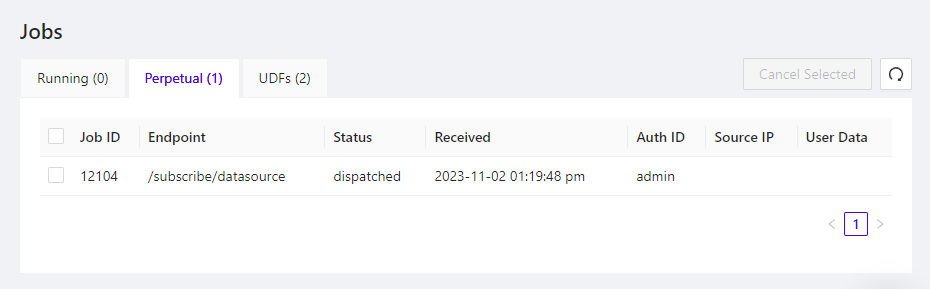
The Jobs interface is situated in the right-hand pane of Kinetica’s Workbench administration application. It can be used to view the status of the user-initiated and system-level jobs running within the database.
../../images/wb.jobs.png
To access the Jobs page, in Workbench, click the Jobs menu item. This will open the list of running jobs in the right-hand pane. Additionally, there are several action buttons:
  • Cancel Selected - stop any selected jobs from running
  • wb_icon_refresh - refresh the displayed list of jobs
Three tabs allow separate viewing of the different job types:
  • Running - jobs currently being executed within the database
  • Perpetual - subscriptions made via Kafka data sources.
  • UDFs - both user-defined and system-level UDFs; click View to display detail about the corresponding UDF, as well as its execution history