The Jobs section is only available to users
with the System Admin permission.
Running
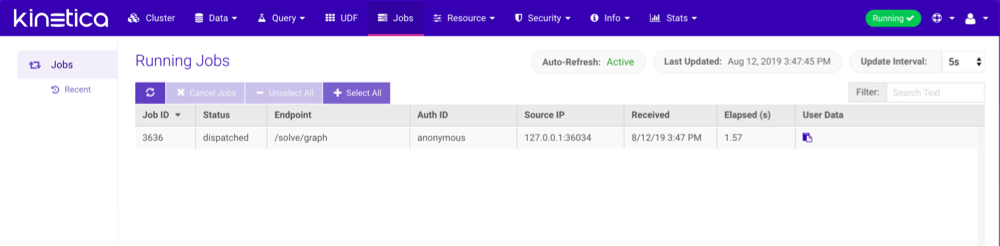
The Running page shows a list of currently executing jobs. Jobs can be cancelled by selecting them and then clicking Cancel Jobs, though most jobs are processed quickly enough to be finished by the time they appear in the job listing. The listing is automatically refreshed at a selectable interval, but can also be refreshed manually by clicking . Jobs can be
searched for using Filter.
The User Data field corresponds to the user-defined tag submitted
when making the request, specified via the
. Jobs can be
searched for using Filter.
The User Data field corresponds to the user-defined tag submitted
when making the request, specified via the job_user_data options parameter.
Click  to view it.
Insert, update, and delete requests cannot be cancelled.
Otherwise, most user-facing non-admin jobs are cancellable.
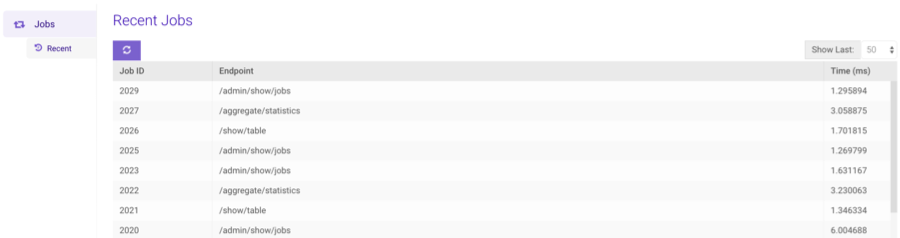
Recent
The Recent page shows a list of recently executed jobs and the completion time for each. The number of recent jobs displayed can be selected by clicking the Show Last drop-down. The list can be manually refreshed by clicking.