The Resource section is only available to users
with the System Admin permission.
Tiers
The Tiers page displays a summary of all tiers defined in /opt/gpudb/core/etc/gpudb.conf.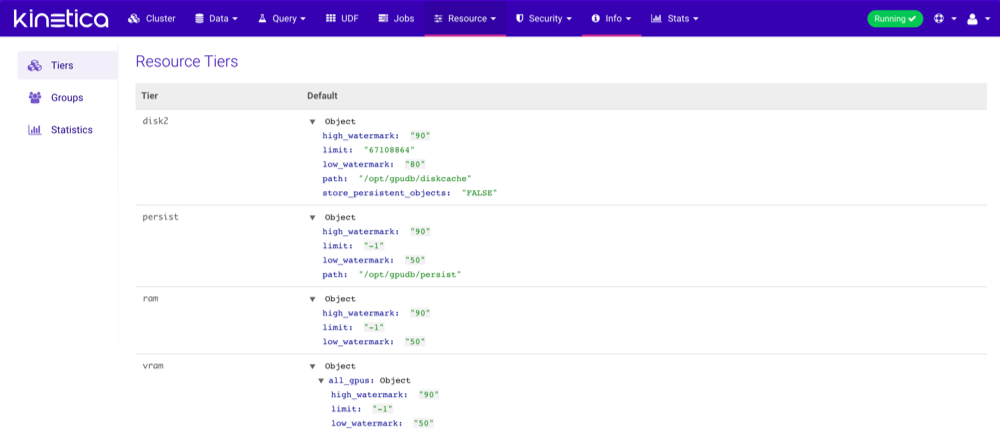
Groups
The Groups page displays all resource groups available for use in the cluster. Click the arrows next to a non-system/non-default resource group to change its ranking, then click Apply Ranking to save the ranking change(s).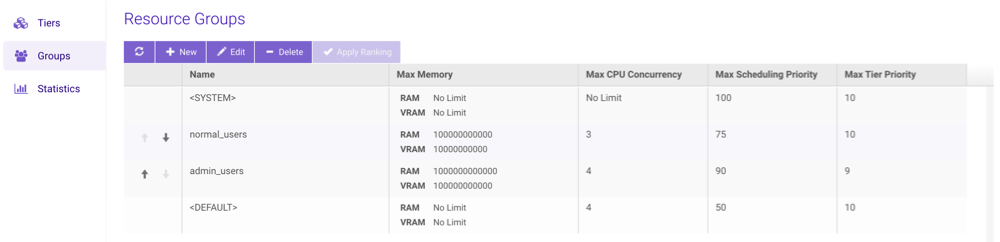
Creating Groups
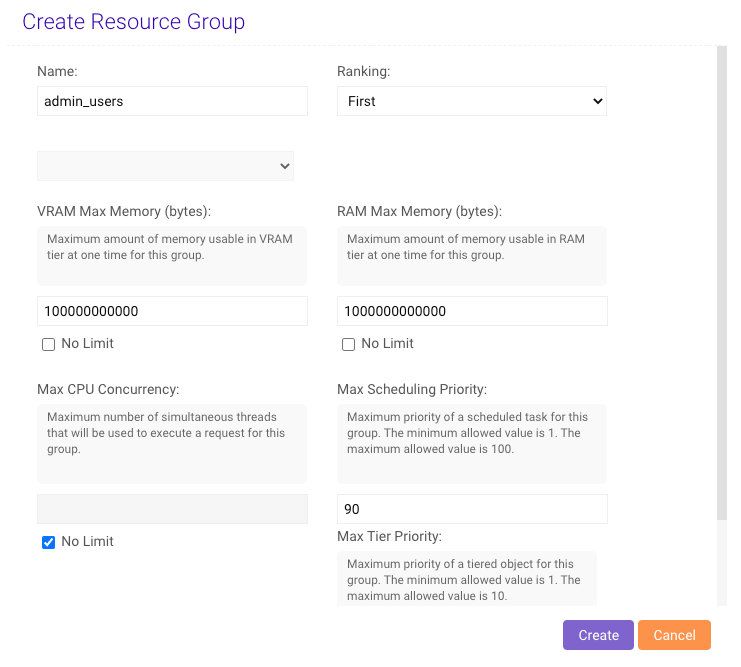
- From the list of Resource Groups, click New.
- Type a Name for the new resource group.
- Configure the new group’s ranking by selecting a predicate then selecting another resource group (if necessary).
- Provide the desired VRAM & RAM memory usage limits in bytes for the resource group.
- Provide a maximum number of CPUs that can be used concurrently for the group,
from
0to n number of CPUs available to the cluster. - Provide a maximum Scheduling Priority for the group, from
1to100where1is the lowest priority. - Provide a maximum tier Eviction Priority for the group,
from
1to10. - Click Create.
Editing Groups
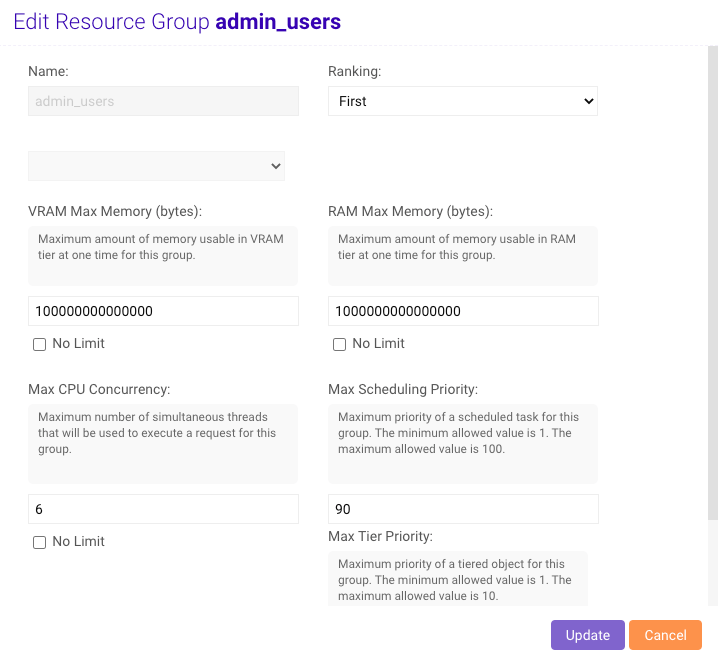
- From the list of Resource Groups, select a group and click Edit.
- Update the VRAM and RAM memory usage limits as necessary.
- Update the maximum CPU concurrency, Scheduling Priority, and/or tier Eviction Priority as necessary.
- Click Update.
Deleting Groups
- From the list of Resource Groups, select a group and click Delete.
- Confirm the deletion by clicking Delete again.
Statistics
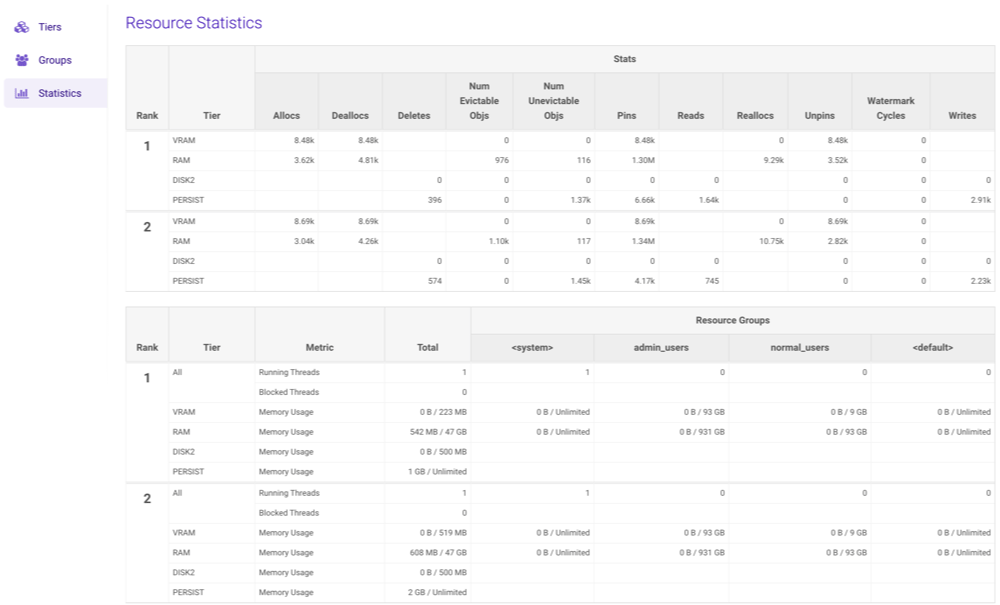
The Statistics page provides a detailed summary of each tier on each rank in the cluster. Each tier has several sub-sections that can be drilled into for detailed statistics.