Installation & Configuration
As mentioned above, determining if a cluster should have distributed graph servers happens during the nodes configuration process of the installation process. Configuration for each graph server will be handled by KAgent; the default settings for each server and its respective storage can be found within the configuration reference. If correctly configured, the graph servers will appear on the GAdmin Cluster Dashboard.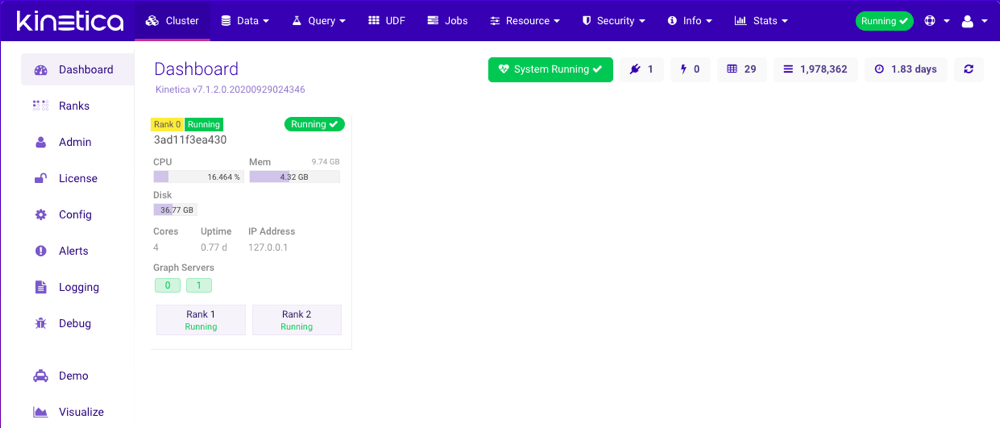
Leveraging Distributed Graph Servers
After distributed graph servers are installed and enabled, each server will be provided a server ID that will allow users to reference it during graph API endpoint operations. The system will automatically leverage distributed graph servers when using the default behavior for each graph endpoint. For situations that demand more control over where graph operations are performed, users can specify the graph server ID when sending a graph-related endpoint request. The following behavior per endpoint is available:In any of the situations where a specific graph server ID is
provided and the related graph does not exist on a provided
server, an error will be returned.
/create/graph
/delete/graph
/match/graph
/modify/graph
/query/graph
/show/graph
/solve/graph
Examples
Using the REST API, creating a graph on all available graph servers might look like this:Create Graph on All Servers
SHORTEST_PATH solver type
and only using specified graph servers might look like this:
Solve Graph on Specific Servers
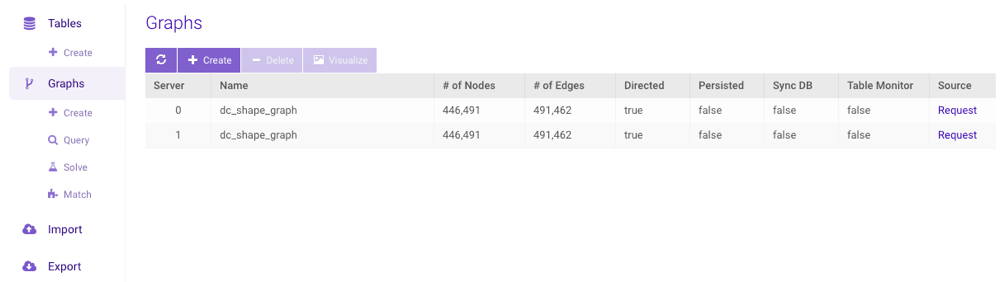
Distributed Graph Server User Interface (UI)
The GAdmin graph interface supports interacting with distributed graphs. For more information on the GAdmin graph interface, visit Graphs. For more information on enabling graphs during the installation process, visit the KAgent installation documentation.